🔌 Smart Spline | Fluid way to handle splines for furniture design and complex structures. Download
  • Twinmotion 2024.1 is now available for free

    1
    0 Votes
    1 Posts
    113 Views
    No one has replied
  • Oh no....not again

    3
    1
    0 Votes
    3 Posts
    127 Views
    C
    On one instance, I remember a different extension from another developer had an installation conflict. So, when I uninstalled it, the Fredo errors stopped. But this last time, I don't know what caused the issue. Wish I could tell you more. Would some type of uninstall or rebuild help?
  • This topic is deleted!

    0
    0 Votes
    0 Posts
    2 Views
    No one has replied
  • Fredo Scale achetĂ© impossible de le rĂ©cupĂ©rer

    5
    0 Votes
    5 Posts
    70 Views
    D
    @Rich-O-Brien said in Fredo Scale acheté impossible de le récupérer: Please run the Window > Libfredo Settings > Fredo6 Plugins Information for Sketchucation Support menu command in SketchUp and copy/paste the output into your reply. Après avoir effectuer la manipulation voilà le message : Fredo6 Plugins Information on 2024-05-01 18:44:32 +0200 Platform: x86_64-darwin21 - Ruby: 3.2.2 Sketchup: 24.0.483 LibFredo6: v14.3d LibFredo6 Binary loaded Sketchucation ExtensionStore: 4.4.1 SCFLicense: v6.4a - 72 Fredo6 Plugins Curvizard v2.5a FredoCorner v2.7a Curviloft v2.0a RoundCorner v3.4a ToolsOnSurface v2.6a SCFLicense directory present Signature File: 2022-08-26 09:32:32 +0200 FredoScale: 2022-08-26 10:15:16 +0200 Merci pour votre retour. Bernadette
  • This topic is deleted!

    1
    1
    0 Votes
    1 Posts
    3 Views
    No one has replied
  • I can't do anything with Sketchup web version

    7
    0 Votes
    7 Posts
    227 Views
    L
    Additionally I opened the same model and I could apply textures, then after about 10 mins I get a bug splat message and then it goes into uncooperative mode again
  • I don't have a Paypal account

    Solved
    2
    0 Votes
    2 Posts
    43 Views
    Rich O BrienR
    @yunusekoca You can use Stripe too
  • RoundCorner and hollow cylinders

    2
    0 Votes
    2 Posts
    58 Views
    Dave RD
    @cbenham that's a normal behavior with Round Corner. Just select the face and delete it. Or use FredoCorner.
  • Transfer my plugins from SU23 to S24

    Solved
    6
    0 Votes
    6 Posts
    209 Views
    Dave RD
    @errror404 You really ought to use the Extension Store tool to find and install extensions. It's easier than downloading the extensions and installing them with Extension Manager. It also means that when extensions get updated you can get an alert and update them quickly, and of course build your bundle to make migrating to a new version of to a new computer easier.
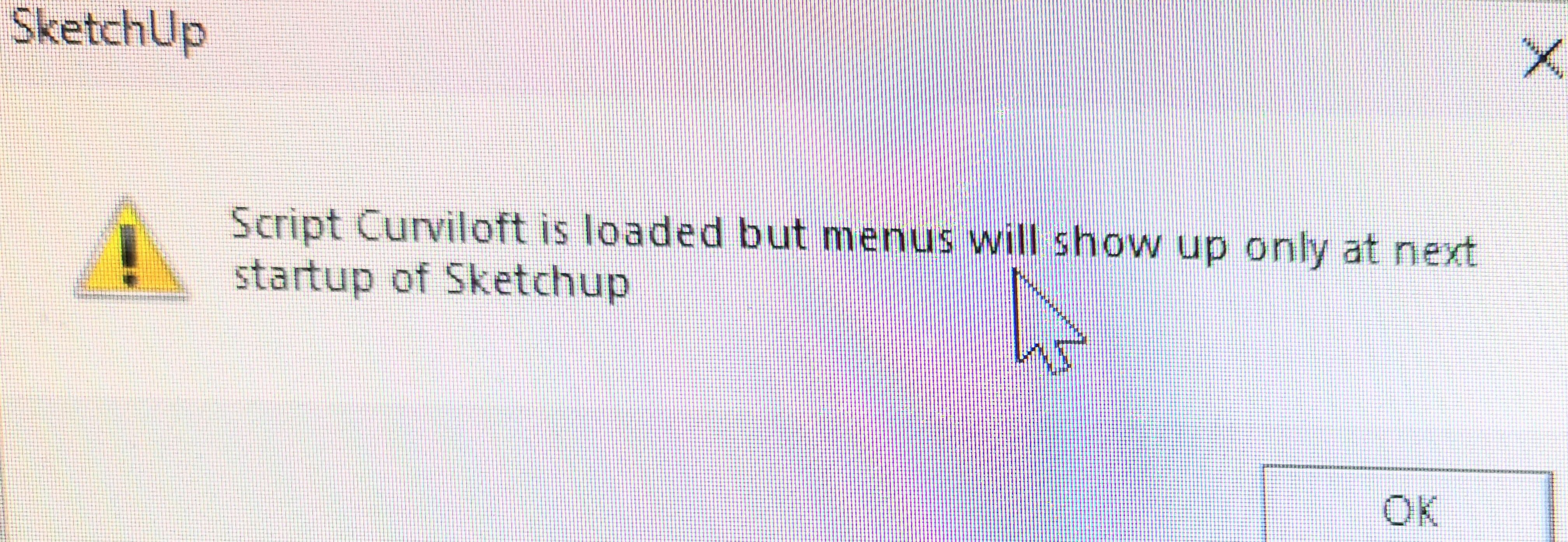
  • Fredo6 Curviloft - missing tool bar [SKP 2023 / 2024]

    Solved
    7
    0 Votes
    7 Posts
    486 Views
    A
    @Rich-O-Brien thank you! The update helped!
  • Fredo Lord of Toolbars no longer working

    26
    0 Votes
    26 Posts
    1k Views
    cmeedC
    @fredo6 Yes! this has done it for me!! - Thank you so much for helping me sort this out.... I enlarged my computer fontsize recently, also, I increased the text size on my phone.... its a sign of getting older!! booo! BUTI refuse to say ahhh when i sit down... Thank you again - this really is a productive tool for me. Cant thank enough! @TECHDAVE02 - sorry this hasn't solved your issue!
  • Looking for dynamic components extension

    Solved
    4
    0 Votes
    4 Posts
    129 Views
    simjoubertS
    Hello I think you look after this Curic DC UI This plugin allow you to create a new form with several widget slider, combo... Icons for you DC component. [image: sfeeyd462bep4pq3lg6wutfjoff6]
  • This topic is deleted!

    0
    0 Votes
    0 Posts
    10 Views
    No one has replied
  • "Sketchup go" question

    Solved
    4
    0 Votes
    4 Posts
    81 Views
    Rich O BrienR
    @L-i-am said in "Sketchup go" question: Thanks, how do I mark a question solved/ answered? When you are creating a topic there's an option to 'Ask a question'. If you use that then you can pick the correct answer. Not sure if you have the ability the retro-actively edit your post to convert from a topic to a question? [image: 1712751755648-brave_cgir1prae6.png] If you do then try it and see you can mark my reply as correct.
  • Trouble with Fredo scale and push pull

    2
    0 Votes
    2 Posts
    102 Views
    TIGT
    @bsemonsen You say they "are the latest versions", but most of Fredo's extensions have recently been updated to suit v2024. Also you will need the latest LibFredo AND the SketchUcation toolset [for the licensing etc]. Download them/install from SketchUcation.com If you have installed all of these extensions AND restarted SketchUp, but you still have issue report back... Also, when you installed v2024 did you do it properly ? You can 'repair' a faulty installation as follows... Close SketchUp. Find the v2024 installer's exe file - usually in you Downloads folder. Select its icon, right-click > context-menu > "Run as administrator" When prompted choose "Repair" When it completes launch SketchUp and see if there's any improvements... Installing any complex Windows app by double-clicking its installer's icon to "Run" it gives a different result - even if you user-account has admin-powers. This way can cause unexpected and unpredictable issues - especially around file/folder/preferences being read or saved... Doing a "Repair" will do no harm, and leave anything you've already set up unaffected.
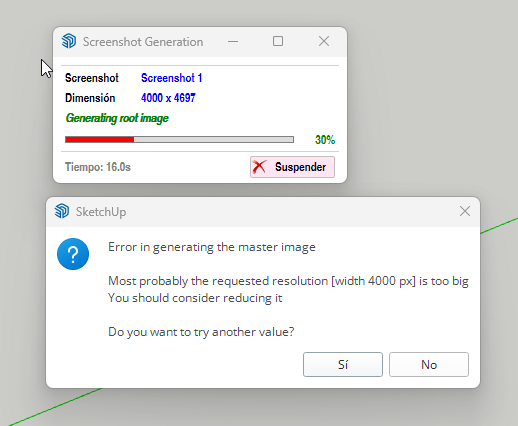
  • Problem exporting screenshots at high resolutions with FredoPortrait

    2
    1
    0 Votes
    2 Posts
    71 Views
    fredo6F
    4000x4000 is to high a resolution. There is a limitation in Sketchup.
  • This topic is deleted!

    0
    0 Votes
    0 Posts
    6 Views
    No one has replied
  • Toolbar editor

    1
    0 Votes
    1 Posts
    112 Views
    No one has replied
  • Rayscaper is going Beta

    rayscaper render
    10
    0 Votes
    10 Posts
    712 Views
    S
    @pixelcruncher thank you very much
  • Is clothworks perpetual or subscription?

    Solved
    2
    0 Votes
    2 Posts
    52 Views
    Rich O BrienR
    Its a perpetual license. Its not yet compliant with SketchUp 2024.

Advertisement