🔌 Smart Spline | Fluid way to handle splines for furniture design and complex structures. Download

  • Rayscaper Sample Model Download

    Solved rayscaper
    22
    0 Votes
    22 Posts
    889 Views
    ntxdaveN
    OK still a little more progress. Noticed a problem in the model so fixed it and re-rendered. [image: 1720457840694-blower-dryer-mammoth_rayscaper-v2.png] Then I played with another setting and like this one a little more. [image: 1720457885806-blower-dryer-mammoth_rayscaper-v3.png] I am going to start another thread about Rayscaper Learning-Practice as I continue to learn how to render with Rayscaper and also a place to ask questions.
  • ERROR JOINT PUSH PULL

    1
    1
    0 Votes
    1 Posts
    77 Views
    No one has replied
  • Licence-Release-Problem

    3
    1
    0 Votes
    3 Posts
    88 Views
    N
    @Rich-O-Brien Thanx Dude! I'll check send you an E-Mail!!
  • I installed the latest plugin but it doesn't appear in the menu list

    4
    0 Votes
    4 Posts
    76 Views
    TIGT
    @rutpin So you installed the FredoScale extension. I assume you installed it from an RBZ you've downloaded, using the Extension Manager > Install method... When it's installed it doesn't appear in the 'normal menu list' - by which is must assume you mean 'Extensions', it's under the 'Tools' menu, and also has a Toolbar which you could activate. I don't understand your 'where do you open the icons' ?? Please explain... You will also need LibFredo6 [for the helper methods] and the SketchUcation Tools [for the licensing] installing... Restart SketchUp after the installations to sync everything. After that it doesn't appear, or it is not at least listed in the Extension Manager dialog, then come back for more help...
  • Sketchucation Tools on SU 2020

    2
    0 Votes
    2 Posts
    72 Views
    TIGT
    @ntxdave The current version of SketchUcation Tools works on versions >= v2017 If you have bundles relating to other versions [newer or older], then you should be able to use them in v2020...
  • Fredo Scale Radial Bending not working

    4
    1
    0 Votes
    4 Posts
    134 Views
    Dave RD
    @aleathompson520 share the .skp file so we can see what you are working with.
  • Sketchucation 4.4.1 Error

    1
    0 Votes
    1 Posts
    34 Views
    No one has replied
  • Move Plugins to new computer

    9
    0 Votes
    9 Posts
    224 Views
    ntxdaveN
    @Rich-O-Brien Yes I had done that before but for some reason it did not work. It now worked so I think all is OK. Thanks for the support.
  • FredoXRef

    2
    0 Votes
    2 Posts
    244 Views
    Rich O BrienR
    @kdewinter said in FredoXRef: Has this extension already be released? I cant find it back on Sketchucation... Anyone? No, unreleased for now
  • This topic is deleted!

    1
    0 Votes
    1 Posts
    3 Views
    No one has replied
  • Fredo6 Plugin License Email Address

    Solved
    2
    0 Votes
    2 Posts
    95 Views
    Rich O BrienR
    You can't change it. Its the email address you input at purchase time. Licenses are associated to your user account.
  • LCA / CO2e calculations using sketchup?

    1
    0 Votes
    1 Posts
    64 Views
    No one has replied
  • Fredo Licensing for Offline Machine

    1
    0 Votes
    1 Posts
    57 Views
    No one has replied
  • Automate Color Variations in SketchUp with Ease

    1
    1
    1 Votes
    1 Posts
    84 Views
    No one has replied
  • purchased licenses disappeared

    2
    0 Votes
    2 Posts
    44 Views
    TIGT
    @lucarcari Having changed computer has probably messed things up. Assuming you no longer have access to the license file you saved onto your previous computer, or the email which sent it to you, have you tried the SketchUcation My Licenses page, whilst logged in as the user who bought the license ? https://sketchucation.com/webshop/my-licences.php This allows you to deactivate any 'old' licenses, download a copy so you can activate a new one etc...
  • This topic is deleted!

    0
    0 Votes
    0 Posts
    4 Views
    No one has replied
  • plugins

    fredo
    2
    0 Votes
    2 Posts
    107 Views
    TIGT
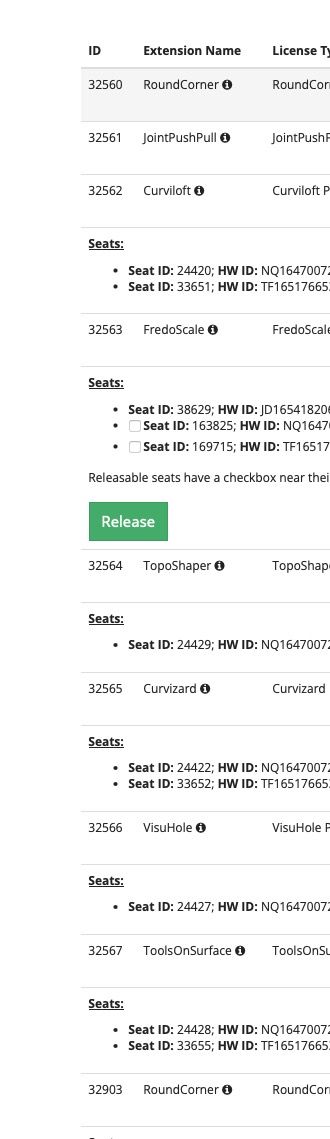
    @PROYECTARIUM When you buy a Fredo6 license it allows you to install it [and validate it] on up to 3 different computers. You simply copy the license file onto the other computer and use that file to activate a license for the related extension on that computer. There are also tools available on the SketchUcation website to manage licenses later on - e.g. if you get a different computer that needs a license, and you can remove a validation from the previous computer. Cuando compras una licencia de Fredo6, te permite instalarla [y validarla] en hasta 3 computadoras diferentes. Simplemente copie el archivo de licencia en la otra computadora y use ese archivo para activar una licencia para la extensión relacionada en esa computadora. También hay herramientas disponibles en el sitio web de SketchUcation para gestionar licencias más adelante, p. si obtiene una computadora diferente que necesita una licencia, puede eliminar una validación de la computadora anterior.
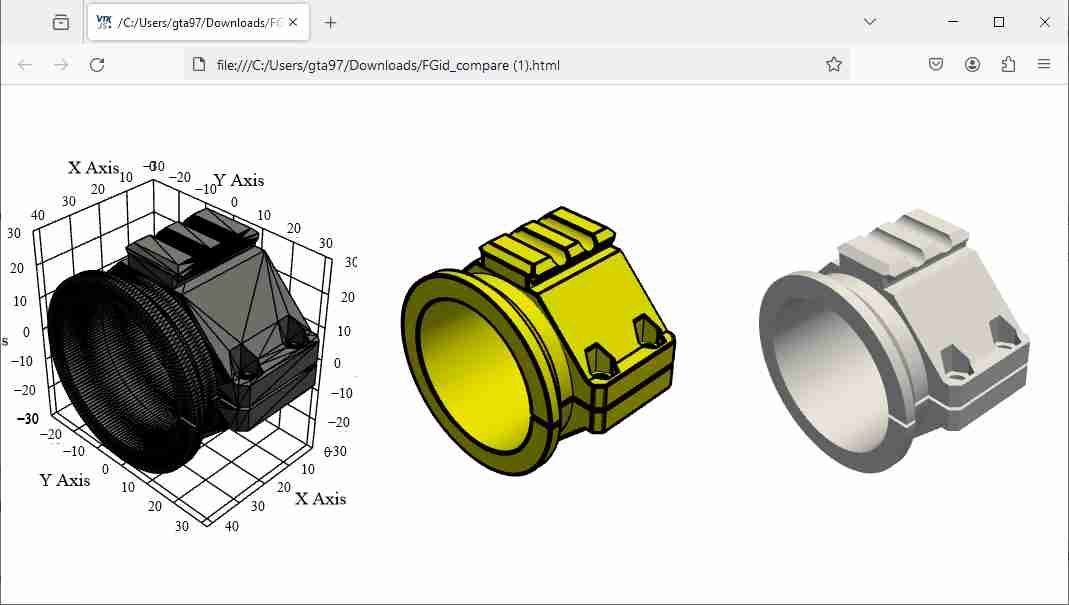
  • Compare multiple 3d models

    1
    1
    0 Votes
    1 Posts
    83 Views
    No one has replied
  • 0 Votes
    1 Posts
    107 Views
    No one has replied
  • Refund policy inquiry.

    4
    1 Votes
    4 Posts
    177 Views
    V
    @brikke Hey, i guess, you are talking about Fredo bundle of 8, and I believe you want a refund for the Fredo Bezier, after realizing the Bezier spline is strong enough to do most of the work I didn't know that Bezier Spline was such a powerful tool until I saw the YouTube TutorialsUp video.

Advertisement