⚠️ Update | Sketchucation Tools 5.0.8 released with licensing improvements and bugfixes Download

  • Sketchucation 4.4.1 Error

    1
    0 Votes
    1 Posts
    95 Views
    No one has replied
  • Move Plugins to new computer

    9
    0 Votes
    9 Posts
    527 Views
    ntxdaveN
    @Rich-O-Brien Yes I had done that before but for some reason it did not work. It now worked so I think all is OK. Thanks for the support.
  • FredoXRef

    2
    0 Votes
    2 Posts
    330 Views
    Rich O BrienR
    @kdewinter said in FredoXRef: Has this extension already be released? I cant find it back on Sketchucation... Anyone? No, unreleased for now
  • This topic is deleted!

    1
    0 Votes
    1 Posts
    3 Views
    No one has replied
  • Fredo6 Plugin License Email Address

    Solved
    2
    0 Votes
    2 Posts
    171 Views
    Rich O BrienR
    You can't change it. Its the email address you input at purchase time. Licenses are associated to your user account.
  • LCA / CO2e calculations using sketchup?

    1
    0 Votes
    1 Posts
    156 Views
    No one has replied
  • Fredo Licensing for Offline Machine

    1
    0 Votes
    1 Posts
    95 Views
    No one has replied
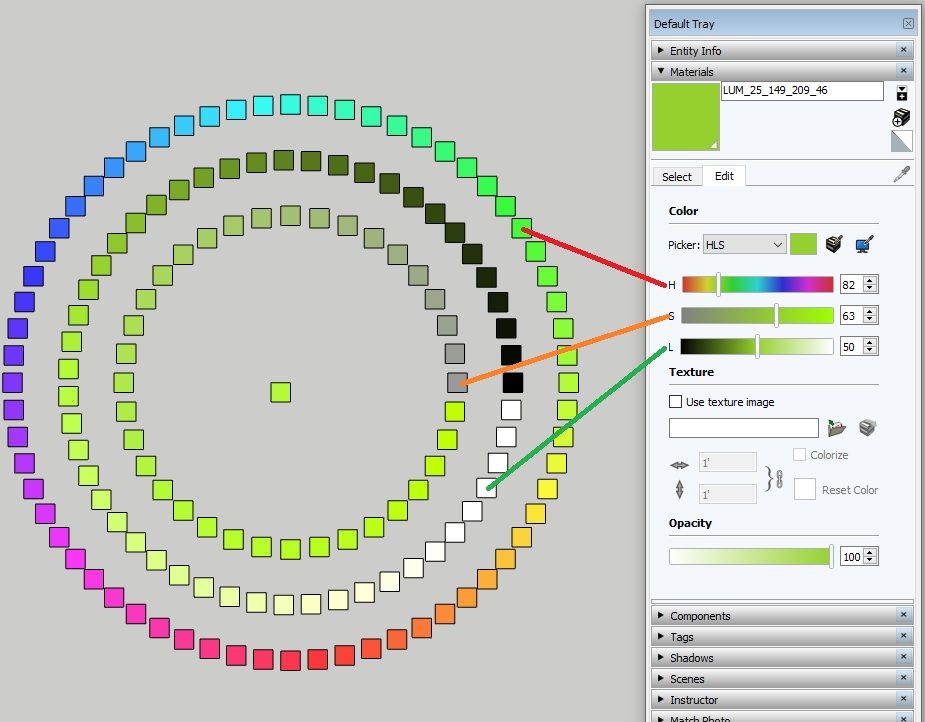
  • Automate Color Variations in SketchUp with Ease

    1
    1
    1 Votes
    1 Posts
    195 Views
    No one has replied
  • purchased licenses disappeared

    2
    0 Votes
    2 Posts
    134 Views
    TIGT
    @lucarcari Having changed computer has probably messed things up. Assuming you no longer have access to the license file you saved onto your previous computer, or the email which sent it to you, have you tried the SketchUcation My Licenses page, whilst logged in as the user who bought the license ? https://sketchucation.com/webshop/my-licences.php This allows you to deactivate any 'old' licenses, download a copy so you can activate a new one etc...
  • This topic is deleted!

    0
    0 Votes
    0 Posts
    4 Views
    No one has replied
  • plugins

    fredo
    2
    0 Votes
    2 Posts
    244 Views
    TIGT
    @PROYECTARIUM When you buy a Fredo6 license it allows you to install it [and validate it] on up to 3 different computers. You simply copy the license file onto the other computer and use that file to activate a license for the related extension on that computer. There are also tools available on the SketchUcation website to manage licenses later on - e.g. if you get a different computer that needs a license, and you can remove a validation from the previous computer. Cuando compras una licencia de Fredo6, te permite instalarla [y validarla] en hasta 3 computadoras diferentes. Simplemente copie el archivo de licencia en la otra computadora y use ese archivo para activar una licencia para la extensión relacionada en esa computadora. También hay herramientas disponibles en el sitio web de SketchUcation para gestionar licencias más adelante, p. si obtiene una computadora diferente que necesita una licencia, puede eliminar una validación de la computadora anterior.
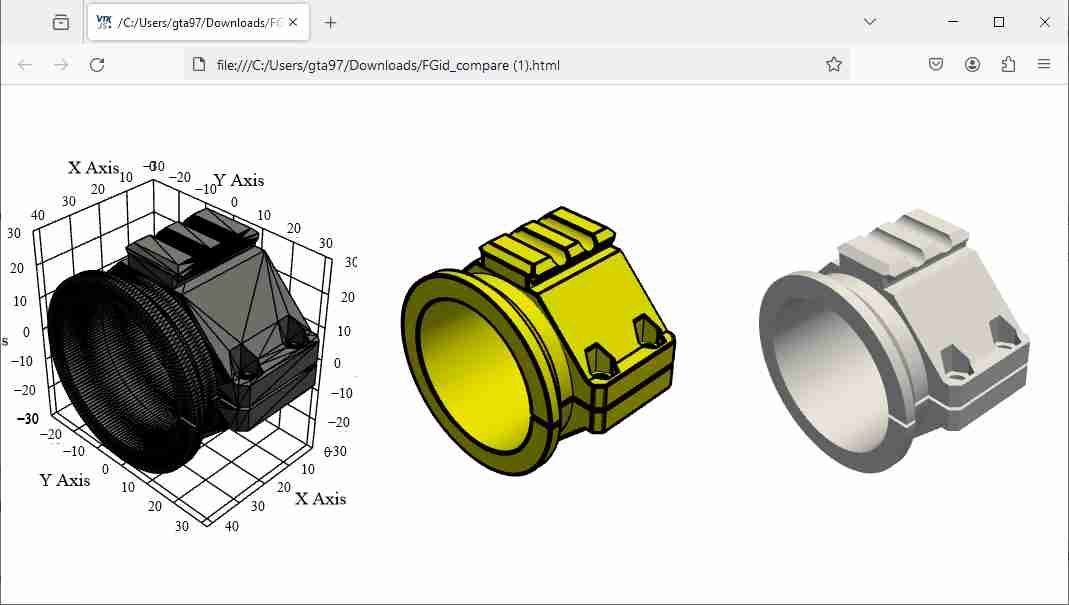
  • Compare multiple 3d models

    1
    1
    0 Votes
    1 Posts
    277 Views
    No one has replied
  • 0 Votes
    1 Posts
    230 Views
    No one has replied
  • Refund policy inquiry.

    4
    1 Votes
    4 Posts
    331 Views
    V
    @brikke Hey, i guess, you are talking about Fredo bundle of 8, and I believe you want a refund for the Fredo Bezier, after realizing the Bezier spline is strong enough to do most of the work I didn't know that Bezier Spline was such a powerful tool until I saw the YouTube TutorialsUp video.
  • Opposite to Shape Bender

    2
    0 Votes
    2 Posts
    168 Views
    TIGT
    @errror404 Keep a duplicate copy of the straight version before you bend it. Then you cab use that later ? There's nothing to 'undo' the bending...
  • 0 Votes
    7 Posts
    956 Views
    bagateloB
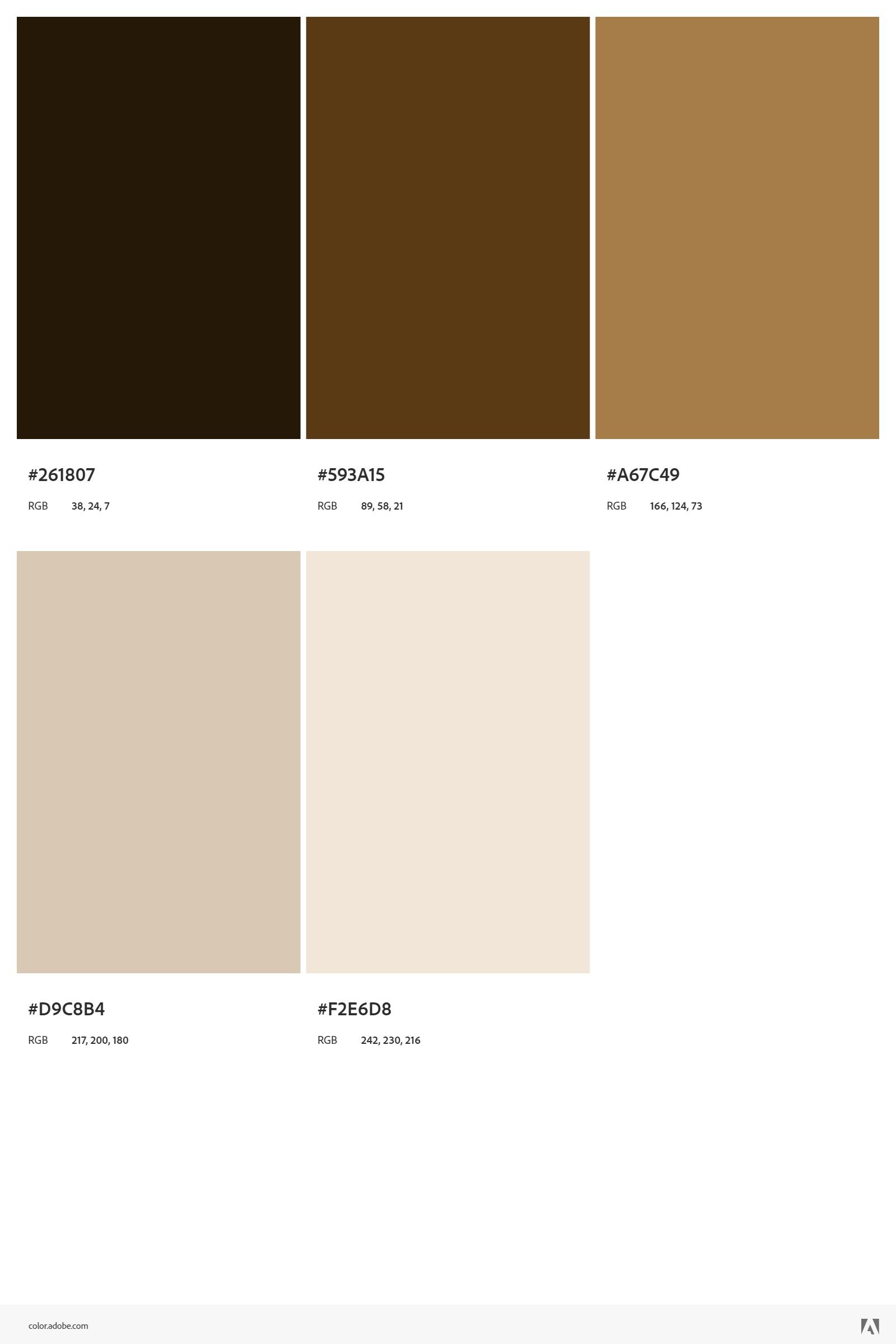
    @Rich-O-Brien [image: 5454.jpg] I got what I wanted, but I had to do a python script to get what I wanted. Chatgpt helped me a lot. See the zip file attached in the link. There are the scripts, the images downloaded from the Adobe Color website, and an skp file with the results of everything I wanted. https://www.dropbox.com/scl/fi/r02n9htl725rajx9ywtco/adobe.zip?rlkey=34xiw9xw8dykpest4g7lcq3va&dl=0
  • This topic is deleted!

    1
    0 Votes
    1 Posts
    2 Views
    No one has replied
  • This topic is deleted!

    0
    0 Votes
    0 Posts
    2 Views
    No one has replied
  • Clothworks--No Pins (paid license)

    Moved Solved clothworks
    3
    0 Votes
    3 Posts
    299 Views
    Rich O BrienR
    @martin-industries said in Clothworks--No Pins (paid license): As the title says, paid for license, installed, uninstalled, reinstalled, restarted...blah blah. Arrows showed up one time right after I installed the license, then I haven't gotten them since. Please share SketchUp version, Clothworks version and Sketchucation Tools version you are using.
  • FREDOSCALE NOT WORKING

    10
    0 Votes
    10 Posts
    888 Views
    S
    @fredo6 Ive had the most upto date versions , and yet the fat green arrow still persists for Fredo Scale.

Advertisement