⚠️ Important | Libfredo 15.6b introduces important bugfixes for Fredo's Extensions Update
  • This topic is deleted!

    1
    0 Votes
    1 Posts
    6 Views
    No one has replied
  • WrapR compatibility with sketchup 2024

    4
    0 Votes
    4 Posts
    123 Views
    G
    Wrap-R 2024.0 has been published. You can download the .exe from: https://wrapr-download.s3.amazonaws.com/WrapR-installer_2024_0.exe
  • Fredo Tools no responding after update

    6
    2
    1 Votes
    6 Posts
    129 Views
    Rich O BrienR
    @DanBradySU said in Fredo Tools no responding after update: @Rich-O-Brien - thanks for the tips, sorry for the late reply, been offline. I've got no errors on Ruby, I press 'purge' from the drop down but nothing happens, still no pop-up when pressing Fredo tools and it doesn't appear to be opening off screen - other tools pop-up fine. I'm lost?! Could your dialog be off screen? @Dan-Rathbun has an extension that sorts this issue https://sketchucation.com/plugin/2728-dialog_cascader [image: 1725612145896-d3429c2f-5ab1-4d8b-ac3f-d23be706b00d-image.png] You can use Sketchucation Tools to easily install it https://sketchucation.com/plugin/696-sketchucationtools
  • What plugin was probably used to re-do these quads for a site model?

    2
    1
    0 Votes
    2 Posts
    59 Views
    Rich O BrienR
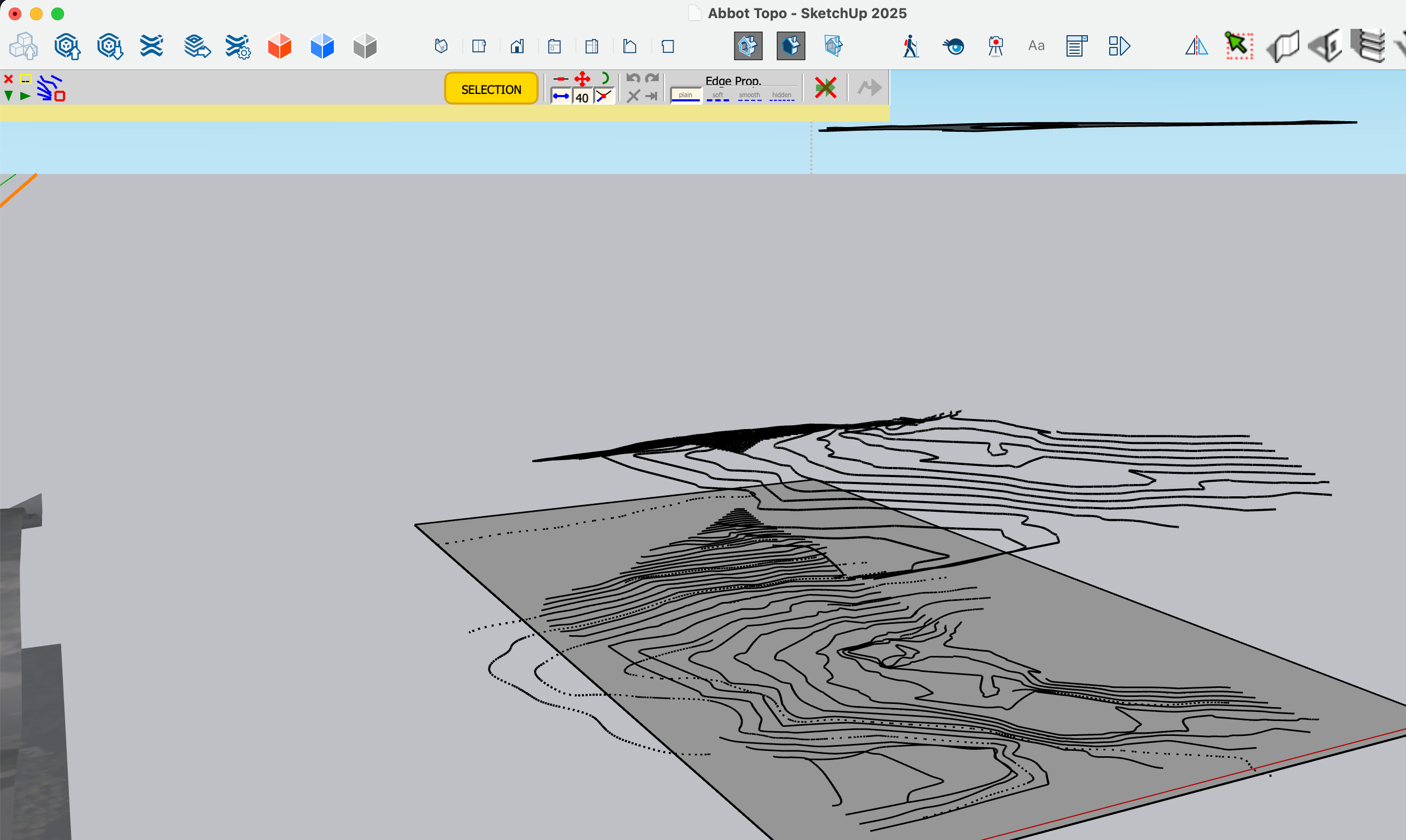
    @Robert-Zappulla There's no guarantee it was a plugin but Toposhaper does create such clean quad based terrain.
  • RAYSCAPER NOT LOADING

    4
    1
    0 Votes
    4 Posts
    123 Views
    KathrynGK
    @pixelcruncher I always find it odd... every designer I know uses a Mac? I shall keep an eye out. Thank you.
  • Export skp 2 pdf 3d

    5
    0 Votes
    5 Posts
    399 Views
    juan974J
    Hello, New web site merged pdf3d with html and more : http://webgl.tarn.us Regards
  • Rayscaper - Keep window always on top

    rayscaper tip
    4
    1
    2 Votes
    4 Posts
    264 Views
    ntxdaveN
    @pixelcruncher Pause/resume is definitely on the roadmap. Thank you.
  • Tool like Profile Builder but for duplicating an object across another surface?

    Solved
    5
    2
    0 Votes
    5 Posts
    199 Views
    D
    @Gus-R Thank you very much! This looks like exactly what i need.
  • extension to see if components intersect

    3
    0 Votes
    3 Posts
    69 Views
    D
    @TIG No caso para geometrias como cubos colidindo com pontos teria uma forma mais simples de tratar tais colisões? No caso eu estou usando um exemplo de duas peças de madeira e o parafuso está agrupado em "Kit parafusos" como entenderia sua posição global, já usei as transformações sem êxito. Para colisões com agrupamento no mesmo nível consegui mais quando o meu elemento de usinagem está em outras camadas não consigo obter o boundBox global.
  • Old Extensions and SU 24

    12
    0 Votes
    12 Posts
    335 Views
    KathrynGK
    @TIG Thank you. I downloaded a free trial of VRay before seeing your reply. It does not seem too difficult, so I am giving that a shot. Pity about Twilight though... I really liked it. This project, since time is a factor, I will probably have to create in SU 22, since the SU24 exported file is not as said ad nauseum - (sorry) working with Twilight in SU 22. I will then see if I can handle VRay over the trial period. At least it's exercising my brain.
  • curviloft bug

    2
    1 Votes
    2 Posts
    59 Views
    Rich O BrienR
    Please install Sketchucation Tools: https://sketchucation.com/plugin/696-sketchucationtools Restart SketchUp after installation Then license Curviloft per the licensing guide: https://downloads.sketchucation.com/licensing/SCFLicense-Instructions_to_Users.pdf You can retrieve your license at https://sketchucation.com/webshop/my-licences.php Curviloft require Libfredo v14.5: https://sketchucation.com/pluginstore?pln=LibFredo6 Try that and report any errors if you encounter them
  • How to delete a post

    Solved
    6
    0 Votes
    6 Posts
    123 Views
    ntxdaveN
    @Rich-O-Brien Thanks Rich. I wondered about that.
  • FREDOTOOLS not Showing up after Installed successfully

    4
    5
    0 Votes
    4 Posts
    108 Views
    Rich O BrienR
    @seabreezemojito said in FREDOTOOLS not Showing up after Installed successfully: @TIG Hi, thank you after i checked turns out the problem is that i havent updated my libfredo. Thank you so muchhh You should install Sketchucation Tools too since its required for licensing and it makes install extension much easier
  • This topic is deleted!

    1
    5
    0 Votes
    1 Posts
    2 Views
    No one has replied
  • This topic is deleted!

    1
    5
    0 Votes
    1 Posts
    0 Views
    No one has replied
  • This topic is deleted!

    1
    5
    0 Votes
    1 Posts
    0 Views
    No one has replied
  • This topic is deleted!

    1
    5
    0 Votes
    1 Posts
    0 Views
    No one has replied
  • Thrupaint causes SketchUp to crash.

    2
    0 Votes
    2 Posts
    58 Views
    W
    @Wantao Here is the documents. https://drive.google.com/file/d/1OHqpxUhHe5yrgTp1rvniaVj7GSW_Rem4/view?usp=sharing
  • Fredo6 Joint Push Pull Error

    fredo jointpushpull fredo6
    2
    5
    0 Votes
    2 Posts
    140 Views
    TIGT
    @hmurphy Have you restarted SketchUp after the extension / lib were installed ? That should sync everything. The toolbar & menu items should show up then. Fredo's extensions are listed under a submenu in the Tools menu... did you look there after a restart ? Simply paying for a license doesn't license the extension. You need to activate it in the appropriate submenu under Tools... If you have tried all of this without success, then please comeback for further help...
  • Component on faces of different size and shape

    1
    0 Votes
    1 Posts
    25 Views
    No one has replied

Advertisement