sketchucation logo sketchucation
    • Login
    1. Home
    2. wind-borne
    3. Posts
    Oops, your profile's looking a bit empty! To help us tailor your experience, please fill in key details like your SketchUp version, skill level, operating system, and more. Update and save your info on your profile page today!
    ⚠️ Important | Libfredo 15.6b introduces important bugfixes for Fredo's Extensions Update
    Offline
    • Profile
    • Following 0
    • Followers 0
    • Topics 5
    • Posts 189
    • Groups 1

    Posts

    Recent Best Controversial
    • RE: Mac materials editor

      @ran1972 said:

      Hi,

      I am having the following difficulties with the SU8 mac materials editor:

      1. Removing colour palettes. When I click remove from from list I get the option to remove. When I click remove
        from the are you sure you want to remove the colour list? the palette is still in the list.

      Any suggestions would be much appreciated.

      Ran

      I remember how annoying that problem.
      To rid yourself of those reincarnating lists, delete the lists(folders) you want to remove from your Materials folders stored at one of these locations.

      HD/Library/Application Support/Google SketchUp 8/SketchUp/Materials
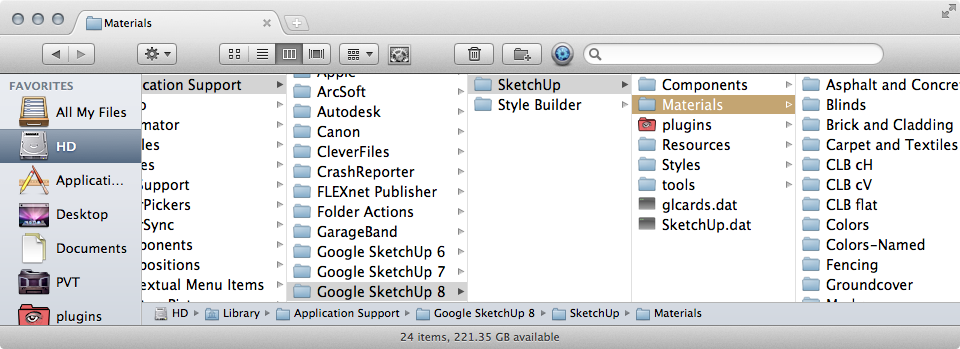
      HD path.png

      HD/Users/Library/Application Support/Google SketchUp 8/SketchUp/Materials
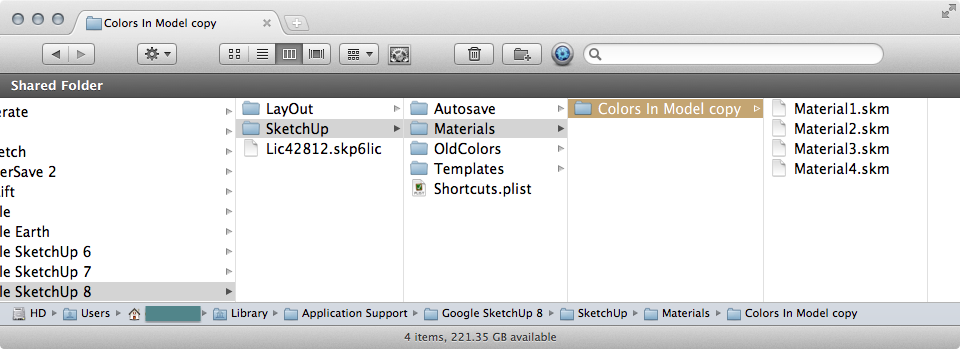

      user path.png

      posted in Newbie Forum
      wind-borneW
      wind-borne
    • RE: Any Plugin to count "Endpoints" in a selection??

      @jgb said:

      Is there a plugin that will count Endpoints in a selection?

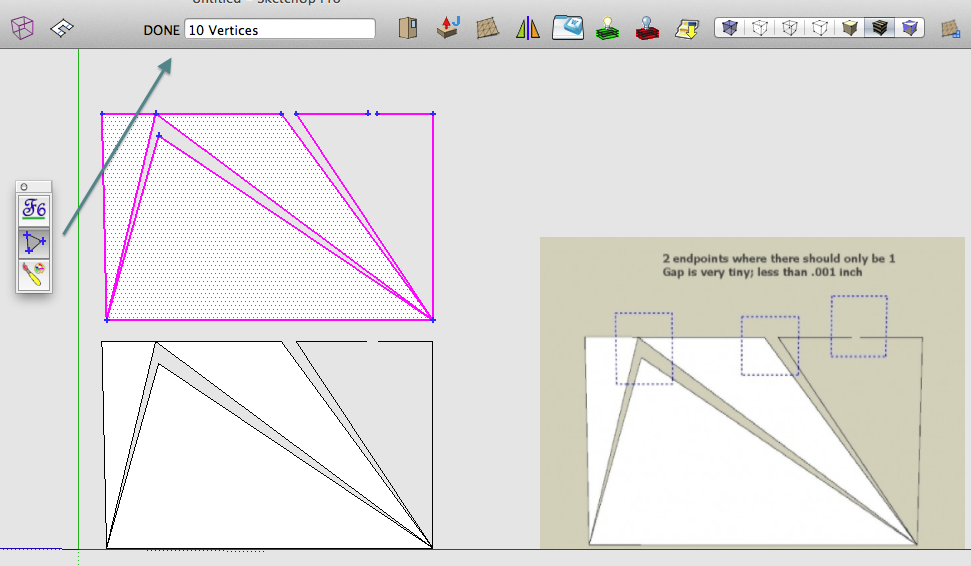
      FredoTools? Marks and counts vertices in selection


      Screen Shot 2012-12-14 at 9.53.55 AM.png

      posted in SketchUp Discussions
      wind-borneW
      wind-borne
    • RE: Re: Some Funny Pics.

      ...

      posted in Corner Bar
      wind-borneW
      wind-borne
    • RE: Toolbars problem on mac OS

      @slbaumgartner said:

      I have this kind of problem too. Every time I start SketchUp I get a 3d Shapes Tool palette. I seldom use these tools, so the palette is just clutter to me, but I can't seem to keep it from reappearing. I tried all of the suggestions above, and SketchUp determinedly turns it back on. To me this smells like a programming feature (aka bug) in SketchUp on the Mac - somehow it is mishandling the palette states saved in the plist.

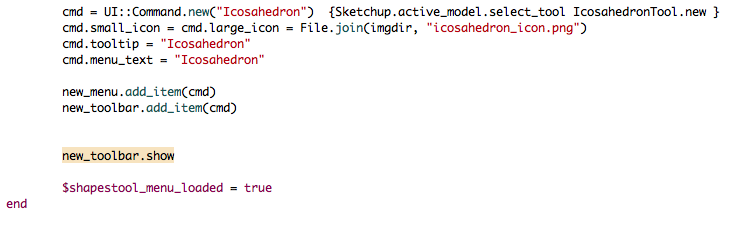
      If you delete line I highlighted near end of 3dshapestool.rb the toolbar will not load until you choose in Tool Palettes.


      3dshapestool.png

      posted in SketchUp Bug Reporting
      wind-borneW
      wind-borne
    • RE: Disappearing toolbar under OSX?

      @thomthom said:

      @wind-borne said:

      That toolbar does occasionally disappear for me also, usually when editing a group.

      Really? And only with Vertex Tools? 😲 😕

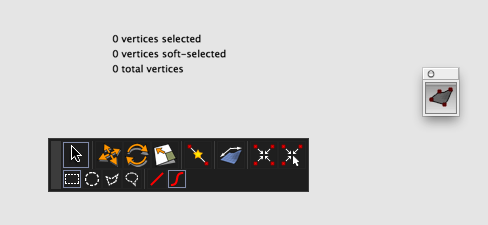
      Now we have established gt5's problem is not the button but the toolbar inside of Vertex Tools that is missing.

      The main toolbar and information panel within Vertex Tools have at times disappeared when editing inside of a group. Vertices will be highlighted blue as if waiting to be selected, no toolbar and nothing can be selected in Vertex Tools until I exit group and reenter group edit mode and open Vertex tools again. Then all functions normal. Select freehand initial tool. Of course I couldn't recreate today 😆
      I use a different color for selections in SU, that blue only shows up inside of Vertex Tools.

      I rely on 'edit vertices' shortcut to activate tool so I never have that initial toolbar button visible if that is what you are asking about.

      posted in SketchUp Discussions
      wind-borneW
      wind-borne
    • RE: Disappearing toolbar under OSX?

      @gt5 said:

      Nope, the single button is there. It's the long toolbar that appears after one clicks the button that as wondered off.

      @thomthom said:

      @wind-borne said:

      Are we talking about the single button to activate tool?

      Yes. I'll point the user to these screenshots and see what he makes out of it.

      No, it's the toolbar not the activate button.

      That toolbar does occasionally disappear for me also, usually when editing a group.
      If I close and reopen group the toolbar reappears in the same space as before when Vertex Tools is reactivated, never had toolbar move.
      I've gotten used to doing that without giving much thought.

      posted in SketchUp Discussions
      wind-borneW
      wind-borne
    • RE: Disappearing toolbar under OSX?

      Are we talking about the single button to activate tool?

      Screen Shot 2012-11-23 at 5.56.19 AM.png

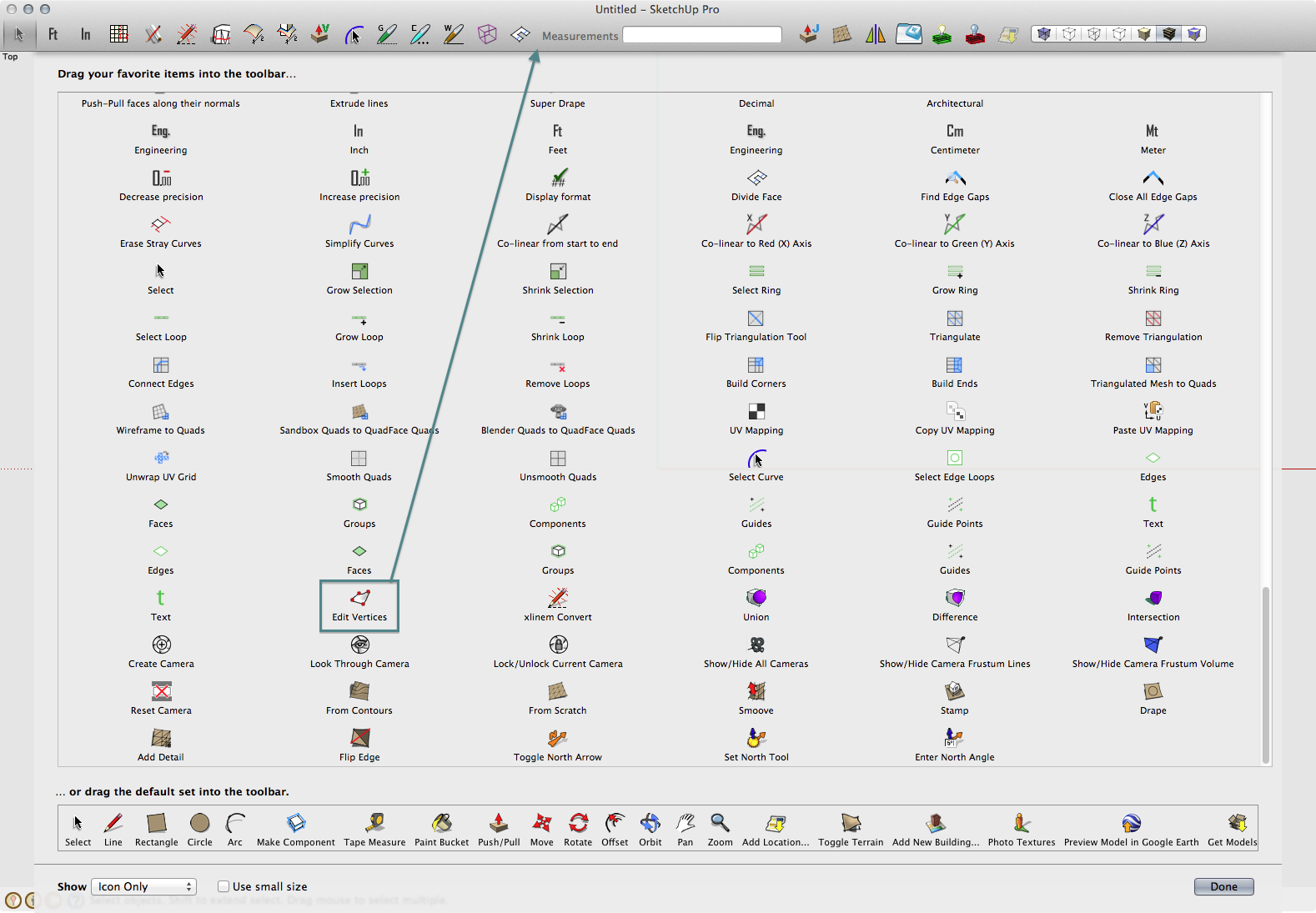
      Is the icon visible in customizable toolbar?
      If so, might be more convenient to drag icon(if visible) into customizable toolbar as those single button floating toolbars are annoying anyway… 😉

      Shortcut is my preferred method.


      Screen Shot 2012-11-23 at 5.45.35 AM.png

      posted in SketchUp Discussions
      wind-borneW
      wind-borne
    • RE: No mouse orbit!

      @gareebee said:

      @dave r said:

      "...installed the Logitech Setpoint driver..."

      That's yer problem. You might be able to get into the mouse settings and change the mapping for the center mouse wheel so Zoom works. While you're at it, check the mapping on the center mouse button, too.
      Thanks for input, but the zoom function already works. It's the scroll wheel click that doesn't function. No mapping option I have found will return it. WTF, Logitech!

      I wouldn't throw out driver.
      I don't imagine Logitech models are that different.
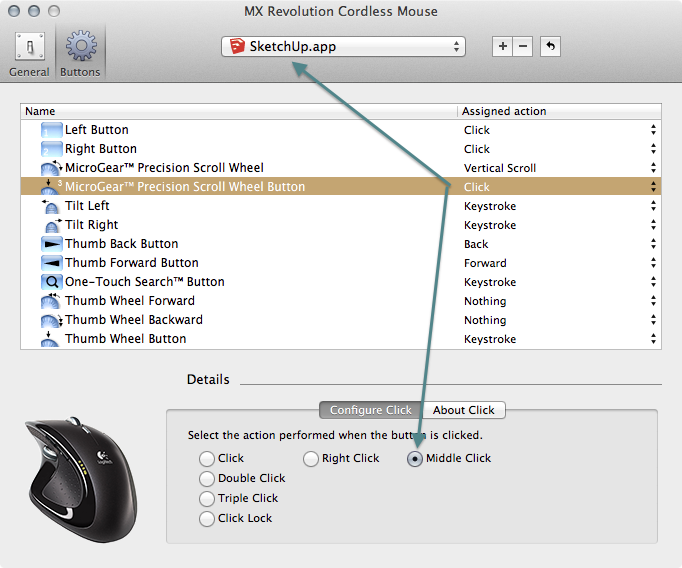
      With Logitech MX, I have a few buttons set specifically for SU.

      This setup enables that orbit function on my Mac.


      Screen Shot 2012-11-10 at 7.24.34 AM.png

      posted in Newbie Forum
      wind-borneW
      wind-borne
    • RE: Where does a LayOut Scrapbook save on a Mac?

      @tig said:

      Save some Layout 'scrap' as a new Scrapbook.
      Give it a unique name - e.g. 'TIGsScrapbookTester'...
      Afterwards use the 'Finder; to locate this very file by name.
      This will confirm its path... 😕 😕

      Finder is blind to the 'user' Library ❗ 😒 ,
      Forklift will find with 'show hidden files' activated 😄

      posted in LayOut Discussions
      wind-borneW
      wind-borne
    • RE: Where does a LayOut Scrapbook save on a Mac?

      @gordon greenwood said:

      @dave r said:

      @gordon greenwood said:

      Mac HD/Library/application support/Google Sketchup8/ then there are only two folders, Sketchup and style builder.

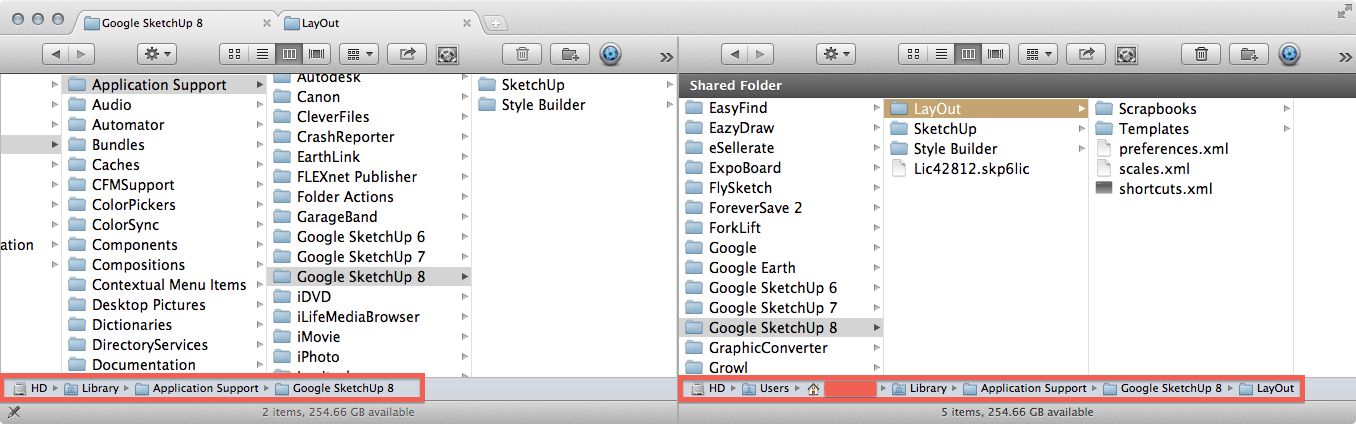
      Did you even look at my screenshot? We've been telling you the folder you need is under the User not the Mac HD. That's what my screenshot shows, too. 😒

      yep screen shots are great ( i am afraid I do not know how to attach as this would sort things out) the screen shot is exactly the same tree I am following
      Users are on the HD according to this computer?

      sorry if it frustrating guys? I have tried putting screen shots on but to no avail?

      Can you see the difference between the 2 paths and where you need to be?


      Screen Shot 2012-10-25 at 8.53.40 AM.png

      posted in LayOut Discussions
      wind-borneW
      wind-borne
    • RE: Where does a LayOut Scrapbook save on a Mac?

      @gordon greenwood said:

      All that works, right up until /Layout? its not showing this folder as being there,

      I can go into applications, and Layout is showing as being within the group, I then show package contents, where i can pick up the scrapbooks folder, but there not in there?

      weired

      Thanks for your reply.

      Is the problem an expectation that your Scrapbooks belong within the Application folder rather than the Application Support folder?

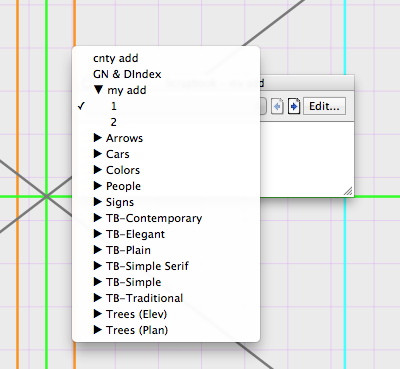
      The generic and yours exist side by side when using Layout


      Screen Shot 2012-10-25 at 6.15.50 AM.png


      Screen Shot 2012-10-25 at 6.30.47 AM.png

      posted in LayOut Discussions
      wind-borneW
      wind-borne
    • RE: Where does a LayOut Scrapbook save on a Mac?

      @gordon greenwood said:

      I have just saved a scrapbook in Layout, where does this go, it is not in the Library (have checked) its not with the rest of the scrapbook details (have checked)
      in the folder in Layout it shows my new scrap book, but in the layout app, resources, english.lproj file, Scrapbbok sub file, it only shows the standard scrapbook icons?
      so where are the pesky little devils so I can delete them

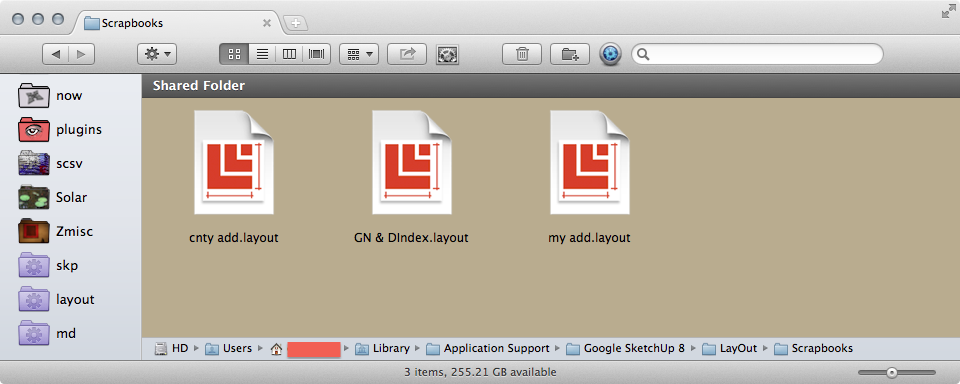
      in userLibrary, edit or delete layout files in your Scrapbooks folder

      ~/Library/Application Support/Google SketchUp 8/LayOut/Scrapbooks

      posted in LayOut Discussions
      wind-borneW
      wind-borne
    • RE: Does Sketchup/Layout work well with Mountain Lion Mac OSX?

      @keea1111 said:

      HI,

      Thanks. What is the no 'Save As' feature. Is that just in Sketch up or across the board? thanks, Keea

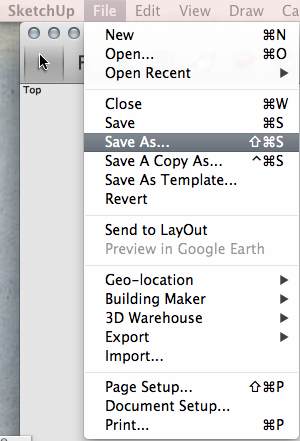
      "Save As" remains within SU/Layout on Mountain Lion


      Screen Shot 2012-10-20 at 7.49.19 AM.png

      posted in Corner Bar
      wind-borneW
      wind-borne
    • RE: Vertical space

      vertical space? 2 lines of post fill a screen 😲


      Screen Shot 2012-10-05 at 1.18.41 PM.png

      posted in Ideas Box & Board Issues
      wind-borneW
      wind-borne
    • RE: [Plugin] QuadFaceTools

      @pbacot said:

      I looked at the online list of features but for some tools I can't easily associate the icon to the tool. I don't see icons for every tool noted. When I hover on the QFT icons I don't get a description either. Is there more on this, eg a pdf?

      Toolbar orientation?
      Horizontal toolbar icons seldom reveal themselves on Mac's?
      Hover over vertical toolbar maybe.

      posted in Plugins
      wind-borneW
      wind-borne
    • RE: [Plugin] ExtrudeTools - Full Set

      @tig said:

      The Extrusion tools are 11 in number - you have managed to get an extra blank first button 😒 What does it do if you press it ?
      This suggests something is [mis]loading twice ???

      this toolbar behavior on Mac was discussed at length early in the thread when there were only a few tools 😕

      http://forums.sketchucation.com/viewtopic.php?p=218480#p218480

      posted in Plugins
      wind-borneW
      wind-borne
    • RE: Aligning standard views with existing geometry

      Extended Standard Views

      posted in SketchUp Discussions
      wind-borneW
      wind-borne
    • RE: Mac reopens last file.

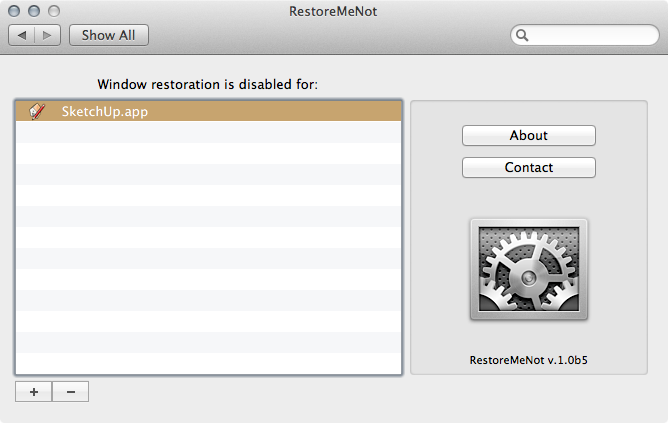
      This free preference pane allows you to choose which apps not to restore simply.

      Link Preview Image
      毒舌加速器破解版永久免费-毒舌加速器官方正版下载-毒舌加速app官方免费下载手机版

      毒舌加速器破解版永久免费 智慧城市建设需要大量的网络数据传输。 毒舌加速器官方正版下载 可以有效提高智慧城市的网络性能,满足智慧城市建设的需求。网络加速器可广泛应用于智慧交通、智慧医疗、智慧教育等领域,以提升智慧城市的建设效率和水平。

      favicon

      (restoremenot.info)


      Screen Shot 2012-07-11 at 6.37.56 AM.png

      posted in Newbie Forum
      wind-borneW
      wind-borne
    • RE: [Plugin] WireTool (Catenary) (1.4.1) – updated 06.03.2013

      @dave r said:

      So why don't I have this same problem? I didn't modify the script and it works fine for me.

      Which version are you using?
      initial version works fine for me, updated version moves to origin.

      posted in Plugins
      wind-borneW
      wind-borne
    • RE: Joint Push Pull -- VERY slow

      same Lion and SU, older, less powerful machine

      7 sec on SU8
      2 sec on SU7


      Mac.png

      posted in Plugins
      wind-borneW
      wind-borne
    • 1 / 1