@tig said:
... BUT the alternative third-party tool
FollowMeAndKeep(FAK.rb by wikii) does it without the twisting... http://forums.sketchucation.com/viewtopic.php?p=129504#p129504

Excellent, TIG, thanks for that!
 T
Offline
T
Offline
@tig said:
... BUT the alternative third-party tool
FollowMeAndKeep(FAK.rb by wikii) does it without the twisting... http://forums.sketchucation.com/viewtopic.php?p=129504#p129504
Excellent, TIG, thanks for that!
@genma saotome said:
Every time the followme tool manages to go from the start all the way over to the far side of the arc...
genma, have you tried preselecting the curve before using the FollowMe tool? I find that gives more reliable results. But I've also noticed profiles twisting when using FollowMe, especially on long sweeps like spiral stair rails.
Cheers, Jim, TIG.
Seriously, though, how crap. I've been drumming into my students the need to always model things at scale... 
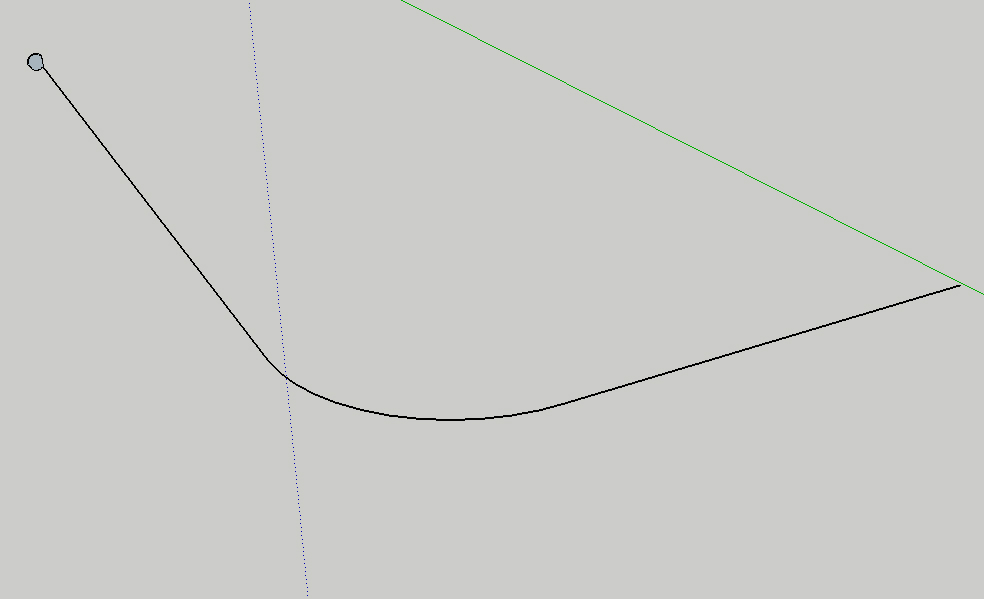
Here's the Profile & Sweep path:
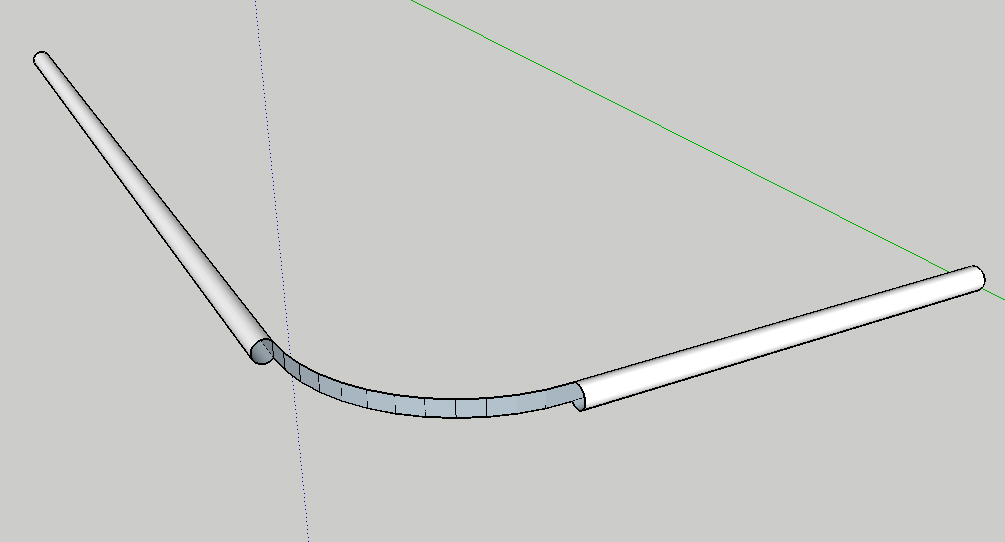
Here's the result:
Here's the .skp:
Any ideas?
Edit: whoops, images wrong way round, but you get the picture...
Red --
I've complained about this behaviour through the beta testing channels for a while now... they keep saying they've fixed it, but as you've noticed they've done anything but.
Check out my posts and my YouTube channel (timdanaher) for examples...
Actually, Tom you could use http://www.screentoaster.com for video capture.
It's free, but it had a slight glitch when I was creating that screen capture, so I had to fall back on SnapzPro.
Tim --
What you're describing is definitely one of the odd behaviours that I'm getting, but not the specific one in the linked video.
What? I didn't actually link the linked video? What an arse.
Oh, well... here it is:
Please see the linked video.
Please note:
This is only a sub-set of the strange behaviour.
I DO have a SnapzPro licence, but every time I log in / out or upgrade the OS, it forgets it. I hate Ambrosia Software.
I haven't quite got the hang of the annotations system yet.
@troyhome said:
Good ideas for workarounds- thanks!
Troy --- if you can tell me what those workarounds are supposed to do and how they work, I'd be extremely grateful...
Here's the reply I received from Google QA ---
Doesn't seem to do anything, though...
@unknownuser said:
Yea, I've complained about this and filed the bug, too. I have two arms and it bugs me, so I'm sure it's worse for you. I always have System Preferences->Keyboard & Mouse->Keyboard Shortcuts tab's "All Controls" set on. You can toggle on and off with Control-F7.
Here's the workaround that I use: rather than (Solution 1) temporarily toggle Ctrl-F7, it's easier for me to (Solution 2) hit tab four times as the first thing I do when I open a SketchUp file, which will place the little blue halo onto the select tool and off the Model Info button on the bottom left of the window.
Actually, I'm on the Beta team, so I've gone through that channel.
I only have Sticky Keys enabled under UA. But turning off 'Enable Access for Assistive Devices' seems to do the trick. I think. Trouble is, that messes up my window switcher, 'witch' relies on that function to work. And I use it a lot.
@troyhome said:
@tim danaher said:
I'm having exactly this problem.
Unfortunately, since I've only got one arm, Universal Access is rather important to me.
I would try turning on what you need and turning off what you might not need and see if it works. In either case- this is something that needs to be addressed before ASVG should accept money for their product that is directed at Mac users.
I only have Sticky Keys enabled. But turning off 'Enable Access for Assistive Devices' seems to do the trick. I think. Trouble is, that messes up my window switcher, 'witch' relies on that function to work.
What's ASVG, BTW? I'm on the beta team, so have sent a bug report about this, too.
It's a conflict with Universal Access, apparently.
Unfortunately, since I've only got one arm, Universal Access is rather important to me.
I'm having exactly this problem.
Unfortunately, since I've only got one arm, Universal Access is rather important to me.
...Anyone else notice this?
I can't for the life of me figure out what's causing this....it happens sporadically.
Excellent, Jeff -- cheers.
In my experience of teaching studes Photoshop, they've all got to be singing off the same hymnsheet, as it were. It can take a good half an hour to make sure they've all got the same palette set-up / screen layout if you're doing it manually.
Szevasz, Gaieus! Hogy vagy?
I actually found this article:
http://www.macosxhints.com/article.php?story=20060806215733256
About forcing FSAA, so it may be possible... I have to install the developer tools first... if anyone else can give it a shot, I'd be interested to hear your results...
