I find sketchup crashes just as much on the mac as the PC. The Paint bucket tool is much better on a PC. If you have 12gb of ram now I am thinking you will not see any faster performance with a new mac book pro. Not sure what the max up grade of ram is on the mac book pro but I am sure its no where near 12gb.
Oops, your profile's looking a bit empty! To help us tailor your experience, please fill in key details like your SketchUp version, skill level, operating system, and more. Update and save your info on your profile page today!
Urasik Extensions | Lots of new extensions to check out Learn More
S
Offline
Posts
-
RE: Sketchup on Mac?
-
RE: Chain rings (bicycle related) [TUTORIAL]
Stoked!! Thanks driven. That makes a lot of sense now.
Thanks to bjornkn to for the ideas to.
-
RE: Chain rings (bicycle related) [TUTORIAL]
Thats great bjornkn. I was hoping someone would answer with a good diagram. That helps lots but I am not sure its to whole answer.
Your divisions all divide into 360 equally and easily. I don't think the cogs that rsw's modeled go equally into 360 all the time. I am not sure about this but I will try and have another go at it when I get home tonight.
-
Chain rings (bicycle related) [TUTORIAL]
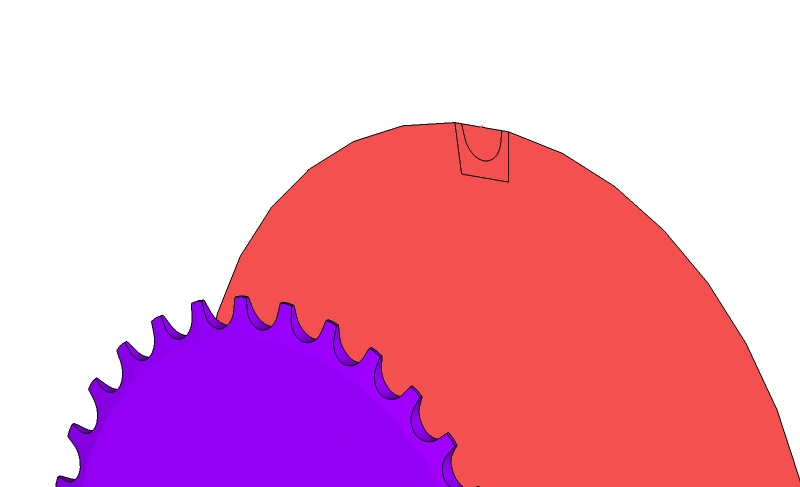
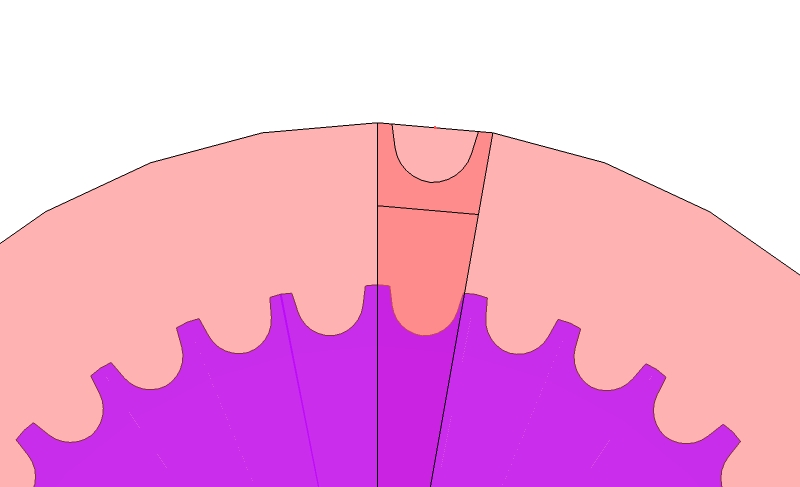
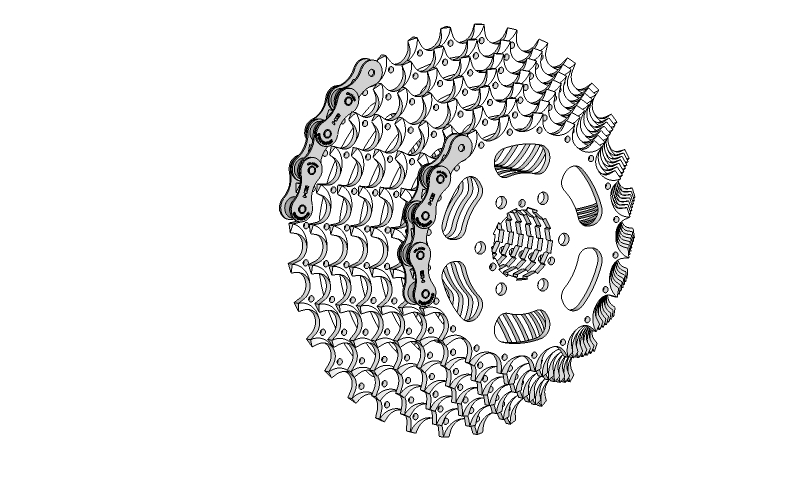
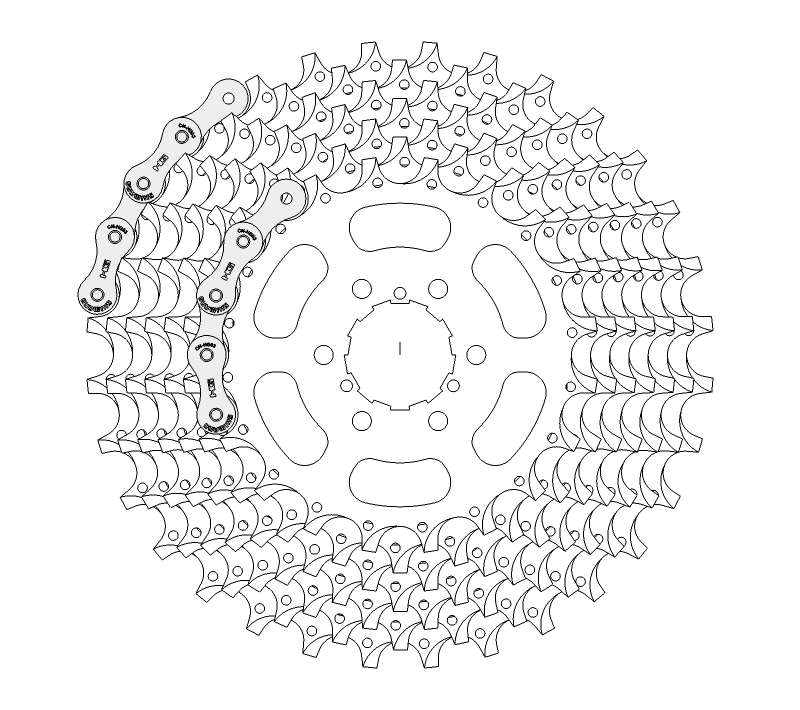
I have no problem modeling a single gear. My problem is when I try and make two different diameters of chain rings. I need the teeth to all be the same size while being on different diameter of chain ring. Here are a few pics of what I have so far. As you can see I have scaled up the bigger diameter teeth which is not right but gives you guys an idea of the problem. And the last two are of RSW's work of art from this thread http://forums.sketchucation.com/viewtopic.php?f=81&t=5942&hilit=marin+bike&start=45. In RSW's thread he mentions that he had to use AutoCad to figure out the spacing on different diameters of cogs.
Any help would be appreciated.
Cheers
S
-
RE: Wrapping
Sounds like you should be starting with the basics. I would go to youtube and search for vids like the move tool, grouping, pushpull tool and layers.
Also there is a newbie forum here you should check out.
Good luck.
-
RE: Plugins for mac?
@driven said:
hi,
the majority of free plugins do work on a Mac, although a few just add something that's handled differently on mac SU.
the majority of $rbs don't work on the mac, [even if we're perceived to be the rich kids]
SU loads your prefs before it's ready, so you always need to close the first window and open a new one if you want custom toolbars.
good luck
john
Just to clarify. If sketchup is closed and I go to a sketchup file and double click it, it opens sketchup. Now if I close the window (sketchup is still open) and open the same file again by double clicking the same file in a folder it will then remember my tool bars?
-
RE: Show Me Your SketchUp
Its interesting to see how many people have the standard large tool set docked in the same place. I am kinda shocked to see the layers pallet closed on most peoples. I have entity info and layers open all the time.
-
RE: Teaser Trailer
It is a very inspiring vid.
What the square black and white symbol at the end mean? Its all over the internet.
-
RE: Install SP3.2 on Mac for SU8
Are you on a mac or pc?
Once the plugin is downloaded unzip it if necessary. Copy or cut in from you downloads folder to this path if on a mac.
Macintosh HD/Library/Application Support/Google SketchUp 8/SketchUp/plugins
Then restart sketchup
-
RE: Newbie desperately need help to keep her job
When you down load a plugin onto your mac typically they are unzipped. Copy or cut it from you downloads folder and paste it into this path.
Macintosh HD/Library/Application Support/Google SketchUp 8/SketchUp/plugins
Once your plugin is pasted into this folder you need to restart sketchup.
Good luck
-
RE: Natural looking welding seams
http://forums.sketchucation.com/viewtopic.php?f=81&t=5942&hilit=mountain+bike
I am a welder and have also played with making very realistic tig welds using the tutorial rsw shows in the above thread. I was successful but tig welds make a ton of faces. They are basically concave puddles in a string all around the joint. I am on a different computer so I cant access my weld bead file.
I have also seen on sketchucation some where people using round corners plugin and then putting a texture on the weld bead.
Good luck
Post up some of your results.
-
RE: Automated Construction Planning plugin
Sounds like a great idea. Will be interesting to see some biggish projects done on it.
I have clash checking on my software at work and would love to have it in sketchup.
-
RE: HOW TO DELETE A TEMPLATE?
or you could type the name of the template into the search bar at the top right of your screen.
-
RE: Help With Export
You probably have the grid turned on to print.
Go to file/document set up/grid. At the bottom there are options to print the grid or not.
-
RE: Colour outline without layout
How about drawing a rectangle around the drawing then off setting the line by a small amount then color in between the lines red with the paint bucket tool and erase the center face then select just the lines not the red face right click while holding shift then select hide.
-
RE: Colour outline without layout
Guess you could just take a screen shot and then paste it into windows paint then draw red lines around the drawing then export to your fav image type.
There is a plugin that can draw colored lines but I can't remember which one it was.