sketchucation logo sketchucation
    • Login
    1. Home
    2. Gus R
    3. Posts
    Oops, your profile's looking a bit empty! To help us tailor your experience, please fill in key details like your SketchUp version, skill level, operating system, and more. Update and save your info on your profile page today!
    🚨 Skimp | 25% Off until March 30 Buy Now
    Offline
    • Profile
    • Following 1
    • Followers 2
    • Topics 149
    • Posts 1,088
    • Groups 2

    Posts

    Recent Best Controversial
    • RE: [Plugin] Roof.rb

      @tig said:

      I can reproduce the problem using your example SKP.
      Currently I am a complete loss to say why this might be happening...
      I'll sleep on it and come back to you... πŸ˜•

      Thanks. I have a workaround which is using the old roof.rb in the tools directory. πŸ˜„ Got a house rendering job in today (first one in a while) which is why I just noticed this.

      posted in Extensions & Applications Discussions
      Gus RG
      Gus R
    • RE: [Plugin] Roof.rb

      @tig said:

      @gus r said:

      :arrow: Not to be a pest but something isn't right. The "eaves soffit size" is resulting in erroneous dimensions on opposing sides. For instance I input and eaves soffit size of 24" all around but I wind up with 1'-9 3/16" on one side and 2'-2 1/2" on another. Another conflict perhaps or am I imagining things. Did this with a "new" skp as well. Any ideas? Thanks.

      I assume this is with 'gable-roof' ?
      The other tools all offset equally anyway ?
      I can't reproduce any error...
      On a hipped-roof the overhang is always equal too ?
      Can you post a SKP that will give you the error [or PM it]...
      I can't break it πŸ˜•

      TIG OK, here's a skp file that I just created. Looks like the gable roof comes out good but the hip and mansard result in the same overhang dimensions. This is all using default setting on the ruby.rb.

      roof ruby test.skp

      posted in Extensions & Applications Discussions
      Gus RG
      Gus R
    • RE: [Plugin] Roof.rb

      ➑ Not to be a pest but something isn't right. The "eaves soffit size" is resulting in erroneous dimensions on opposing sides. For instance I input and eaves soffit size of 24" all around but I wind up with 1'-9 3/16" on one side and 2'-2 1/2" on another. Another conflict perhaps or am I imagining things. Did this with a "new" skp as well. Any ideas? Thanks.

      posted in Extensions & Applications Discussions
      Gus RG
      Gus R
    • RE: Interesting, and probably controversial

      @solo said:

      Disclosure, this IS my opinion.

      πŸ‘ πŸ‘

      posted in Corner Bar
      Gus RG
      Gus R
    • RE: Mies van der Rohe Barcelona Couch - Component

      Thanks Rich and jsteacy.

      Rich, it's the least I can do after scooping up so many great free plugins and tips at SketchUcation. πŸ˜„

      posted in SketchUp Components
      Gus RG
      Gus R
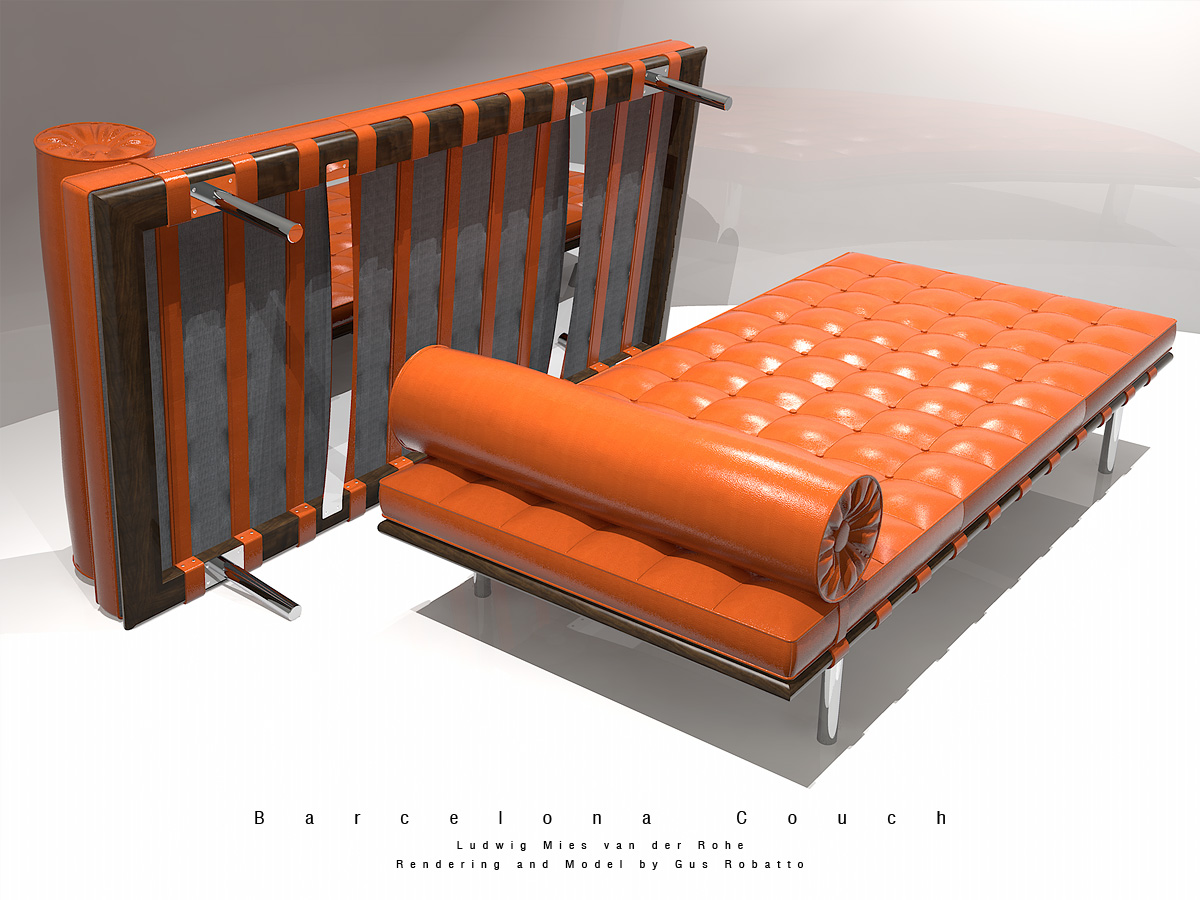
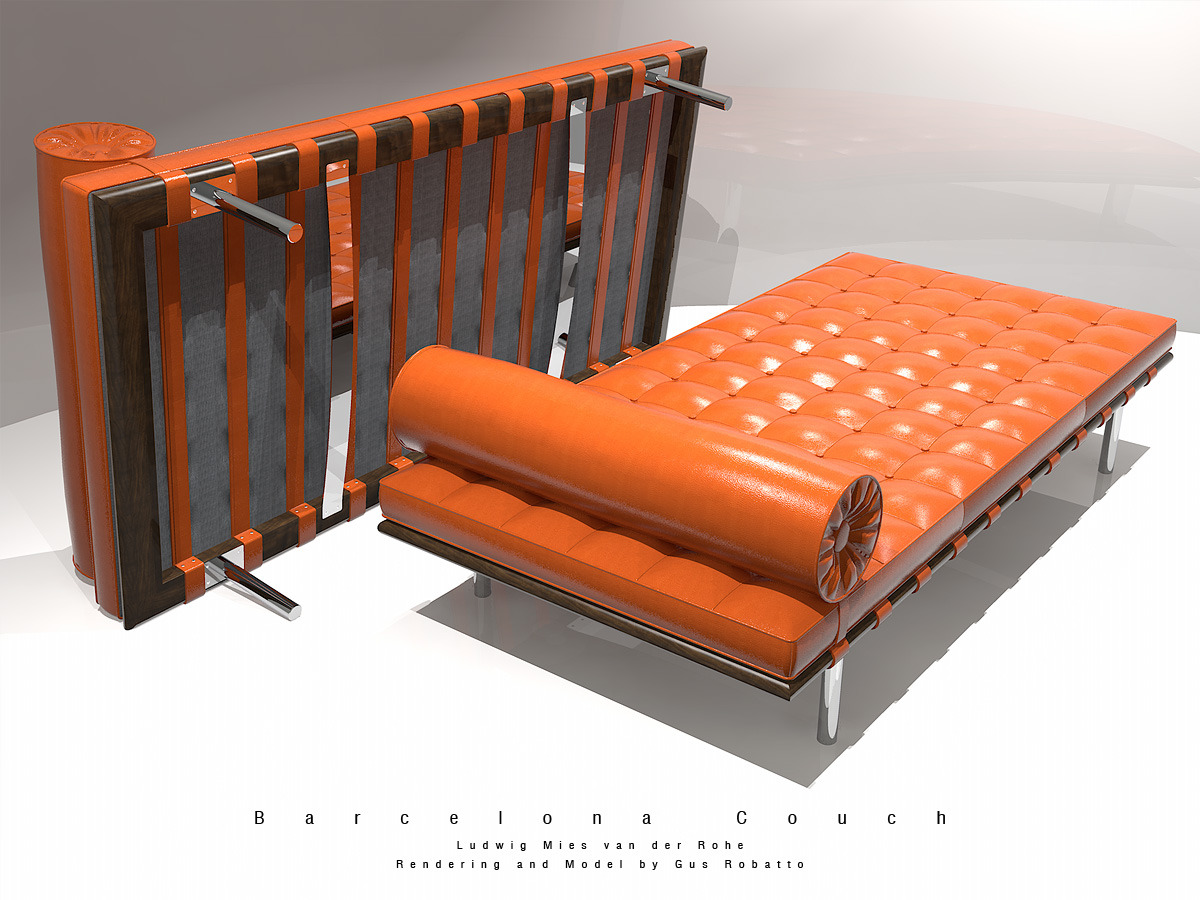
    • Mies van der Rohe Barcelona Couch - Component

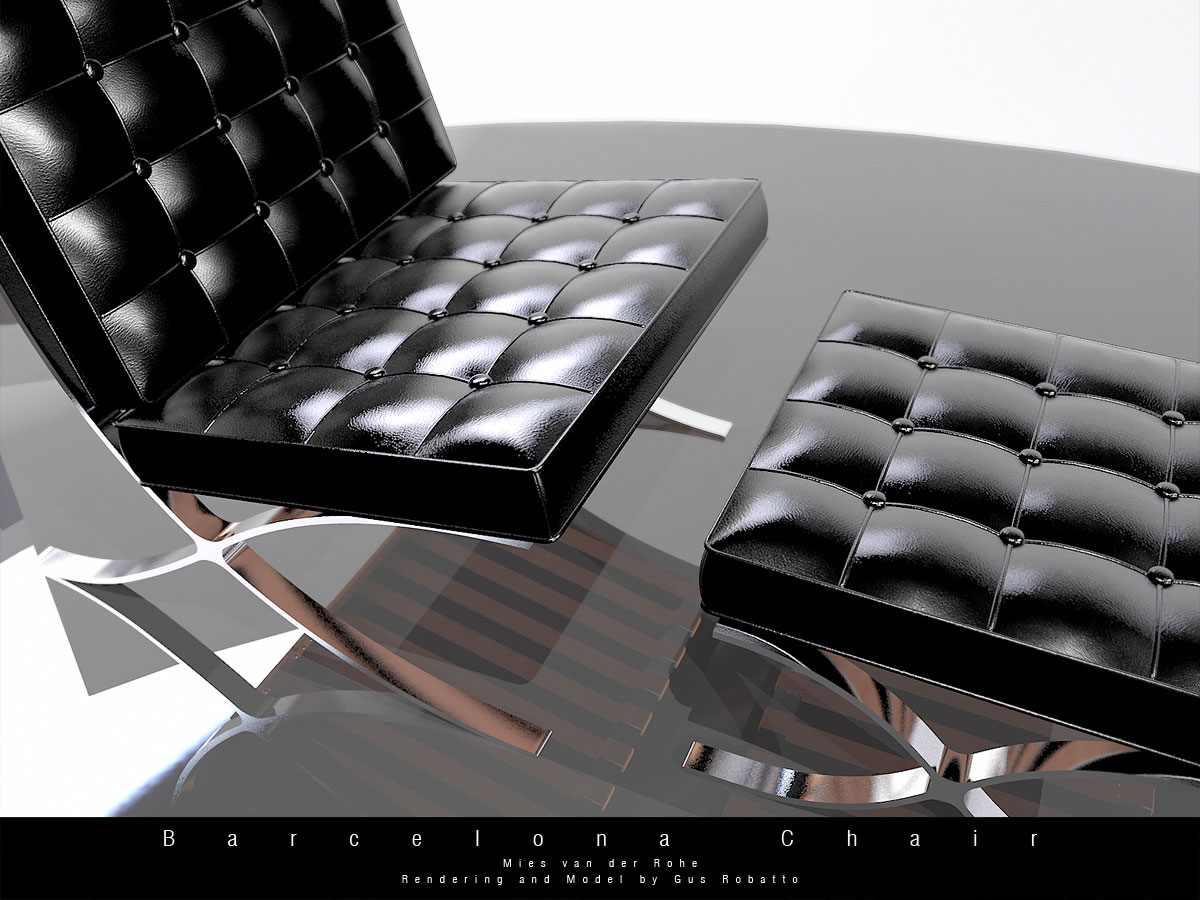
      Mies van der Rohe's Barcelona couch component in full and light versions.

      Barcelona Couch Full.skp
      Barcelona Couch Light.skp
      Barcelona-Chair-Robatto-014.jpg

      posted in SketchUp Components sketchup
      Gus RG
      Gus R
    • RE: Barcelona Couch, Chair, Ottoman, X-Table and MR Table

      @unknownuser said:

      Yummy... πŸ‘

      Thanks Rich. I'm uploading the table and couch right now. πŸ˜„

      posted in Gallery
      Gus RG
      Gus R
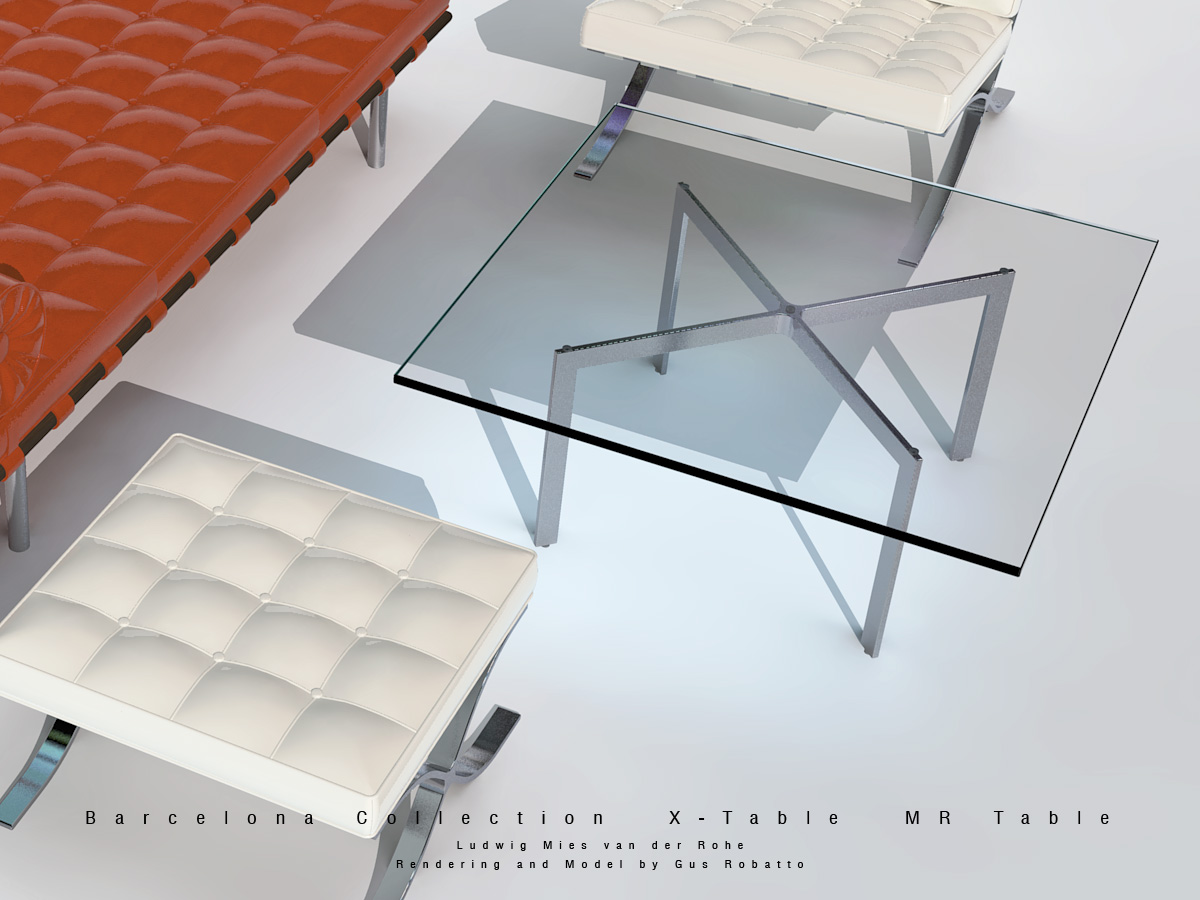
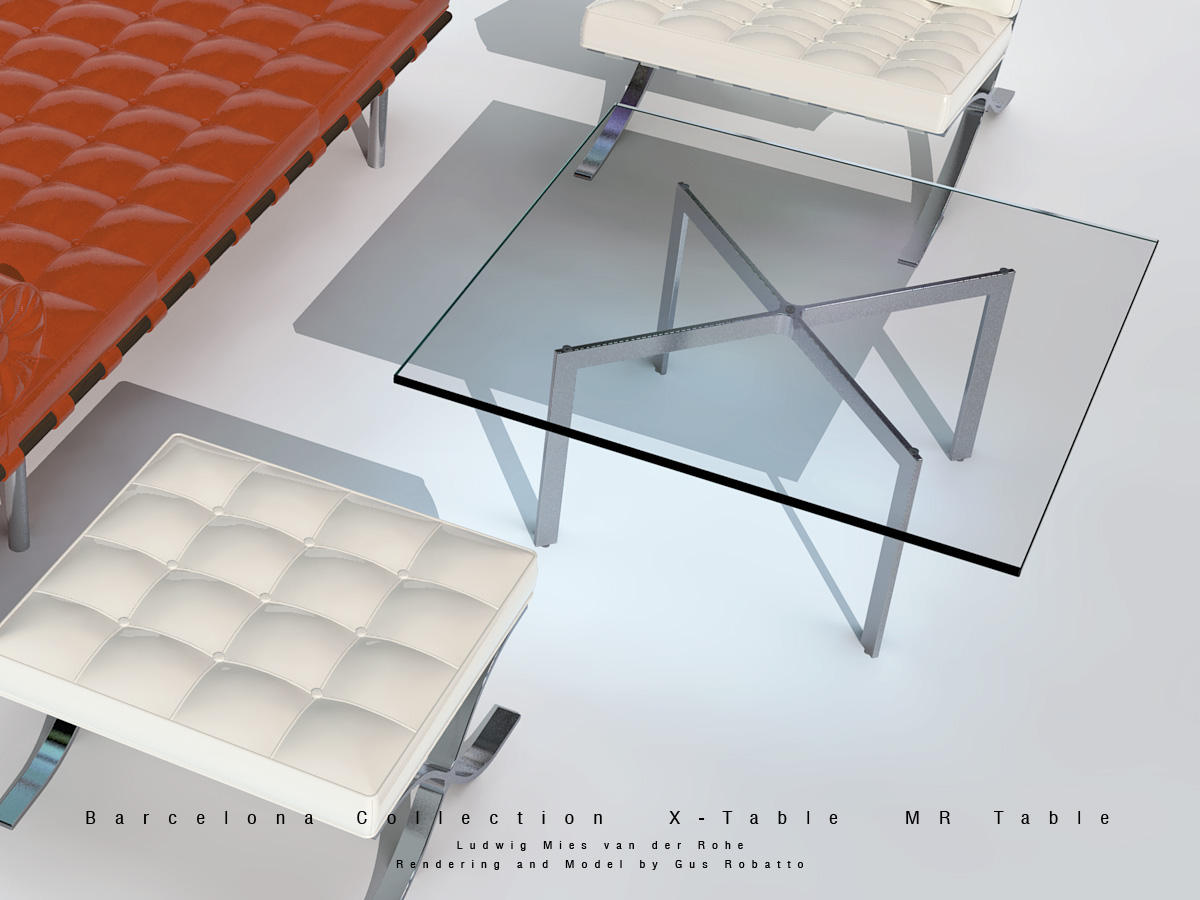
    • Mies van der Rohe Barcelona Table - Component

      Mies van der Rohe's Barcelona table (aka X table) component in full and light versions.

      Barcelona Table Full.skp
      Barcelona Table Light.skp
      Barcelona-Chair-Robatto-011.jpg

      posted in SketchUp Components sketchup
      Gus RG
      Gus R
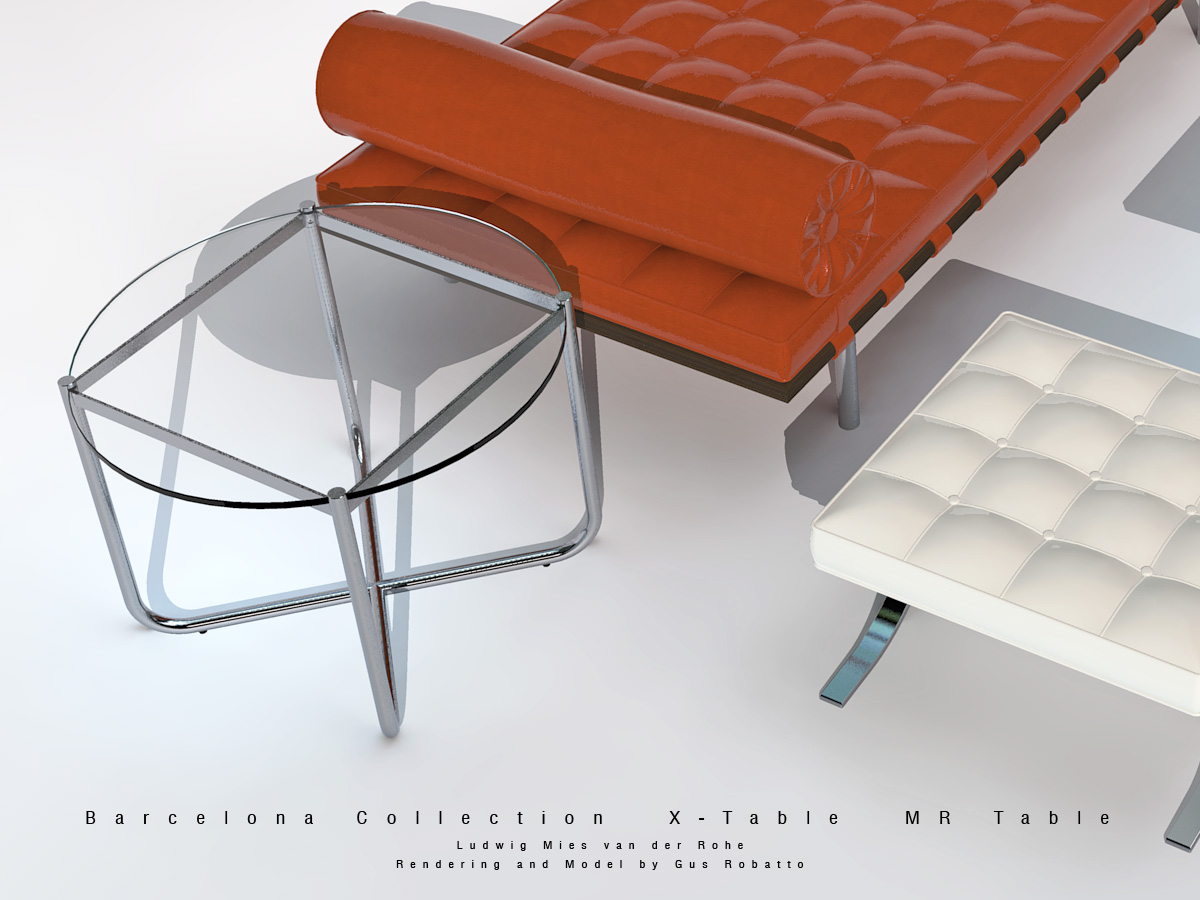
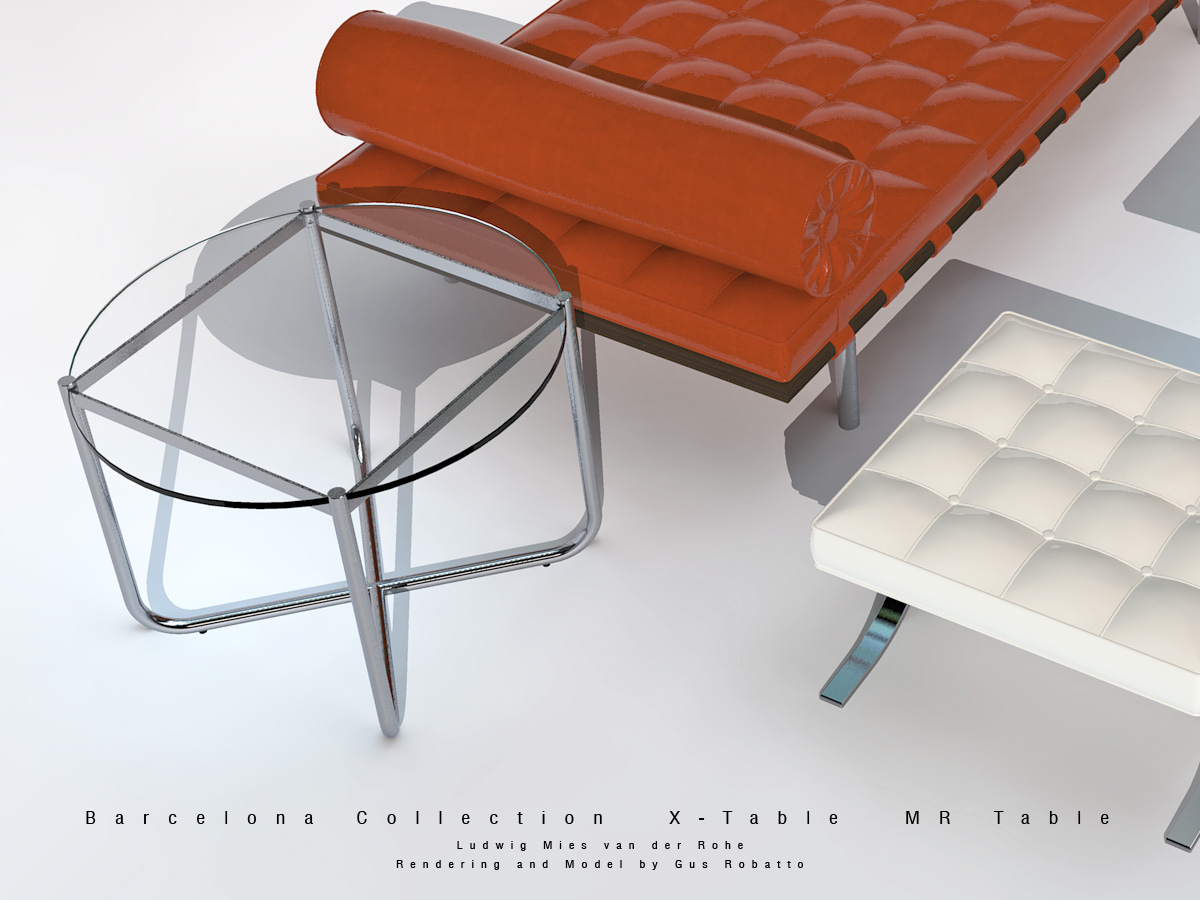
    • Mies van der Rohe MR Table - Component

      Mies van der Rohe's MR table component in full and light versions.

      MR Table Full.skp
      MR Table Light.skp
      Barcelona-Chair-Robatto-012.jpg

      posted in SketchUp Components sketchup
      Gus RG
      Gus R
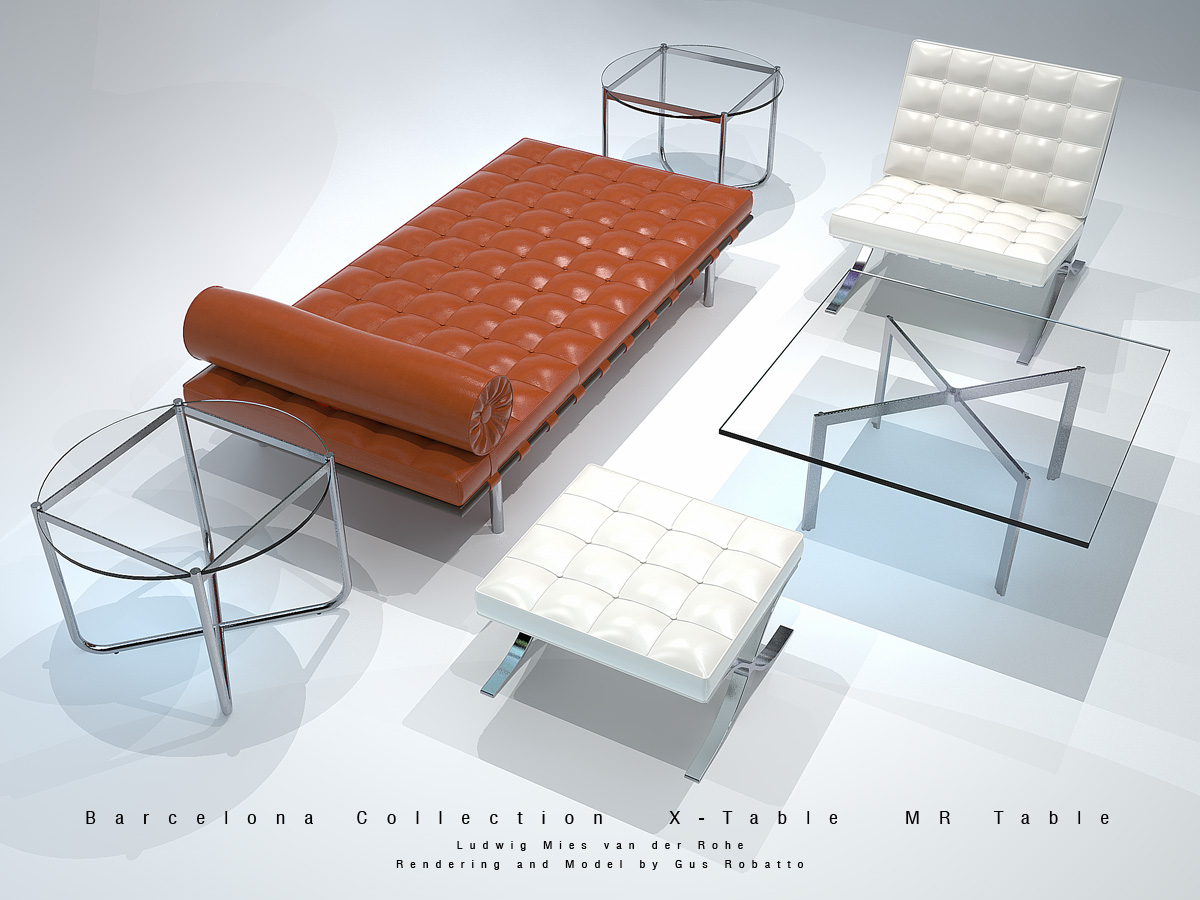
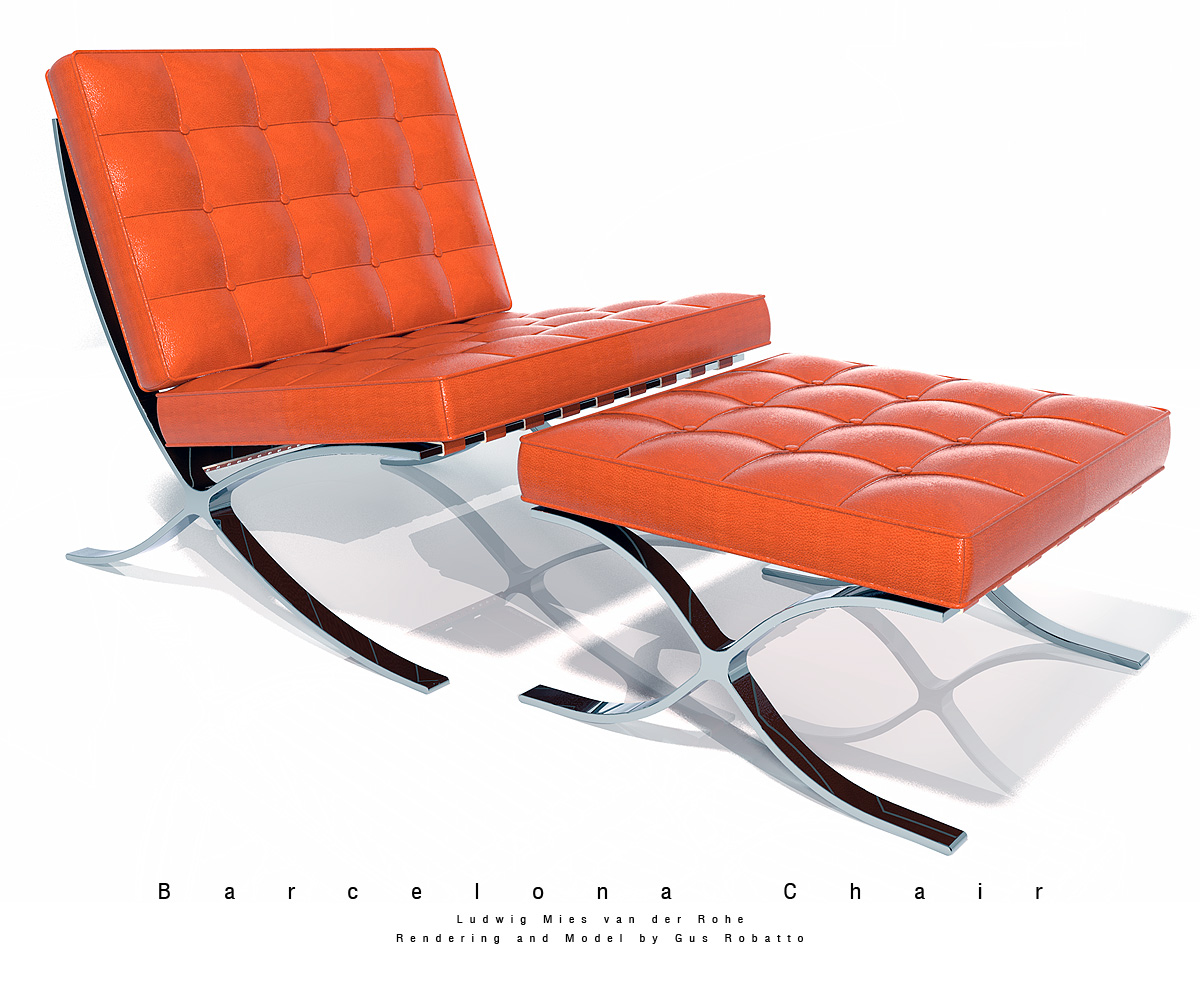
    • Barcelona Couch, Chair, Ottoman, X-Table and MR Table

      New models of the Barcelona couch, Barcelona table (aka X table), and MR table. Also reworked the Barcelona chair and stool.

      Modeling done in SketchUp 8 utilizing Artisan generated components. Rendered with Kerkythea.

      Again, I'll likely upload these in the components forum.

      Barcelona-Chair-Robatto-013.jpgBarcelona-Chair-Robatto-014.jpgBarcelona-Chair-Robatto-011.jpgBarcelona-Chair-Robatto-012.jpg

      posted in Gallery
      Gus RG
      Gus R
    • RE: M.T. "Navena" Diesel Trawler

      Rust never looked so beautiful. Excellent texturing work.

      posted in WIP
      Gus RG
      Gus R
    • RE: M.T. "Navena" Diesel Trawler

      Excellent work. I too like the clay renderings and was curious about the program used.

      Do you have dimensioned plans for all of the parts?

      posted in WIP
      Gus RG
      Gus R
    • RE: [Plugin] [$] Artisan (1.2.3) - Feb 28, 2014

      @laucity0513 said:

      Hi, thanks for replying. What is happening now is basically nothing. I follow exactly the instruction but just nothing happen. No change to the geometry, no iteration window etc. Haha.

      Erm it probably because I am using the school computer which I don't have the admin right to install anything onto the computer. The installation might not be done properly through the Installer. I copied and paste other plugin directly to the plugin folder... they are all working fine. Probably that's the reason. Otherwise I really can't think of any reason. 😞

      That's likely what's causing the problem. If you don't have admin rights the installation won't include required changes in the registry -- i.e. "permissions". Copying and pasting won't work -- would have to check with Whaat. Why don't you ask the administrator to install it for you and go from there.

      posted in Plugins
      Gus RG
      Gus R
    • RE: [Plugin] [$] Artisan (1.2.3) - Feb 28, 2014

      @laucity0513 said:

      Hi,

      I know this is strange but I don't know why.

      I have installed this tool (15 days trial) and when I was trying to use the subdivide and smooth tool, it failed.

      There is no Iterations to be set and the geometry doesn't turn into mesh like what shown in video.

      Any idea? Thanks!

      My first question would be is it working though?

      In order to see the mesh you have to turn on hidden geometry (Top menu selection: View --> Hidden Geometry). Then:

      **1. Select the group containing your proxy geometry.

      1. Click on "Subdivide and Smooth" which will generate a default 1 iteration.

      2. Now, go back and double click on that same group and a small "Settings" window should pop up where you can set:

      a. Iterations from 1 to 4.
      b. Auto-update option checkbox.**

      Hope that helps.

      posted in Plugins
      Gus RG
      Gus R
    • RE: Barcelona Chair [TUTORIAL]

      @unknownuser said:

      I'm still on v7 but the tutorial is really intriguing. Anyone mind saving a copy down to v7 and sharing?

      -Brodie

      Brodie, I just uploaded parts 1 and 2 as version 6. Went down one more version just in case there are others still on 6. Hope that works for you.

      posted in Gallery
      Gus RG
      Gus R
    • RE: Barcelona Chair and Stool - Component

      You're welcome all. I figured I was long overdue for contributing after scooping up so many of the great plugins we have here at Sketchucation.

      For those that are interested I added the piping tutorial to the gallery post.

      posted in SketchUp Components
      Gus RG
      Gus R
    • RE: Barcelona Chair [TUTORIAL]

      Thanks and you're welcome. I just added a piping tutorial. You'll need "Lines into Tube" which is available here at Sketchucation.

      Here's the latest incarnation of the Barcelona Chair using Artisan rather than SDS. I used the sculpt brush to bump up the tufts a tiny but which also helps to smooth them out. Also did some dimension adjustments on the chair frame, stool and revised the steel to 12mm thickness.

      Barcelona-Chair-Robatto-008.jpg

      posted in Gallery
      Gus RG
      Gus R
    • RE: [Plugin] [$] Artisan (1.2.3) - Feb 28, 2014

      @whaat said:

      That's weird. I'll have to test it out. Thanks for the report!

      Hi Dale. It happens when you put them in a group. Try an experiment with the attached skp.

      1. Update the iterations for the proxies in the foreground and as you can see the components in the background update accordingly.

      2. Group the components in the background and go back to changing the iterations with the proxies and the components continue to update accordingly.

      3. Save this file with the grouped components with a different name such as "aritsan test 02.skp".

      4. Start a new SketchUp file or close SketchUp.

      5. Open "aritsan test 02.skp" and now when you update the iterations on the proxies the components will flip to a different location.

      This happens when I either group or create a component.

      artisan test 01.skp

      posted in Plugins
      Gus RG
      Gus R
    • Barcelona Chair and Stool - Component

      OK, here's the Barcelona chair and stool I have up in the gallery.

      Started working on another version using Artisan.

      SketchUp Version 8
      SketchUp Version 6

      Barcelona-Chair-Robatto-001.jpg

      Would like to see some groovy renderings if you're so inclined.

      posted in SketchUp Components sketchup
      Gus RG
      Gus R
    • RE: [Plugin] [$] Artisan (1.2.3) - Feb 28, 2014

      Dale,

      Great plugin and the upgrade price from SDS was very economical.

      I have a slight problem though which I hope I can describe. I make a proxy from a group and then copy the component for use in another part of the model. Everything's fine and when I update the proxy with higher iterations the component off to the side updates accordingly. However, when I close SU and then return to the skp and update that same proxy the component shoots off to one side and can sometimes be mirrored or even up or down along the z axis.

      Am I doing something wrong and/or has this been touched upon anywhere in Sketchucation?

      Anyone else encounter this or has an answer would be appreciated.

      Thx.

      posted in Plugins
      Gus RG
      Gus R
    • 1
    • 2
    • 47
    • 48
    • 49
    • 50
    • 51
    • 54
    • 55
    • 49 / 55