texturing looks nice. Why did you needed Thomthom's UV toolkit plugin? For edges? I'm thinking for plywood's faces you could project the texture.
I'm asking this because, if you used some ingenious texturing procedure, to share it with us 
Oops, your profile's looking a bit empty! To help us tailor your experience, please fill in key details like your SketchUp version, skill level, operating system, and more. Update and save your info on your profile page today!
Urasik Extensions | Lots of new extensions to check out Learn More
 Offline
Posts
-
RE: Shell chair - Hans Wegner
-
Artisan -> polyreduce: little strange result
I downloaded a model from 3dwarehouse This is the model and operated Polygon Reduction from Artisan Plugin.
At first I operated a 30% reduction and the result was good, but with significant mesh problems. I corrected it (about one hour of work) and then I ran another reduction (80%, because I lost my patience to do it in small steps) and here is the result... overall, it needs some adjustments to be ok.I don't know if this is the result that should be after a polyreduction, or the model is bad, or... the algorithm
Please help me with this. Thanks.
this is the file after a 30% reduction and corrected
second reduction (80%) and raw (I didn't touch the mesh -or should I say "mess")
-
RE: [Plugin] CleanUp
@thomthom said:
Erase Duplicate Faces is a feature in CleanUp that takes a loooooong time - I've warned so in its tooltip. It's also off by default. If you struggle with long processing times ensure this is off.
Indeed, I ran with Erase Duplicate Faces, because that was what I needed. What about the duration warning? If the process is better to not be cancelled, at least the user to know what is going to do
.
Finally the cleaning didn't last one hour as the progress bar displayed, but about 13-15 minutes. Why this big discrepancy between what it shows and the real time? -
RE: [Plugin] CleanUp
Suggestion: make the cleaning operation stoppable. I just started the cleaning of a high-poly model and it was a very uninspired action
 ... it will take a very long time (it shows me something about one hour) and the only way I can stop it is to close Sketchup. And I didn't saved the model before
Also, before starting, it would be nice to make a time estimation and if the process is estimated to take more than...let's say 1 minute, to alert the user something like this: "The cleaning process can take about XX minutes, are you sure you want to proceed? You can cancel the process anytime by pressing ESC" ...or something like that. I think the alert should appear only if the cleaning time takes too long, other it might be annoying.Thanks for taking this into consideration.
-
RE: PhotoMatch doesn't align perfectly?
@honoluludesktop said:
When has a building been built with walls that are perfect rectangles, and at intended right angles to each other?-)
Is not about perfection, is about dimensions. I measured the walls and on the left (you can't see it because I cropped it from model), there is a door. Up to the door should be 1,68m, but in my model, after photomatch, it returned me about 2m. Same, on the right, is easy to see that is a big difference between model and image.
But as was mentioned earlier in this thread, is possible due the way I made the photo (straight to the wall, instead to target the corners). And so, the errors are bigger. -
RE: Any randomizing plugin which can do this?
@tig said:
See this example too...[attachment=0:2tl8pxlo]<!-- ia0 -->Capture.PNG<!-- ia0 -->[/attachment:2tl8pxlo]
This is how I did it yesterday
And this is the reason I insisted on fixing RandomPushPull plugin 
Thanks again -
PhotoMatch doesn't align perfectly?
Is just me, or in last versions of SU (7-8), PhotoMatch doesn't work quite well? Each time I tried to use it, the photo and axis didn't aligned perfectly. When I draw, the model is slightly deformed, doesn't fit.
Or the problem is in the image itself? Is it possible that the lenses to induce perspective aberrations in photo? It's true, every picture I tried to use was made with cheap cameras. (last time I used a FinePix A500)EDIT - added some images
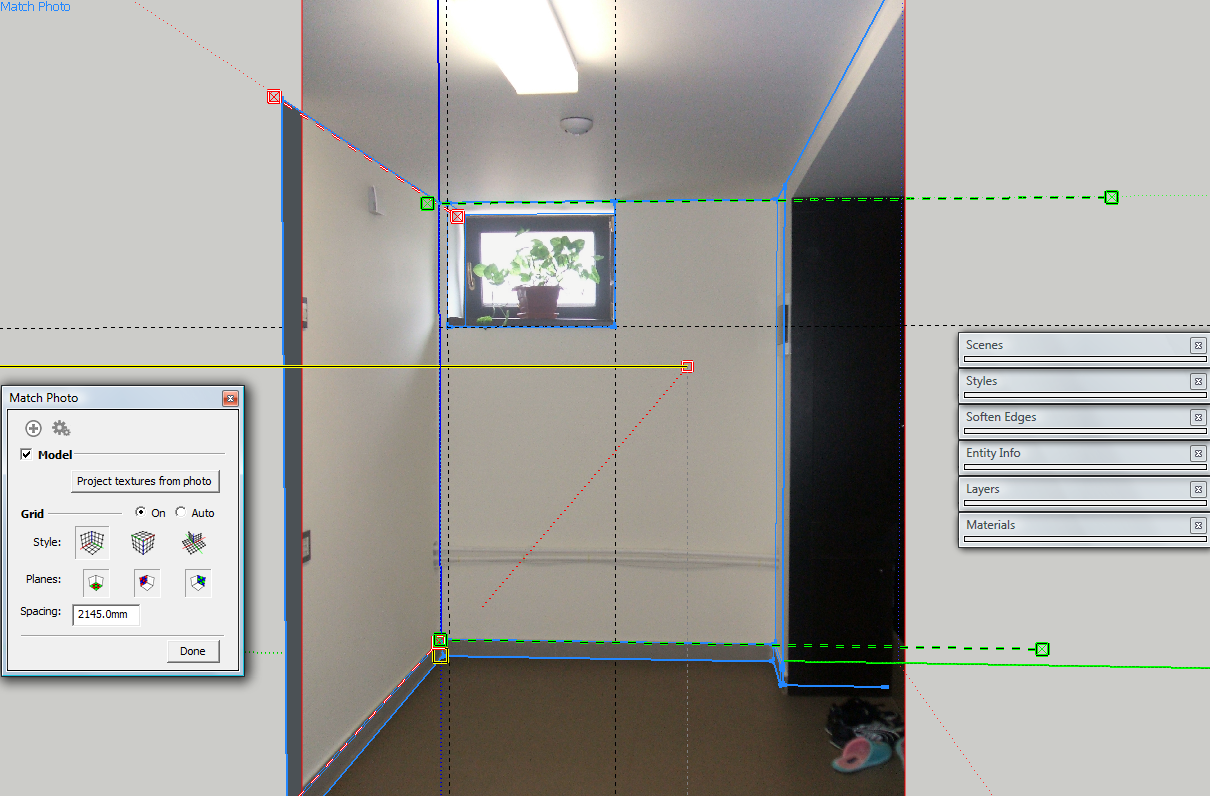
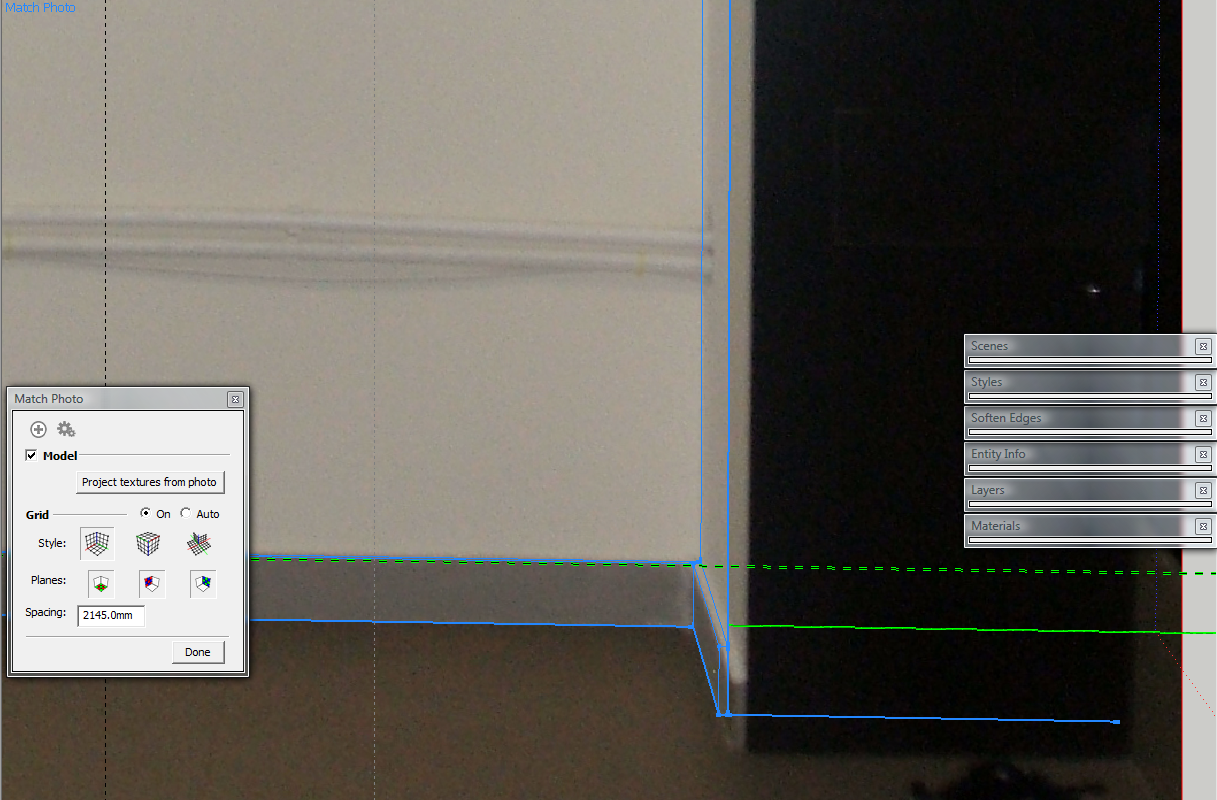
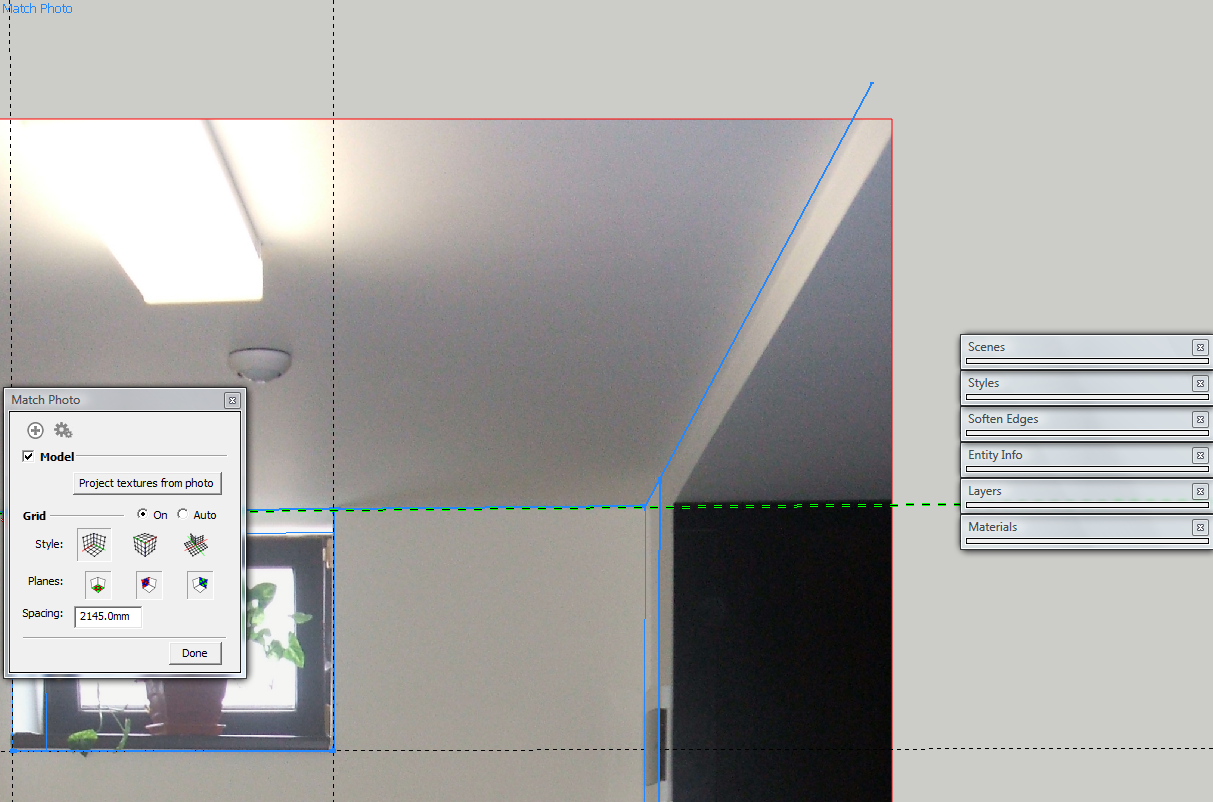
-
RE: Have you tried this? shapeshop3d
It seems to be developed specially for tablet. Nice
I downloaded it... I'll put my tablet to work, maybe I can do something (ugly, if not nice  )
) -
RE: [Plugin] Random Painter (Updated March 9th, 09)
@tig said:
WxSU is/was an add-on to offer new functionality to SUp but it proved to be a big flaky [and/or difficult to 'get right'] and so Chris wrote the alternative version that didn't need it...
Thanks, just downloaded it. I hoped it will work on groups/components too. Maybe Chris reads this and update the plugin?
Other nice functionality would be to be able to "pick" materials/textures from model and/or from Material Browser and use them to paint the selected entities... -
RE: SketchUp DXF differs from AutoCAD DXF?
@anssi said:
I haven't noticed any difference. In 2D exports arcs and curves are exported as straight polyline segments.
Anssi
Actually, Sketchup Arc is recognized as Arc in AutoCAD and Curves as Polylines. But it must be something... on the way the coordinates are stored, or something about the vertices, because as I said, some of the Arc elements get mirrored about origin of the drawing when I import the DXF into that CNC software.
So...that software (NC-HOPS) is expecting something from the DXF and AutoCAD dxfs offer, but Sketchup exported DXF does not, or offer differently.
-
RE: [Plugin] Random Painter (Updated March 9th, 09)
I didn't installed it yet, but I want to ask a question before:
What's the difference between that two versions? (with and without WxSU) ?Thanks.
-
RE: Any randomizing plugin which can do this?
@chris fullmer said:
I've got one you could try,
http://forums.sketchucation.com/viewtopic.php?f=323&t=17507&hilit=plugin
Chris
Your plugin would be awesome if I could choose to scale about one axis. As I could see in the presentation movie, it scales the same on x,y,z.
See Pixero's suggestion http://forums.sketchucation.com/viewtopic.php?f=323&t=17507&hilit=plugin&start=30#p155067 -
RE: [Plugin] RandomPushPull v2.5 20110709
@tig said:
My brain really hurt with the logic of it... but now it's too obvious

My brain hurt too trying to "discover" the reason why you tried such complicated ways to do it. Especially because my programming skills are like the result of
randmethod (yes, between 0 and almost 1 ) and I try to learn something from what you do.
 -
SketchUp DXF differs from AutoCAD DXF?
Is DXF exported from Sketchup different than DXF created with AutoCAD?
I had to use a DXF file from SketchUp in a CNC software (NC-HOPS, if somebody knows it) and I had some nasty problems with Arcs created in Sketchup. The arcs (some of them, not all) were drawn mirrored about origin point. Only Curves were recognized ok.
I mention that the tests were made ONLY with DXF2000, to be sure that the issue is not caused by different DXF versions.
-
RE: [Plugin] RandomPushPull v2.5 20110709
Well, good news! It works like a charm

Thank you very much! -
RE: [Plugin] RandomPushPull v2.5 20110709
@tig said:
Here's v2.2 http://forums.sketchucation.com/viewtopic.php?p=340452#p340452
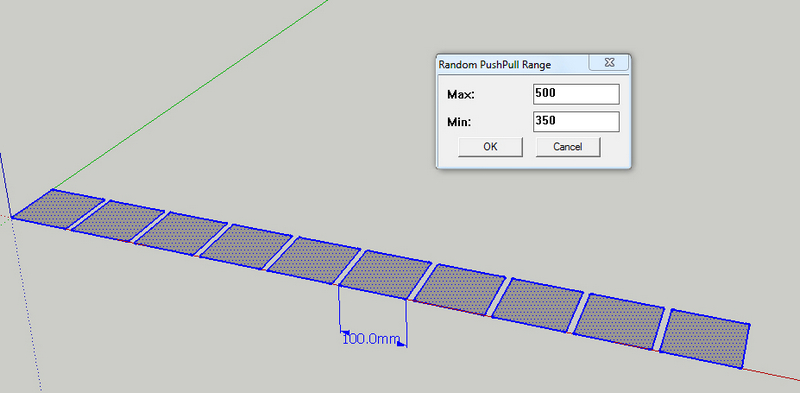
I think I've sorted the range AND allowed negative values too... I'm not sure what you are trying to do there, but wouldn't be easier to force the pp value in v.2.1 to .abs? And...it still doesn't limit between max/min
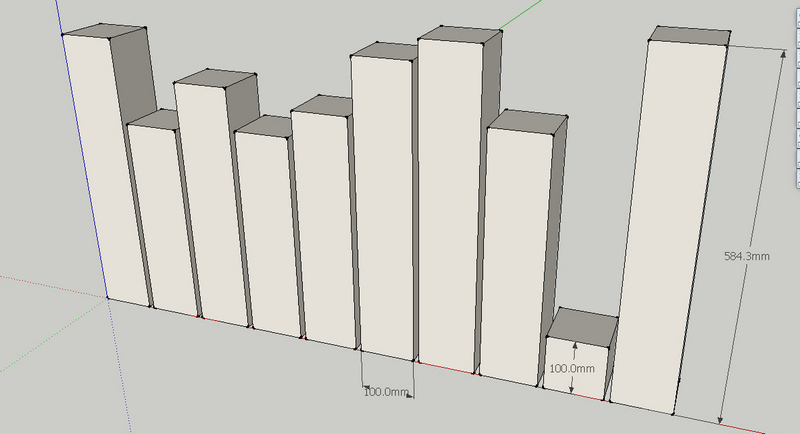
-
RE: [Plugin] RandomPushPull v2.5 20110709
Maybe you could add option in input box for push-pulling on negative values too, or force positive.
EDIT: - i'm not sure (as I'm not a programmer), but this code doesn't pushpull between min and max.
mxcan have values much less than@ppmin, soppcan have very easy a negative value (ifrn=10,mx=@ppmax* 0.0001; so what are the odds that between max and min to be a difference of 4 zeroes? In consequencepp=mx(very small) -@ppmin(highly probable much larger) ==> negative value for pp ).rn=rand(1000001) if rn!=0 mx=@ppmax*(rn/1000000.0) if mx > @ppmax mx=@ppmax end else mx=0 end pp=mx-@ppmin face.pushpull(pp) if pp!=0 -
RE: [Plugin] RandomPushPull v2.5 20110709
@thomthom said:
@unknownuser said:
But, as
randmethod doesn't provide 0 or 1, there will not be pieces equal with 400 or 600.randdoes return 0I stand corrected
, but surely it does not return 1, so max value of push-pull will be never returned, right? -
RE: [Plugin] RandomPushPull v2.5 20110709
There is a "judgement" error in the plugin code. That is why did not respect max/min.
The original plugin makes push-pull for this distance:
selection.each{|s|s.pushpull((@ppmax-@ppmin) * rand)}So, if I input Min(400); Max(600) it will make pushPull for a random value of 200.
In order to make pushPull for a random value between 400 and 600 i think, the code should look like this:selection.each{ |s| s.pushpull(@ppmin + (@ppmax-@ppmin) * rand) }In this way, you set the minimum value (@ppmin) to pushpull, then add the random value of 200 (up to 600).
But, asrandmethod doesn't provide 0 or 1, there will not be pieces equal with 400 or 600. -
RE: Random Push Pull by Tig
@thomthom said:
@unknownuser said:
It seems to be a problem with the plugin.
It doesn't respect the max/min values at all
See the images.Did you use TIGs original script, or Jims modified version ( http://forums.sketchucation.com/viewtopic.php?f=180&t=15824#p123151 ) ?
I gues Jim's
I downloaded it from here (see up)
Where I can find TIG's script?