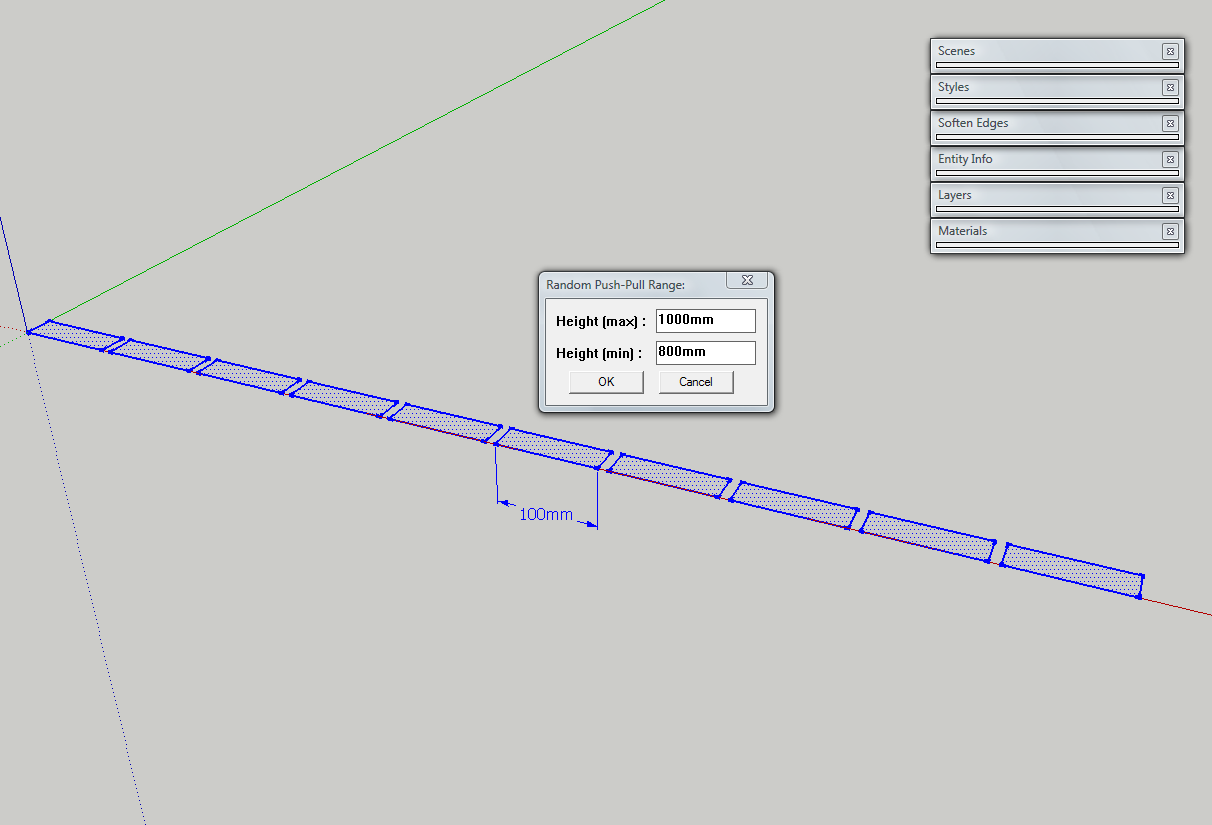
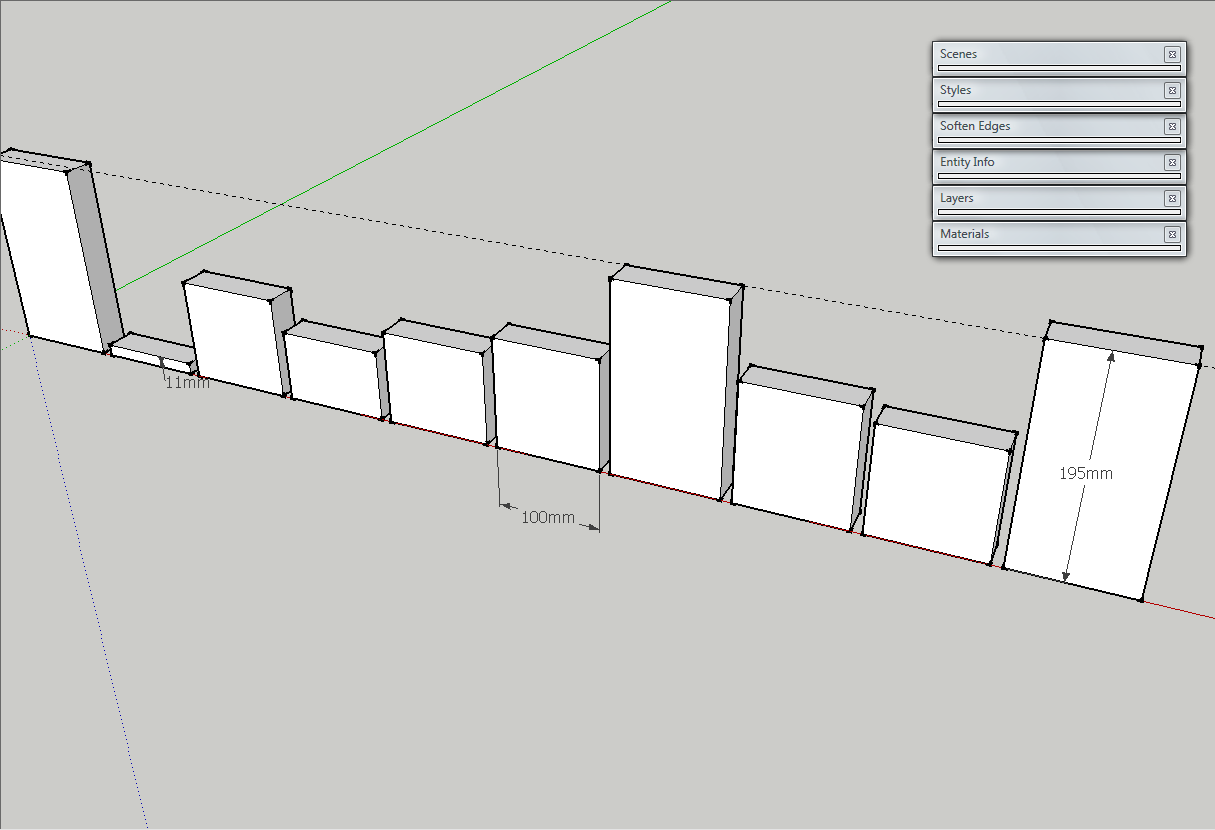
I tried to use Random Push-Pull plugin, but it did not worked as expected: http://forums.sketchucation.com/viewtopic.php?f=180&t=15824&p=340440#p340440
Oops, your profile's looking a bit empty! To help us tailor your experience, please fill in key details like your SketchUp version, skill level, operating system, and more. Update and save your info on your profile page today!
Urasik Extensions | Lots of new extensions to check out Learn More
 Offline
Posts
-
RE: Any randomizing plugin which can do this?
-
RE: Random Push Pull by Tig
It seems to be a problem with the plugin.
It doesn't respect the max/min values at all
See the images.
-
Any randomizing plugin which can do this?
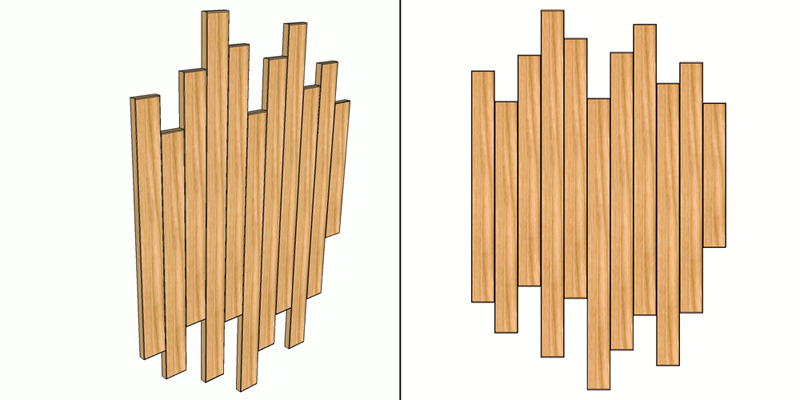
I need to make a large board looking like in attached image, but to make each plank on random size by hand is a really nasty work.
Is there any plugin or method to randomly scale the elements between two (max and min) sizes?
thanks.
-
RE: 2D Fillet plugin - how to change number of segments?
Cool! Thanks
 It happens to have that plugin, but never thought to use it like that.
I just get rid of one plugin... faster Sketchup load
-
2D Fillet plugin - how to change number of segments?
Hello, I'm using 2D Fillet Plugin (is the first one) and I was never in position to change the precision of the filleting arcs. Is it possible to change it? As I noticed, default precision is 6 segments/arc, but sometimes it makes 5 or 7, but I could not find a way to control this. Sometimes I need more segments (12), or less (3).
Thank you.
-
RE: How to make this, using Subdivide and smooth?
I'm saying rather about this effect: http://twilightrender.com/phpBB3/viewtopic.php?p=20593#p20593
-
RE: Dxf or 3ds with textures?
@burkhard said:
Long time ago I played with these file types. But now I was asked about importing dxf or 3ds objects into Skletchup, but with textures. Is there an option for importing the textures too?
can you export that dxf/3ds as Collada or wavefront obj ? this two file formats can be imported with texture in sketchup.
-
RE: How to make this, using Subdivide and smooth?
@unknownuser said:
Use PipeAlongPath on the boundary edges of your mesh.
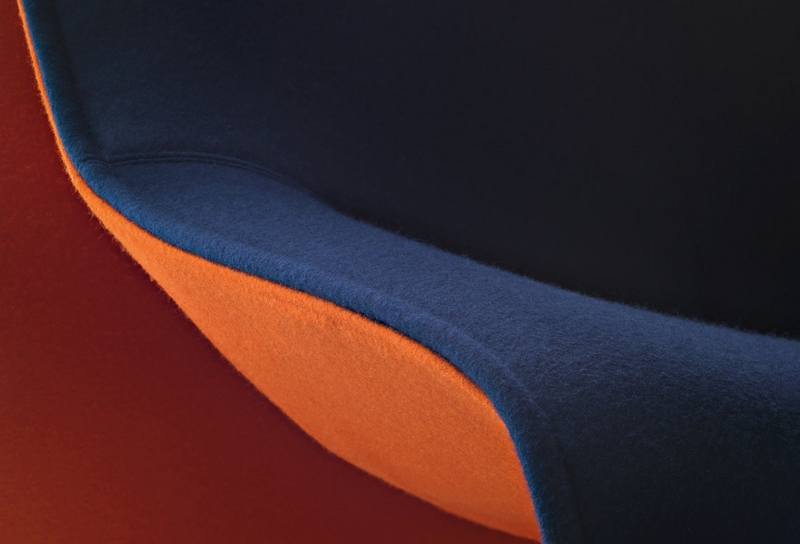
Pipe along path will make this effect: http://interiorconceptsfurniture.com/blog/wp-content/uploads/2009/10/Italsofa_Natuzzi_i276.jpg
I don't want that pipe, but to turn inside the upholstery... maybe the picture was not the most intuitive. -
How to make this, using Subdivide and smooth?
Hello, I've seen some nice models around here that had some upholstery with "sewing edge" similar to this and I'm wondering how to do i myself usin subdivide and smooth plugin.
Thank you very much.
-
RE: Remove materials plugin question.
@tig said:
Here's a one-liner that removes any materials from [pre]selected groups/instances...
Copy+paste it into the Ruby Console + <enter>...Sketchup.active_model.selection.each{|e|e.material=nil if e.class==Sketchup;;Group or e.class==Sketchup;;ComponentInstance}
Shouldn't I get each instance and iterate trough each face inside for existing material? And if none found, to leave the material on instance ?
-
Remove materials plugin question.
I know that are several "remove materials" plugins, including remove C/G materials, leave geometry materials... but is there any plugin which removes materials from Groups/Components, but leaves on which don't have material attached to faces?
What I want to say: I have two components(or groups), one textured inside (the faces), one with material applied on component. By mistake i added a material to first component. I want to remove component material from the first one (it haves material on faces), but to leave on second one (If i remove from it too, it will be redered default).Thank you.
-
RE: [Plugin] Material Replacer
@tig said:
Like with Entity Info... my tool swaps the material but keeps the UV-mapping - so any rotated or scales/skewed textures stay unchanged, but the material uses a different image-file...
Will this affect Twilight metadata? If I change a "wood" material with a "metal" material, both with textures... will it render as "metal", or just the image is changed and uses metadata from initially "wood" ?
-
RE: [Plugin] Material Replacer
@thomthom said:
Use the Entity Info to replace materials - then the UV is preserved.
Thanks! I never used it.
-
RE: [Plugin] Material Replacer
@tig said:
You probably need http://forums.sketchucation.com/viewtopic.php?p=63629#p63629 [my olde Global_Material_Replacer.rb tool] - it is dialog driven to choose the material to go and material to use - including 'All' and 'Default-front/back'. It swaps materials in the entire model's active_entities collection, OR IF there's a selection on selected objects... It works inside 'containers'...
As I could see, thomthom's plugin keeps UV mapping, when replacing materials, which is cool
. Does yours keeps UV ?
When I use paint bucket tool to change the material on some object, the UV is reset. -
RE: [Plugin] Material Replacer
As I can see, this plugin replaces a material globally in entire model. It would be awesome to have option to replace material on a specific object only.

Will you take into consideration my suggestion?
Thank you. -
RE: [Plugin] Milling Tools
@thomthom said:
When I flipped the face it was behaving more as expected.
Indeed, I would never think on that. Beside Dog-Bone fillet, you could add option for regular rounding. dog-bone is used mainly on metal sheets, to avoid fracturing on cut out corner. But, if I need to carve a piece from a sheet of material (see my headboard), that dog-bone effect is not good. Instead, what is needed is a offset with filleted corners.
-
RE: [Plugin] Milling Tools
@thomthom said:
I'm thinking that there might be a need of a tolerance limit. If the angle between two edges are within a range close to co-linear it should skip the corner...
Maybe this as a option... because if I set that o CNC, it will make a tangent radius between that two edges in the pieces (radius equal with tool radius). So, if I want that result, to be able to obtain it.
-
RE: [Plugin] Milling Tools
@thomthom said:
This model if yours has revealed several issues with this plugin...

It's my model...actually is something I do now. The curves have a lot of segments because it will be sent to CNC and I have some problems with arcs in DXF export. Polylines are ok, but if there are less segments, it will reflect in manufactured piece.
-
RE: [Plugin] Milling Tools
@thomthom said:
You would like the path you see in the preview as actual geometry?
I would like to draw the actual geometry in Sketchup, but the plugin to alter my edges (offset/inset or leave them unaltered, just fillet corners). Because the milling bit can perform on the left, on the right or on the center of the line.
This plugin could be a very powerful one in the future... (offtopic: Now I have some problems with DXF export from SketchUp and importing in CNC software. Some line elements (especially arcs) are mirrored outside of board perimeter). Maybe AutoCAD and SketchUp export DXF in different manners.)
-
RE: [Plugin] Milling Tools
I encounter problems with this model. I also tried on a simple rectangle and I get strange results. Maybe I don't know how to use it?
It would be useful to get the actual contour line and this plugin to create a path (inner/centered/outer) on how the milling head will perform. In the first post, I've seen some images that illustrate exactly this, but my results were bad.
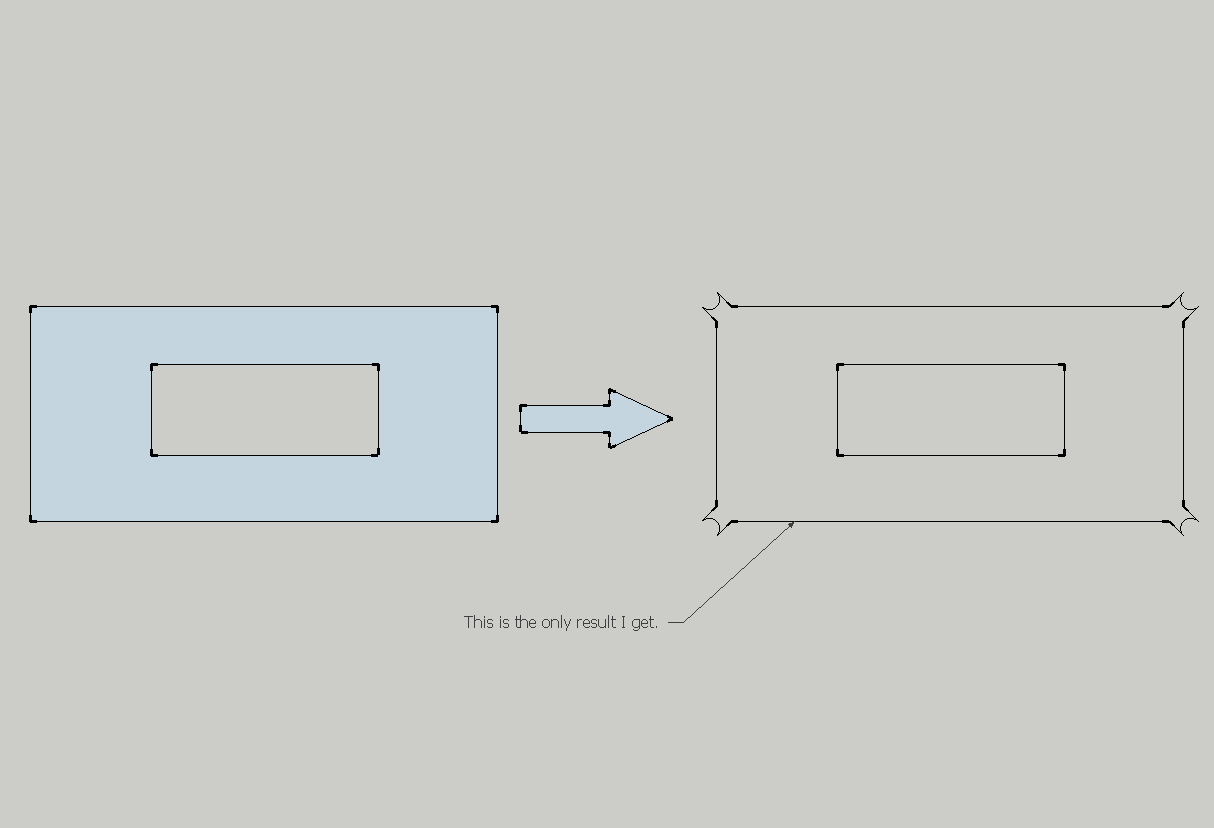
- I don't know why "Milling result.png" is not shown
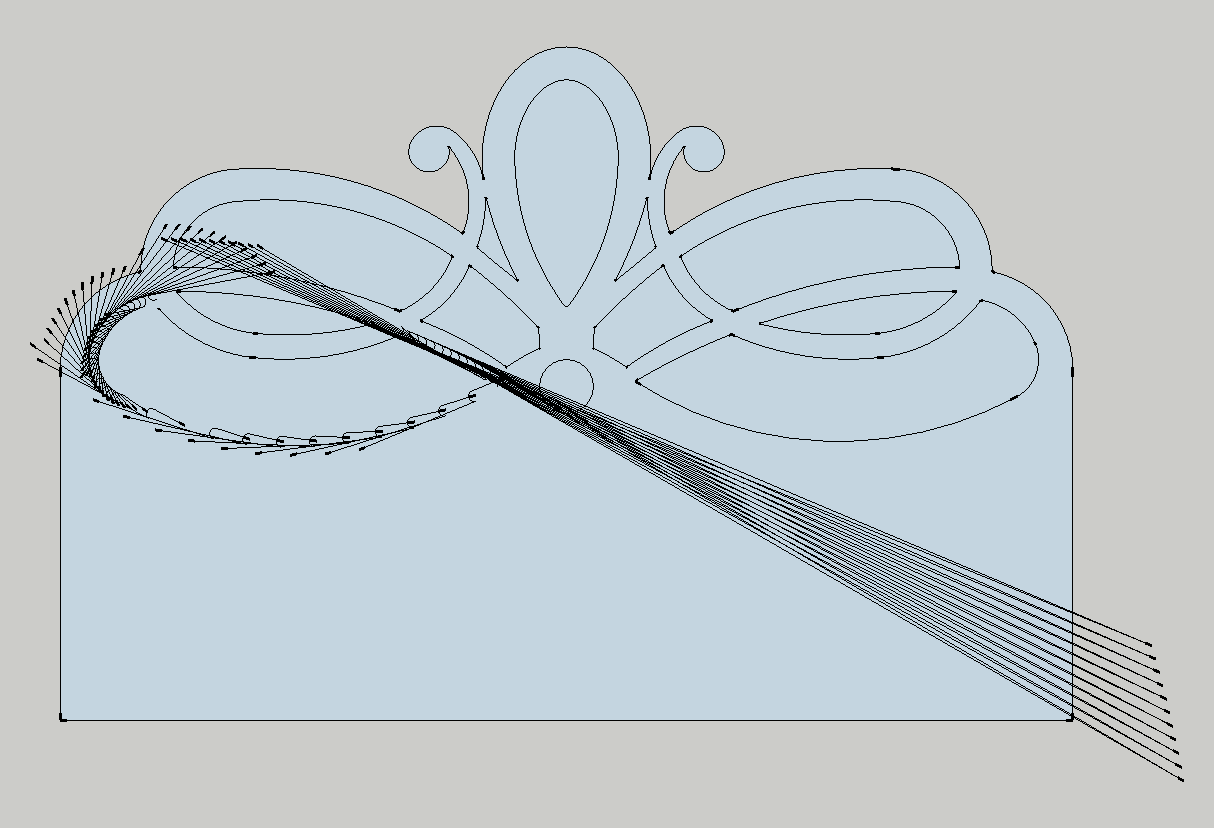
- I don't know why "Milling result.png" is not shown