sketchucation logo sketchucation
    • Login
    1. Home
    2. Dave R
    3. Posts
    Oops, your profile's looking a bit empty! To help us tailor your experience, please fill in key details like your SketchUp version, skill level, operating system, and more. Update and save your info on your profile page today!
    ⚠️ Important | Libfredo 15.6b introduces important bugfixes for Fredo's Extensions Update
    Offline
    • Profile
    • Following 1
    • Followers 5
    • Topics 672
    • Posts 19,189
    • Groups 4

    Posts

    Recent Best Controversial
    • RE: Shortcuts Plugin Possible?

      Actually, I ran your cleaner and then went back and reset SU manually. that got rid of the bug splat.

      posted in Developers' Forum
      Dave RD
      Dave R
    • RE: Shortcuts Plugin Possible?

      The two files in the zip file are SU_Clearer and SU_Training. Is that right?

      For some reason, after looking at the registry and attempting the moves from your other thread I am now getting Bug Splats upon closing SU. I was going to uninstall it all and reinstall but now I wonder if your cleaner should be run instead.

      posted in Developers' Forum
      Dave RD
      Dave R
    • RE: Shortcuts Plugin Possible?

      Thanks. I saw cadfather's post just before leaving work. I copied the registry file after I had made the shortcut for adding scenes. It appears in the registry but I haven't found the secret to getting the shortcut activated from that saved file. I get messages asking me if I want to add that info to the correct registry but there's no change in SU. I've tried it before opening SU and after. So what am I doing wrong?

      Edited to add: the shortcut shows in the registry but doesn't show as set when I go to Window>Preferences>Shortcuts

      By the way, it's that Scene Add thing I'm after.

      posted in Developers' Forum
      Dave RD
      Dave R
    • Shortcuts Plugin Possible?

      As I'm sure all are aware, in version 6 there are some user set shortcuts that won't stick. It's been a problem since the first beta release and must be low on Google's repair list since it still hasn't been fixed.

      So, with that in mind, I'm wondering if it would be possible to write a script that runs on startup that would set the shortcuts based on a previously exported shortcut list. My thought is that one would go through and set the shortcuts as desired, click Export and save the file to some location that the script would look for when SketchUp is started the next time.

      What do you think? Is it possible? Difficult?

      posted in Developers' Forum
      Dave RD
      Dave R
    • RE: Outliner to Text?

      Thanks Todd.

      PM coming in a few minutes.

      Dave

      posted in Developers' Forum
      Dave RD
      Dave R
    • RE: Select by Group Name?

      My "quick selection" script has been updated (d/l available at my site) to avoid wrong dropdown lists with lots of same components/groups names.
      Regards,

      posted in SketchUp Discussions
      Dave RD
      Dave R
    • RE: Style Help Please

      @unknownuser said:

      Maybe you need one of those brain defrag's Tomsdesk was talking about. So do I.

      SOunds good. Where can I get one of those?
      πŸ˜†

      posted in SketchUp Discussions
      Dave RD
      Dave R
    • RE: Style Help Please

      Thank you Gai,

      I rember that it was earlier this week that I saw it. In fact it was on the 15th. What bothers me the most is that I can't remember where I saw it or exactly what I saw. 😑 πŸ˜’

      Oh well, I'll keep playing. I think I'm close.

      posted in SketchUp Discussions
      Dave RD
      Dave R
    • Style Help Please

      The other day I looked at a thread which I pretty sure was here on Sketchucation in which the OP talked about using some odd settings to get the look he was after. He had reversed the shadow sliders among other things. The image he posted had a black background. I think there might have been some PS work as well.

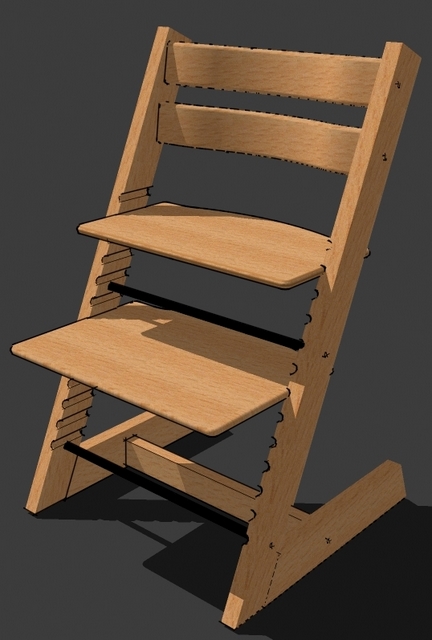
      I was kind of intrigued by his images and got to playing around using one of my recent models. I ended up with the attached. Of course I didn't keep the modified style and now I can't find the thread to give me the prod I need to jog my memory. Does anyone recall the thread? Could you point me to it?

      I'd appreciate any help. Thanks.


      CupertinoCoffeeBlack-1.jpg

      posted in SketchUp Discussions sketchup
      Dave RD
      Dave R
    • Greene & Greene Thorsen House Inspired Side Table

      Here's a side table for you all. I based it on one I found in a magasine. It's pobably too heavy to use as a component in a model. I drew it with all the joinery and used components for the individual parts.

      I guess it could be stripped down to make it light enough to use in larger models.
      Thorsen Side Table.skp
      Thorsen Side Table.jpg

      posted in SketchUp Components sketchup
      Dave RD
      Dave R
    • RE: [Plugin] Munsell color maker

      Thanks for this Didier. It looks intriguing although I must be too thick to make it work even after reading the PDF. 😳

      posted in Plugins
      Dave RD
      Dave R
    • RE: [Plugin] Skin.rb

      Darrel, you suggested I give the Catalina 27 lines a go with your script. I just finished it with the most recent version. See the attached skippy. It did pretty well although it had a bit of trouble between two stations and couldn't handle the bow. I expect that could be dealt with differently but still using your script. I could use the waterlines instead of stations at the bow. The aft end of the keel is a problem but I don't think it is the fault of your script.

      Good work on this. I think it'll be handy in a lot of applications.

      Dave


      Skinned Catalina.skp

      posted in Plugins
      Dave RD
      Dave R
    • RE: [Plugin] Self Paced Tutorial Assitant

      Thank you Jim. This should be really handy.

      posted in Plugins
      Dave RD
      Dave R
    • RE: 1st Car - Need Help w/Mirror

      http://www.brightcove.tv/title.jsp?title=855969571

      See the video. Copy the geometry and use the Scale tool to do the mirroring.

      posted in Gallery
      Dave RD
      Dave R
    • RE: Scale Edge

      Oh boy! That's a neat trick. Thank you.

      posted in SketchUp Tutorials
      Dave RD
      Dave R
    • Outliner to Text?

      I'm wondering if it would be possible to get a script to export the Outliner to a TXT file. I often end up with long lists of components that I would like to look at and I find the Outliner not so convenient for that.

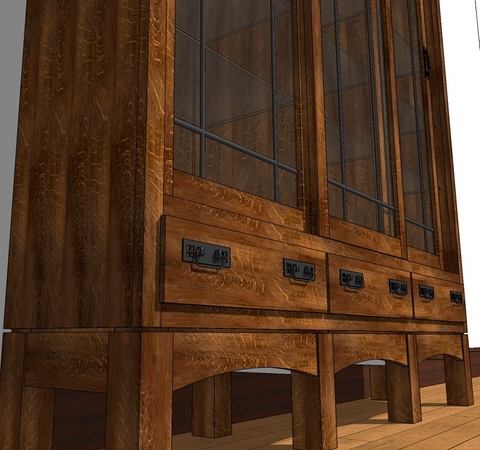
      In the case of the china cabinet I'm working on, I need to work out better naming practice for the components because eventually I'll generate a cutlist from the model.

      So, is it possible to do?

      posted in Developers' Forum
      Dave RD
      Dave R
    • RE: [Tutorial > Modeling] Hidden Seam Tutorial

      @unknownuser said:

      That is beautiful Dave!

      Thank you. πŸ˜‰

      posted in SketchUp Tutorials
      Dave RD
      Dave R
    • RE: [Tutorial > Modeling] Hidden Seam Tutorial

      That's a great tip. I frequently split components that are symmetrical along their centerlines. Then by copying that half or even quarter, mirroring the copy (copies) and hiding the seam lines I get the appearance of a whole without the file bloat. Getting ridd of those un-needed faces helps to hide the seam line. Here's an example

      posted in SketchUp Tutorials
      Dave RD
      Dave R
    • RE: [Tutorial > Modeling] Woodworking Dovetails - Tutorial

      @schreiberbike said:

      I'm moderately active over at SawmillCreek.org. A lot of excellent woodworkers there.

      Dave Richards showed me a much better way to do dovetails in SU and when I get a chance, I'll post a new tutorial.

      Woodworkers get very picky about their dovetails because they are hard to do well and because they are a very strong way of making a drawer or a case. They can be made with a router and a jig fairly easily, but handmade dovetails can be made to look very distinctive.

      Here are some really nice ones.
      [attachment=0:3asosxvb]<!-- ia0 -->IMG_2037.jpg<!-- ia0 -->[/attachment:3asosxvb]
      The gentleman who made this particular joint is Mark Singer. He is architect and a woodworker and a bunch of other things. He made this piece for a very cool California-coast house which he designed, built furniture for and won an award for.

      The rest of the house that those dovetails are in is quite nice as well. So is the house he lives in.

      Glad to have helped you out John.

      FWIW, here's the method I showed John. I was kind of tired when I did it and it shows in the video.
      http://www.brightcove.tv/title.jsp?title=1184386602

      Dave

      posted in SketchUp Tutorials
      Dave RD
      Dave R
    • BlackWatercolor

      Here's another I've been playing around with. It's not quite there but maybe someone might have a suggestion on how it can be improved. I'm trying to get a bit more contrast between the black and the white without having to edit in a photo editor.

      Edit 19 April, 2008: With the change in uploadable file size, I've added the style file here. Thanks for the interest and encouragement.


      BlackWatercolor.jpg


      BlackWatercolorRaw.jpg

      posted in SketchUp Components sketchup
      Dave RD
      Dave R
    • 1 / 1