After a good night's sleep.

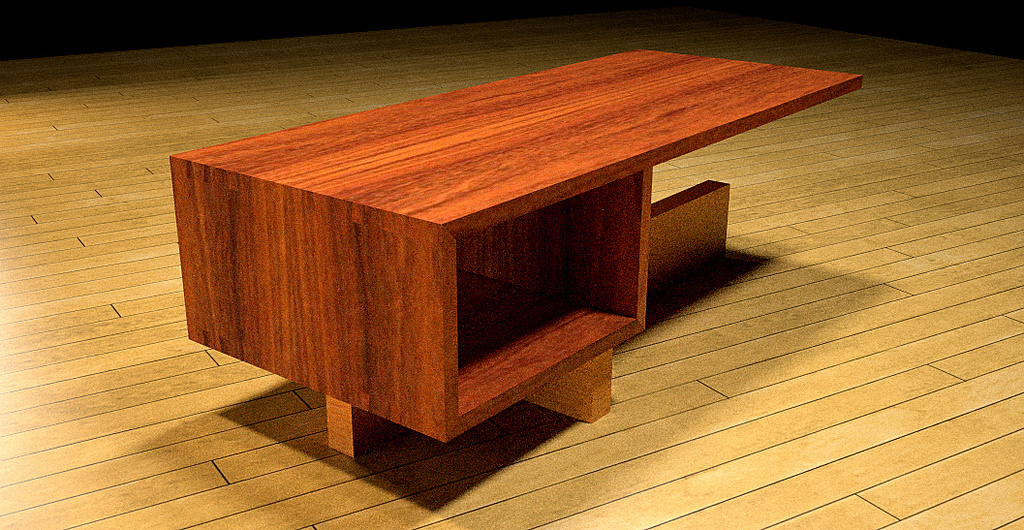
One thing I'd like to be able to have is the highlights on the edges. I could do it by putting a tiny bevel on all the edges but I've been working so hard at reducing my over modeling tendencies. 
 D
Offline
D
Offline
After a good night's sleep.
One thing I'd like to be able to have is the highlights on the edges. I could do it by putting a tiny bevel on all the edges but I've been working so hard at reducing my over modeling tendencies.
2-1/2 hours. Simple materials and 4 lights.
thankyou Modelhead and Boo.
@unknownuser said:
Dave that is really something.
13 hours... you have patience sir. :egeek:
Version 1 of Indigo doesn't seem to hog the resources on my computer as the previous couple of versions I tried did. I went ahead and did other stuff. I also slept during most of it. I just shut the monitor off and went to bed. Got up this morning and it was still churning. A little bit longer and I might have had butter. 
I'm having a bit of luck with Indigo. Thanks Whaat. This is with version 1.0.2 and Skindigo V1.

Click to enlarge.
13 hours and a wee bit of adjustment in Violet. Materials need work and I'm still working on learning the new Skindigo UI but it's coming.
TIG, I've made a discovery. Evidently I have a different version of Grow on my machine at work thatn at home. The one at home gives me an arrow to set the center of the grow operation and three different dialog boxes with the second covering scaling including the option to have exponential or linear scaling. The version at work, which I downloaded from Didier's library today doesn't give me those options or the arrow.
Hmmm......
Maybe I have an old version at work?
But. I have a puzzle about the version I have at home. I'm trying to create a series of circles that get smaller as they go up. In the version at work, I entered a scale of 0.9 (for both X and Y scaling) and the circles got smaller as they went up. The version I have on my home machine makes progressively larger circles with that same 0.9 for X and Y. I tried a -0.9 but that doesn't help either.
Thanks TIG. Unfortunately the axes return to their original position after recomponentizing the exploded component.
TIG, this is a handy script. I had played with it once before but never tried it on a component. The Push/Pull and scaling thing is pretty slick.
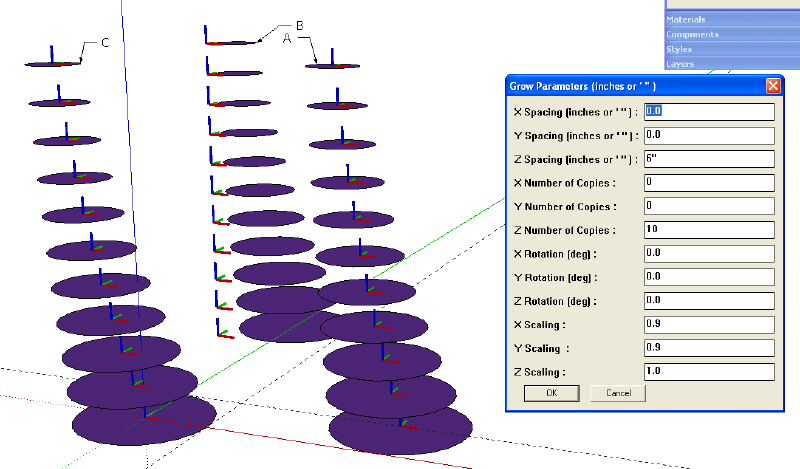
I must be missing something though. I can't seem to get the components to line up concentrically either. See the attached image.
I used the same settings for each stack of circles. There are displayed in the box.
Stack A: The bottom circle was drawn centered on the intersection of the guidelines and then, after making it a component, I moved the component axis to the center. Then I used Grow.
Stack B: The bottom circle was drawn centered on the origin and the axis left alone.
Stack  The bottom circle drawn centered on the origin and the axis moved to the origin.
They all look the same to me. What am I missing?
That would be it. I expect I went right by it when I looked there. My would say, "you were looking like a guy." And then she'd 
Thanks.
I'm fairly sure it already exists but I can't find it. Probably because I don't know the name. I think there is a script that allows one to save versions of a model so that you can keep previous ones. Am I just imagining this or not? If I'm not imaging it, what is it called and/or where can I find it?
Thanks gang.
Dave
This is cool stuff. Very inspiring. 
My only complaint is that the ramp is too steep.
Thank you Gai. I just finished up a larger version of it. This one was done at 1024x768 using 07.PM-High+AA 0.3 24 minutes, 34 seconds. The brick is from the SU materials. Under Bump Mapping I added the image to the BMP and left the settings as they were.
http://img.photobucket.com/albums/v506/weekender410/WRwithPanelRaisingLg.jpg
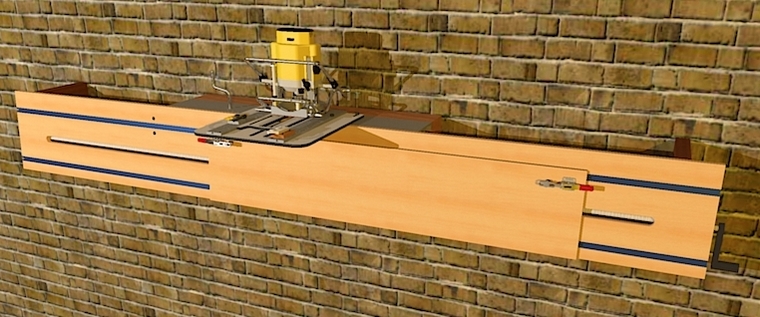
Here's a quickie I did this morning. I'd drawn the WoodRat some time ago. The atachment on the front was done last night to show an idea for an attachment to allow the creation of raised panels that are longer than the WoodRat. I decided I should try a render for the fun of it.
This was done at 800x600. 06.PM-Medium+AA 0.3 3 Minutes, 51 Seconds.
@majid said:
dear dave . as i remember u were a woodworker . very nice to meet u again ... as i remember u retouched my style i'd posted on old foroum ( su pro) to cool watercolor style? didnt u?
thanks again for ur testing . and it works grat on outdoor scenes.
Ah yes. That was you? I like your styles. Thank you very much.
I can hardly wait to see the next one you create.
Dave
@unknownuser said:
Dave that looks pretty cool in hidden line form, it really shows some modelling skills to produce so quickly and to such small model size.
Very nice work.Any chance, if you get time of a small tut showing your methods in creating one or two components?
Thank you Dylan. Let me see if I can come up with a tutorial showing how I did part of the clamp. The cast parts are all done using the same basic method. I'll see if I can show my work.
Thanks for that, Didier. It looks like it'll work fine.
Darth, that's very good. Thank you.
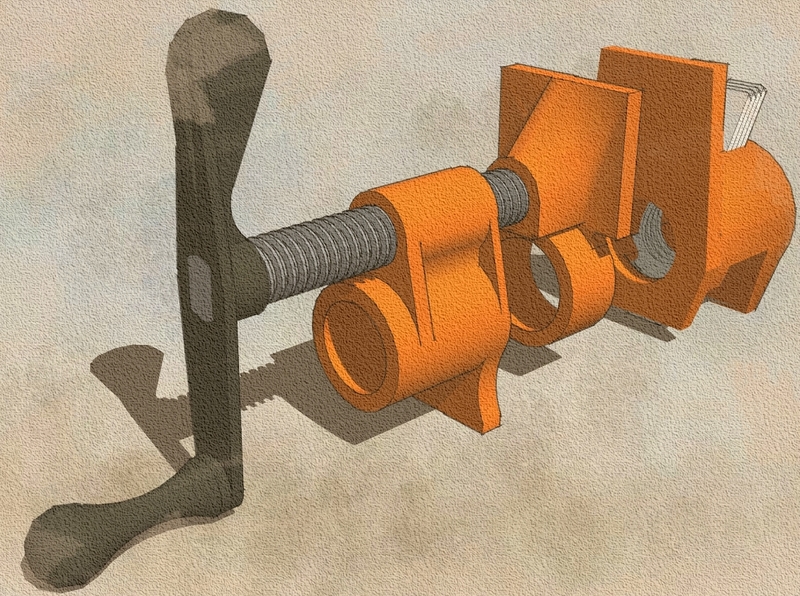
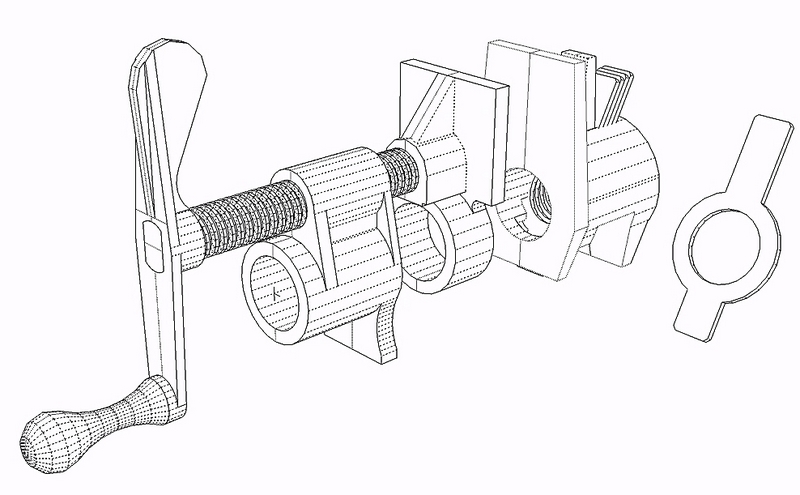
Boo, here's the hidden line view. I guess I could probably afford to add a few faces on the end of the crank. As far as working time, I suppose I have an hour or an hour and a half in it. It didn't really take too long. I had a real example of the clamp at my desk to work from. Actually took measurements as I went, too. Most of the parts were easier to draw whole and then split in half.
@unknownuser said:
That looks pretty high poly, what is the face count on that stallion?
Wanna guess?
File size is 139Kb. 4122 faces but 690 component instances. The clamp parts are split in half using the hidden seam method with each half being a component and the Acme threads on the shaft are instances of a little components with only three faces. The threads are separate from the central cylinder which makes adjust the length of the threaded rod a simple matter.