So is all this my fault for doing something wrong? Or is this a Mac thing?
I know what you're going to say. Just because I'm paranoid it doesn't mean they aren't out to get me. 

 D
Offline
D
Offline
So is all this my fault for doing something wrong? Or is this a Mac thing?
I know what you're going to say. Just because I'm paranoid it doesn't mean they aren't out to get me.
I just had a thought. With many of the excellent Rubies you gurus are writing, you're also including PDF files with instructions. I was thinking it would be nice if they could be accessed directly from a menu entry in the Help menu. I'm picturing a menu entry with a flyout menu listing the PDF files that are included in the Plugins folder. At least that's where I end up extracting those files to when I unzip.
Is this possible? I have no clue but it seems like it ought to be a short script. What say the experts?
I'm surprised at the time, too. Of course I'm no judge of these things since I'm so new to this. Perhpas it has to do with all the reflective glass surfaces and the lights?
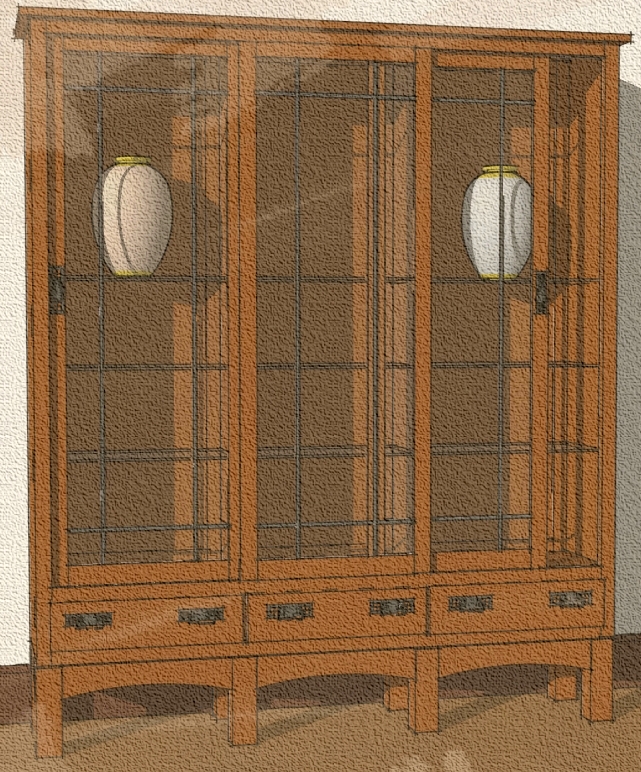
FWIW, this is what I got after 10 hrs and 43 min. It only ran that long because that's how long I was away. I set the materials for the floor, small table and the tall cabinet to dull plastic as advised. I don't see any difference in the tall cabinet but I can see the reflections on the floor and the little Greene and Greene side table has a bit of shine to it now. (Click the picture to enlarge)

Thank you for the advice. Here's another one. I tried adjusting the light to reduce the intensity a little. I tried changing the woods to Phong with adjustments to IoR and Exponent but I don't see any difference.

Thought I'd see what I could do with Indigo and the new Skindigo exporter. Not bad fro someone who is just blundering around. I might figure out the materials thing to make some improvements. This is after about 15 minutes of render time.

Looks very intricate from the screen shot. You did a lot of work.
I'm guessing you could get that file size down considerably if you wanted to and without much difficulty. If you split all the symmetrical components in half or quarters and copied them, that would greatly reduce the entity count and file size.
I'd love to see some rendered images of your clock.
Sorry to dredge this up again. It had almost fallen off the bottom where it likely belongs.
Anyway, after a suggestion from Frederick and Fletch, I rendered this in a lower preset in KT. This time 07. PhotonMap - High + AA 0.3. Although it took a little over 7 1/2 hours (I was asleep so I didn't care) to complete, I think it is better than the 10 hour MLT renders. This was done at 800x600 and cropped afterward. I did increase the radius of the spotlights to soften the shadows and I added a little bump to the wood texture for the case.
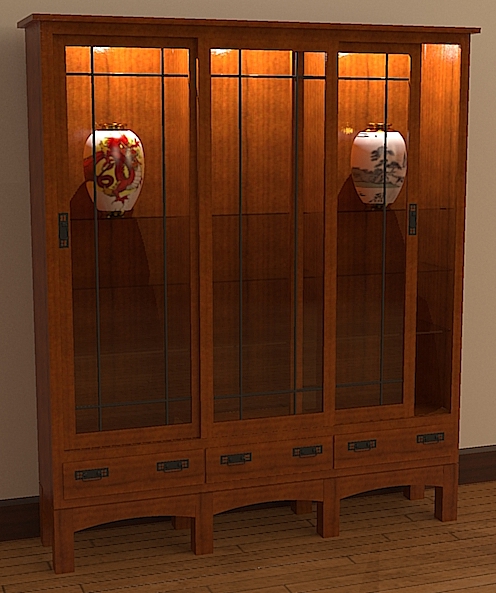
Gai, I need to play with your idea about the quartersaw grain. I have to learn what most of your words meant, first. 
Sketchy, Gai's method only partly helps with the rendering thing. You won't get a hard edge as you would by hiding a corner but textures would still have a problem. Imagine a tiled top on your table example. It would look like it was cut into pie-shaped segments with the tile cut on an angle. For some things like wood grain textures, you could get a look of a typical veneered top, so sometimes it could be good.
Gai, you beat me too it. I was about to post an example showing that. It's a good tip.
Sketchy, you're right. This is a good way to help reduce file size. It would be kind of neat if this could be automated, too. John does make a good point about applying materials to components in which that has been done so caution should be exercised.
I think it would be a great idea for a Ruby if it was possible but I can imagine why it wouldn't be. I also use this technique frequently to help keep file size down. I've shown that recently elsewhere on the forum. In the case of something like that table shown by Sketchy, if it were a wood top, I might consider a different approach to drawing it. I would leave the top and bottom faces of the top out of the component. Or delete them after assembling the components to make the table. Then I would add as a separate component a circular face with instance for the top and bottom. This wouldn't be quite as efficient but would get around the texture mapping problems. It certainly wouldn't add that much to the file size. Especially if it's a sinlge component you're adding.
Now for something like the Pipe box I posted before, doing this would defeat the purpose of spliting the front and back into halves so a plugin that would allow mapping a texture across component boundaries would be excellent.
Once in awhile I find Jerry's method a better option that hiding the rest of the model. If I want to add details that would generate those tiny, non-filling faces, I'll copy the component and move that instance away from the rest of the model. I scale that instance up by a factor of 10 or 100 or something. Then I do the editing on the large version. The original instances of the component get the same treatment and even those tiny faces fill. When I'm finished with the editing, I delete the enlarged instance of the component. This is faster than scaling it back down andgetting it accurately placed.
Gidon, I'm glad you don't mind.
I cut the handle in two and made a component of one half. Then I copied and mirrored that half to make the opposite end. Since they are both instances of the same component, SU is only "remembering" half the geometry of the whole thing. this lets you get away with higher segment counts in curvy stuff without bloating the file size.
There's another benefit to this as well. If you decide to edit the shape of the handle in some way, you need only edit one end. The other gets done at the same time.
FWIW, there was some unneeded geometry inside the center portion of the handle which I also got rid of. I didn't check at the opposite end.
FWIW, here is an example of some detailed curves in SketchUp. The fronts and backs of these pipe boxes are split down the middle so that the left half and right half are mirrored instances of the same component. The front components are different on the left pipe box than the right so they are different components. There's a radius on the edge of the drawer face and the joinery is drawn throughout. Even with the material applied the file size for just the two front boxes was only 233Kb. In the attached image, there are ten of each and the file saves out at 259Kb All because I used components and split the symmetrical ones.
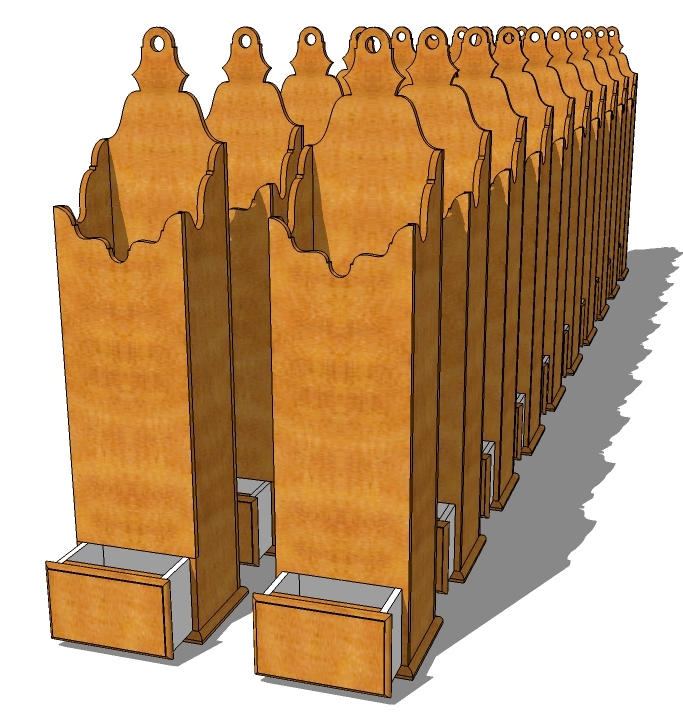
Oh, and one other thing. Another side benefit of spliting the panels here, is that I get book matched grain automatically. Not really appropriate on these pipe boxes but for something like a veneered door panel it might be.
Jerry, that's great! What did you use for the pin?
Gidon, it is very nice. I am glad you posted it. I hope you don't mind but I had to see if I could reduce the file size.
Rustic-Pull.skp
Run your model through any of a number of rendering applications such as Kerkythea.
Yes, indeed. Now to figure out how to make it a script with a shortcut key.