Too funny, Kim!  It IS one of those fake wood countertops.
Oops, your profile's looking a bit empty! To help us tailor your experience, please fill in key details like your SketchUp version, skill level, operating system, and more. Update and save your info on your profile page today!
Check out Febhouse | New extensions for Shadow Analysis in SketchUp Download
D
Offline
Posts
-
RE: Model for Rendering Samples - Green Dragon
-
RE: Model for Rendering Samples - Green Dragon
How does my simulation look?
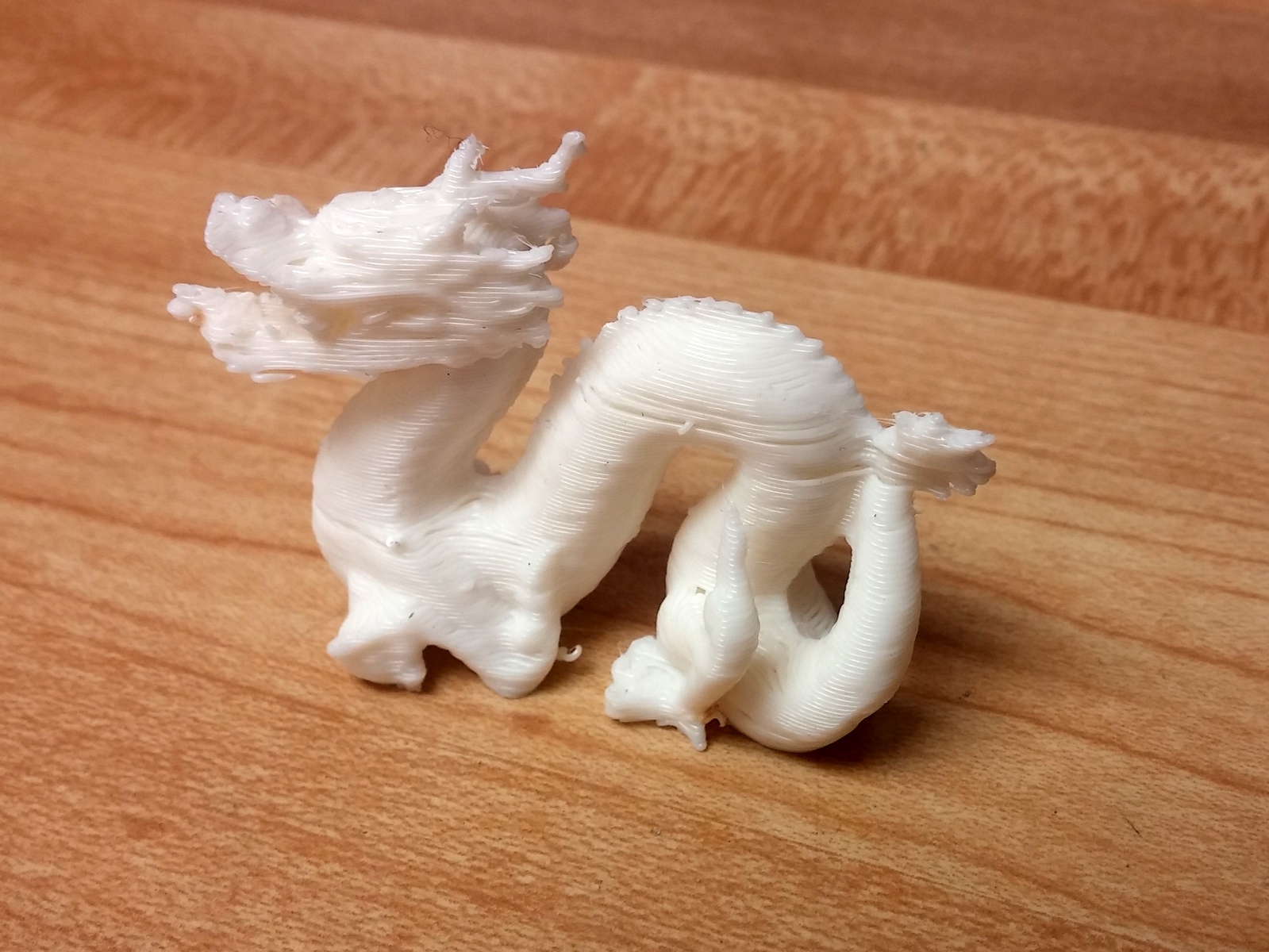
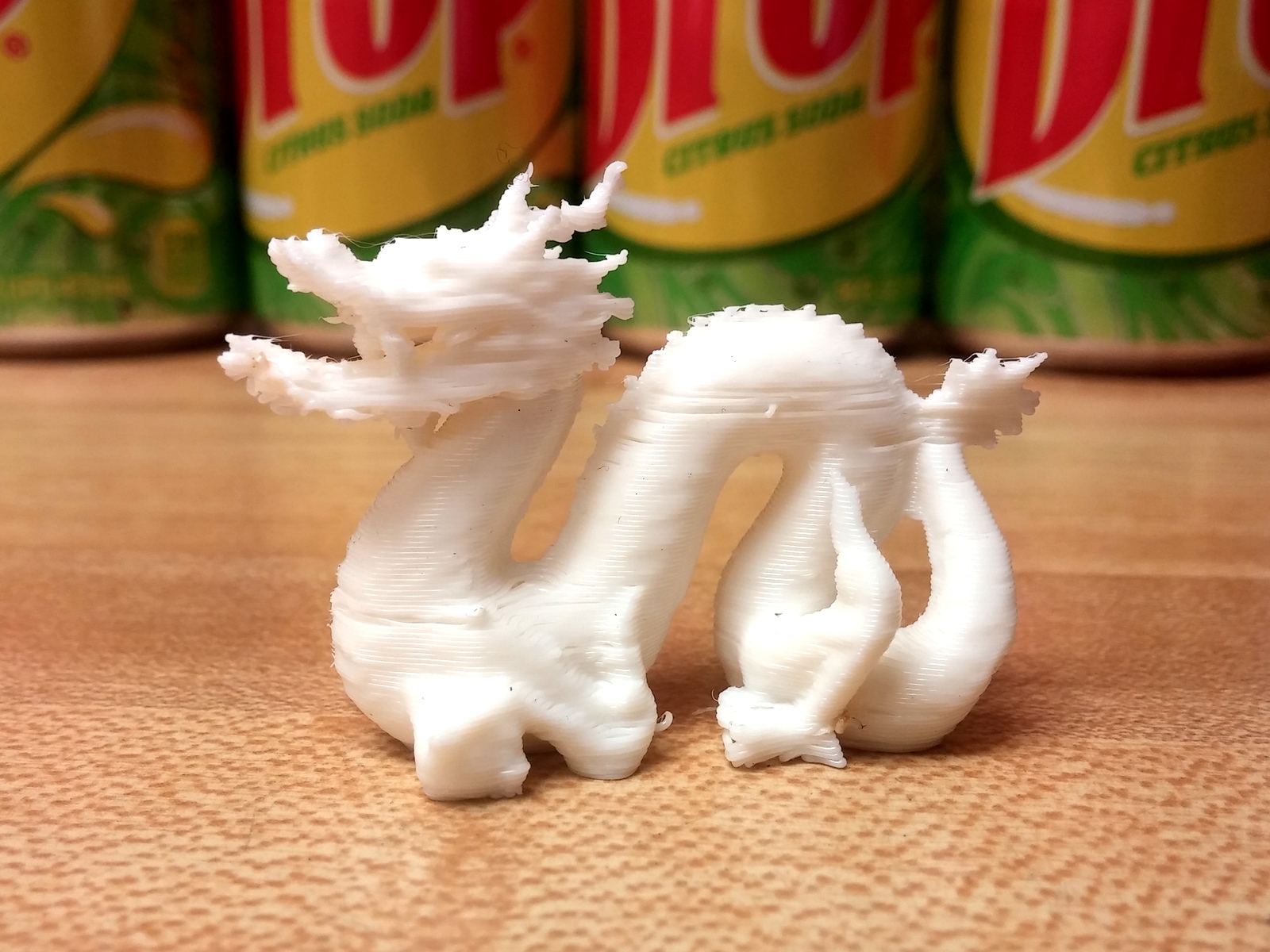
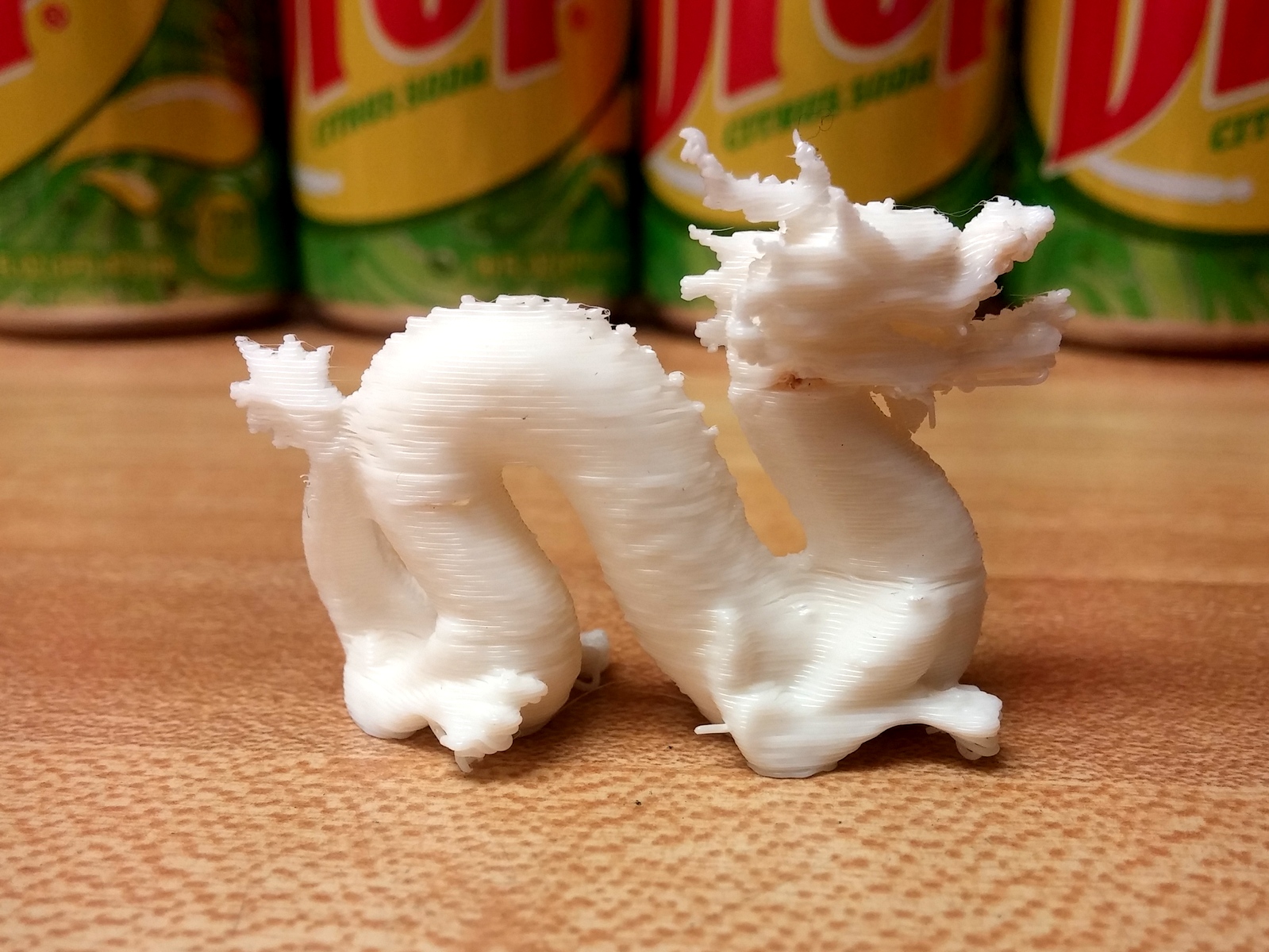
Ok, these are real photos, if you couldn't tell.
 I scaled the model down to 2" long and printed it on my little Solidoodle 3D printer. My printer needs some calibration, as you can tell from the stringy bits and uneven layers, but at least the photos can be used as reference for real world lighting conditions.
 -
RE: Creating a UV map I can edit in photoshop
I wrote a tutorial for something very similar in issue 16 of the Catchup magazine: http://sketchucation.com/catchup/2013/01/
-
RE: Improve watertightness in modelling
Also remember the "Outer Shell" tool, which combines solids into one watertight shell.
-
RE: Current news on 3d printing
This video is to add to dukejazz's current news.
-
RE: Current news on 3d printing
Patrice, if you go to http://www.3dhubs.com/ or http://www.makexyz.com/ you should be able to find someone near you with a desktop printer to give you a quote. The cost will be MUCH lower than using a print service. Your part looks easy to make on a small filament printer.
-
RE: Current news on 3d printing
Patrice, to be fair, there is a lot more that goes into the cost of a 3D print than just material. dukejazz did a wonderful job of breaking down the cost of the cheapest material available, but many machines use more expensive materials. You also need to include cost of the machine, electricity, operator time, and in some cases overhead costs like building rent.
Hope that helps explain why costs can be be so much!
looks like dukejazz also explained while I typed my post
-
RE: How to print lager scale models in sketchup.
Welcome to the forum, Andrew!
As an addition to what kaas says, it looks like you're using Pro, so you can use the Split function of the Solid Tools and a dummy cutting cube to cut up your model, something like this:
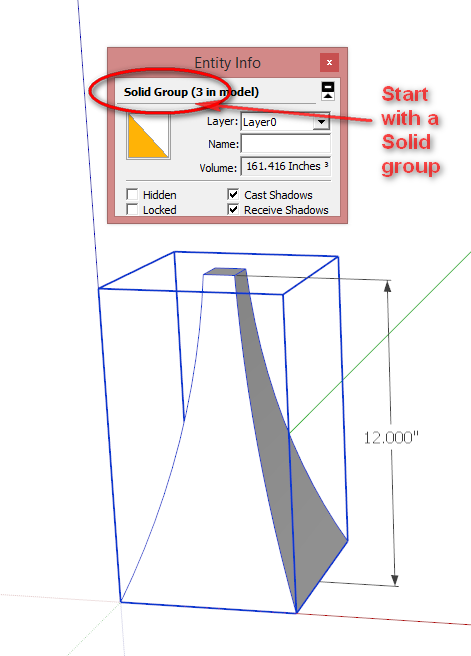
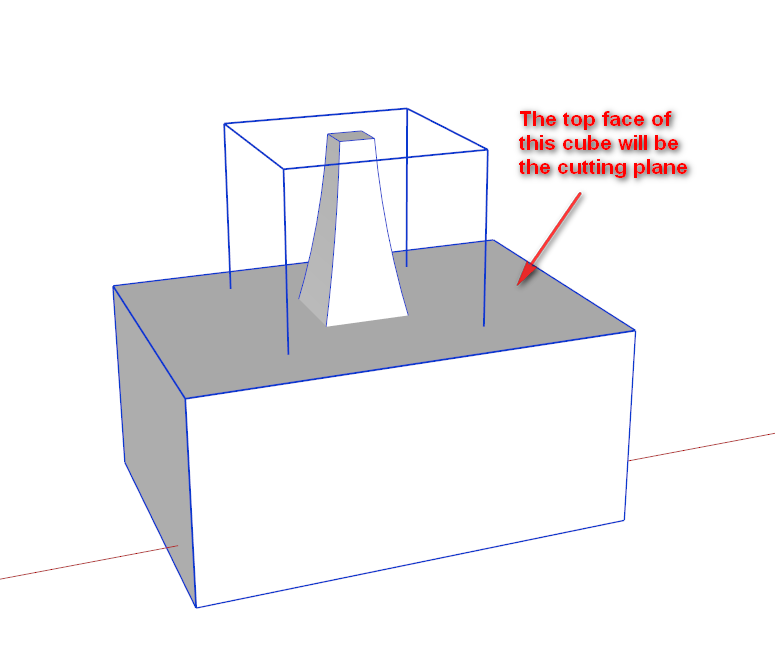
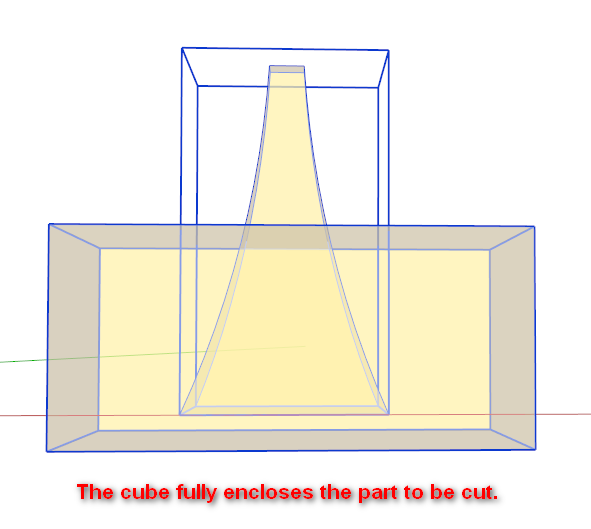
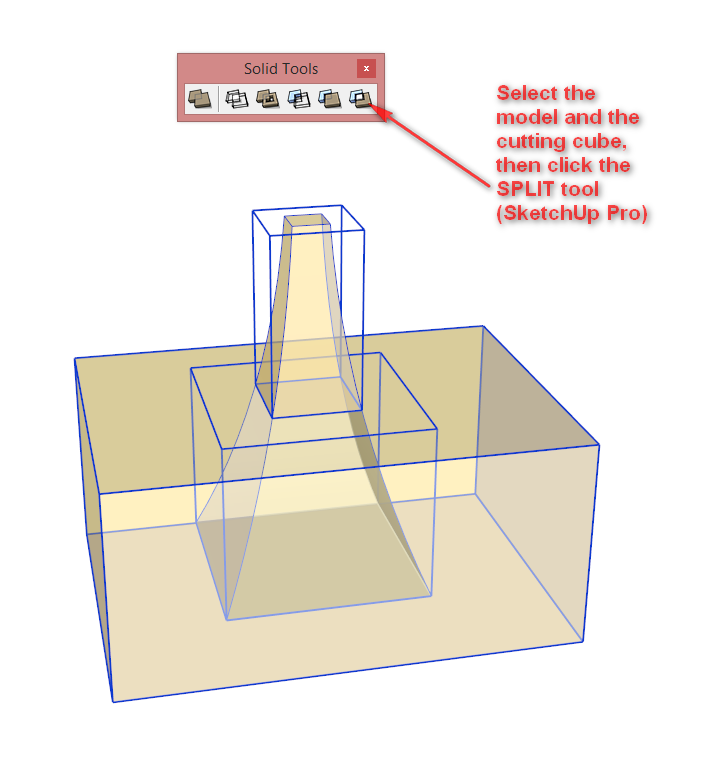
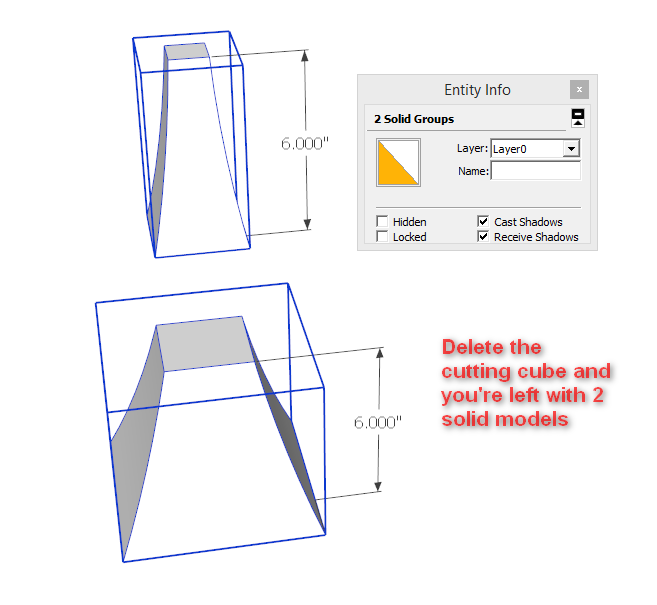
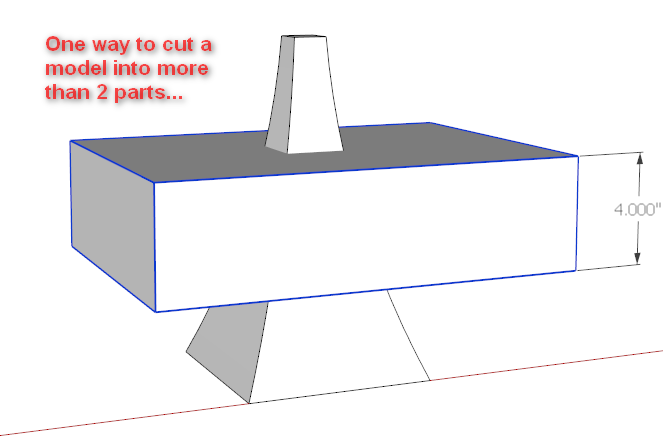
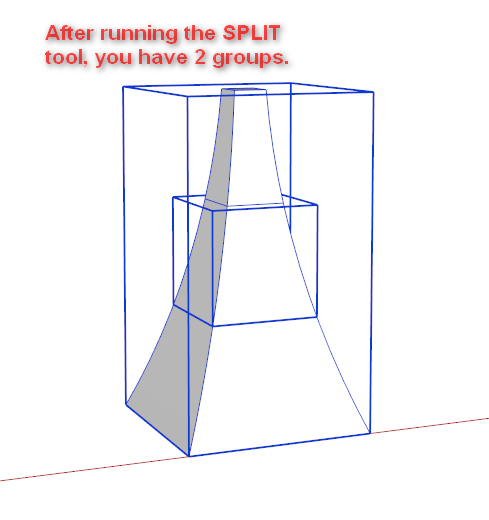
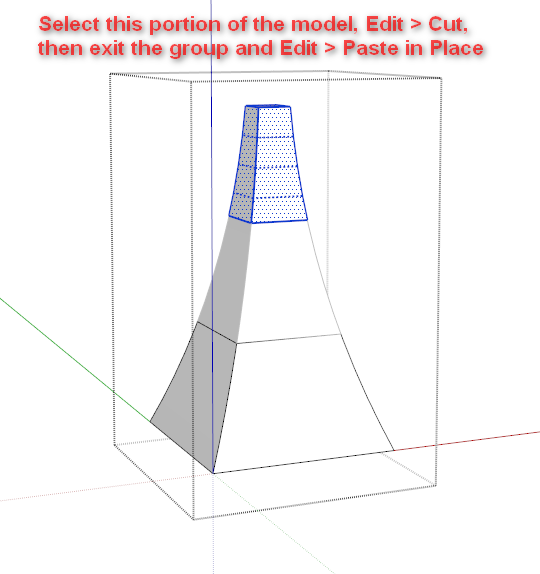
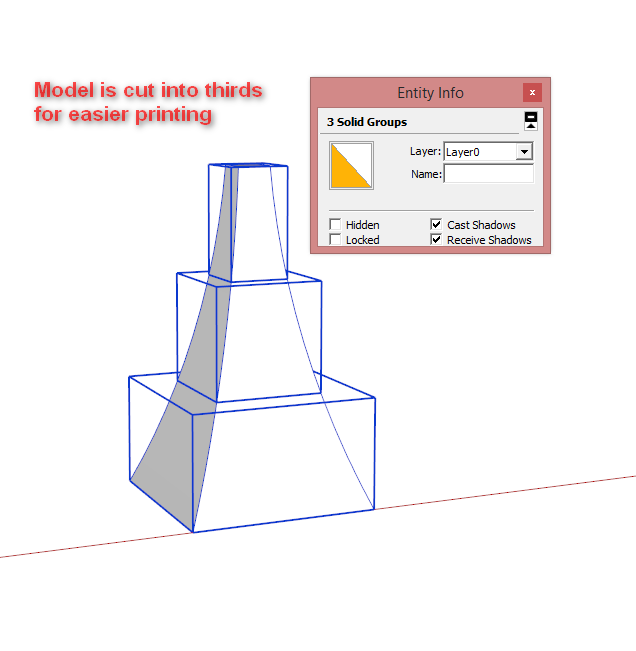
The model is attached if you want a closer look.
Here's the link to the Zorro plugin if you're not using Pro.
-
RE: Getting flustered sketchup make
Hi Jim,
Does this STL file work for you? I didn't try printing it, but after slicing the gcode preview looks perfect.
Side note, his left arm will not print properly without support because it would hang in mid-air.
-
RE: Getting flustered sketchup make
@budzy123 said:
Just for my own info if I export file out of su and then open it in netfabb doesn't that clean up any problems that su may make on exporting? Thanks
I have never had a STL file from Sketchup that cloud.netfabb.com couldn't fix. The basic version doesn't always cut it though.
-
RE: Getting flustered sketchup make
Jim, after looking at your model, I think it should be fine to print the model standing up.
Using the Solid Inspector plugin, I see some minor holes in the model that may be causing the problem. It may also be that Sketchup is introducing some error in the model when exporting to STL.
You mentioned using Netfabb Basic to fix the model - there is a more powerful version of Netfabb at cloud.netfabb.com where you upload the STL and it will fix it automatically. Try that and let us know how it goes!
-
RE: [Plugin] Solid Inspector
I just tried installing Solid Inspector via Extensions Warehouse in Sketchup 2014, but got an error message:

Downloading and installing manually worked fine, but also got a reminder to install TT_Lib2 (Duh!), which worked fine to install via Extensions Warehouse.
Just to check the process, I uninstalled Solid Inspector via Extensions Warehouse, closed and reopened Sketchup, then tried to reinstall it. Same error message.
So I can install manually, but not via EW.
-
RE: Getting flustered sketchup make
Jim, two suggestions:
- print the man laying down, rather than standing up
- look at the g-code preview after slicing and before printing to make sure the printer toolpaths look correct. If they don't, you may need to fix the Sketchup file.
Like Dave says, having the SKP file to look at will enable us to help you better.
-
RE: SketchUp 2014
Thanks Rich and Jim. I guess we'll have to play with it to see how useful it'll really be.
-
RE: SketchUp 2014
Can someone that uses BIM in other apps explain how the new Classify feature will be useful? I've never used BIM, but am curious if this will really be useful or if it's going to go unused (like Dynamic Components) by the majority of users.
-
RE: SketchUp 2014
@pixero said:
What about upgrade price from SU8? I haven't seen any info about it yet.
Jan, it's $95 for a single license upgrade from SU8. More info here: Upgrading to SketchUp Pro 2014
-
RE: Topo to 3d printer
The second plugin on this page is called Add Terrain Skirt. It takes a surface and adds a skirt down to a flat plane, allowing you to make the model solid for 3D printing.
Install that, and you're good to go!
-
RE: New 3d Warehouse interface
@rich o brien said:
Testing...
...can everyone see this?
Yes, works great!
I can open it in fullscreen too, pretty nifty

-
"Walking City" - video about evolving Architecture
@unknownuser said:
Referencing the utopian visions of 1960’s architecture practice Archigram, Walking City is a slowly evolving video sculpture. The language of materials and patterns seen in radical architecture transform as the nomadic city walks endlessly, adapting to the environments she encounters.
More info: http://www.universaleverything.com/projects/walking-city/
-
RE: Sketchup make
Its a nag screen you're stuck with til you buy Pro.