sketchucation logo sketchucation
    • Login
    1. Home
    2. d12dozr
    3. Posts
    Oops, your profile's looking a bit empty! To help us tailor your experience, please fill in key details like your SketchUp version, skill level, operating system, and more. Update and save your info on your profile page today!
    โš ๏ธ Important | Libfredo 15.6b introduces important bugfixes for Fredo's Extensions Update
    D
    Offline
    • Profile
    • Following 0
    • Followers 0
    • Topics 67
    • Posts 2,179
    • Groups 1

    Posts

    Recent Best Controversial
    • RE: Making a "mesh" of printable fibers

      Hi Kellen,

      So far, 3D printing technology prints on a larger scale than regular fabrics, so results are relatively clunky and heavy.

      For printing fiber like Kevlar, the closest thing I know is a company printing using carbon fiber. Find them here: https://markforged.com/

      There are a few ways that people have made a fabric-like mesh using 3D printing. The first uses a 'chain mail' approach, where the individual links are printed separately, but interlocking. Here are a few examples:
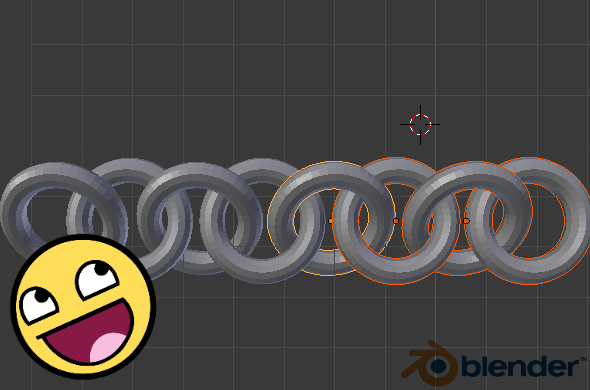
      How to design Chainmail

      https://i.materialise.com/blog/wp-content/uploads/2014/10/chainmail11.png

      Here's a model you can download on Thingiverse.

      Folks into clothing and fashion are trying this idea out as well.

      https://www.wired.com/images_blogs/design/2013/12/kinematics-38-660x486.jpg

      Another way to make a flexible model is like this guy using commercial SLS material.

      See the rest of the videos on his channel for more ideas - he's pretty creative!

      For a summary of the current state of 3D printing fabric, please see this comprehensive article: https://www.sculpteo.com/blog/2016/01/27/making-wearable-3d-printed-clothes/

      posted in SketchUp for 3D Printing
      D
      d12dozr
    • RE: How to print in 2-3 colors with CubeX and SketchUp (free)

      Better late than never ๐Ÿ˜„ Thanks for the reply. ๐ŸŽ‰

      posted in SketchUp for 3D Printing
      D
      d12dozr
    • RE: 3D Printers

      Based on what I've learned, (my personal printer is a Solidoodle...they are not that great and subsequently went bankrupt ๐Ÿ‘Ž ) here are my recommendations in order from high to low budget.

      Ultimaker is very good, if not the best - and at $2499 the price matches its reputation.
      Zortrax M200 is also excellent, at $2000 it better be.
      Wanhao Duplicator I3 is the best value, with high reviews at only $399.

      For more reviews, Make magazine's shootout and 3D Hubs trend reports are very helpful.

      posted in Hardware
      D
      d12dozr
    • RE: Overlaping meshes on Z axis

      Hi, the easiest way is to make the contact area larger if possible. You may also use a higher percentage of infill - up to 90%.

      posted in SketchUp for 3D Printing
      D
      d12dozr
    • RE: 3D Printing for Wood Turners

      ๐Ÿ˜„ Nice find Dave, gonna have to get one ๐Ÿ’š

      posted in SketchUp for 3D Printing
      D
      d12dozr
    • RE: 3D model at architectural scale

      This is usually a manual process, but a new tool you may try is MakePrintable.com

      They have a SketchUp extension that will upload the model to their site where you can set parameters like scale, etc and it will correct wall thickness and non-manifold issues.

      I haven't tried it on architectural models yet, but the demo looks promising.

      posted in SketchUp for 3D Printing
      D
      d12dozr
    • RE: TiltBrush

      This VR stuff is really taking off, eh? Tiltbrush runs on the HTC Vive, which just sold 15K units in 10 minutes! ๐Ÿ˜ฎ
      http://www.wareable.com/vr/htc-vive-vr-headset-april-2016

      posted in Hardware
      D
      d12dozr
    • RE: Continuing saga of trying to merge two solids

      Two things you can do:
      1 - scale the model waaaay up, like 10000X, then perform the Outer Shell operation
      2 - Export the models as STL, then upload to https://modelrepair.azurewebsites.net/ to have that free service merge them for you.

      The Pro version is not likely to do any better than the free version for this operation.

      posted in SketchUp for 3D Printing
      D
      d12dozr
    • RE: Access to Advanced Video Tutorials

      Most of those appear to be official Sketchup videos, which can be seen here: http://www.sketchup.com/learn/videos/80

      posted in SketchUp Tutorials
      D
      d12dozr
    • RE: 3D Printed Architectural model from Sketchup - The Ravenlore

      They sure would, Oli! ๐Ÿ‘

      posted in SketchUp for 3D Printing
      D
      d12dozr
    • RE: Issues with solids

      If you can't find the exact model you need on the 3D Warehouse, here's how I'd do it:

      1 - You have a mesh of lines for the dome - separate them into parallel sets of connected lines that you can use follow-me on so that you maintain a solid tube from one end to the other. After that, you'll have 20-50 sets of tubes that you can join together using Outer Shell. Only use 8 or so sides on your tube profiles or the polycount will get outta control.

      2 - Use the same mesh of lines for your cladding. Connect them all to form your dome, then use JPP to push out to where you need it, rather than pushing inwards. You need some thickness on the cladding anyway.

      Does that make sense? If you want to send me the basic dome mesh, I can show you what I mean.

      posted in SketchUp for 3D Printing
      D
      d12dozr
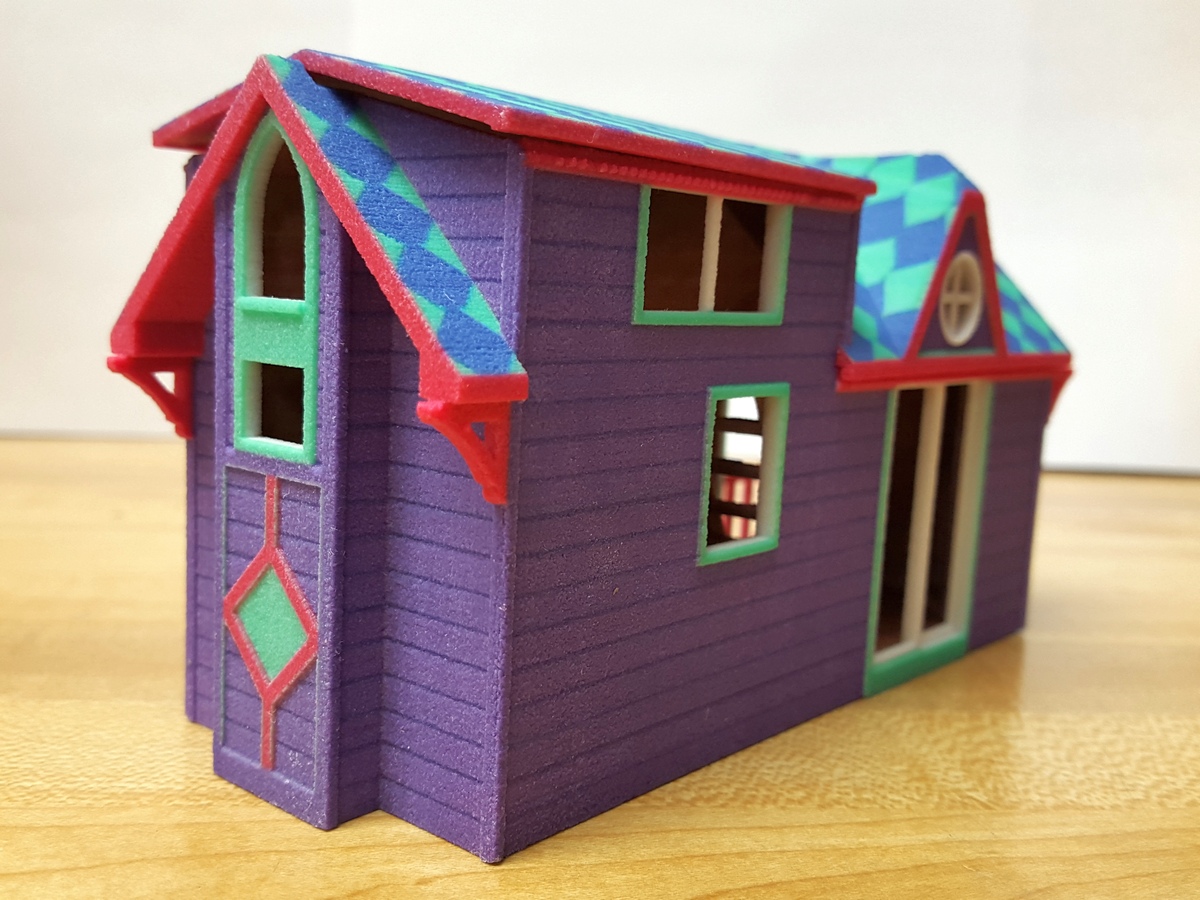
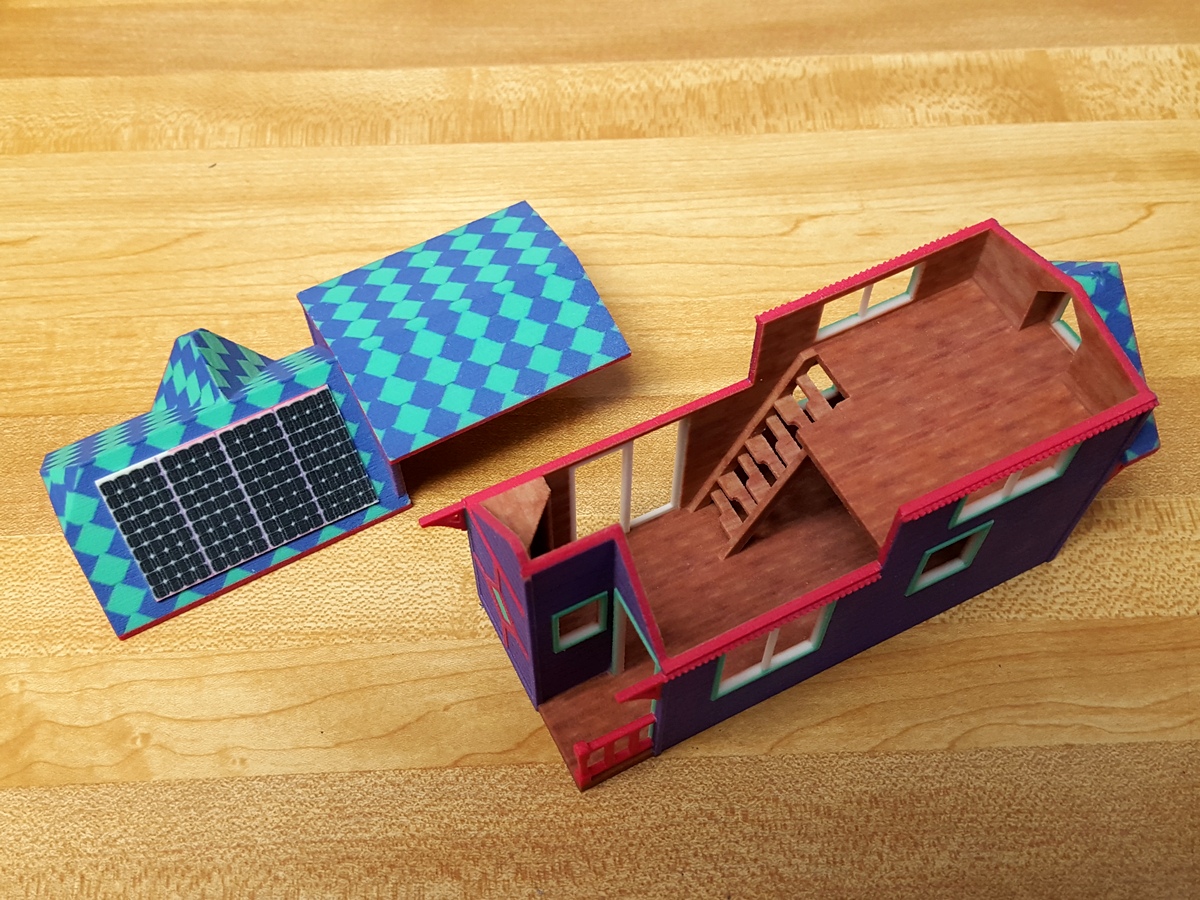
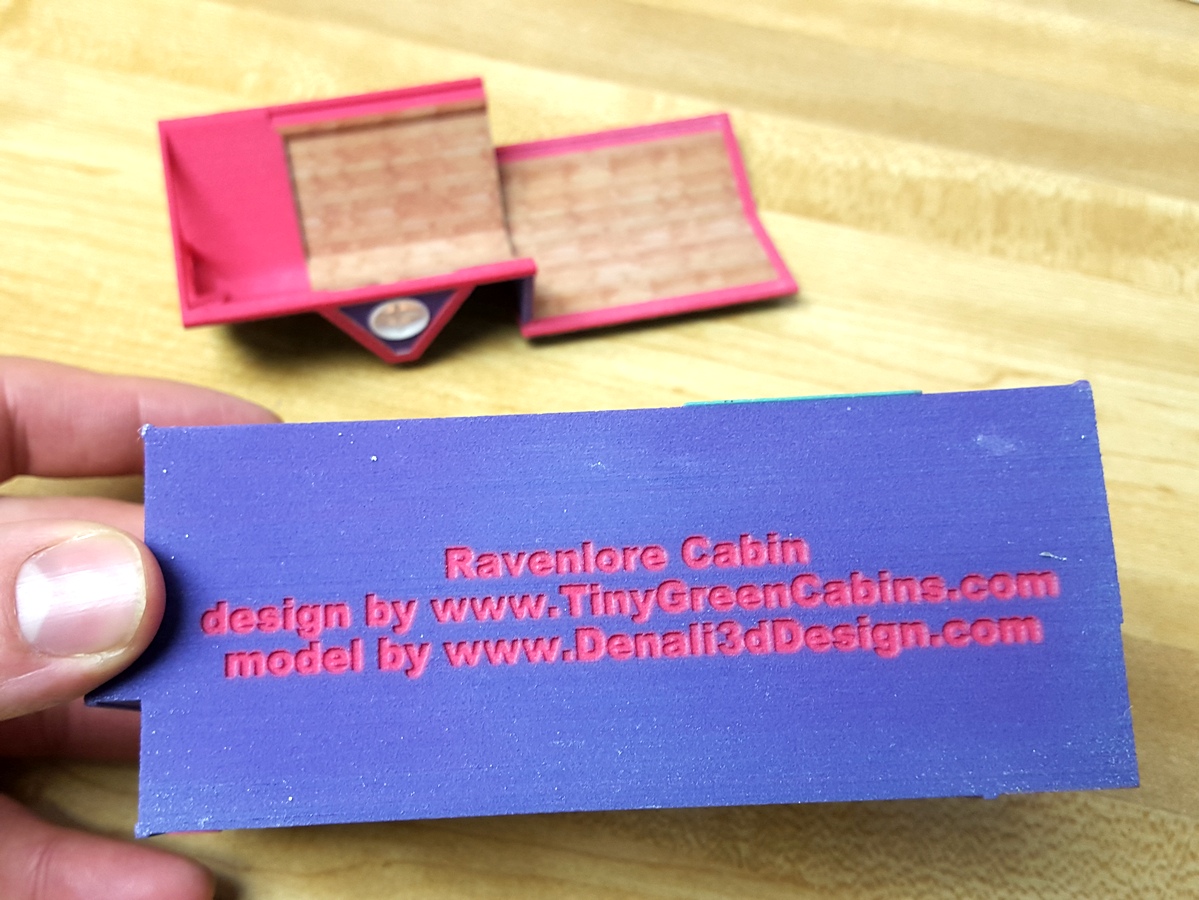
    • 3D Printed Architectural model from Sketchup - The Ravenlore

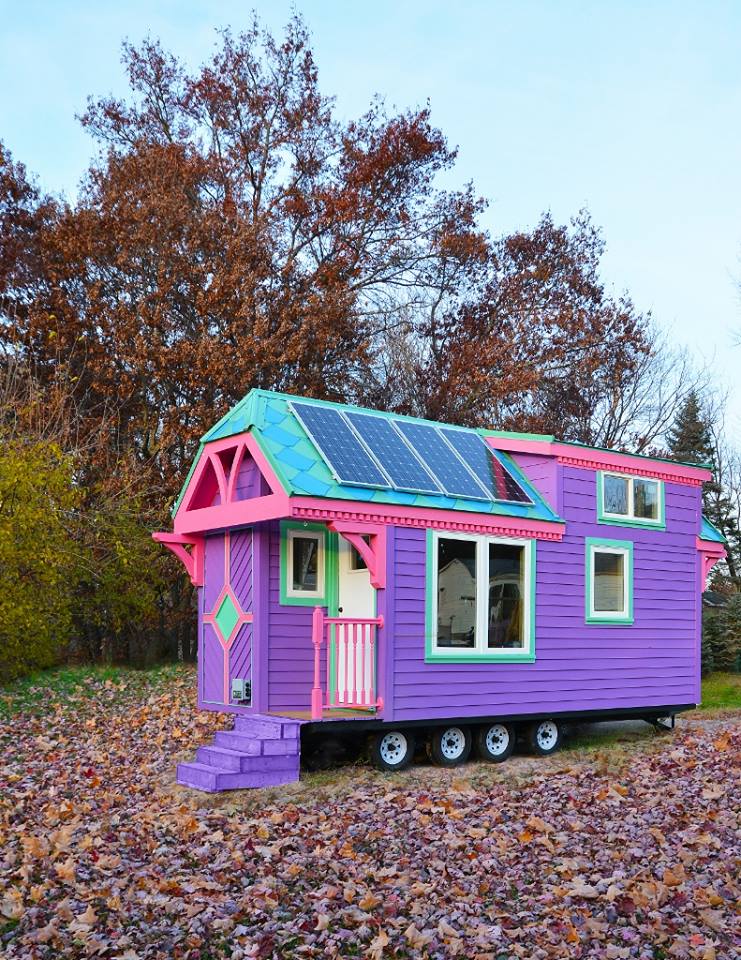
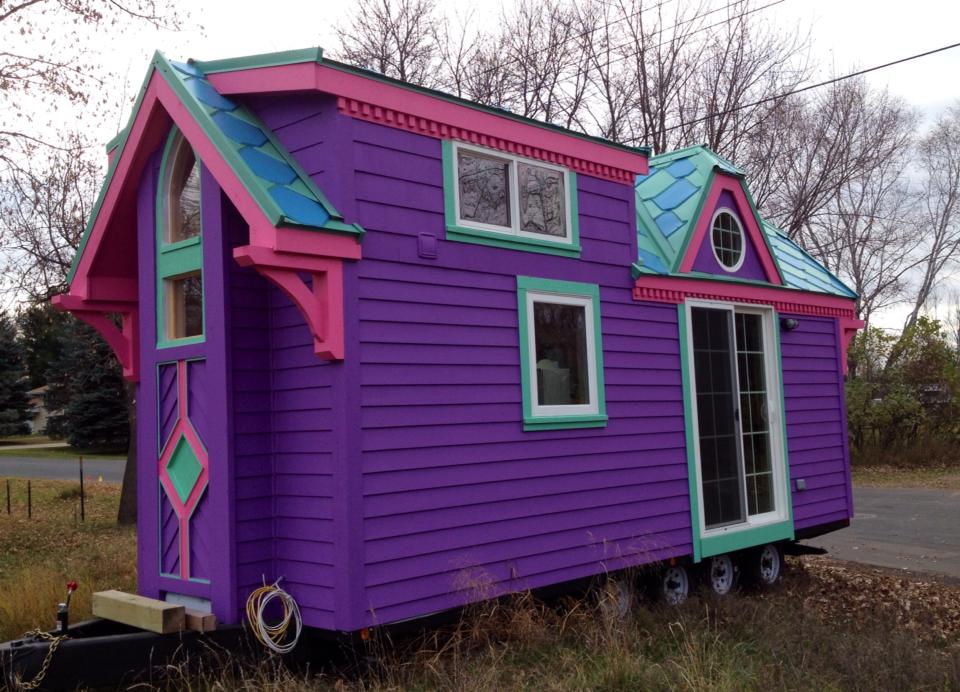
      Jim from Tiny Green Cabins is a real craftsman when it comes to designing and building tiny houses. In this project, his client was a firefighter who wanted her cabin to look "like the Easter bunny threw up on it".

      First some photos of the finished home, and 3D prints below.
      44.jpg
      45.jpg

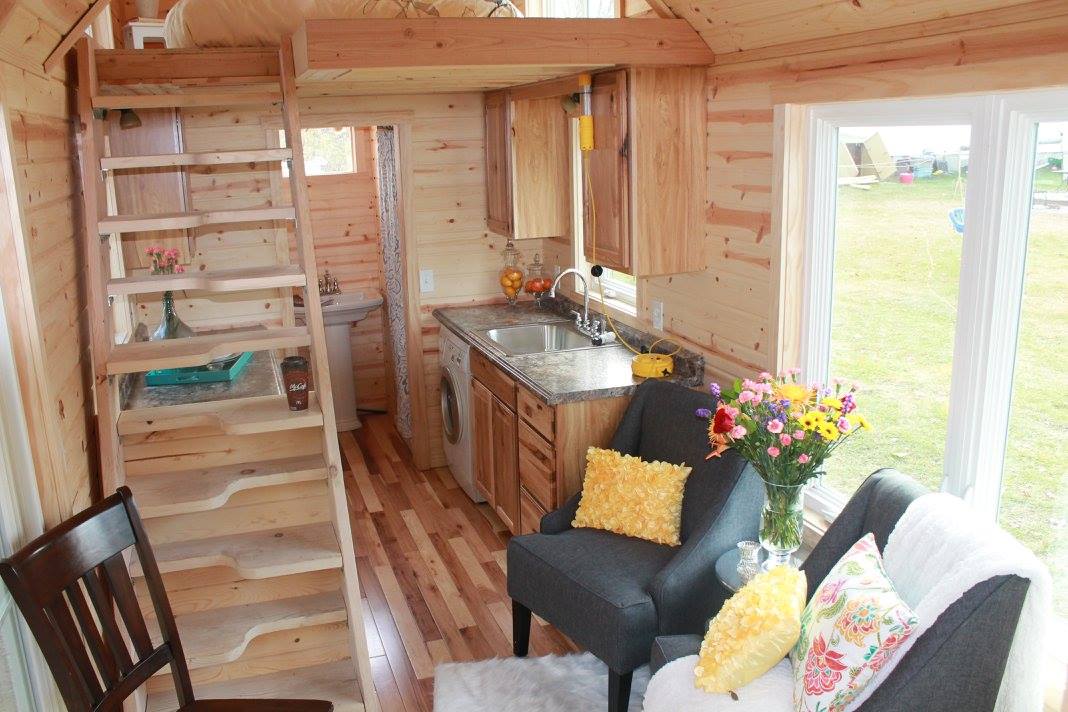
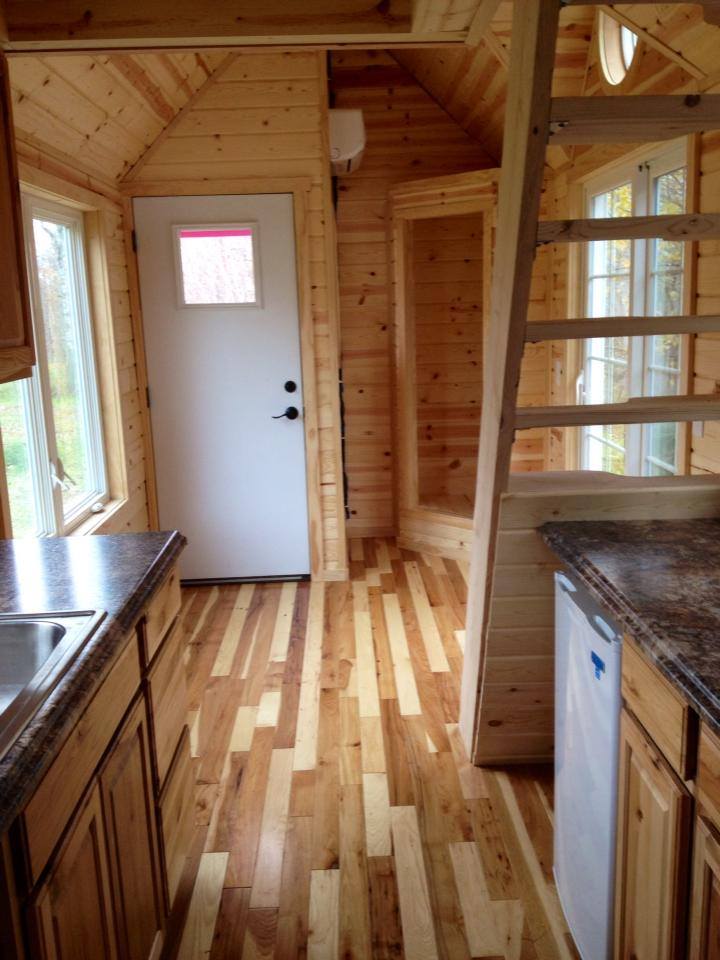
      The interior is all clear finished.
      133.jpg
      136.jpg

      My part of the project was to make a scale model to be 3D printed in color. All the tiny details made for an interesting challenge - the dentils and corbels needed to be large enough to be 3D printed and not break, but still maintain the sense of scale.

      Ravenlore 3D printed 04.jpg
      Ravenlore 3D printed 02.jpg
      Ravenlore 3D printed 03.jpg

      posted in SketchUp for 3D Printing sketchup
      D
      d12dozr
    • RE: Attaching two solid groups to become a single solid group

      @kellenraid said:

      I am trying to "attach" one face of one solid to a face on the other. Will the whole thing become a solid if I take both of the latter groups and make them a single group?

      Like Pilou says, you'll want to use the "Outer Shell" function. Here's a video:

      posted in SketchUp for 3D Printing
      D
      d12dozr
    • RE: Anamorphic Art by Istvรกn Orosz |

      So neat, clever way to test it out too!

      posted in Corner Bar
      D
      d12dozr
    • RE: How to print in 2-3 colors with CubeX and SketchUp (free)

      Great, please report back with your questions or results! ๐Ÿ‘

      I have never actually used a printer with more than one nozzle, so I'm curious how It works for you.

      posted in SketchUp for 3D Printing
      D
      d12dozr
    • RE: How to print in 2-3 colors with CubeX and SketchUp (free)

      Hi Catherine, welcome to the forum!

      To print in multiple colors, the STL file must be split into multiple pieces - like separate groups or components in Sketchup. If the STL file is just a single shell, then the model can only be printed in one color.

      Does that make sense? If you need more help, you may link or upload the file you want to print and we can help you from there.

      posted in SketchUp for 3D Printing
      D
      d12dozr
    • RE: References to apply scaffolding to model to print it

      Kellen, you can try rotating the spoon 90 degrees so it's laying on its edge, but shallow curves are always hard to print on an FFF (filament) printer.

      You could also try using Meshmixer (it's free!) to generate the supports and see if that helps.

      posted in SketchUp for 3D Printing
      D
      d12dozr
    • RE: Good slicer plugins or software...what is good?

      Kellen, it looks like the slicer for that printer is proprietary. However a quick Google search turned up this thread in another forum that may be of help to you: Using KISSlicer with CubeX

      Edit: strangely, when clicking my link above says the thread has been deleted ๐Ÿ˜ฎ

      Try clicking the 1st result from this Google search if my link above doesn't work... https://www.google.com/search?q=CubeX+Duo%26amp;ie=utf-8%26amp;oe=utf-8#q=CubeX+Duo+slicer

      posted in SketchUp for 3D Printing
      D
      d12dozr
    • RE: Just bought a 3D printer

      @dukejazz said:

      How do they make a flat roof on a hollow Box?

      Filament printers can "bridge" a certain distance. Here's a video that shows how it's done. Pretty sweet!

      posted in SketchUp for 3D Printing
      D
      d12dozr
    • RE: Just bought a 3D printer

      Welcome to the club!

      posted in SketchUp for 3D Printing
      D
      d12dozr
    • 1
    • 2
    • 3
    • 4
    • 5
    • 108
    • 109
    • 2 / 109