Thanks for your well wishes. I have spent the last couple of days battening and double tying everything down and removing anything loose from my boat and from the marina itself. All sorts of innocuous stuff becomes lethal when thrown around randomly.
Fortunately, although I live on a boat, I am far enough south that I will mostly only experience a shed load of rain and nasty gusts of wind rather than the sustained winds further north that will be destructive. It is going to be catastrophic for many that have yet to recover from the last disaster.
But you never know with wind, I may well wake up with a full sky view, I'm already prepared for most of my windows to blow out.
But I love where I live.
Oops, your profile's looking a bit empty! To help us tailor your experience, please fill in key details like your SketchUp version, skill level, operating system, and more. Update and save your info on your profile page today!
Urasik Extensions | Lots of new extensions to check out Learn More
 Offline
Posts
-
RE: Stay safe Box
-
RE: [Plugin] TIG-Smart_offset
Works fine for me. Do you have the most recent version?
-
RE: Quadfrace Tools in 2025
I guess you mean the one with the V on it, that when clicked activates the vertex tool, hmm what could it be.
-
RE: Quadfrace Tools in 2025
You might be talking about this but it uses several extensions.
https://forums.sketchup.com/t/out-of-the-box/68182/5?u=box -
RE: Quadfrace Tools in 2025
That could mean just about anything, so No I have no idea what you saw.
-
RE: Quadfrace Tools in 2025
All the models you have uploaded lately have the dotted lines showing, these are the back edges and I assumed you wanted them on. They can be turned on and off in the Style settings, the View menu Edge style or by tapping k on your keyboard.
I'm not sure what you are doing wrong but add loop works for me.
-
RE: Box Exercise Discussions
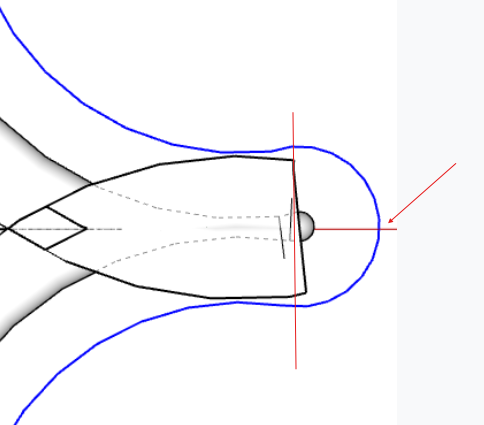
It's pretty clear just from Dave's screenshot that your circles are off axis.
-
RE: Box Exercise Discussions
My guess would be your circles are not drawn on axis. Not at a computer so can't check your model.
-
RE: Box Exercise Discussions
@ntxdave
I can't answer just now. I will tomorrow if I have time.
But lets clean things up a bit, rather than having this discussion in Tuna's Gallery thread.Can you start a new thread in the Newbie sub forum and include your model. It would be best if you can include it with the setup before you used follow me.
Then Dave or Rich will split the relevant post out of this one and into the new one. -
RE: Box Exercise Discussions
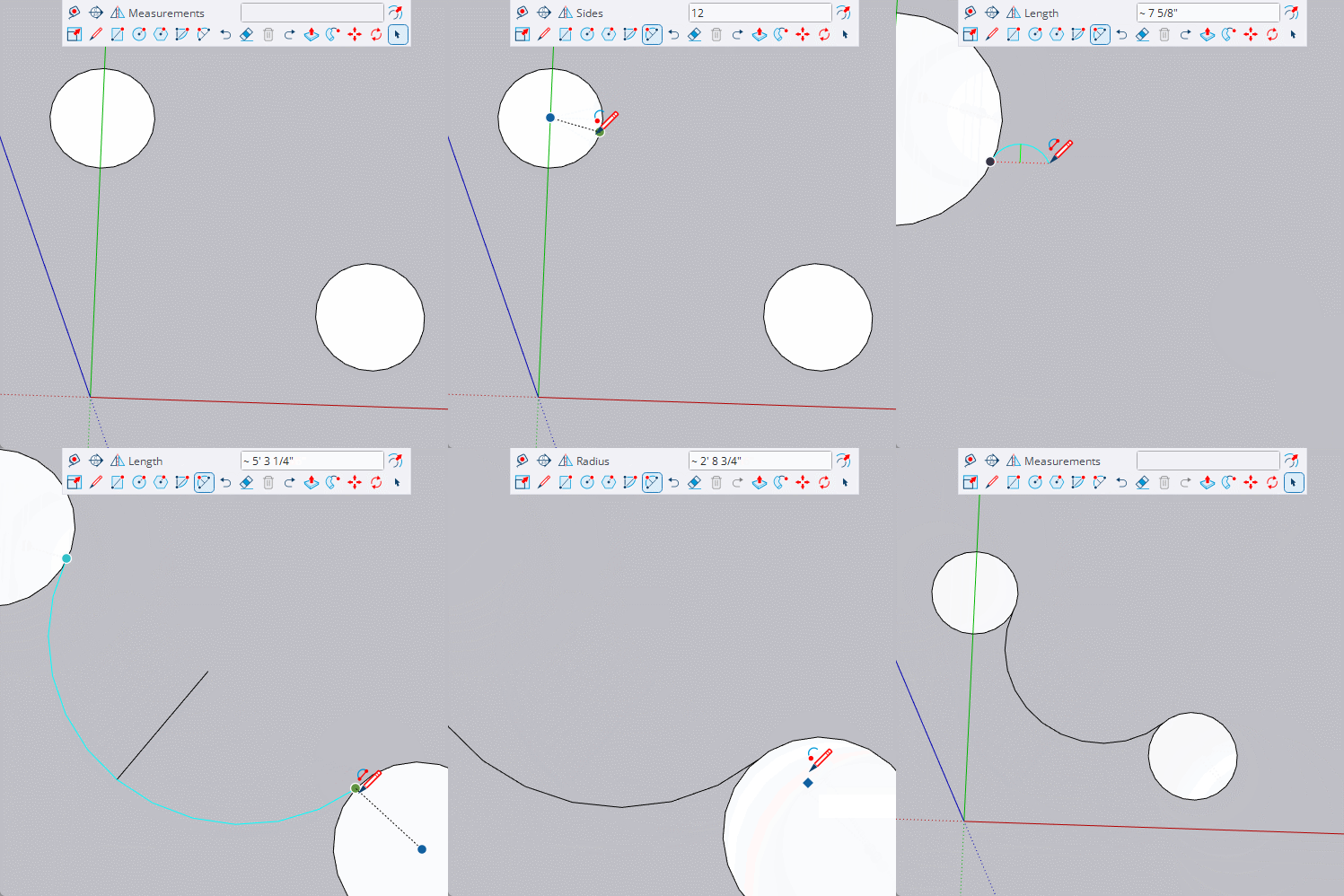
Look for the tooltips that tell you midpoint or end point etc
-
RE: Box Exercise Discussions
@ntxdave said in I’ve Been “Boxed”:
Apparently, I am not not drawing the arc between to circle correctly.
Make sure you get the magenta inference. The start and end points of the arc should be in the same relative segments of the circles. Often best to use a segment Midpoint rather than an endpoint. And it needs to be at a point that will flow smoothly with the circle.
@ntxdave said in I’ve Been “Boxed”:
I have to use the TIG Weld feature to connect the lines so I can use them for the path for the Follow Me tool.
Well yes, but all I did was triple click to select all of it as the path. Weld allows you to select it with one click.
@ntxdave said in I’ve Been “Boxed”:
I get the outline in the face and I have to go erase the outline.
I double click on the face, which selects the face and it's edges allowing it all to delete in one go.
@ntxdave said in I’ve Been “Boxed”:
Here is the file from what I did for this exercise
Looking at your model it is clear you haven't connected the arc smoothly.
And the circle you have in the middle of the shape is drawn Off Axis, so it will not line up correctly with the rest of the model. -
RE: Box Exercise Discussions
@ntxdave said in I’ve Been “Boxed”:
I do have a little problem with in the videos is that he obviously enters info in the text boxes that you cannot see in the video.
I'm not sure what you mean by this, I go out of my way to show everything I can in my gifs, which is why I use a toolbar rather than keyboard shortcuts, and that toolbar has the text box included that shows everything I type. Very occasionally something might be just off screen, but I usually mention what it is if that is the case.
Can you link to one that you are having an issue with. -
RE: I’ve Been “Boxed”
If you use facebook you will find a lot of vids here https://www.facebook.com/BoxGifs/videos
And on the Sketchup forum there is a long thread with more, https://forums.sketchup.com/t/out-of-the-box/68182/1
Some of the vids are on both some are not. -
RE: I’ve Been “Boxed”
I'm well impressed that you have understood the relationship between the 'Orb' and the 'Structure' in each case. Well done.
-
RE: Beautiful door to model
@ntxdave said in Beautiful door to model:
I must have missed something. Where is your gif?
Technically not a gif now as I had to upload to youtube to post it here.
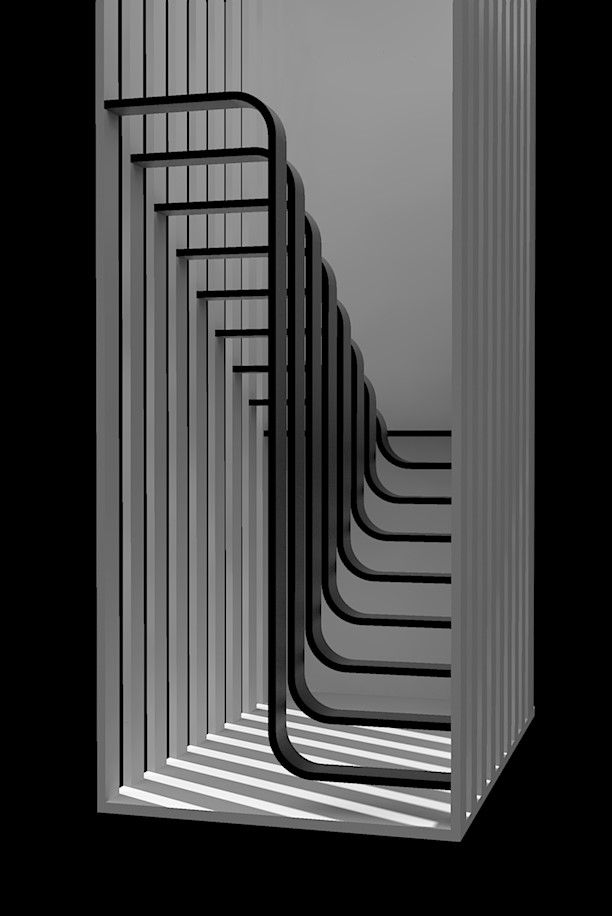
And it's the staircase not the door. -
RE: Beautiful door to model
@L-i-am said in Beautiful door to model:
would you mind sharing your model with me?
I only saw this just now.
Sorry, the model was so simple I probably didn't save it and certainly not on the machine I'm currently using. I pulled the gif and render from my FB page.
It's very quick to make if you follow my gif.
If you put handrails in the right place I'm sure it could be made legal. -
RE: Beautiful door to model
@L-i-am said in Beautiful door to model:
did you do a full model and render?
It was only an experiment so I only bothered going this far with it.
-
RE: Beautiful door to model
@L-i-am
Here's a version I did in mid 2023.
https://youtu.be/xZawPNj6aio -
RE: Pins clothworks
Do you have a licensed version of the extension? The free trial doesn't have those options.