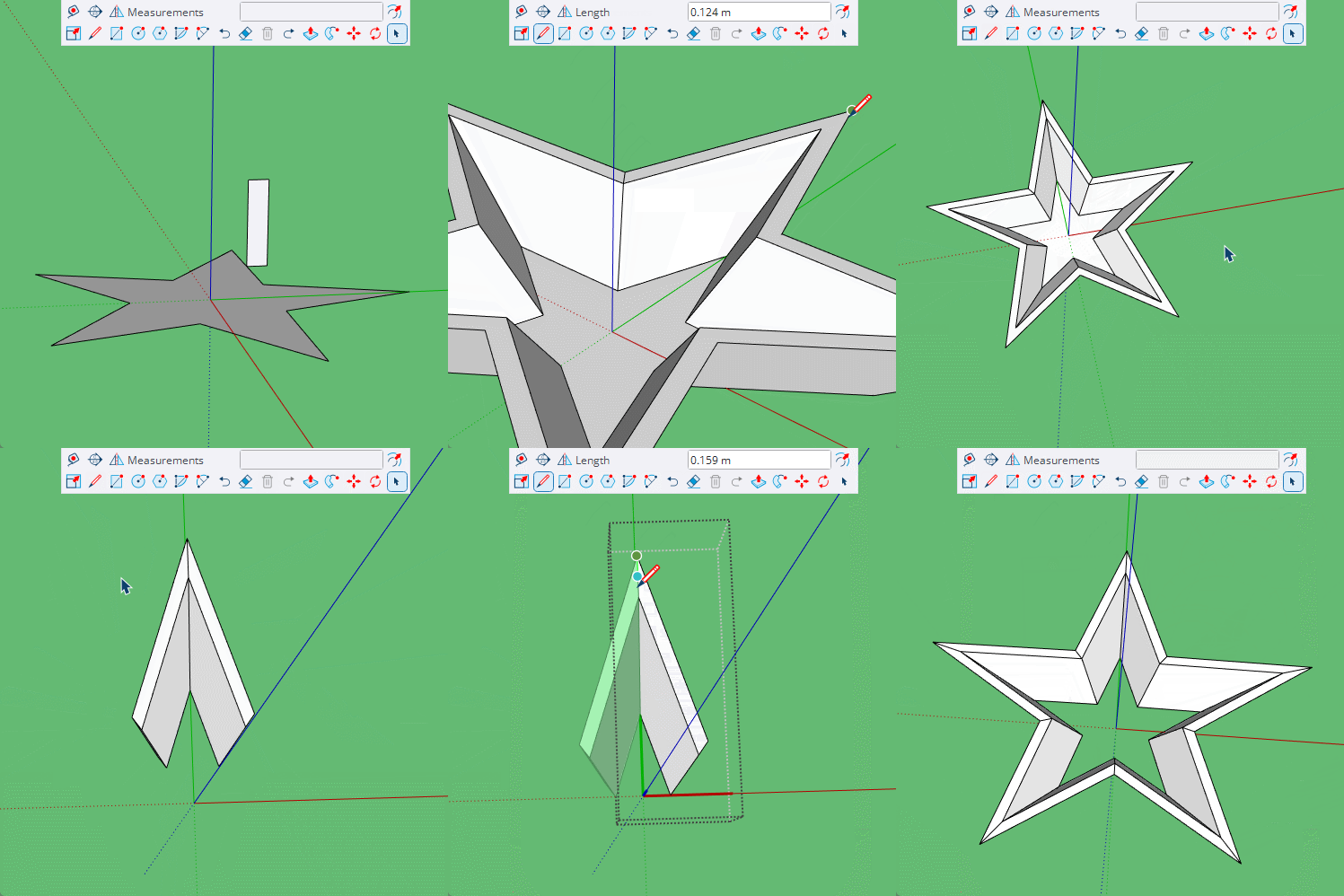
If you use facebook you will find a lot of vids here https://www.facebook.com/BoxGifs/videos
And on the Sketchup forum there is a long thread with more, https://forums.sketchup.com/t/out-of-the-box/68182/1
Some of the vids are on both some are not.
Oops, your profile's looking a bit empty! To help us tailor your experience, please fill in key details like your SketchUp version, skill level, operating system, and more. Update and save your info on your profile page today!
Urasik Extensions | Lots of new extensions to check out Learn More
 Offline
Posts
-
RE: I’ve Been “Boxed”
-
RE: Helix Along Curve - Is not working on curves?!
Looks like a tiny face issue, when it goes around the curve it is failing to form the tiny faces.
Scale up by 100 and try again. -
RE: How to trim an image
@pipingguy
yes there are ways to trim images, Tig's SKM tools for example.
But the design you show is a simple mirror, radial array of a small number of arcs. Broken down it is very simple to reproduce. -
RE: Space mouse for free
Ah ok, that would be nice as I don't have one of those.
But give it time I'm sure you'll get to love it. -
RE: Beautiful door to model
@L-i-am
Here's a version I did in mid 2023.
https://youtu.be/xZawPNj6aio -
RE: [Plugin] Quick Make Component
With a shortcut key for Make Component, G by default, you only need to hit Enter to complete the action if you don't want to name the component.
-
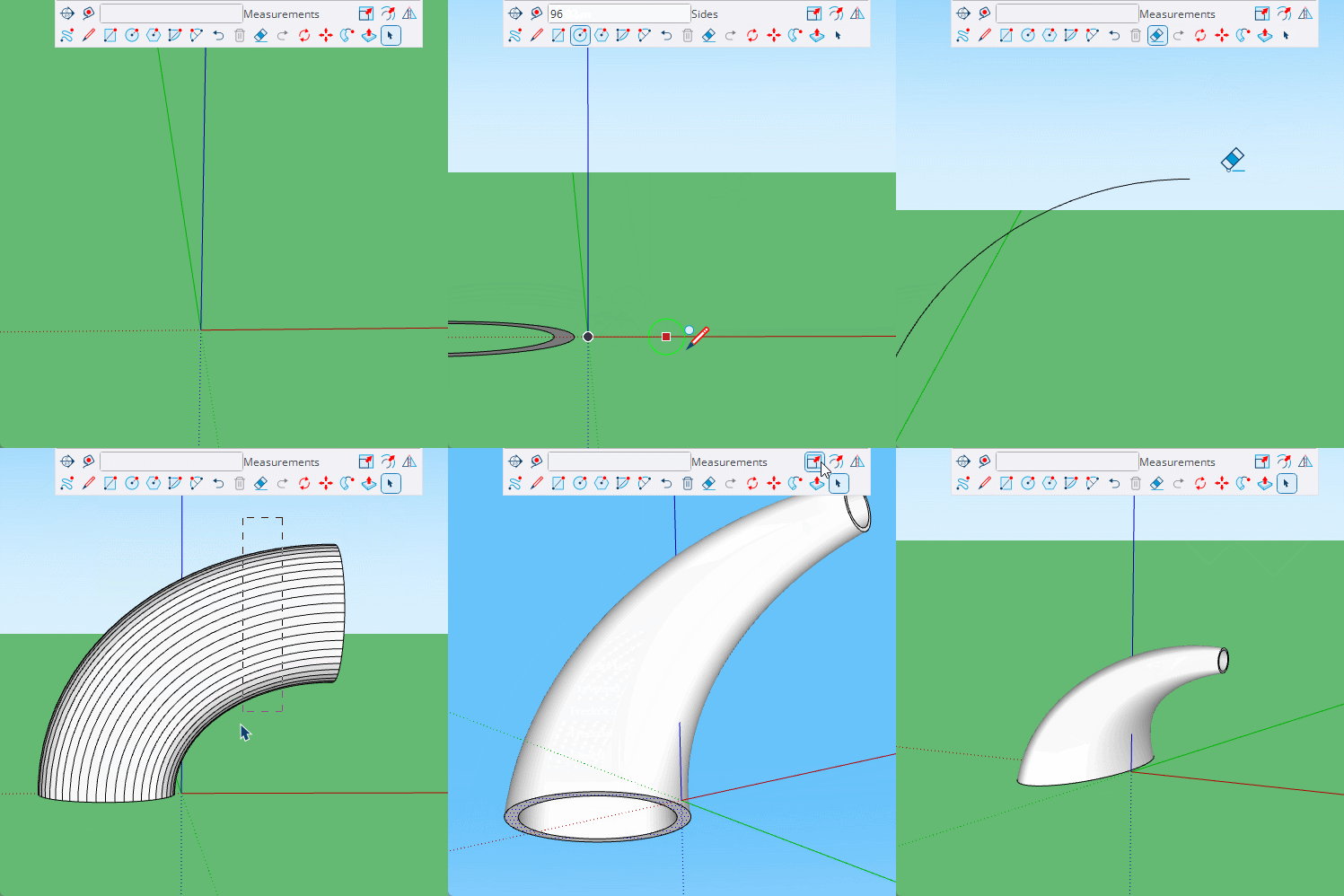
RE: Cone bending
@Christian_33
You can taper a curved cylinder by using selective edge welding.
-
RE: Easiest. Model. Ever.
So your model is incorrect, the original is not a semicircle.

-
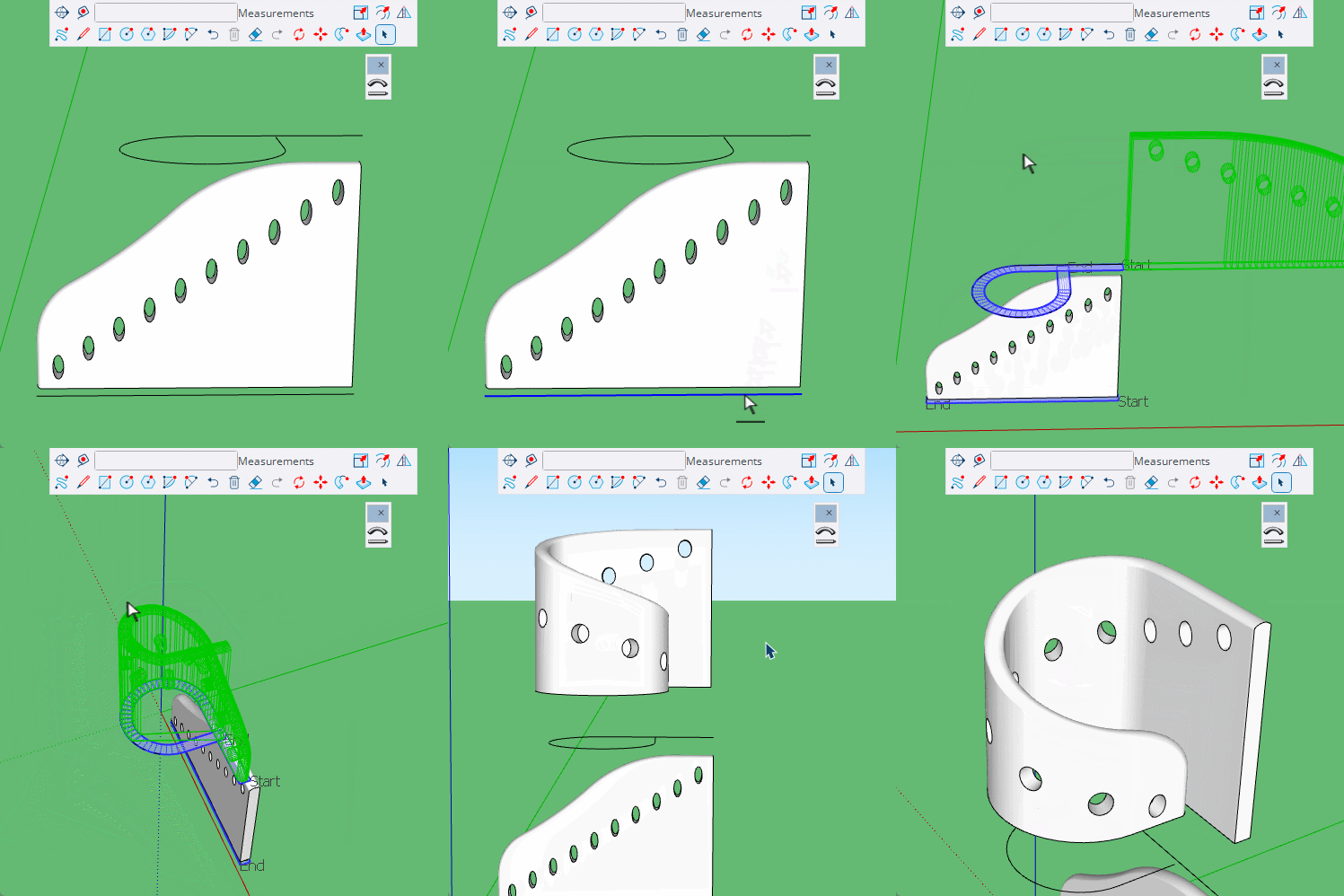
RE: How can I model this?
You could also try Chris Fullmers Shape Bender. Note how tapping the up and down arrow changes the preview, and then Enter to complete. I through the ellipses in to show how it reshapes things.
-
RE: Bending plug in
It's just an arc, why do you need a plugin. Draw the arc and use follow me to create the extrusion. Unless I am missing some detail.
-
RE: Open areas and rounded surface
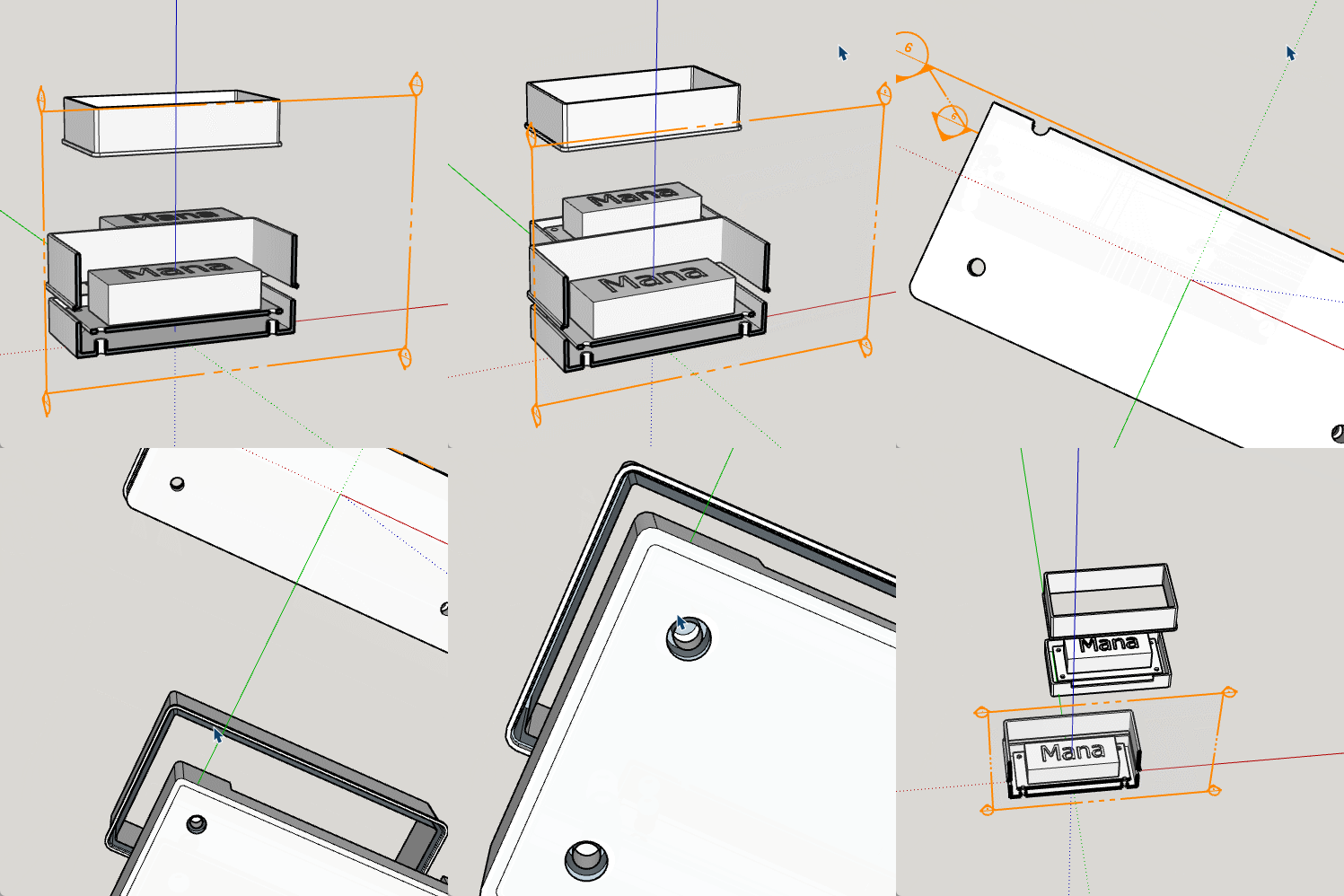
@Alohaa My guess is you have opened the wrong model file.
Pretty clear here that Dave's model contains correct geometry.
-
RE: Annoying pop up
Dave has explained this many times, if you are doing this for 3d printing there is no need to scale down.
In this image you see what was a 1m by 5m shape exported as 'model units' when opened in Cura you see that it has read that as 1mm by 5mm.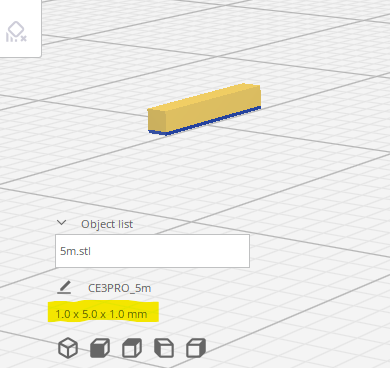
-
RE: Texture scaling
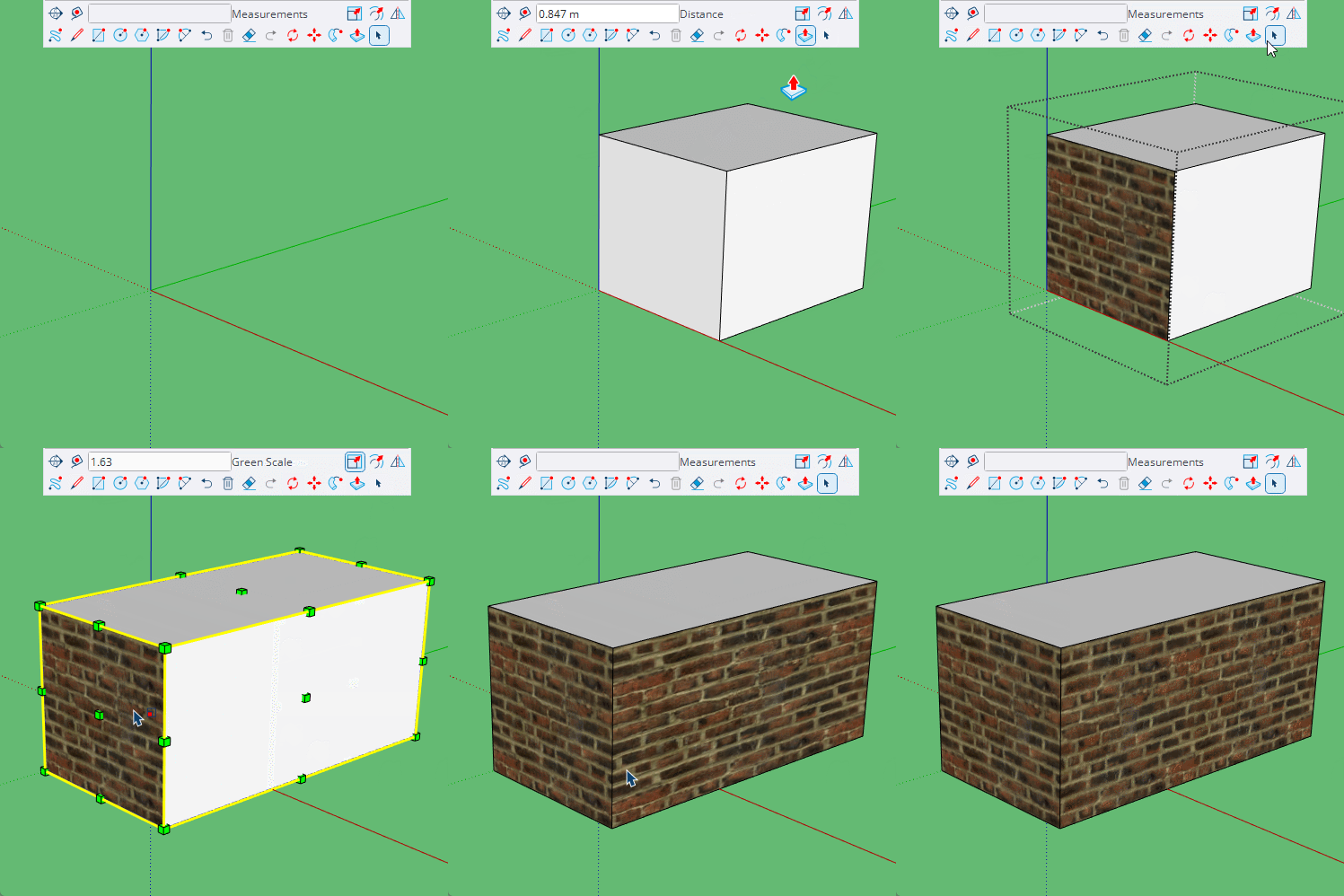
It could be that you have scaled a group or component, components have the option to Scale definition, which will correct the stretching.
With groups it is easiest explode and regroup.
-
RE: Open areas and rounded surface
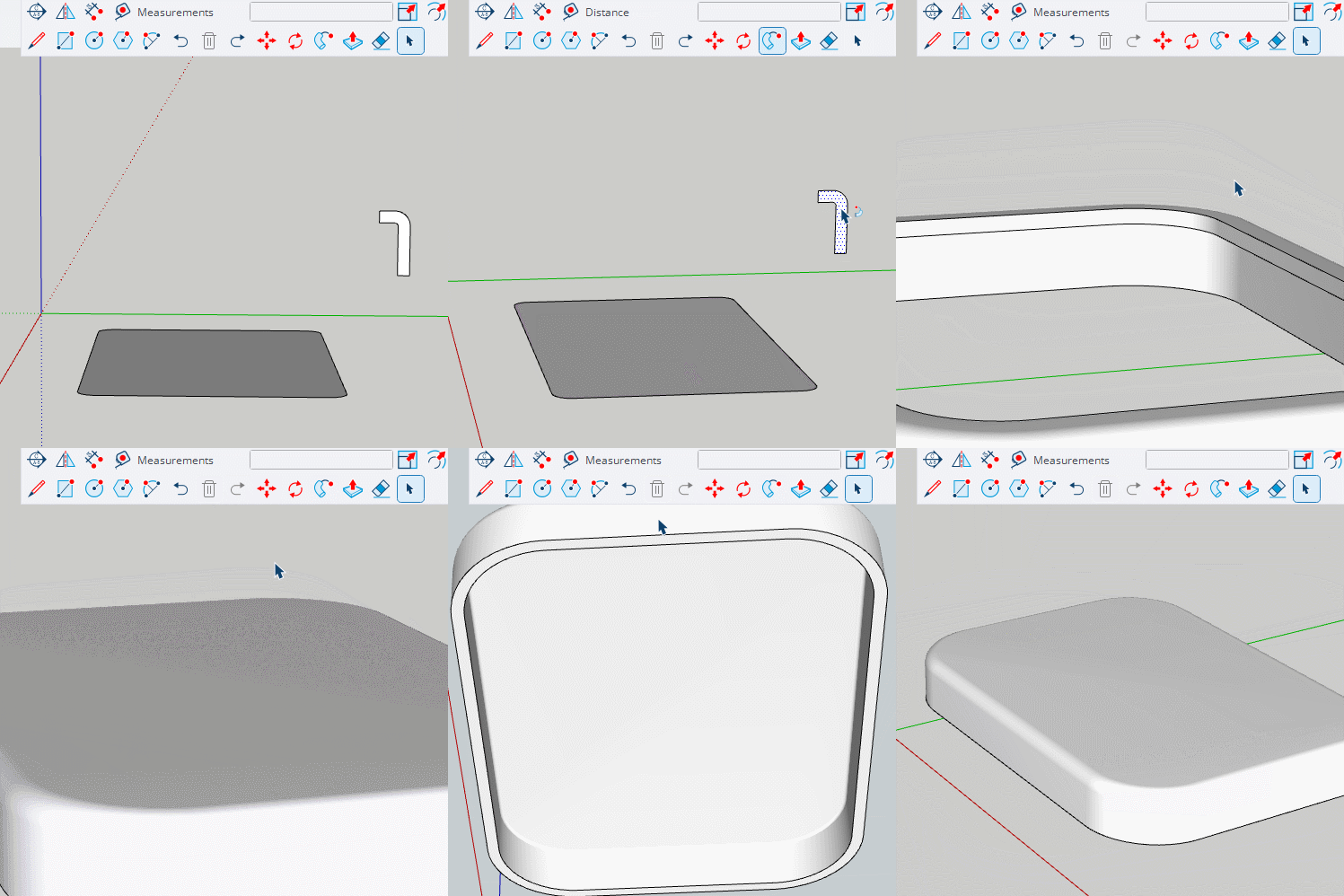
@Alohaa Create a suitable profile and use follow me.
-
RE: I can't do anything with Sketchup web version
There should be no reason for explode not working. Having said that you don't need to Import .skp files, just open them.
Create new/Open from My device -
RE: infill in open tube
It sounds more like a question for a slicer forum. Understanding the ins and outs of infill is not really a sketchup thing.
-
RE: Fold objects together or snap faces?
I don't really get why you don't just make the shape you want and take the shapes from it.
Here's a quick version where all points are the same and although I have used two components, the second is just a mirror of the first.