Buy a SpaceNavigator or Spacemouse and eliminate all of the finger shifting. 
Oops, your profile's looking a bit empty! To help us tailor your experience, please fill in key details like your SketchUp version, skill level, operating system, and more. Update and save your info on your profile page today!
⚠️ Important | Libfredo 15.6b introduces important bugfixes for Fredo's Extensions Update
 Offline
Posts
-
RE: Right-click to "Orbit" & Middle-click to "Pan"
-
RE: Sneak Peek ExtensionStore
I can't make up my mind whether I love or hate sneak peeks.
Love seeing the awesome things that are coming
Hate the gotta-have-it-now anxiety
-
RE: ...another farnsworth house...
@pbacot said:
Crashes Firefox on my computer. What routines does it use Java? Flash? Maybe I need an update.
Works on Firefox 40.0.3
-
Drifting SpaceNavigator
@khai said:
and had a Spacemouse, ......... then later it drifting constantly.
http://sketchucation.com/forums/viewtopic.php?f=15%26amp;t=62998
I've started to have the same problem with my wired version of SpaceNavigator. After I take my hand off the mouse, the scene starts (and continues) to drift slowly making it impossible to continue drawing.

Anyone else having this problem?
-
RE: Copied components automatically tilted to remain flat on sur
-
RE: Copied components automatically tilted to remain flat on sur
@Dave R
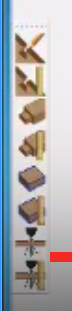
What plugin is this?
-
RE: [Plugin] Mirror
@cotty said:
You can change the dialog in such a way that the more often used answer is the default one which you can simply choose by hitting the enter key without reading the text...
http://sketchucation.com/forums/viewtopic.php?f=323%26amp;t=31410%26amp;p=510289%26amp;hilit=dialog#p510289(The mirroring with two clicks is occupied by the mirror through an axis)
Since my most likely next operation is to move the new mirrored object, I've made the changes Tig provided. In doing so I noted that 12 additional lines have been added to the original post noted by cotty. So note the following nit-pick update to Tig's great plugin:
***Edit the "Mirror.rb" script with a plain-text editor - like Notepad++ - and find line #367 and change
@msg = "Mirror: Erase Original Selection ?"
to read:
@msg = "Mirror: Keep Original Selection ?"
so that the stausbar prompt is in step...
Then go to line #379
if UI.messagebox("Erase Original Selection ? ",MB_YESNO,"")==6 ### 6=YES 7=NO
edit it to read:
if UI.messagebox("Keep Original Selection ? ",MB_YESNO,"")==7 ### 6=YES 7=NO
which reverses the question and the result of Pressing 'Yes'...
For tidiness's sake also on line #381
else ### NO
change the rem note 'NO' after the ### to:
else ### YES
UPDATE
Since my most likely next operation is to move the new mirrored object, is there something I can change so that after I hit Return that the copy is selected rather than the original? -
RE: Bedside Table rendered in Twilight
Seems to have been given an "oriental" flavor: nice (and not too beefy from an oriental point if view)
-
RE: [REQ] SU scatter
@jiminy-billy-bob said:
Bob, sorry it's taking so long. There's a lot to do, I'm doing my best.
Trust me, nobody is more eager than me to see Skatter released!
Just "puling your chain".

Just as long as it can be purchased outright and is not a yearly subscription. -
RE: [REQ] SU scatter
@mike basil said:
I have uploaded an alpha version of the plugin that scatters objects more evenly but at the same time in a random manner: http://www.michaelvasiljevs.com/sketchup-plugin-disperse-components/.
Hope somebody will find it useful. Any suggestions or even requests will be very welcome.I haven't tried this one yet, but at least I don't have to wait until September and travel to London to get it
-
RE: Join Pipes Smoothly?
@krisidious said:
I have profile builder pro version 1? and it only works on lines I think and as for solid tools I tried but didn't work.
Profile Builder Pro Version 2 is very much more powerful at doing what you need.
-
RE: Tgi3D SU Amorph - SU2014
All of links to the tutorials are broken

-
RE: Flip Along Axis by Shortcuts
I've always used the context menu so I never noticed. Thanks for the clarification.
-
RE: Flip Along Axis by Shortcuts
Context menu: Flip along red, green and blue
I'm ready for a "duh" revelation about the others
-
RE: Been a While: Set extension in SU.
@andyc said:
Only had a couple of hours to throw this together
That makes it all the more impressive
-
RE: The "Duh!" thread (aka the Doh! thread)
@dave r said:
Bob, the extension already exists in the Tools on Surface set. I'm sure you must have that one in your library.
Close, but you have to move it around until you find the axis pop-up, enter a length, stretch it in the other axis, and enter the same length. And you have to enter the half-length in each case or the square will be twice the size you want: simple except when the square is to be 4 3/16"
Still seems like a trivial extension to make for a ruby-guy (like sdmitch,for example): pick a point and enter the size of the square (not the half length) and it automatically draws the correct size square on the orthogonal axes.