select all the holes
run outer shell (makes all the holes one big solid)
subtract holes from cone
Oops, your profile's looking a bit empty! To help us tailor your experience, please fill in key details like your SketchUp version, skill level, operating system, and more. Update and save your info on your profile page today!
⚠️ Important | Libfredo 15.6b introduces important bugfixes for Fredo's Extensions Update
 Offline
Posts
-
RE: Subtract several screw hole from a solid
-
RE: The "Duh!" thread (aka the Doh! thread)
@bob james said:
@jql said:
Apologies accepted if you post it on the Duh thread!
So here goes my duh:
@bob james said:
This seems so simple that it must already exist, but I could not find it.
For example: I want to make a 4" square post at a specific spot. If I wanted a round post there I would just select the circle tool, place the cursor at the point and drag out (or put a value in the VCB).
I'd like to be able to do that for a square: select tool, place the cursor at the point and drag out (or put a value in the VCB)
I apologize if this already exists
@jql said:
LOL bob you can make your life difficult if you draw a 4 sided circle and explode it.
Or you can make your life painless if you draw a 4 sided polygon without exploding it.
Those two are native tools. Do you forget sketchup also has native tools?
Your suggestions create 45 deg rotated squares.
Why can't someone just make a simple extension to make an orthogonally positioned square starting from a center point? -
RE: Awesome Bump 3.0
Nice. I know this going to sound like cavil whining, but without a voiceover explaining actions going on at the "speed of light", it pretty much reduces the result to "man, isn't it awesome what can be done, I wonder what he was doing to make that happen".
Nevertheless, thank you for the url
-
RE: "Failed to Save" during "Autosave"
I don't know if this is applicable to the problem being discussed, but yesterday I worked on a file for over two hours and it didn't autosave (which I discovered when SU crashed and I went to open the latest autosave). Prior to that two hour period it had been autosaving every five minutes (the file I was working on was already autosave_autosave_myfile.skp).
-
RE: Awesome Bump 3.0
@mike amos said:
No idea why this is so popular, it does nothing so far and has zero instructions that I can find. I know it is a generous thing to provide a program gratis but without decent documentation it is basically useless.
I don't understand your comment "it does nothing so far": seems like it can do more than even a skilled person could exhaust.
But I totally agree that it is mostly unusable without a large amount of documentation and tutorials. It is clearly an exceptionally powerful tool, but it is also in the same "ease of use" category as programs like Photoshop. It also seems obvious that it is a real gift for those who are already skilled in using similar or previous versions. I, unfortunately, am not one of them. but it is fascinating to watch the "magic" it can do.
And thanks to pilou for bringing it to our attention. -
RE: Can't see Plugins - I know: Not again!!!!
-
Alas, when trying to set up my cloud I get

I have encountered no place where it gives me the opportunity to do that?? -
Also, when I open http://cloud.sketchucation.com/ there are no plugins in the folder
-
Finally: when I click on "Open my http://cloud.sketchucation.com, I get
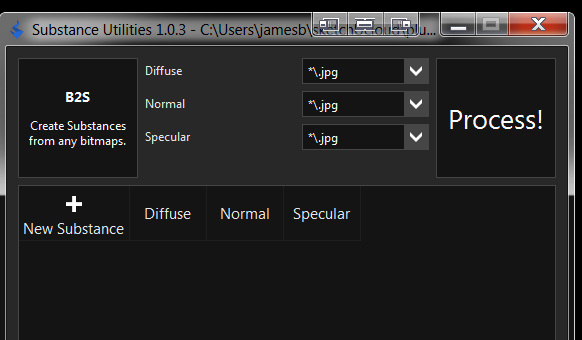
I tried disabling my ...sketchucloud/plugins folder and re-enabling, but that did not change anything.
 Help
Help -
-
RE: License has been used on too many computers
Ah, what a wonderful corporate attitude: who cares what the customers need?
-
RE: Can't see Plugins - I know: Not again!!!!
@unknownuser said:
Currently we are stretched a tad on another project.
You're amazing!
As if it weren't enough with the agonizing wait for Skatter. Now more angst wondering what new marvel you're creating. -
RE: Can't see Plugins - I know: Not again!!!!
Thank you, Rich.
@unknownuser said:
You need to use the cloud install to tell the PluginStore to send that install to your cloud directory.
Can I just move all of my plugins/extensions from my plugins folder to the cloud folder?
As I recall from my previous use of Fredo's Additional Folders, some plugins/extensions only work in the "home" folder. -
RE: License has been used on too many computers
@sketch3d.de said:
a SU Pro license is allowed to install and activate on 2 systems of the licensee (using it alternating of course).
how often did you have activated this license on differing systems already?
Doesn't fit real world use

Home Desktop
Work Desktop
Laptop (when I'm working away from home/office) -
RE: Can't see Plugins - I know: Not again!!!!
I used to use a similar process using shell extension whereby I chose the Dropbox plugin folder as the "link source" and dropped it into SU as a "symblolic link". This did not require and cmd input. Worked like a charm until SU 2014/2015 and now, for some reason, symbolic links no longer work. Maybe it has something to do with the SU plugin folder being in a different location.
In addition SketchUcation came up with the sketchUcloud to replace the bundle approach, but I've been unsuccessful in getting someone to describe the process of setting that up.
http://sketchucation.com/forums/viewtopic.php?f=372%26amp;t=59539 -
RE: [Plugin] VisMap 2 - Improved Layer/Scene Visibility Map
@tig said:
I am not sure how to handle distribution. I am unable to put it in the Plugins Store under Martin's name. That would make it harder to do further updates. I could post it under my plugins, but not sure if it would cause much confusion.
I vote for you to put it in the store(s) as a Tig-VisMap2.1
-
RE: The "Duh!" thread (aka the Doh! thread)
@icedkasz said:
Just discovered that ctrl+shift+V pastes in place. Didn't know that for 3 versions.
You're not alone
-
RE: [Plugin] VisMap 2 - Improved Layer/Scene Visibility Map
The download from your website does not contain the file vismap2_extension.rb
I have it and it identifies the Version as 2.1VisMap appears in the list of extensions in SU and operates as expected with or without the file vismap2_extension.rb. I assume from this that the file is no longer needed. Correct?
Magically, if I add a # in front of vismap2_menu.rb to make it #vismap2_menu.rb, SU complains on startup, but VisMap appears at the top of the extension list!!
VisMap is on neither Extension Warehouse or SketchUcation Plugin Store. IMHO it should: it's a great tool for people with large numbers of scenes (like me).
It also does not have a toolbar icon. IMHO I think it needs one.
-
RE: JHS STANDARD 2015
As I've said before, these are very useful. As you can see I would like to use them as shown since, for me, the individual icons are easier to find.
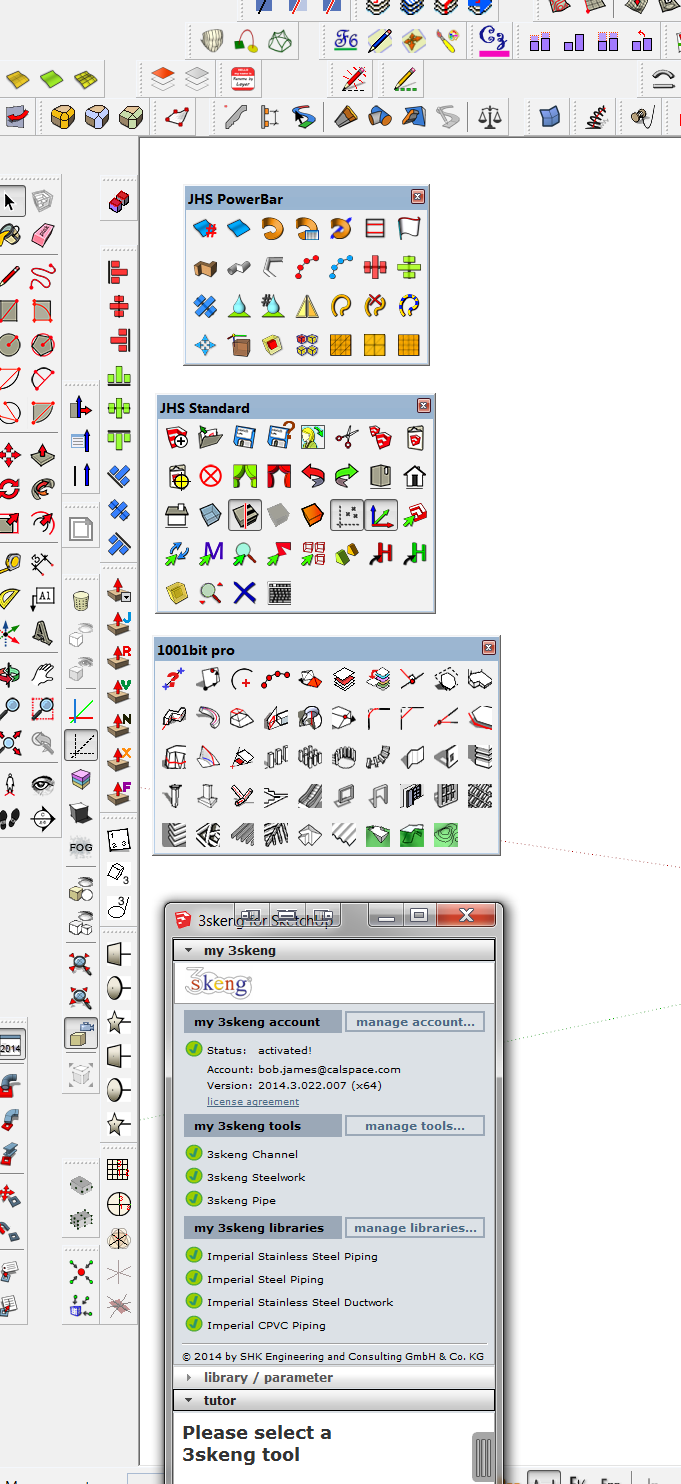
Would it be possible to have your toolbars be fixed with relation to the SU window?As it is now they are free-floating: great, but if I move the SU window to one of my other monitors (I have four), then your toolbars don't go with the SU window.
As you can see, I also use 1001bit the same way.
-
RE: Windowizer3
[One last Off Topic]
I, for one, am immensely impressed with anyone who can be even reasonably articulate in more than one language, let alone in a technical field. There are a LOT of American/English speakers who make much more egregious errors.
Back on topic
Maybe ntxdave was referring to windows with mullions rather than a single sheet of glass -
RE: Looking for Scene Manager for Layers
@onzki said:
Hi, this looks amazing, how can I get it?
Which post are you referring to: Mine or jiminy-billy-bob?
-
RE: Change "plugin" to "extension" in shortcuts
Exactly what I was looking for. Many thanks
