@fredo6
With the latest version of Lord of thr Toolbar the compatibility problem with vay 7 has been solved but now I find another problem, often when I open sketchup, it crashes, The crash happens just when it goes to open the menu bars created with Lord of the toolbar. I found that by disabling Lord of the Toolbar, Sketchup opens perfectly. I don't understand which one is due to incompatibility with other plugins or from something else. To open sketchup I have to disable Lord of the toolbar AND re-enable it when it is open, through the Sketchauction plugin manager.
Oops, your profile's looking a bit empty! To help us tailor your experience, please fill in key details like your SketchUp version, skill level, operating system, and more. Update and save your info on your profile page today!
Urasik Extensions | Lots of new extensions to check out Learn More
 Offline
Posts
-
RE: [Plugin] LordOfTheToolbars - v3.0a - 21 Apr 26
-
RE: [Plugin] LordOfTheToolbars - v3.0a - 21 Apr 26
@fredo6 It works great, congratulations for your speed and competence, thanks
-
RE: Fredo LOTT/V-Ray 7
@fredo6 Congratulations it works, it would certainly be nice to see it in the Lott list. Now without the lotoftoolbar I can no longer draw with skichup
-
RE: Fredo LOTT/V-Ray 7
@fredo6 If you want I can put you in touch with Chaos i have the name of the support person
-
RE: Fredo LOTT/V-Ray 7
@jkoll66 I also have the same problem I reported the problem to both chaos and fredo let's see if they solve it for me it is essential Lost of the toolbar
-
RE: FreeCad 1.0
-
RE: [Plugin] Extended Views v1.2 UPDATE May 23, 2013
@Chris-Fullmer Hi Chris this plugin only works with old versions or even with the latest ones. I have it on 2024 and it doesn't work
-
RE: How can I move plugins installed with Sketchup Extension Warehouse to Extension Store?
@TIG Thanks I understand. But my question was another I wanted to know if some plugins that I have on extension warehouse are compatible with extension store I can transfer them, is there a procedure or do I have to reinstall them on extension store? Like, Fredo6, Thomthom, s4u, curic, .... ec
-
RE: How can I move plugins installed with Sketchup Extension Warehouse to Extension Store?
I have never installed with extension store but my question is, what I have already installed with sketchup extension can I automatically transfer it to extension store installations? Do I have to reinstall all my plugins with extension store store?
-
RE: How can I move plugins installed with Sketchup Extension Warehouse to Extension Store?
Basically I would like to manage the plugin from the Extension store in order to update the plugins more efficiently but I have never installed the plugins with the extense store and I wanted to know if there is a method to see the plugins installed on the extension store without having to install all the plugins again.
-
How can I move plugins installed with Sketchup Extension Warehouse to Extension Store?
Do I have to reinstall all the plugins with extension store? Do I have to reinstall the licenses or do they remain
-
RE: Request Section Management Panel
@Rich-O-Brien I know many other solutions but They are tricks to get around the problem but the problem remains it is not possible to manage sections scenes in a simple way. It would need a panel to manage the sections anyway thanks for the suggestion.
-
RE: Request Section Management Panel
@Rich-O-Brien I'll start by saying that I'm not a programmer. I created this script with cloud 3 5 AI to disable or activate the sections in the project. The plug-in correctly creates the list of sections but even though I created the activate and deactivate buttons, they don't work. I tried it on sketchup 2024. Is there anyone who can give me that suggestion?
require 'sketchup.rb'

module SectionManager
  def self.show_dialog
    dialog = UI::WebDialog.new("Gestione Sezioni", false, "SectionManager", 400, 500, 100, 100, true)
    dialog.set_size(400, 500)

    dialog.add_action_callback("toggleSection") do |_, section_id|
      model = Sketchup.active_model
      section = find_section_by_id(model, section_id.to_i)
      if section
        model.start_operation('Toggle Section', true)
        section.active = !section.active
        model.commit_operation
        puts "Sezione #{section_id} #{section.active? ? 'attivata' : 'disattivata'}"
      else
        puts "Sezione #{section_id} non trovata"
      end
      update_dialog_content(dialog)
    end

    dialog.add_action_callback("activateSection") do |_, section_id|
      model = Sketchup.active_model
      section = find_section_by_id(model, section_id.to_i)
      if section
        model.start_operation('Activate Section', true)
        section.active = true
        model.commit_operation
        puts "Sezione #{section_id} attivata"
      else
        puts "Sezione #{section_id} non trovata"
      end
      update_dialog_content(dialog)
    end

    dialog.add_action_callback("refreshList") do |_|
      puts "Aggiornamento lista richiesto"
      update_dialog_content(dialog)
    end

    update_dialog_content(dialog)
    dialog.show
  end

  def self.find_all_sections(entities)
    sections = []
    entities.each do |entity|
      if entity.is_a?(Sketchup::SectionPlane)
        sections << entity
      elsif entity.is_a?(Sketchup::Group) || entity.is_a?(Sketchup::ComponentInstance)
        sections += find_all_sections(entity.definition.entities)
      end
    end
    sections
  end

  def self.find_section_by_id(model, section_id)
    find_all_sections(model.active_entities).find { |s| s.entityID == section_id }
  end

  def self.update_dialog_content(dialog)
    model = Sketchup.active_model
    sections = find_all_sections(model.active_entities)
    puts "Numero totale di sezioni trovate (incluse quelle nidificate): #{sections.length}"

    html = <<-HTML
      <html>
      <head>
        <style>
          body { font-family: Arial, sans-serif; }
          .section { margin: 10px 0; }
          button { margin-left: 5px; }
        </style>
      </head>
      <body>
        <h2>Tutte le Sezioni</h2>
        <div id="sectionList">
          #{
            if sections.empty?
              "<p>Nessuna sezione trovata nel modello.</p>"
            else
              sections.map { |section|
                "<div class='section'>
                  #{section.name || 'Sezione senza nome'} (ID: #{section.entityID})
                  <button onclick='toggleSection(#{section.entityID})'>
                    #{section.active? ? 'Disattiva' : 'Attiva'}
                  </button>
                  <button onclick='activateSection(#{section.entityID})'>
                    Attiva
                  </button>
                </div>"
              }.join
            end
          }
        </div>
        <button onclick='refreshList()'>Aggiorna Lista</button>
        <script>
          function toggleSection(sectionId) {
            window.location = 'skp:toggleSection@' + sectionId;
          }
          function activateSection(sectionId) {
            window.location = 'skp:activateSection@' + sectionId;
          }
          function refreshList() {
            window.location = 'skp:refreshList@';
          }
        </script>
      </body>
      </html>
    HTML

    dialog.set_html(html)
  end
end

# Aggiungi una voce di menu per avviare lo script
UI.menu("Plugins").add_item("Gestione Sezioni (Versione Aggiornata)") {
  SectionManager.show_dialog
}
puts "Script di gestione sezioni (versione aggiornata) caricato"
-
RE: Request Section Management Panel
@Rich-O-Brien I consider this function a basic function of the program I do not have an option to have those who develop plugins in Ruby create. A panel to manage sessions is essential as it is to manage levels to manage scenes to manage materials to manage components in practice it is a function in my opinion fundamental However if there is someone who wants to develop a plugin of this kind I am available to give my suggestions to implement the necessary functions
-
Request Section Management Panel
Hi, I’m asking you why Sketchup has never created a panel for managing sections, like tags, to be able to activate, deactivate, rename, delete them and if possible match them to scenes. I think this function is essential because I often find myself with many sections inside objects and components and managing them becomes complicated. There is the possibility of acting also with the structure panel but it is difficult to disentangle oneself within the subgroups. I think this is a fundamental function for sketchup and I don’t understand why no one has ever thought of it. Often to manage the activation of the sections I go through the vray panel. When a function like this
Who is available to develop a Plugin that solves this problem?
-
RE: SCFLicense: Extension Licensing on Sketchucation
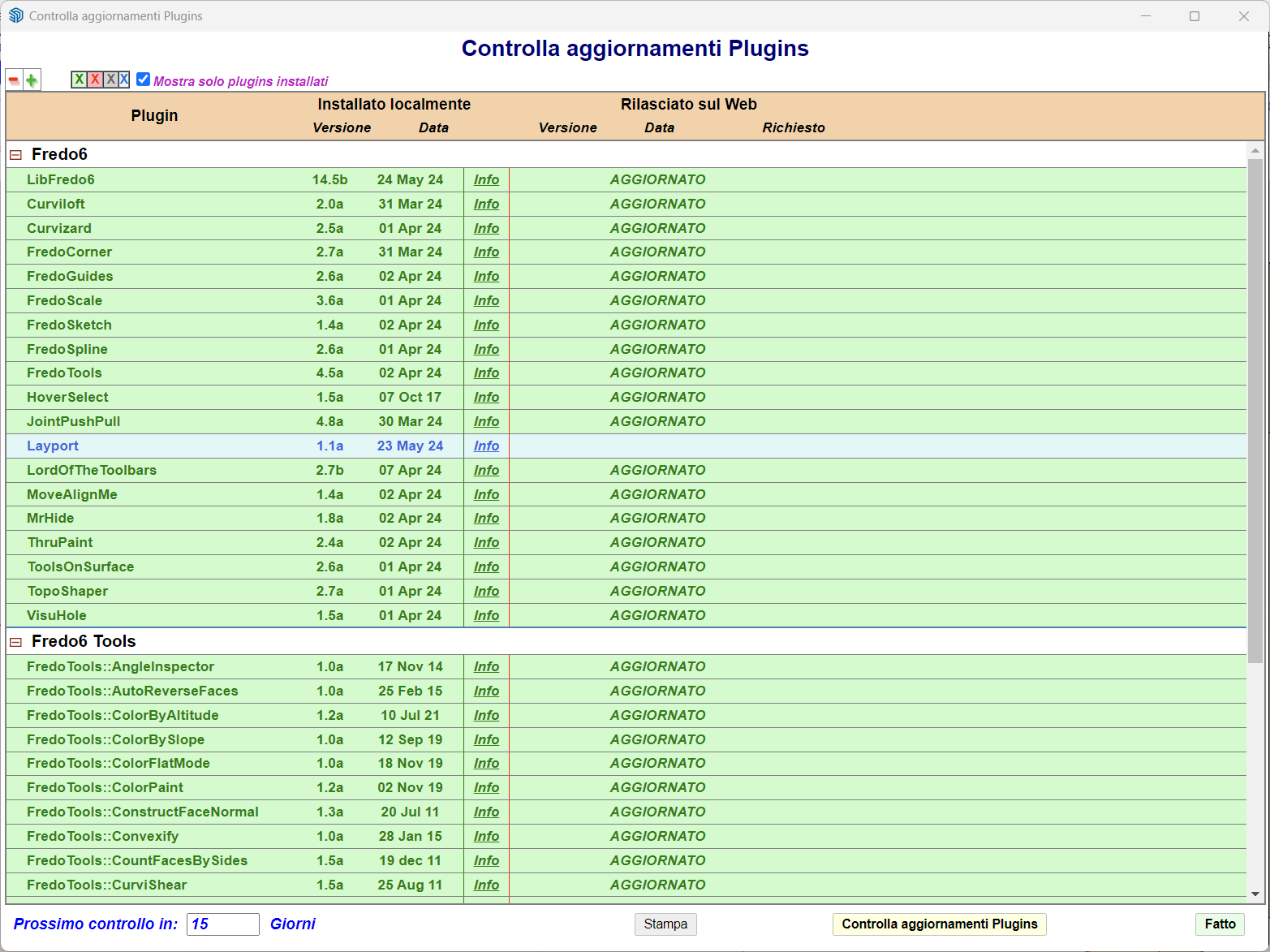
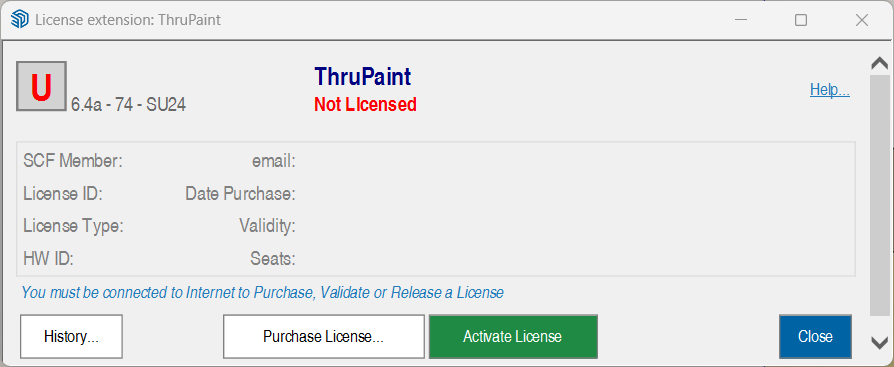
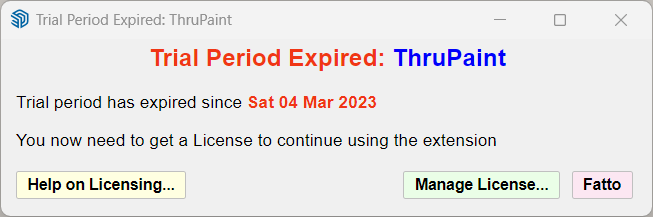
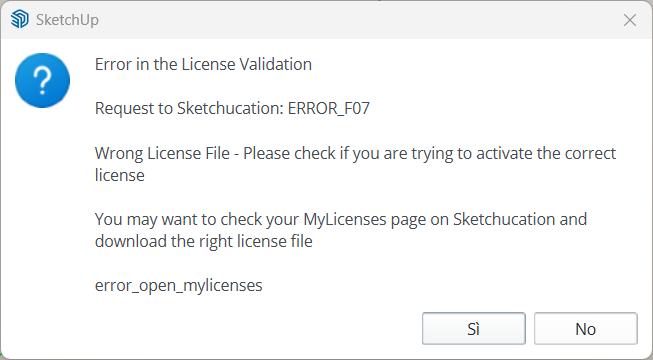
Hi cold today I have this problem with the ThruPaint license. I tried to reinstall the license but it gives me an error that it has expired and in my panel I can't find the TruPaint license. It seemed to me I seemed to have a validated Unlimited license. What should I do, thank you
-
RE: Curviloft and sketchup 2024 problem
@fredo6 said in Curviloft and sketchup 2024 problem:
The problem should be fixed with the new version LibFredo6 v14.4c, just published.
Many thanks for signaling the bug and providing the model.
Perfect, thanks for the quick resolution of the problem