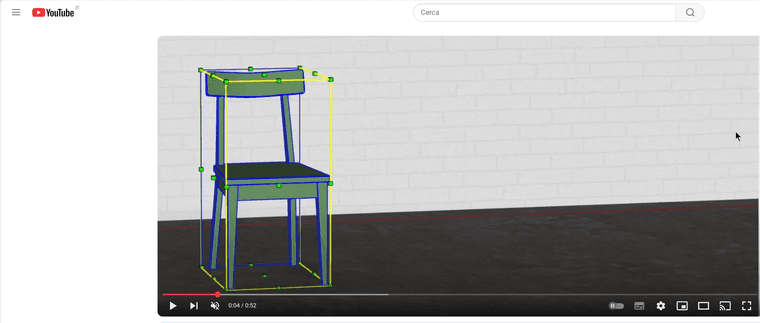
@jgb If instead you want to look for something already done, try checking this site which is free and has many models, but they are mostly in STEP or 3DSMax format. Then I can explain to you how to convert 3DSMax files for free and legally."If you want to look for something already done, try checking this site that is free and has many models, but they are mainly in STEP or 3DSMax format. Then I can explain how to convert 3DSMax files for free and legally.
Oops, your profile's looking a bit empty! To help us tailor your experience, please fill in key details like your SketchUp version, skill level, operating system, and more. Update and save your info on your profile page today!
Urasik Extensions | Lots of new extensions to check out Learn More
 Offline
Posts
-
RE: Any good tutorials on BEVEL gear design in SU?
-
RE: Any good tutorials on BEVEL gear design in SU?
@jgb Hi, first of all, congratulations. At your age, you still have a strong desire to create. I am retired and 100% disabled, and I still want to create something. If you want, I can give you a hand, but you have to show me with a rough drawing without gears what you want to do. At most, you can make the gears without the teeth. Then, if you want and without any obligation, I can help you; I have plenty of time.
-
RE: Sketchucation Tools 5.0...
@TIG If it can be useful to you, I use SketchUp in the Italian version because the UTF error seems to be a character issue.
-
RE: Sketchucation Tools 5.0...
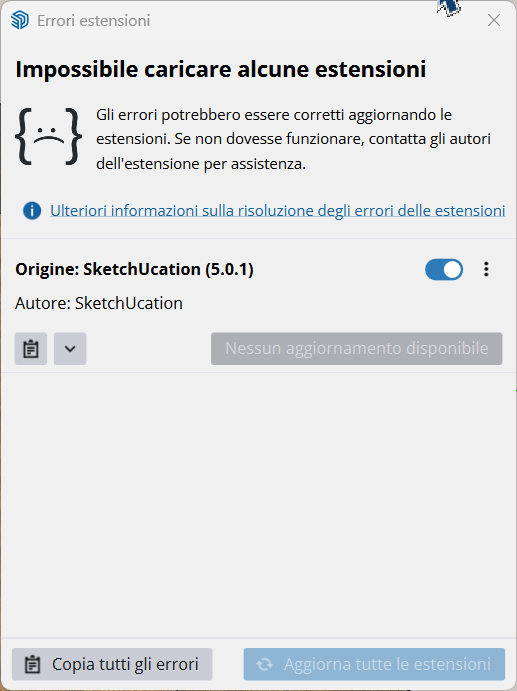
@TIG I followed the steps you told me, reinstalled the plugin, and now I am attaching the errors that come up.
Rapporto errori estensioni SketchUp: 25.0.660 Sistema operativo: Windows 11 Ruby: 3.2.2 Estensione: SketchUcation (5.0.1) Errore: ArgumentError (invalid byte sequence in UTF-8) c:/users/roberto.bolletta/appdata/roaming/sketchup/sketchup 2025/sketchup/plugins/sketchucation/scf_dialog.rbe:805:in `block (4 levels) in getMyPlugins' c:/users/roberto.bolletta/appdata/roaming/sketchup/sketchup 2025/sketchup/plugins/sketchucation/scf_dialog.rbe:804:in `each' c:/users/roberto.bolletta/appdata/roaming/sketchup/sketchup 2025/sketchup/plugins/sketchucation/scf_dialog.rbe:804:in `block (3 levels) in getMyPlugins' c:/users/roberto.bolletta/appdata/roaming/sketchup/sketchup 2025/sketchup/plugins/sketchucation/scf_dialog.rbe:798:in `each' c:/users/roberto.bolletta/appdata/roaming/sketchup/sketchup 2025/sketchup/plugins/sketchucation/scf_dialog.rbe:798:in `block (2 levels) in getMyPlugins' c:/users/roberto.bolletta/appdata/roaming/sketchup/sketchup 2025/sketchup/plugins/sketchucation/scf_dialog.rbe:796:in `each' c:/users/roberto.bolletta/appdata/roaming/sketchup/sketchup 2025/sketchup/plugins/sketchucation/scf_dialog.rbe:796:in `block in getMyPlugins' c:/users/roberto.bolletta/appdata/roaming/sketchup/sketchup 2025/sketchup/plugins/sketchucation/scf_dialog.rbe:751:in `each' c:/users/roberto.bolletta/appdata/roaming/sketchup/sketchup 2025/sketchup/plugins/sketchucation/scf_dialog.rbe:751:in `getMyPlugins' c:/users/roberto.bolletta/appdata/roaming/sketchup/sketchup 2025/sketchup/plugins/sketchucation/scf_loader.rbe:99:in `<module:SCF>' c:/users/roberto.bolletta/appdata/roaming/sketchup/sketchup 2025/sketchup/plugins/sketchucation/scf_loader.rbe:13:in `<main>' C:/Program Files/SketchUp/SketchUp 2025/SketchUp/Tools/EXTENSIONs.rb:197:in `eval' C:/Program Files/SketchUp/SketchUp 2025/SketchUp/Tools/EXTENSIONs.rb:197:in `require' C:/Program Files/SketchUp/SketchUp 2025/SketchUp/Tools/EXTENSIONs.rb:197:in `load' C:/Users/roberto.bolletta/AppData/Roaming/SketchUp/SketchUp 2025/SketchUp/Plugins/SketchUcation.rb:173:in `register_extension' C:/Users/roberto.bolletta/AppData/Roaming/SketchUp/SketchUp 2025/SketchUp/Plugins/SketchUcation.rb:173:in `<module:SCF>' C:/Users/roberto.bolletta/AppData/Roaming/SketchUp/SketchUp 2025/SketchUp/Plugins/SketchUcation.rb:17:in `<top (required)>' -
RE: Sketchucation Tools 5.0...
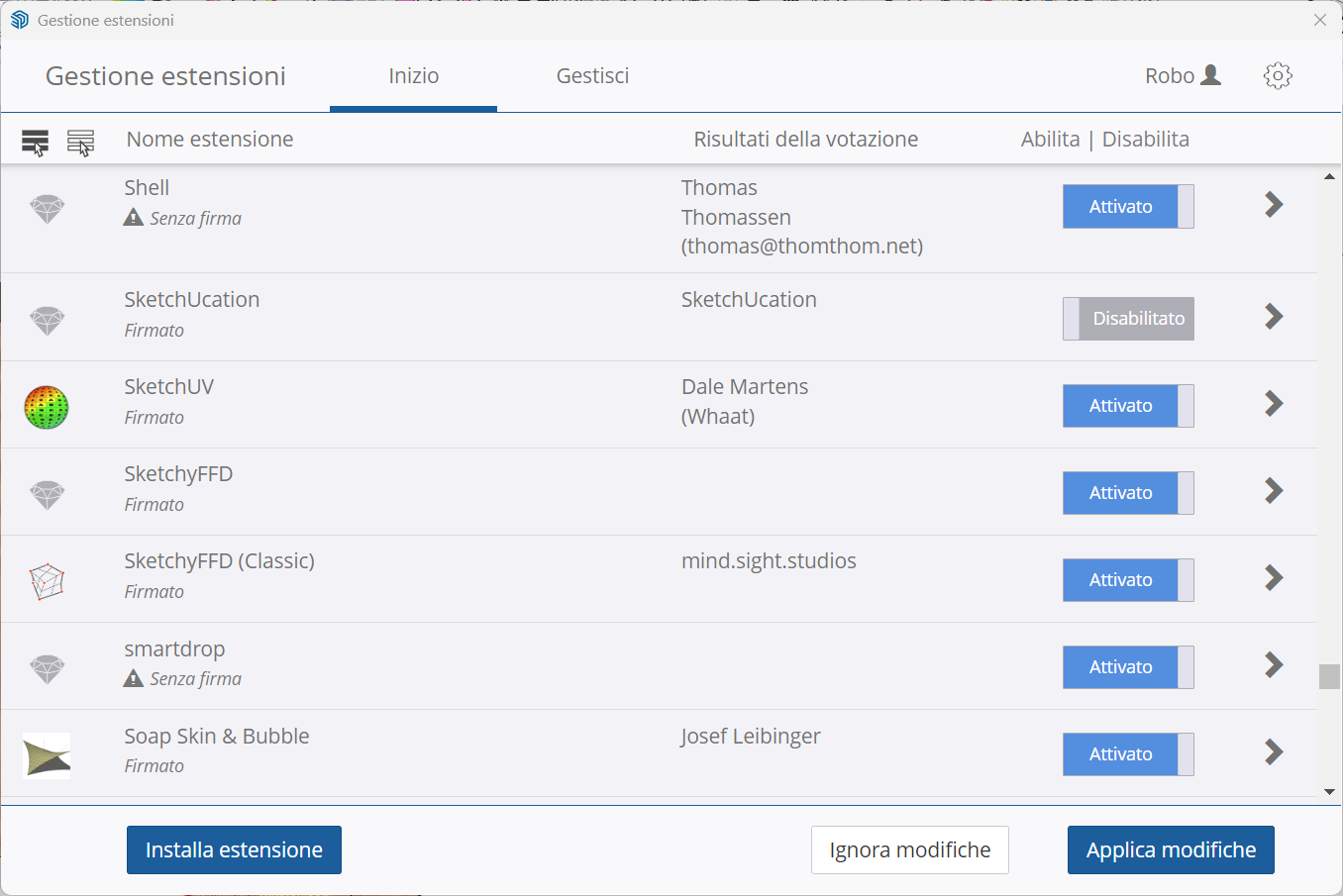
As I mentioned, if I try to reinstall the plugin, I close SketchUp and open it again, but when I go to the SketchUp Extensions panel, it still says it’s deactivated. I try turning it off and restarting it, but it remains deactivated.
-
RE: Sketchucation Tools 5.0...
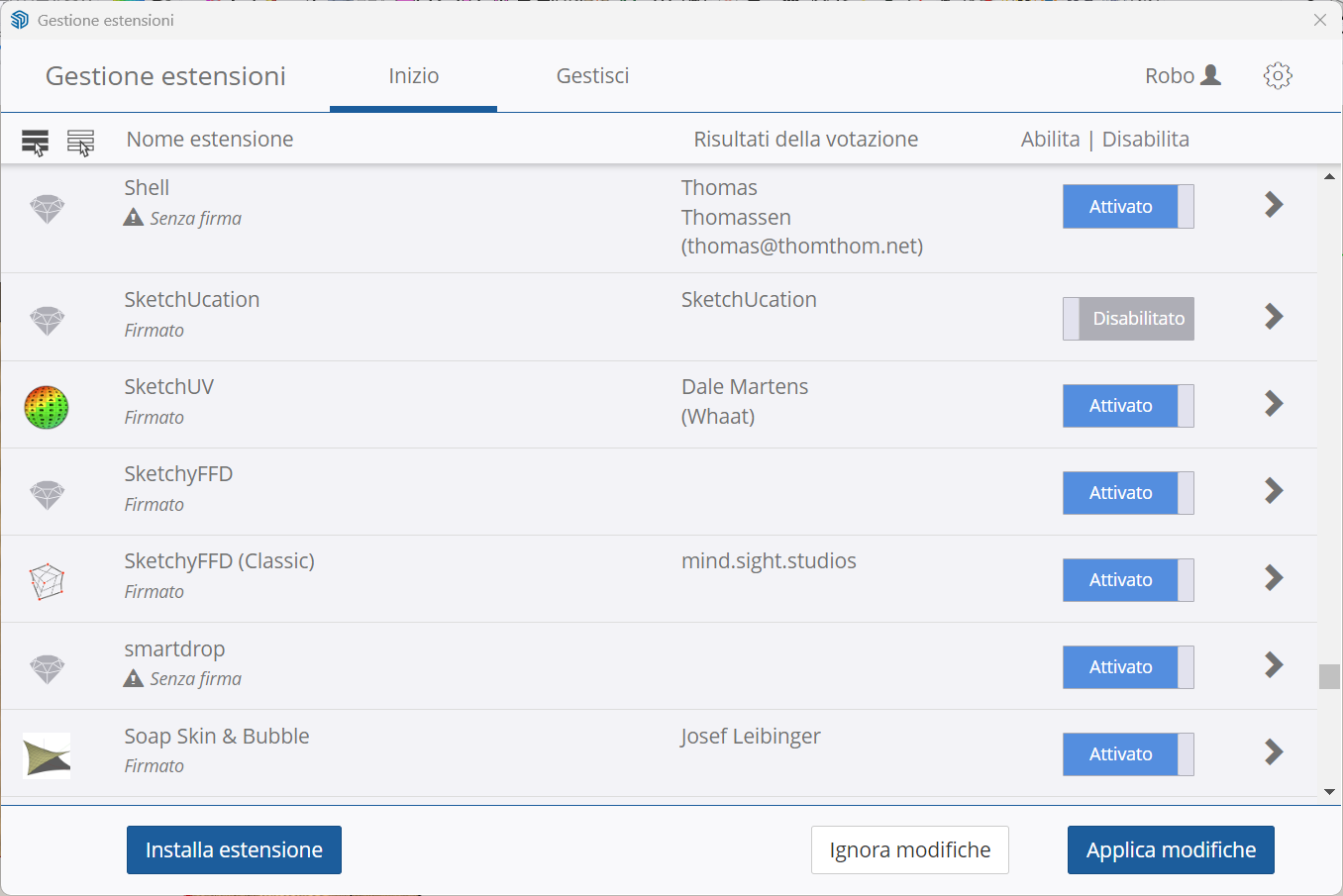
@TIG I actually made a serious mistake because I didn’t copy to the clipboard the error that appeared in SketchUp. However, the problem now is that if I try to reinstall SketchUcation, it gets reinstalled from SketchUp’s native Extension Manager, but I can’t activate it, and therefore I can’t reproduce the error. If there is another way to reinstall it, let me know; otherwise, I’ll wait for further updates and will try reinstalling the plugin once you’ve resolved the issue.!
-
RE: Sketchucation Tools 5.0...
@TIG
Sorry but I don't understand English very well. What exactly should I do to send a copy to everyone, which button do I need to click, and what error should I enter? Also, is this a known issue and is there a solution or not? Otherwise, I'll just install the old version that works. -
RE: Sketchucation Tools 5.0...
I installed version 5.0 on my SketchUp 2025 and it gives an error when starting it. I also tried installing 5.0 on my SketchUp 2024 and it doesn't give me any problems there. Now, however, I can't continue with the activated licenses of my plugins like Fredo. What can I do?
-
RE: Request Section Management Panel
@Didier-Bur said in Request Section Management Panel:
@alexpacio2013
OK I got it. Currently I'm working on an update of my 'Scenes Tools' plugin and it will do almost what you're after.
If time permits, I'll develop a script to choose a scene and to activate (or not) a section plane for that scene and update the scene.
Regards,
In practice, you need a panel where, once the scene has been sectioned, you can activate or deactivate the sections or vice versa, match the section to a scene
Let me know when you're ready. I don't understand why no one thought of this, it's a very important thing. Great.
-
RE: Request Section Management Panel
@Didier-Bur "I think it's already a good solution, but I was referring to a panel where there's a list of sections with their names, and by clicking on them I can activate or deactivate them by associating them with a scene. It doesn't seem like a complex thing to me, but very useful because, in conclusion, sections need to be paired with scenes anyway, and this isn't possible to manage with any standard SketchUp tool."
-
RE: Request Section Management Panel
@Didier-Bur Great, where can I download it? Is it free or paid?
-
RE: [Plugin] Animator - v4.6a - 18 Dec 25
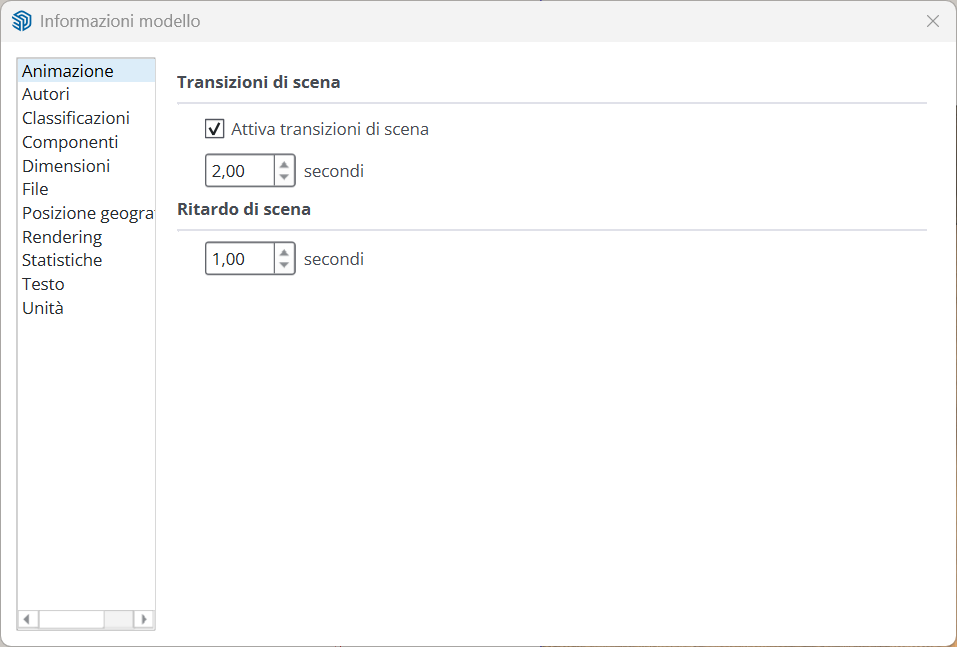
@fredo6 Yes, I've seen it, but the problem is that you can't do object animation and scene transitions with Animator simultaneously. In practice, you have to make two videos and then work with a video editor, which doesn't seem like a good solution to me. It would have been nice if Animator's batch mode also included transitions, with an option.
-
RE: [Plugin] Animator - v4.6a - 18 Dec 25
@fredo6 Looking more carefully in the manual, I found how to create scene animations from V-Ray, but it doesn't include object animation—only the transition between scenes. It would be nice to have the transitions in batch with Fredo Animator.
link --->> -
RE: [Plugin] Animator - v4.6a - 18 Dec 25
@fredo6 Yes, the option you're referring to is only for SketchUp exports of images, including the transitions between scenes, but not for V-Ray batch.
-
RE: [Plugin] Animator - v4.6a - 18 Dec 25
I haven't found this function in the V-Ray batch command. Basically, the batch function follows the renders of all active scenes but not the transition between them.
-
RE: [Plugin] Animator - v4.6a - 18 Dec 25
@fredo6 Is it possible with Animator to perform an automatic batch that automates the rendering with V-Ray 7 of all active scenes, including the transition between scenes?
-
RE: I love all the Fredo products
@rv1974 "OK, but it would have been nice to do it with 'fredo scale'"
-
RE: I love all the Fredo products
@Rich-O-Brien Thank you. Now I'll read the manual carefully and see if I can find a solution in the formulas, but I find this option useful. I have physical problems and cannot use a traditional mouse, so the keyboard is very useful for me and using "Fredo Scale" has become indispensable. This option would make me permanently abandon the standard "scale" tool. Let me know if it will be considered in future updates. Goodbye.
-
RE: I love all the Fredo products
@Rich-O-Brien Sorry for the English translations anyway, but looking at your picture, you are forcing the scale measurement only on that axis. I wanted that, as in the standard scale, by pressing the Shift key, not only the size of that axis changes, but the entire element scales proportionally
-
I love all the Fredo products
I love all the Fredo products when I use Fredo scale, but I have a problem. I would like to have the ability to scale an object by resizing just one or a single axis. This is possible with the standard scale disk by holding down the shift key and setting the measurement to which the entire object should scale. It would be nice to have something similar also on the cold skate.