sketchucation logo sketchucation
    • Log Masuk
    Oops, your profile's looking a bit empty! To help us tailor your experience, please fill in key details like your SketchUp version, skill level, operating system, and more. Update and save your info on your profile page today!
    🔌 Smart Spline | Fluid way to handle splines for furniture design and complex structures. Download

    The "Duh!" thread (aka the Doh! thread)

    Scheduled Pinned Kunci Moved SketchUp Discussions
    sketchup
    696 Kiriman 135 Posters 315.8k Lihat 135 Watching
    Memuatkan lagi kiriman
    • Lama ke Baru
    • Baru ke Lama
    • Most Votes
    Balas
    • Reply as topic
    Log masuk untuk balas
    Topik ini telah dipadam. Hanya pengguna dengan kuasa pengurusan boleh melihatnya.
    • ToboboT Luar talian
      Tobobo
      last edited by

      I have just found by accident that you can drag nested groups and components in the outliner from one to another and it keeps its location. 😮

      Toby

      Philippians 4:13

      I can do everything through him who gives me strength.

      1 Reply Last reply Balas Petikan 0
      • thomthomT Luar talian
        thomthom
        last edited by

        Ooh! That's nice! I've never used the Outliner much, but that's a nice observation.
        +1 from me!

        Thomas Thomassen — SketchUp Monkey & Coding addict
        List of my plugins and link to the CookieWare fund

        1 Reply Last reply Balas Petikan 0
        • TIGT Luar talian
          TIG Moderator
          last edited by

          Yes, highlighting and moving containers within the Outliner works very much like Cut+PasteInPlace when you move groups/instances between 'parents' - just MUCH easier...
          It's also a useful way to open a nested container for editing, just find it 'by name' in the Outliner [benefit of naming sensibly!] and then select it and double-click it; and it's also best if View > Component Edit > Hide Rest of Model is toggled ON so you can see what you are doing [a shortcut-key to toggle this is de riguer]...

          TIG

          1 Reply Last reply Balas Petikan 0
          • brodieB Luar talian
            brodie
            last edited by

            Just found a new one. You can copy a line over and type 10', then, after hitting enter you can type /10 to get 10 equally spaced lines.

            I have been doing that as two separate functions forever (copying the line 10' to get the spacing right then copying it back and snapping it to the other line 10' away and THEN hitting /10).

            -Brodie

            steelblue http://www.steelbluellc.com

            1 Reply Last reply Balas Petikan 0
            • pilouP Luar talian
              pilou
              last edited by

              ... and if you are not satisfy you can continue "*" "/" with any unity even different than settings untill taking another tool! 😄

              Frenchy Pilou
              Is beautiful that please without concept!
              My Little site :)

              1 Reply Last reply Balas Petikan 0
              • arail1A Luar talian
                arail1
                last edited by

                @panixia said:

                just discovered a DOH feature of the selection tool..
                if you drag a selection rectangle from left to right it selects only the items completely wrapped in the rectangle, but if you drag the rectangle from right toward left,then also the items wich are only touched (but not fully wrapped) by the rectangle are selected.. never noticed it before.. 😲

                This is important to know also because it's one of the few things that tends to be consistent across most 3D software applications.

                1 Reply Last reply Balas Petikan 0
                • M Luar talian
                  MikeFJaguar
                  last edited by

                  Ctrl (in Windows) while orbiting lets me turn my model every which way! Fairly useless as an architectural user but a boon for modellers who make widgets. Doh!

                  1 Reply Last reply Balas Petikan 0
                  • GaieusG Luar talian
                    Gaieus
                    last edited by

                    That's a "designed feature": Suspending the gravity setting

                    Gai...

                    1 Reply Last reply Balas Petikan 0
                    • mitcorbM Luar talian
                      mitcorb
                      last edited by

                      Sort of bootleg Camera Roll. I have used it to get a particular position for precise selection in a busy model. Of course, you could just do a bunch of layering and hiding to avoid this need altogether.

                      I take the slow, deliberate approach in my aimless wandering.

                      1 Reply Last reply Balas Petikan 0
                      • olisheaO Luar talian
                        olishea
                        last edited by

                        @gaieus said:

                        That's a "designed feature": Suspending the gravity setting

                        I use it for portrait-orientated renders...very useful.

                        oli

                        1 Reply Last reply Balas Petikan 0
                        • Wo3DanW Luar talian
                          Wo3Dan
                          last edited by

                          @mikefjaguar said:

                          Ctrl (in Windows) while orbiting lets me turn my model every which way! Fairly useless as an architectural user but ......... Doh!

                          Rolling the camera (by holding down [Ctrl] when orbiting), to position your model in such a way on screen sometimes helps in order to have the selection window enclose what you want it to select. With gravity ON you might not be able to make that special selection.

                          1 Reply Last reply Balas Petikan 0
                          • pilouP Luar talian
                            pilou
                            last edited by

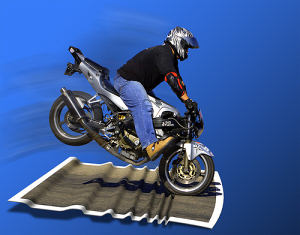
                            ...and when you Press the SpaceBar that stop it vigorously! 💚

                            http://www.freebiker.net/FichesPratiques/Freinage_problemes/problemes_freinage.jpg

                            Frenchy Pilou
                            Is beautiful that please without concept!
                            My Little site :)

                            1 Reply Last reply Balas Petikan 0
                            • porch_unpluggedP Luar talian
                              porch_unplugged
                              last edited by

                              @gaieus said:

                              That's a "designed feature": Suspending the gravity setting

                              ugh, i think i just made myself travel sick trying that out.

                              1 Reply Last reply Balas Petikan 0
                              • porch_unpluggedP Luar talian
                                porch_unplugged
                                last edited by

                                if you are trying to draw something small and the clipping plane is getting in the way, change to parallel projection view.

                                1 Reply Last reply Balas Petikan 0
                                • thomthomT Luar talian
                                  thomthom
                                  last edited by

                                  I often find I get clipping issues more quickly with parallel view...

                                  Thomas Thomassen — SketchUp Monkey & Coding addict
                                  List of my plugins and link to the CookieWare fund

                                  1 Reply Last reply Balas Petikan 0
                                  • brodieB Luar talian
                                    brodie
                                    last edited by

                                    I'm on board with the parallel projection. I find that when you initially change to PP you'll get some bad clipping, but if you select your geometry and then zoom extents the clipping goes away and you can zoom in as much as you want.

                                    -Brodie

                                    steelblue http://www.steelbluellc.com

                                    1 Reply Last reply Balas Petikan 0
                                    • V Luar talian
                                      valerostudio
                                      last edited by

                                      Left, Right, Up arrows lock the Red Green Blue Axis when using move! How did it take me 7 years to figure this one out!

                                      1 Reply Last reply Balas Petikan 0
                                      • gillesG Luar talian
                                        gilles
                                        last edited by

                                        Seven years!

                                        You should read the manual, just in case. 😄

                                        http://support.google.com/sketchup/bin/answer.py?hl=en&answer=94862&topic=2458142&ctx=topic

                                        " c'est curieux chez les marins ce besoin de faire des phrases "

                                        1 Reply Last reply Balas Petikan 0
                                        • V Luar talian
                                          valerostudio
                                          last edited by

                                          There's a manual? 😉

                                          1 Reply Last reply Balas Petikan 0
                                          • Wo3DanW Luar talian
                                            Wo3Dan
                                            last edited by

                                            @gilles said:

                                            Seven years!

                                            You should read the manual, just in case. 😄

                                            http://support.google.com/sketchup/bin/answer.py?hl=en&answer=94862&topic=2458142&ctx=topic

                                            Useful reading but here it lacks the information about how to use to rotate a group or component accurately according to the current drawing axes system with angle input.
                                            Also I couldn't find anything about moving vertices. And even more, while doing so, how to lock moving a vertex to its own edge's direction. (=hover over the edge first, press [Shift], only then move the vertex)


                                            1 Reply Last reply Balas Petikan 0
                                            • 1
                                            • 2
                                            • 22
                                            • 23
                                            • 24
                                            • 25
                                            • 26
                                            • 34
                                            • 35
                                            • 24 / 35
                                            • First post
                                              Last post
                                            Buy SketchPlus
                                            Buy SUbD
                                            Buy WrapR
                                            Buy eBook
                                            Buy Modelur
                                            Buy Vertex Tools
                                            Buy SketchCuisine
                                            Buy FormFonts

                                            Advertisement