sketchucation logo sketchucation
    • Login
    Oops, your profile's looking a bit empty! To help us tailor your experience, please fill in key details like your SketchUp version, skill level, operating system, and more. Update and save your info on your profile page today!
    ⚠️ Update | Sketchucation Tools 5.0.8 released with licensing improvements and bugfixes Download

    The "Duh!" thread (aka the Doh! thread)

    Scheduled Pinned Locked Moved SketchUp Discussions
    sketchup
    696 Posts 135 Posters 579.8k Views 135 Watching
    Loading More Posts
    • Oldest to Newest
    • Newest to Oldest
    • Most Votes
    Reply
    • Reply as topic
    Log in to reply
    This topic has been deleted. Only users with topic management privileges can see it.
    • GaieusG
      Gaieus
      last edited by

      That's a "designed feature": Suspending the gravity setting

      Gai...

      1 Reply Last reply
      Reply Quote 0
      • mitcorbM
        mitcorb
        last edited by

        Sort of bootleg Camera Roll. I have used it to get a particular position for precise selection in a busy model. Of course, you could just do a bunch of layering and hiding to avoid this need altogether.

        I take the slow, deliberate approach in my aimless wandering.

        1 Reply Last reply
        Reply Quote 0
        • olisheaO
          olishea
          last edited by

          @gaieus said:

          That's a "designed feature": Suspending the gravity setting

          I use it for portrait-orientated renders...very useful.

          oli

          1 Reply Last reply
          Reply Quote 0
          • Wo3DanW
            Wo3Dan
            last edited by

            @mikefjaguar said:

            Ctrl (in Windows) while orbiting lets me turn my model every which way! Fairly useless as an architectural user but ......... Doh!

            Rolling the camera (by holding down [Ctrl] when orbiting), to position your model in such a way on screen sometimes helps in order to have the selection window enclose what you want it to select. With gravity ON you might not be able to make that special selection.

            1 Reply Last reply
            Reply Quote 0
            • pilouP
              pilou
              last edited by

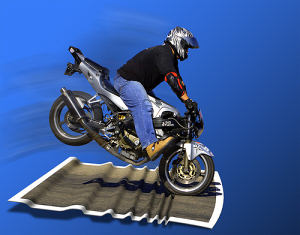
              ...and when you Press the SpaceBar that stop it vigorously! 💚

              http://www.freebiker.net/FichesPratiques/Freinage_problemes/problemes_freinage.jpg

              Frenchy Pilou
              Is beautiful that please without concept!
              My Little site :)

              1 Reply Last reply
              Reply Quote 0
              • porch_unpluggedP
                porch_unplugged
                last edited by

                @gaieus said:

                That's a "designed feature": Suspending the gravity setting

                ugh, i think i just made myself travel sick trying that out.

                1 Reply Last reply
                Reply Quote 0
                • porch_unpluggedP
                  porch_unplugged
                  last edited by

                  if you are trying to draw something small and the clipping plane is getting in the way, change to parallel projection view.

                  1 Reply Last reply
                  Reply Quote 0
                  • thomthomT
                    thomthom
                    last edited by

                    I often find I get clipping issues more quickly with parallel view...

                    Thomas Thomassen — SketchUp Monkey & Coding addict
                    List of my plugins and link to the CookieWare fund

                    1 Reply Last reply
                    Reply Quote 0
                    • brodieB
                      brodie
                      last edited by

                      I'm on board with the parallel projection. I find that when you initially change to PP you'll get some bad clipping, but if you select your geometry and then zoom extents the clipping goes away and you can zoom in as much as you want.

                      -Brodie

                      steelblue http://www.steelbluellc.com

                      1 Reply Last reply
                      Reply Quote 0
                      • V
                        valerostudio
                        last edited by

                        Left, Right, Up arrows lock the Red Green Blue Axis when using move! How did it take me 7 years to figure this one out!

                        1 Reply Last reply
                        Reply Quote 0
                        • gillesG
                          gilles
                          last edited by

                          Seven years!

                          You should read the manual, just in case. 😄

                          Error 404 (Not Found)!!1

                          favicon

                          (support.google.com)

                          " c'est curieux chez les marins ce besoin de faire des phrases "

                          1 Reply Last reply
                          Reply Quote 0
                          • V
                            valerostudio
                            last edited by

                            There's a manual? 😉

                            1 Reply Last reply
                            Reply Quote 0
                            • Wo3DanW
                              Wo3Dan
                              last edited by

                              @gilles said:

                              Seven years!

                              You should read the manual, just in case. 😄

                              Error 404 (Not Found)!!1

                              favicon

                              (support.google.com)

                              Useful reading but here it lacks the information about how to use to rotate a group or component accurately according to the current drawing axes system with angle input.
                              Also I couldn't find anything about moving vertices. And even more, while doing so, how to lock moving a vertex to its own edge's direction. (=hover over the edge first, press [Shift], only then move the vertex)


                              1 Reply Last reply
                              Reply Quote 0
                              • cottyC
                                cotty
                                last edited by

                                @wo3dan said:

                                ...lock moving a vertex to its own edge's direction. (=hover over the edge first, press [Shift], only then move the vertex)

                                New one for me, thank you!

                                my SketchUp gallery

                                1 Reply Last reply
                                Reply Quote 0
                                • gillesG
                                  gilles
                                  last edited by

                                  Yes nobody is perfect.

                                  " c'est curieux chez les marins ce besoin de faire des phrases "

                                  1 Reply Last reply
                                  Reply Quote 0
                                  • gillesG
                                    gilles
                                    last edited by

                                    @unknownuser said:

                                    Also I couldn't find anything about moving vertices. And even more, while doing so, how to lock moving a vertex to its own edge's direction. (=hover over the edge first, press [Shift], only then move the vertex)

                                    This one is new for me!
                                    Well seven years to learn this too. 😳

                                    " c'est curieux chez les marins ce besoin de faire des phrases "

                                    1 Reply Last reply
                                    Reply Quote 0
                                    • Wo3DanW
                                      Wo3Dan
                                      last edited by

                                      @gilles said:

                                      Yes nobody is perfect.

                                      How true.
                                      Fact is, I learned it (lock vertex to edge) from someone else, .....from Anssi.
                                      And this was also after having used SU for several years. (Doh for me at that time)

                                      1 Reply Last reply
                                      Reply Quote 0
                                      • GaieusG
                                        Gaieus
                                        last edited by

                                        @valerostudio said:

                                        Left, Right, Up arrows lock the Red Green Blue Axis when using move! How did it take me 7 years to figure this one out!

                                        And not only the Move tool but the line tool, too (just in case you needed it) 😉

                                        And yes, I only discovered it about a year ago or so? 😆

                                        Gai...

                                        1 Reply Last reply
                                        Reply Quote 0
                                        • broomstickB
                                          broomstick
                                          last edited by

                                          @wo3dan said:

                                          And even more, while doing so, how to lock moving a vertex to its own edge's direction. (=hover over the edge first, press [Shift], only then move the vertex)

                                          There's always something new to learn..

                                          1 Reply Last reply
                                          Reply Quote 0
                                          • pilouP
                                            pilou
                                            last edited by

                                            A funny thing with soap skin Bubble! 💚

                                            you can copy / move, rotate even resize the result "C" before call the button Generate SoapBubble!! 😲

                                            for a collective Pressure on some objects from copy moved rotated even resized!
                                            But not from different objects Soap Skinned!
                                            It's not so bad! ☀

                                            Ps And you can of course stop the process make other things then retake them at any moments!
                                            Pressure is not additive just absolute! (can be negative or positive)

                                            dragon.jpg

                                            Frenchy Pilou
                                            Is beautiful that please without concept!
                                            My Little site :)

                                            1 Reply Last reply
                                            Reply Quote 0

                                            Hello! It looks like you're interested in this conversation, but you don't have an account yet.

                                            Getting fed up of having to scroll through the same posts each visit? When you register for an account, you'll always come back to exactly where you were before, and choose to be notified of new replies (either via email, or push notification). You'll also be able to save bookmarks and upvote posts to show your appreciation to other community members.

                                            With your input, this post could be even better 💗

                                            Register Login
                                            • 1
                                            • 2
                                            • 22
                                            • 23
                                            • 24
                                            • 25
                                            • 26
                                            • 34
                                            • 35
                                            • 24 / 35
                                            • First post
                                              Last post
                                            Buy SketchPlus
                                            Buy SUbD
                                            Buy WrapR
                                            Buy eBook
                                            Buy Modelur
                                            Buy Vertex Tools
                                            Buy SketchCuisine
                                            Buy FormFonts

                                            Advertisement