⚠️ Update | Sketchucation Tools 5.0.8 released with licensing improvements and bugfixes Download
  • 2 Votes
    4 Posts
    318 Views
    Rich O BrienR
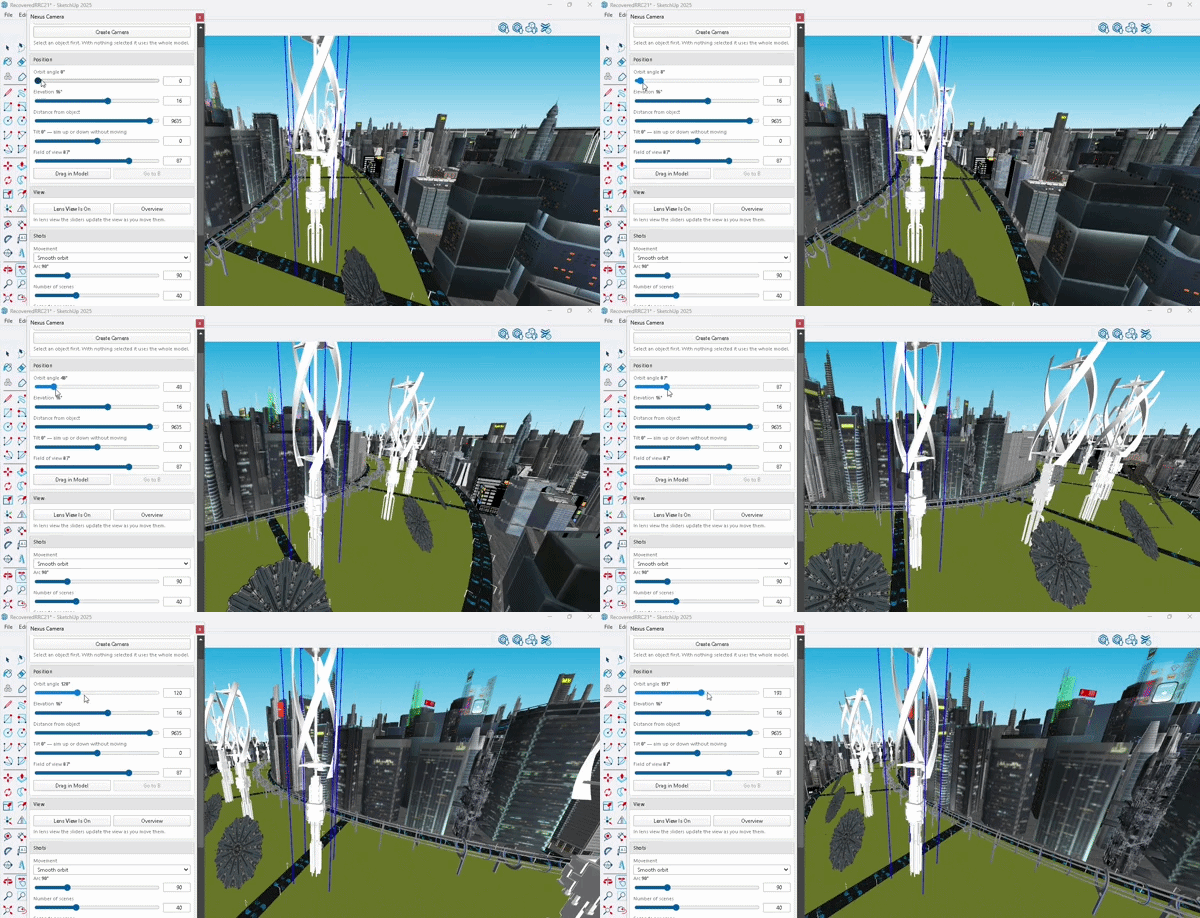
    Sounds like a good update. Had a quick test. Definitely creates compelling images. My main feedback would be the UI. The font, in places, is tiny and the colour contrast between font color and UI background adds to the readability concerns. What I did like is the depth of options. But the free tier means you can't really test these. The voice on the Guide was difficult to listen to and I have yet to find a way to skip steps. As soon as you stop the Guide it resets to Step 1. [image: 1784559831544-e61e730a-af9b-429c-aca9-6842be96654b-image.jpeg] [image: 1784559811933-0f3b609e-b525-4157-a53e-e2389792249b-image.jpeg]
  • Medeek Floor

    Plugins
    152
    1 Votes
    152 Posts
    47k Views
    medeekM
    Version 1.2.2 - 07.19.2026 Added a floor "profile" edit tool within the context menu for floor assemblies. Added a "Grid Snap" option with hotkey (End key) into the floor profile edit tool.
  • Open Plan 23B

    Gallery
    24
    1
    1 Votes
    24 Posts
    2k Views
    Mike AmosM
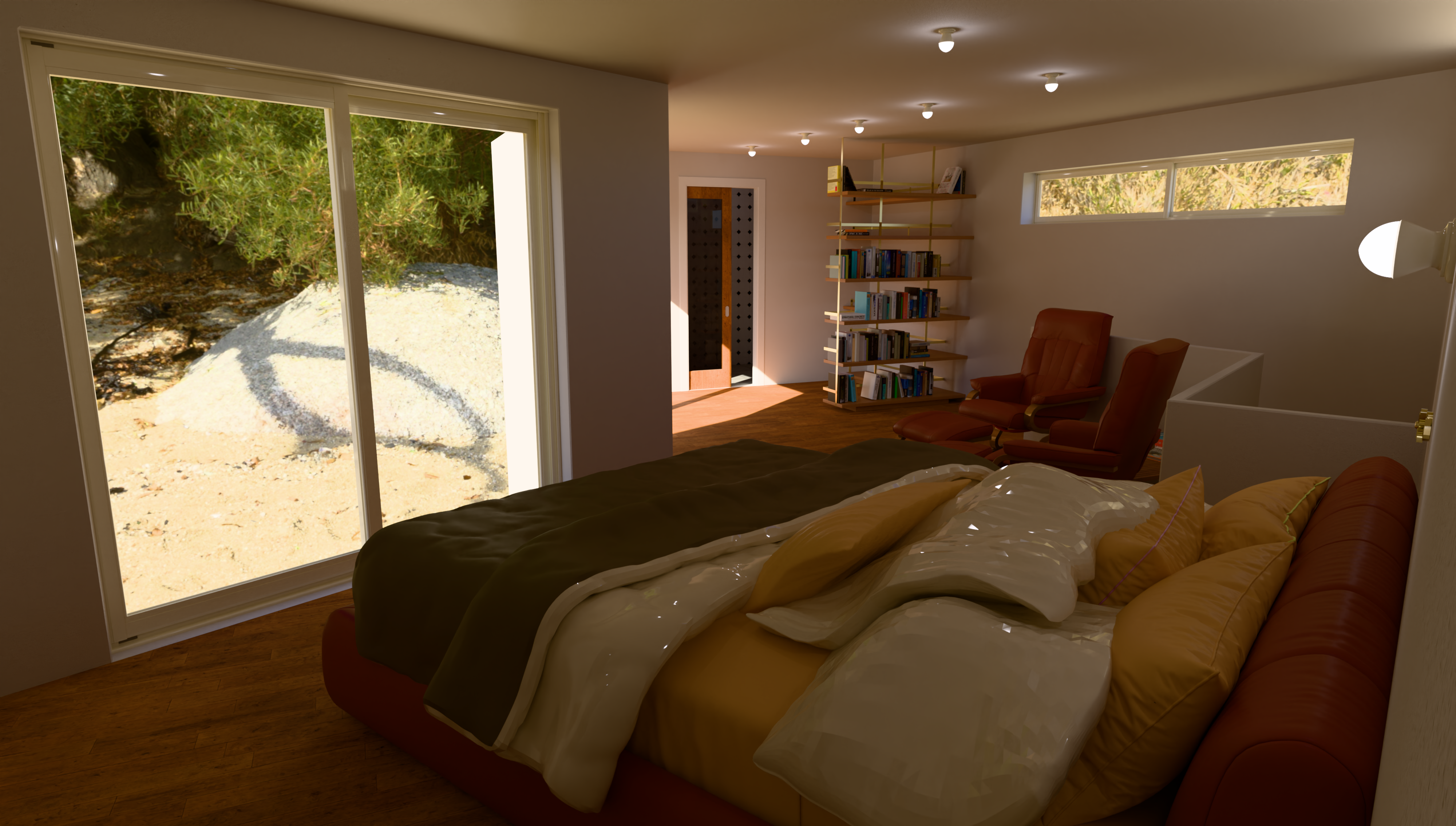
    And again..... [image: 1784410653601-5-4000s-4000-x-2404-1565362-tri-1h-05m-47s-gpu-resized.png]
  • SketchUp - the early days

    SketchUp Discussions
    3
    3 Votes
    3 Posts
    436 Views
    majidM
    I used to use AutoCAD 3D, or 3Ds Max for modeling back then and when a friend asked me to use @lastSfotware (Su 2004), I was shocked that this was too simple to be a serious tool, it seemed like the "Paint".. Then I saw some cool models/renders and realised I know nothing about SU!
  • Honda S800

    Gallery
    10
    1
    2 Votes
    10 Posts
    484 Views
    Mike AmosM
    Ta Rich, not so bad I have found zero then..........
  • 0 Votes
    1 Posts
    120 Views
    No one has replied
  • Cannot customize the toolbar(s) (2026.2)

    SketchUp Discussions
    15
    0 Votes
    15 Posts
    821 Views
    Dave RD
    @H-en-I said: it was not neccessary to use Ctrl Since toolbars were made customizeable, Ctrl (on Windows) has always been used as a modifier to copy tools from one toolbar to another.
  • 0 Votes
    1 Posts
    77 Views
    No one has replied
  • sketchup viewer for iphone

    Newbie Forum
    1
    0 Votes
    1 Posts
    113 Views
    No one has replied
  • SCFLicense: Extension Licensing on Sketchucation

    Plugins
    2k
    0 Votes
    2k Posts
    2m Views
    TIGT
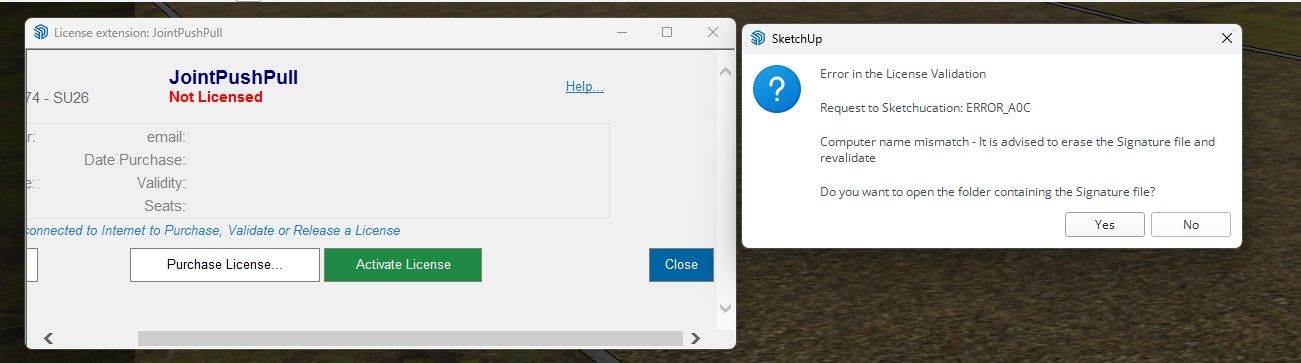
    Please explain clearly where you are having issues. A few questions first... Do you have the appropriate license file saved onto your computer. Have you tried validating it in the Tools submenu for that extension ? On trying what are the error messages [if any]. What does the Extensions > SketchUcation entry for SCFlicense management items report ? Bitte erläutern Sie genau, wobei Probleme auftreten. Zunächst ein paar Fragen: Haben Sie die entsprechende Lizenzdatei auf Ihrem Computer gespeichert? Haben Sie versucht, sie im Untermenü „Tools“ (Werkzeuge) für diese Erweiterung zu validieren? Welche Fehlermeldungen erscheinen dabei (falls vorhanden)? Was wird unter „Extensions“ (Erweiterungen) > „SketchUcation“ im Bereich der SCF-Lizenzverwaltung angezeigt?
  • ET say's Hi.

    WIP
    29
    1
    1 Votes
    29 Posts
    2k Views
    Mike AmosM
    Something I am looking at for a wall, is a dragon 'breaking through. the wall with a light source insert in the chest. Just mucking about tbh.
  • 0 Votes
    1 Posts
    171 Views
    No one has replied
  • 0 Votes
    15 Posts
    668 Views
    fredo6F
    Just use regular maths. There is just one thing to remember. If you want to multiply a length, then the multiplication factor should be AFTER the length: 3m * 5 is valid and will give 15m 5 * 3m is invalid, because 5 will be interpreted s a length in the model units.
  • Model this: Snoopy

    Organic Modelling
    15
    0 Votes
    15 Posts
    11k Views
    O
    so cool. thank you very much.
  • FredoSpline

    Plugins
    4
    0 Votes
    4 Posts
    1k Views
    G
    @rkmiwa I have answered it.
  • [Plugin] Material Replacer

    Plugins
    79
    0 Votes
    79 Posts
    92k Views
    TIGT
    I have found a good version of the RBZ which installs v1.3.0 of the tool properly. It's now in the PluginStore / ExtensionStore³... Just tested it and it works fine...
  • 1 Votes
    2 Posts
    313 Views
    S
    v1.0.1 attached here — replaces the one in the first post. This update fixes the in-panel "Capture current view" button (re-capture your current SketchUp view on demand), plus free built-in animations, an automatic read of your model's materials to review before rendering, downloadable material specs, an improved UI, post-processing, and more editing tools. Free to install · SketchUp 2017+ · Windows & Mac. Feedback always welcome SilpuRender_v1.0.1.rbz
  • 0 Votes
    6 Posts
    490 Views
    panixiaP
    @valerostudio I've sent you the rbz files in a private message @rv1974 I've also sent the same stuff to you, because as far as I can remember, you are also a 3dsMax user and most of my tools are "porting" of Max features still missing in the current Sketchup quads/subdivision workflow. So maybe you can have some fun with that.
  • 1 Votes
    2 Posts
    227 Views
    TIGT
    @Naty-Mureb Your best bet at SKP 'repair' is through @ colin on SketchUp.com forum. He's a SketchUp team member and has access to specialized tools, that others don't have. PM him there and mention me [TIG] if you want to...
  • [Plugin] Xref Manager

    Plugins
    98
    0 Votes
    98 Posts
    98k Views
    ElibjrE
    After almost 18 years of using it, this is still one of my favorite plugins for working on huge and highly detailed projects! Hat's off to you sir! This is a must have plugin for anyone working collaboratively with others or working on huge project where various people have specific areas they need to work on and they need to isolate their work.