Where does AI rendering fit into a SketchUp workflow?
-
Hi everyone,
Once you have a basic model, there’s often a stage where the geometry is taking shape but the visual direction is still open. Would a warmer facade work better? Should the interior feel lighter? Is it worth exploring a different material palette before spending more time on the details?
That’s the part of the design process where I think AI rendering can be useful.
A straightforward workflow to explore is to export a view from SketchUp and use that image as a starting point for visual variations. Keeping the same viewpoint makes it easier to compare ideas, especially when you focus on one change at a time, such as materials, lighting, or the overall mood.
For example, a material study could start with a brief like:
Explore a warm, restrained material palette with pale timber cladding, light stone, and soft daylight. Keep the building form, window positions, and camera angle consistent with the reference.
The last sentence expresses the intention, but it still needs checking. AI can change openings, soften edges, or introduce details that weren’t in the model. A convincing image isn’t necessarily an accurate representation of the design.
For that reason, I’d treat these images as concept studies. Compare them with the original view, identify what’s useful, and bring those decisions back into the model. When exact geometry and material placement matter, a conventional rendering workflow still has a clear role.
For transparency, I’m building AI Arch Generator, a browser-based tool for architectural visualization, interior concepts, and virtual staging. One question behind the project is how to make this exploratory stage useful without confusing a generated image with a resolved design.
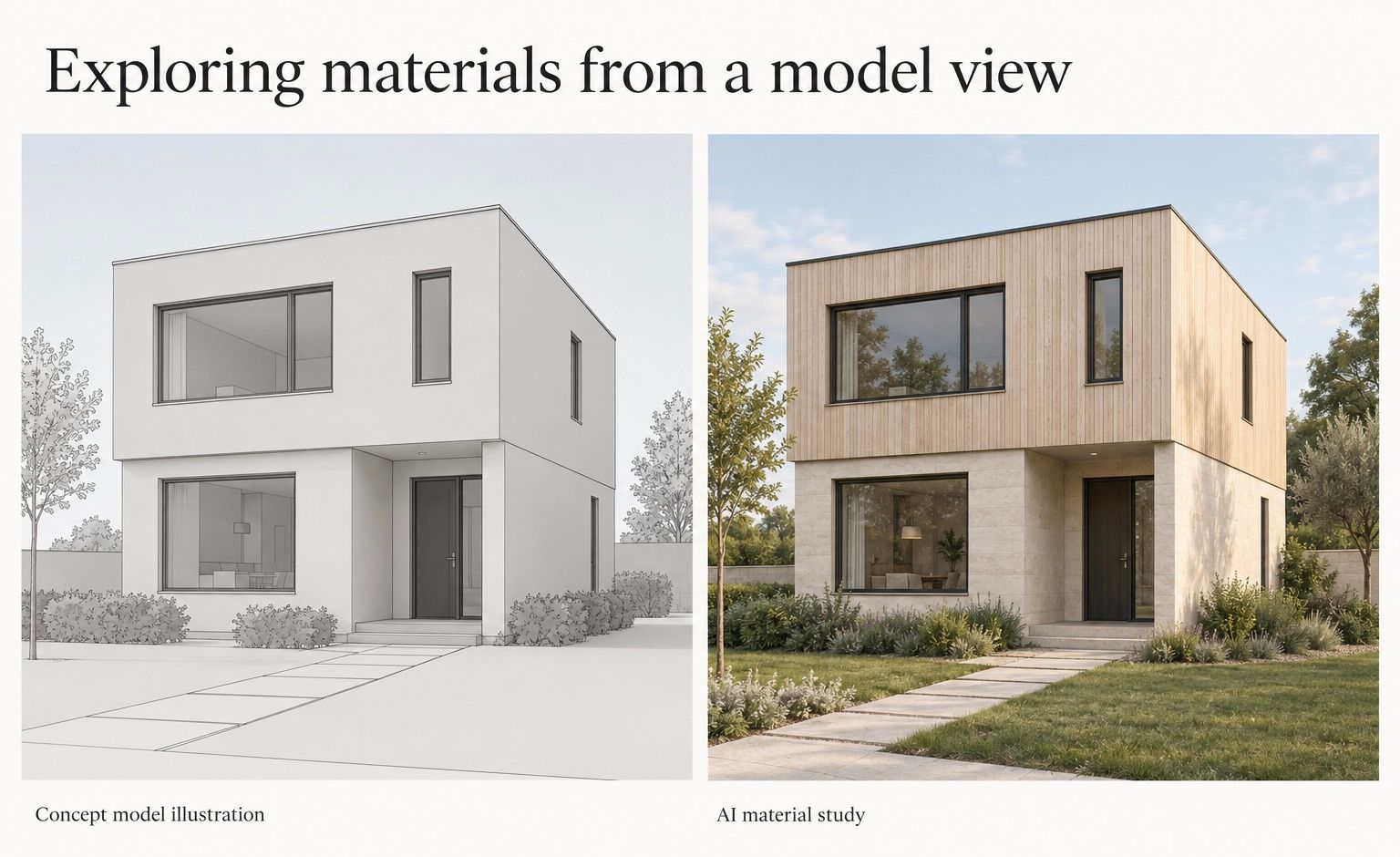
I’d be interested to hear how others here approach it. Have you found AI useful for early material and mood studies, or do the changes to geometry make it more trouble than it’s worth? -
Have you found AI useful for early material and mood studies, or do the changes to geometry make it more trouble than it’s worth?
Under your ToS it says:
You retain your rights in the content you submit to the Services. By submitting content, you grant us a worldwide, non-exclusive, royalty-free license to host, store, reproduce, process, and transmit that content as needed to operate, secure, improve, and support the Services.
Improve services means what exactly?

Hello! It looks like you're interested in this conversation, but you don't have an account yet.
Getting fed up of having to scroll through the same posts each visit? When you register for an account, you'll always come back to exactly where you were before, and choose to be notified of new replies (either via email, or push notification). You'll also be able to save bookmarks and upvote posts to show your appreciation to other community members.
With your input, this post could be even better 💗
Register Login


Advertisement