🚨 Skimp | 25% Off until March 30 Buy Now
  • TIG 2D Tools Line Style and Hatch Dialog Box Not Opening

    SketchUp Bug Reporting
    7
    0 투표
    7 게시물
    353 조회수
    TIGT
    A new signed Version 8.0 of the toolset is available as an RBZ in the PluginStore https://sketchucation.com/pluginstore?pln=2Dtools or for AutoInstall/Update through the ExtensionStore dialog. It addresses the TAB keycode weirdness recently reported when trying to open a dialog for certain tools, like LineStyle and Hatching etc. The TAB press/up was itself introduced for >=v2020 when the right-click in empty-space context-menu option was removed from the Ruby API. It had to be a TAB press/up because MAC has always ignore a simple TAB press. Recently it's been found that in v2026 on a MAC a TAB press/up sometimes fails to work at all, and other times on PCs x4 press/up were needed to get TAB to call the dialog - whilst weirdly some users experienced no issues with it at all, on either OS ! I have now error trapped the keycode capture for TAB as best I can, note that on <=v2025 there's no problems with TABx1 press/up [sadly my own PC still needs TABx4 press/up with v2026], and TABx1 may work with v2026 for some users and OSs, BUT as a fallback I've now introduce an alternative additional key press/up - Shift - which [I hope] works with one press/up on any OS and SketchUp version. So if you have any v2026 TAB annoyance you can now just press/up the Shift key instead to open the dialogs. Please try it and report any issues. I've updated the More-Info>Release-Notes and the toolset's Help HTML files to reflect these changes.
  • Drink driving?

    Corner Bar
    6
    0 투표
    6 게시물
    267 조회수
    L
    Looks like a case of poor engineering to me
  • Playing arround with Sketchup diffusion

    Gallery
    99
    0 투표
    99 게시물
    8k 조회수
    jo-keJ
    @Rich-O-Brien a friend of mine (working at the tramwaycompany) is doing the prints for me. [image: 1767956369041-2025-12-02-11.07.48-resized.jpg] another person is doing the paintings [image: 1767956656600-a841e357-bd1c-456b-b2a2-5be5b996cf13.jpg] [image: 1767956673368-720c0ebb-7db0-4098-912b-77e021ba416c-resized.jpg]
  • [Plugin] MaterialConsolidator

    Plugins
    59
    0 투표
    59 게시물
    43k 조회수
    Didier BurD
    @ramiduscz Hi, Which texture replacer are you using ? ThomThom's 'material replacer' (works like a charm, although you need to replace materials one by one. It respects UV's if tou hit the Ctrl key. [https://extensions.sketchup.com/extension/4137f7fc-a81f-4ef9-9ec8-b6dd8a0d9086/material-replacer](link url)
  • Having a bad day?

    Corner Bar
    4
    1 투표
    4 게시물
    204 조회수
    ntxdaveN
    @L-i-am said in Having a bad day?: Hi Guys have not been very active of late as I am temporally on a med that completely stifles creativity, hence no sketchup. However this appeared on facebook. It made me smile from ear to ear. Careful though it can be I know how you feel. I had some surgery a few months ago and am trying to get back too SketchUp. As @rich-o-brien and a couple of others can tell you, I have been having some problems getting back into it. Trying to use some features that I either have not used before (or at least for a long time) and have asked some pretty silly/dumb questions. However, I am determined to learn/get back with it. Hope all is well with you and you can get back with it. I know you have posted some great work in the past and you will get there again.
  • [Plugin]Unique colors for layers

    Plugins
    3
    0 투표
    3 게시물
    718 조회수
    TIGT
    My old https://sketchucation.com/pluginstore?pln=TIG_LayersFromList and https://sketchucation.com/pluginstore?pln=TIG_LayersToList Let you import / export layers from / to a text file in the form NAME:R,G,B per line. So you could edit [or make] the file with customized RGB values and names as desired...
  • 0 투표
    4 게시물
    291 조회수
    TIGT
    Does your set up meet the requirements listed here ? https://help.sketchup.com/en/sketchup/system-requirements The fact that it runs OK on a similar machine suggests that something is 'missing' in the set up with the problems - hardware or software ?
  • Merry Christmas

    Gallery
    10
    2
    5 투표
    10 게시물
    442 조회수
    majidM
    it is fierce mate. Thanks . lets hope for positive changes.. and a lasting peace in world.
  • AI Render Enchancer Extensions or tools

    Extensions & Applications Discussions
    3
    0 투표
    3 게시물
    288 조회수
    M
    I have been testing MyArchtectureAI quite some. I also purchased the Pro version with unlimited credits. In my case the results are not that great even when doing editing. There are just too many random AI stuff happening. I just tested Archfine.com and it gave excellent results. There was editing needed because AI didn't get creative. Unfortunately it was not possible to do more test because it was possible to do only 1 test render with the free version. It seems that the solutions (Visoid, Archfine, Viz Maker) that use NanoBananaPro are giving the best results. https://vizmaker.vizacademy.co.uk/ has also somekind of integration with Sketchup but it seems to just export the image, no material info or anything. Viz Maker has also quite good edit possibilities.
  • [Plugin] Eclate_Deplace (fragmentation-exploded view)

    Plugins
    161
    0 투표
    161 게시물
    228k 조회수
    TIGT
    It might work. Just try it... İşe yarayabilir. Bir deneyin...
  • Prêts à tâter des Nurbs ?

    Français
    446
    0 투표
    446 게시물
    202k 조회수
    pilouP
    2026Moi3D Naca Airfoil Profil Generator French Version Beta V 5 https://moiscript.weebly.com/aile-naca.html https://www.ntop.com/ [image: 1767481023108-naca_2026.jpg]
  • SketchUp WebView2 HTML Dialog Patch

    Extensions & Applications Discussions
    2
    0 투표
    2 게시물
    141 조회수
    Rich O BrienR
    https://developer.microsoft.com/en-us/microsoft-edge/webview2 AI is not good source for a solution. You could be going down a rabbithole to nowhere. A better option would be to upgrade SketchUp if that's in your budget.
  • [Plugin] FredoBatch - v1.5a - 18 Dec 25

    Plugins
    10
    5
    1 투표
    10 게시물
    1k 조회수
    alexpacio2013A
    @fredo6 This plugin is fantastic and very useful but not well known, which is why I would like to write an article about it for an Italian group, but I have a problem. Being disabled, when I open the Freddo Batch windows, they open at the top, above and outside the limits of the open SketchUp window, and due to my inability to use a normal mouse, I use a virtual mouse (eviacam). It's difficult for me to move the window because the top bar is used by eviacam but is not editable. It's only my problem, but this is the only plugin I have this issue with. Is it possible to have the windows open inside the SketchUp window? [image: 1767352063969-yljde2xlc5-resized.png]

  • [Plugin] Lattice Maker

    Plugins
    149
    0 투표
    149 게시물
    350k 조회수
    O
    Thanks so much, its very useful.
  • Help needed with Sketchup.exe -RubyStartup

    Developers' Forum
    3
    0 투표
    3 게시물
    227 조회수
    F
    Let me try and explain what I'm trying to do because I have a few things I'd like to accomplish... this being what I think should be the first step. Though I tend to change/modify my ideas as I work on them. Basically I have a cabinet plugin I'm working on and one thing I'd like to do is add nesting/cut sheet/layout functionality... so basically... identify all the top faces of the panels (I can do this). make a copy of the faces before adding them to an array... still need to figure this out. launch a new instance of SketchUp and adding the faces from the array I copied... I was thinking of making a ruby script to do this and then launch/open a plugin to manage the nesting options. I got the idea after finding this... https://community.sketchucation.com/topic/139502/sketchup-command-line-switches Hopefully that's not to confusing and makes some sense.
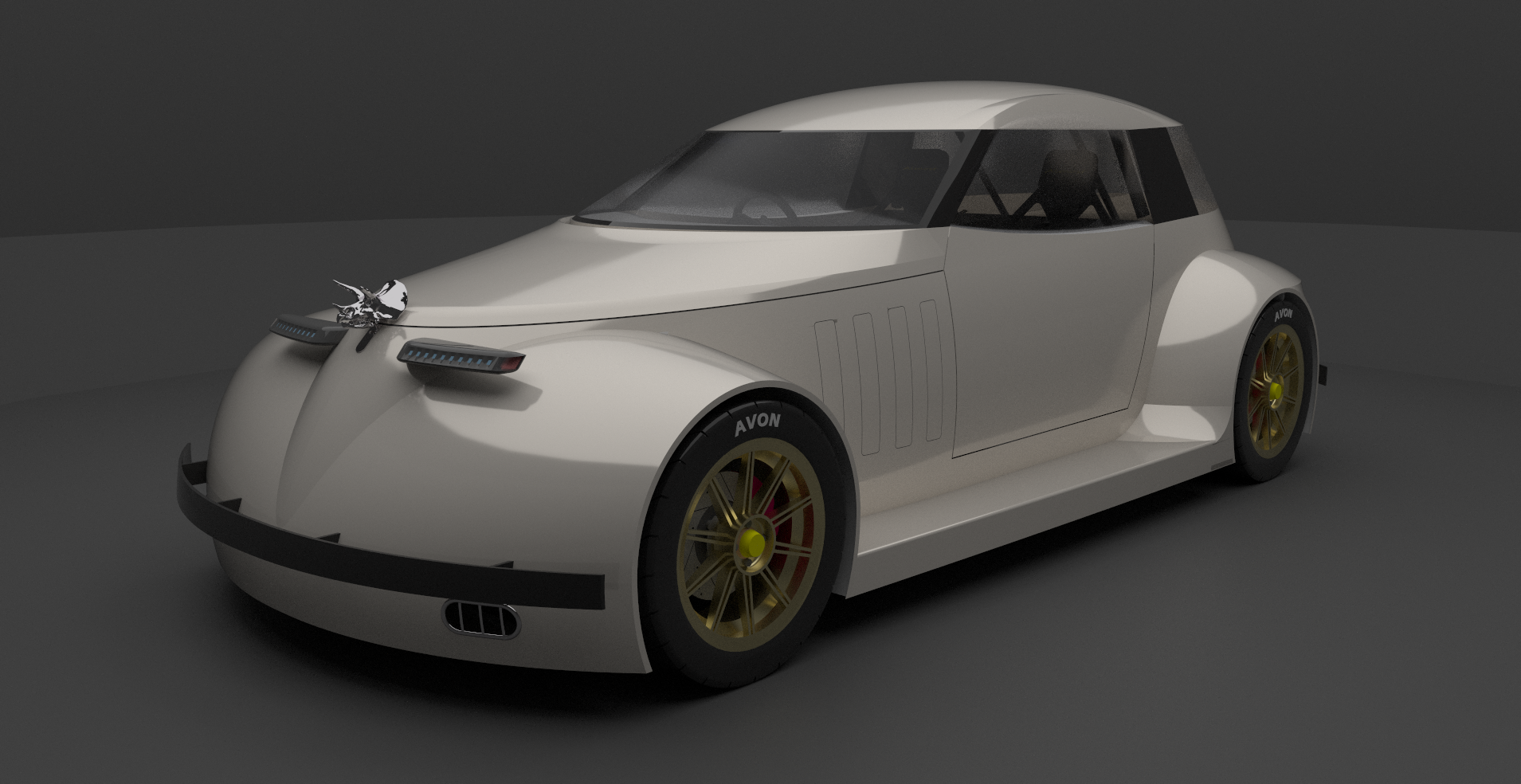
  • Hot Rod

    WIP
    9
    1
    4 투표
    9 게시물
    504 조회수
    Mike AmosM
    Looking good, Steve, very good.
  • "False Maria" robot from 1927 silent film "Metropolis"

    WIP
    64
    2 투표
    64 게시물
    39k 조회수
    hellnbakH
    @L-i-am Thanks for the kind words, Liam, much appreciated! And have a great New Year!