sketchucation logo sketchucation
    • Login
    1. Home
    2. Tobobo
    3. Posts
    Oops, your profile's looking a bit empty! To help us tailor your experience, please fill in key details like your SketchUp version, skill level, operating system, and more. Update and save your info on your profile page today!
    ⚠️ Important | Libfredo 15.6b introduces important bugfixes for Fredo's Extensions Update
    Offline
    • Profile
    • Following 0
    • Followers 0
    • Topics 69
    • Posts 876
    • Groups 1

    Posts

    Recent Best Controversial
    • RE: Export sketchup to 3D pdf file?

      @brooksl said:

      Has anyone got experience with the SimLab or other 3D PDF conversion/exporting?

      I have Simlab, it is not the best, you have to put a lot of post work in the simlab software to make it look good and there is a file size limit, which they don't tell you about.

      But I would try it out.

      posted in SketchUp Discussions
      ToboboT
      Tobobo
    • RE: Re: Some Funny Pics.

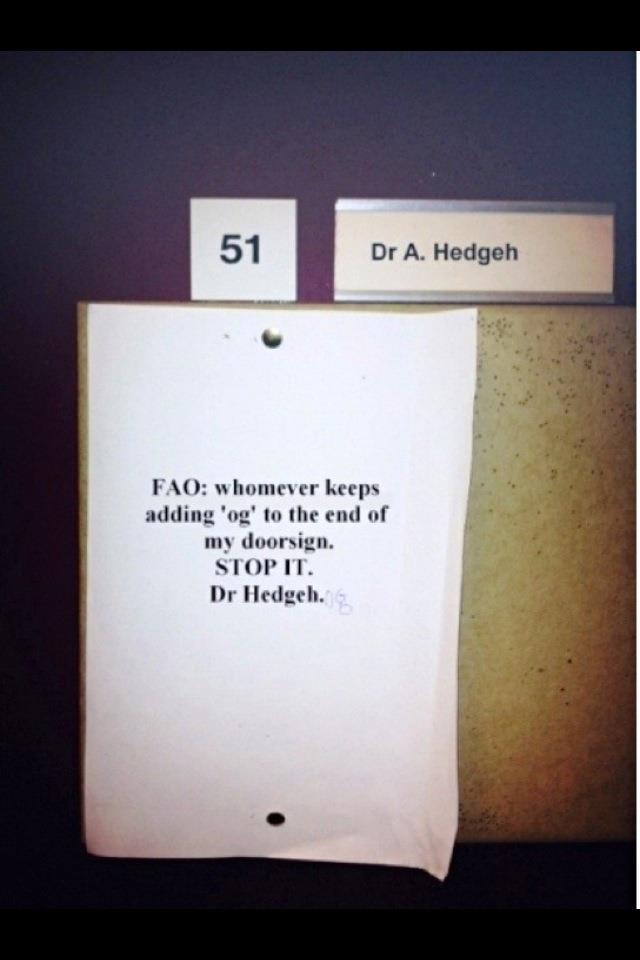
      530378_3791335672236_1542475800_3102344_30757218_n.jpg

      posted in Corner Bar
      ToboboT
      Tobobo
    • RE: Reducing size of model

      @jrm1 said:

      I'm a landscape designer. My SU models use a lot of 3D plants, which slows the Mac down after a while. I was wondering if there were any tips for keeping the size down.

      For instance, does grouping reduce the 'load' on the computer?

      Hey, do all the modelling in the landscape arch team. what i do is combine the VRay render wit photoshop. I avoid 3d trees like the plague. My pc (at work) and macbook pro (at home) both struggle with 3d plants at all.

      If I were you i would forget the 3d plants and buy a good image pack.

      This is the one we bought, obviously it is £300 but they do smaller packs. http://www.3drender.co.uk/products-page-2/bundles/all-in-one-bundle-complete-1000/#

      posted in SketchUp Discussions
      ToboboT
      Tobobo
    • RE: Lock toolbars

      @numerobis said:

      sorry... but every time i read this topic title i have to laugh... it's really a big joke that this annoying little problem is still not fixed after such a long time!
      If this is such a hard thing to do, the developers of nearly all other softwares i know must be real geniuses since they found a solution for this "unsolvable" problem... 😒

      the save tool bars have gone along way to solve it. Though saying that it hasn't happened in a while. touch wood

      posted in SketchUp Feature Requests
      ToboboT
      Tobobo
    • RE: Sketchup is Inacurrate???

      I get given cad drawings by 'CAD Engineers' all the time. These drawings look great when printed but very few of the lines actually join. They don't use snap tools, their attitude is if it looks good at 1:100 then its fine.

      How hard is it to use the snap to end point or even 'nearest'?

      posted in SketchUp Discussions
      ToboboT
      Tobobo
    • RE: Make faces

      The file is the same, but the location is different. There is loads of threads with the same question.

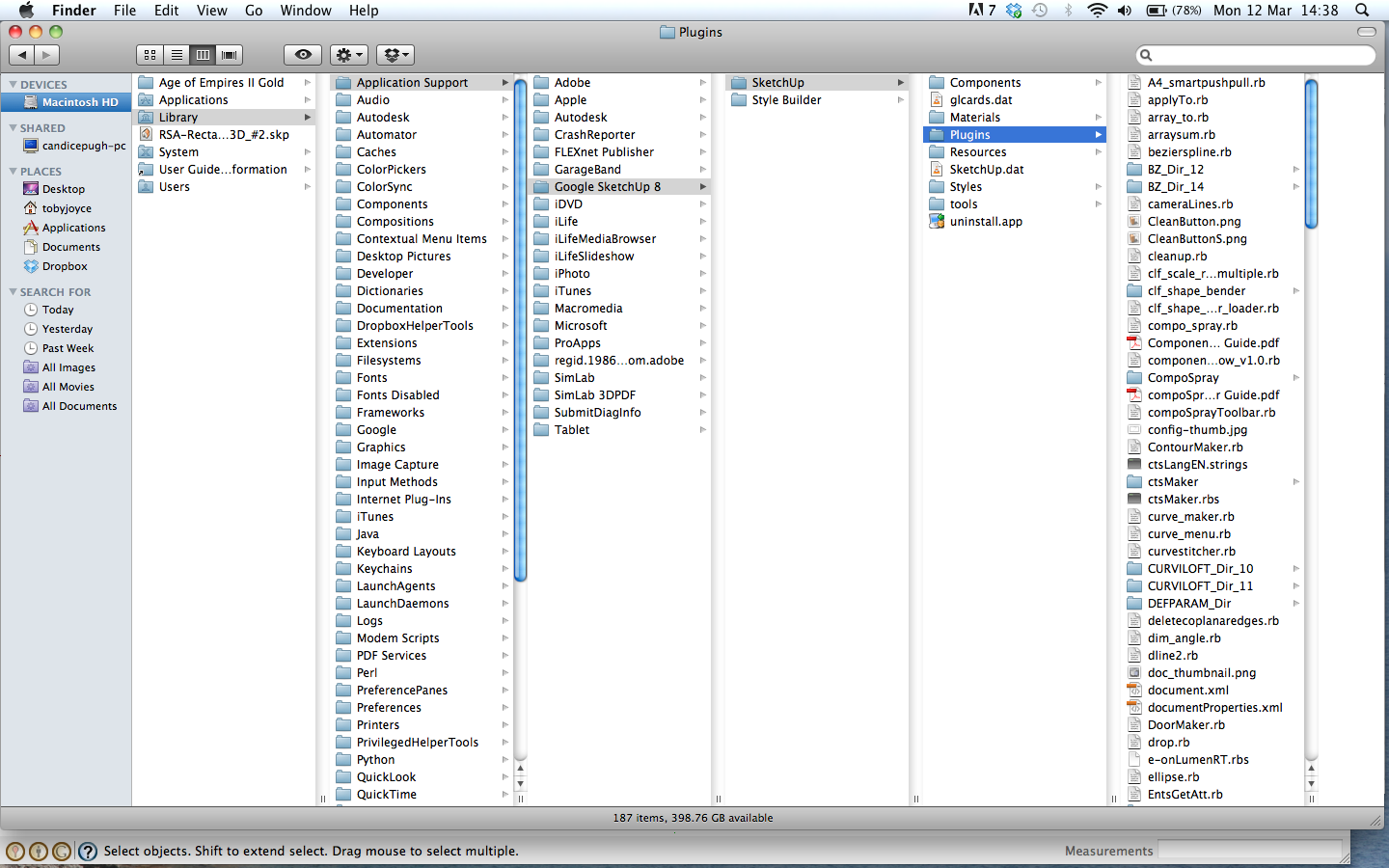
      Put the .rb files in Mac HD - Library - App Support - Google Sketch Up 8 - Sketch Up - Plugins

      Or unzip the files in here to.

      Screen shot 2012-03-12 at 14.38.19.png

      posted in Newbie Forum
      ToboboT
      Tobobo
    • RE: Make faces

      You will also need to go to the extensions part of preferences to activate a lot of the plugins.

      posted in Newbie Forum
      ToboboT
      Tobobo
    • RE: Make faces

      Hey Lewis,

      When importing CAD drawings, you need to select all and intersect with selected, then run the make faces plugin.

      Also CAD brings in a lot of unneeded info, so you will need to purge all the junk out, under model info and statistics "purge unused"

      Hope that helps,

      Post the model so we can have a closer look.

      posted in Newbie Forum
      ToboboT
      Tobobo
    • RE: Re: Some Funny Pics.

      I believe that was a seized car from some dealers, and then it was wrecked during a police chase.

      Oh well easy come easy go

      posted in Corner Bar
      ToboboT
      Tobobo
    • RE: [Plugin] Archiver.rb - update

      Thanks TIG

      posted in Plugins
      ToboboT
      Tobobo
    • RE: Corner Building.

      Even though you are doing it at dusk, I think the lights and candles should be casting on to the surfaces around them. It would give a little extra to the roof scenes.

      Google Translate (no idea if this has worked)

      A pesar de que usted lo está haciendo en la oscuridad, creo que las luces y las velas deben ser de fundición en las superficies que los rodean. Se daría un poco más para las escenas del techo.

      posted in WIP
      ToboboT
      Tobobo
    • RE: [Plugin] Shape Bender Beta

      Looking at your screenshot, your lines are the wrong way round. I would read through the other posts and see if what has been said before solves the problem.

      posted in Plugins
      ToboboT
      Tobobo
    • RE: Unhappy thoughts on the recent modelling contests

      @unknownuser said:

      I understand the concerns but until this competition becomes for money or prizes and/or if someone speaks up about their cheating I don't see a problem.

      Its just a rant of a man getting over man flu, and i agree that it is up to the individuals own conscience. Some people would put my views down to never getting more than 3 votes. 😆

      posted in Corner Bar
      ToboboT
      Tobobo
    • Unhappy thoughts on the recent modelling contests

      I know there has been a lot of discussion on the modelling challenge and how long people are actually spending on it. I am happy to admit that I have spent around 35 mins on a previous entry, (the entry didn't win).

      Some of the entries are great, really well detailed and I am in awe of what people can achieve with in the 30 minute window. When looking at the entries, some you can tell took 30 mins to make even if it blows you away. But recently there has been entries that I fail to believe took under an hour at let alone with in 30 mins, even on the comps that set for an hour. I know it is an honour system and we all have to deal with the knowledge that we submitted something that breaks the rules. These entries leave a bitter taste in my mouth when I'm looking at the, what I consider, fraudulent entries, because I don't believe they were modelled with in the specified time limit.

      Ok rant over, but I haven't participated in a comp in a while because of this. I still vote, because the modellers that do stick to the rules deserve to get a vote.

      Thanks for listening

      posted in Corner Bar
      ToboboT
      Tobobo
    • RE: Do you smoke?

      @utiler said:

      Well, my sister-in-law had a stroke yesterday morning while dropping her kids off to the first day at school.

      She is a heavy smoker.

      Her Neurosurgeon spent much of yesterday attempting to dissolve the blood clots in here brain. Today her condition is stable; she is lucid but very confused and has a long road ahead with rehabilitation....

      She is 41 years old.

      Nuff said. 😞

      I pray she makes a full recovery.

      posted in Corner Bar
      ToboboT
      Tobobo
    • RE: Do you smoke?

      I wonder if this is still on topic?

      posted in Corner Bar
      ToboboT
      Tobobo
    • RE: The "Duh!" thread (aka the Doh! thread)

      I always used to export animation as jpegs with no transition or scene time.

      posted in SketchUp Discussions
      ToboboT
      Tobobo
    • RE: Comic book style car renders

      That is truely amazing rendering and design.

      posted in Gallery
      ToboboT
      Tobobo
    • RE: Sketchup Vray rendering problem

      That is a nice conceptual piece of design, well done. 👍

      It doesnt have to be realistic if its conceptual.

      posted in V-Ray
      ToboboT
      Tobobo
    • RE: Sketchup Vray rendering problem

      I get that message a lot. I found a few things to do to get rendering again.

      Under the VRay plugins menu there is a help section. In the help section there is a debugging option. in that there is a clear material cache option. That sometimes works. The other option in that menu also help but will remove all textures from the VRay material box. So you will have to reload them all, if you still get problems; load one material at a time and render after each. this should help you find the problem. Also purge the unused items and save close and reopen can sort it out as well.

      Hope it helps

      posted in V-Ray
      ToboboT
      Tobobo
    • 1
    • 2
    • 8
    • 9
    • 10
    • 11
    • 12
    • 43
    • 44
    • 10 / 44