sketchucation logo sketchucation
    • Login
    1. Home
    2. Tobobo
    3. Posts
    Oops, your profile's looking a bit empty! To help us tailor your experience, please fill in key details like your SketchUp version, skill level, operating system, and more. Update and save your info on your profile page today!
    ⚠️ Important | Libfredo 15.6b introduces important bugfixes for Fredo's Extensions Update
    Offline
    • Profile
    • Following 0
    • Followers 0
    • Topics 69
    • Posts 876
    • Groups 1

    Posts

    Recent Best Controversial
    • RE: Dirty Surgery in LightUp

      Looks amazing, and would be at home in any 1st Person Shooter.

      I did notice a patch of tiles against the far walls that seem to have been cleaned but an uncharacteristic pang of guilt by an otherwise uncaring serial killer. 😳 Don't mean to put a great render down.

      posted in WIP
      ToboboT
      Tobobo
    • RE: PNG wont appear in render

      I appear to have solved it by asking VRay to tile the bitmap.

      posted in V-Ray
      ToboboT
      Tobobo
    • PNG wont appear in render

      Hi All,

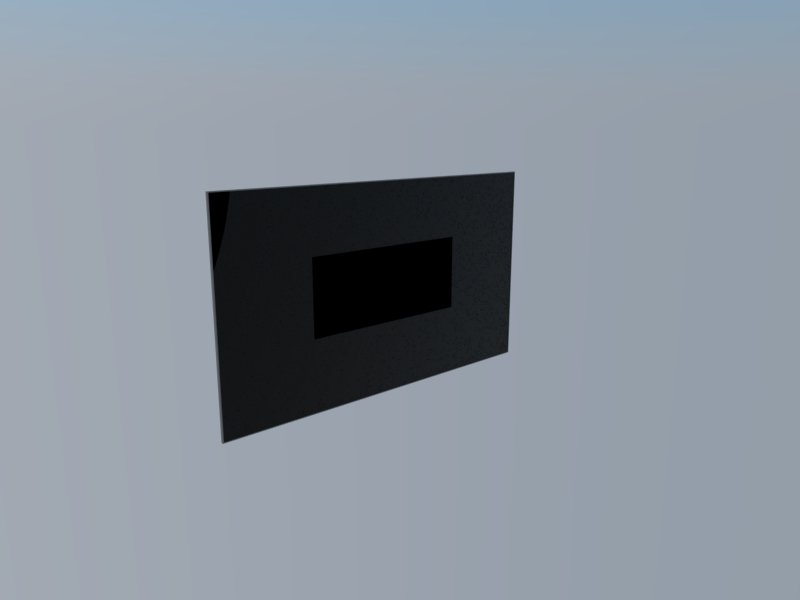
      I'm trying to create a logo on a display screen on a black background; so that it looks like the screensaver has started.

      I have a .png of the logo and I have created a second diffuse layer to give the black background but the image doesn't appear.

      I have attached the skp and the render image.

      Thanks in advance

      Render.jpg


      Meeting Room Screen.skp

      posted in V-Ray render plugins extensions
      ToboboT
      Tobobo
    • RE: Re: Some Funny Pics.

      @unknownuser said:

      Enjoy.

      http://photos.ellen.warnerbros.com/galleries/bad_paid_for_photos

      Brilliant

      posted in Corner Bar
      ToboboT
      Tobobo
    • RE: Do you smoke?

      A TV presenter called Roy Castle never smoked a day in his life and he died of lung cancer. In his early career he played trumpet in working men's clubs and pubs. The large lung-fulls of air he had to take to play, meant breathing in loads of second-hand smoke.

      I'm not saying that one case proves the theory... but it is something I always think about.

      http://en.wikipedia.org/wiki/Roy_Castle

      posted in Corner Bar
      ToboboT
      Tobobo
    • RE: Do you smoke?

      I have nothing against people who smoke, if they want to risk cancer and posioning then it is their choice.

      One of the reasons for tha ban in the UK was the allow non-smokers to be in pubs and clubs with out risking cancer or posioning.

      posted in Corner Bar
      ToboboT
      Tobobo
    • RE: Render won't start...?

      Here is the help Chaos Group support have suggested.

      @unknownuser said:

      The latest version of our software comes along with a few tools to help you if a particular scene (especially older scenes) doesn't render correctly. They can be found in the Plugins->V-Ray for SketchUp->Help->Debugging menu. They are as follows:

      Regenerate all V-Ray Materials - This tool will delete any material information that is currently stored in the V-Ray Material Editor. Then it will iterate through the SketchUp scene, treating it as if it never had any V-Ray material data in it before, and it will create a V-Ray material for every SketchUp material. The newly generate material will only have a Diffuse layer. This tool is useful if your scene's materials are preventing you from rendering, and the Force Sync tool doesn't do the job. Keep in mind that while using this tool, any materials you have set up are going to be completely destroyed, so it might be a good idea to back up the scene prior to running this tool. In addition, if this tool allows you to successfully render the scene, then you know that the issue was a material in your scene. So you can just load your old backup scene, save all of your materials, run the tool, and then import that materials back in to your scene. If after importing one of the materials, you notice that the scene fails to render, then you found your problem. If after importing all of the materials back in to the scene, it still renders fine, then there was probably just some data corruption that was floating around from an old version.

      Force Sync for All Materials - This tool will iterate over all of the materials in the SketchUp material editor, and then all of the materials in the V-Ray material editor. The two lists of materials are compared, and if either the SketchUp or the V-Ray material editor is missing a material that the other editor has, a new material is created to correspond with the missing material. This tool should not be destructive.

      Clear Texture Cache Folder - Every time you open SketchUp, the directory we write textures gets cleaned out. Occasionally, it helps to have that folder wiped during a SketchUp session. This is usually something that isn't going to help unless you're about knee deep in code though, so I don't recommend using it unless directed.

      posted in V-Ray
      ToboboT
      Tobobo
    • RE: My MA Renders

      @jenujacob said:

      hi toby,
      forgive me if i am a bit blunt here... but dont u think that desk is a bit too.. ummm.. old fashioned for an office of 2050???? why dont u try looking for inspirations online... like here?

      Ah yes, I don't think you are being blunt. The concept is that there is no more oil and recycled oil based products will be at a premium. Thus the use of plastics or chemicals derived from oil is going to be limited.

      So I took the view that managed woodland would produce the most abundant materials; timber would therefore be the most cost effective material. Also taking the Steam punk movement as a cue, I decided to take an antique desk and put a contemporary spin on it.

      I did look at that site as part of my initial concept research.

      posted in WIP
      ToboboT
      Tobobo
    • RE: My MA Renders

      @unknownuser said:

      Great project πŸ‘

      Whatever you do don't order that desk off Apple πŸ˜‰

      Thanks Rich, and that is very true, it'll never arrive if they send it UPS.

      posted in WIP
      ToboboT
      Tobobo
    • My MA Renders

      Ok everyone,

      I am doing a MA in Design and Visualisation at Birmingham City University.

      The module that I am working on is Office Futures. It means that I get to redesign my office space as if it was 2050.

      There is a few restrictions such as I can only use technology that is currently in development, this means I cant just make up stuff that solves any problems I encounter.

      The office I work in is a mixture between designers, engineers and environmental scientists, so the range of work is anything from EIAs, contaminated land reports to drawings, designs and of course 3D work.

      With this in mind I have decided to develop two types of workstation; a non-technical desk and a technical desk. The former being for report writers, admin assistants and those that don't need to use CAD programs , etc. The technical desk with be for users that need to use CAD, Photoshop and of course SU.

      So firstly here is a plain render of the existing environment, I wont be rendering the views in more detail as the outcome is not to render an existing office.
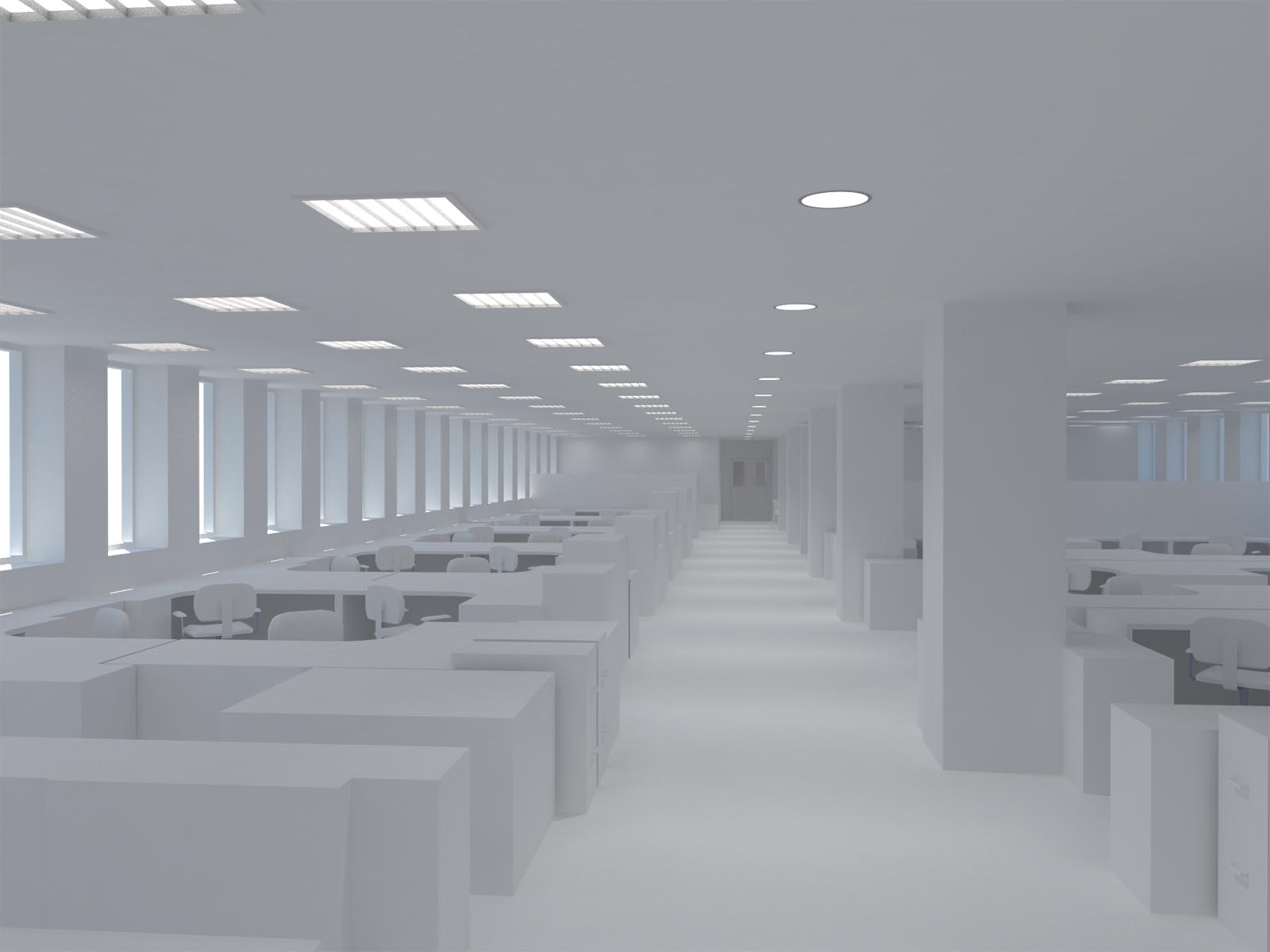
      Existing View 1

      Also this is the idea for a non-technician's desk, with a flexible retractable monitor and an interactive desktop.
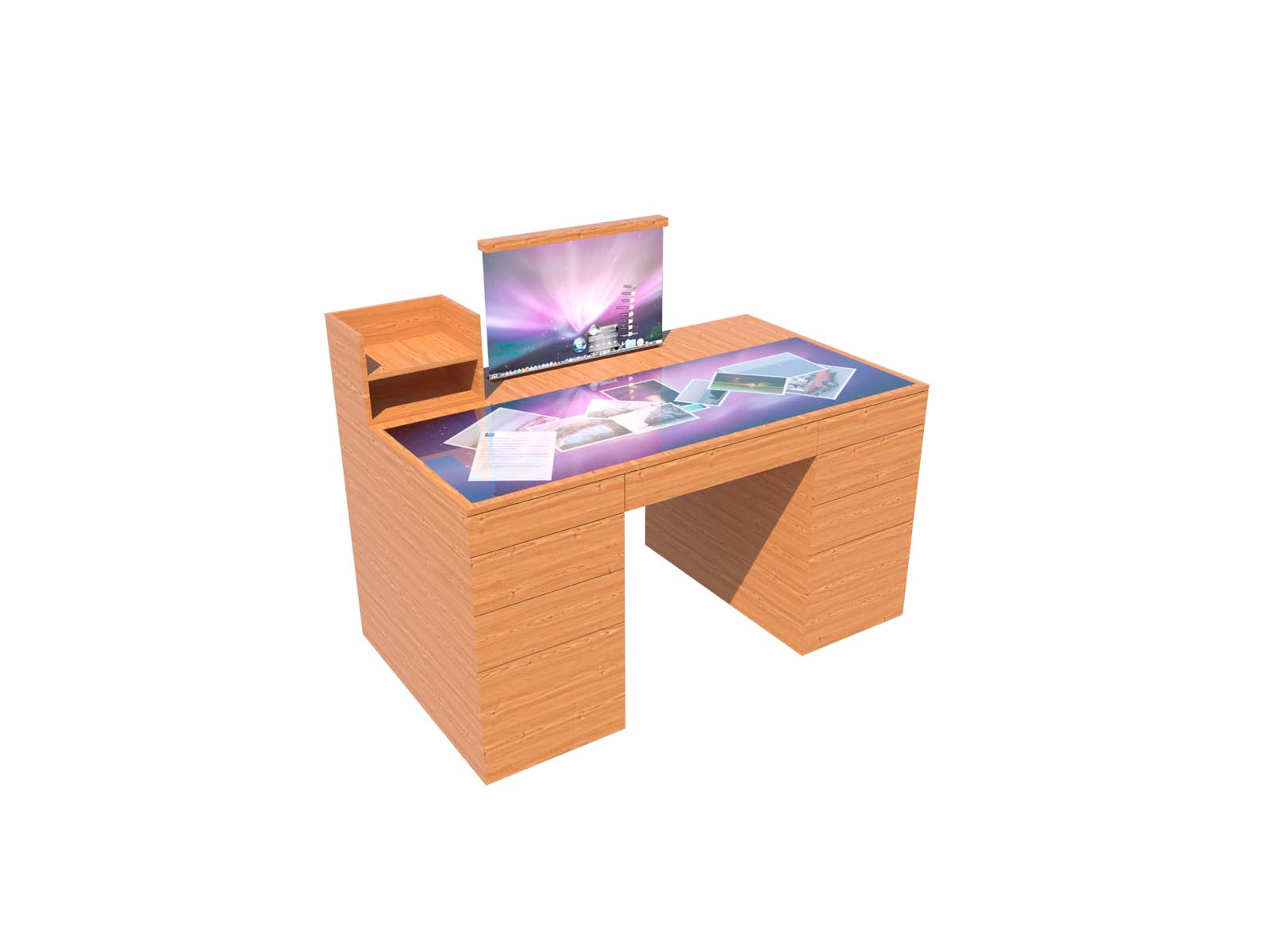

      Monitor Up Non-technical Desk

      posted in WIP
      ToboboT
      Tobobo
    • RE: What's your beginners tip?

      Another tip, keep coming back to this and the 'Duh' threads again and again. I keep forgetting things that people have mentioned.

      posted in Newbie Forum
      ToboboT
      Tobobo
    • RE: Render won't start...?

      @unknownuser said:

      Save the file, and restart SU.

      What you also can do is purge unused materials in SU and in Vray.

      Thanks for your suggestion, I had tried it just before you posted it.

      I found that if I deleted the lights and then reconstructed them as a component (I only had four rectangle lights but they were groups).

      It works now, so the approach seems to be the same as with native SU, components instead of groups and purge, purge and purge.

      posted in V-Ray
      ToboboT
      Tobobo
    • RE: [Plugin] Materials from List - TIGmatlist

      TIG you are a true master. Thank you

      posted in Plugins
      ToboboT
      Tobobo
    • RE: Render won't start...?

      I am having the same problem, with a 9.3 Mb. It was working and then suddenly stopped.

      Does your VRay render on a smaller file?

      posted in V-Ray
      ToboboT
      Tobobo
    • RE: Permanently Turning off Scene Thumbnails

      I'll put it into the SU9 wish list

      Thanks for your help Gai

      posted in SketchUp Discussions
      ToboboT
      Tobobo
    • RE: Permanently Turning off Scene Thumbnails

      @gaieus said:

      That's what I am saying: you canset up a template without the thumbnails active for the future. My template is set up that way, too. It's just older files where you need to turn this off separately.

      Oh I get it now (sorry 😳 ) Not with it today; it appears.

      So I leave a scene in my template file.

      Shame there is no global setting 😞

      posted in SketchUp Discussions
      ToboboT
      Tobobo
    • RE: Permanently Turning off Scene Thumbnails

      @gaieus said:

      Well, scene thumbnails can be set to display or not per file basis so you can save your template file without them being checked. You will need to turn them off in your older files where you have not done this yet though.

      I was hoping i could set up a template that would have them off before i started for future models but it is on for every new scene.

      posted in SketchUp Discussions
      ToboboT
      Tobobo
    • RE: How to make musical instrument strings

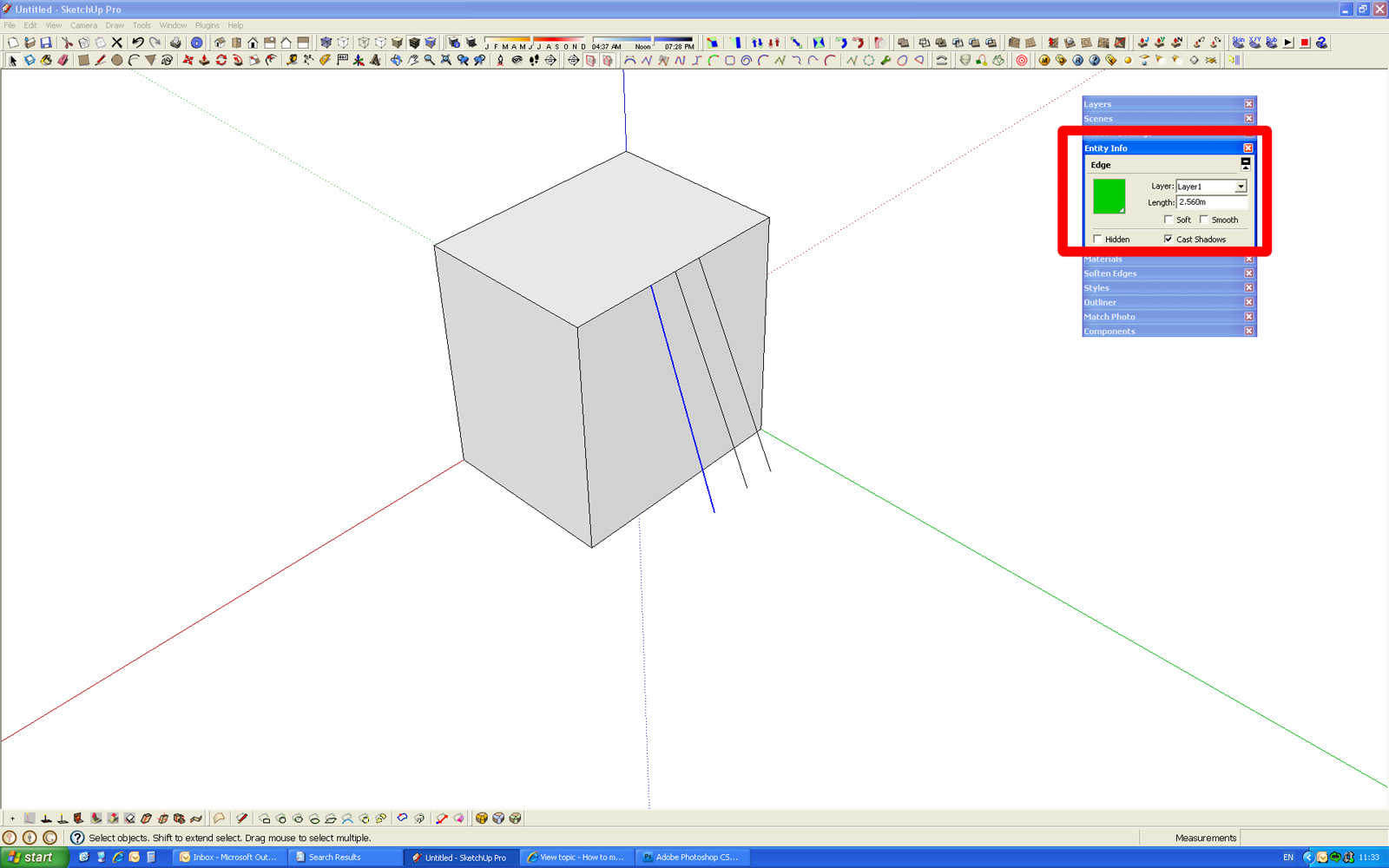
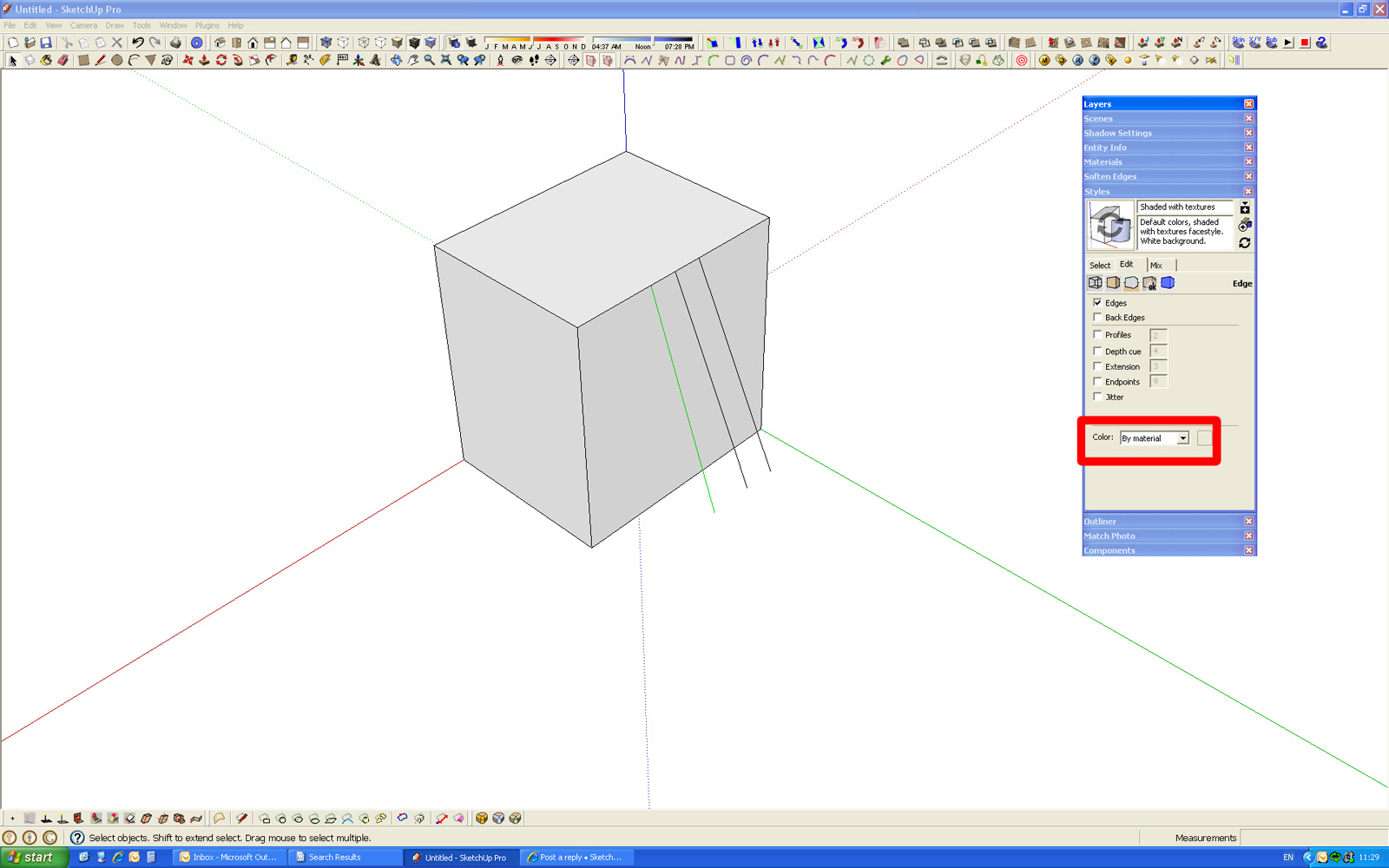
      My inital thoughts are to just use a line and put the green ones on a seperate layer. the colour the line green using the entity info box and then select the colour by material option in the styles dialog box.

      Untitled-2.jpg

      Untitled-1.jpg

      Sorry its a bit quick and dirty, if i get a chance i'll tidy it up a bit

      (EDIT)
      Here is the Skip


      Untitled.skp

      posted in Newbie Forum
      ToboboT
      Tobobo
    • Permanently Turning off Scene Thumbnails

      It is starting to crash my larger files and being really annoying.

      Did anyone ever find out how to do it?

      There was no answer in this topic http://forums.sketchucation.com/viewtopic.php?f=15&t=31349&p=301823&hilit=thumbnails#p301823

      posted in SketchUp Discussions sketchup
      ToboboT
      Tobobo
    • RE: [WIP] Thundertank

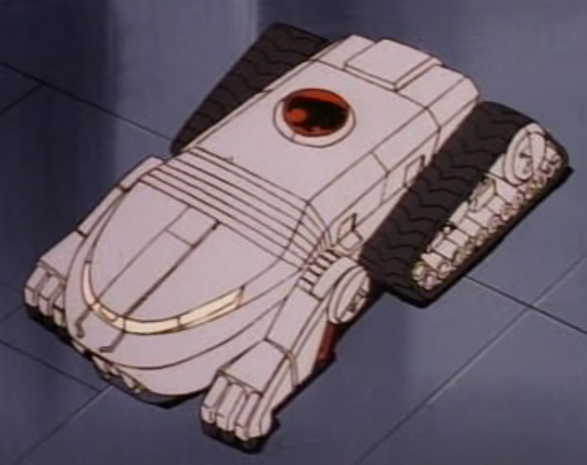
      Here is an image of the animated version. Your model isn't a bad job, kudos for doing it.

      ThunderTank.jpg

      posted in WIP
      ToboboT
      Tobobo
    • 1 / 1