sketchucation logo sketchucation
    • Login
    1. Home
    2. simon le bon
    3. Posts
    Oops, your profile's looking a bit empty! To help us tailor your experience, please fill in key details like your SketchUp version, skill level, operating system, and more. Update and save your info on your profile page today!
    ๐Ÿ”Œ Easy Offset | Offset selected faces in SketchUp in positive and negative offsets. Download
    Offline
    • Profile
    • Following 0
    • Followers 0
    • Topics 52
    • Posts 1,017
    • Groups 1

    Posts

    Recent Best Controversial
    • Need information on Square Bug

      Hi
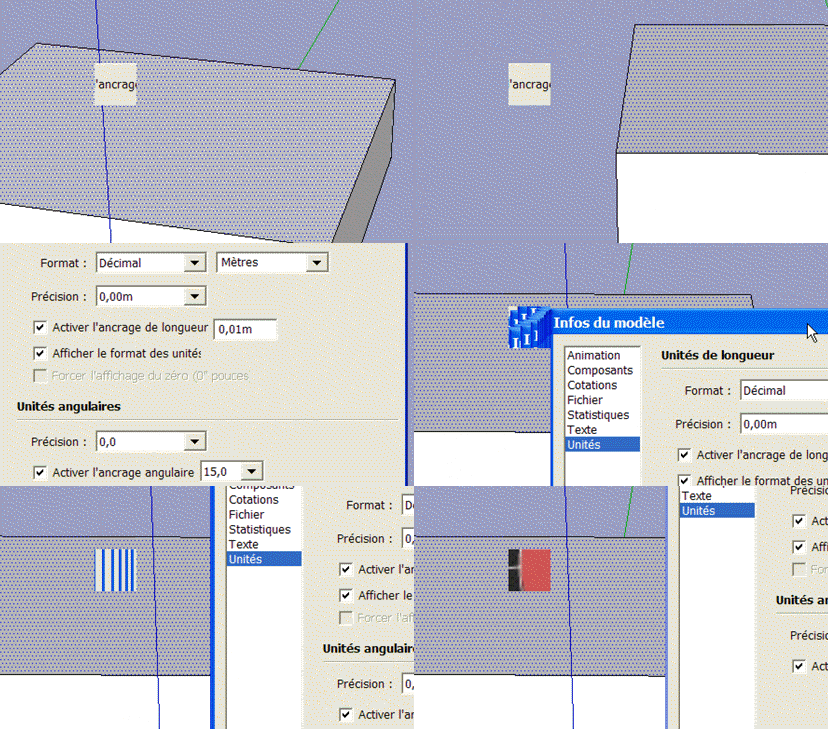
      Since a few time, I experiment a strange square bug appearing on my SketchUp window. It come the same with my Sketchup 6, 7 and 8 installed on my PC (Windows XP_SP3). This little square seems to take snapshots from various instants and sometimes disappears when I close a window tool or else that I haven't actually exactly determined.

      http://i274.photobucket.com/albums/jj245/Spendauballet/videos/SquareBug2.gif

      Is there someone with some information about this?

      ๐Ÿ˜• simon

      PS: scan antivirus ok _ other applications work ok.

      posted in SketchUp Bug Reporting sketchup
      simon le bonS
      simon le bon
    • RE: Flames for fire place

      Made with Pilou online Flame Painter ๐Ÿ‘ ๐Ÿ˜‰


      http://i274.photobucket.com/albums/jj245/Spendauballet/generalPicts/thFlame_20111229-015807.jpg


      http://i274.photobucket.com/albums/jj245/Spendauballet/generalPicts/thFlame_20111229-020522.jpg

      ๐Ÿ˜Ž simon

      posted in SketchUp Tutorials
      simon le bonS
      simon le bon
    • RE: Window components cut opening

      Dear Walt and all,
      I have always found the gluing and cutting option for a component, and the management of the axes remarkably unclear. ๐Ÿ˜‰

      Here is the SketchUp Guide reference text.

      Fortunately the SketchUp sages had come ๐Ÿ˜„
      Here is a reminder (avoiding doubling informations):
      ->

      @dave r said:

      ->The red/green plane is the gluing plane.
      When you create the component you need to adjust the axes so the red/green plane is in the right plane and the right location.

      ->when you set the axes for the component, make sure the origin is in a location that makes it easy to insert them into the model.

      ->

      @tig said:

      ->A gluing/cutting component has a special axis arrangement - the blue axis is always perpendicular to the face it's placed onto.

      ->When you make a gluing / cutting component create it on a face so that its axes are automatically set correctly on creation

      ->You can always change a component's axes after creation using the right-click context-menu 'change-axes'

      ->

      @gaieus said:

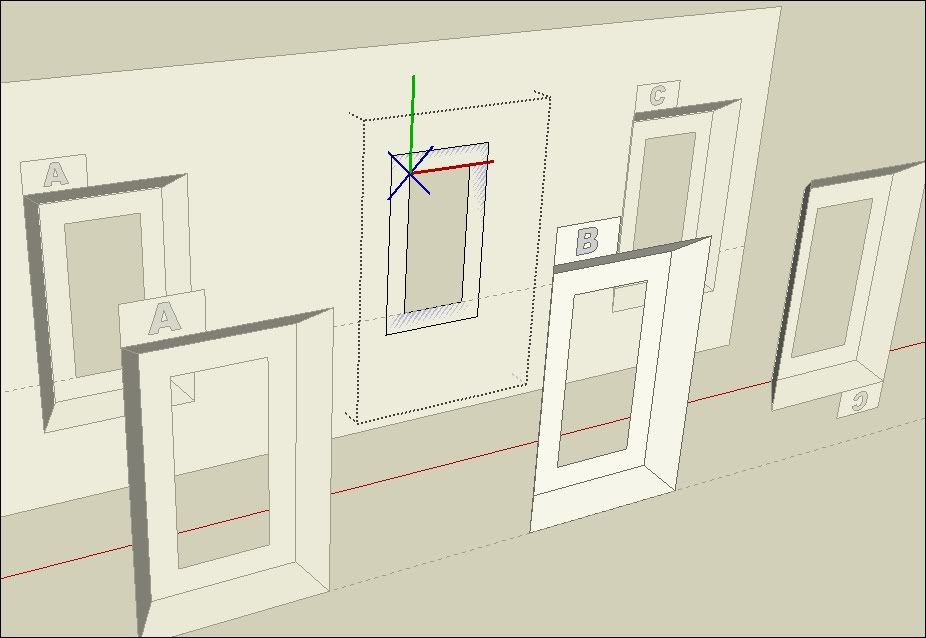
      ->Whenever it's possible, I start my gluing/cutting components on an existing face. Draw a rectangle, and make it a component. This component is automatically set to glue and to cut opening in this case.

      -> Since it is still 2D, setting the gluing plane (grey area) is still easy.

      ->The component origin will also be the default insertion point when you drag it from the component browser later.

      -> Also notice the special axis system of the component.
      Its gluing/cutting plane is always its red/green plane and the blue axis is "X'ed out".

      ->(When you right click on a component like this and save it "as" and open the new file, therefore the parts of the component are lying on its "back").

      -> Once you created the component as a starting rectangle, you can go on editing and add details to it and it will retain its gluing and cutting properties as long as there is a closed, co-planar loop of loose/raw edges on that gluing plane inside the component.

      Here is my cent:

      ->the gluing option (vertical, horizontal,..) refers to the faces of the model on which we are going to glue our component.

      -> whatever the axes you choose, they are glued to the faces invariably the same. This represents a good basis to predict how to place the axes..
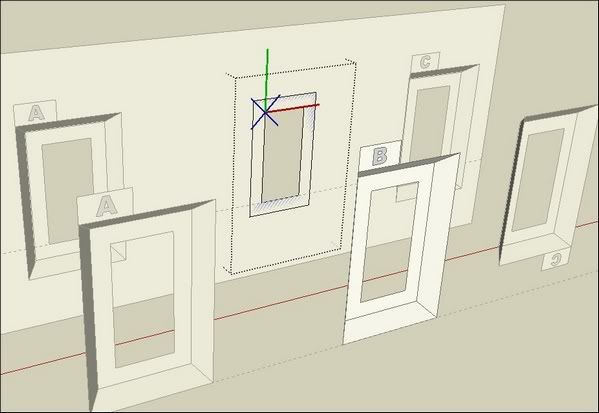
      http://i274.photobucket.com/albums/jj245/Spendauballet/SketchUp/thComponentGlueTo_005.jpg

      -> My solution(also described by Gaieus) constits in positioning the geometry (this is simpler if it is set as a group) around the existing axes.

      See the video:
      [flash=690,400:11xbb94w]http://www.youtube.com/v/xYPAg1S1kVw[/flash:11xbb94w]

      ++simon

      posted in Newbie Forum
      simon le bonS
      simon le bon
    • RE: Catchup Edition 6

      So much thanks to the team for such a remarkable publishing.

      I just have finished to read the David Hier article about modeling architecture "VILLA" (p20) and have found it definitely intructive.

      ๐Ÿ˜„ simon

      posted in SketchUp Discussions
      simon le bonS
      simon le bon
    • RE: Best (free) way to import DWG to SU 8 Free?

      The plugin well cited by NumbThumb is from our regretted honoluludesktop:

      Here is a post from Jim Foltz into the thread which links to a free dwg/dxf converter : [Plugin] Dxf_In v1.2

      -->>Teighaยฎ File Converter

      Please notice that Jim is also the author of the same idea plugin: [Plugin] FreeDXF Importer 2011-12-21

      I don't know the differences between them.

      ++simon

      posted in Newbie Forum
      simon le bonS
      simon le bon
    • RE: Window components cut opening

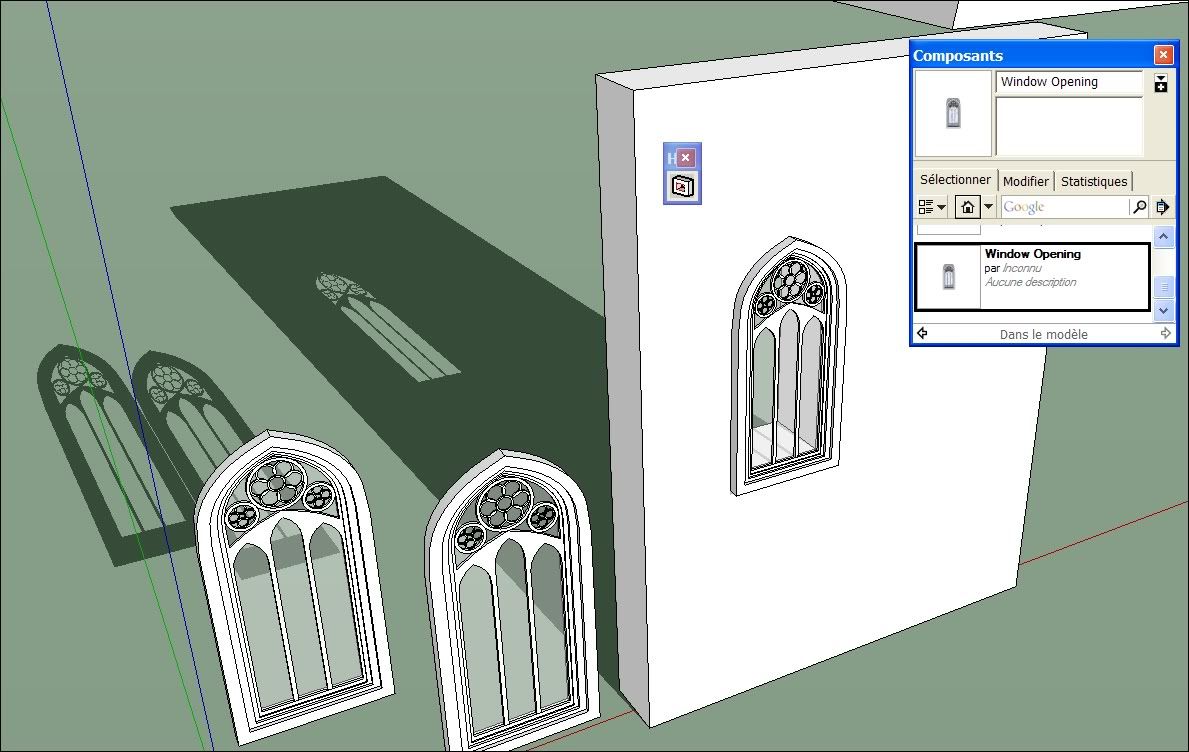
      Here is a little reminder I have made some days ago, attached to a useful nice Plugin thread ..

      [Plugin]Hole on Solid tool v1.6 upadate Dec 14, 2011


      http://i274.photobucket.com/albums/jj245/Spendauballet/SketchUp/th_HoleonSolidtool_tak2hata_009.jpg

      The trick (don't know if others do the same): Make the opening profile the main component, given to it the gluing abilities. Then paste into it as a group or component the proper window geometry...

      ๐Ÿ˜‰ simon

      posted in Newbie Forum
      simon le bonS
      simon le bon
    • RE: Beckford's Folly

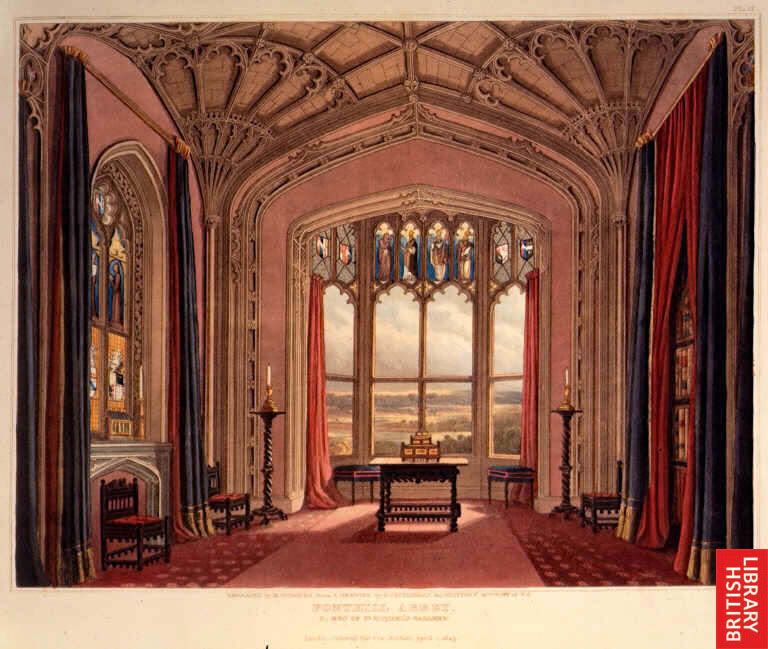
      Strange story as that of William Thomas Beckford:

      @unknownuser said:

      In 1771 when was ten years old, he inherited ยฃ1.000.000 and annual income of ยฃ100.000. After years of traveling abroad and a failed marriage he decided to have a Gothic cathedral built.

      ...

      @unknownuser said:

      Beckford's 500 laborers worked in a day and a night shifts.

      ...

      @unknownuser said:

      ...and decided to use faster materials like timber and cement - instead of more appropriate stone or bricks....
      The first part was the tower that reached about 300 feet (91 meters) before it collapsed.

      http://img.photobucket.com/albums/v241/Phobos.europe/FonthilAbbey29.jpg

      @unknownuser said:

      Beckford lived alone in his abbey and used only one of its bedrooms for his own use. His kitchens prepared food for 12 every day although he always dined alone and sent other meals away afterwards. Only once, in 1800 he entertained guests when Admiral Horatio Nelson and Lady Hamilton visited the Abbey.

      Strange story and strange man. That sound like a Orson Welles's film: I can't avoid to think to Citizen Kane....


      @tadema said:

      ... All credit to numbthumb for suggesting this project.

      This refers to your recent Thread and Numbthumb post: Windermere ๐Ÿ˜‰

      @tadema said:

      Fonthill Abbey, Wiltshire.
      Modeled over 6 days, finally found time to finish the model. Family life should never come between man and Sketchup!

      Oh my!! 6 days;;;; but as we are driven to say: only 6 days ๐Ÿ˜ฎ _ I can understand the passion which keeps you 6 days long and at the same time the difficulty to justify this to the family.. But At the end, what a fantastic piece of work John!!
      @unknownuser said:

      this was a challenge as I only had a floor plan and one section cut, so it was quite a trial end error at times.

      I am actually modeling laboriously a house (I don't speak about the number of days ๐Ÿ˜• ) from a floor plan and elevations views.
      It appears not evident to choose what to draw first and in what order. Do we have to elevate the walls with their thickness or just first the global volumes. Do we have to draw the timber before the roof,,,. Many details are missing. how to reinvent what is hidden. It is a bit like to complete a skeleton with missing bones..... etc..

      Would you be enough kind to share some of your method and few tricks?
      Something between picture 2 & 3 ๐Ÿ˜‰

      Ho! Numbthumb had put Beckford's Folly into Most impressive SketchUp modelling thread.
      +1 for me

      ๐Ÿ˜„ simon

      posted in Gallery
      simon le bonS
      simon le bon
    • RE: 3d Text editing plugin?

      Additionally, For 3D text, You can use [Plugin] Super Drape v3.1 from a certain .. ..TIG

      http://forums.sketchucation.com/download/file.php?id=75805&t=1

      and maybe Fredo's [Plugin] Joint Push Pull to give the letters some thickness..

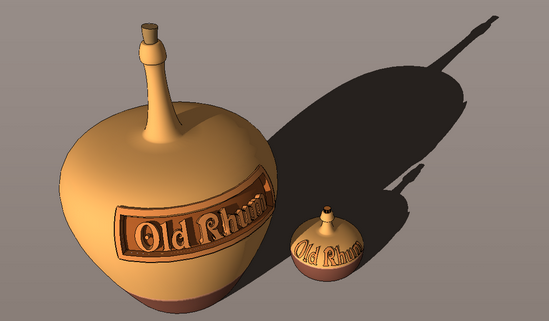
      http://i274.photobucket.com/albums/jj245/Spendauballet/SkechUcation/GoodOldRum_A/ShapeBender_FinalB550.png

      ๐Ÿ‘ ๐Ÿ‘ ๐Ÿ˜‰ simon

      posted in SketchUp Discussions
      simon le bonS
      simon le bon
    • RE: Happy Holidays to All


      http://i274.photobucket.com/albums/jj245/Spendauballet/generalPicts/thNoel_SCF_001-1.jpg

      posted in Corner Bar
      simon le bonS
      simon le bon
    • RE: A Thread for Fine Design

      Hi dear Dale,

      Hope your new home's enough warm into this "fresh" new winter!!
      I have found (seems to me) some interesting entries to go through your Fine Design Thread. So here they are:


      http://www.thecoolhunter.net/images/tree1.jpg


      http://www.plataformaarquitectura.cl/wp-content/uploads/2011/11/1320181197-1319729907-img-8997-1000x658-528x347.jpg

      (this next is ugly imo ๐Ÿ˜† )

      http://www.plataformaarquitectura.cl/wp-content/uploads/2011/12/1322841260-portable-office-528x416.jpg


      http://www.yankodesign.com/images/design_news/2011/12/01/spiral_burner6.jpg


      http://s3images.coroflot.com/user_files/individual_files/220026_92lmliO03oRFGtEvR0LDuxgFu.jpg

      My prefered ๐Ÿ˜„

      http://www.guylaramee.com/files/gimgs/18_grand-larousses.jpg

      ++ Merry Christmas to each of you!
      Simon

      posted in Corner Bar
      simon le bonS
      simon le bon
    • RE: [Plugin] ShadowProjector

      @unknownuser said:

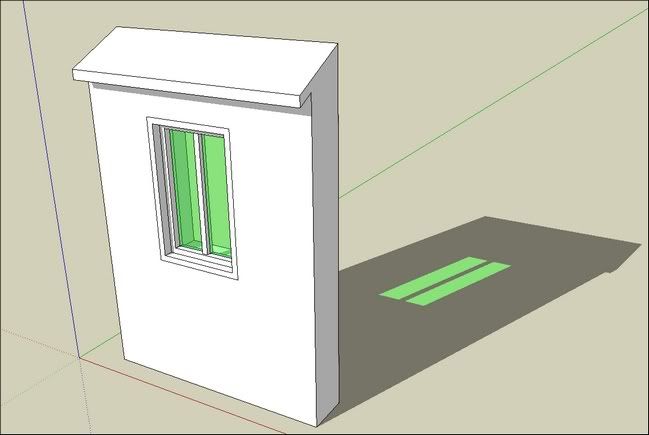
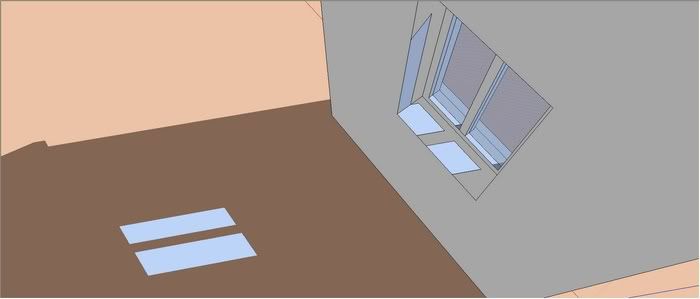
      Because faces using a translucent material don't show normal shadows you can now use this tool to add a visible translucent 'gray' shadow-group face [with no edges] onto selected window-glass etc,

      http://i274.photobucket.com/albums/jj245/Spendauballet/SketchUp/ShadowProjector_TIG_009.jpg

      http://i274.photobucket.com/albums/jj245/Spendauballet/SketchUp/ShadowProjector_TIG_010.jpg

      As it is, it's already a great tool dear TIG

      Thank you so much to make SketchUp each day growing as a wonderful application

      ++simon

      posted in Plugins
      simon le bonS
      simon le bon
    • RE: [Plugin] ShadowProjector

      Dear TIG

      @unknownuser said:

      I can get it to work with reduced complexity [removing the 'glass']...


      Hiding the glass, or putting it onto an 'off' layer work too...

      As I can conclude , ShadowProjector not only take in account the geometry casted by the shadowed selected face, but also the entire geometry of the model.๐Ÿ˜’
      ๐Ÿ˜•

      @unknownuser said:

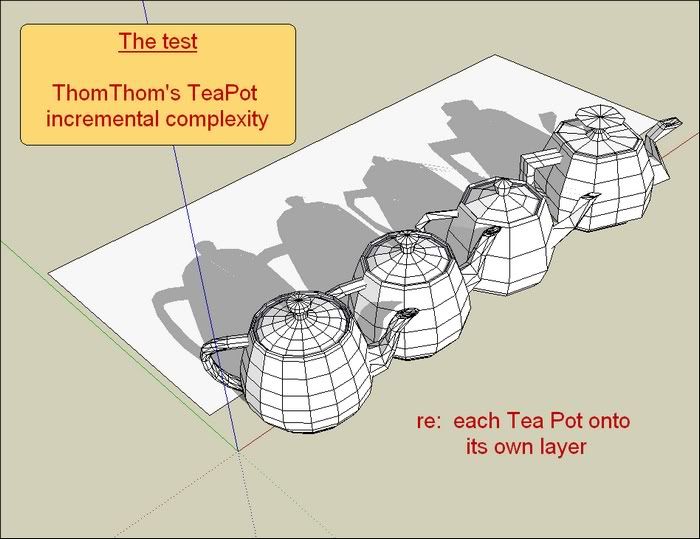
      I'm going to test the ShadowProjector with incremental complexity models...

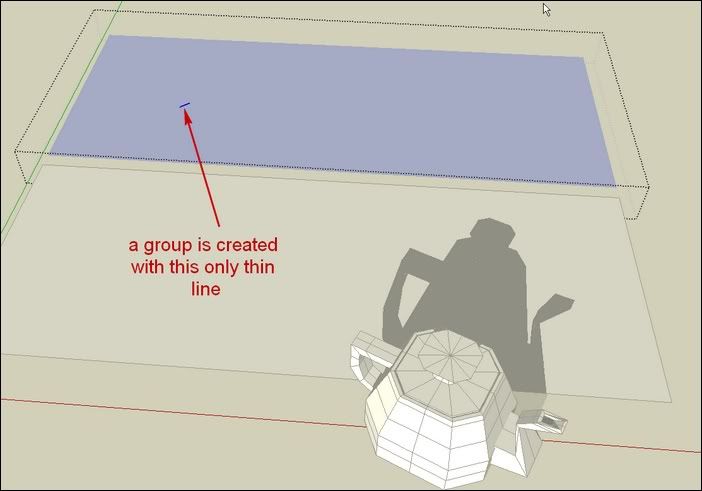
      Alas ShadowProjector is stopped by the first model ๐Ÿ˜•

      http://i274.photobucket.com/albums/jj245/Spendauballet/SketchUp/ShadowProjector_TIG_006.jpg

      http://i274.photobucket.com/albums/jj245/Spendauballet/SketchUp/ShadowProjector_TIG_007.jpg

      TIG_shadowProjector_incrementalComplexity.skp

      Simon.

      PS1: I am not happy to be the one who show the tool limitations ๐Ÿ˜ณ

      PS: [Plugin] Teapot (1.0.0) โ€” 01 December 2009

      posted in Plugins
      simon le bonS
      simon le bon
    • RE: Whats Your Best Method Of Animation With SU?

      Hi all,

      New to the thread, interested & with no experience. ๐Ÿ˜‰

      Do you remind this work done by shareck ๐Ÿ‘ ๐Ÿ˜ฎ
      SketchUp + Sketchyphysics + Twilight= 4x4 Vehicule Animation!

      And this extraordinary work by Mateo Soletic on "animated Section Planes"

      And this strange SU + Virtual reality presented by Chris Fullmer

      Voodoo Camera Tracker Importer - March 9, 2011
      [url][/url]


      Here are "as is" my Camera Tools' links:

      Official Google SketchUp Blog: Introducing the Advanced Camera Tools

      Regular Polygon_[$] Keyframe Animation 1.4 (update 2011-05-27)

      macgile_CameraKeyMaker 1.0 (Update 2011-04-09)

      SU Animate

      RickWilson_CameraControls

      RickWilson_CameraDistance

      Jan Sandstrรถm/Pixero_JS Focal length

      ChrisFullmer/pixero_Camera Recorder (Pixero update)

      AidanChopra_Setting your field of view

      jharchar_Consecutive animations is it possible?

      ๐Ÿ˜Ž s

      posted in Extensions & Applications Discussions
      simon le bonS
      simon le bon
    • RE: Happy Birthday Tavi (aka TBD)

      Happy birthday Dear Tavi +++

      http://i274.photobucket.com/albums/jj245/Spendauballet/SketchUp/Spendo01_400.jpg

      *simonlebon

      posted in Corner Bar
      simon le bonS
      simon le bon
    • RE: Seamless Snowy Trees

      Great ๐Ÿ‘ ๐Ÿ‘
      Thank you Alan

      ++Simon

      posted in SketchUp Components
      simon le bonS
      simon le bon
    • RE: [Plugin] ShadowProjector

      Hi TIG,

      @unknownuser said:

      I can get it to work with reduced complexity [removing the 'glass']...

      Me too ๐Ÿ‘ ๐Ÿ˜‰

      http://i274.photobucket.com/albums/jj245/Spendauballet/SketchUp/ShadowProjector_TIG_005.jpg

      I'm going to test the ShadowProjector with incremental complexity models...

      thank you for your patience and kindness

      *s

      posted in Plugins
      simon le bonS
      simon le bon
    • RE: [Plugin] ShadowProjector

      Hi TIG ๐Ÿ˜‰

      This tool is a great idea ++ ๐Ÿ‘
      I'm very sorry The updated rb doesn't work at all and anymore for me (and the first version is overwrited arghhh!).

      Please can you pick an eye on my following SketchUp 7 model ?

      TIG_shadowProjector002.skp

      Sorry for trouble ๐Ÿ˜•

      ++simon

      posted in Plugins
      simon le bonS
      simon le bon
    • RE: Windermere

      Nice discover dear Numbthumb ๐Ÿ‘ ๐Ÿ‘

      Your first link is especially interesting for the plates which are of very good quality and downloadables and then offer a good documentation to work on ..

      example this longitudinal section :
      http://beckford.c18.net/Bilder/rutterdelplate3fac9whole.jpg

      The book itself can be downloaded in pdf . The best edition I have found is located on "Open Library"

      [url=http://openlibrary.org/books/OL6925386M/Delineations_of_Fonthill_and_its_abbey.:2sxvaw5h]Delineations of Fonthill and its abbey. By John Rutter...Published 1823[/url:2sxvaw5h]

      ++simon

      And Ho! Sorry Tadema! I have forgotten to congratulate you (on more time) for this last work !

      @unknownuser said:

      Ok no doubt you will all be bored to tears of these by now
      ๐Ÿ˜†
      No doubt that your audience is growing to a considerable crowd..

      posted in Gallery
      simon le bonS
      simon le bon
    • RE: [Plugin] ShadowProjector

      Hi John

      You are right in the way I never take enough care of the scale !!! ๐Ÿ˜‰
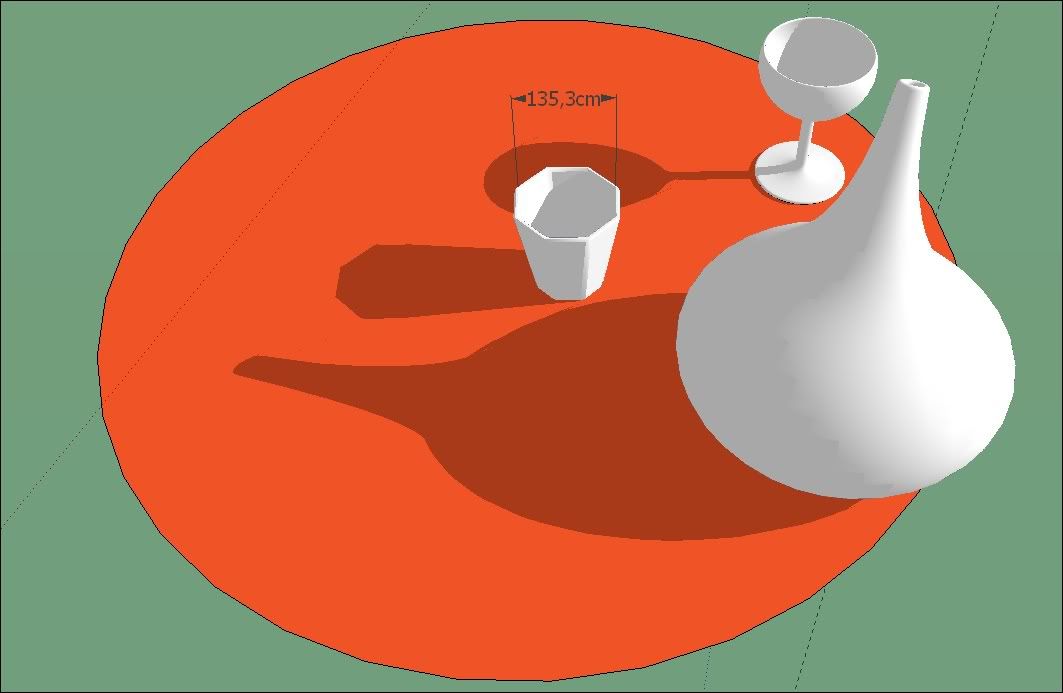
      In this occurrence, the scale is not too small but too big: a glass of 135cm width !! You may be thirsty ๐Ÿ˜ฒ


      http://i274.photobucket.com/albums/jj245/Spendauballet/SketchUp/thShadowProjector_TIG_004.jpg

      ++simon

      posted in Plugins
      simon le bonS
      simon le bon
    • RE: [Plugin] ShadowProjector

      Dear Tig,

      @tig said:

      Because faces using a translucent material don't show normal shadows you can now use this tool to add a visible translucent 'gray' shadow-group face [with no edges] onto selected window-glass etc, to fake these shadows in a Sup render...

      That was exactly what I wanted to experiment: colored glasses and their colored shadows...

      Glasses and bottle are drawn , but ๐Ÿ˜• I can't make to "ShadowProjector" draw their shadows.. Probably too complex shapes.

      http://i274.photobucket.com/albums/jj245/Spendauballet/SketchUp/thShadowProjector_TIG_002.jpg

      ๐Ÿ˜’ simon

      posted in Plugins
      simon le bonS
      simon le bon
    • 1 / 1