So it’s working now? I’ll send the dev an email about your findings
Oops, your profile's looking a bit empty! To help us tailor your experience, please fill in key details like your SketchUp version, skill level, operating system, and more. Update and save your info on your profile page today!
Urasik Extensions | Lots of new extensions to check out Learn More
 Online
Posts
-
RE: MARIOCHA Format 3D: SketchCuisine via SketchUcation plugin is not functioning correctly.
-
RE: MARIOCHA Format 3D: SketchCuisine via SketchUcation plugin is not functioning correctly.
Did you open the Ruby Console to see if there are errors?
-
RE: SCFLicense: Extension Licensing on Sketchucation
If you email me at support@sketchucation.com with the device ID I can reset it for you.
-
RE: SCFLicense: Extension Licensing on Sketchucation
I want to release all my seats for Fredocorner, but I can only release one seat. What should I do?
Update extensions on the device that has no online releasing at https://sketchucation.com/webshop/my-licences.php
-
RE: Fredocorner freezing
Lots to consider. Generating geometry is intensive and since you have not shared any info regarding the details it is hard to say why.
Can you share the model or a portion of it where this happening?
-
RE: Error AOC with Round Corner Plugin
Did you follow the prompt and delete the signature and restart SketchUp?
-
RE: Modeling with mdkBIM
Tidy design. South facing for the bedrooms?
-
RE: [Plugin][$] RoundCorner - v3.4a - 31 Mar 24
Did you check https://sketchucation.com/webshop/my-licences.php ?
I see an email in our Spam for your email address and when we replied we got the following:
This is the mail system at host pe-b.jellyfish.systems.

I'm sorry to have to inform you that your message could not
be delivered to one or more recipients. It's attached below.

For further assistance, please send mail to postmaster.

If you do so, please include this problem report. You can
delete your own text from the attached returned message.
From our side we can see your licenses are at https://sketchucation.com/webshop/my-licences.php and have been since purchase.
-
RE: Rayscaper New Releases
Is there a preferred method of removing Rayscaper? Issues with the latest build have been impossible to recover from so far.
@pixelcruncher would be best placed to advise. Did you send him log files?
-
RE: [Plugin] D5 Lite: Real-Time AI Rendering Plugin for SketchUp
Send me an email at support@sketchucation.com and we will sort you out.
-
RE: [Plugin][$] RoundCorner - v3.4a - 31 Mar 24
how long does it take to receive the licence once paid? It's been 24 hours and nothing. Is this normal?
Near instant in most cases. Tops 1-2hrs.
Only time you don't get anything is when the payment processors and your bank have issues and the payment goes into Pending until resolved.
If you email support@sketchucation.com with payment details we can look it up to see.
Did you check https://sketchucation.com/webshop/my-licences.php ?
-
RE: Been a while.
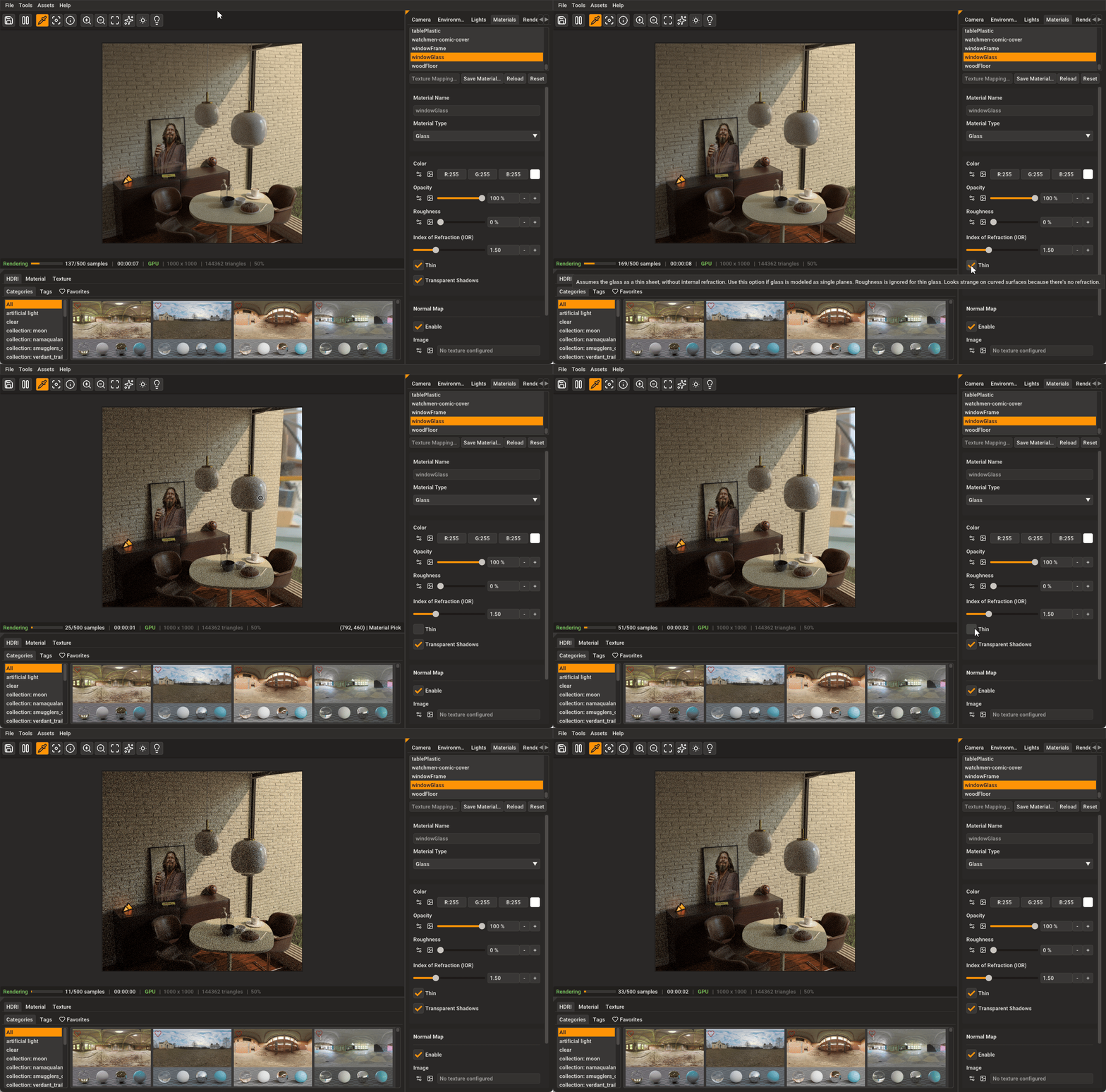
Your glass is not right. You can see the distortion due to IOR.
Can you screenshot your glass material setup in the Rayscaper dialog?
-
RE: Rendering on enterprise hardware: Is a 12-core Xeon blade actually worth it?
working on massive site plans with lots of high-poly foliage, my current workstation starts to chug during orbit and zoom operations
That would be common in SketchUp. Especially if the file is not optimised correctly.
For smooth daily modeling and viewport work
- Go for high clock speed (CPUs with strong single-core/turbo performance, ideally 4.5–5.5+ GHz boosts). Intel Core i7/i9 or AMD Ryzen 9000-series chips.
- For pure rendering power more cores
In SketchUp, most people stick with consumer-grade high-frequency CPUs because the modeling experience feels better. Enterprise gear is fantastic as a secondary render machine, though.
-
RE: How to publish a new extension
Hey,
Sorry, we were firefighting an Amazon AWS issue the past week so your request slipped through cracks.
I'll reach out via email this week.
-
RE: Update Notices
Launch Sketchucation Tools
Open SketchUp
Go to Extensions > Sketchucation > ExtensionStore
If there's a bell icon you have updates pending.
If you have the toolbar active we also add a Red Dot to the ExtensionStore icon as a prompt too.
-
RE: SCFLicense: Extension Licensing on Sketchucation
RoundCorner and Fredo Corner are separate extensions.
-
RE: Been a while.
Kitchen area, note missing colour/items 2d export versus render.
Is the container(group/component) painted or the raw geometry? What does Entity Info say regards the selected container?
-
RE: Been a while.
What is the setup for the window glass? Is it thickened? Two planes?