sketchucation logo sketchucation
    • Login
    1. Home
    2. Rich O Brien
    3. Best
    Oops, your profile's looking a bit empty! To help us tailor your experience, please fill in key details like your SketchUp version, skill level, operating system, and more. Update and save your info on your profile page today!
    ๐Ÿ”Œ Easy Offset | Offset selected faces in SketchUp in positive and negative offsets. Download
    Offline
    • Profile
    • Following 29
    • Followers 13
    • Topics 468
    • Posts 11,924
    • Groups 8

    Posts

    Recent Best Controversial
    • RE: changing radius on a radius

      @Dave-R

      In the example file it's not as a clean and pre-planned as your good example.

      I think that it is doable but not on the file shared. Where the tube is intersecting the flat top face is a bit of a mess. The tube geometry has a few probably unintentional edges.

      You can do this but you need to pre-plan the profiles to get the nice results Dave does in his sleep.

      posted in SketchUp Discussions
      Rich O BrienR
      Rich O Brien
    • To infinity and beyond...

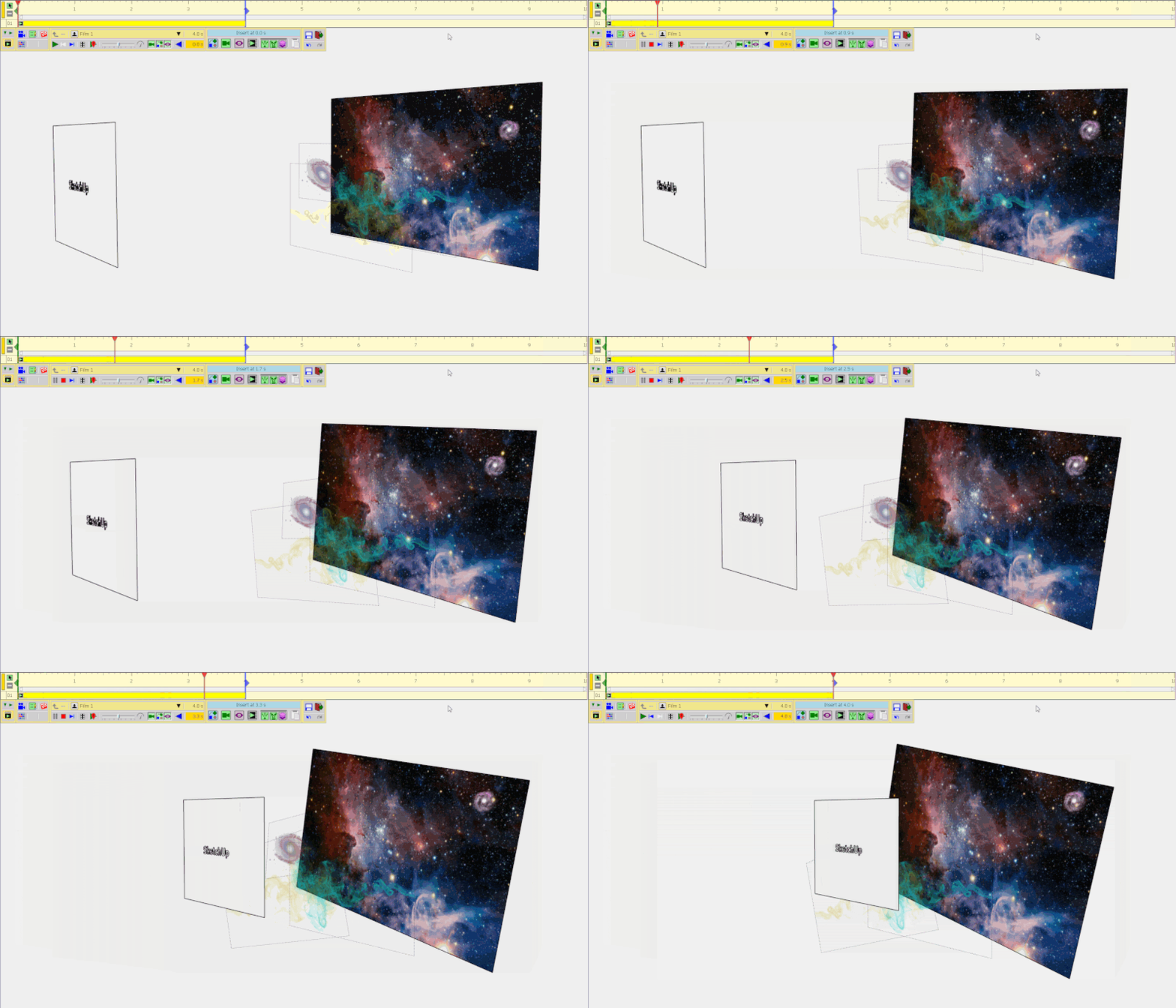
      Here's how it was made....click to play gif

      galaxy.gif

      posted in Gallery
      Rich O BrienR
      Rich O Brien
    • RE: Generic Handymax Bulk Carrier

      It's crazy to see the scale of these ships. Great stuff so far

      posted in WIP
      Rich O BrienR
      Rich O Brien
    • RE: Physics simulator

      @jumpjack said:

      could chatgpt automatically turn a 32 bit .rb source into 64 bit?

      ๐Ÿคฃ

      I asked it how to lose weight and it beat me up and took my shoes

      posted in Extensions & Applications Discussions
      Rich O BrienR
      Rich O Brien
    • RE: A small just for fun animation, made with Fredo6's Animator Plugin

      @HornOxx

      Link Preview Image
      To infinity and beyond...

      Here's how it was made....click to play gif

      favicon

      sketchucation (community.sketchucation.com)

      Took me ages to find it. But I love this type of use of SketchUp. PNG billboards are such powerful assets.

      posted in Gallery
      Rich O BrienR
      Rich O Brien
    • RE: Old Model Architectural.

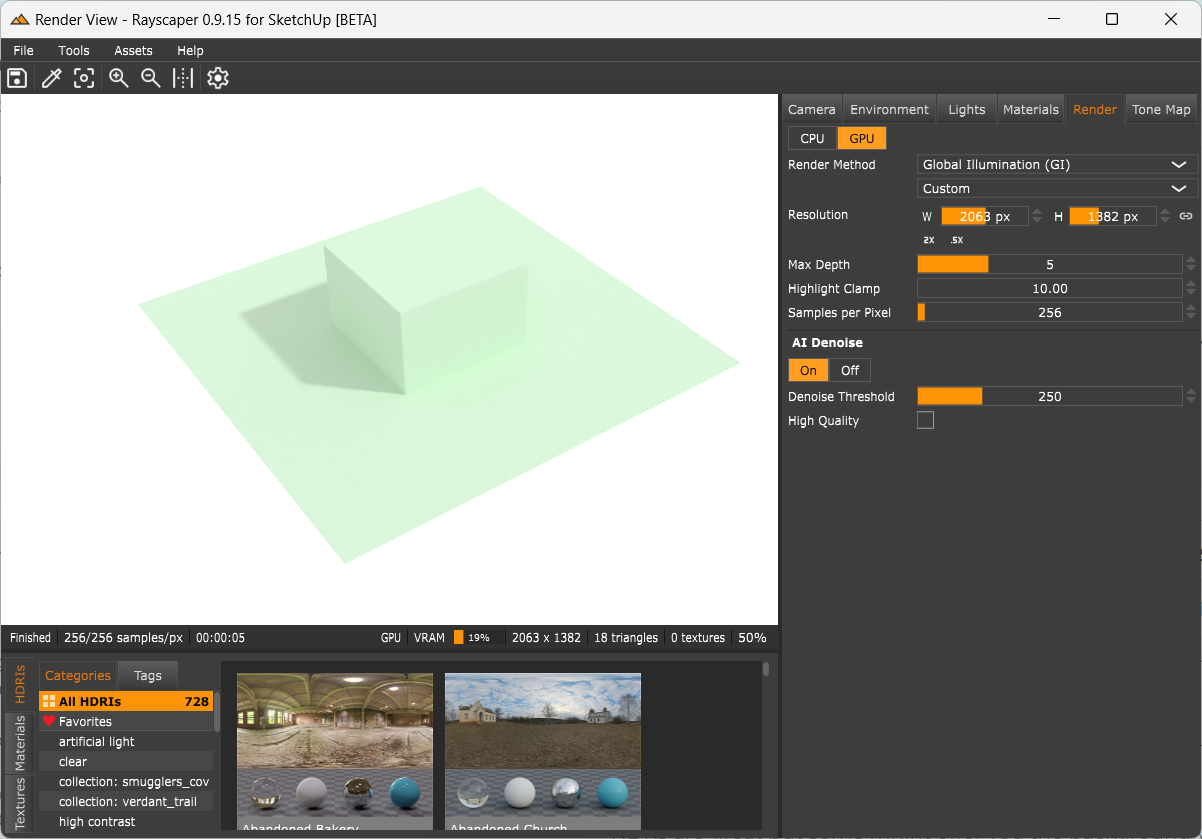
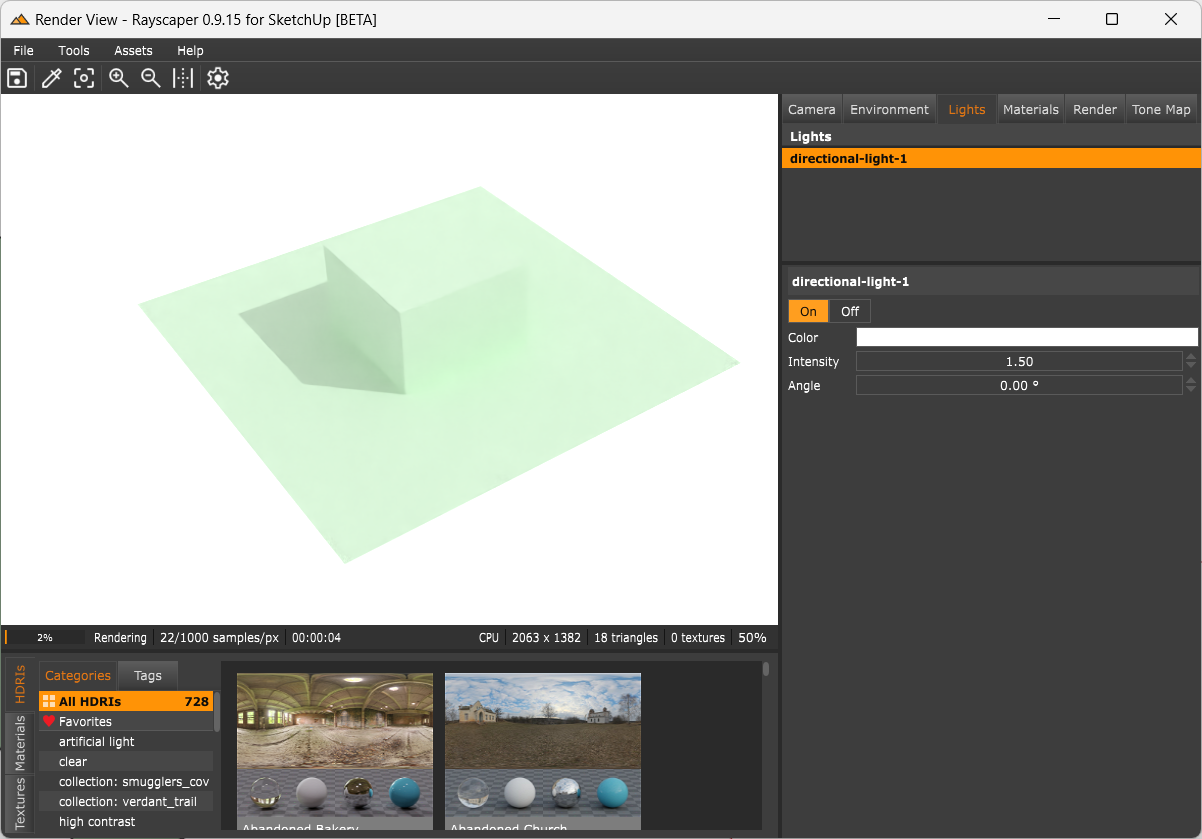
      I think you see a big improvement in the next Rayscaper Beta build. Thomas has identified and fixed a major issue related to how materials were rendering mesh normals.

      From my tests on this new build I am getting more consistent and believable material results. It was something that was bugging me for a long time.

      I won't mention the other changes as that's for Thomas to speak on. But I am enjoying so far.

      posted in WIP
      Rich O BrienR
      Rich O Brien
    • RE: Julia Eneroth's Viewport Resizer / SketchUp 2023

      @HornOxx can you describe what it is you want to do?

      posted in Extensions & Applications Discussions
      Rich O BrienR
      Rich O Brien
    • RE: Playing arround with Sketchup diffusion

      @jo-ke I never know what to say about AI images...

      Its impressive at what it does.

      posted in Gallery
      Rich O BrienR
      Rich O Brien
    • RE: Underground Carpark

      Itโ€™s the approx method and took about 90secs.

      This new AI denoising on demand is actually improving render times by quite a large factor.

      On the older builds it felt like the denoiser was running after each resolve. Now you can render, pause, check the denoise, turn it off and resume rendering again. Itโ€™s noticeably faster.

      The light values too feel better. Itโ€™s not that orange kelvin anymore.

      Good stuff so far.

      posted in WIP
      Rich O BrienR
      Rich O Brien
    • RE: Julia Eneroth's Viewport Resizer / SketchUp 2023

      @HornOxx The reason I ask is because I use a AutoHotkey Window Resizer to resize SketchUp so the my viewport is a particular ratio. It takes a little bit of setup but saves me from guesswork.

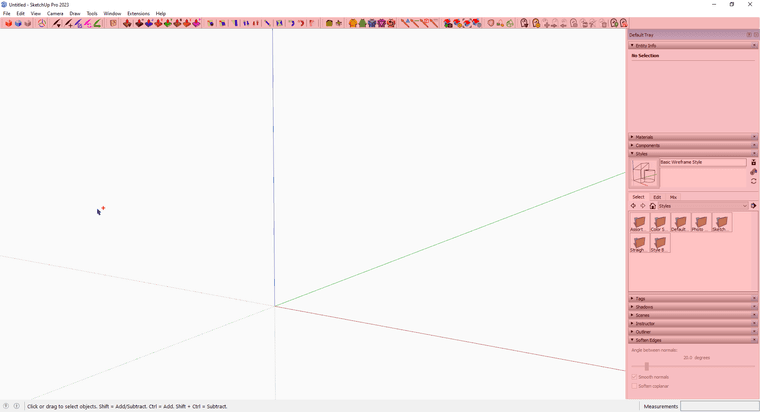
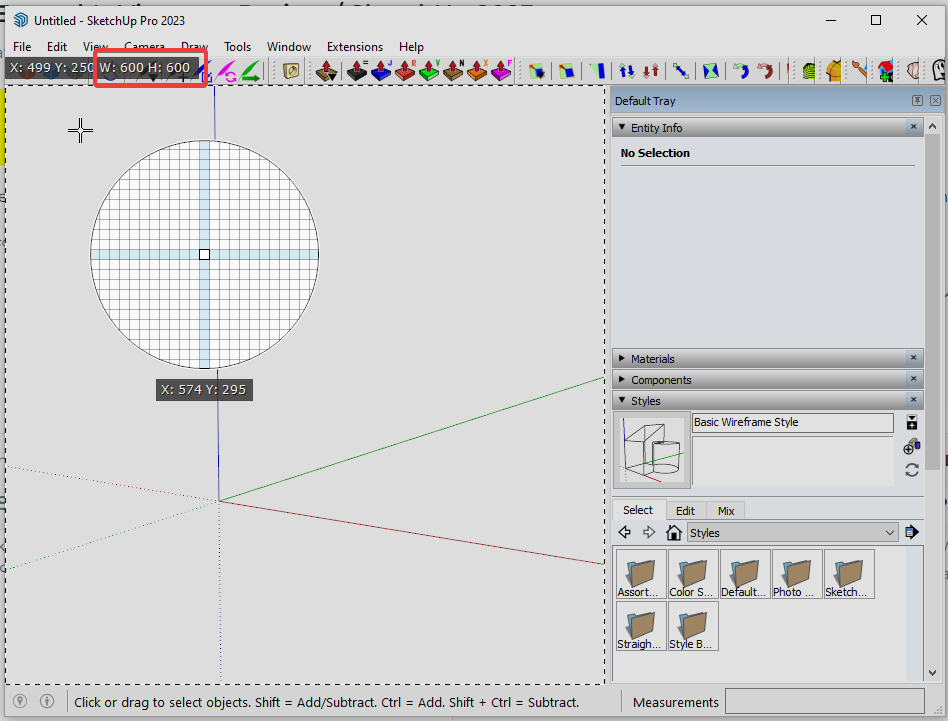
      As an example if I hit CTRL+F10 it resizes SketchUp so its viewport is 600px x 600px. Now I can export 1:1 image ratio at whatever resolution I need.ShareX_XHP5wdLNgr.png

      Its a bit hacky but I've used it for years.

      posted in Extensions & Applications Discussions
      Rich O BrienR
      Rich O Brien
    • RE: New Year's Pictures

      @Tru-la-la Lol....I wish I had that hair and the bike!

      My Opel Combo is not as cool ๐Ÿ˜ž

      The sparkle material is nice!

      posted in Gallery
      Rich O BrienR
      Rich O Brien
    • RE: Underground Carpark

      @L-i-am i built it. It's about 15 components just arrayed around

      posted in WIP
      Rich O BrienR
      Rich O Brien
    • RE: Julia Eneroth's Viewport Resizer / SketchUp 2023

      @TIG said

      but Rich knows how, and perhaps he can share his example script, or point you/us to someone else's ?

      To be clear, my AHK script, is cobbled together from other scripts and is dependent on a particular UI setup in SketchUp. This is a complete hack with a very blunt axe but it works for me.

      • Windows only
      • SketchUp 2023 (but you can customize for earlier releases)
      • Single horizontal Toolbar stack
      • Tray on but sized to narrowest width

      SketchUp_CnTeLQAdHP.png

      NOTE: This works on any active window its not limited to SketchUp

      Download and install AutoHotkey
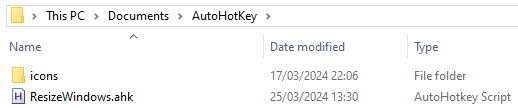
      Download and unzip this into a folder wherever you want on your system
      ๐Ÿ”ฝ Resizer.zip
      explorer_EddRrVrdcL.png

      If you double click the ResizeWindows.ahk it will add an icon to your tray so you know when you have it active for use.

      Uj1ksf5V87.png

      The shortcuts keys I've set are:

      • Ctrl+F10 1:1 @600px x 600px
      • Ctrl+F9 4:3 @800px x 600px
      • Ctrl+F8 16:9 @800px x 450px
      • Ctrl+F7 21:9 @945px x 405px
      • Windows Key + LMB will hide the title bar of active window (Utility)
      • Windows Key + RMB will show the title bar of active window (Utility)
      • CTRL+ALT+LMB to toggle always on top (Utility)
      • CTRL+SHIFT+F8 display a popup with the Width/Height of active window (Utility)

      If you open the ResizeWindows.ahk with a text editor you will see the following:

      #NoEnv
      #SingleInstance, force
      #Persistent
      SendMode Input
      SetWorkingDir %A_ScriptDir%
      Menu, Tray, Icon, %A_WorkingDir%\icons\resize.png ,, 1 ; icon
      
      #installKeybdHook
      TrayTip, %A_ScriptName%, Started, 1
      
      ^+F8:: ; Get window stats to create more presets below
      WinGetActiveStats, winT, winW, winH, winX, winY
      WinGetClass, class, A
      MsgBox, 
      (
      - TITLE
      %winT%
      
      - DIMENSIONS
      %winW%  x  %winH%
      )
      return
      
      ^F10::ResizeWin(956,719) ; Ctrl+F10 1:1 @600px x 600px
      ^F9::ResizeWin(1156,719) ; Ctrl+F9 4:3 @800px x 600px
      ^F8::ResizeWin(1156,569) ; Ctrl+F8 16:9 @800px x 450px
      ^F7::ResizeWin(1301,524) ; Ctrl+F7 21:9 @945px x 405px
      
      ^!Lbutton:: ; Ctrl+Alt+Lbutton to toggle always on top
      WinGet, currentWindow, ID, A
      WinGet, ExStyle, ExStyle, ahk_id %currentWindow%
      if (ExStyle & 0x8)  ; 0x8 is WS_EX_TOPMOST.
      {
         Winset, AlwaysOnTop, off, ahk_id %currentWindow%
      }
      else
      {
         WinSet, AlwaysOnTop, on, ahk_id %currentWindow%
      }
      return
      
      ResizeWin(Width = 0,Height = 0)
      {
        WinGetPos,X,Y,W,H,A
        If %Width% = 0
          Width := W
        If %Height% = 0
          Height := H
        WinMove,A,,%X%,%Y%,%Width%,%Height%
      }
      
      ;-----------------------------
      ;Collapse titlebar
      LWIN & LButton::
      WinSet, Style, -0xC00000, A
      return
      
      ;Uncollapse titlebar
      LWIN & RButton::
      WinSet, Style, +0xC00000, A
      return
      ;-----------------------------
      
      
      Gui, +ToolWindow +AlwaysOnTop -SysMenu -Caption +Border
      Gui, Color, cCCCCCC
      SetTimer, Draw, 100 
      
      Draw:
      MouseGetPos, MouseX, MouseY, MouseWin ; get mouse coords/window
      WinActivate, %MouseWin%
      
      WinGetActiveStats, Title, WinW, WinH, WinX, WinY ; get the stats of the active window
      
      ; variables
      DrawW := (WinW)
      DrawH := (WinH)
      DrawX := (WinX - 1)
      DrawY := (WinY - 1) 
      
      ; show the gui
      Gui, Show, NoActivate w%DrawW% h%DrawH% x%DrawX% y%DrawY%, Draw
      WinSet, TransColor, CCCCCC, Draw
      return
      

      It is lines 24 to 27 that handle the resizing of the SketchUp window. These you may need to tweak to get the result you want. For me it does what I want. I could go into more details but look at this filthy hack length already.

      posted in Extensions & Applications Discussions
      Rich O BrienR
      Rich O Brien
    • RE: Merry Christmas !

      Its great Majid. Love it!

      posted in Gallery
      Rich O BrienR
      Rich O Brien
    • RE: Game Assets

      Loki Axe for some chop chop

      Loki Axe in 3D

      posted in WIP
      Rich O BrienR
      Rich O Brien
    • RE: Julia Eneroth's Viewport Resizer / SketchUp 2023

      @HornOxx said in Julia Eneroth's Viewport Resizer / SketchUp 2023:

      of course doesn't lead to the desired result on the basis of my SkUp setup

      You can just press CTRL+F10 to set it to 'My Square' and then use File > Export >2D Graphic. In the option box if you click Use View Size you will see what the image dimension is for you.

      Then adjust line 24 values accordingly to get you to 600px. Not the most elegant approach.

      I think the better approach would be to ask Fredo if his Screenshot tool in Fredo Portrait could be extended to handle this. It already has ratio based selecting.

      posted in Extensions & Applications Discussions
      Rich O BrienR
      Rich O Brien
    • RE: Dexter

      That brick and roof texture is so nice.

      Much prefer the latest without the foreground trees. Yummy renders all of them

      posted in Gallery
      Rich O BrienR
      Rich O Brien
    • RE: Game Assets

      Next up is a improvised sword comprised of a ride-on lawnmower blade and wooden handle...

      clwbhqD.png

      XZ81trH.png

      Not too keen on getting a belt of that!

      posted in WIP
      Rich O BrienR
      Rich O Brien
    • RE: "Sketchup go" question

      @L-i-am Go is Sketchup for Web through your browser with no extension support.

      If you want SketchUp desktop app you need the Pro plan. They don't offer a plan for just SketchUp without its companion apps.

      posted in Extensions & Applications Discussions
      Rich O BrienR
      Rich O Brien
    • RE: Tadao Ando stairs( Render)

      I'd have a serious chat with Sidney about the clock ๐Ÿ˜ฌ

      Few years ago I used have a Church of Light model that I'd test render engines with. Always liked Tadao Ando designs.

      posted in Gallery
      Rich O BrienR
      Rich O Brien
    • 1 / 1