Super!!!
Oops, your profile's looking a bit empty! To help us tailor your experience, please fill in key details like your SketchUp version, skill level, operating system, and more. Update and save your info on your profile page today!
Urasik Extensions | Lots of new extensions to check out Learn More
 Offline
Posts
-
RE: SubD examples and models
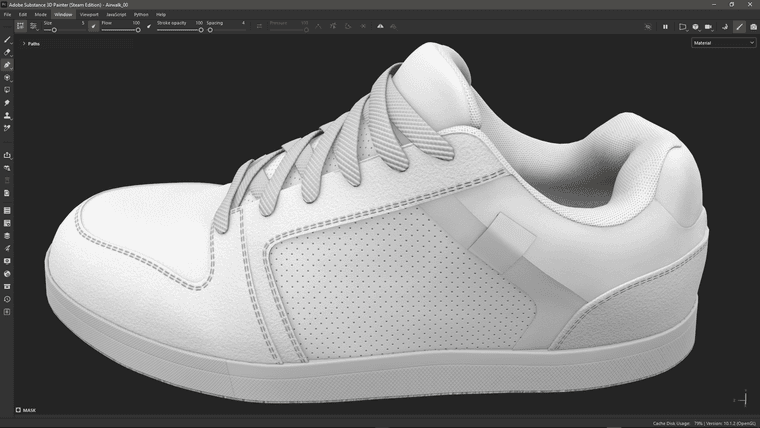
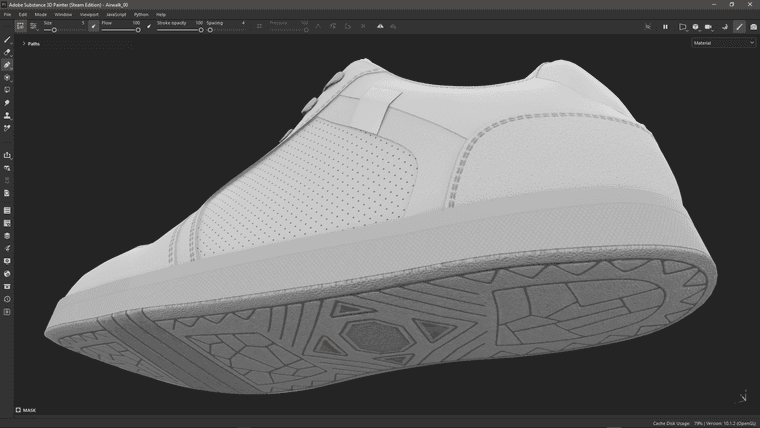
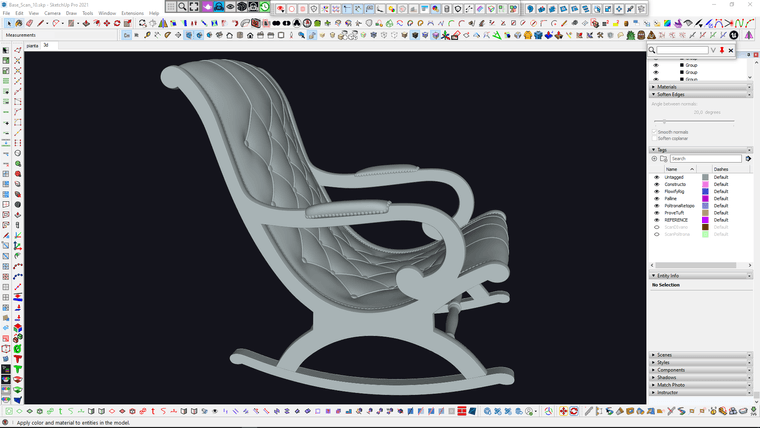
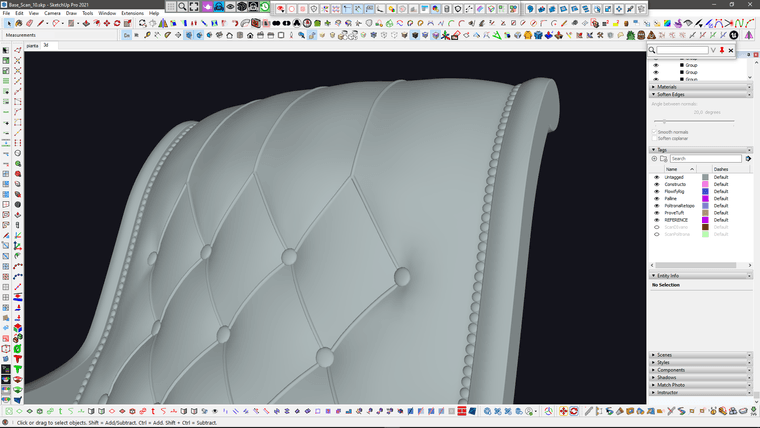
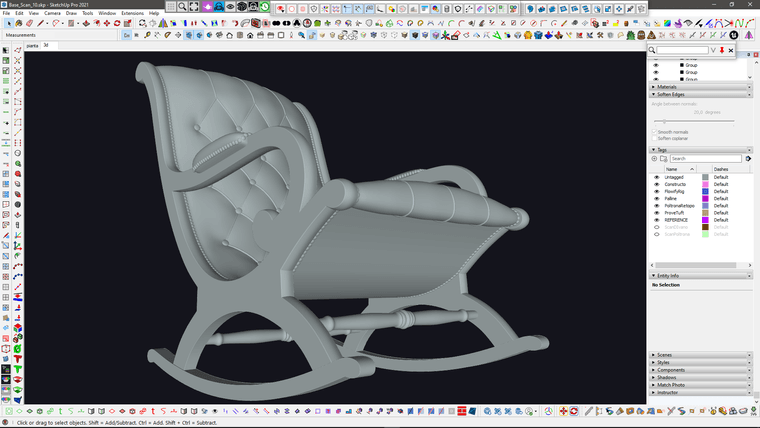
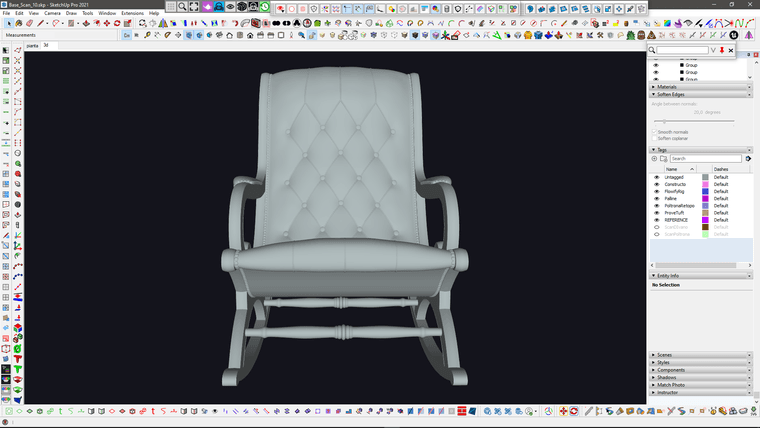
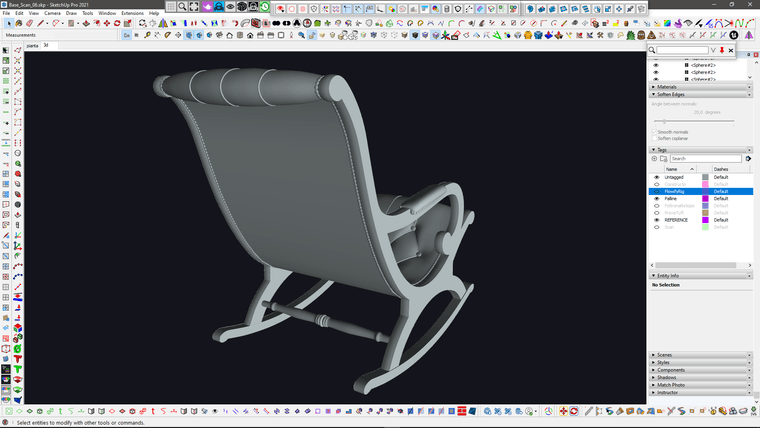
I improved the upper stitching (which was too hard compared to the reference) with Vertex tools and the upper part of the tuft (which was too thin) using Artisan2 FFD (with a couple of tricks to make it work on multiple subgroups).
I also increased the rounding of the frame profile using Artisan Move tool "normal" constraint.
I think I'm done with this one.
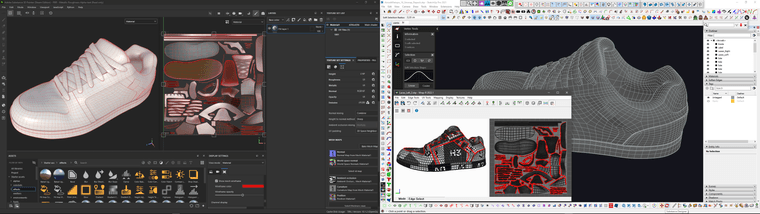
Time to unwrap it
-
RE: SubD examples and models
@Mike-Amos well, in this case i started with a basic trace of photo references, I use components, so that I can use different photos for different pieces but then the components are nested in the main assembly so they end up in the right place..
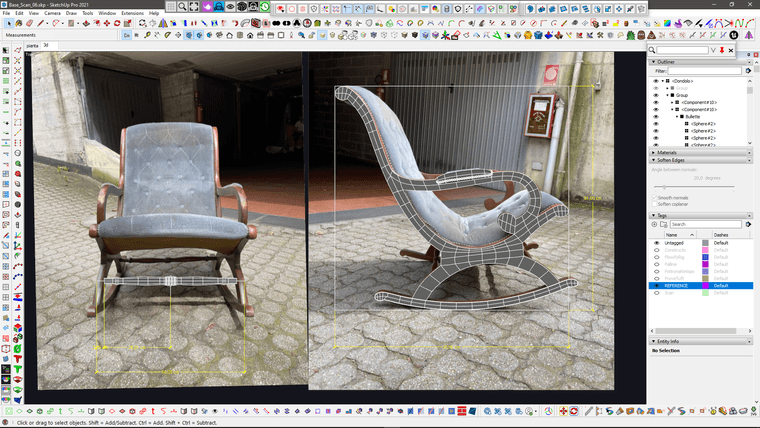
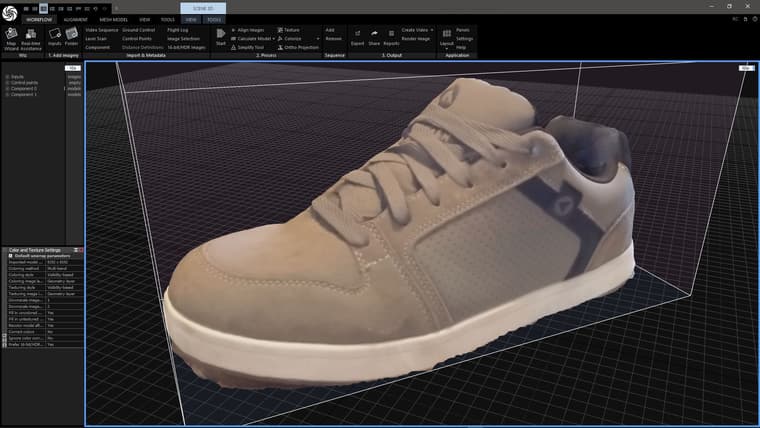
They also gave me a pretty bad photoscan, so I used that just to intersect it with a plane and extract the basic profile of the seating.
I then smoothed the extracted curve with Curvizard and normalized it with Polyline Segmentor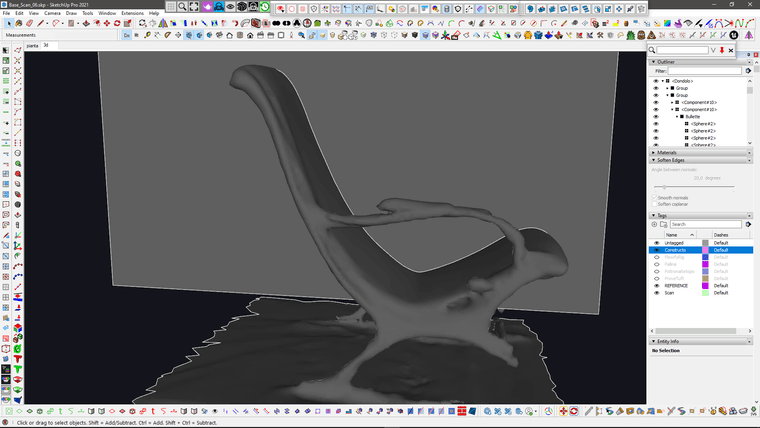
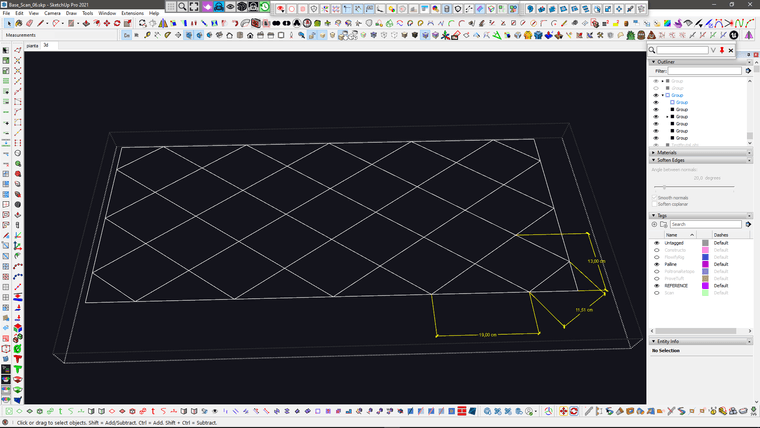
Then I created a base grid for the pattern with the proper real world measurements.
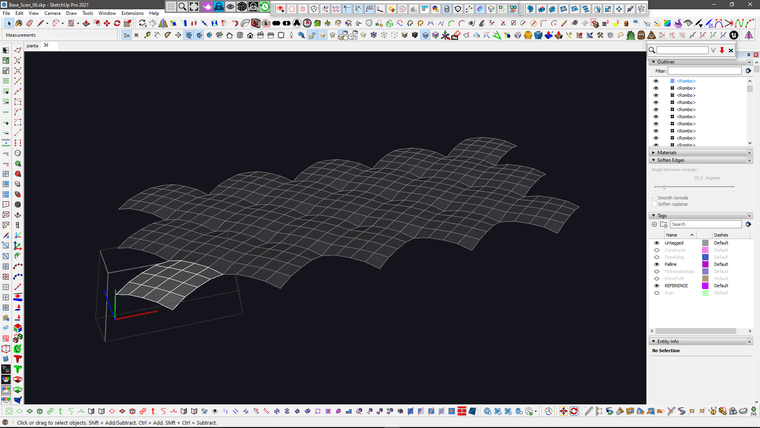
I then created a repeated component with Curviloft Skin
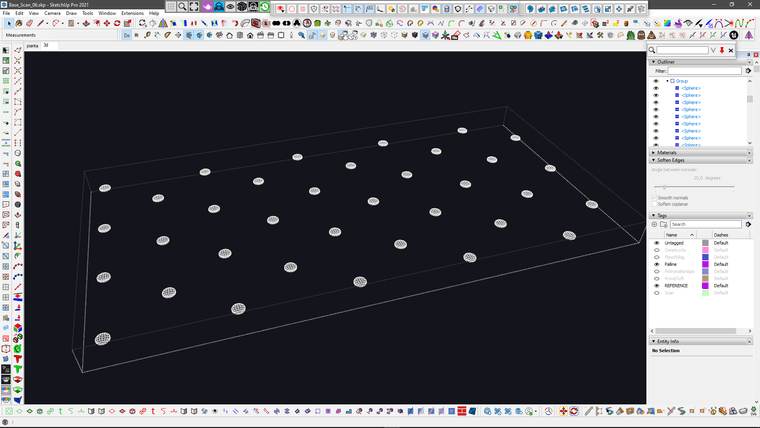
Same for the buttons
And then create a different variation of that component for the sides
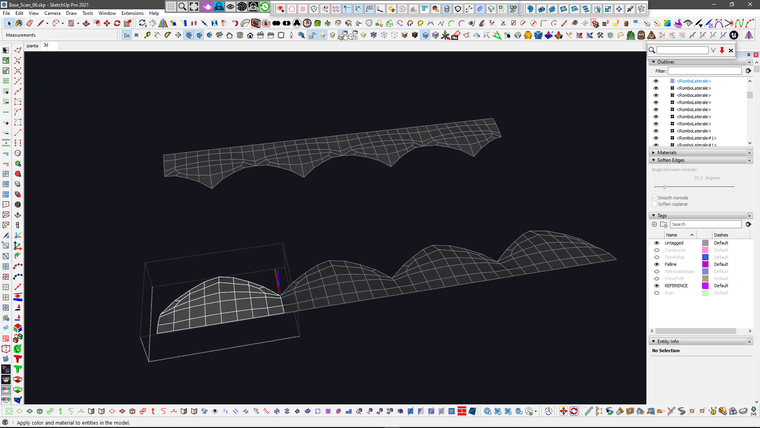
And another variation for the corners
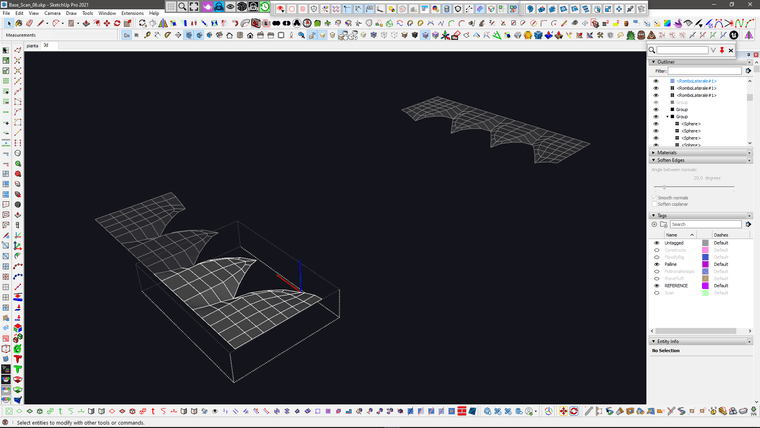
then I joined all of them together.. please notice that In this stage I try to keep the quads as even as possible, because I'm gonna deform this stuff
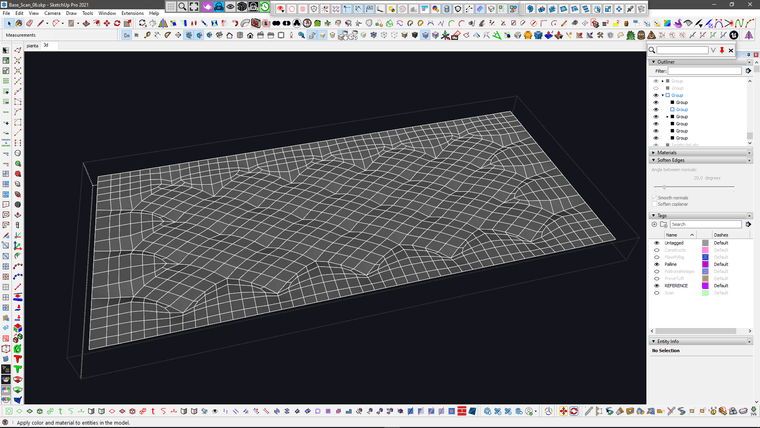
Then I extracted the diagonals for the sewing and used "Lines to Tubes" with quite low poly geometry.. and of course I did some cleanup with quadface tools for the overlapping geometry which will not be seen.
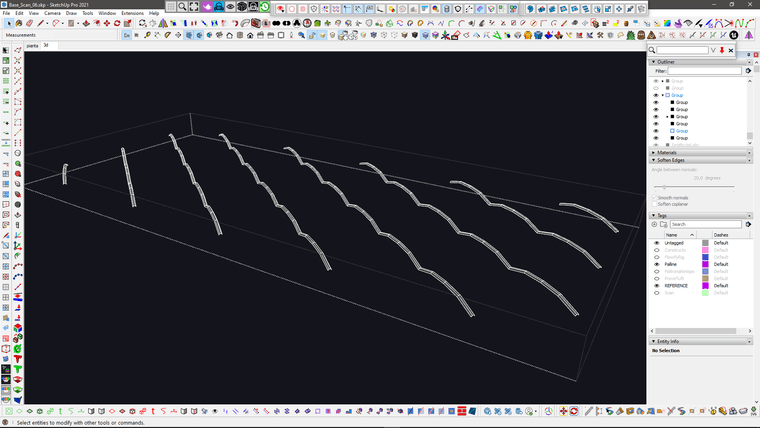
I then created the base shape of the seating using Curviloft ad Quadface tools.. and extracted the grid were I need the upolstered thing..
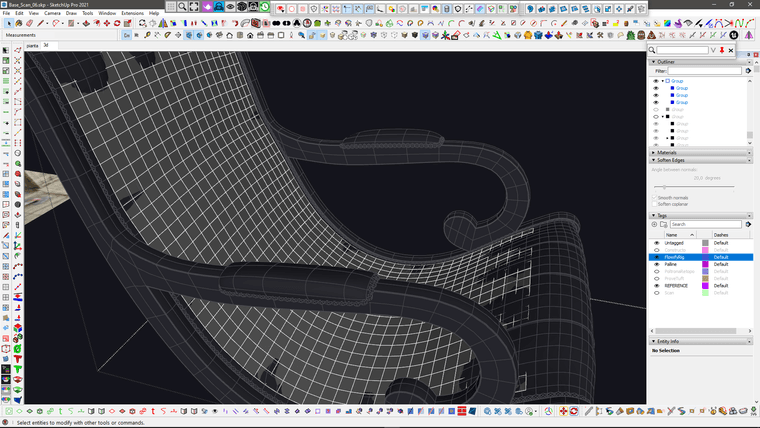
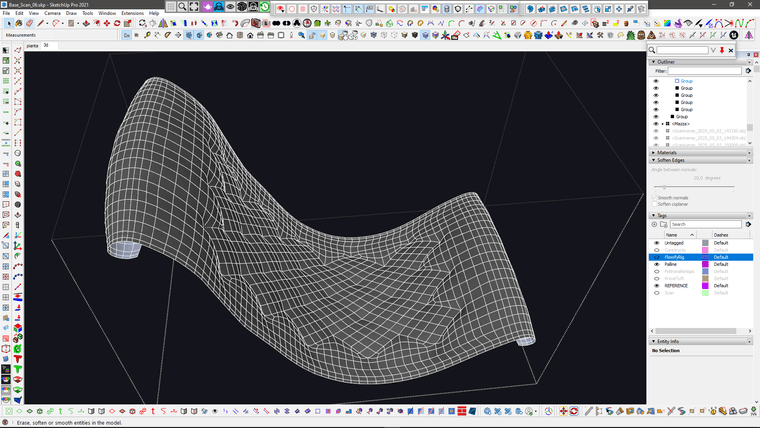
Then I use the QuadfaceTools "Unwrap Grid" feature to extract a flat grid from that.. which has the exact same lenght and topology of the seating that I'm going to replace.. and here is the flowify rig setup that I used to send the geometry to the curved surface.
WARNING: you need to use "flowify without cuts" to avoid messy topolgy and keep quads.
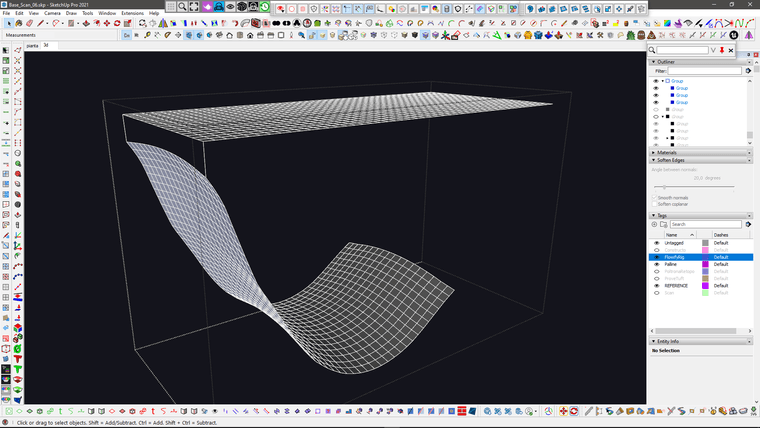
From this stage, it was just a matter of stitching and tweaking.. with the usual VertexTools, QFT, Artisan shenanigans
Meanwhile I also added the studs.. I used profile builder assembly to place them and then manually repositioned some bits in the problematic areas
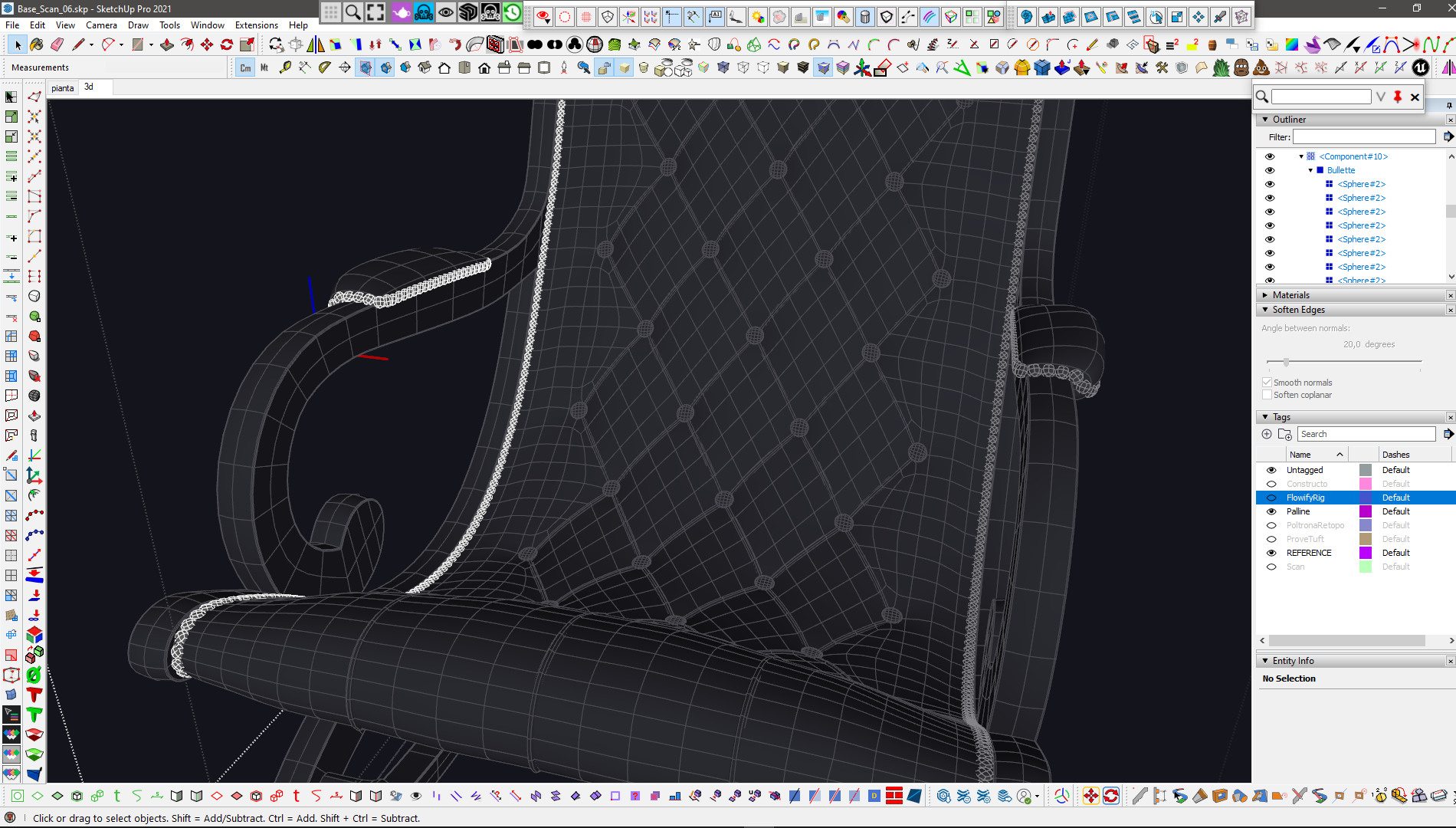
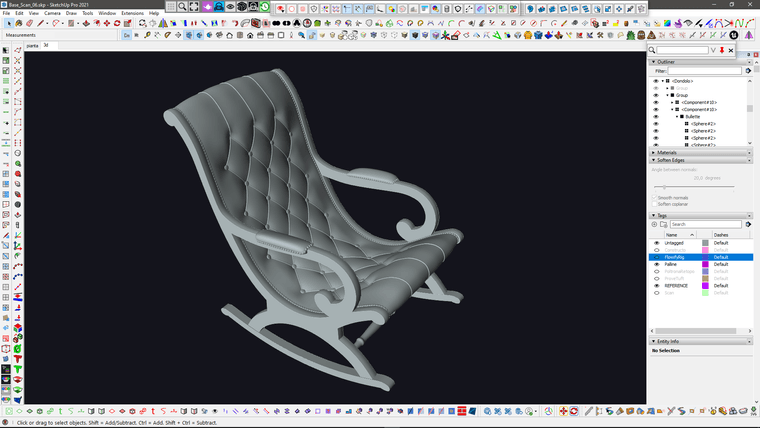
And this is the updated version with the studs..
I hope this was helpful to better understand the process..It's a bit different every time.. the shoe and the skatepark used a quite different process.. and the other sofas I posted before of that, is another different story..

-
RE: SubD examples and models
@Rich-O-Brien flowify is the key for this sort of stuff..
-
RE: SubD examples and models
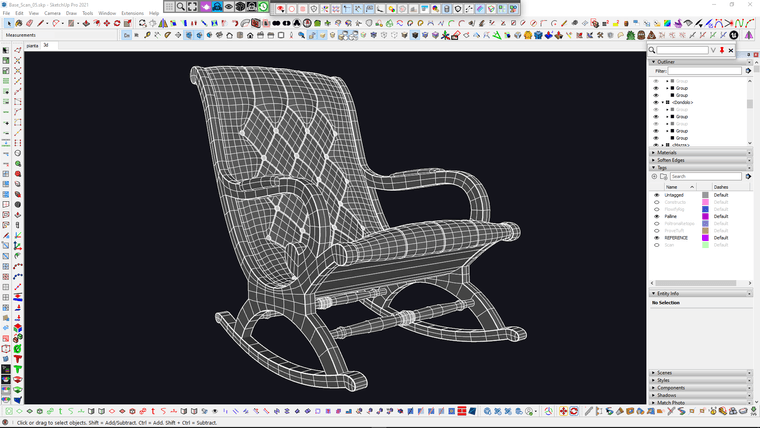
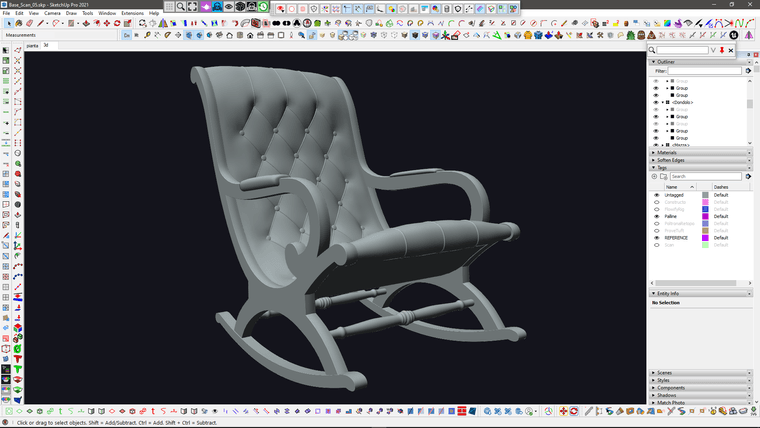
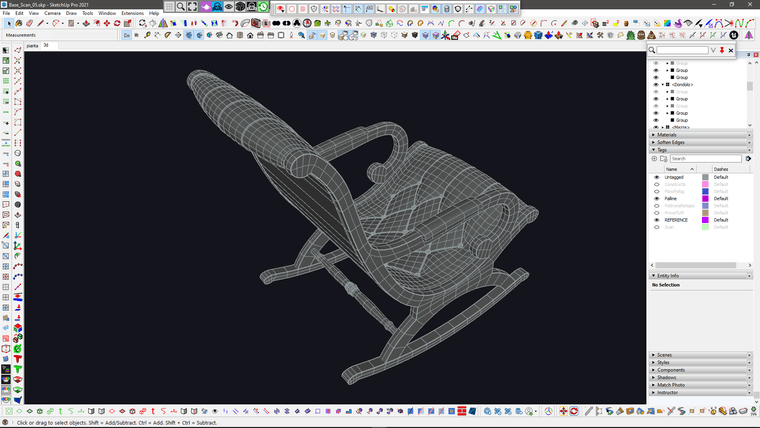
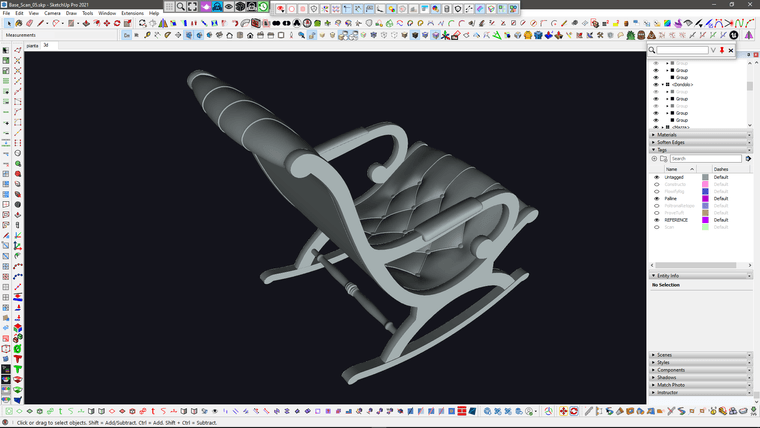
I had to put the shoe modeling on hold because I had to do this for work today

-
RE: SubD examples and models
@Mike-Amos thank you.. I'll share the last couple of models when I'm done

-
RE: SubD examples and models
@Rich-O-Brien indeed

I believe I've just found a new trick to speed up that IDmask baking thing
(just some SelectionToy trick to quickly detect hard edges and split up surfaces without having to select too many loops manually)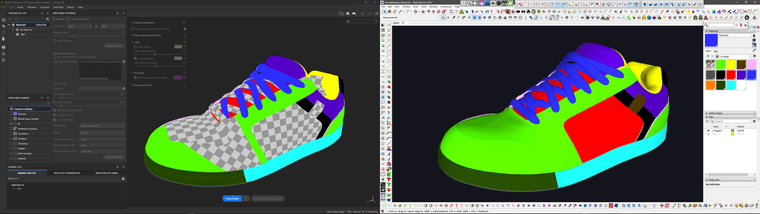
-
RE: SubD examples and models
@rv1974 said in SubD examples and models:
yeah they significantly improved Retopo Mod:
yeah.. I saw that.. amazing.
@rv1974 said in SubD examples and models:
also Conform is insanely good:
I also saw the new conform modifier, but I believe this video shows an updated/improved version.. looks good.
-
RE: SubD examples and models
@tuna1957 thank you so much!
I'm glad you enjoy this stuff
-
RE: SubD examples and models
@rv1974 of course you have that Retopo modifier if you have a new version of Max..
But I'm still on older perpetual version..
Btw I have quadremesher, which is quite similar (but not as good as the modifier) and of course the "classic" manual retopology tools from 3dsMax in the "freeform" panel.There's no need for Vietnamese Plugin because with QFT exporter/importer to move quad models back and forth between SU and Max.
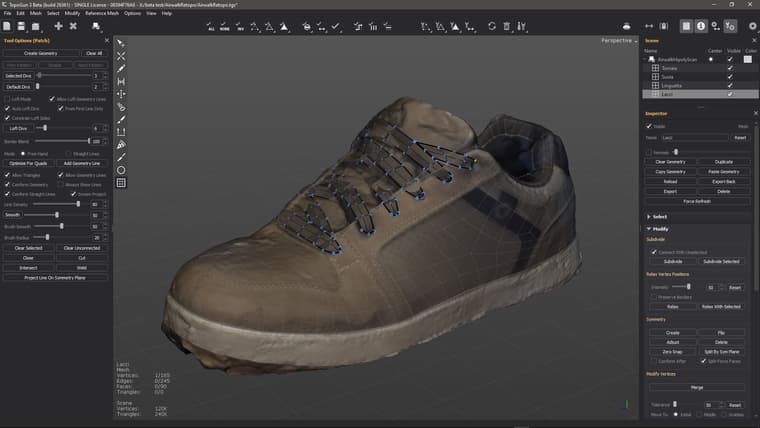
The reason why I use Topogun most of the time instead of Max, is actually that the dynamic patches are sort of halfway between the speed of auto-retopo and the full control of manual retopo.
If I reacall correctly, only Blender has something similar in retopoflow, but the patches are limited to 3 or 4 sides.
In topogun you can have patches from 2 to whatewer-you-need sides, and they can be changed interactively. -
RE: Game Assets
I was hoping it was a hobby project, so that maybe I could collaborate just for fun...
-
RE: SubD examples and models
@Rich-O-Brien yeah, in Sketchup is hard to imagine this kind of stuff working in realtime.
For simple objects sometime I do some basic retopology using Tools on Surface, or Artisan Knife or Intersecting geometry, then extract the edges, weld and run QFT "create quadfaces from wireframes".
Another workaround is to pre-triangurate (with qft diagonals) small patches and then use the "Drop To" plugin to trow/conform them over objects.
I usually do those tricks for smaller portions of models.For massive retopology on heavy meshes like this (this model is 120k+ vertices) I usually run Topogun (whith QFT oj import/export) then import back the base topology to refine and detail it using VT, Artisan, Edge tools, Qft, fredo corner, JPP, Flowify and basically every plugin compatible with quads (and basically whatever tool and plugin as long as I use the pretriangulation trick).
I did a quick video to demonstrate this tecnique a few time ago..
-
RE: Game Assets
@Rich-O-Brien wow, Unreal is the best, but where I live it's way easier to find developer intersted/proficient in Unity. Is this an indie/hobby project or a paid job?
-
RE: Game Assets
@Rich-O-Brien really nice!
In most cases I'd probably just baked that engraved detail at the center of the flat surface (into some normal or height or maybe both), being that the siluette of that shape it's unlikely to be seen.
Is that supposed to be seen really close?
Are you using Unity? -
RE: SubD examples and models
@Rich-O-Brien said in SubD examples and models:
Yummy, I'd try to resolve this area to be more uniform
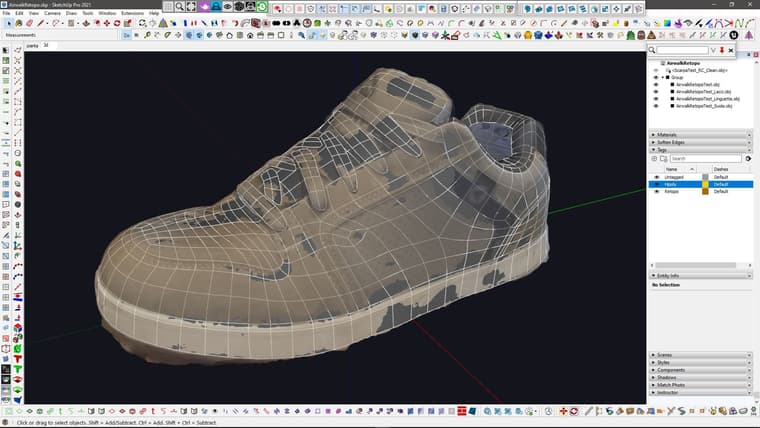
Yeah definetly, I was still fiddling around with loops, but I already did yesterday after posting those screenshots, because that 3 to 1 was causing a noticeable bump after subdividing.
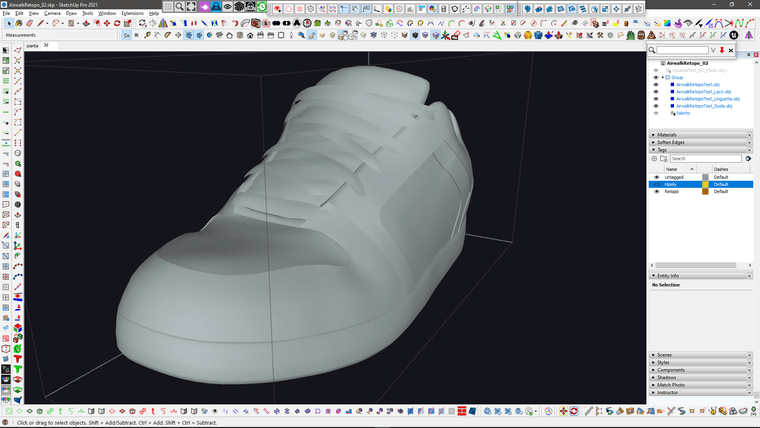
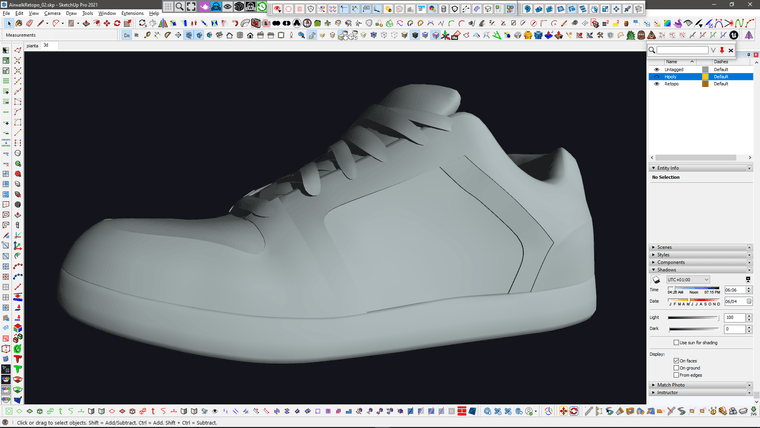
I also modeled the inside of the shoe, started to reshape the sole better, figured out a bit about the lace pattern and started to add tickness to the various layers of the main body.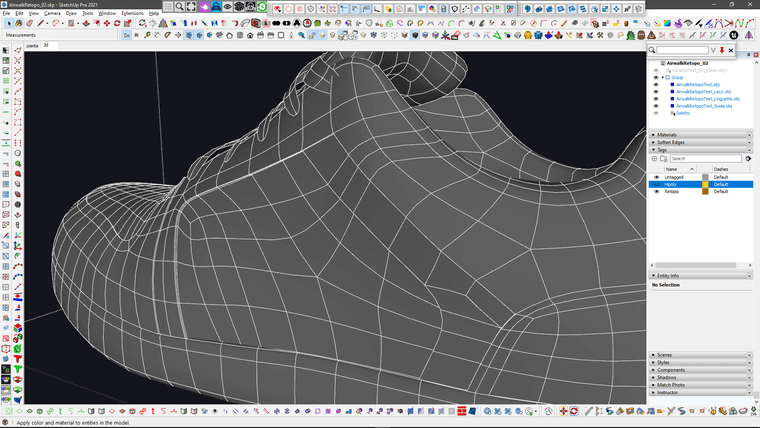
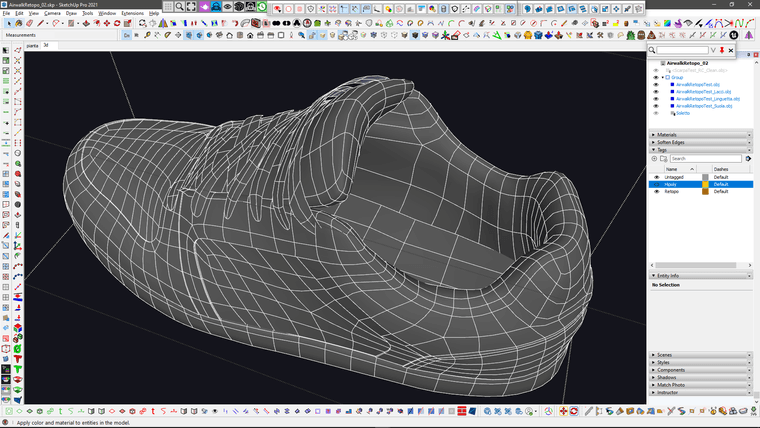
@Rich-O-Brien said in SubD examples and models:
Does Topogun allow you to do quad patches?
It does and they are interactive, you can preview them and dynamically change the number of segments for each curve and change how the topology is arranged. You can create multiple patches at once, with 2,3,4 or more splines, join them and so on and so forth.
Once created you can't change them anymore, but you can edit them with the usual topology tools like move, extrude, draw, cut, collapse, brushes for soft move and relax and the usual stuff.