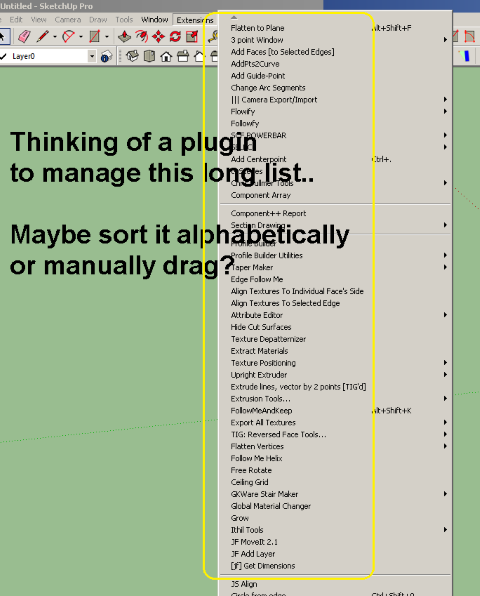
Hi everyone, I'm just wondering if there is a way to manage the long list of plugin, maybe sort it or drag it, a search bar or per author? Thanks for the help! 
[mod=Rich:20fnov2k]Changed topic title[/mod:20fnov2k]
Hi everyone, I'm just wondering if there is a way to manage the long list of plugin, maybe sort it or drag it, a search bar or per author? Thanks for the help! 
[mod=Rich:20fnov2k]Changed topic title[/mod:20fnov2k]
Amazing amazing plugin, thanks so much! I like how this plugin quickly rename /renumber all my scenes in sequence. By the way, is there a way to rename selected scenes only, in bulk? For example, I select scenes 1-10 and rename them to something else, like "Ground floor scenes_xx"? Thanks!
@pbacot said:
Perhaps you could explode them to segments within ACAD. Even with many segments you will not have the full accuracy or get the correct intersections in SU, but that's the best you are likely to get from SketchUp now or later.
Thanks for the tip, I will try and compare the result.
UPDATE:
I tried exploding in CAD first and it improved. Not that smooth though, but at least not as roughly segmented as before.
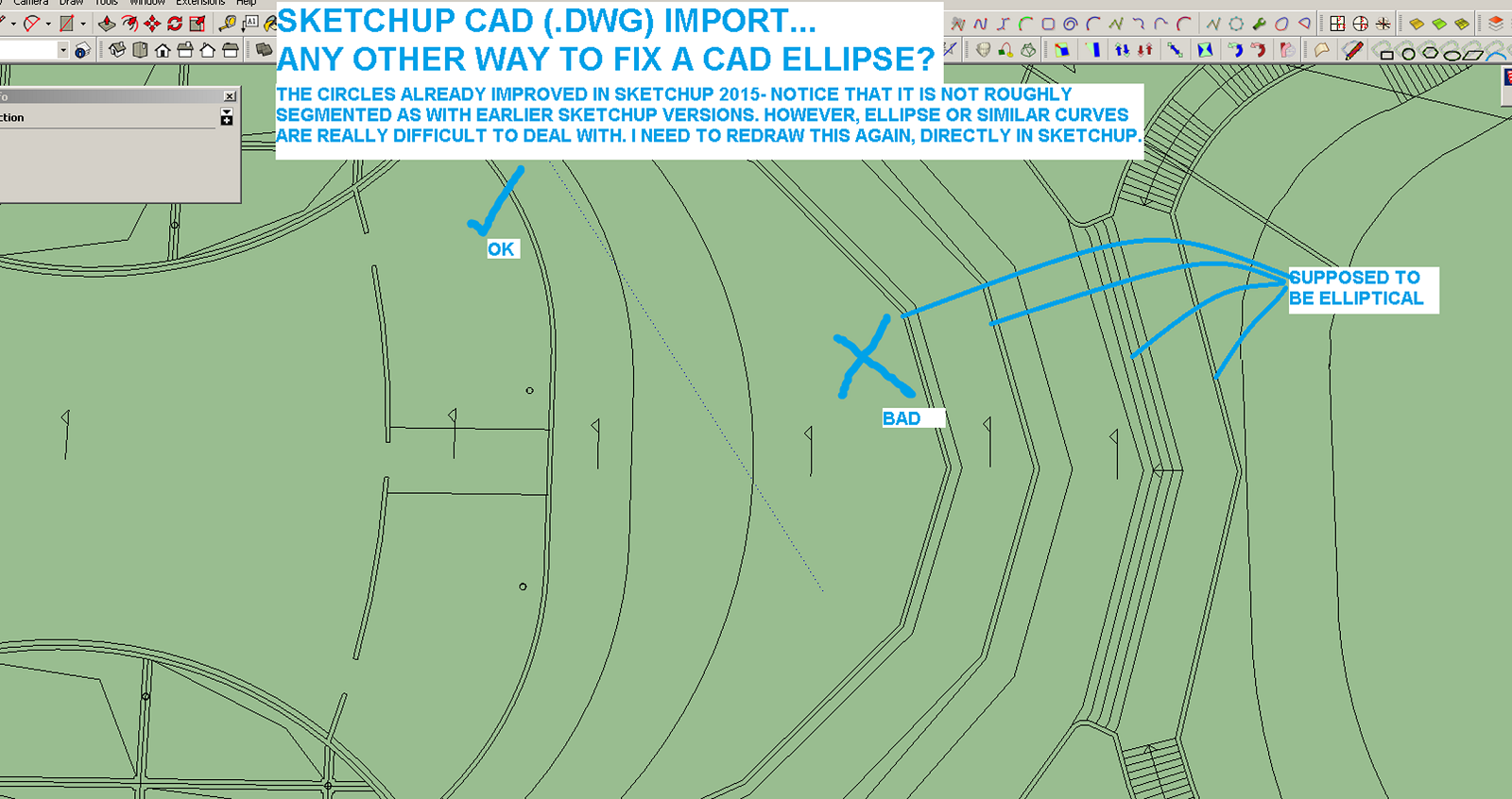
Hi, i wish that in future updates, the team will help improves Sketchup's capability to import lines properly, the way it was drawn in CAD. Most of the curve lines becomes segmented after import, thus not only breaking the closed connection with other lines, but misrepresenting what was originally drawn.
I hope this simple flaw will be addressed in future updates. Please see attached screenshot.
Thank you and more power to you awesome Sketchup programmer and developers! 

Hi, just curious if there's a plugin or command in Sketchup that can quickly apply a saved template into an active (opened) model? It's like applying new "styles" but it goes further like it will also apply the setting you have from a specific template, such as shadow settings, styles, preferences, etc.
Thanks for looking! 
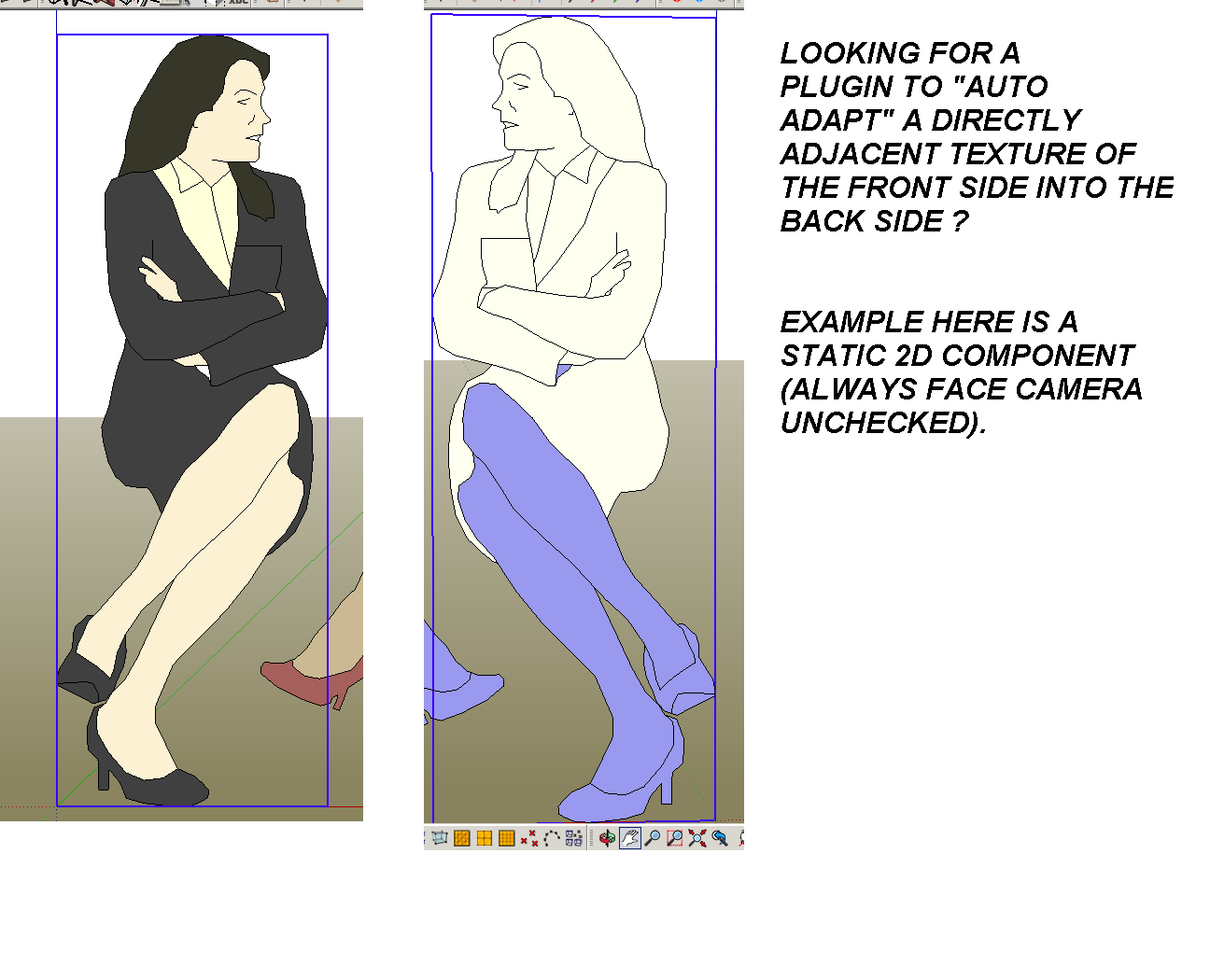
Hi, pardon my subject, I can't think of a more direct word to describe what I'm looking for. I love "always face camera" option for 2D people and Trees, very light, useful and practical. But most of the time, I don't use it for seated people since I don't want them turning around, facing backrest.
Once I exploded it, I need to re apply the material from front (dropper tool), until I made a complete replica for the back side. Is there a faster way to do it- I mean , like a material plugin that will make it copy the front texture into its backside automatically?
I know it sounds very risky to use (accidentally making the entire materials in model two sided, oh no!), but with caution it can be very useful too. Thanks!
Thanks! 
see attached

Hello,
I saw a plugin that is capable of selecting "instances" and "group copies", my question is: Is there a plugin that can I convert these "group copies" into a single component?
I struggle in my work if a colleague (sometime me too)forgot to make one repetitive object as component (the proper way to do) and accidentally replicate that object into a huge site and no way to turn it all back to a same component except redo it again.
Thanks! 
Hi, I bet many have asked or noticed this already- the "reset color" in material editor is greyed out since I installed Vray, now it's hard to revert to original texture after playing around with sliders. Also, my textures was automatically saved and renamed into a temp folder (Chaos Group), not a big deal though..
Have someone figured out how to unlink Vray from overriding my materials control? I appreciate any help, I'm really hoping to get the "reset color" button working again. Thanks a lot!
PS: (to Admin) If this is the wrong section, please move it. thanks!
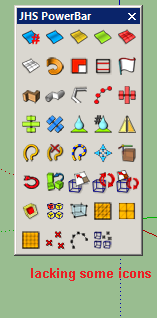
Hi, Thanks for sharing this amazing plugins, I installed it via Sketchucation Store (Autoinstall)but how come mine seems lacking? Do I need to uninstall old plugins first? Please see attached screenshot. Thanks!
![]()
@jql said:
You'll get used to it... just stop fighting it and embrace your tired eyes glasses sooner than later!
Yup, maybe in general, most users are not bothered with it at all. By the way, I found a solution- I end up using "ams_WindowSettings_4.1.5", which is amazing. 
@rich o brien said:
No, the changed icon padding and sizes so the tight fit glory days have passed.
But the upside is that this changed fixed the old toolbars chaos on Windows.
I remember the thing that I also like with that old toolbar is the "save toolbar location" feature.
Wow, amazing, thanks a lot for all this info, I will try this. Cheers! 
Thanks for the reply, I will check it thoroughly. I suspect it's a rogue plugin.
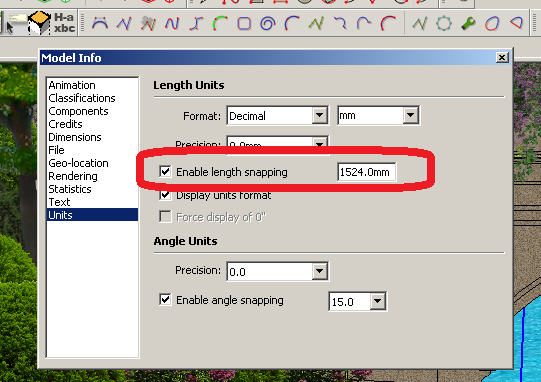
Further, Is there a way to assign shortcut for this "enable snap to length box?" I'm thinking that if I will be able to assign key for this, that will "override" the current rogue hotkey.
Hi everyone, I love my move into Sketchup 2015, especially the 64-bit feature. However, coming from the good old Sketchup 8 (by Google), I prefer the icon size of v.8, just small, clean and fits into my mouse arrow
2015 is still gigantic for me, even when large icon box was unchecked. Is there a way to edit the size of icon?
Thanks!
Too bad for me, my ASUS Z97-K board supports only AMD CrossfireX. Maybe I'll get GTX750ti, entry level. Hopefully it works fine.
GTX 580 surprisingly high.. it's an old generation card, right? Hmmm, I might give it a try. On benchmark above- does 1.5 or 3GB RAM matter ?
Help please, there something that triggers my "snap to length" feature, and even worst-a value is added (see screenshot marked in red). During my usual work, all of a sudden, this box is ticked, and I saw a certain numeric value on it. If this is a bug, then maybe the best help I can seek is for someone to give me a shortcut command/ or something for me to assign a hotkey for this box.
Thanks!

Thanks, that's an older model so maybe I will check eBay or amazon for the price.
Hi, anyone has experience using GTX 680 or 770 (or similar specs) for Sketchup (viewport performance and GPU render)? I plan to use it for general Sketchup modeling, Vray RT and other realtime GPU renderer. My models usually have 5million faces. I already got a Quadro 4000 in my office workstation, which is fine. I just want to try consumer gaming card as comparison for my personal home PC.
Thanks!