Texture "adapt the front" Plugin- anyone?
-
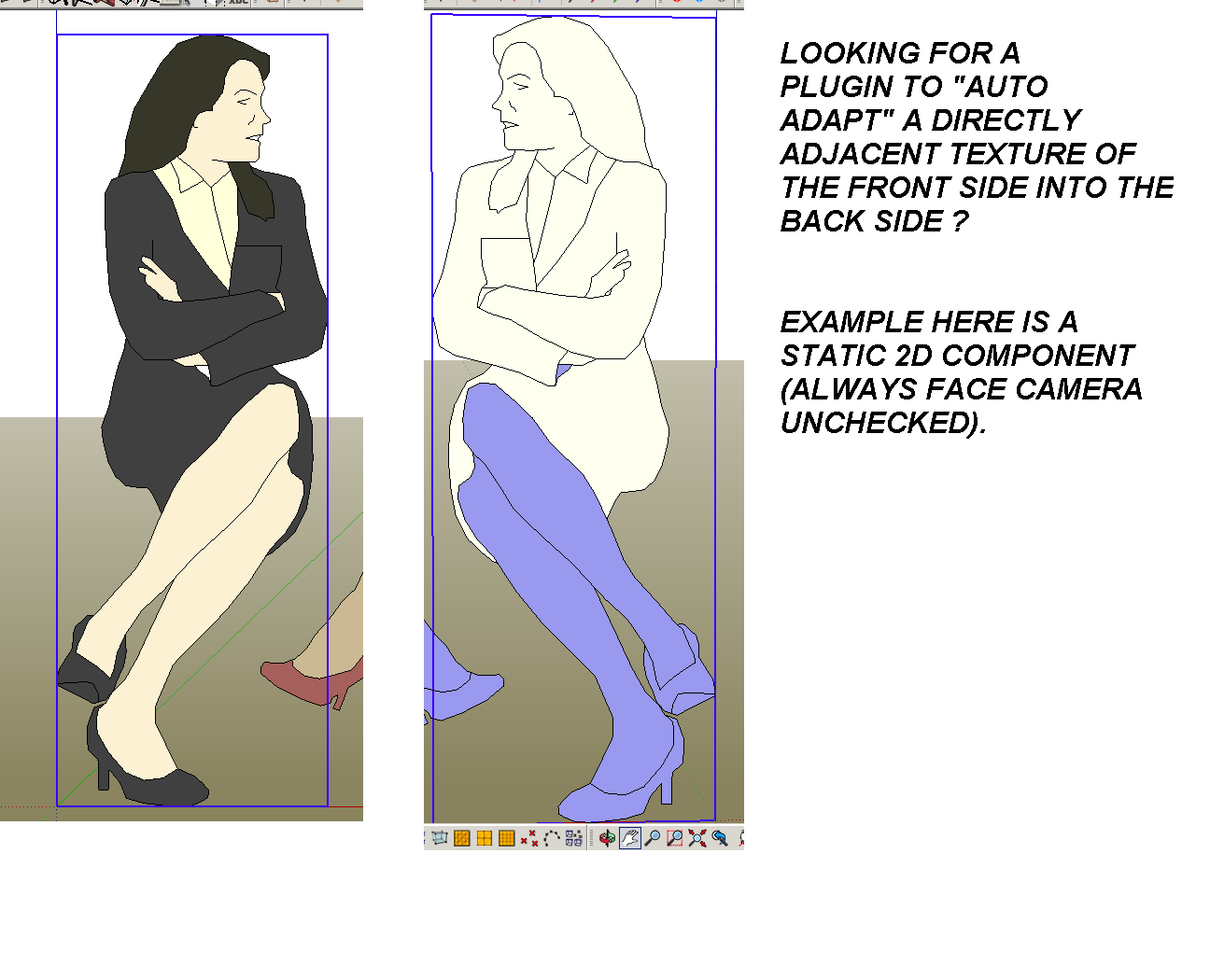
Hi, pardon my subject, I can't think of a more direct word to describe what I'm looking for. I love "always face camera" option for 2D people and Trees, very light, useful and practical. But most of the time, I don't use it for seated people since I don't want them turning around, facing backrest.
Once I exploded it, I need to re apply the material from front (dropper tool), until I made a complete replica for the back side. Is there a faster way to do it- I mean , like a material plugin that will make it copy the front texture into its backside automatically?
I know it sounds very risky to use (accidentally making the entire materials in model two sided, oh no!), but with caution it can be very useful too. Thanks!
Thanks!

see attached
-
if you look at the component properties, there is a check box w.r.t. always face camera, select / deselect for desired state
-
Your 'blue' backs of faces should always be oriented consistently.
Here her legs are made 'backwards' !
Typically you don't want to see any 'blue'.
Use Monochrome mode to check this...Within SketchUp poorly oriented faces only affect a few operations, like PushPull direction etc, but most third-party rendering apps will ignore materials applied onto 'backs' and they will display those faces as black, white or transparent - depending on which app it is...
Thomthom's UV-Toolkit includes a tool to apply front materials on to the back etc...
http://sketchucation.com/pluginstore?pln=tt_uv_toolkit -
Many Thanks!



Hello! It looks like you're interested in this conversation, but you don't have an account yet.
Getting fed up of having to scroll through the same posts each visit? When you register for an account, you'll always come back to exactly where you were before, and choose to be notified of new replies (either via email, or push notification). You'll also be able to save bookmarks and upvote posts to show your appreciation to other community members.
With your input, this post could be even better 💗
Register Login


Advertisement