Oops, your profile's looking a bit empty! To help us tailor your experience, please fill in key details like your SketchUp version, skill level, operating system, and more. Update and save your info on your profile page today!
Check out Febhouse | New extensions for Shadow Analysis in SketchUp Download
 J
Offline
J
Offline
Posts
-
RE: [REQ] - Weld Lite - attn:RickW
@dtrarch said:
Rick
It also kills the dialog when using keystroke for your Weld.
Just plain Weld is much better however.
dtr
hey dtr..
i'm not sure i'm following you here.. i have a keystroke assigned to weld.rb (W
 ) but the dialog still comes up..
 -
RE: [REQ] -- BEND.rb
@daniel s said:
No, it´s bonzai3d with a SU look (above the image I clarified that, but in small letters).
Daniel S
oh.. nice.
[*goes to give bonzai another try]
-
RE: [REQ] -- BEND.rb
@solo said:
I didn't know things could bend like that in SU.
me neither!
please tell me this is some sort of stop motion animation and not some easy method i have missed all along.
-
RE: Curved Walls
@rudbeckia said:
holy shit, thats awsome, thanks a ton!!! this forum is like my own private tutor
ha, glad you liked it..
fwiw - that's still not quite right.. the curve at the top of the wall should be closer to vertical which would require making a custom arc for the base of the wall (the segments should get closer together horizontally as the wall gets taller.. i've done it the correct way a few times and it takes twice as long but this tut should be a good starting point.
-
[REQ] -- BEND.rb
(RE: this thread - http://www.sketchucation.com/forums/scf/viewtopic.php?f=79&t=17109&st=0&sk=t&sd=a )
hi smart people.
i imagine something like this has been discussed before but i didn't find anything via searching.
the ruby would make bending possible. (and i may be using the wrong term here as Pilou has informed me in a different post
)start off with a more simple shape:
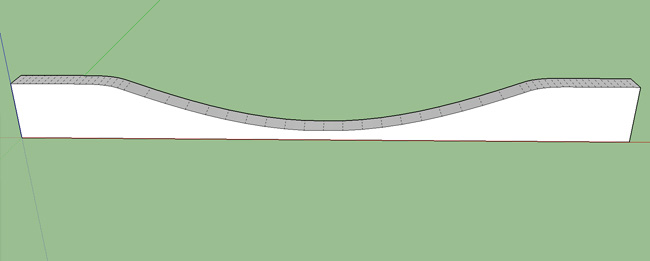
which can then be bent into this:
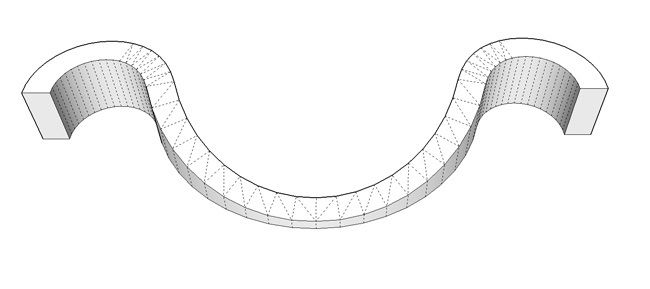
is something like this even possible within sketchup?
thanks for any help or info!
-
RE: Curved Walls
here's a tutorial on how i did it... [use the scene tabs at the top to switch between steps]
and yeah, pilou has the right idea about taking the mesh outside of sketchup in order to bend it.. i do think a ruby would be possible for this type of model..
-
RE: Curved Walls
i used the absolute basics.... circle/arc tool and line tool.. it's a bit of a process and i might draw up a tut for a small section of it...
i'm pretty sure a ruby can be made to accomplish this (fingers crossed) and that encouraged me to draw the whole shape.. i'll post a [REQ] in the ruby forum soon..
-
RE: Curved Walls
@rudbeckia said:
not sure what he means by it not being clean geometry, looks clean to me
it's just random.. nothing really matches up.. there's no system.
sloppy:
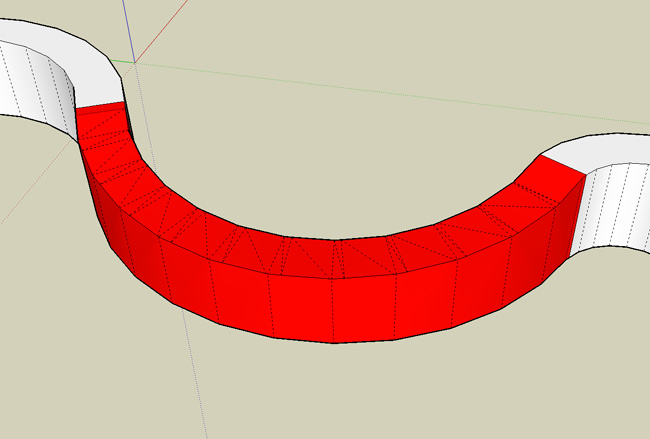
clean:
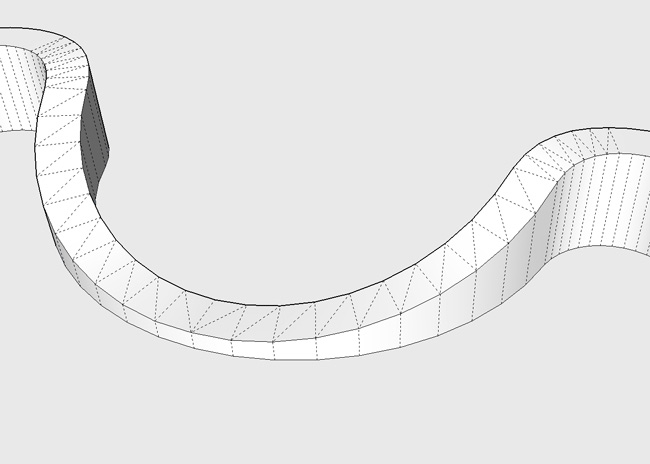
-
RE: [REQ] - Weld Lite - attn:RickW
Ok cool. Thanks.
I'll try it out when I get home. (on a phone atm) -
[REQ] - Weld Lite - attn:RickW
i'm wondering if it would be possible to get a version of weld.rb that only welds without the resulting dialog (close curve? and find faces?... not one time have i ever selected yes to the questions.. does anybody?)
it seems like a simple enough request but i'm ruby retarded so there might be more work involved then just deleting some code..
it really isn't too big of a deal but those extra steps just seem useless to me and i have to move the mouse pointer away from where i'm trying to work..
thanks for any help
-
RE: Model Review and suggestions.
@rkitect said:
but I always end up with missing faces after I get the initial mass going, and usually retracing the boundaries
when you zoom into your drawing, it starts getting pretty messy...
bottom right corner:
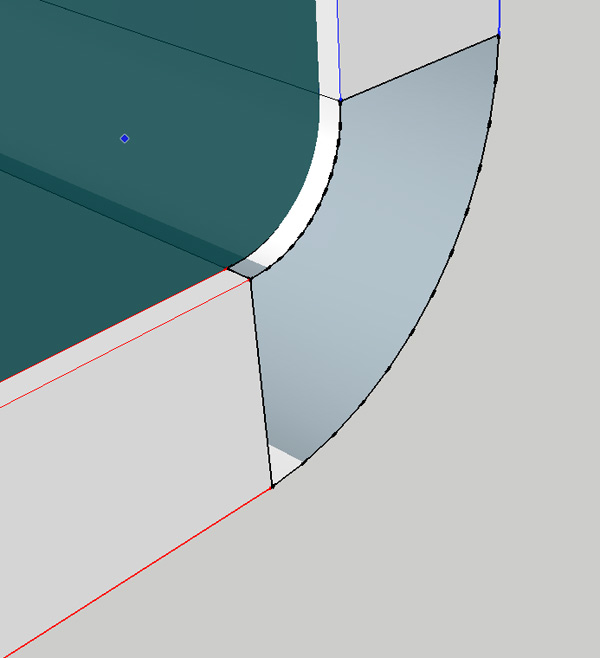
zoom in further:
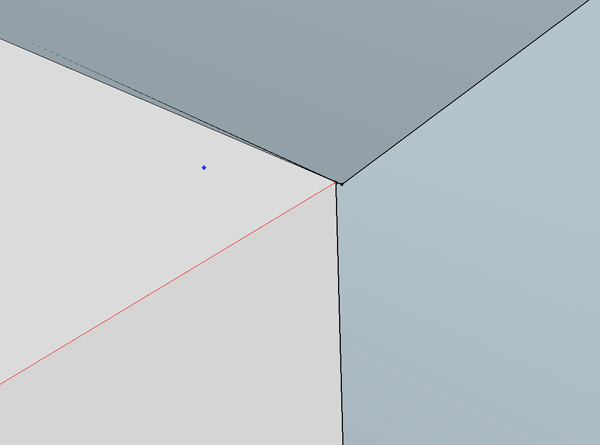
that's the problem with the follow me tool and/or the way sketchup draws radii... you'll notice in the movie i did that i extend my follow me path on both sides so i can cut/add a fresh edge to both sides..
you have to keep things clean and simple or the hours of head scratching start to add up.. -
RE: Intuitiv "Nurbs" software
i'm not sure if i have a use for this but it's definitely the easiest piece of software i've ever come across for making these types of shapes.. i didn't read the manual and was drawing some crazy looking shapes in a matter of minutes..
so yes, it's intuitive... thanks for sharing..attn: mac users... there's a version for you too

-
RE: Curved Walls
@rudbeckia said:
@unknownuser said:
okay I got this to work, thanks!!! would also love to know how Jeff did it with the sand box tools
i used tools on surface and joint push pull.. the resulting geometry is messy though and i probably wouldn't use it for anything important.. i also tried FAK.rb (follow me and keep) but didn't have much luck with that either..
if i had to draw this shape, i'd concentrate on building the knife which has to cut through your wall.. that's a bit of a process and i don't really have the time right now but i'll think about it throughout the day and if i 'see' it, i'll sketch it for you..
-
RE: Model Review and suggestions.
the follow me tool will work well IF...
the top is supposed to look like this:
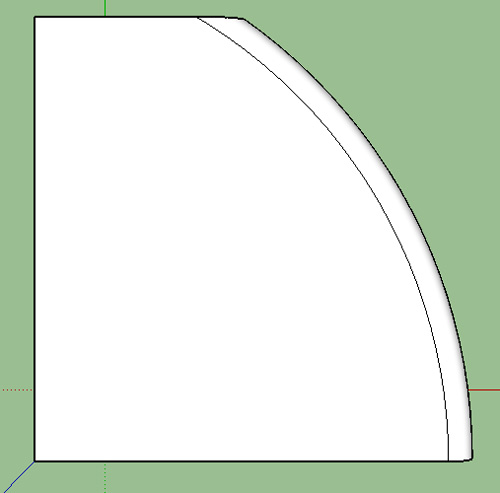
instead of this:
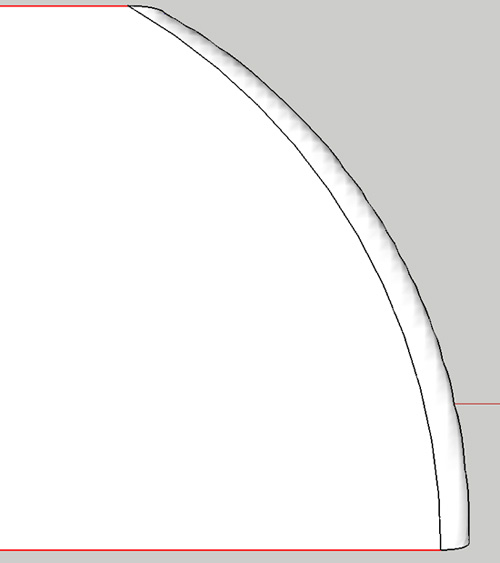
[note - top corner of cabinet]
-
RE: Model Review and suggestions.
maybe a weird way to go about it but this style is based around tig's invert_selection move at the end..
sort of just freestyled the dimensions but the proportions are similar..
movie link:
http://homepage.mac.com/jeffhammond/.Public/cabinetthing.mov.
-
RE: Curved Walls
i'm not certain you've described your shape yet.. the one i uploaded is level when pulling from the centerpoint. is that what you want? the tops could also be rounded out so it's not an abrupt dip..
this one is quickly roughed out but it will hopefully get the idea across..
-
RE: Recent Work..
thanks rc and teofas..
solo, you used to be able to tell them that but i haven't built the x-games ramps for the past 2 yrs though i did do the previous 8...
Ecuadorian - you should see what i mainly use it for
.. it's mostly a visual calculator of sorts - i see the geometry in my head and sketchup lets me easily spit out the numbers.. most of my drawings (i have a computer on site at all times.. an old G4 powerbook that should have died by now considering all the sawdust it's accumulated) wouldn't even make sense to anybody but me.. :
i don't even save those but this one stayed on my drive as an autosave..
but yeah, sketchup will definitely let you put it to work..prince - thanks.. no, i haven't heard of that one before..
[*begins scf search for slicer]
-
RE: Model Review and suggestions.
i did it with a 1/4 circle (of which some of it is still visible.. it's the line inside the cabinet.)
in certain instances, it works better if you run your follow me path longer then needed before using the tool.. use a surface to cut it via 'intersect with model'
i'm not the best with words and i can do a drawing that will explain it but i have to go eat dinner now.. if no one has cleared it up by the time i get back, i'll sketch something up for you..