sketchucation logo sketchucation
    • Login
    1. Home
    2. Gus R
    3. Posts
    Oops, your profile's looking a bit empty! To help us tailor your experience, please fill in key details like your SketchUp version, skill level, operating system, and more. Update and save your info on your profile page today!
    ⚠️ Important | Libfredo 15.6b introduces important bugfixes for Fredo's Extensions Update
    Offline
    • Profile
    • Following 1
    • Followers 2
    • Topics 144
    • Posts 1,060
    • Groups 2

    Posts

    Recent Best Controversial
    • Fender Stratocaster - Thea Render

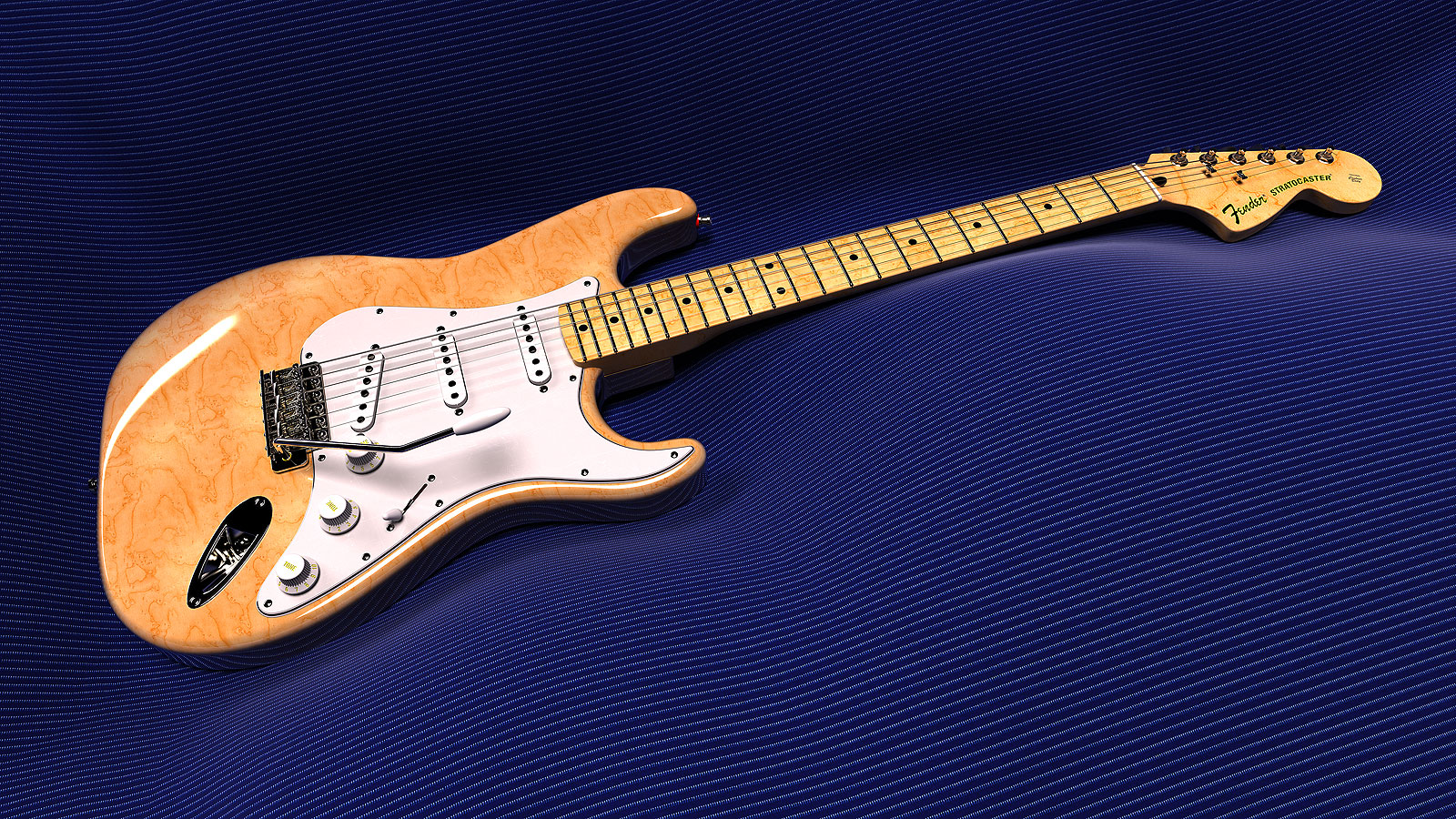
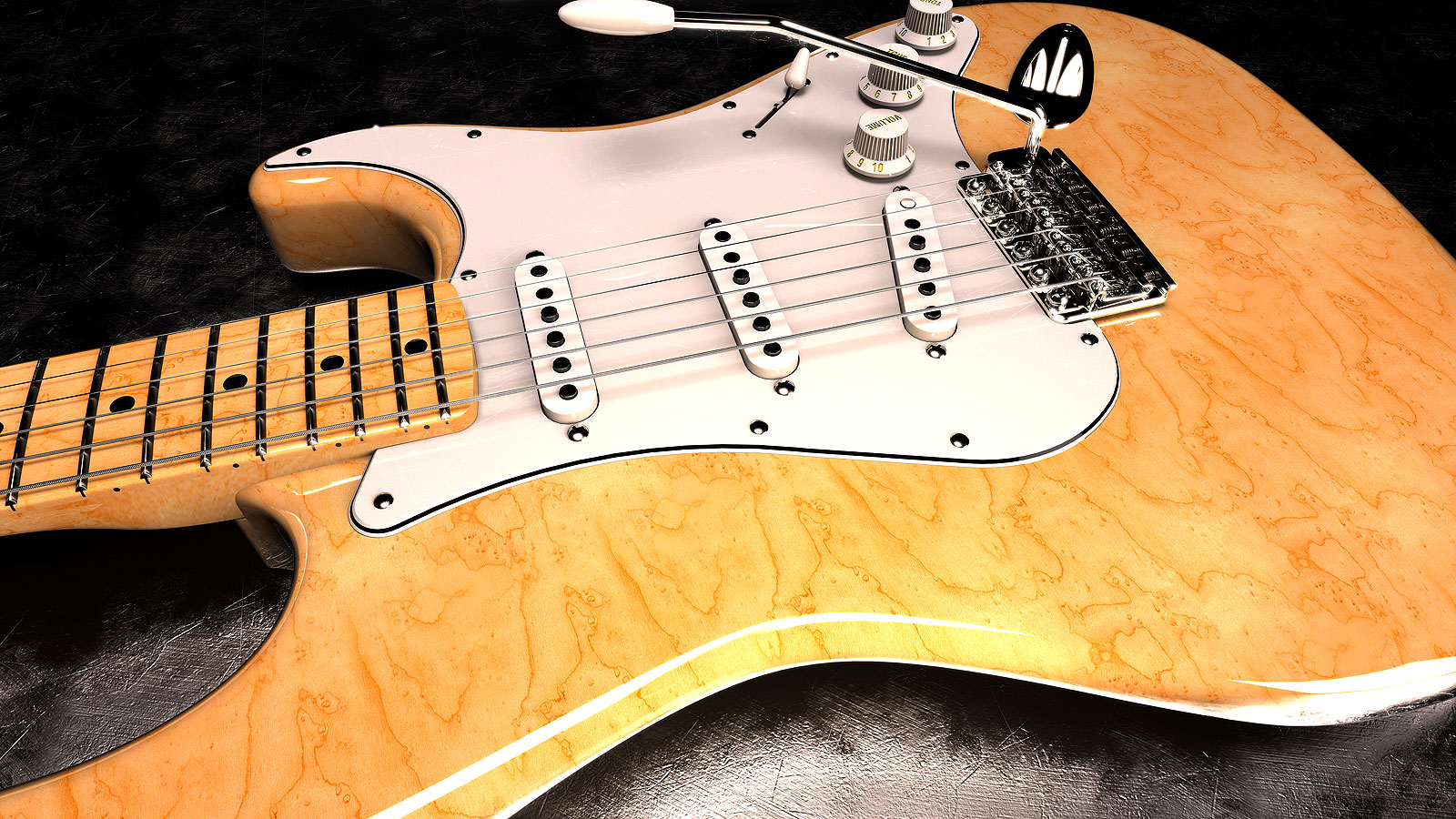
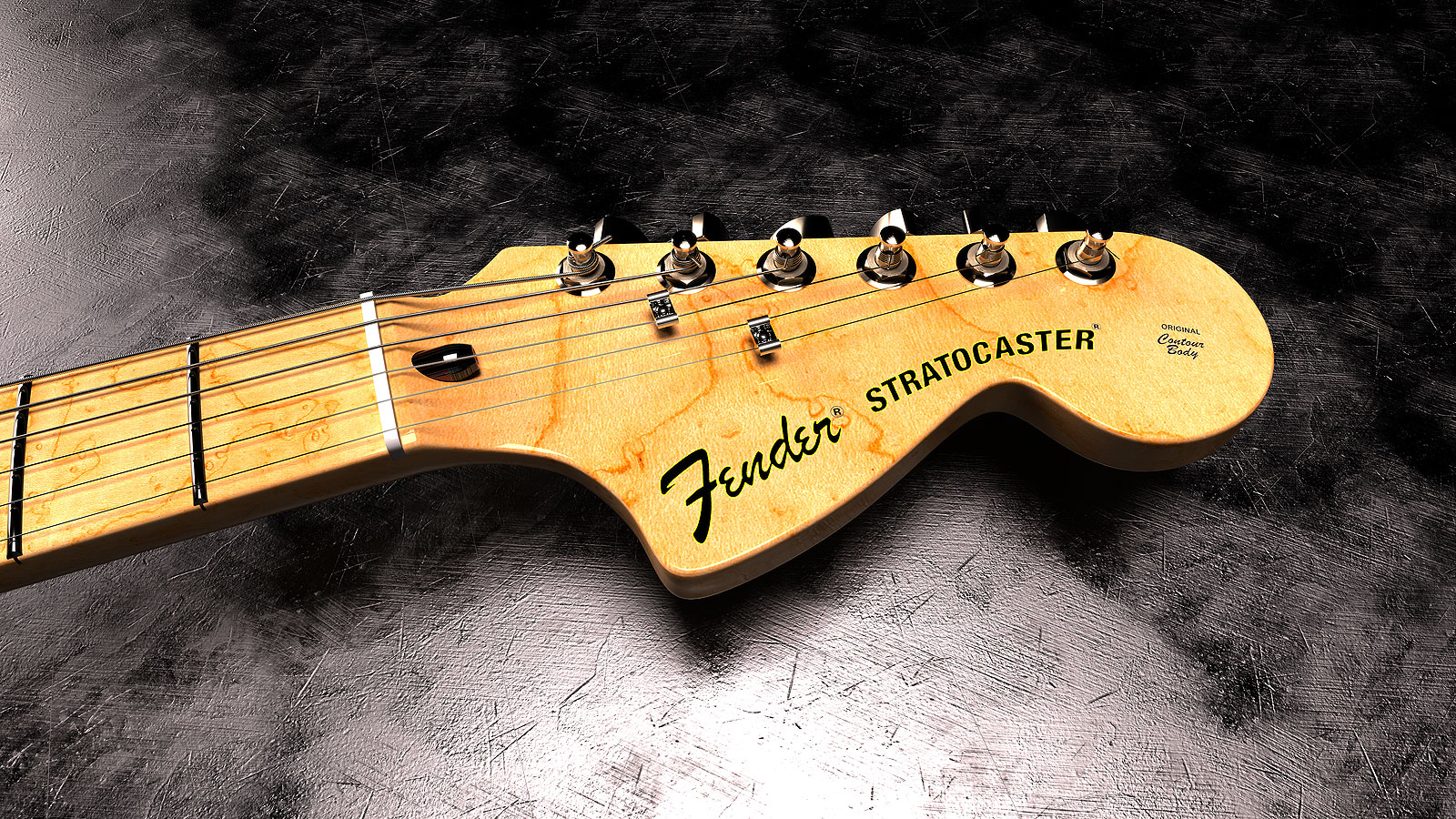
      This the Stratocaster I started back in 2009 and went through several phases of development over the years. The first images I posted here were from Kerkythea render and these are more recent using Thea Render with many tweaks to the model since then.

      The cloth in the first image is using Clothworks which I'm still trying to get a hang of.

      I need to finish up the Telecaster which involves finishing the neck which is similar to the Stratocaster.

      Strat-2023-06-Scene-17.jpg

      Strat-2023-01-Scene-15.jpg

      Strat-2023-01-Scene-182.jpg

      posted in Gallery
      Gus RG
      Gus R
    • RE: Schooner "Lettie G. Howard" 1893

      Great work!

      I have a couple of questions:

      1. What UV tool do you use? WrapR?

      2. Do you eyeball the modeling, use plans or a combination of the two?

      3. In general, how do you integrate Blender and SU with your work at Artstation?

      Thanks.

      posted in WIP
      Gus RG
      Gus R
    • RE: What style of furniture is this

      @alvis said:

      Link Preview Image
      Classic Bentwood Chair | SketchUcation

      3D SketchUp Community for Design and Engineering Professionals.

      favicon

      (sketchucation.com)

      Was that always there? 😄

      posted in Corner Bar
      Gus RG
      Gus R
    • RE: What style of furniture is this

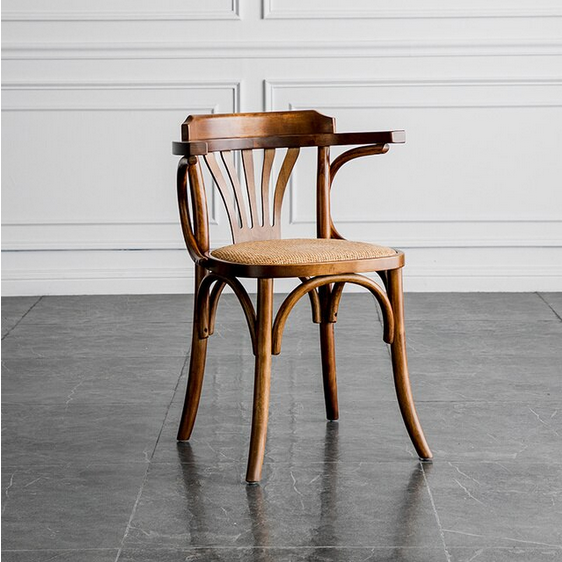
      I think the name of the chair might be Fanback Bentwood Armchair.

      posted in Corner Bar
      Gus RG
      Gus R
    • RE: What style of furniture is this

      Try doing a reverse image search in Google Images with this image. I found a bunch of samples and a couple of 3D models.

      Armchairs Small Apartment Family Solid Wood Kitchen Villa Dining Chair Nordic Back Leisure Counter Living Room Front Desk Chairs - Dining Chairs - AliExpress.png

      turbosquid.com

      favicon

      (www.turbosquid.com)

      posted in Corner Bar
      Gus RG
      Gus R
    • Trimble Raises Price for Sketchup Pro by $50

      Trimble raises subscription cost by $50 (USD). 👎 Seems a bit steep but I guess there's nothing we can do.

      *The price of Pro and Studio subscriptions will increase on July 10, 2023, and your annual subscription charge will change on your renewal date.

      Pro (annual subscription): $349 USD | £279 GBP | €319 EUR
      Studio (annual subscription): $749 USD | £599 GBP | €689 EUR*

      Screenshot 2023-06-09 at 06-46-52 Confirmation of changes to your subscription.png

      posted in SketchUp Discussions
      Gus RG
      Gus R
    • RE: Architectural Renderings

      Dave,

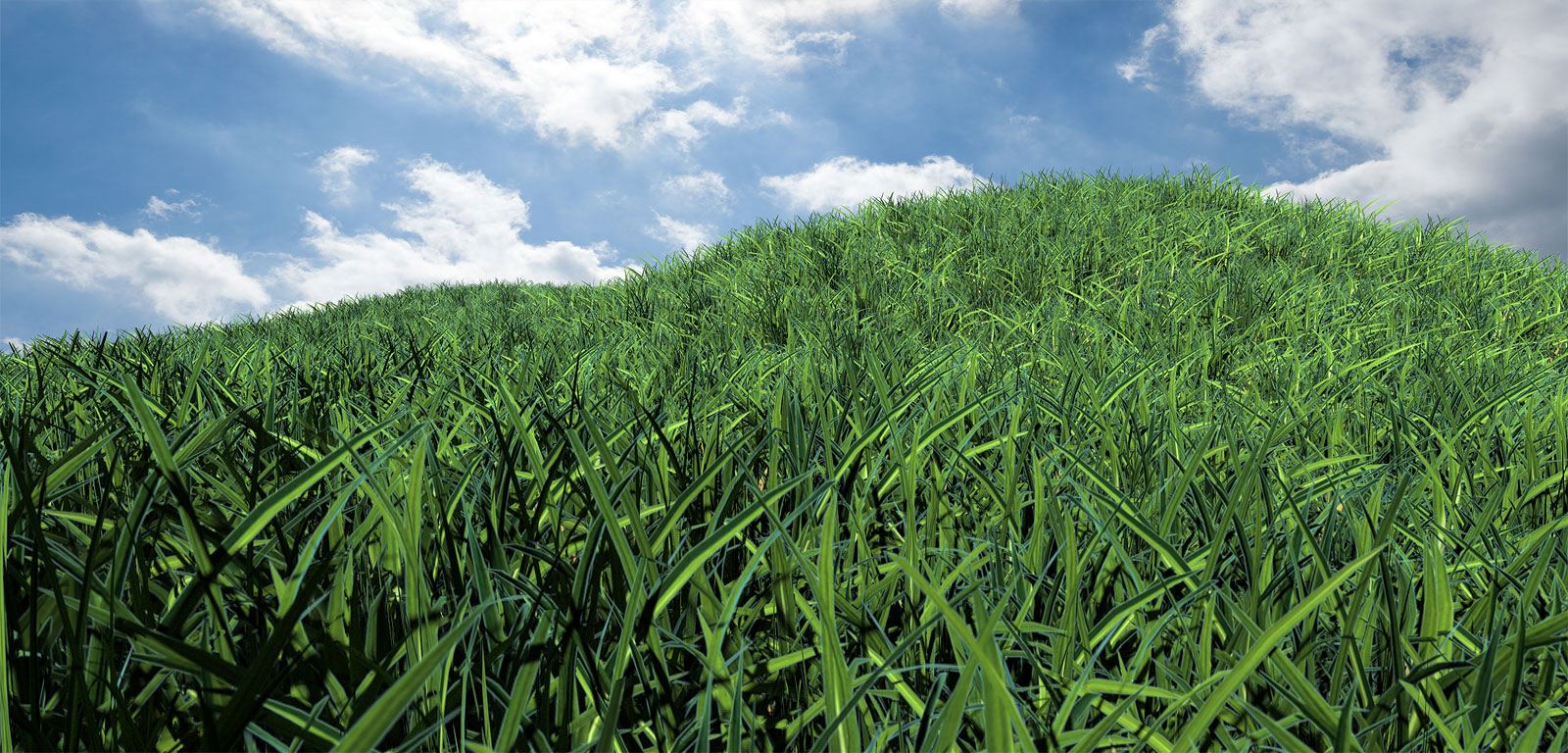
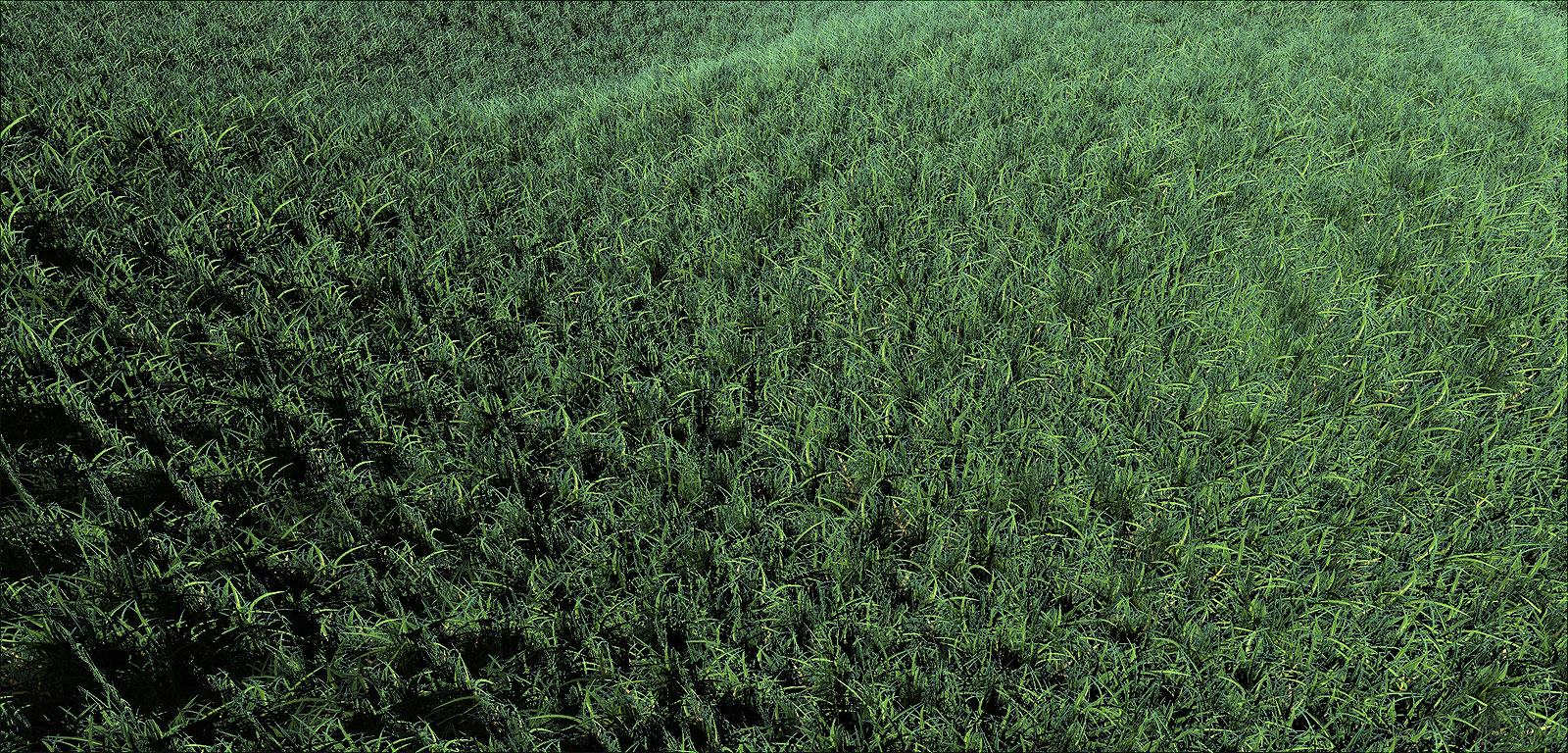
      You might want to give this one a try too. I created a billboard component from the tall Skatter grass in Thea Render to create the transparent png.

      Twilight Grass Test 02_Scene 3.jpg

      Twilight Grass Test 02_Scene 3B.jpg

      Twilight Grass Test 02 Ver 17.skp

      posted in Gallery
      Gus RG
      Gus R
    • RE: Architectural Renderings

      Dave,

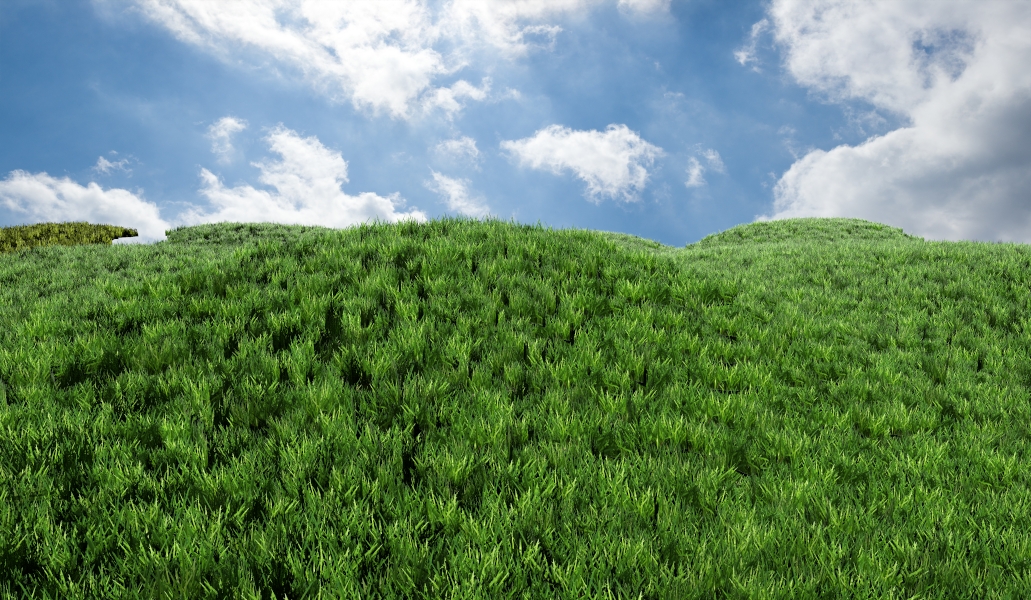
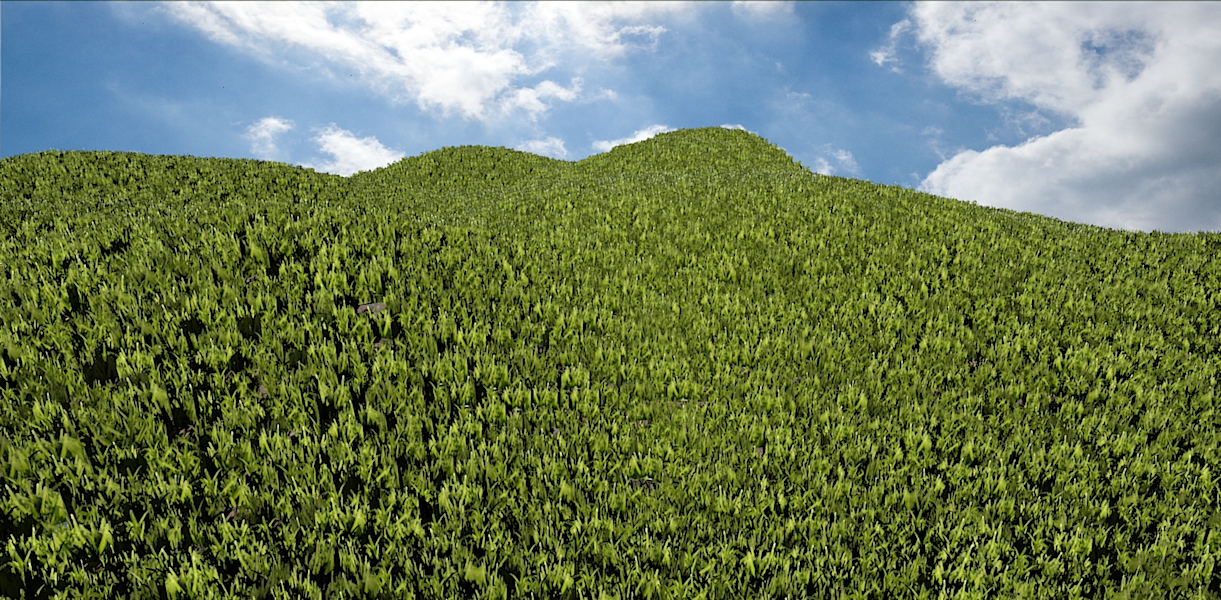
      Try experimenting with the attached skp. I was able to render these with Twilight and Skatter. There are two grass proxies. I think the one for Scene 3 looks better.

      Grass Test 02.jpg

      Grass Test.jpg


      Twilight Grass Test.skp

      posted in Gallery
      Gus RG
      Gus R
    • RE: Architectural Renderings

      Dave,

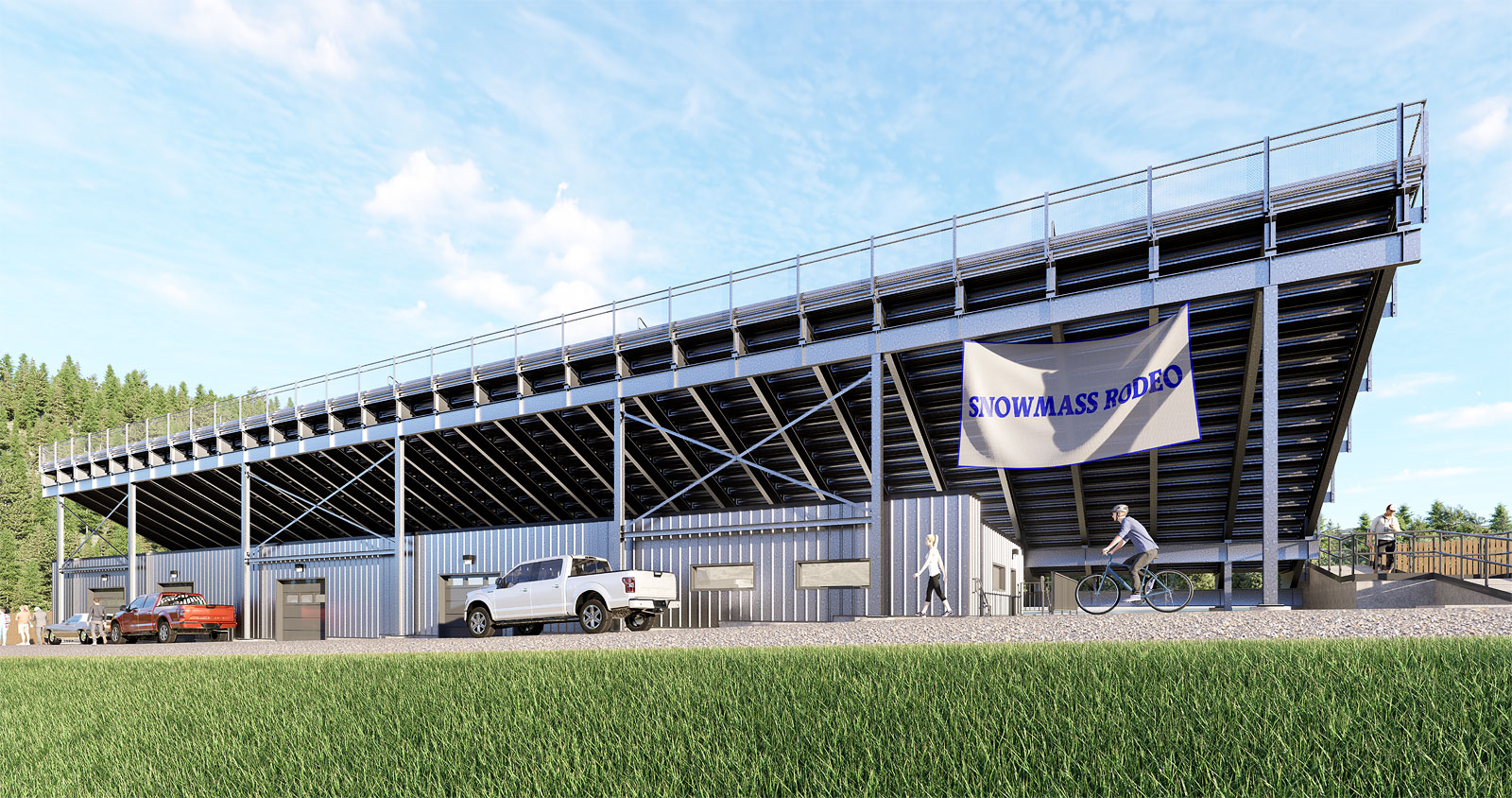
      You might want to give D5 Render a shot. The free version is pretty good and they have grass there that doesn't require any special plugins. Other than exporting your skp file to D5 which can then be updated from the Sketchup model. The grass is show in the Snowmass Rodeo rendering above. The pro version is $35 a month which you can try for free first but you might not need that. The free version also includes trees and other landscape elements.

      posted in Gallery
      Gus RG
      Gus R
    • RE: Architectural Renderings

      Dave,

      You're welcome.

      I can't seem to be able to get Skatter proxies to work in Twilight. It will work with components. I know before I finally got Thea Render I was using the Fur plugin and came up with some nice looking grass using a grass png component. It's cumbersome and slow work but it accomplished the task. I was also using some free trees from Xfrog. That requires some importing of models. Before that I just used plain old Sketchup grass materials.

      posted in Gallery
      Gus RG
      Gus R
    • RE: Architectural Renderings

      Dave,

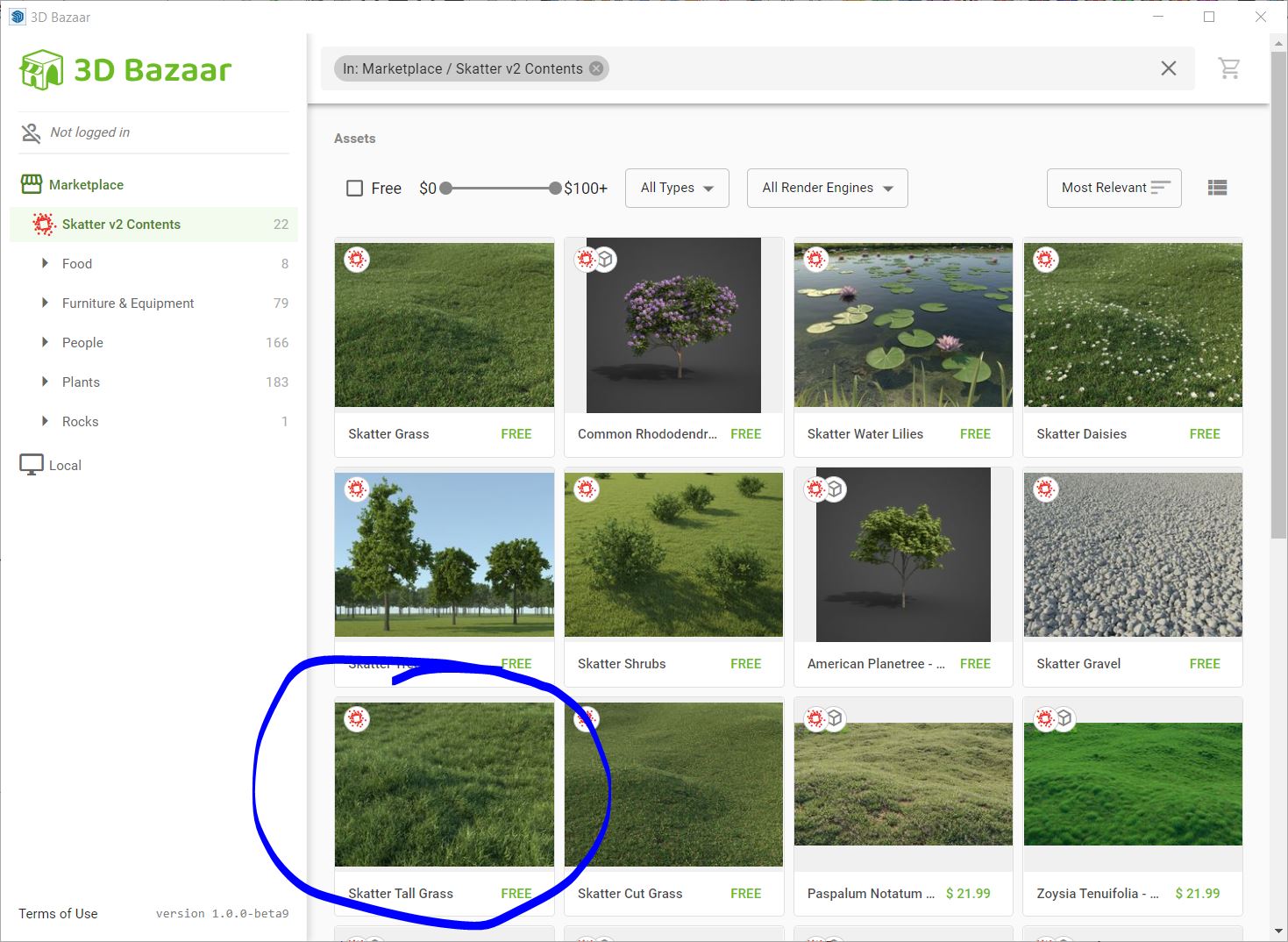
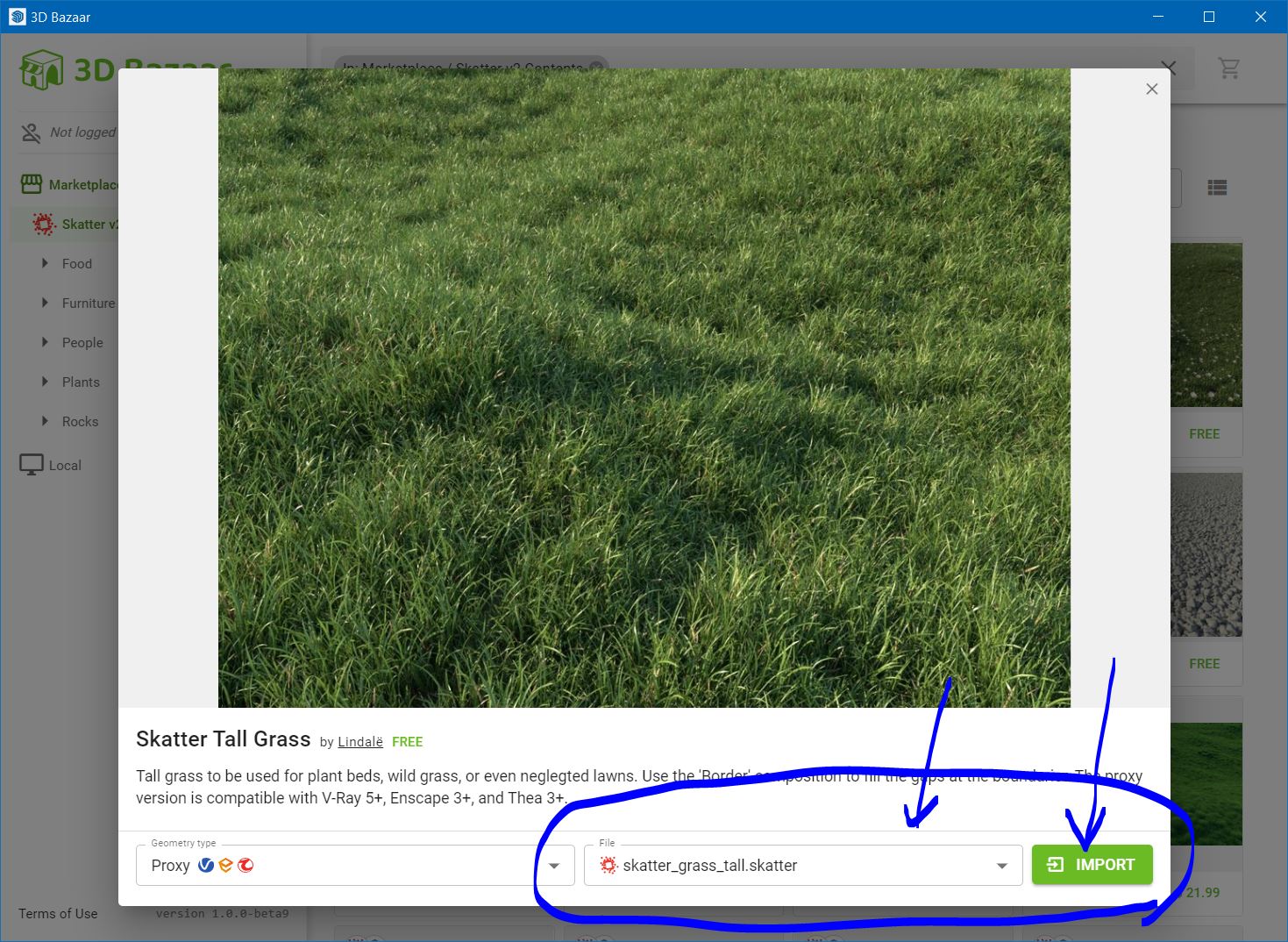
      The grass is from 3D Bazar which is the right most icon in the Skatter toolbar. From there you find tall grass for example and in the lower right click on import. The drop down gives you an option for the main grass and border. Import the main grass from there and it automatically opens up the composition editor window where you can pick the host groups. You can then go back to 3D Bazar and do the same for the border grass.

      3D Bazar.JPG

      3D Bazar 2.JPG

      You might need to update your update your Twilight Render.. Also check the Lindale forums. I'm not sure of Twilight supports Skatter. See if an update helps.

      I mainly use Vizpark or Globe Plants trees and shurbs. Flowers from Vizpark and Vimage.

      Skp files for plants can get rather huge. I typically import them into skp and run Cleanup and then create a proxy with Thea Render. I think Fredo has a proxy creator of his own which I don't know how to use.

      posted in Gallery
      Gus RG
      Gus R
    • RE: Architectural Renderings

      Dave,

      What sort of problems are you having with Skatter grass?

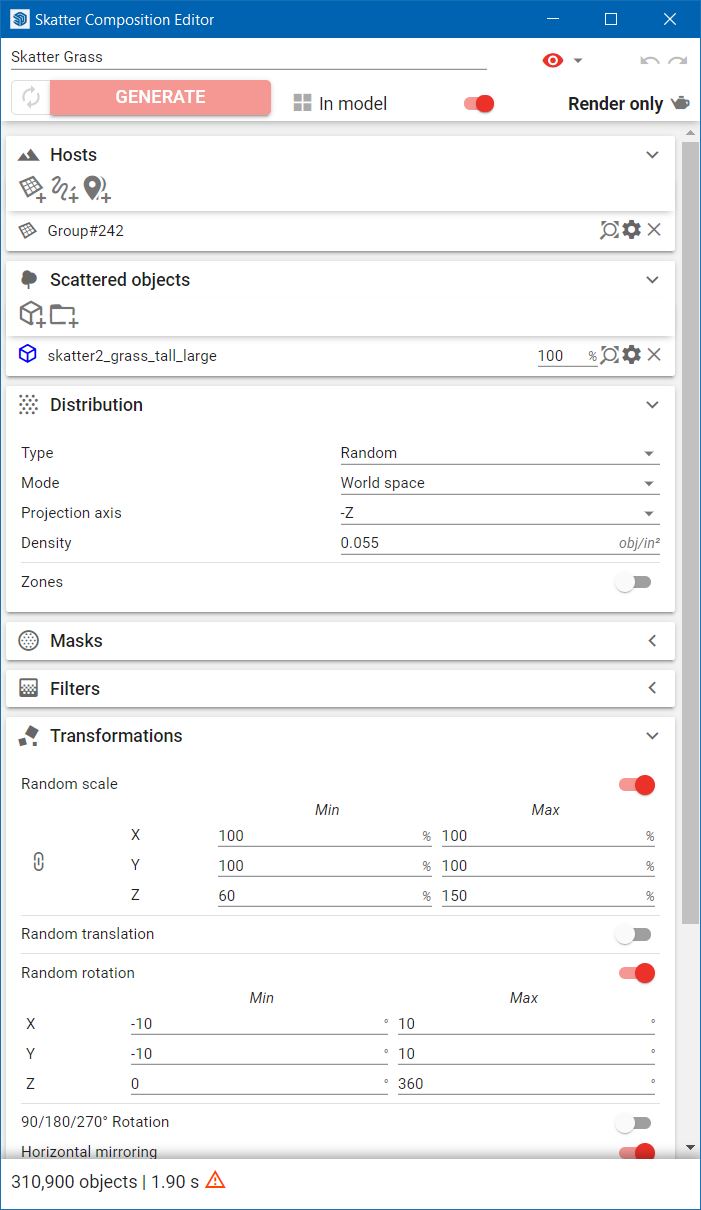
      In general I think it's best to use either the tall or medium grass. The default setting for the composition from 3D Bazaar should work fine. You might also want to distort the surface a touch using a variety of plugins. Also, apply some kind of dirt material to the surface.

      Skatter Composition.JPG

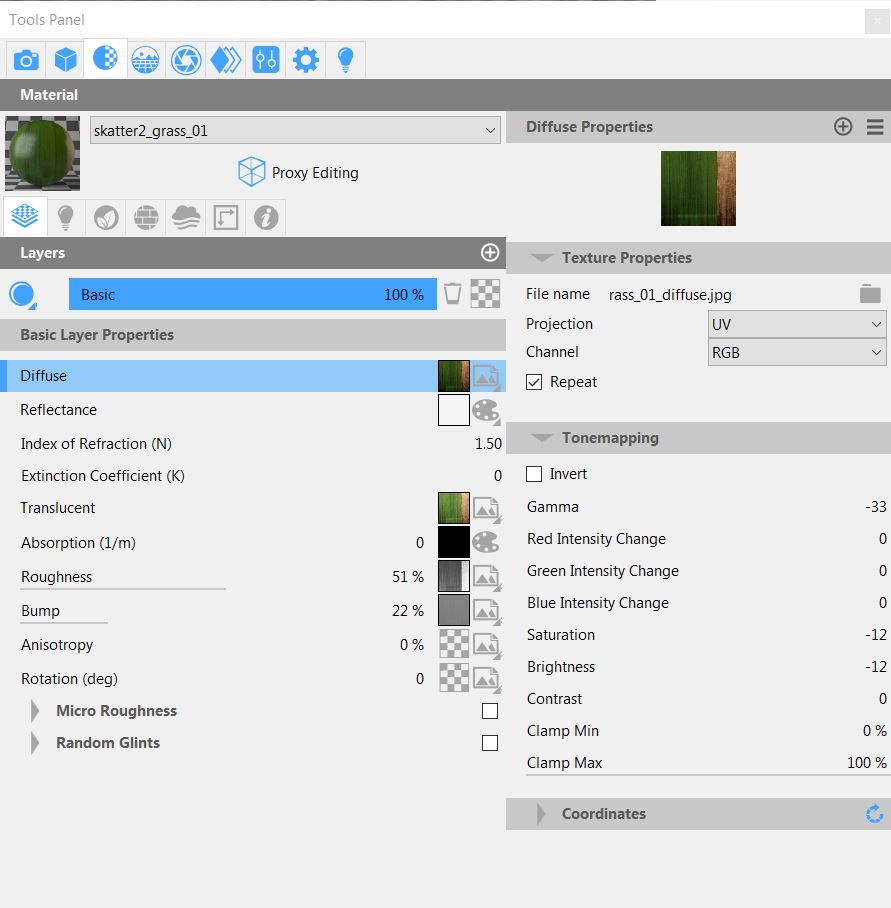
      I also changed the proxy material for the grass in Thea Render to tone the grass material down because under light it's too bright. This should give you an idea of those setting which I assume can be done with other render engines. Lower right under "Tone Mapping."

      Gamma at -33 and saturation and brightness at -12.

      Grass Material.jpg

      posted in Gallery
      Gus RG
      Gus R
    • RE: Architectural Renderings

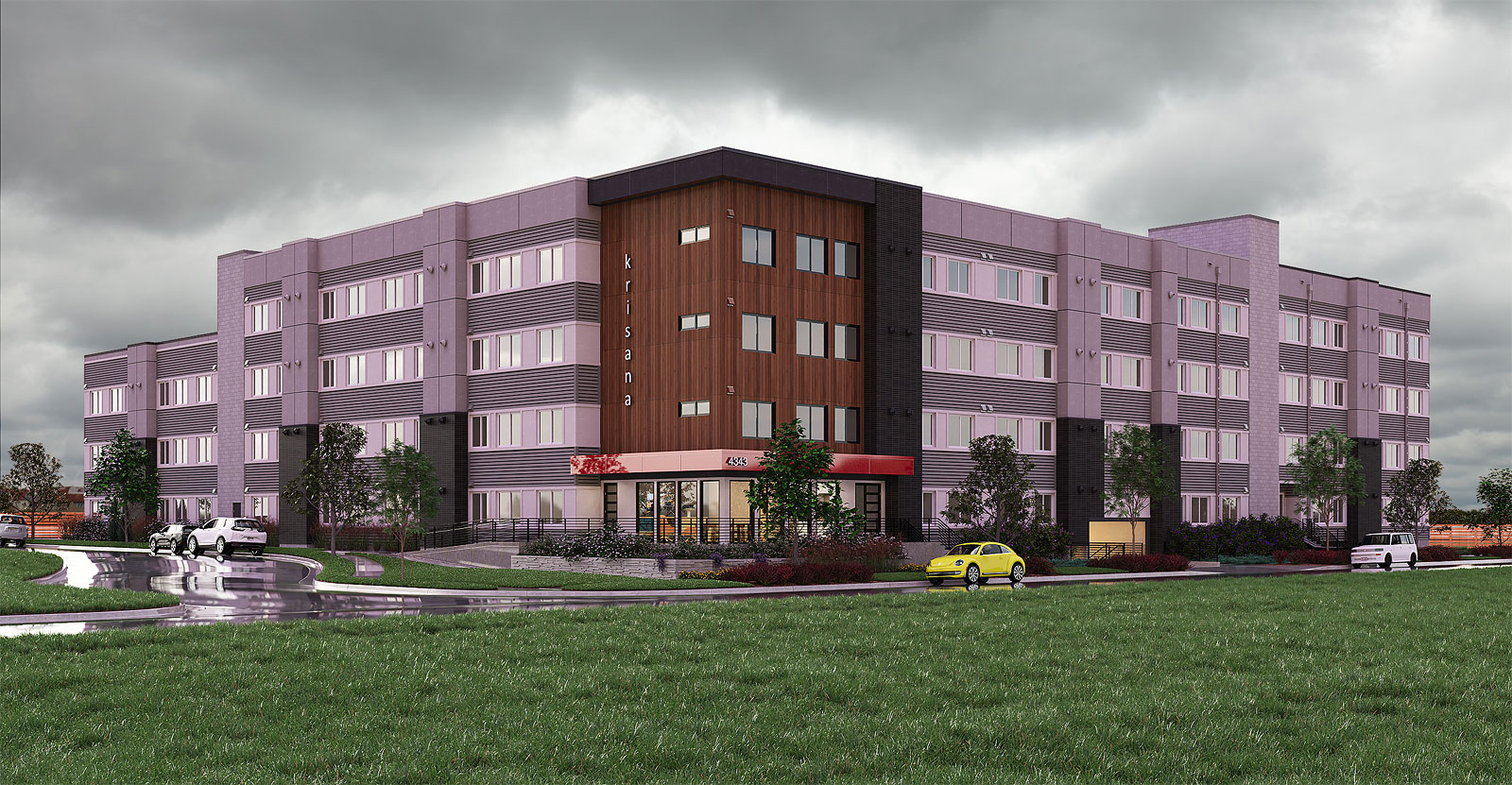
      The first one here is using D5 render which is pretty quick and easy to learn. The grass is a little too uniform but the clients were really happy with it although they had me remove the rodeo sign. I got carried away with the detailing of the bleachers. The sign is using ClothWorks. Nothing too complicated.

      The second is a proposed apartment in Denver. They didn't use this rendering. Windows and doors are FlexTools.

      D5_Image_20230510_050559.jpg

      Krisana-022223T-Scene-37.jpg

      posted in Gallery
      Gus RG
      Gus R
    • RE: Architectural Renderings

      Thanks Mike and Dave.

      The grass is just Skatter. I like to use tall grass since it has more depth and volume. The trees are all Globe Plants. I rendered it with Thea using an alpha setting to create the transparency to add the sky background which is from Vizpark. Have to apply "remove white matting" to remove the white edge in the png.

      posted in Gallery
      Gus RG
      Gus R
    • Architectural Renderings

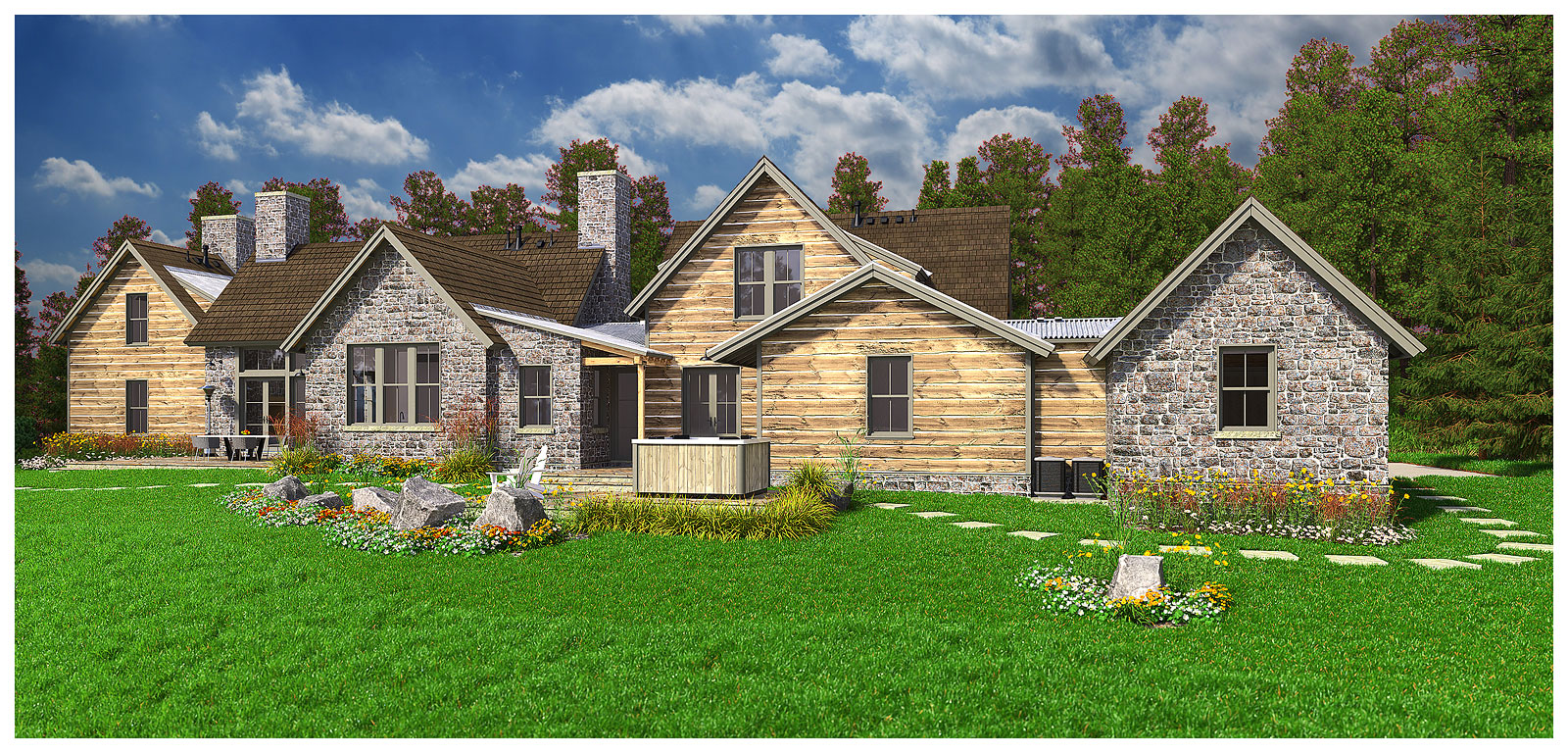
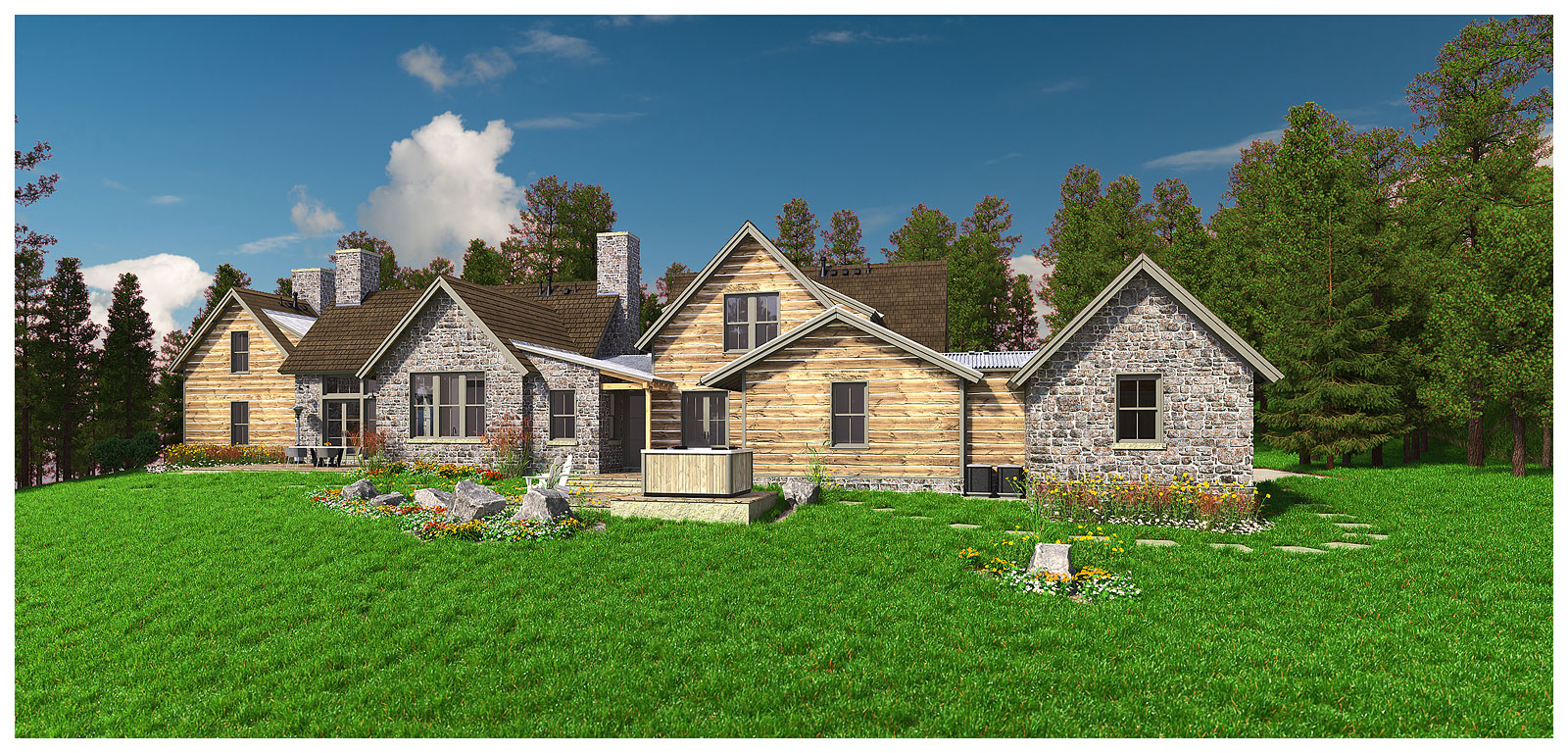
      Some renderings for a house in the Colorado Rockies. Sketchup 2022 Pro and Thea Render. I may post others here.

      Oliver-011523B-Scene-22B.jpg

      Oliver-Scene-4.jpg

      Oliver-Scene-5.jpg

      Oliver-Scene-6.jpg

      posted in Gallery
      Gus RG
      Gus R
    • RE: [Plugin] Geodesic Dome Creator 0.2.0

      Getting it to make faces for the glass may prove difficult. You can try it if you're using an older version of Sketchup since the SKM plugin is 13 years old. Didn't work for me. You can get that here: click on Téléchargement.

      posted in Plugins
      Gus RG
      Gus R
    • RE: [Plugin] Geodesic Dome Creator 0.2.0

      You can still get it from the Wayback Machine (archive) at this link.

      Whether or not he still wants it shared is unknown to me. I just tested it on SU 2022 Pro and it works.

      posted in Plugins
      Gus RG
      Gus R
    • RE: Modeling sidewalk detail on terrain

      You're welcome. I found this video from Tutorials Up for some different methods to create a sidewalk on terrain. The last one looks interesting. Haven't tried any of these yet.

      You'll have to watch it on Youtube since they don't allow any embedding for their channel.

      posted in SketchUp Discussions
      Gus RG
      Gus R
    • RE: Modeling sidewalk detail on terrain

      I was able to create this using Flowify. The sidewalk is done on a flat surface and the expansion joints was basically a 2x6 using Profile Builder (you can create your own) which I then arrayed using copy along path. Then grouped all those and exploded them within said group and then just subtracted it from the sidewalk. Then Flowify.

      It's not exactly real world flat work but it would be close enough for a rendering. You would have to divide the site layout into rectangle since you need the 4 points for Flowify.

      I haven't tried it yet but you can also stamp the topo with Sandbox and then either push-pull manually or use Fredo's Joint Push pull and then apply materials as required. I like to have the sidewalk grouped to apply beveled edges in Thea Render.

      After you Flowify the sidewalk you'll have to lower it by about 3 inches because otherwise the sidewalk will project 6 inches from the surface of the topography.

      I also subracted the sidewalk outline in the topography.
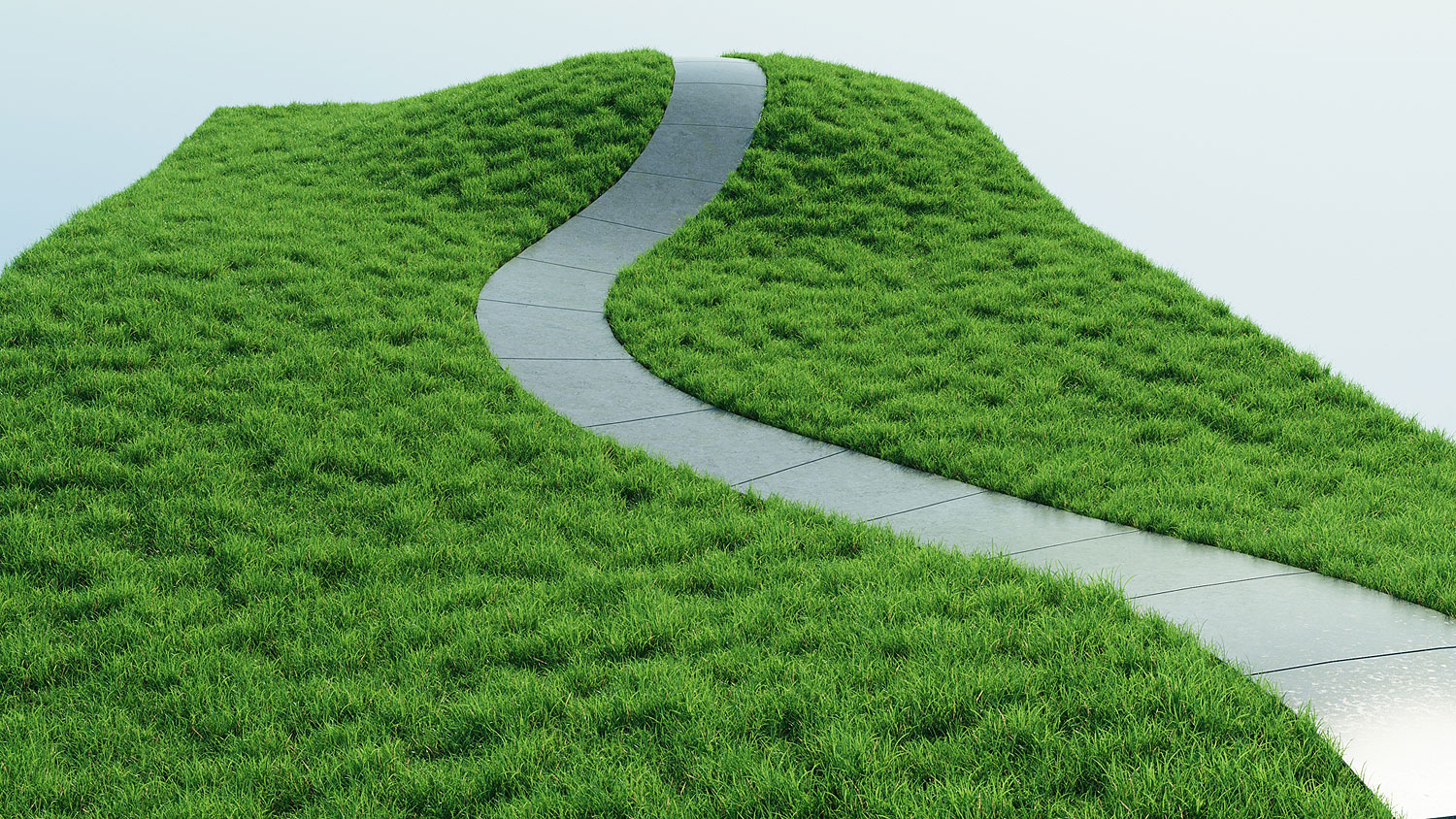
      Sidewalk-+-Flowify.jpg

      posted in SketchUp Discussions
      Gus RG
      Gus R
    • RE: Modeling sidewalk detail on terrain

      Here's skp file which you or anyone else can study with the groups set-up to Flowify on the left.

      Sidewalk + Flowify.skp

      Justin of Sketchup Essentials has a good quick start video about Flowify.

      posted in SketchUp Discussions
      Gus RG
      Gus R
    • 1
    • 2
    • 30
    • 31
    • 32
    • 33
    • 34
    • 52
    • 53
    • 32 / 53