@solo said:
http://sketchucation.com/forums/viewtopic.php?f=80&t=51410&p=469462#p469462
Does it make LARGER thumbnails, or it just makes it possible for x64 ?
 Offline
@solo said:
http://sketchucation.com/forums/viewtopic.php?f=80&t=51410&p=469462#p469462
Does it make LARGER thumbnails, or it just makes it possible for x64 ?
Yet no option to have larger thumbnails in Windows Explorer for SketchUp? (plugin/tweak... something?)
@unknownuser said:
I plan to refresh the JPP script and address the problem of generation of the geometry. JPP is quite old now and since then, I have been able to understand better how SU works for performance and reliability.
Fredo


Not a show-stopper, but I screwed-up a 40+ scenes project trying to quickly rename some scenes... I was in a hurry and when I noticed what I've done, I ended up with about 10 scenes having the same name...
Also, is enough to just click in the name field, even if you don't change a thing (let's say you changed your mind and you don't want to rename)... if you click on the next scene, you will end up with two scenes having same name. This is how it happened to me.
%(#BF0000)[A very nasty BUG that occurs when working with Scene NAMES.
It appears when renaming a scene.]
HOW TO REPRODUCE:
-set two scenes with different names.
-Rename one scene but NOT press enter.
-Click on the other scene.
RESULT:
The clicked scene will get the name instead of intended scene.
POSSIBLE FIX (addressed to Trimble):
Update the scene name on blur for Name field, not on another click/enter action.
@thomthom said:
Mostly the crashes I have is with the Drape tool. A lot.
And I find that render engines usually makes SU instalbe due to their uses of observers - especially if you have multiple loaded.
So, from a plugin-maker point of view, the Observers fix is a must, staying on the same page, for PRO versions (I would expect the PRO features to be smooth, as some pay for them), there is DC editor...that's slow. It's really difficult to work with it...it seem that always it's "thinking", also, a complex-geometry component with 2-3 levels of nested coponents animate jerky (almost no animation at all).
@aureus said:
Hi, Dereeei.
I see you have a single-core processor, the same like I had up to 2 months ago when I purchased the dual core. I'm afraid 'Not Respondings' will happen to you and continue to annoy you till the moment you pass on some multi-core.
It's core2duo, I just didn't mentioned that... so it's not bloating me with single process.
@aureus said:
The same thing can be said for saving a file.
Autosave seems to be much slower than normal Save so I keep it at one-hour interval (not more frequently) and save the document myself at the moment best fitting to my work. One thing that is really frustrating here is that SU is so unstable that you must press 'Ctrl+S' before every important step, literally. Not only that some plugins cause the crashing (this can be forgiven) but even some native SU commands do it too. The notorious 'Drape' tool is the champion.
As you pointed very well here, SU crashes a lot, so I rely on autosave for keeping me sane ... There were several occasions when I lost something very important just because it crashed when I was in the middle of it. And believe me, that's just frustrating.
The "save" I was talking in the post above, is not just the "Autosave", is the entire save process... I press Ctrl+S ... and sometime I have to wait for minutes to save a large model (as I exemplified above, 2-3 minutes for a model of 57MB) ...
@aureus said:
Like many others I consider there is a great appeal of Sketchup and I like it and use it but I don't know any other program apart from those GNU ones that crash so often from such a huge variety of reasons. If you ask me this is rather unprofessional.
This is why I wrote this... to make a point... This software is kind of "mature" alright, (version 8 now, with several incremental updates for most of the versions) ... one would expect from it to be a little more efficient (at least to save faster and crash less).
There are a lot of SU Wishes spread along this forum... but nobody centralized them and to make some kind of a pool with the most important ones... and the votes themselves to tell to Trimble what's first to be fixed...
Save faster !
One smart guy (from Trimble, I think) recommended here on a post about SUx64 that we get faster hard-drives if we want faster save.
Tell me, how SLOW do you think my HDD is, if a freakin' 57MB model needs 2-3 minutes to save ?? I have a hint: is SATA II, not 5" Floppy Disk
Better large-models management (less Not-Respondings)
Better materials management
(now, when right click on a material you wait... for Apocalipse)
Better entities management
not crash at each entities parsing - meaning that layers and outliner windows to collapse when any entities iteration is in place. - and I'm not talkin (only) about plugins, but also default SU actions
BETTER UV management
Better UV mapping and UV and materials to be independent... to be possible to EASILY repaint an object without blowing out the UV.
Is possible now too by changing the material in Entity info window, but when one uses , the UV blows off.
Fix camera clipping for large scenes*- figure it out, you are the programmers.*
Faster import
Either from import menu, or drag and drop or from Components window. Large components just freeze the program until they import.
And I'm sure there are more... lots of things small and big that need to be improved. But every time, the performance has priority... s a non-functional (meaning that half of the time one waits for program to recover from Not Responding state) program is not good at all, despite how many functionality it have. And nowadays we make a lot of nice things with SU, not only Google Earth buildings... so large models are pretty common.
P.S. - My CPU runs @ 3.2 GHz, is not the pinnacle of the market, but you can't say my machine is slow...
Wish you best !
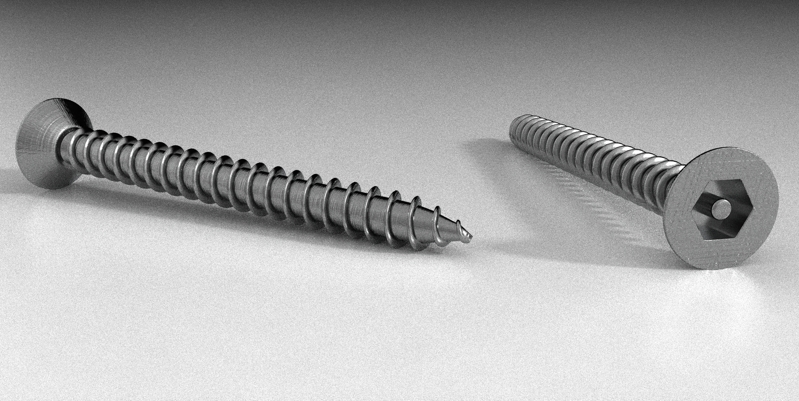
I had to model a screw for some close-up renderings... and I just wanted to tease you
screw.rb, Fredo Scale and ... mouse, a lot of it.
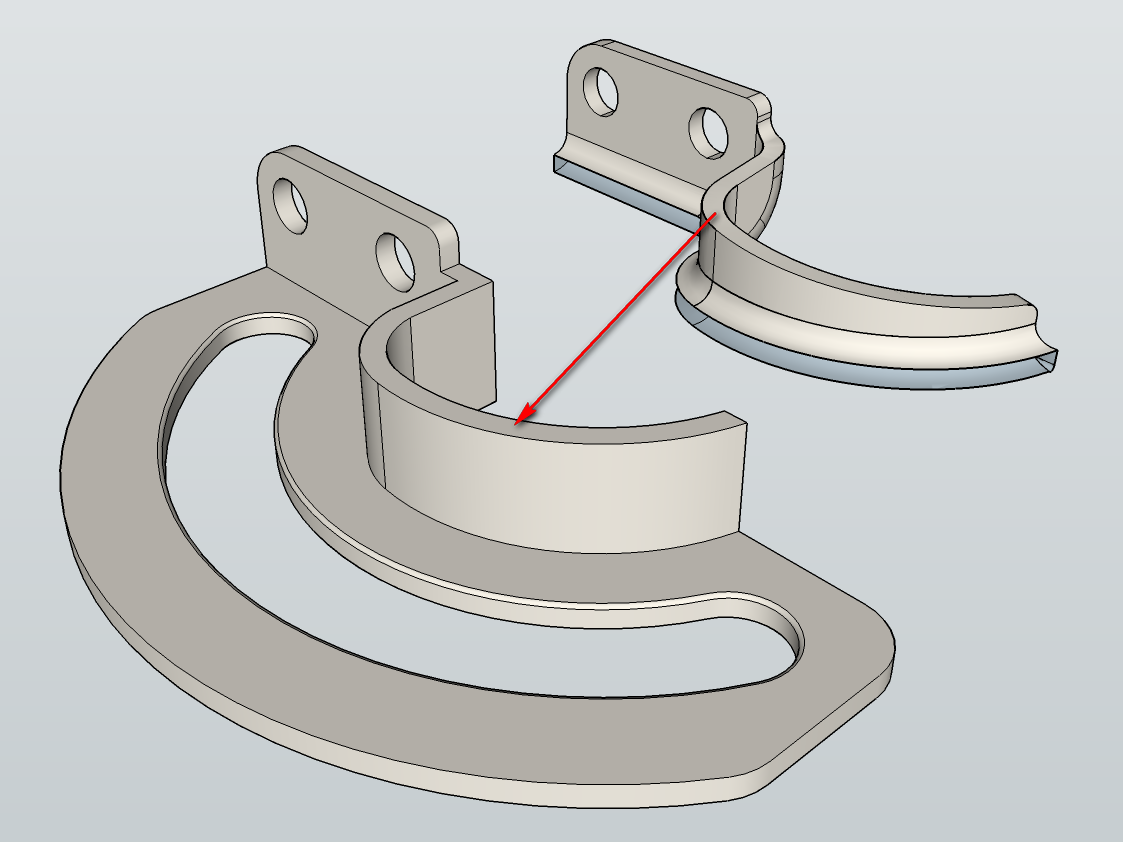
I'm trying to remodel this http://www.southco.com/en-us/r6 (the step file downloaded from website is very messy) but I have some problems with a ramp-like side of the modeled piece.
I could just slice it diagonally, but if possible, I would like to have it as the original part is.
Thank you.
Actually that's cool! And explains why vampires cannot be seen in the mirror ...
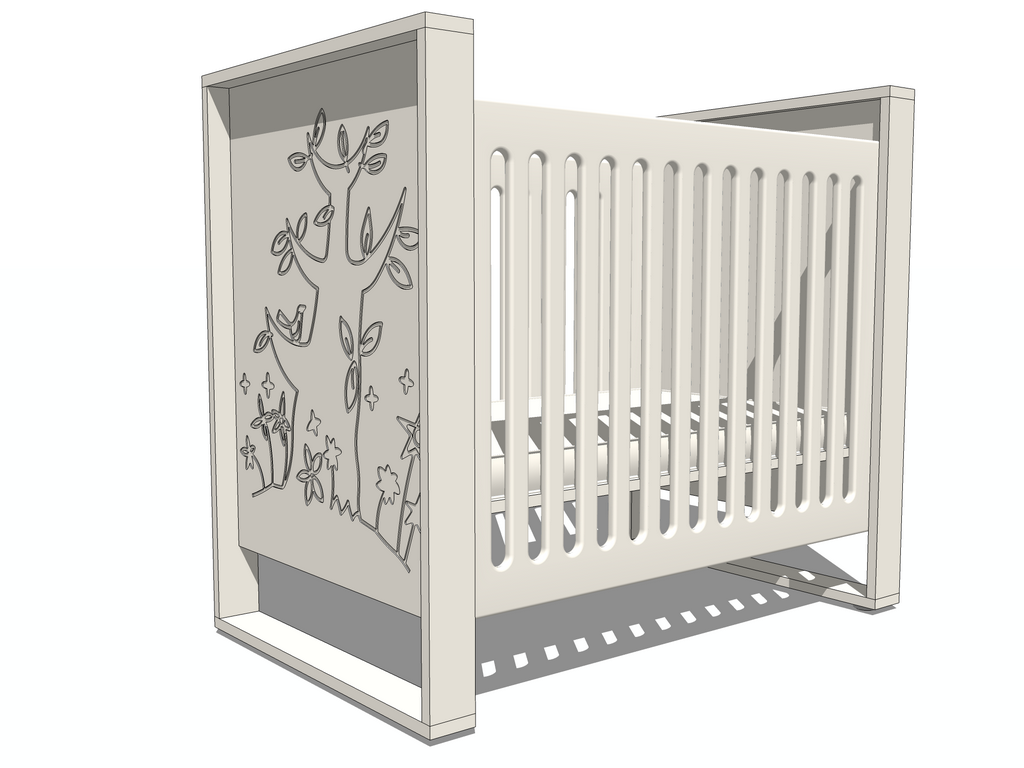
Crib.png[/attachment]It took me A LOT of cleaning... but Street Generator was a good solution... And I swear I never do this again  (until my OCD strikes again next time)...
[attachment=0]
@sdmitch said:
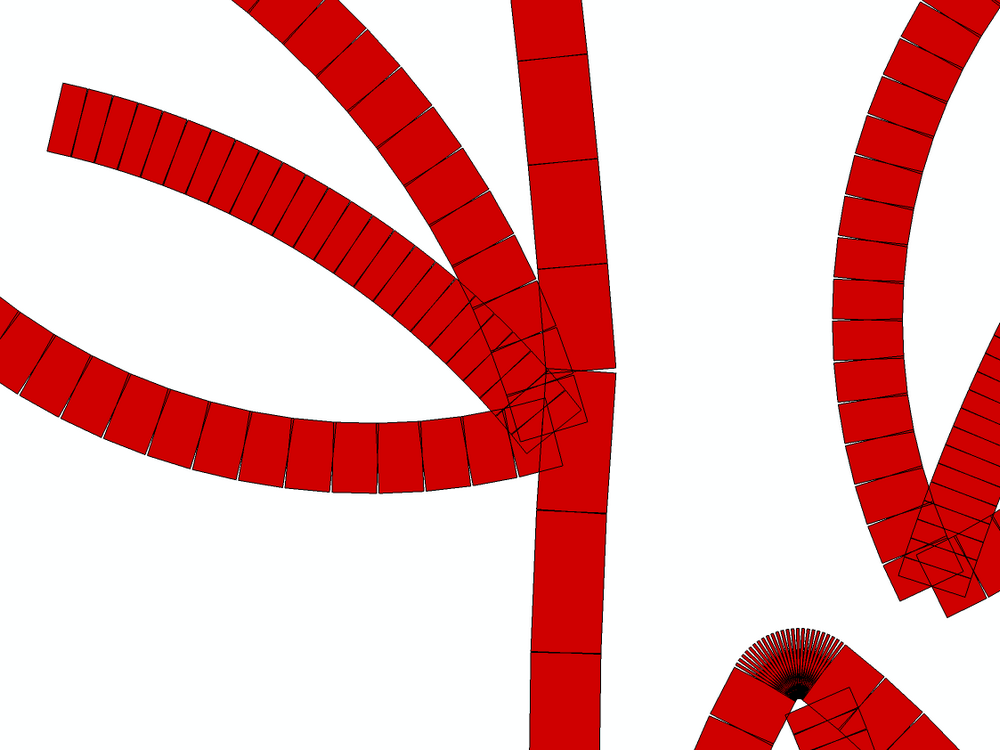
After rotating everything to the XY plane, I was able to achieve this result using my Dashline plugin. It took a couple of minutes to process when selecting everything.
Well, your trick ALMOST offers the wanted result... but it doesn't.... as you can see in this image, there are a lot of gaps that resulted from rotation.
I have to try Pilou's solution.
Actually, what I want is something like this... but even scaling the model 1000X, it still crashes, and I cannot figure why. This is the most I could do, if I select more, if blows.
Lines2Tubes -> Zorro on the midline, deleted both sides, cleaned-up => voila !
I hoped that is possible to automate the process, like an Offset tool that will do it for all lines in this sketch.

I have this tree sketch and I want to use it on a CNC machine... but, before that, I would like to make a 3d representation of the final result, so I need to "emboss" that shape into a face, but having a thickness of 5mm.
I tried Lines2Tubes, but the model seem too complex and crashes every time. It worked at first, but it creates odd ends where tubes intersect.
Any suggestions? Any plugin that emulates the shape of a CNC head over a path?
Thank you.

@rich o brien said:
That's great
I was trying to come up with a Voronoi workflow recently. It quckly spiralled outta control...
[attachment=1:3knqztn3]<!-- ia1 -->voronoi-test-su.png<!-- ia1 -->[/attachment:3knqztn3]
[attachment=0:3knqztn3]<!-- ia0 -->voronoi-test-thea.png<!-- ia0 -->[/attachment:3knqztn3]
that's awesome, dude !!
The material for the CRT is awesome ! indeed you achieved your goal ! Care to share the technique ?
Not really spinning ... try using SketchyPhysics and upload it on youtube
@liam887 said:
I would look at GPU rendering rather than CPU based. Only so much you can do now days with CPU rendering.
Personally I would opt for a Nividia GTX Cuda enabled card. I have the GTX 980 but you can get a cheaper card that does an amazon job. Stay away from AMD!!
But this common rendering engines as KT/Twilight/Thea/ (or others) are specialized to use CUDA ? I know there are some used for dynamic lighting and real-time rendering, but I'm not using such software...
Thank you! You made it clear for me.
