sketchucation logo sketchucation
    • Login
    1. Home
    2. d12dozr
    3. Posts
    Oops, your profile's looking a bit empty! To help us tailor your experience, please fill in key details like your SketchUp version, skill level, operating system, and more. Update and save your info on your profile page today!
    Check out Febhouse | New extensions for Shadow Analysis in SketchUp Download
    D Offline
    • Profile
    • Following 0
    • Followers 0
    • Topics 67
    • Posts 2,179
    • Groups 1

    Posts

    Recent Best Controversial
    • RE: Simple Artisan examples collection

      @baz said:

      How would you go about this if you wanted a single face for the front and back?
      Ie: as if it were bent plywood with vertical edges in the z plane.

      Delete the sides, crease the corners, run artisan, then just draw 4 lines to connect the corners together.

      Like so:
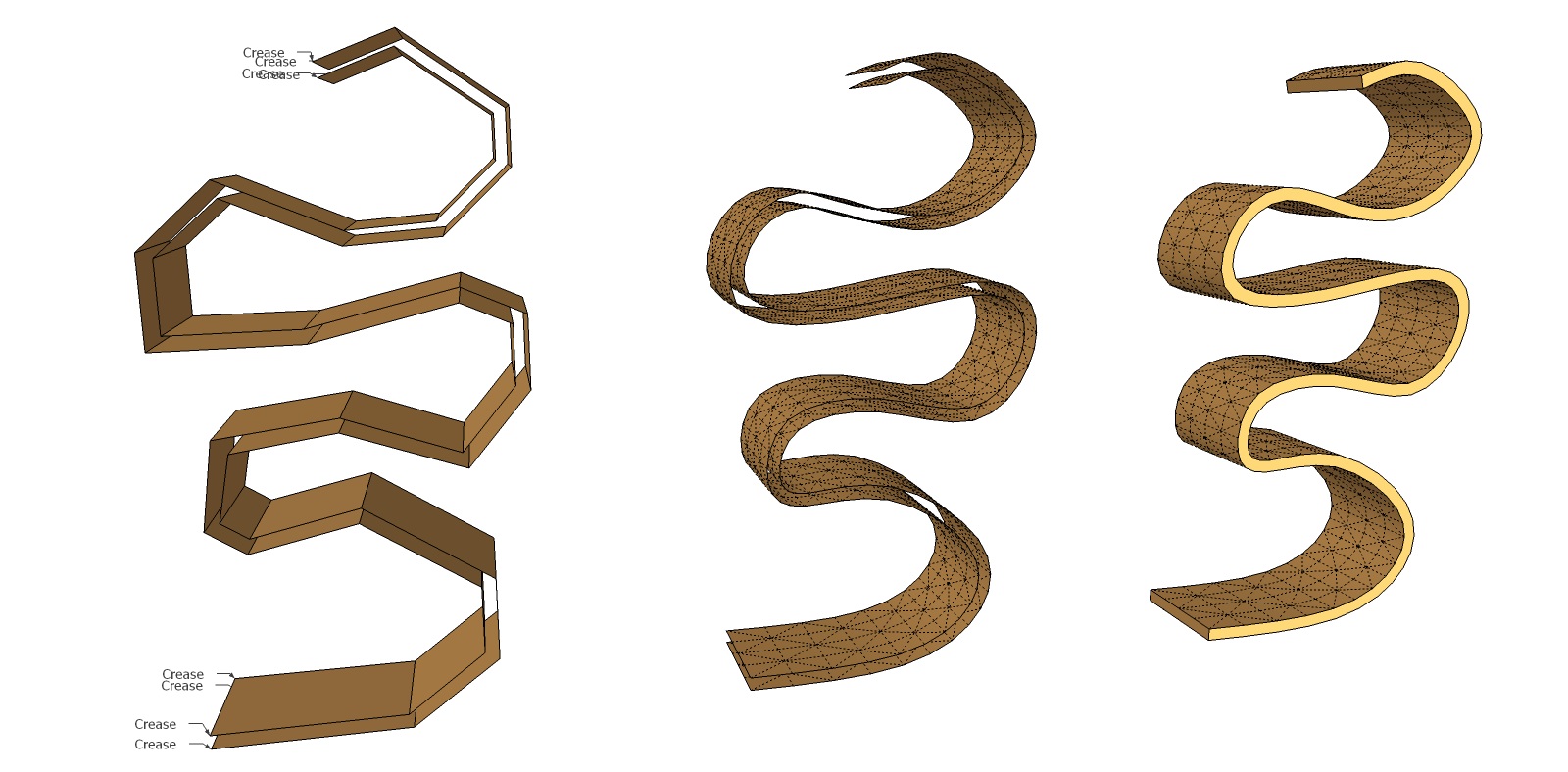
      cotty_baz_bookshelf.jpg

      Awesome collection, Cotty - please keep it up! This thread was invaluable to me a couple weeks ago when I made my first real project with SDS (I haven't needed to upgrade to Artisan yet.) The project was for 3D printing, and my customer was very happy with the result, so thank you!


      cotty_baz_bookshelf.skp

      posted in Organic Modelling
      D
      d12dozr
    • RE: My First Paid 3D Model

      @bryan k said:

      @d12dozr said:

      Nice!

      Did you make it 'hollow' for a cheaper print?

      Again, I don't know. It was made by a 3rd party company with no specific request for hollow or solid.

      Hollow refers to how you modeled it. Here's an example (not Sketchup) from Shapeways: creating hollow objects.

      Hollowing saves money on the 3D print because you use less material...just curious if that's how you made your model?

      posted in Gallery
      D
      d12dozr
    • RE: My First Paid 3D Model

      Nice!

      Did you make it 'hollow' for a cheaper print?

      posted in Gallery
      D
      d12dozr
    • RE: VR presentation of apartment renovation

      Wow, work like this is what separates the men from the boys - that's one helluva pro job, Jan!

      posted in Gallery
      D
      d12dozr
    • RE: Iolani Palace WIP

      Sweet modeling, Daniel! πŸ‘

      posted in WIP
      D
      d12dozr
    • RE: You ever have a shape in your head...

      @unknownuser said:

      gonna try the crayola stuff marcus is talking about.. thanks for the info on that stuff d12dozr!

      np, I'm curious to see how it turns out πŸ‘

      posted in Corner Bar
      D
      d12dozr
    • RE: You ever have a shape in your head...

      Here's the clay my client used: Crayola Model Magic. It was nicer than modeling clay - lighter and cleaner. He says:

      @unknownuser said:

      I would stay away from the Model Magic Fusion. Some of the speckles are too big and nasty. Especially stay away from the Model Magic Fusion Black.

      posted in Corner Bar
      D
      d12dozr
    • RE: Re: Some Funny Pics.

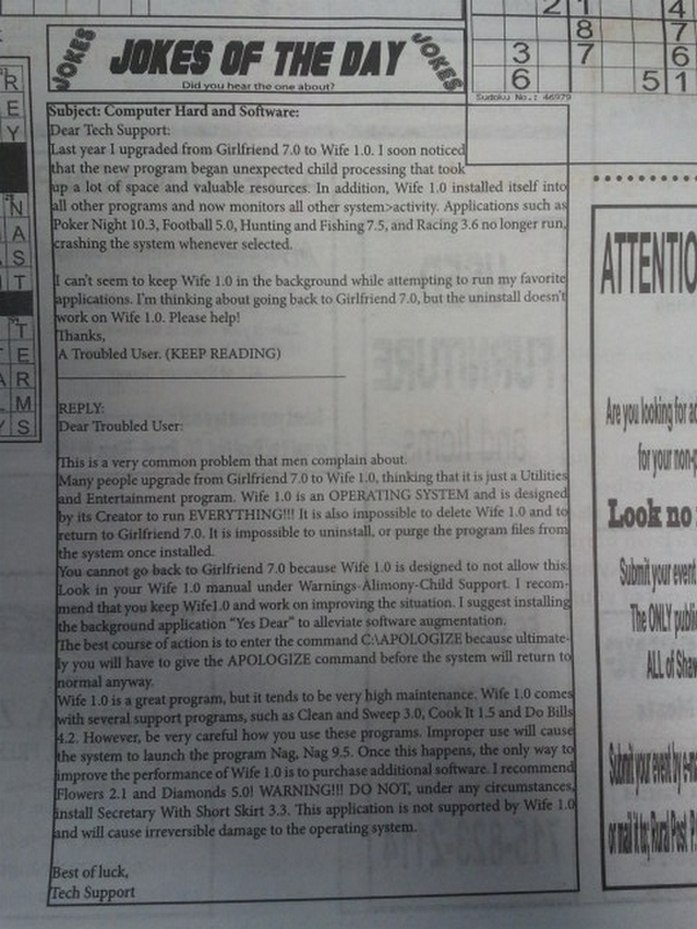
      πŸ˜„


      TechSupport.jpg

      posted in Corner Bar
      D
      d12dozr
    • RE: You ever have a shape in your head...

      @unknownuser said:

      .. I think I'm going to try it with clay..

      That's actually a great idea. I just finished a project for a client who made a model out of clay for me to work from for the Sketchup model. He got the clay model as close as he could, then took Top, Side, Front, and Back photos. He took those photos into Photoshop, tweaked them til they were perfect, added dims and specs, and I used those as the blueprints for modeling.

      The final model was 3D printed, and the client was super happy how close it was to his concept. I bet that process halved the cost of the project for him, especially because there was hardly a straight line in the model so conventional plans were hard to make.

      ...a little different situation than yours, but hey, it might help.

      posted in Corner Bar
      D
      d12dozr
    • RE: Smoothing Geometry for STL Export

      Hi Tiffany. Its true, Sketchup smoothing doesn't translate well for 3D printing. 😞

      Having 3D printed many Sketchup models, I can assure you do not need a different program at all, πŸ˜„ but its very likely you'll have to rebuild it with 3D printing in mind. You have to use more segments in your Sketchup curves for the final model to be smooth.

      Without seeing the model for specific advice, here are some suggestions for plugins:
      You may be able to smooth the model in one shot with Artisan ($39).

      Depending on the model, you may be able to rebuild just parts of it with better curves (meaning increase the segment count), and a few free plugins:
      Look for Fredo6's Bezier Curve, RoundCorner, and Curviloft, and TIG's Extrusion toolset.

      Feel free to PM me if you want specific advice on a model you can't share publicly.

      posted in Newbie Forum
      D
      d12dozr
    • RE: Zippo Lighter

      Awesome, Kurt!

      What material did you order it in?

      posted in Organic Modelling
      D
      d12dozr
    • RE: Re: Some Funny Pics.

      http://jawdrops.com/wp-content/uploads/2012/04/WTF28.jpg

      posted in Corner Bar
      D
      d12dozr
    • RE: Zippo Lighter

      It would be tricky for sure! If I were modeling it, I'd model the skull and bones on a flat surface, then use ShapeBender to wrap it around the box.

      You also have to figure out a hinge mechanism, or just have the cover a separate piece - because of the process, 3D printed Stainless Steel can't have moving parts.

      posted in Organic Modelling
      D
      d12dozr
    • RE: Zippo Lighter

      You could definitely 3D print that. You may have to tweak the design to meet the specs of the material you're using, but yeah, that would make an awesome print.

      I've had the best luck with Shapeways, and I'd go with their Stainless Steel material. That material has an nice 'rustic' finish that would go great with the Zippo/skull theme.

      So are those photos, or renders?

      posted in Organic Modelling
      D
      d12dozr
    • RE: Hello... and .stl files...

      Did you try typing .stl on the end? You can also rename the file after exporting it.

      ...so "mymodel" becomes "mymodel.stl"

      I was confused by the "certificate trust list" thing too, until I figured out I could rename the file.

      Hope that helps. If not, I suggest contacting the plugin author.

      posted in Newbie Forum
      D
      d12dozr
    • RE: Hello... and .stl files...

      @adamg said:

      ... the Guitar list plugin. Can create .DXF files no problem but .STL remains elusive.

      When exporting STL with the Guitar list plugin, type the filename then actually type ".stl" on the end. For some reason that plugin doesn't append the filetype.

      posted in Newbie Forum
      D
      d12dozr
    • RE: Re: Some Funny Pics.

      I'm betting a lot longer than it takes to lose it! 🀣

      posted in Corner Bar
      D
      d12dozr
    • RE: [Plugin][$] FredoScale - v3.6a - 01 Apr 24

      Sweet update...Thanks, Fredo! πŸ‘ ...and Jeff for the inspiration πŸ˜„

      posted in Plugins
      D
      d12dozr
    • RE: A new home for SketchUp

      @unknownuser said:

      @d12dozr said:

      3D printers all have a print resolution. You just need to make sure your line segments in SU are smaller than that resolution. For example, Shapeways White, Strong & Flexible material has a print resolution of 0.2 mm, so you just make sure all your line segments are smaller than .02 mm and you're good.

      Also, when you export to STL (which is what format most 3D printers use), the model is converted into a mesh, meaning true curves are lost anyway. This is true even if you model in Rhino or any software that uses real curves.

      This I was not sure about, I did mention that I had not tried 3D printing myself. Good information for sure, thanks πŸ˜„

      The advantage that Rhino (or similar tools) has over SU in this case is resolution is set when you export, and you can adjust it automatically. In SU, you have to preplan the resolution, and its not easy to edit if you need to.

      Its also worth noting that only the model line segments need to be smaller than the printer resolution on curves - on flat surfaces the segments can be as long as you need them to be and the model won't look faceted.

      posted in SketchUp Discussions
      D
      d12dozr
    • RE: Re: Some Funny Pics.

      @unknownuser said:

      That is some thick ass paper, pardon the pun.

      I made it thick enough to print on a 3D printer...I'm entering it in a contest so I'll show ya'll if I win πŸ˜„

      posted in Corner Bar
      D
      d12dozr
    • 1
    • 2
    • 24
    • 25
    • 26
    • 27
    • 28
    • 108
    • 109
    • 26 / 109