sketchucation logo sketchucation
    • Login
    1. Home
    2. cmeed
    3. Posts
    Oops, your profile's looking a bit empty! To help us tailor your experience, please fill in key details like your SketchUp version, skill level, operating system, and more. Update and save your info on your profile page today!
    ⚠️ Important | Libfredo 15.6b introduces important bugfixes for Fredo's Extensions Update
    Offline
    • Profile
    • Following 0
    • Followers 0
    • Topics 58
    • Posts 300
    • Groups 1

    Posts

    Recent Best Controversial
    • RE: Selection idea or does this exist??

      @oganocali said:

      Tgi3D selection tool supports expanding line/edge selection. The expansion stops at line ends, line branches, or already selected edges/lines. To activate expanding edge selection you need to switch to Tgi3D selection tool (somewhat like a fat version of the default selection icon) and press Ctrl key while left clicking on a seed edge (from which the selection will expand).
      Tgi3D training version is free and unlimited for this feature.

      exactly this idea. Thank you. now thats $149 but as you say theres that function's built in to the free version. will check it out. cheers.

      @EarthMover - cheers, got the Sketchuv tool which is similar to fredos hover over.

      thanks for the help.
      posted in Plugins
      cmeedC
      cmeed
    • RE: Selection idea or does this exist??

      Thom, do you think this idea is a good one? would you find it helpful in your workflow?
      c

      posted in Plugins
      cmeedC
      cmeed
    • RE: Selection idea or does this exist??

      yes thats what i was thinking. Although the fact that the 1. and 2. are possible are enough, 3. was really and added idea maybe a step too far ??

      posted in Plugins
      cmeedC
      cmeed
    • RE: Selection idea or does this exist??

      so (a bit more explanation)

      1. select with mouse the start of you selection
      2. use arrow keys - the right arrow would push the selection along the line segments
      3. if there was a junction - up arrow would help decide the direction for you to take
      4. right arrow key again to take you in that new direction

      c

      posted in Plugins
      cmeedC
      cmeed
    • RE: Selection idea or does this exist??

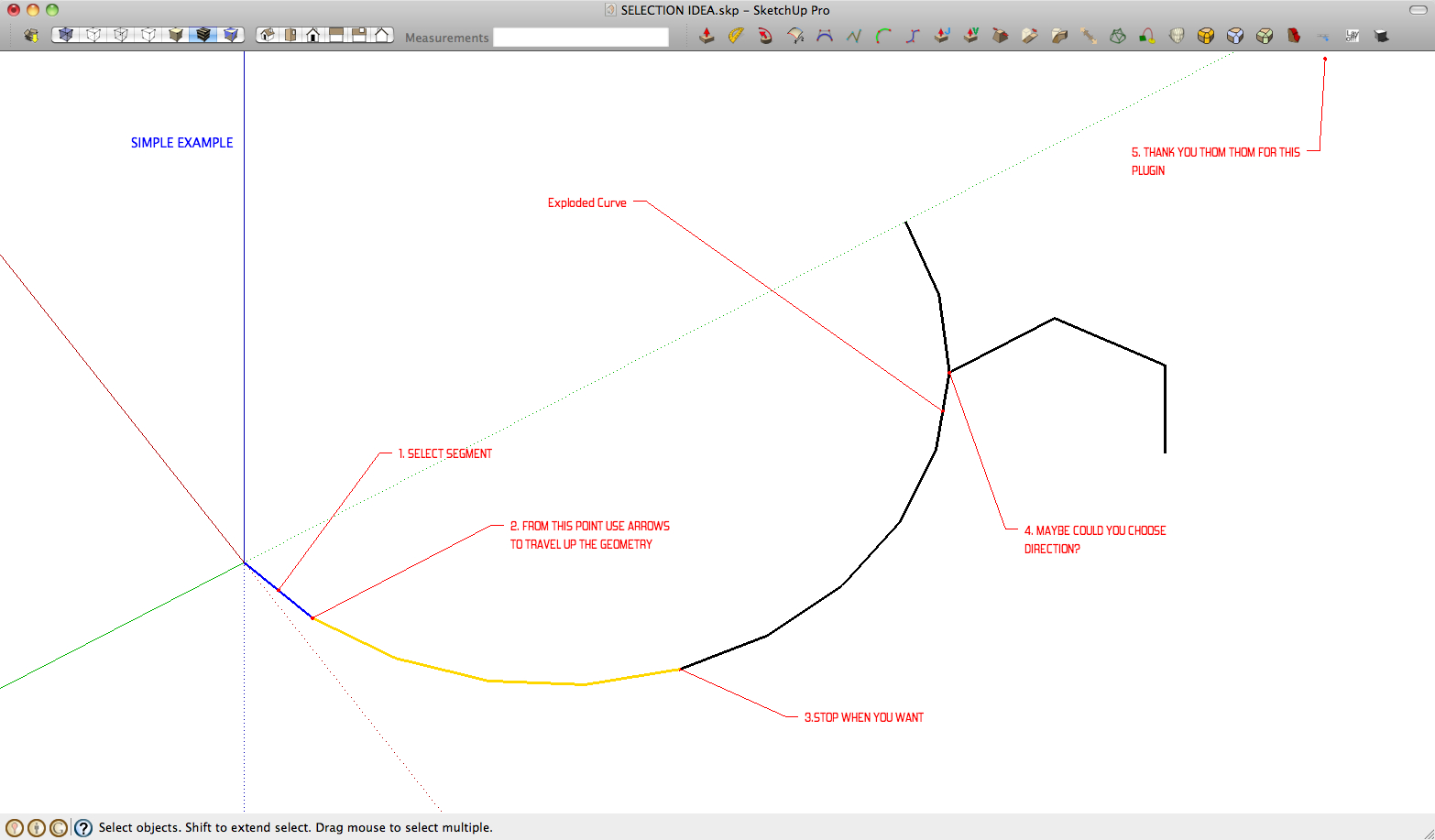
      Thanks for taking an interest heres more explanation - the attached picture is a very simple example - I would see it more useful when theres an exploded .dwg and you want to pick out something from within it and theres loads of overlapping lines - clicking along one line using the arrow keys instead of using the mouse where errors happen...
      the directional idea is just an additional idea....

      is this possible and does it exist?

      cheers
      c


      SELECTION IDEA.jpg

      posted in Plugins
      cmeedC
      cmeed
    • Selection idea or does this exist??

      Hello All
      I have wondered if there was a plugin already that selected lines using the arrow keys?

      Often I explode curves and then need to weld them back together which is a basic operation. situations become tricky when the camera is up against some thing or there is a mass of geometry on screen. It made me wonder about existing selection plugins if this existed, selecting a line through the arrow keys so you don't have to individually click on each segment of the geometry or move the camera

      You would start the selection off with the mouse and the proceed down your connected geometry until you have selected what you want using the arrow keys ( 💭 could you then choose a path when you came to a vertex junction maybe - up arrow....)
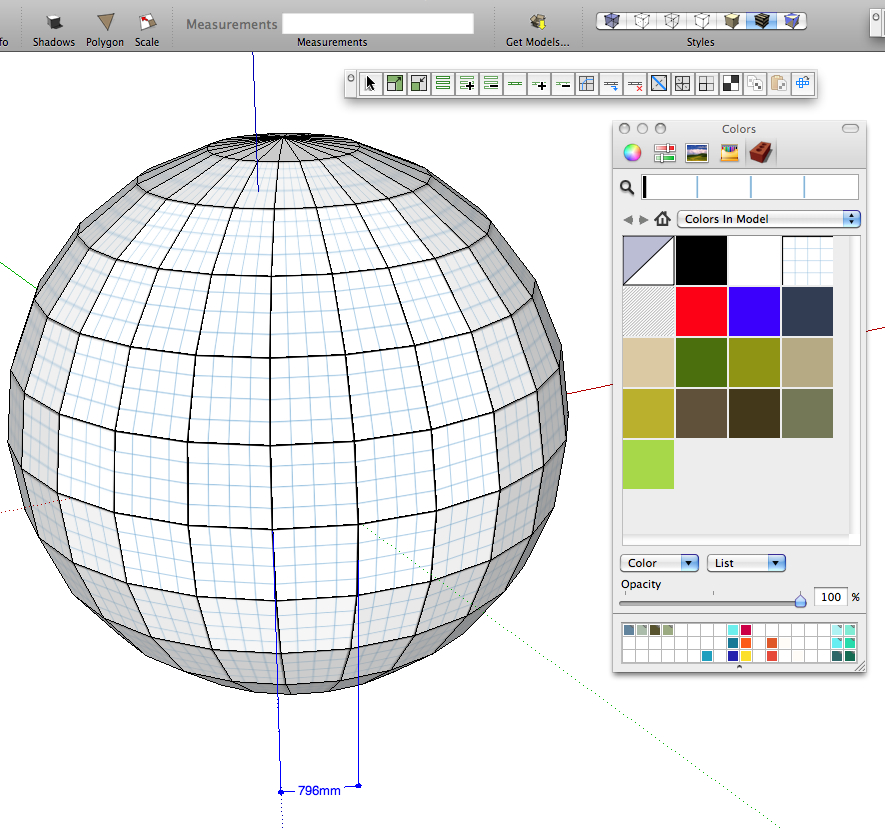
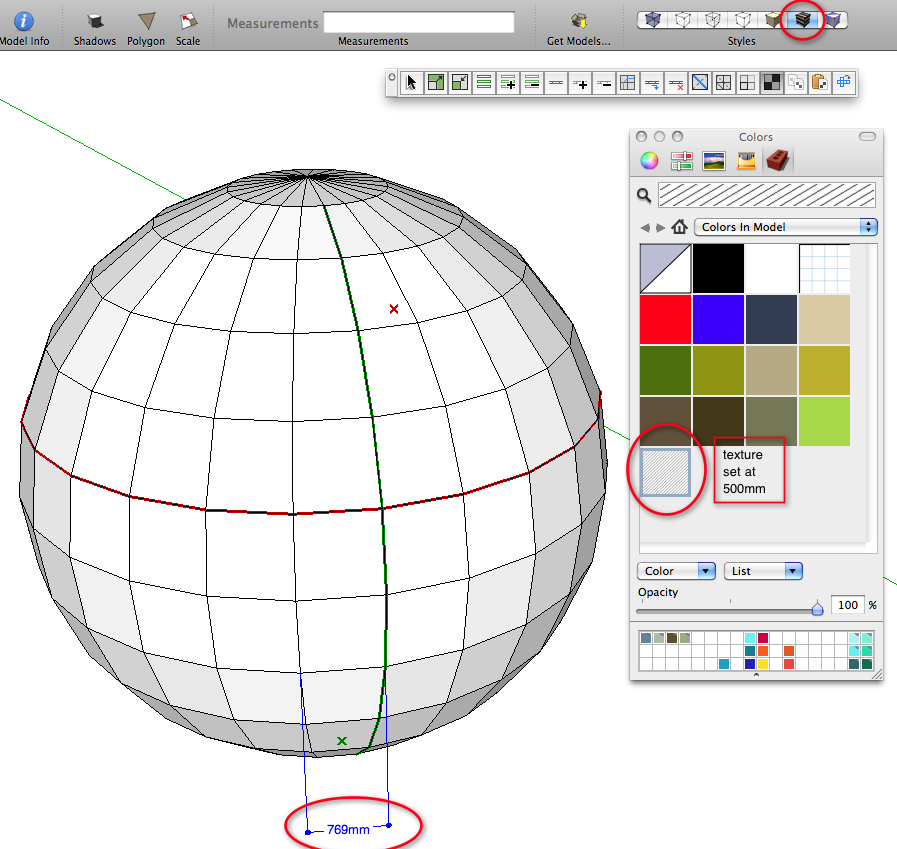
      with more and more organic forms being created with all these amazing plugins i think this could be useful. but is it possible?

      Thank you every Plugin maker out there, you have made Sketchup an fantastic tool.

      Cheers
      C

      posted in Plugins
      cmeedC
      cmeed
    • RE: [Plugin] QuadFaceTools

      great to see a video and what amazing work you put into this forum. really well done.

      I'm trying this out for the first time and am having some trouble, the problem is that i can put a texture in but then cant change it to a new one

      Its basically only works once and you can't map anything else to that shape. or i've missed something. - I'm on a mac

      (suggestion - is there a roll over help pop up that can be used that when you leave the curser ove an icon a pop up help describes the function?)


      mappingproblem2.jpg


      mappingproblem.jpg

      posted in Plugins
      cmeedC
      cmeed
    • RE: [Plugin] Materials from List - TIGmatlist

      thank you!!!
      c

      posted in Plugins
      cmeedC
      cmeed
    • RE: Hybrid and raster view

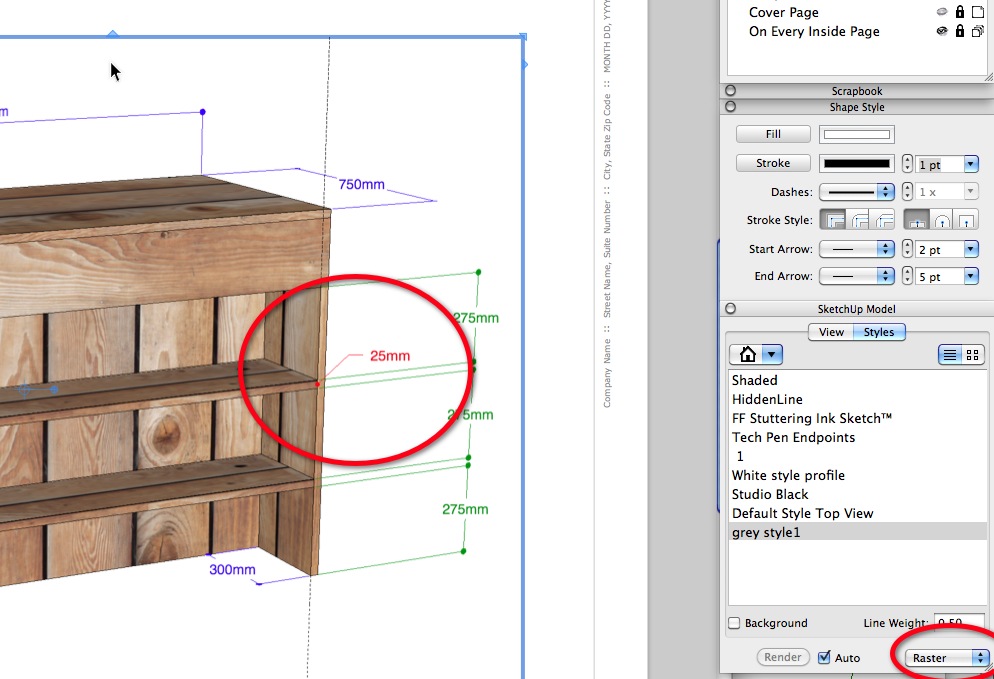
      all the dimensions that you see are from SU. I just changed the view in LO from Raster to Hybrid after inserting the model.

      posted in LayOut Discussions
      cmeedC
      cmeed
    • Hybrid and raster view

      Can anyone explain why in hybrid view my Leader text disappears?
      cheers
      c


      LO_rasterhybrid1.jpg

      posted in LayOut Discussions layout
      cmeedC
      cmeed
    • Disappearing text on export??

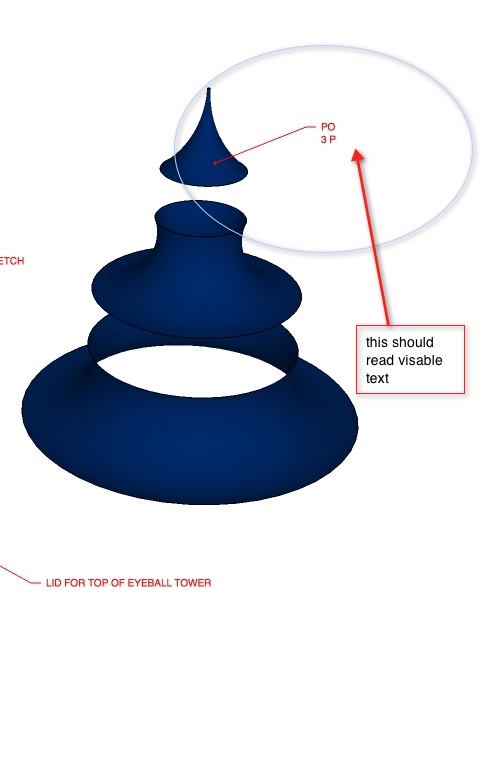
      Why does my text randomly disappear when i've exported to jpeg??????
      c


      text not appearing.jpg

      posted in SketchUp Discussions sketchup
      cmeedC
      cmeed
    • RE: JPEG EXPORT - options don't change a thing

      did anybody get any answers for this?
      c

      posted in SketchUp Discussions
      cmeedC
      cmeed
    • RE: JPEG EXPORT - options don't change a thing

      thom thom that was just compression you where changing?

      posted in SketchUp Discussions
      cmeedC
      cmeed
    • RE: JPEG EXPORT - options don't change a thing

      So I'm not going mad.....
      what to do though??
      Is this a Mac thing? I'm Mac your Mac

      posted in SketchUp Discussions
      cmeedC
      cmeed
    • RE: JPEG EXPORT - options don't change a thing

      Compression doesen't do a thing?

      posted in SketchUp Discussions
      cmeedC
      cmeed
    • RE: JPEG EXPORT - options don't change a thing

      thank you.....

      posted in SketchUp Discussions
      cmeedC
      cmeed
    • RE: JPEG EXPORT - options don't change a thing

      I just had another go with compression all the way down. no file size difference and no difference in quality

      repeating this i when through to the window i attached and the slider had gone back to nine

      this makes me think it changed bacjk to a previous setting

      posted in SketchUp Discussions
      cmeedC
      cmeed
    • RE: JPEG EXPORT - options don't change a thing

      so since then i've used the sliders to get a different result but still that seems to have no difference on file size and quality it seems to me to be stuck on a certain setting

      Am i doing something basically wrong?

      do i need to hit something to log the change?

      posted in SketchUp Discussions
      cmeedC
      cmeed
    • JPEG EXPORT - options don't change a thing

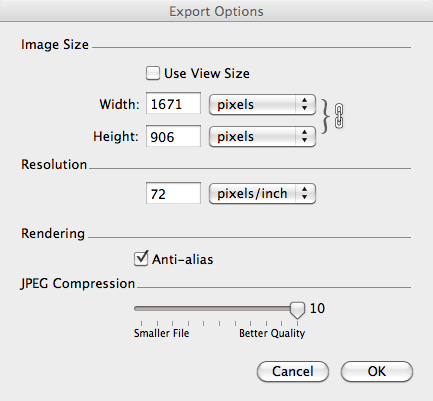
      I've been Playing about with the options when exporting a jpeg, trying to get a suitably low size. I have many jpegs to export and a document to make that will become too hefty if they're too high...

      the SU window is at its max and I set the jpeg options so its at 72ppi as in the picture

      the result i thought was too high 602kb

      so i whacked the ppi down to various lower numbers and nothing changed
      then i did it higher , nothing changed

      any help?


      2010-12-20_19-27-05.jpg

      posted in SketchUp Discussions sketchup
      cmeedC
      cmeed
    • Auto Page Numbering Please! which could also mean

      An obvious request and a MUST for LO is Auto Page numbering. I'm adding page after page as i see the benefits of Lo working with sketchup, not having a way to auto page number is ridiculous, the amount of time it takes for a simple task as this.

      An extension to this idea, is page titling. a text box on your LO page that would give the title of your page - what ever you've titled each page in the page window appears in a box, change that title in the page window and that automatically changes the text box - and vice verse (maybe)
      Add to this, option such as
      Date box
      Time box
      I'll let other people decide what extra boxes they need, my needs are simple for the time being.

      cheers
      C

      posted in LayOut Feature Requests layout
      cmeedC
      cmeed
    • 1 / 1