@whiterabbit said:
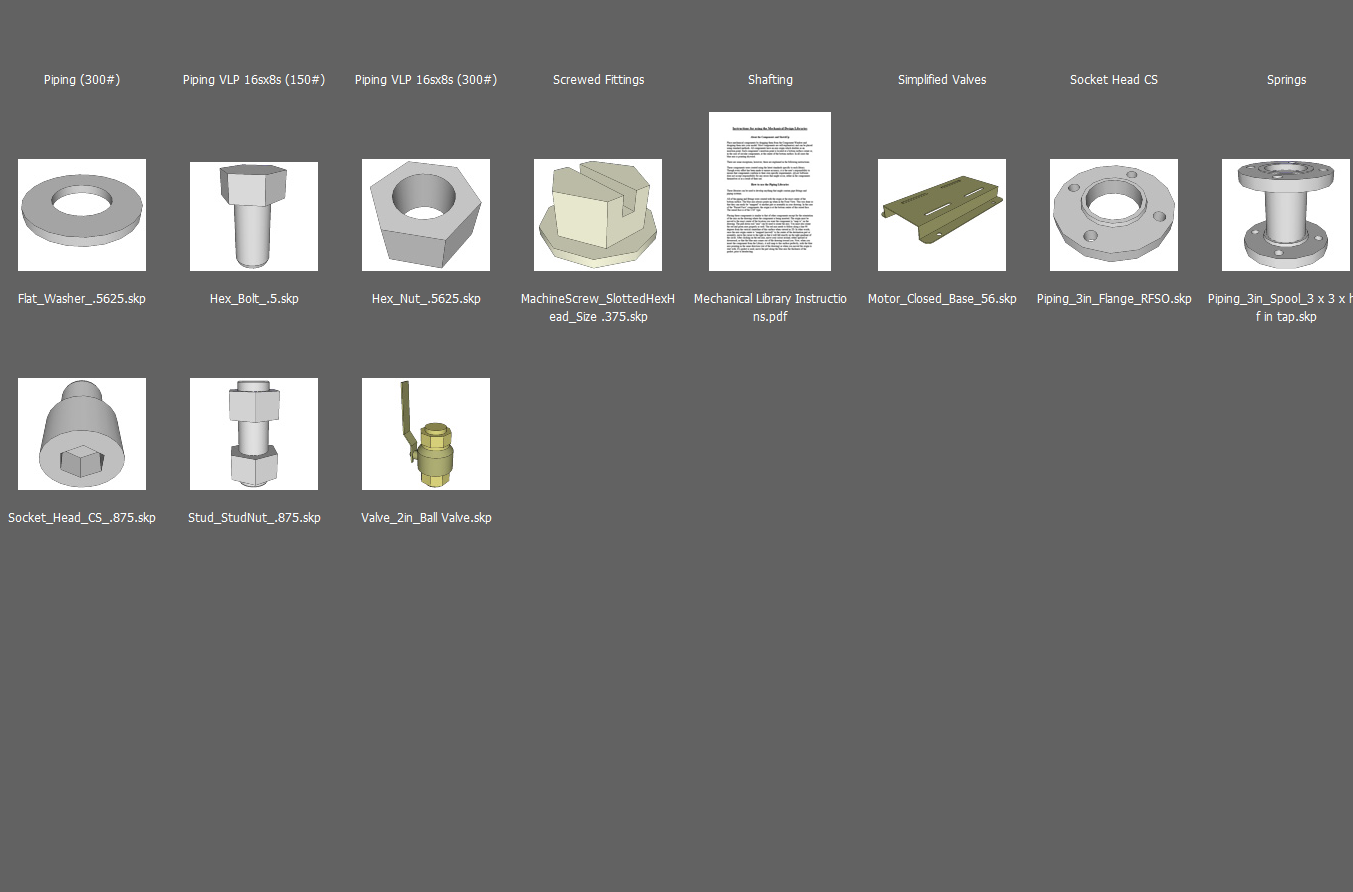
If anyone is using adobe software (I suspect many of you are) it is possible to see previews of .skp files in Adobe BRIDGE.
CS6 Bridge. And you can just drag and drop from Bridge into SU 2013 or 2014.
 Offline
@whiterabbit said:
If anyone is using adobe software (I suspect many of you are) it is possible to see previews of .skp files in Adobe BRIDGE.
CS6 Bridge. And you can just drag and drop from Bridge into SU 2013 or 2014.
@jim said:
I sent that via email since it's a paid plugin.
Lest everyone gets the wrong idea, I previously bought Makeorthoviews from SMustard but forgot I did so it was all above board that Jim sent me a copy rather than my having to download it again. 
@jim said:
In 2014, you could download the .rbz directly saving everyone bandwidth.
But then SketchUp Plugin Store wouldn't recognize it for updating 
And, no, D:\Dropbox\Plugins is located on my internal RAID. My is an SSD.
@jim said:
I renamed it MoveIt and it's in the SketchUcation store.
Whew!! I was worried there
Thanks for the quick reply.
How about Makeorthoviews?
Tried to download Mover2.
http://sketchuptips.blogspot.com/2007/0%20...%20ver-2.html
Got this error.
Also no download arrow available for 'makeorthoviews'

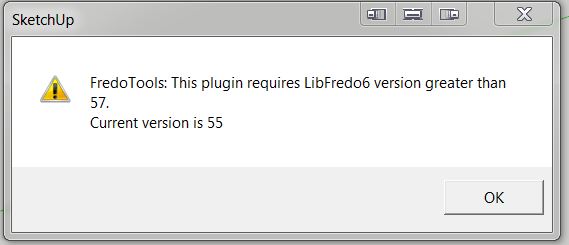
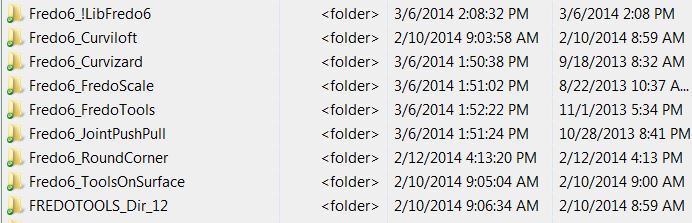
Loaded latest version of Fredo6_!LibFredo6, but still get error messages for two plugins.
It makes no difference if I load it into my default directory
C:\Users\jamesb\AppData\Roaming\SketchUp\SketchUp 2014\SketchUp\Plugins
or my 'additional folder'
D:\Dropbox\Plugins
The plugins themselves are all loaded into
D:\Dropbox\Plugins

I have SU13 installed.
When I loaded SU14 it put plugins into two places:
C:\Users\jamesb\AppData\Roaming\SketchUp\SketchUp 2014\SketchUp\Plugins
C:\ProgramData\SketchUp\SketchUp 2014\SketchUp\Plugins
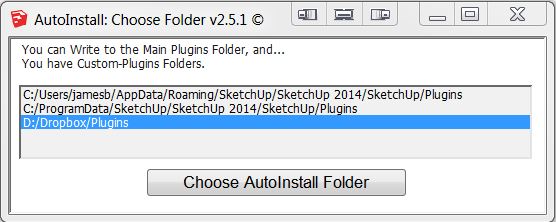
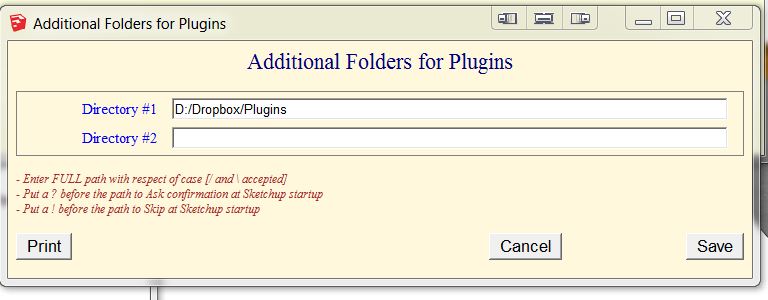
I use 'Additional Folders for Plugins'.
D:/Dropbox/Plugins
When I install a new plugin from SketchUcation Plugin Store and direct it to the 'default' directory C:\Users\jamesb\AppData\Roaming\SketchUp\SketchUp 2014\SketchUp\Plugins, I get acknowledging dialog boxes and the plugin is loaded.
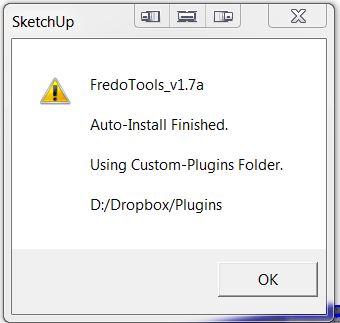
When I try to install a new plugin from SketchUcation Plugin Store and direct it to my additional folder D:/Dropbox/Plugins, there are no acknowledging dialogs and the plugin is not loaded.
This happens on my desktop machine here at work, on my laptop and on my machine at home.
I do not have this problem with SU13. I can load plugins using SketchUcation Plugin Store into D:/Dropbox/Plugins
@unknownuser said:
blue442 wrote:I found that by double clicking on files to open them, some (all??) plugin's don't load correctly. However using the sketchup 2014 shortcut, then opening the file once sketchup is running all plugins work fine.
This happens to me also.
@unknownuser said:
Since we updated the Ruby interpreter in SketchUp 2014 all plugins that use binary extensions must be updated.
Is there a fix in progress for this? If I then close that file with plugins missing, the next file I open has all the previously missing toolbars spread across the screen and need to be repositioned 
$LOAD_PATH
["D:/Dropbox/Plugins",
"C:/Program Files (x86)/SketchUp/SketchUp 2014/Tools/RubyStdLib",
"C:/Program Files (x86)/SketchUp/SketchUp 2014/Tools/RubyStdLib/platform_specific", "C:/Program Files (x86)/SketchUp/SketchUp 2014/Tools",
%(#FF0000)["C:/Users/jamesb/AppData/Roaming/SketchUp/SketchUp 2014/SketchUp/Plugins",
"C:/ProgramData/SketchUp/SketchUp 2014/SketchUp/Plugins"]]
Better yet: this
I've had the 60-key version directly from P. I. Engineering for a long time and you make your own macros or use your SU shortcuts. VERY handy. Also for use in any other program.
@box said:
. But what I miss in certain circumstances is the ability to click on one segment and hit a key and get the equivalent of Thomthom's select curve and weld all at once. If you can build that into curvizard I'd be a happy man.
+1
@dave r said:
Bob, see Jim's post above. If you're the only one using the plugins on your computer, use Appdata/Roaming... If you use the SCF Plugin Store or the Extension Warehouse, they'll go there automatically.
@unknownuser said:
Plugins just for your use can must go in:
Code: Select all
%APPDATA%/SketchUp/SketchUp 2014/SketchUp/Plugins
This is not
AppData**Roaming**\SketchUp\SketchUp 2014\SketchUp\Plugins
Or am I missing the obvious?
@ntxdave said:
Is there a way to put the toolbar in a horizontal orientation at the top of the page like I had it in 2013?
Sorry, No.
Okay, so what/where should plugins go???.
%APPDATA%/SketchUp/SketchUp 2014/SketchUp/Plugins
%PROGRAMDATA%/SketchUp/SketchUp 2014/SketchUp/Plugins
AppData\Roaming\SketchUp\SketchUp 2014\SketchUp\Plugins


@unknownuser said:
If you find a failing script let the author know in the tool's thread, so that it can be fixed asap
"tool's thread"
@dtrarch said:
Hi Y'all
I think Ive found the dirty devil.
BG Sketchup Component Manager
dtr
I have the problem and do not have BG Sketchup Component Manager installed.
@krisidious said:
I know it's a heavy model... But I would make those wheels and a few of those curves more detailed. meaning increase the segments of the curves.
I agree. A model this beautifully outstanding deserves the best. Bravisimo. 
Mostly "undo properties" and some about "observers". Do not have Components Manager installed.
@unknownuser said:
the undo button just does undo properties. It wont even undo the last command.
I've had this same problem for several weeks
