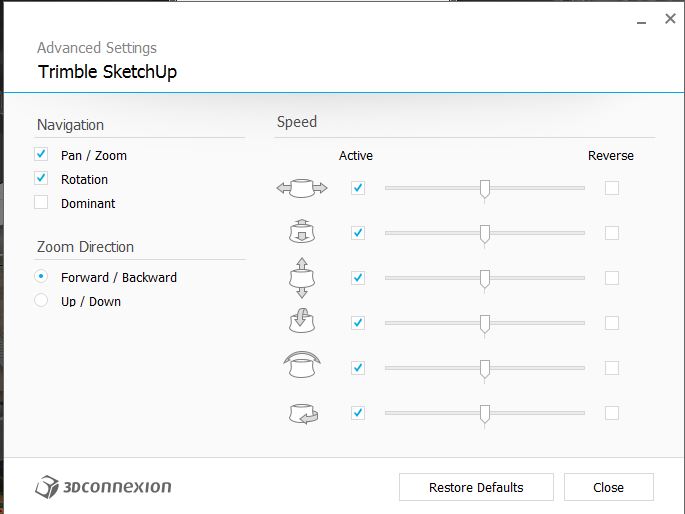
How do you set the mode? (e.g.; camera mode)
My Advanced Mode looks very different.
Latest driver: 3DxWare64_v10-1-0_r1774
 Offline
How do you set the mode? (e.g.; camera mode)
My Advanced Mode looks very different.
Latest driver: 3DxWare64_v10-1-0_r1774
Artisan has an option to decrease the the amount of triangles.
Still get the occasional "Undo Layers Panel ID" when trying to undo an action.
@dedmin said:
There are enough Fredos plugins to make a standalone application!
Interesting. That thought occurred to me even before this new marvel. I've already replaced shortcuts to lines, moves, etc to Fredo versions.
FredoSketch. 
I know for sure what's going to happen to my shortcut "L" 

Totally, unequivocally, without question, absolutely OUTSTANDING 
Note: Does not work if loaded into "additional folder". Needs to reside in the SU standard plugin location.
@function said:
sometimes when i try and undo an operation it does not work and looking at EDIT -> UNDO - it will say UNDO Properties as if I changed a property instead of the modeling operation I am trying to undo... is this coming from Layers Panel?
This happens to me quite often. It is undoubtedly coincidence, but when I disable Layers Panel I don't have UNDO problems.  Pity because LP is such an outstanding tool.
Thank you AndrewS for your considered and in-depth comments.
I do have a question stemming from these:
@unknownuser said:
and the promotion of Trimble's strategic vision for our product and the company
@unknownuser said:
without consideration of any long-term or strategic goals of the company we work for
In general terms so as to not divulge critical information to those "other ears", what is that vision and/or what are those goals?
I am in no way trying to be sarcastic, but genuinely would like to know. Will the answer affect my use of SU. No. I make a major portion of my living using SU (and Thea). I will continue doing so until my bosses decide otherwise.
One of my most used support tools - Really useful 
@unknownuser said:
To put this differently, the point is that one must consider whether the production of a 64-bit binary alone provides enough benefit to warrant sacrificing all of the other things that might be accomplished with such effort.
.
And all the other man-hour eating things being actively pursued, or planned for the immediate future, are...?
Being graphically oriented I just watched the video and didn't read the words under it.
Well, at least I present problems that are easy to solve
Thank you for taking the time, yet again, to help.
@unknownuser said:
Initial thought...
Can you pull the bottom edge of the dialog downwards to reveal that button ?
It's size should be remembered across sessions on PC, so perhaps this is all that is needed ?
That was it 
Thank you, TIG, for taking your time to help.
@tig said:
Can you try it with the Ruby Console open and post any error messages.
@tig said:
You highlight the desired folder and press the 'Select' button at the bottom of the dialog... then what happens ?
@tig said:
Is there anything unusual about the chosen folder ?
@tig said:
What does it do if you choose the main [default=first] Plugins folder ??
Nothing happens

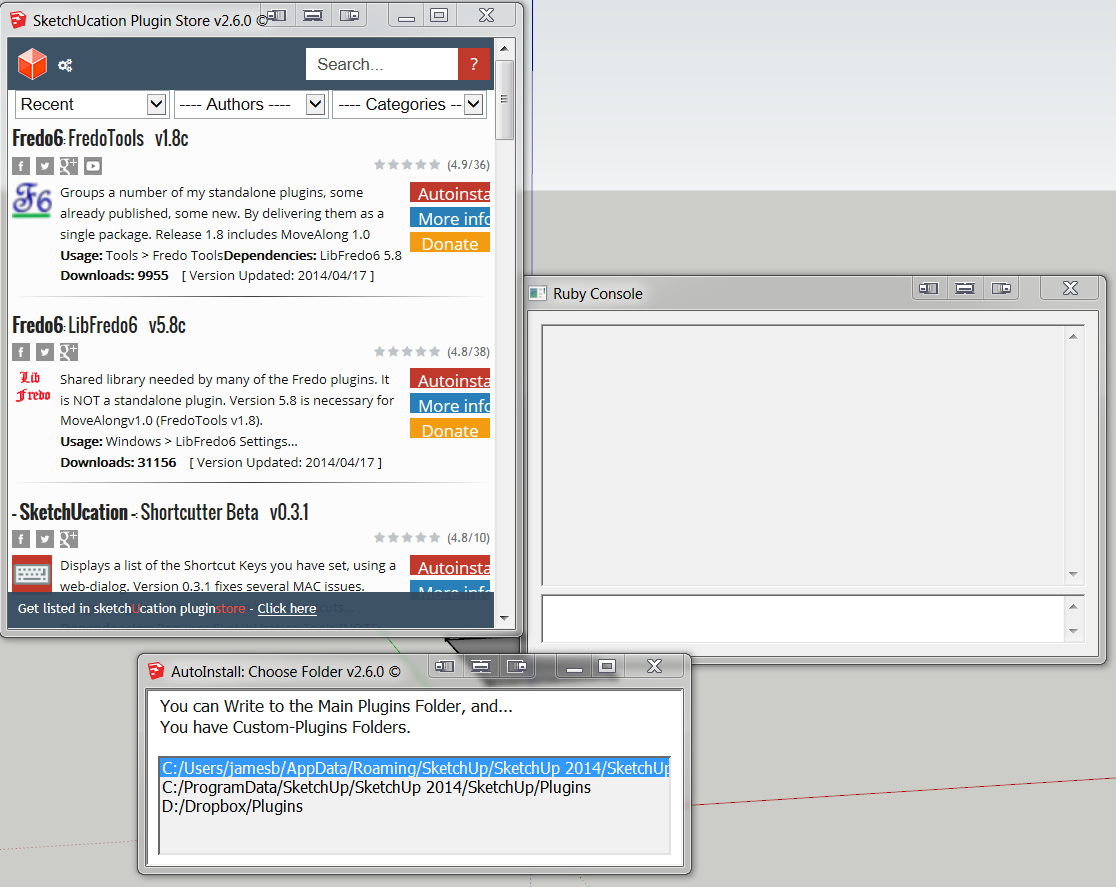
SketchUcation Plugin Store V2.6.0
When I try an autoinstall, when the AutoInstall: Choose Folder dialog comes up and I select a folder nothing happens. The AutoInstall: Choose Folder dialog stays there after I click on the folder????
What happened to V2.5.2?