sketchucation logo sketchucation
    • Login
    1. Home
    2. alpro
    3. Posts
    Oops, your profile's looking a bit empty! To help us tailor your experience, please fill in key details like your SketchUp version, skill level, operating system, and more. Update and save your info on your profile page today!
    πŸ”Œ Smart Spline | Fluid way to handle splines for furniture design and complex structures. Download
    A
    Offline
    • Profile
    • Following 0
    • Followers 0
    • Topics 54
    • Posts 512
    • Groups 1

    Posts

    Recent Best Controversial
    • RE: A new home for SketchUp

      I dont know Jeff, all I know is SU in its current form just doesn't fit into the range of Trimble products we use. Maybe something in SU is patented and thats what Trimble really wanted, like the reference engine. It wouldn't be the first time a company has bought a software just for something in the software that it wanted to add to its own software and then let it die, look how many times Autodesk has done this.

      Mike

      posted in SketchUp Discussions
      A
      alpro
    • RE: A new home for SketchUp

      I've been reading over these pages the last two days and all I can say is wow. I got an excited and sickening feeling. I've been using Trimble hardware and software for the last two years, some of what I use daily, S3 robotic total station with wireless TSC2 controller using Trimble Access software, R6 & R8 gps units in RTK mode and VRS network with wireless TSC3 controller using Survey Pro software, GeoHX sub meter handheld with Terrasync software, Trimble Business Center software. Trimble is a big world wide company, hardware is rugged and well built, most of their software is user friendly and intuitive just like SU. Thats the good news. The bad news, everything we use ranges in cost from $1,800 to $42,000, dont forsee a $500 SU anymore, customer service sucks unless you want to pay top dollar for that too, every module or addon to their software cost a third of the program, Business Center comes with a donagle, you have to deal with an authorized dealer or reseller. Trimble mostly caters to civil engineering, survey, gis, and mapping. They have no need for arch viz, product viz, animation, or any of the other uses many here have come up with for SU. The excited feeling is that they can make SU into an even more robust application. The sickening feeling is that my beloved SU will never be the same, as flexable as it is. My opinion is that its gonna be incorporated into some kind of field to finish solution thats compatible with Autodesk Civil 3D or incorporated into 3D scanning or lidar somehow. Either way I think it means a total rewrite of SU and pretty much useless for most of the users here. Lets hope not.

      Mike

      posted in SketchUp Discussions
      A
      alpro
    • RE: Sketchup I pad

      @box said:

      Does anyone know of a similar system/application that will work this way on an Android device?

      I mean as a viewer.

      This is a really good Android app for viewing Skp models,
      http://limitlesscomputing.com/sightspace

      posted in SketchUp Discussions
      A
      alpro
    • Nsquared

      Wouldnt it be cool if we could get SU intergrated with this http://www.youtube.com/watch?v=oALIuVb0NJ4&feature=player_embedded

      Mike

      posted in Corner Bar
      A
      alpro
    • RE: Realtime shadows test

      That looks really cool, when is this update expected?, and if purchased now, will this update be free?

      Mike

      posted in Extensions & Applications Discussions
      A
      alpro
    • RE: Importing Kerkythea XML into SketchUp

      You can try this, http://www.nicetuna.com/kt2obj along with this, http://forums.sketchucation.com/viewtopic.php?f=80&t=35936&hilit=fluid+importer

      Mike

      posted in Extensions & Applications Discussions
      A
      alpro
    • RE: [NEW]Sketchup 2 Vue

      Hey Chris I don't have Vue so I don't know what options are available but I know displacement works best in other rendering apps if you sub-divide and smooth your model first and sometimes even slightly round the corners so they aren't that sharp.

      Mike

      posted in Extensions & Applications Discussions
      A
      alpro
    • Where oh where are my copies?

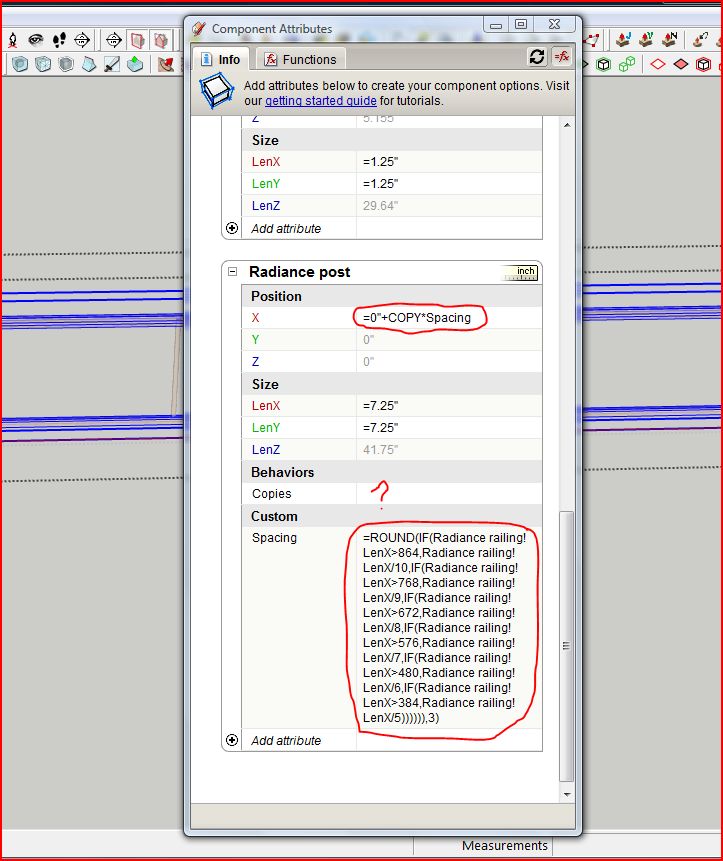
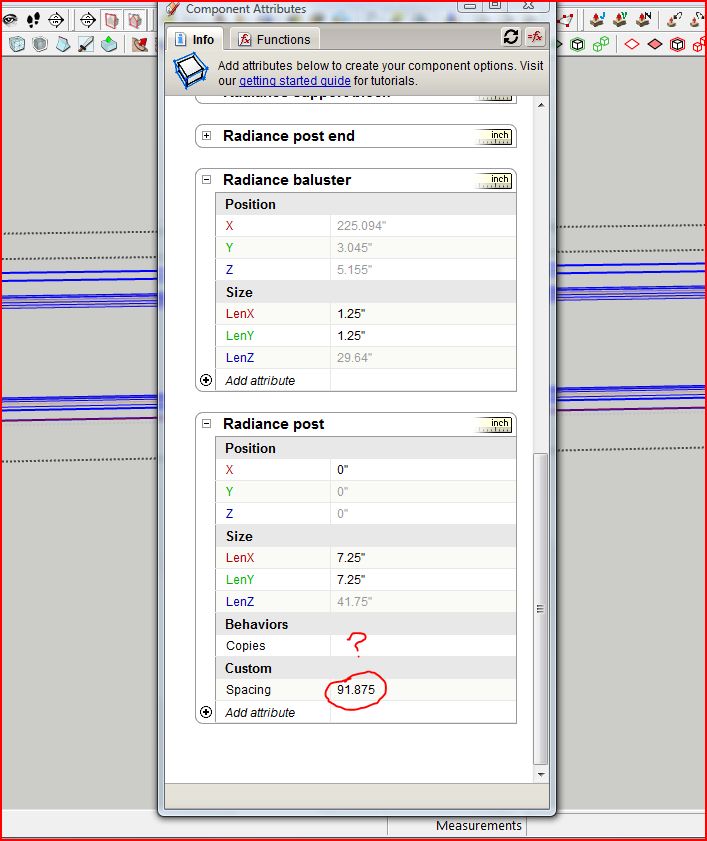
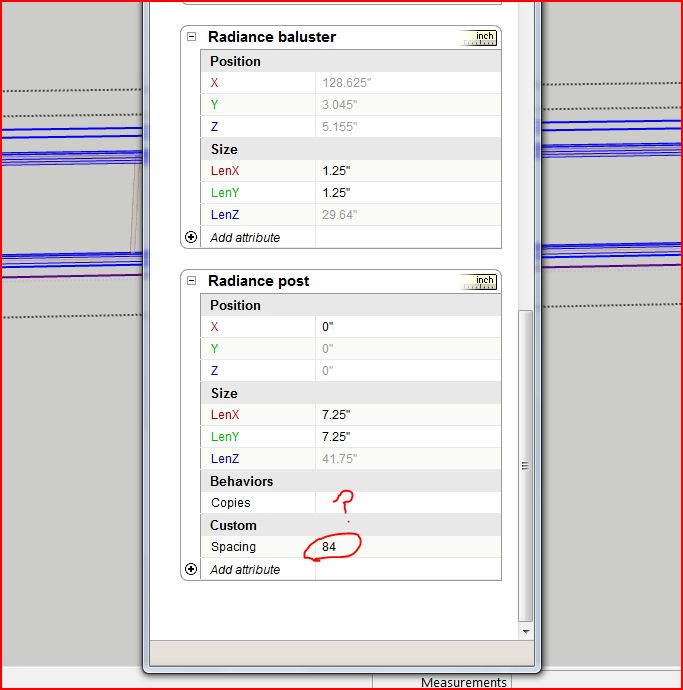
      Hope someone can help me out, I've played with DCs before, real simple things and not real useful in terms of workflow. So I decided to try and make something alittle more complex that I might actually be able to use. So I got a deck railing, that has 3 different styles and 8 different colors, I was hoping to be able to resize it either by typing the length in a input box or by using the scale tool and have the posts and balusters space themselves as needed, saying that, these are composite rail systems that come in 6' and 8' lengths with 5" on center baluster spacing. So I came up with a formula that would divide the total length of the railing to be able to use these 6' or 8' sections and place a post where needed. If you look at the pics, it seems like the formula is working cause as I change the overall length of the railing I get different spacing for my posts. The formula isn't complete yet as it's suppose to divide railing length greater than 8' thru 72', I stopped at 32' just to test it. I added the ROUND function cause I was getting six places past the decimal sometimes on my spacing so I thought SU couldn't handle that and that was why my copies where not be created. Sorry for the long post and any help would be appreciated, thanks.

      Mike


      Where are my copies.JPG


      Where are my copies2.JPG


      Where are my copies3.JPG

      posted in Dynamic Components sketchup
      A
      alpro
    • RE: Rendering Doesnt even start Helpppppp :(

      Open a simple scene in SU, hit render, after close the frame buffer, then file>new in SU, open your model, now you can open the frame buffer before you start rendering your model.

      Mike

      posted in V-Ray
      A
      alpro
    • RE: Rendering Doesnt even start Helpppppp :(

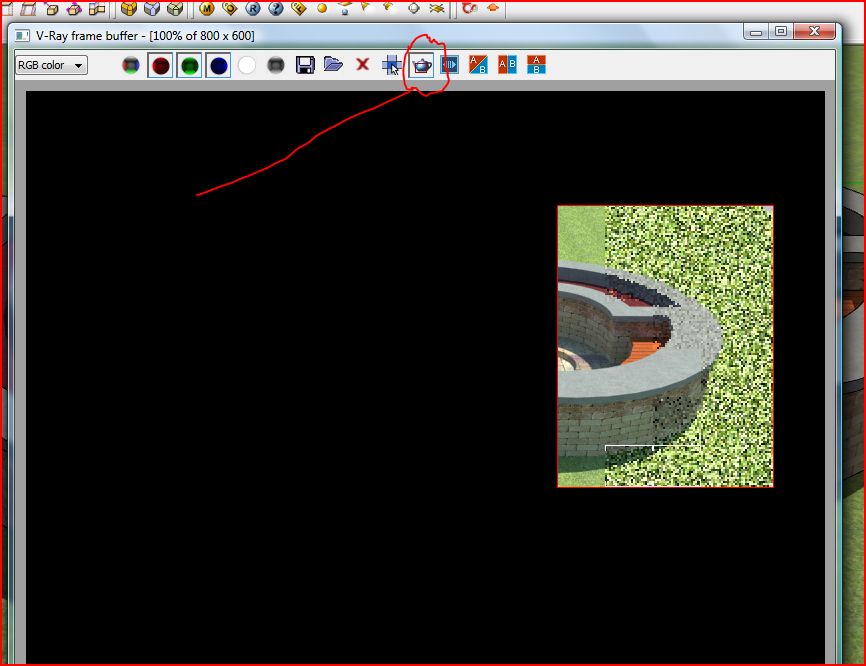
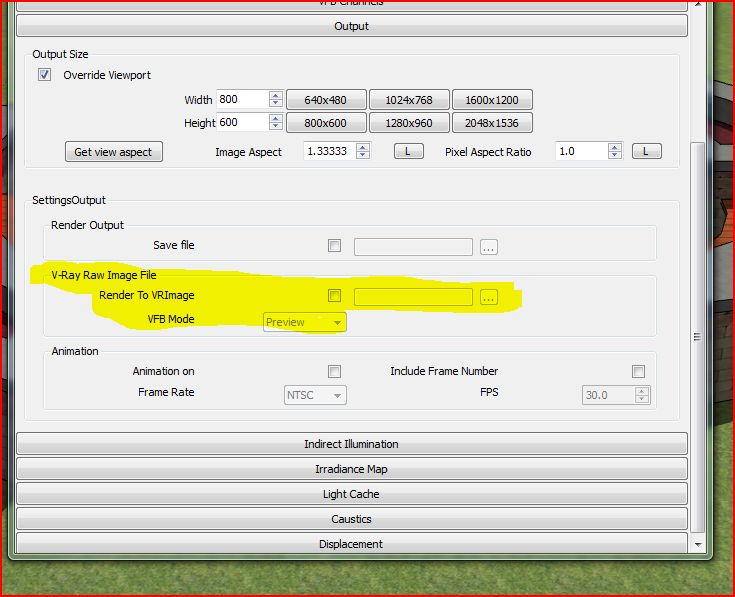
      Open up the frame buffer, click on the teapot, drag out a window, close the frame buffer, now when you hit render Vray will only render what was in your window, see pic. On second thought I don't know if VRImage will help you, it's meant to render big resolution pictures, but in the options panel you check VRImage, then you'll need to convert it so you can open it in Photoshop, you can find the converter here,
      http://software.asgvis.com/index.php?option=com_content&view=article&id=57&Itemid=439&Ctitle=Asgvis+Tools&limitstart=6 , hope this helps.

      Mike


      Region render.JPG


      VRImage.JPG

      posted in V-Ray
      A
      alpro
    • RE: Rendering Doesnt even start Helpppppp :(

      I'd say with only 2GB of ram theres a good chance you just don't have enough memory for Vray to process the scene. You could try to render your scene in a few pieces using render region and put those together in photoshop. Or try to render it out to a Vray raw image file and convert it, although don't know if this is working properly yet, haven't needed to use it yet.

      Mike

      posted in V-Ray
      A
      alpro
    • RE: Barcelona Chair and Stool - Component

      Thanks, thats a great looking render.

      Mike

      posted in SketchUp Components
      A
      alpro
    • RE: New here need help

      Not one program can do everything however SU can certainly be used for landscape design, just search the forum for some of earthmovers works.

      Mike

      posted in Newbie Forum
      A
      alpro
    • RE: {REQ} Advanced Painter - Floor Generator

      You might be interested in Floor Texture Generator, pretty good for covering large areas. Here's the link http://www.matulik.host.sk/download.php

      Mike

      posted in Plugins
      A
      alpro
    • RE: [Plugin] Selection Toys

      ok thomthom, it was user confusion then but I thought the front default material and back default material icons in your toolbar would allow me to select only the front or back face.

      Mike

      posted in Plugins
      A
      alpro
    • RE: [Plugin] Selection Toys

      thomthom, first off I'd like to say thanks for all your great plugins. However I'm having some problems with selections toys, I'm hoping it's just that I'm doing something wrong. I have some Xfrog trees and plants in 3ds Max format, and as you know faces are only textured on one side. I open them in Max and from there I can import directly into Thea, no problem. However I also have an older version of Vray, so I export as obj. out of Max and import into SU. I was hoping to select all the front faces and then use your UVtool kit to transfere frontface material to backface. The obj. comes into SU as a group, I open the group, select all, then from your toolbar select front faces, nothing. So I start playing around, select edges, boom only edges are picked, select faces and boom, only faces are selected. So it seemed to be working so I thought that being an Xfrog model your plugin might just need some time to pick all the front faces so I ran some errands and come back six hours later and nothing. So then I thought maybe there's a problem, tried again with the ruby console open, no error messages, nothing. Then I thought maybe a plugin conflict, so I installed Selection Toys in SU8 where the only other plugin I have installed right now is SU2Thea. I got the same results. I have tried every combination of select faces, select front faces, deselect back faces and I just can't get only front or back faces selected. This is on Vista, IE7, both SU7.1 and SU8. I've tried Selection Toys 2.2.1 and the previous version, all the same results. I can post a screen cast later today if it helps. Any help would be greatly appreciated, thanks again.

      Mike
      posted in Plugins
      A
      alpro
    • RE: SU upgrade to 8.0.4811 (Maintenance 1)

      Good job Google, I downloaded the 8 demo when it was first released, didn't see much reason to upgrade, till now. Now if only we could get some better texturing tools........poor Google, it's never enough.

      Mike

      posted in SketchUp Discussions
      A
      alpro
    • RE: Grand Riviera Theater - Detroit

      Great looking model, lots of detail. Only crits would be that I think the arched windows could of used more segments and also it looks like there are some reversed faces in the model. Now it's time to texture and render!

      Mike

      posted in Gallery
      A
      alpro
    • RE: [REQ] Triangles to quad ruby

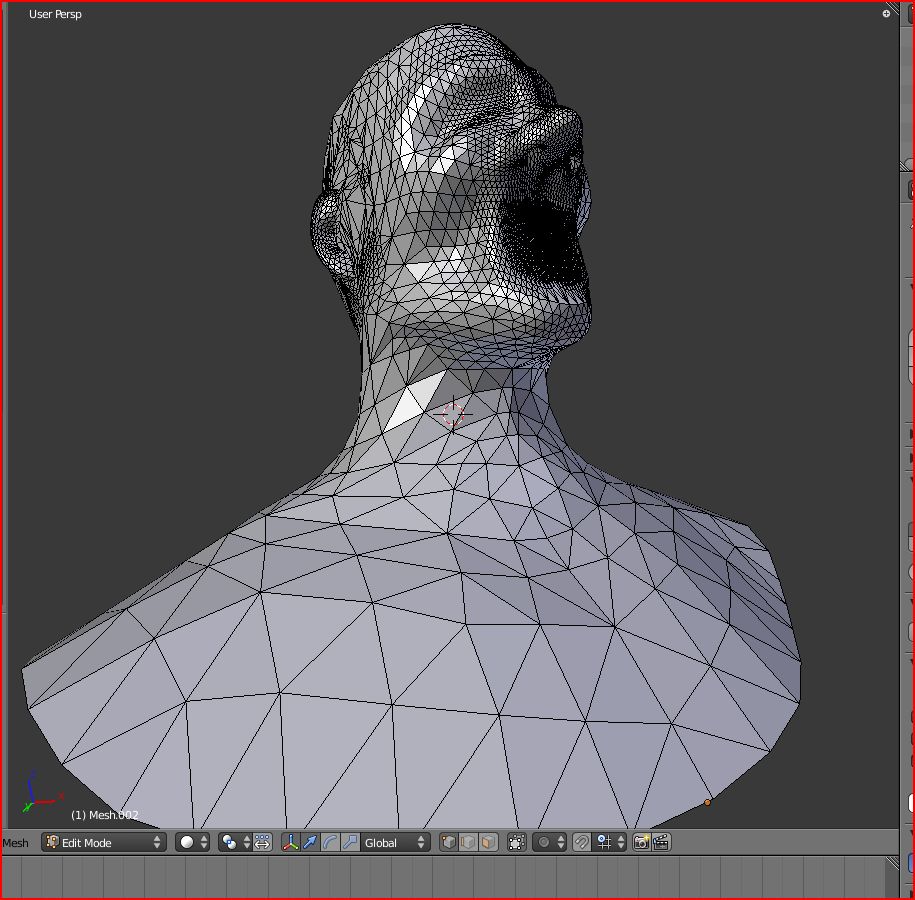
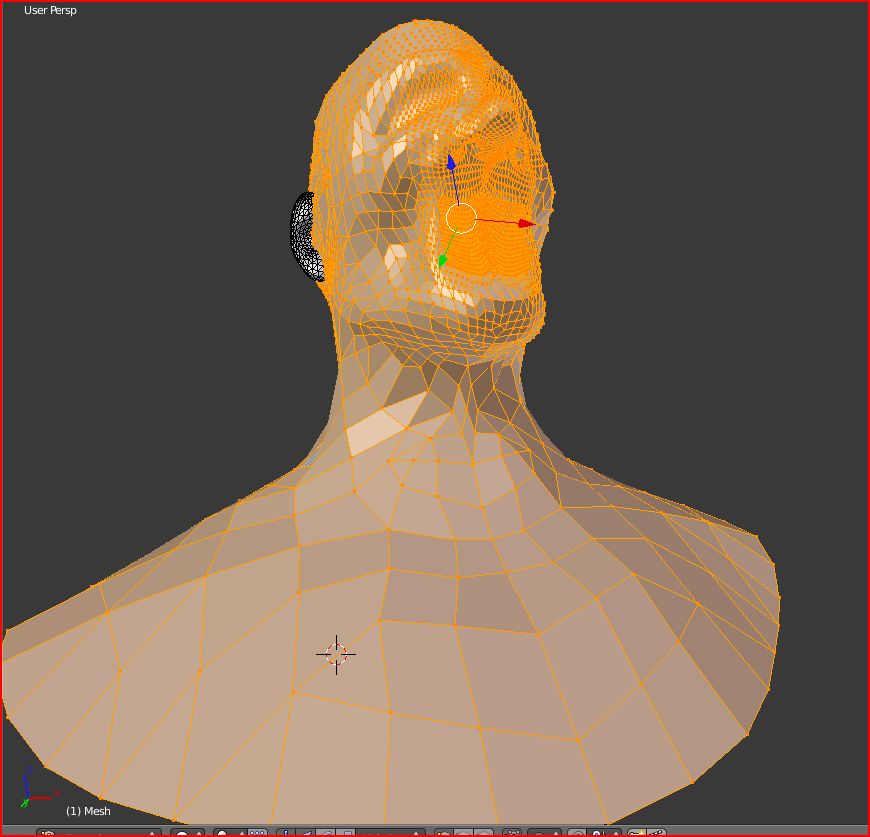
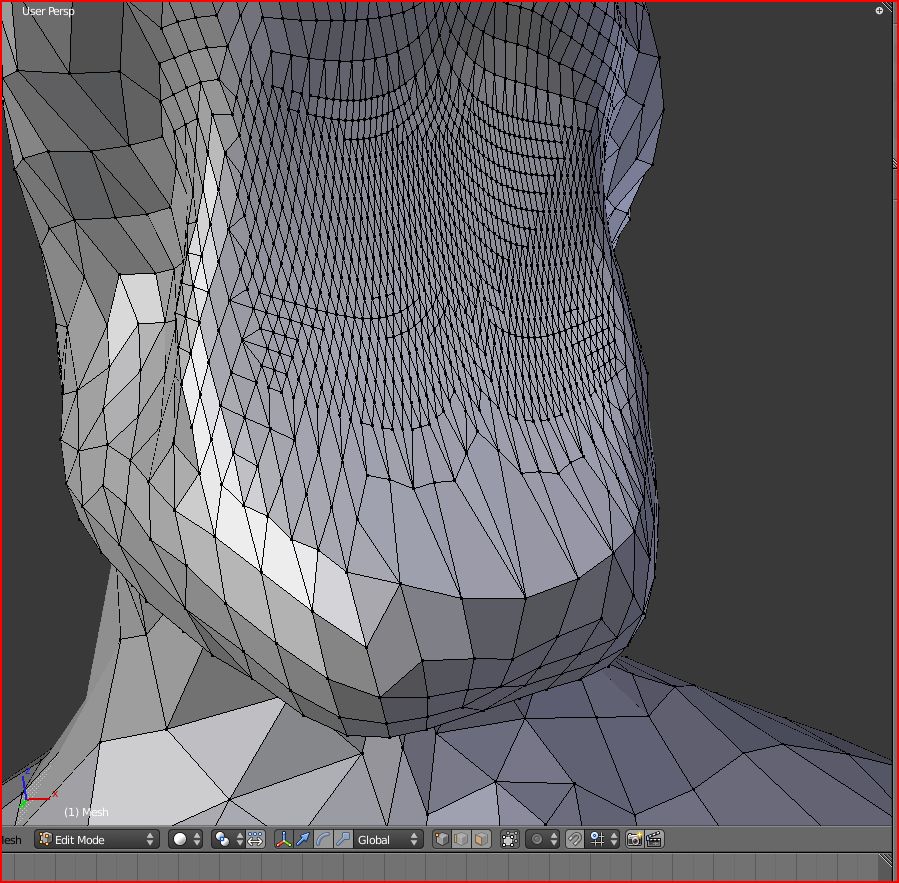
      Well forget the Blender route. Exported obj out of SU, imported to Blender, selected verts and changed tris to quads, no problems. Well a little problem, it only converted about 85% to quads, see pics. However the real problem was importing back into SU, like thomthom said the quads have to be coplanar in SU so when I imported your quaded head, SU put a hidden line everywhere it wasn't coplanar thus making quads into tris again.

      Mike


      Blender import.JPG


      Tris2quads.JPG


      Tris2quads2.JPG

      posted in Plugins
      A
      alpro
    • RE: [REQ] Triangles to quad ruby

      You could try Blender, I know its not the same, maybe a little bit of a workflow killer but it seems like it should be pretty simple, import SU model into Blender, select verts, Alt+j to convert tris to quads, export out of Blender. Solo, do you have a trianglated mesh that I could try and play with, something not too simple or too complex? If someone cant write a ruby for tris to quads, maybe something like Whats UV ruby would work, where all the exporting and importing would be automated so it wouldnt be such a workflow killer.

      Mike

      posted in Plugins
      A
      alpro
    • 1
    • 2
    • 6
    • 7
    • 8
    • 9
    • 10
    • 25
    • 26
    • 8 / 26