I like alternative rock, currently modeling to Sublime
Oops, your profile's looking a bit empty! To help us tailor your experience, please fill in key details like your SketchUp version, skill level, operating system, and more. Update and save your info on your profile page today!
🔌 Smart Spline | Fluid way to handle splines for furniture design and complex structures. Download
A
Offline
Posts
-
RE: What music do you model to?
-
RE: Mov to flv
Thanks, I did run across that when I did a google search but I'm always weary of downloading and installing freeware without someone elses recommendation.
Mike
-
Mov to flv
Can anyone recommend a good, perferably free mov to flv converter? TIA
Mike
-
RE: Metal Spiral Stairs - how to do it?
Edson, don't know if this will help you out at all plus I'm sure the power users here probably have a quicker way to do it but here's my shot.
Mike
-
RE: Different renders to reassamble later
I've had that happen a few times with the old version of Vray, it was always caused by a texture that Vray didn't like. 99 percent of the time it was a gif or png that I got from the web then did some processing in PS and saved as a jpeg to use as a texture, instant crash.
Mike
-
RE: Castle Howard
Incredible modeling! Would love to see some closeups of some of the detailed areas.
Mike
-
RE: Mesh blocks do not display properly...?
The shadows are hiding the tub details, if you turn shadows off you will see the tub again. You can unhide some of the edges, then the details will show even with shadows on. I just did the top rim. I also purged your model and the size was cut in half, still at 3mb it's too big for this type of model. That's another bad thing about downloading these types of models from the warehouse, they just aren't modeled efficiently.
Mike
-
RE: Mesh blocks do not display properly...?
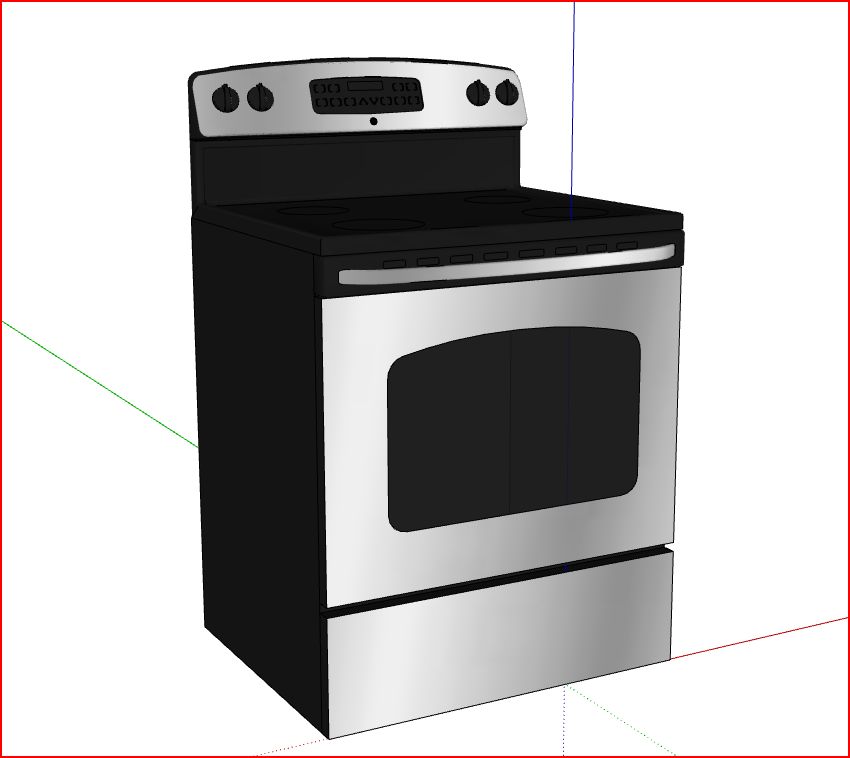
Yeah I tried using some of those models awhile ago, they were a mess especially the tubs. I ended up going to the Kohler site and downloading the plan, front, and side dwgs of what I needed and modeled them myself, it was quicker. The same can be said for the GE appliance collection in the warehouse.
Mike

-
RE: Casa di Mama W.I.P.
@unknownuser said:
I know you have said this is a work in progress but as artists we need to be open to the real comments and not always expecting to only hear the good. It will help us grow as artists to have our peers be critical more than always beating around the bush.
Well said
-
RE: A couple new DWC's...
I think they're both good but somehow like the first one better, don't know exactly why though. And the city, Pittsburgh?
Mike
-
RE: A Fun Little Game, Continued...
Granted but now the world is flat
I wish I wasn't a Depends model and spokesman -
RE: A Fun Little Game, Continued...
Granted but the forum size shrinks to 5 members.
I wish I could find more modeling and rendering jobs.Mike
-
RE: Striped cylinder...
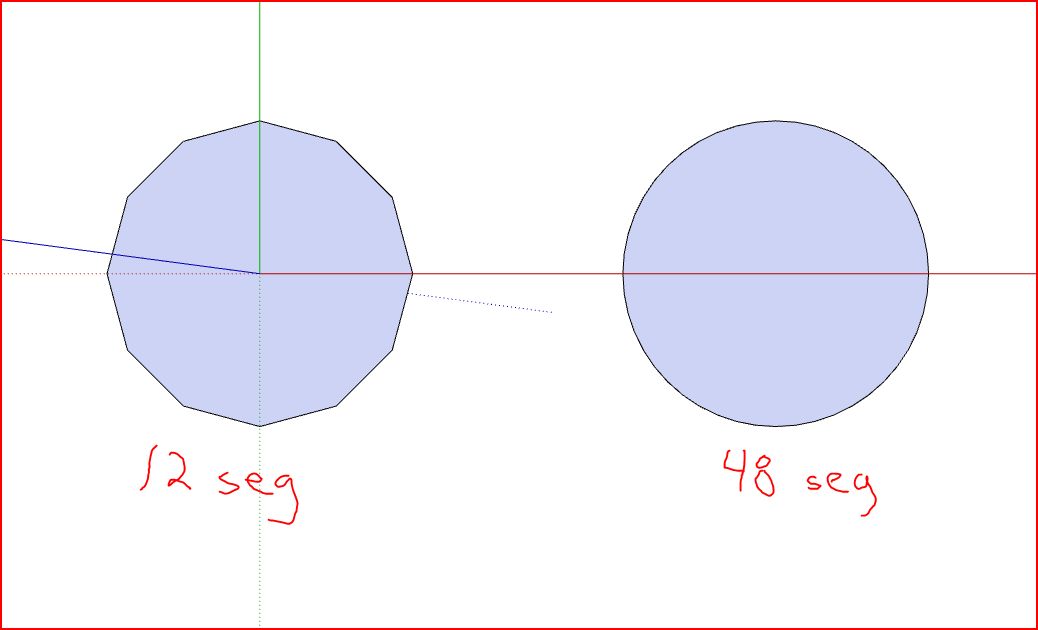
I would just start with a circle with however many segments you needed, which would depend on how closely the model is gonna be viewed. The view below was zoomed in pretty close, the more that you move the view out the less noticable the difference between the two circles is.
Mike
-
Texture request
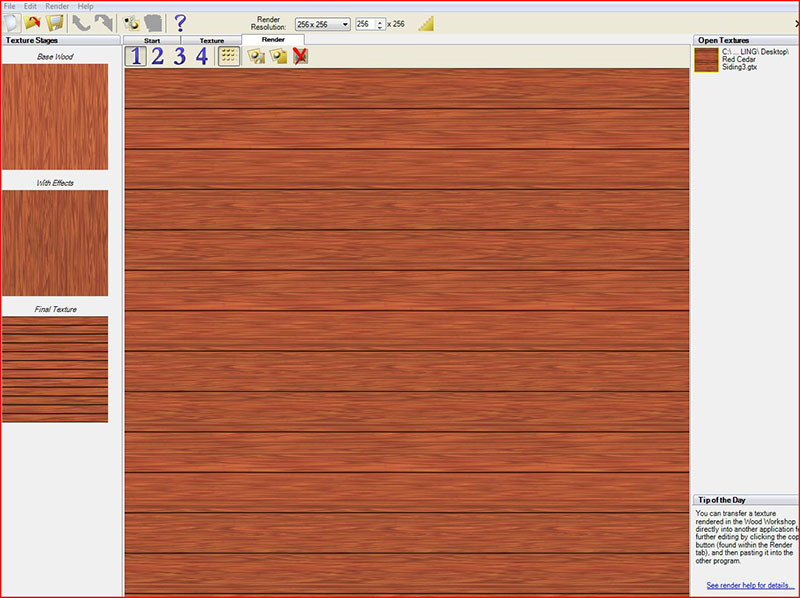
Anyone got a stained red cedar siding texture they can share? Googled everything I could think of but didn't come up with anything I could make a decent texture out of. I do have Wood Workshop installed and made a texture in it but can't render it out any higher than 750x750, says out of system memory error, I have 4Gb and have worked with much larger files in photoshop and such so I'm assuming its the way Wood Workshop handles memory maybe? TIA
Mike
-
RE: Help with export. Google really needs to fix this
Ok, it might not be the naming but its definitely got something to do with the textures. Now, is it a SU bug or something that valkama did in the process?
Mike
-
RE: Help with export. Google really needs to fix this
Jeff, I still think it has something to do with the naming coventions, maybe mac handles it different than windows. I just tried to edit texture 38#2 in an external editor (mine's photoshop too)and it opened as photo texture 38. I think SU is seeing this as one texture, thats why it won't export to 3ds, it's confused, till you export and then import the textures does it realize the textures are seperate, then properly exports to 3ds.
Mike