sketchucation logo sketchucation
    • 登入
    Oops, your profile's looking a bit empty! To help us tailor your experience, please fill in key details like your SketchUp version, skill level, operating system, and more. Update and save your info on your profile page today!
    🔌 Smart Spline | Fluid way to handle splines for furniture design and complex structures. Download

    [Plugin] Drop Vertices

    已排程 已置頂 已鎖定 已移動 Plugins
    51 貼文 17 Posters 149.3k 瀏覽 17 Watching
    正在載入更多貼文
    • 從舊到新
    • 從新到舊
    • 最多點贊
    回覆
    • 在新貼文中回覆
    登入後回覆
    此主題已被刪除。只有擁有主題管理權限的使用者可以查看。
    • EarthMoverE 離線
      EarthMover
      最後由 編輯

      A quick play. Works great! Thanks again. 👍 This will be great for retopology of high poly terrain data or terrains made with From Contours!

      [flash=800,600:3go1iq6p]http://www.youtube.com/v/cWgJeIonBhU[/flash:3go1iq6p]

      3D Artist at Clearstory 3D Imaging
      Guide Tool at Winning With Sketchup
      Content Creator at Skapeup

      1 條回覆 最後回覆 回覆 引用 0
      • JClementsJ 離線
        JClements
        最後由 編輯

        Thanks, TIG! This should remedy some problem issues with the Smooth Tool in Sandbox where the boundary edges can't be anchored to their existing Z location.

        1- Wondering about having functions similar to DropVert that would need to be in a different script called, MoveVertsTo.

        After selecting edges, user would be asked to select a TARGET SURFACE and then choose "OK" to validate the target surface.

        2- Perhaps additional mode (chekbox) for DropVerts and MoveVerts would be "SHOW ME" where the average, %, lowest, Highest, Z-value, etc., would temporarily be displayed (as plane) before the vertices are moved; the user could then: a) cancel the choice and choose another option or b) execute the move.

        John | Illustrator | Beaverton, Oregon

        1 條回覆 最後回覆 回覆 引用 0
        • EarthMoverE 離線
          EarthMover
          最後由 編輯

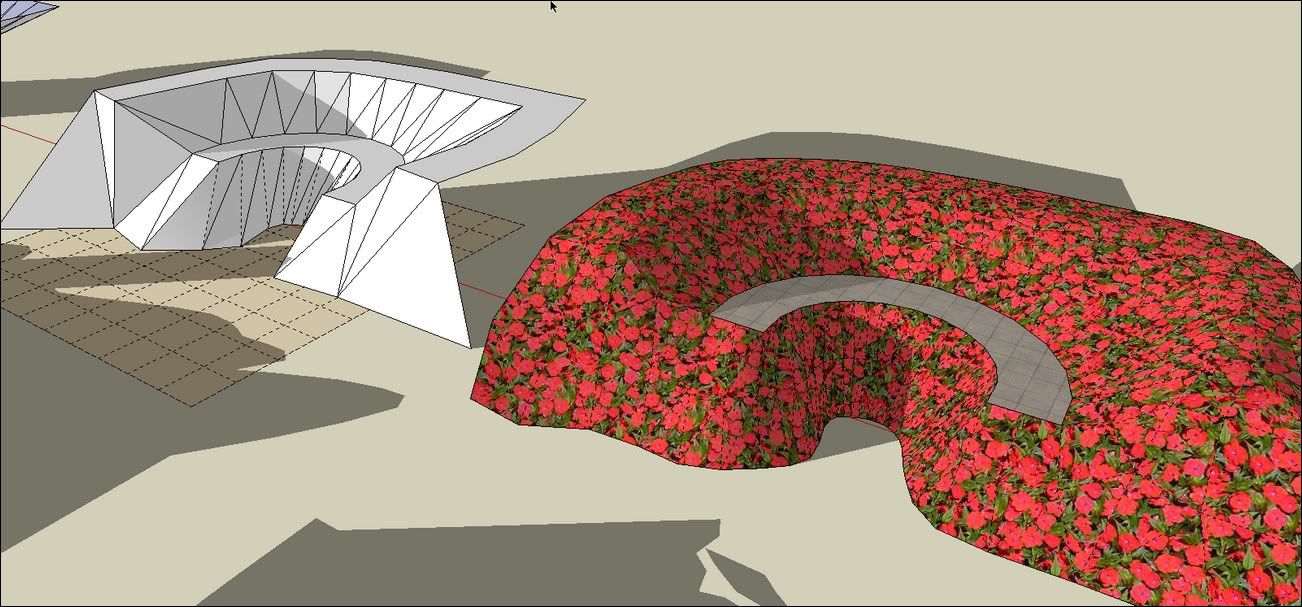
          Additionally I wonder if it would be possible to implement a Vert Memory option, where you could select all border edges and choose "Remember Vertex Positions", then once you are finished sculpting a terrain, you could "Restore Vertex Positions". This would essentially allow a user to freeze all border edges from being affected by manipulation. This way, if I had, say a flower bed on a hillside that I wanted to add undulation to, I could store the perimeter verts to memory, sculpt to my leisure, then restore the border perfectly. 😎 Just a thought.

          3D Artist at Clearstory 3D Imaging
          Guide Tool at Winning With Sketchup
          Content Creator at Skapeup

          1 條回覆 最後回覆 回覆 引用 0
          • bac9-flclB 離線
            bac9-flcl
            最後由 編輯

            I am sorry to interrupt the thread, but as you seem to very experienced in working with SketchUp model vertex structure, I've wanted to ask a simple question: is it possible to write a small plugin that can display the total vertex count of a model? It is a very important parameter to keep an eye on, for example, if developing Google Earth targeted model, but it's nowhere to be found in standart SketchUp stats. 😞

            1 條回覆 最後回覆 回覆 引用 0
            • TIGT 離線
              TIG Moderator
              最後由 編輯

              This will do it

              v=[];t=0;m=Sketchup.active_model;m.entities.each{|e|v<<e.vertices if e.class==Sketchup;;Edge};v.flatten!;v.uniq!;p t=v.length;tt=0;m.definitions.each{|d|v=[];d.entities.each{|e|v<<e.vertices if e.class==Sketchup;;Edge};v.flatten!;v.uniq!;tt=tt+(v.length*d.instances.length)};p tt;p gt=t+tt;puts
              

              Copy+Paste this one-liner into the Ruby Console + <Enter> it prints the total of all unique vertices in the model AND then those vertices inside groups/instance [multiplied by the number of instances of each] and then the grand total of the two.

              TIG

              1 條回覆 最後回覆 回覆 引用 0
              • W 離線
                wyatt
                最後由 編輯

                I think this will be a very useful plugin. I can't get Lowest, Highest, Average, or Middle to work though. No matter which ones I pick, all the vertices go to zero. First I created a surface with undulating edges, selected the outer edges, and ran the plugin. I thought that's what I saw in the videos, and that process works for the other tools. Did I miss something, or is there a bug in the .2 release that wasn't there in .1?

                1 條回覆 最後回覆 回覆 引用 0
                • M 離線
                  MartinK
                  最後由 編輯

                  Thanks for another great plugin. I may be missing something, but is there a way to specify, by picking a point, where the selected vertices drop/raise to?

                  1 條回覆 最後回覆 回覆 引用 0
                  • TIGT 離線
                    TIG Moderator
                    最後由 編輯

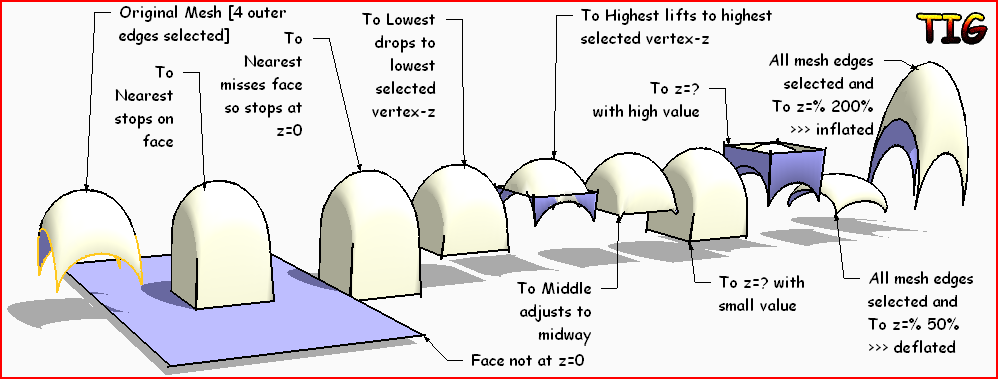
                    • Lowest/Highest/Middle should adjust the vertices' z-value to match the z-value of the vertex in the selection that is lowest/highest/midway-between ??? Can you post and example of a SKP where it fails...
                    • You can't 'pick a point' - depending on the tool you've selected you can specify a 'Z value' or it drops/lifts to objects etc...

                    TIG

                    1 條回覆 最後回覆 回覆 引用 0
                    • M 離線
                      MartinK
                      最後由 編輯

                      Thanks for the answer.

                      1 條回覆 最後回覆 回覆 引用 0
                      • M 離線
                        MartinK
                        最後由 編輯

                        I seem to be having the same problem as Wyatt, vertices only move to Z=0 no matter what method I use. I can't post the SKP as it is a large site model. Just wondering if anyone else has had this issue with Version 1.2.

                        Thanks

                        1 條回覆 最後回覆 回覆 引用 0
                        • TIGT 離線
                          TIG Moderator
                          最後由 編輯

                          I have checked and there is 'a rabbit away' !
                          Watch out for fixed code soon 😒

                          TIG

                          1 條回覆 最後回覆 回覆 引用 0
                          • TIGT 離線
                            TIG Moderator
                            最後由 編輯

                            Here's v1.3 http://forums.sketchucation.com/viewtopic.php?p=346754#p346754
                            It fixes a last minute typo in my code that affected Lowest/Highest/Middle results - it should now work as advertised - feedback please...dvs.PNG
                            TIG

                            1 條回覆 最後回覆 回覆 引用 0
                            • W 離線
                              wyatt
                              最後由 編輯

                              The high/low/middle work correctly now. Thank you for this script.

                              1 條回覆 最後回覆 回覆 引用 0
                              • M 離線
                                MartinK
                                最後由 編輯

                                That seems to have done the trick. Many thanks. 👍

                                1 條回覆 最後回覆 回覆 引用 0
                                • simon le bonS 離線
                                  simon le bon
                                  最後由 編輯

                                  Thank you so much Dear TIG for this brand new tool.

                                  ("to middle" and "to average" options don't work for me with su6_free and su7_pro)

                                  Coming back to the thread which had (re)initiated the need for such a tool: What's the best way to flatten some geometry lines

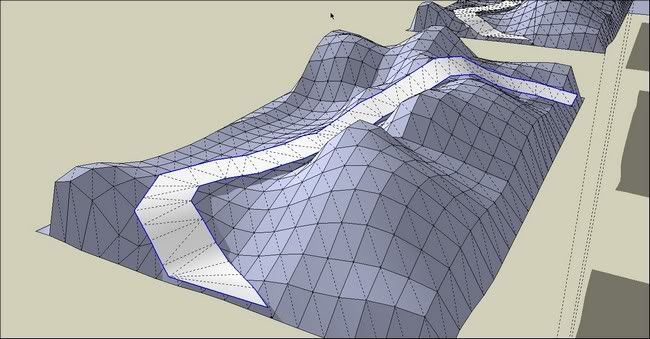
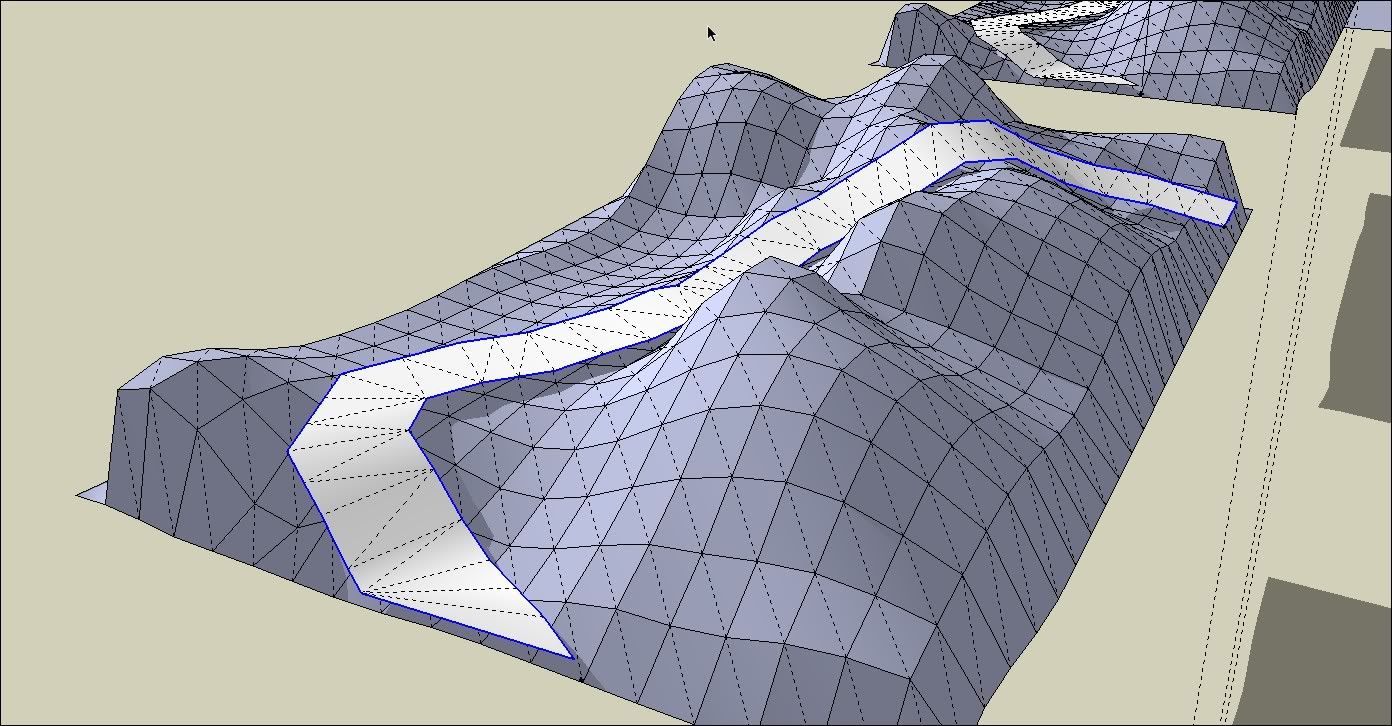
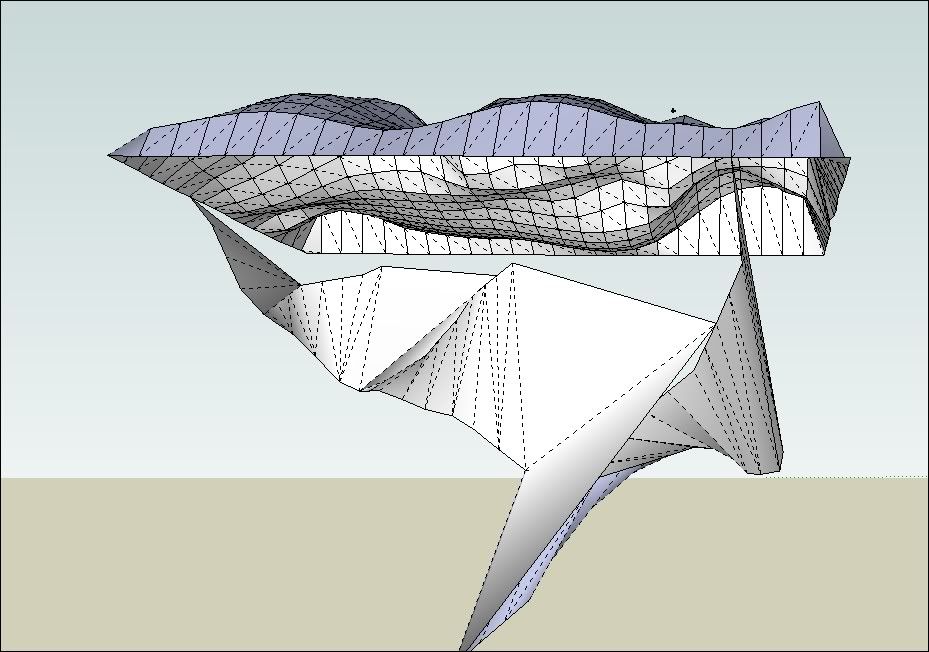
                                  I'm trying the old problem (not solved by SandboxTools/stamp)to achieve to drop vertices of a 3d path onto a 3d terrain. (I would like start with a path "melted up an down", "included" with/into the terrain)
                                  I have made my road/path triangulated (with Sandboxtools/from contour)
                                  Tip: I use [Plugin] Select Outer Edges v1.0 by Chris Fullmer to select outer edges 😒

                                  But Whatever the option I choose with Drop Vertices I got aberrant result 😕


                                  http://i274.photobucket.com/albums/jj245/Spendauballet/SketchUp/thdropverts_001.jpg

                                  to nearest object , to nearest below..
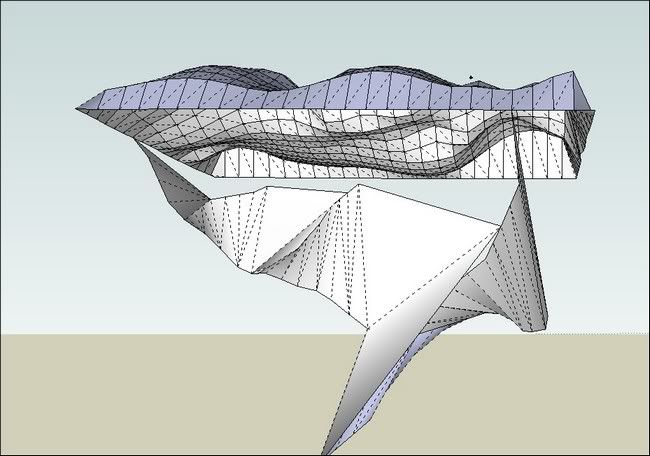
                                  http://i274.photobucket.com/albums/jj245/Spendauballet/SketchUp/thdropverts_002.jpg

                                  Any Idea ??

                                  (Alternatively, I have tried "Drape CPoints" + "Triangulate Points" and also "Artisan"€ and this one gives the better results for me from now, using "Crease Selection" Edges+vertices on the total path face .
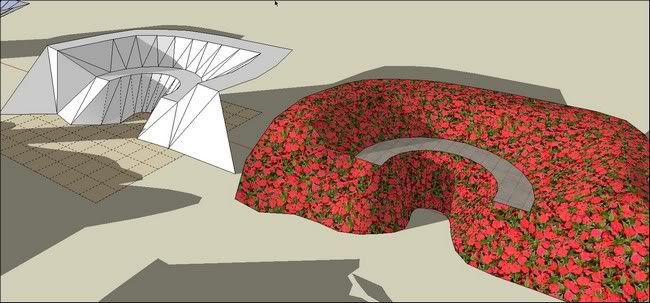

                                  http://i274.photobucket.com/albums/jj245/Spendauballet/SketchUp/thdropverts_003.jpg

                                  Cheers
                                  simon.


                                  Re: thank you dear Tig for your [Plugin] Work Plane v2.3 by TIG on Sat Sep 25, 2010 I'm using for long >>referencing to "this"

                                  1 條回覆 最後回覆 回覆 引用 0
                                  • TIGT 離線
                                    TIG Moderator
                                    最後由 編輯

                                    Simon

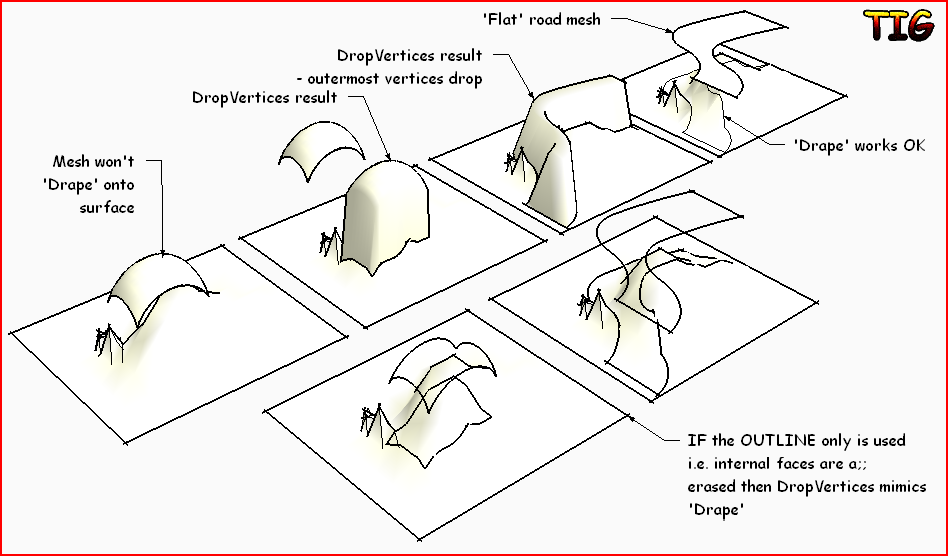
                                    DropVertices isn't DrapeCapture.PNG

                                    TIG

                                    1 條回覆 最後回覆 回覆 引用 0
                                    • simon le bonS 離線
                                      simon le bon
                                      最後由 編輯

                                      Bonjour TIG 😄

                                      OK, I was confused on the concepts Drape/Drope.

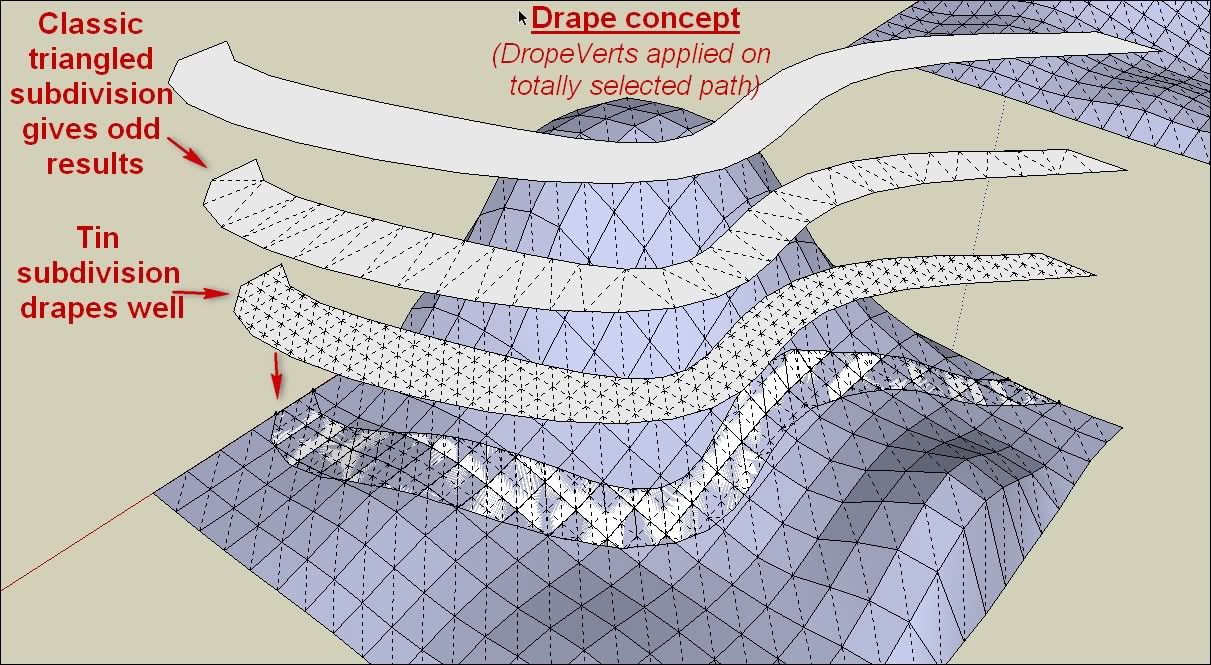
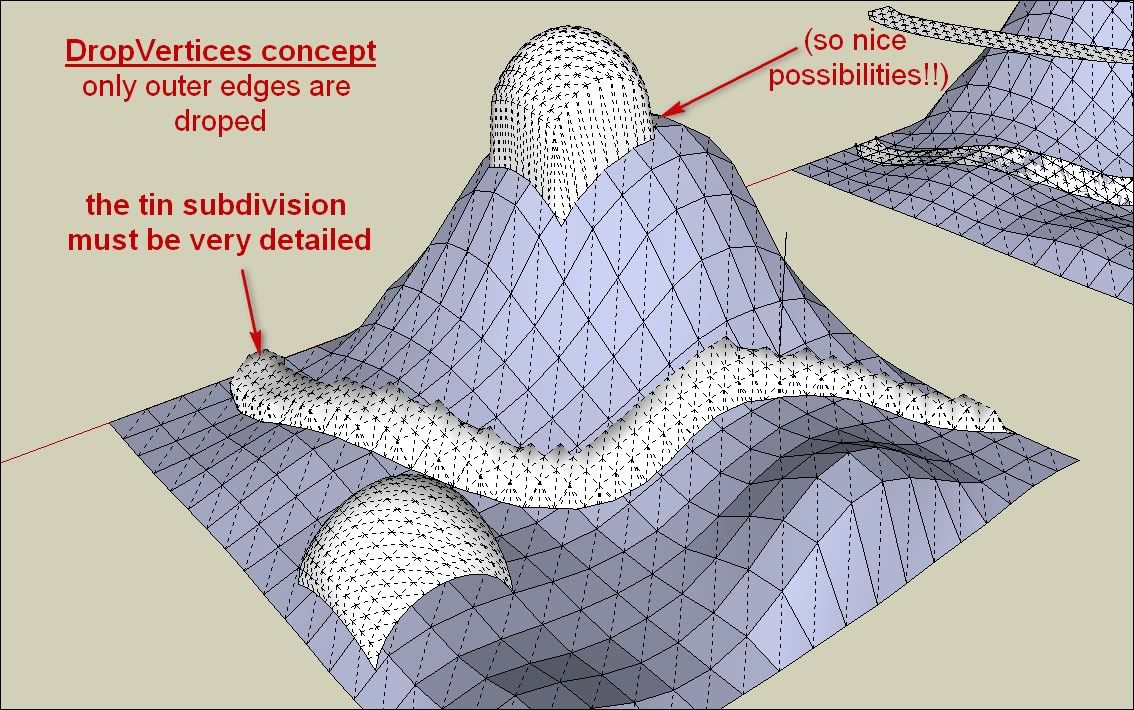
                                      I have discovered that the kind of subdivision is important. Until now I was trying to drape with some classical triangulated shapes and that's why the result wasn't working.

                                      As I have seen with your example above it was possible, I have discovered that shapes must be subdivided by real tin subdivision.(as far)
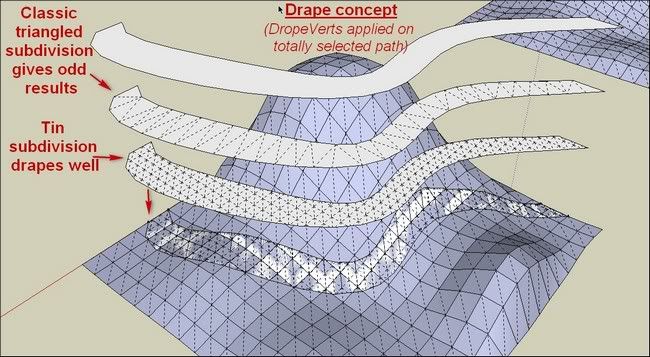
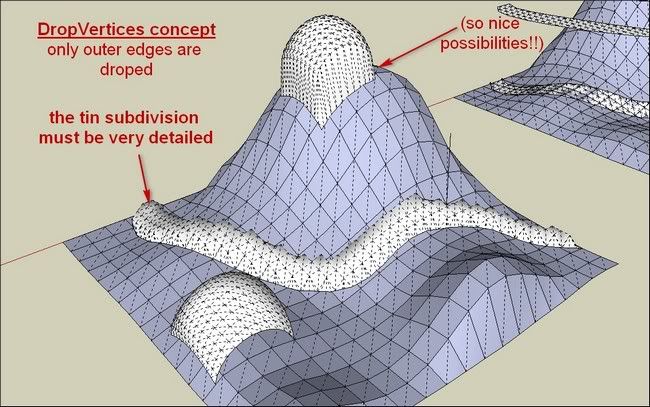
                                      http://i274.photobucket.com/albums/jj245/Spendauballet/SketchUp/thdropverts_005.jpg


                                      http://i274.photobucket.com/albums/jj245/Spendauballet/SketchUp/thdropverts_006.jpg

                                      (I see we can't obtain this way something like we can do with sandboxtool/Stamptool but with a 3D path.)

                                      Anyway This DropVertices brings so much !!!!+++ Thank you one more time and bravo!! TIG

                                      simon.

                                      1 條回覆 最後回覆 回覆 引用 0
                                      • EarthMoverE 離線
                                        EarthMover
                                        最後由 編輯

                                        Here is another method to do what you are looking for Simon.

                                        [flash=800,600:1yx2pldf]http://www.youtube.com/v/hzN5n2UB7Ao[/flash:1yx2pldf]

                                        3D Artist at Clearstory 3D Imaging
                                        Guide Tool at Winning With Sketchup
                                        Content Creator at Skapeup

                                        1 條回覆 最後回覆 回覆 引用 0
                                        • simon le bonS 離線
                                          simon le bon
                                          最後由 編輯

                                          Dear Adam,
                                          your videos are invaluable to understand easily how things work and as reminders.
                                          I have watched your previous a number of times.

                                          I'm studying your propositions (soapskin&buble _ instant road (which makes the deal 👍 👍 ) and I'm thinking to others. It's for tomorrow now.

                                          Cheers,

                                             simon.
                                          
                                          1 條回覆 最後回覆 回覆 引用 0
                                          • pilouP 離線
                                            pilou
                                            最後由 編輯

                                            Maybe use of Ferrari can also gives some cool results 😉

                                            Frenchy Pilou
                                            Is beautiful that please without concept!
                                            My Little site :)

                                            1 條回覆 最後回覆 回覆 引用 0
                                            • 1
                                            • 2
                                            • 3
                                            • 2 / 3
                                            • 第一個貼文
                                              最後的貼文
                                            Buy SketchPlus
                                            Buy SUbD
                                            Buy WrapR
                                            Buy eBook
                                            Buy Modelur
                                            Buy Vertex Tools
                                            Buy SketchCuisine
                                            Buy FormFonts

                                            Advertisement