sketchucation logo sketchucation
    • 登入
    Oops, your profile's looking a bit empty! To help us tailor your experience, please fill in key details like your SketchUp version, skill level, operating system, and more. Update and save your info on your profile page today!
    🔌 Smart Spline | Fluid way to handle splines for furniture design and complex structures. Download

    [Plugin] Drop Vertices

    已排程 已置頂 已鎖定 已移動 Plugins
    51 貼文 17 Posters 149.3k 瀏覽 17 Watching
    正在載入更多貼文
    • 從舊到新
    • 從新到舊
    • 最多點贊
    回覆
    • 在新貼文中回覆
    登入後回覆
    此主題已被刪除。只有擁有主題管理權限的使用者可以查看。
    • M 離線
      MartinK
      最後由 編輯

      That seems to have done the trick. Many thanks. 👍

      1 條回覆 最後回覆 回覆 引用 0
      • simon le bonS 離線
        simon le bon
        最後由 編輯

        Thank you so much Dear TIG for this brand new tool.

        ("to middle" and "to average" options don't work for me with su6_free and su7_pro)

        Coming back to the thread which had (re)initiated the need for such a tool: What's the best way to flatten some geometry lines

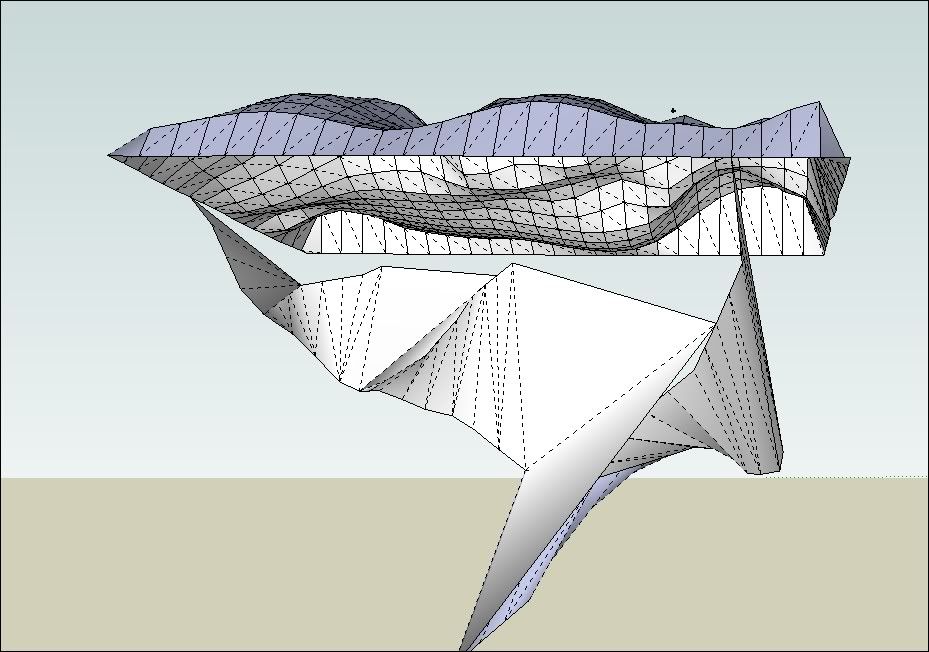
        I'm trying the old problem (not solved by SandboxTools/stamp)to achieve to drop vertices of a 3d path onto a 3d terrain. (I would like start with a path "melted up an down", "included" with/into the terrain)
        I have made my road/path triangulated (with Sandboxtools/from contour)
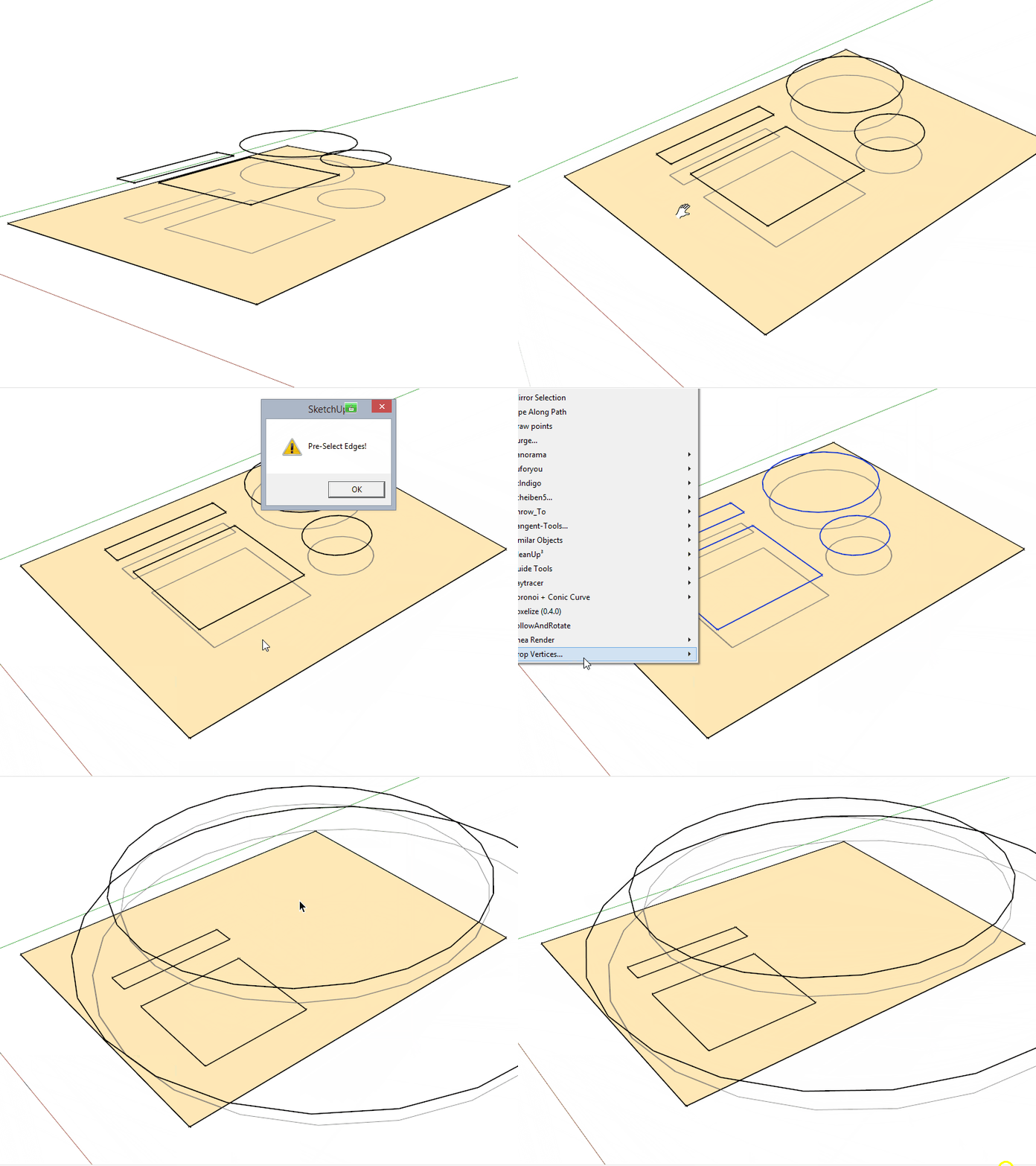
        Tip: I use [Plugin] Select Outer Edges v1.0 by Chris Fullmer to select outer edges 😒

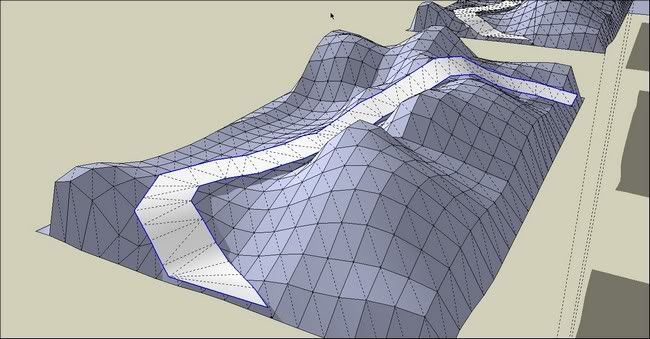
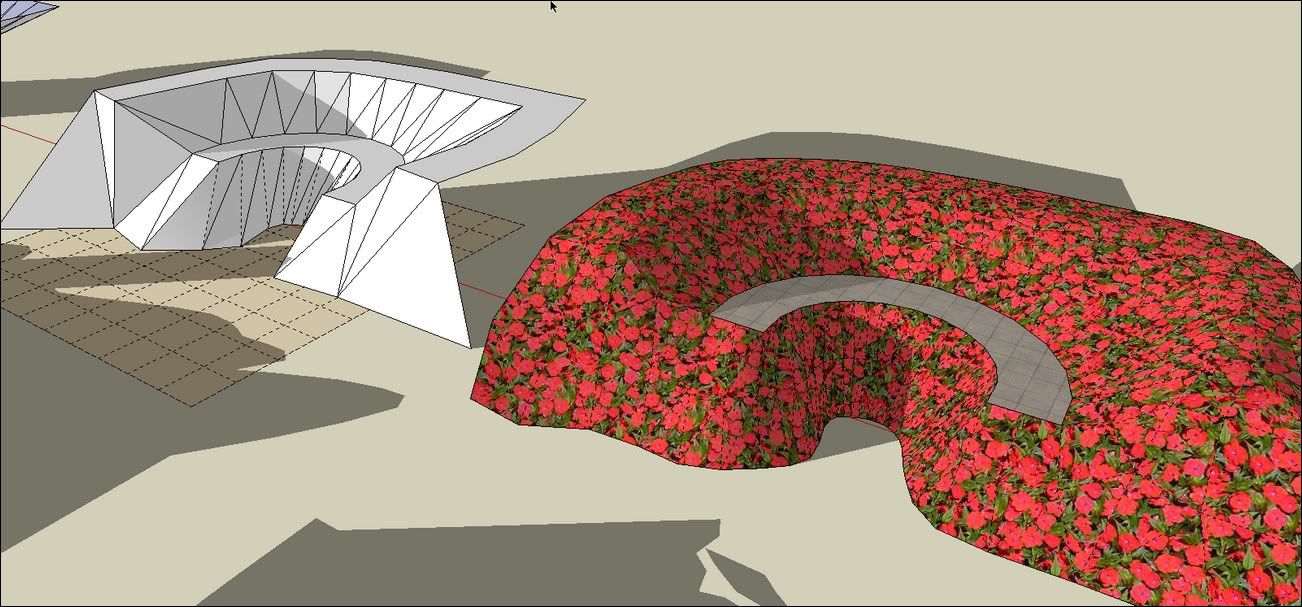
        But Whatever the option I choose with Drop Vertices I got aberrant result 😕


        http://i274.photobucket.com/albums/jj245/Spendauballet/SketchUp/thdropverts_001.jpg

        to nearest object , to nearest below..
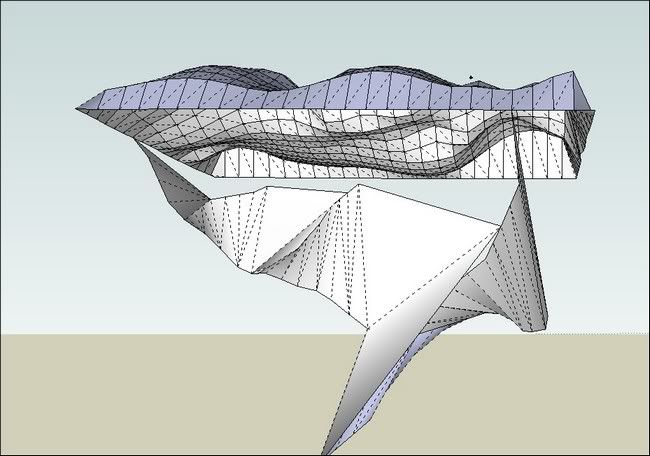
        http://i274.photobucket.com/albums/jj245/Spendauballet/SketchUp/thdropverts_002.jpg

        Any Idea ??

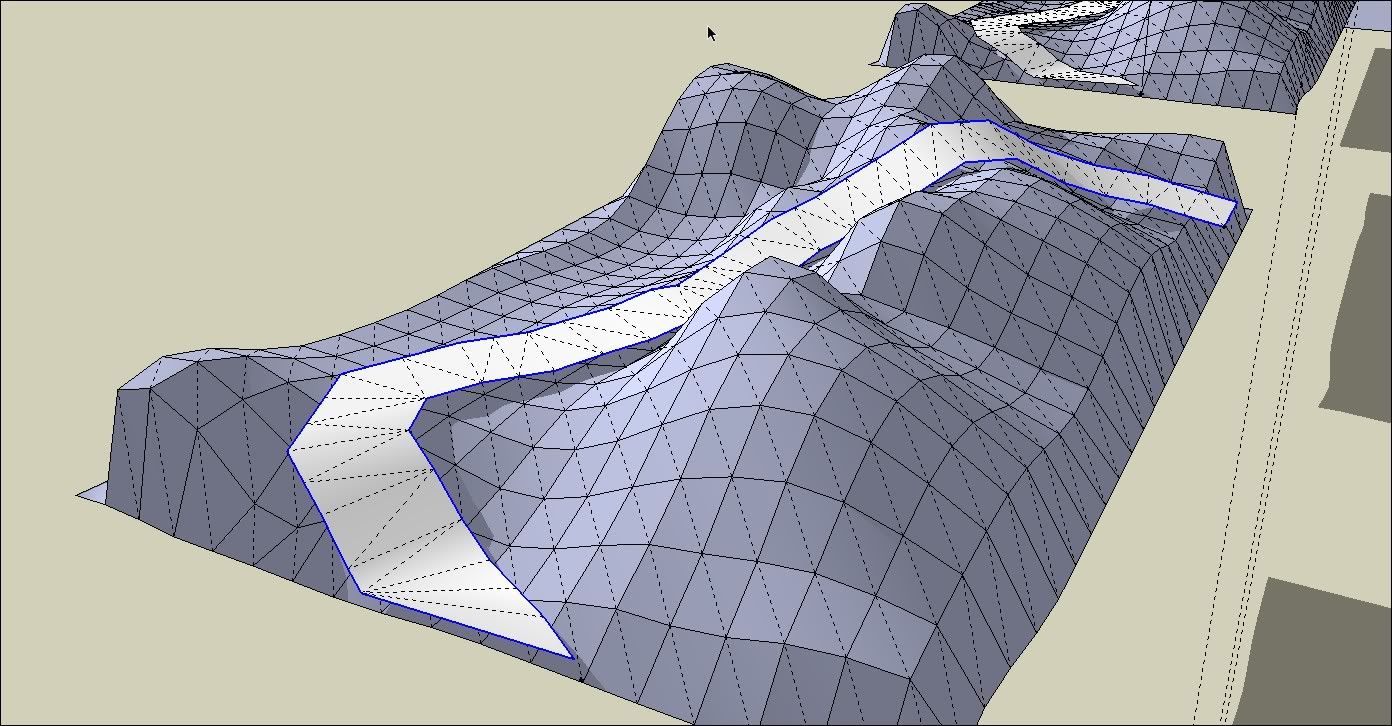
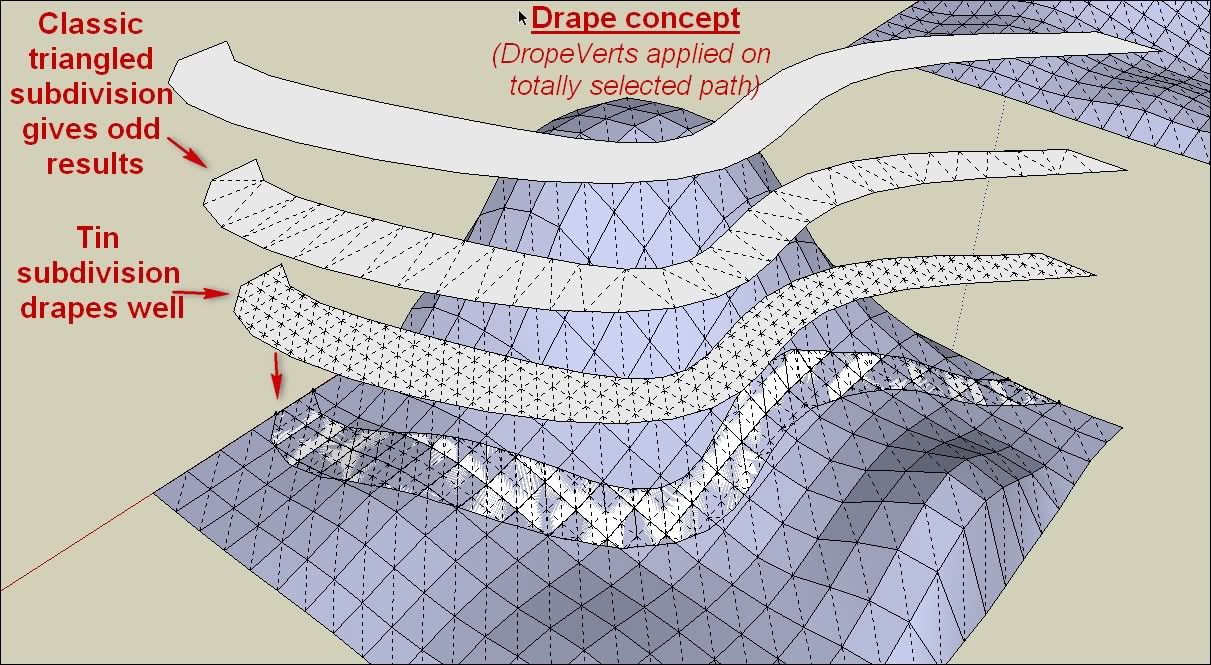
        (Alternatively, I have tried "Drape CPoints" + "Triangulate Points" and also "Artisan"€ and this one gives the better results for me from now, using "Crease Selection" Edges+vertices on the total path face .
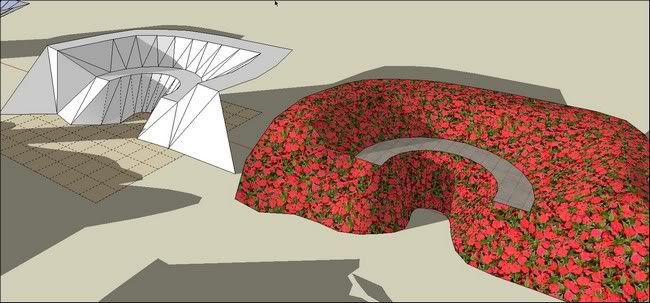

        http://i274.photobucket.com/albums/jj245/Spendauballet/SketchUp/thdropverts_003.jpg

        Cheers
        simon.


        Re: thank you dear Tig for your [Plugin] Work Plane v2.3 by TIG on Sat Sep 25, 2010 I'm using for long >>referencing to "this"

        1 條回覆 最後回覆 回覆 引用 0
        • TIGT 離線
          TIG Moderator
          最後由 編輯

          Simon

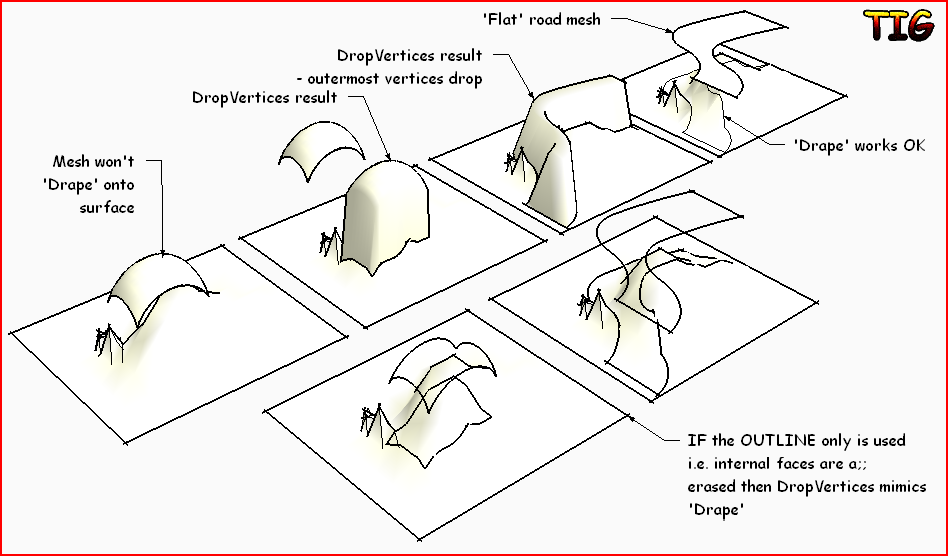
          DropVertices isn't DrapeCapture.PNG

          TIG

          1 條回覆 最後回覆 回覆 引用 0
          • simon le bonS 離線
            simon le bon
            最後由 編輯

            Bonjour TIG 😄

            OK, I was confused on the concepts Drape/Drope.

            I have discovered that the kind of subdivision is important. Until now I was trying to drape with some classical triangulated shapes and that's why the result wasn't working.

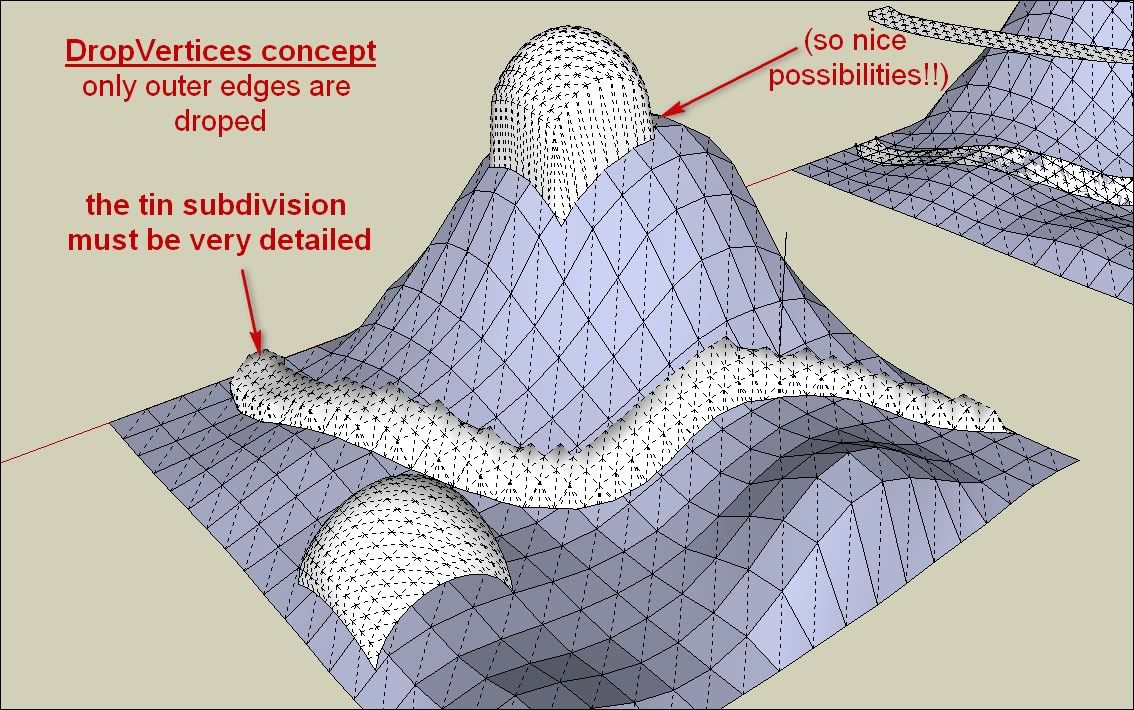
            As I have seen with your example above it was possible, I have discovered that shapes must be subdivided by real tin subdivision.(as far)
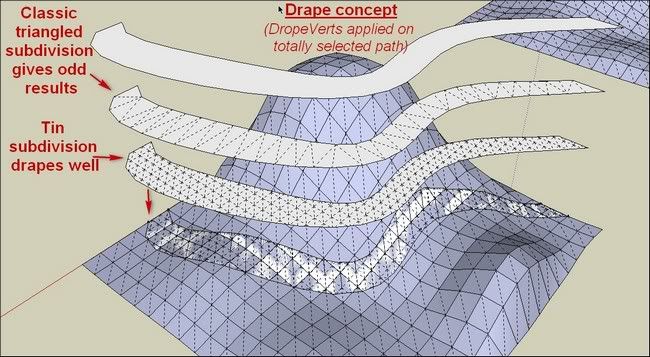
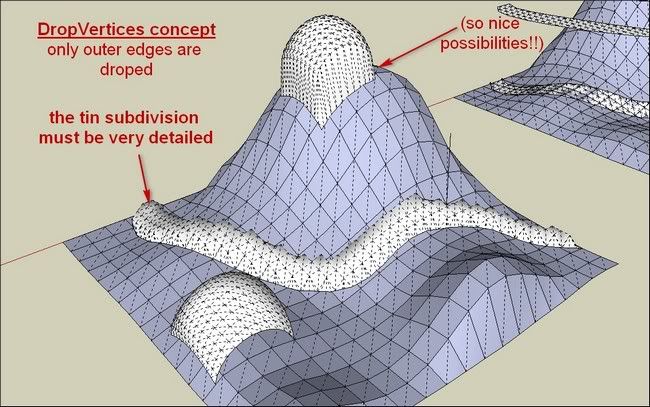
            http://i274.photobucket.com/albums/jj245/Spendauballet/SketchUp/thdropverts_005.jpg


            http://i274.photobucket.com/albums/jj245/Spendauballet/SketchUp/thdropverts_006.jpg

            (I see we can't obtain this way something like we can do with sandboxtool/Stamptool but with a 3D path.)

            Anyway This DropVertices brings so much !!!!+++ Thank you one more time and bravo!! TIG

            simon.

            1 條回覆 最後回覆 回覆 引用 0
            • EarthMoverE 離線
              EarthMover
              最後由 編輯

              Here is another method to do what you are looking for Simon.

              [flash=800,600:1yx2pldf]http://www.youtube.com/v/hzN5n2UB7Ao[/flash:1yx2pldf]

              3D Artist at Clearstory 3D Imaging
              Guide Tool at Winning With Sketchup
              Content Creator at Skapeup

              1 條回覆 最後回覆 回覆 引用 0
              • simon le bonS 離線
                simon le bon
                最後由 編輯

                Dear Adam,
                your videos are invaluable to understand easily how things work and as reminders.
                I have watched your previous a number of times.

                I'm studying your propositions (soapskin&buble _ instant road (which makes the deal 👍 👍 ) and I'm thinking to others. It's for tomorrow now.

                Cheers,

                   simon.
                
                1 條回覆 最後回覆 回覆 引用 0
                • pilouP 離線
                  pilou
                  最後由 編輯

                  Maybe use of Ferrari can also gives some cool results 😉

                  Frenchy Pilou
                  Is beautiful that please without concept!
                  My Little site :)

                  1 條回覆 最後回覆 回覆 引用 0
                  • K 離線
                    ktslambieng
                    最後由 編輯

                    oh .thank u verry much
                    but ruby SplitUp I can find where, who can help me, please
                    i saw on Youtube
                    http://www.youtu.be/watch?v=kAUx4AHVbOU&feature=related

                    1 條回覆 最後回覆 回覆 引用 0
                    • TIGT 離線
                      TIG Moderator
                      最後由 編輯

                      @ktslambieng said:

                      oh .thank u verry much
                      but ruby SplitUp I can find where, who can help me, please
                      i saw on Youtube
                      http://www.youtu.be/watch?v=kAUx4AHVbOU&feature=related

                      Like 'On Screen Rolling Reel' - 'SplitUp' has never been published.
                      It's in beta testing with a select group [Rich O'B].
                      The bugs are now ironed out... I'll speak with the other[s] to see what we should do next...

                      TIG

                      1 條回覆 最後回覆 回覆 引用 0
                      • Rich O BrienR 離線
                        Rich O Brien Moderator
                        最後由 編輯

                        Don't forget my NURBS plugin that's fairly stable. Just too powerful for mere mortals.

                        Download the free D'oh Book for SketchUp 📖

                        1 條回覆 最後回覆 回覆 引用 0
                        • peter_shawP 離線
                          peter_shaw
                          最後由 編輯

                          great plugin, used it to fix a f-ed up model

                          1 條回覆 最後回覆 回覆 引用 0
                          • cottyC 離線
                            cotty
                            最後由 編輯

                            What did I wrong here?

                            klick image

                            my SketchUp gallery

                            1 條回覆 最後回覆 回覆 引用 0
                            • TIGT 離線
                              TIG Moderator
                              最後由 編輯

                              Scant on what you've tried...
                              arcs/curves do not drop unless they are exploded first...
                              but see this example...
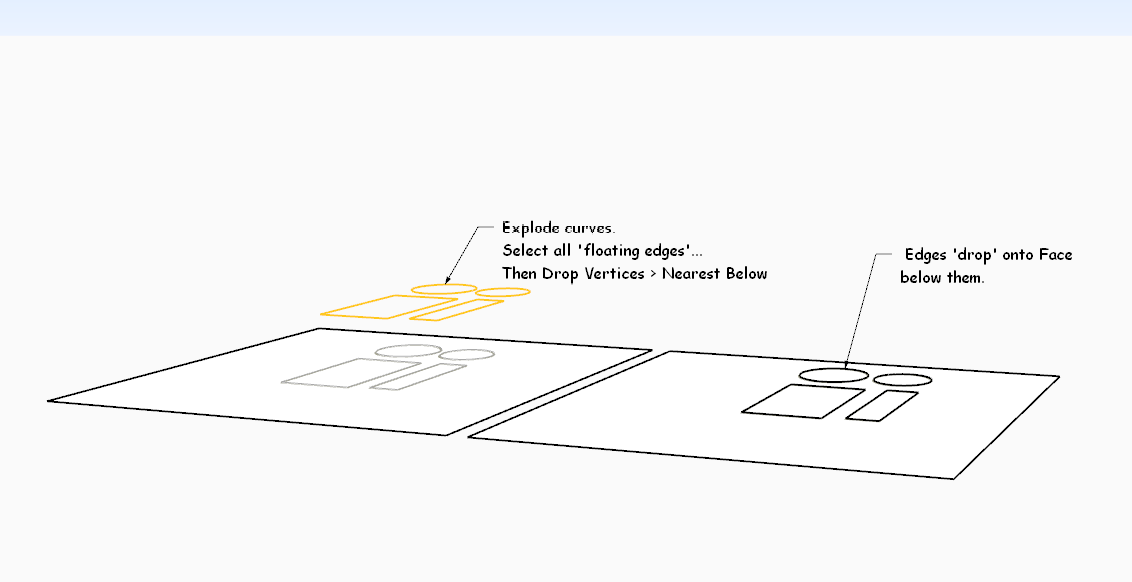

                              DropVertsBelow.PNG

                              TIG

                              1 條回覆 最後回覆 回覆 引用 0
                              • TIGT 離線
                                TIG Moderator
                                最後由 編輯

                                Here is v2.0 http://sketchucation.com/pluginstore?pln=dropverts It now overcomes the curve issue.
                                All edges in a dropped curve are now treated as separate edges.

                                TIG

                                1 條回覆 最後回覆 回覆 引用 0
                                • cottyC 離線
                                  cotty
                                  最後由 編輯

                                  Thank you, nice update!

                                  my SketchUp gallery

                                  1 條回覆 最後回覆 回覆 引用 0
                                  • pilouP 離線
                                    pilou
                                    最後由 編輯

                                    Does it possible to imagine a "drop" on X or Y direction ?
                                    (sure I can rotate all before but...)

                                    Frenchy Pilou
                                    Is beautiful that please without concept!
                                    My Little site :)

                                    1 條回覆 最後回覆 回覆 引用 0
                                    • mariochaM 離線
                                      mariocha
                                      最後由 編輯

                                      Hi TIG,
                                      I found that To Middle and To average do not work.
                                      Console indicates that line 93 z=z.to_s.to_l if z is faulty; cannot convert to length.
                                      I changed it to z=z.to_f if z . (float) They now work.
                                      Is this right ?

                                      %(#008000)[Mario C.
                                      Every rule has exceptions, but some.]

                                      1 條回覆 最後回覆 回覆 引用 0
                                      • mariochaM 離線
                                        mariocha
                                        最後由 編輯

                                        @pilou said:

                                        Does it possible to imagine a "drop" on X or Y direction ?
                                        (sure I can rotate all before but...)

                                        In this port are functions for the 3 axis.
                                        I tried to stick to the actual extension standards.
                                        Re-named it since it does more than just drop.
                                        Added LanguageHandler, french. And a contextual menu for the most frequent ones I use.


                                        Mc-AlignEnds.rbz

                                        %(#008000)[Mario C.
                                        Every rule has exceptions, but some.]

                                        1 條回覆 最後回覆 回覆 引用 0
                                        • 1
                                        • 2
                                        • 3
                                        • 3 / 3
                                        • 第一個貼文
                                          最後的貼文
                                        Buy SketchPlus
                                        Buy SUbD
                                        Buy WrapR
                                        Buy eBook
                                        Buy Modelur
                                        Buy Vertex Tools
                                        Buy SketchCuisine
                                        Buy FormFonts

                                        Advertisement