sketchucation logo sketchucation
    • 登入
    Oops, your profile's looking a bit empty! To help us tailor your experience, please fill in key details like your SketchUp version, skill level, operating system, and more. Update and save your info on your profile page today!
    🔌 Smart Spline | Fluid way to handle splines for furniture design and complex structures. Download

    Joint Push Pull Classic (Old version) - v2.2a - 26 Apr 17

    已排程 已置頂 已鎖定 已移動 Plugins
    368 貼文 150 Posters 2.0m 瀏覽 150 Watching
    正在載入更多貼文
    • 從舊到新
    • 從新到舊
    • 最多點贊
    回覆
    • 在新貼文中回覆
    登入後回覆
    此主題已被刪除。只有擁有主題管理權限的使用者可以查看。
    • Rich O BrienR 離線
      Rich O Brien Moderator
      最後由 編輯

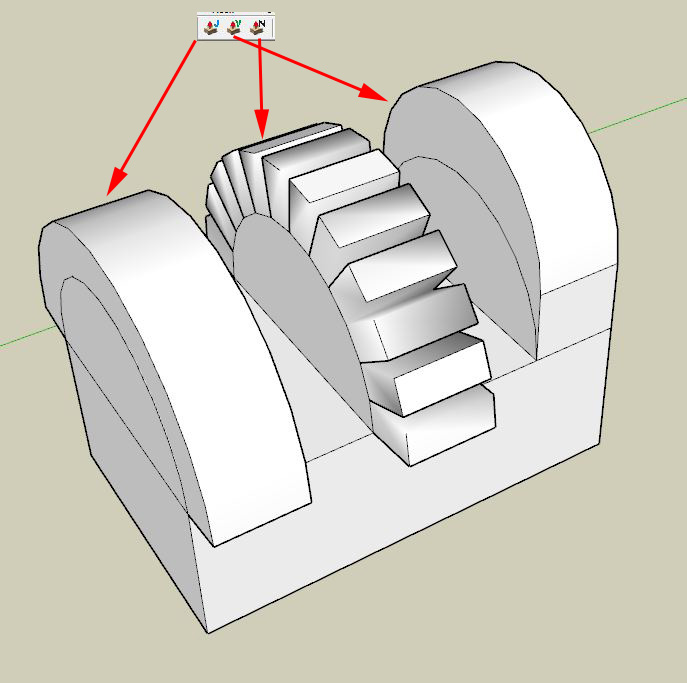
      With face and tool selected...

      Press TAB to open dialogue box

      Choose Finishing Options

      Pick option

      Download the free D'oh Book for SketchUp 📖

      1 條回覆 最後回覆 回覆 引用 0
      • R 離線
        rock1
        最後由 編輯

        @unknownuser said:

        With face and tool selected...

        Press TAB to open dialogue box

        Choose Finishing Options

        Pick option

        http://i.imgur.com/BOHLQ.jpg

        I chose thickening, then erase original faces, then keep original faces. All the options are giving the same results with the lines :?

        Signature removed by SCF Admin

        1 條回覆 最後回覆 回覆 引用 0
        • Dave RD 離線
          Dave R
          最後由 編輯

          What is your question? Your image doesn't show anything useful as far as a problem is concerned.

          Etaoin Shrdlu

          %

          (THERE'S NO PLACE LIKE)

          G28 X0.0 Y0.0 Z0.0

          M30

          %

          1 條回覆 最後回覆 回覆 引用 0
          • TIGT 離線
            TIG Moderator
            最後由 編輯

            It's not a telepathic tool - just erase lines and faces that YOU don't want!

            TIG

            1 條回覆 最後回覆 回覆 引用 0
            • fredo6F 離線
              fredo6
              最後由 編輯

              @rock1 said:

              using this plugin when i push pull a curved surface i have to manually delete the original surface that was push pulled. is there any way that this plugin jointpushpulls just like a normal push. and not like a ctrl+pull that makes a new face? For example i just want this yellow extrusion to be a part of the whole solid.

              yes it works like a Ctrl+pull.
              Actually, doing like the native push pull is much more complex for:

              • creating holes
              • merging the surfaces after push pull
                Note however that in most cases, JPP is used for complex surfaces where the standrad push pull would not be effective. So the continuity of surface won't really happen.

              I suggest you simply erase the unwanted lines.

              Fred

              1 條回覆 最後回覆 回覆 引用 0
              • R 離線
                rock1
                最後由 編輯

                @unknownuser said:

                Note however that in most cases, JPP is used for complex surfaces where the standrad push pull would not be effective. So the continuity of surface won't really happen.

                I suggest you simply erase the unwanted lines.

                Fred

                In the case shown above is it possible that the pulling is like a normal pull? My shape isn't complex enough :lol:

                Signature removed by SCF Admin

                1 條回覆 最後回覆 回覆 引用 0
                • massimoM 離線
                  massimo Moderator
                  最後由 編輯

                  @unknownuser said:

                  In the case shown above is it possible that the pulling is like a normal pull?

                  If I understood well can't you just use the "vector pushpull"? Anyway here you have the behaviour of the three tools.

                  Cattura.JPG

                  1 條回覆 最後回覆 回覆 引用 0
                  • thomthomT 離線
                    thomthom
                    最後由 編輯

                    Feature request: Option to disable the Context Menu.

                    Thomas Thomassen — SketchUp Monkey & Coding addict
                    List of my plugins and link to the CookieWare fund

                    1 條回覆 最後回覆 回覆 引用 0
                    • TIGT 離線
                      TIG Moderator
                      最後由 編輯

                      @thomthom said:

                      Feature request: Option to disable the Context Menu.

                      +1 👍
                      [I have already tweaked my copy so that there's no context-menu, as there are already too many things clogging mine up!]

                      TIG

                      1 條回覆 最後回覆 回覆 引用 0
                      • thomthomT 離線
                        thomthom
                        最後由 編輯

                        Yea - I use to tweak it myself. But for each update I need to do it all over again.

                        Thomas Thomassen — SketchUp Monkey & Coding addict
                        List of my plugins and link to the CookieWare fund

                        1 條回覆 最後回覆 回覆 引用 0
                        • P 離線
                          paihwai
                          最後由 編輯

                          Oh!!!

                          1 條回覆 最後回覆 回覆 引用 0
                          • gtalaricoG 離線
                            gtalarico
                            最後由 編輯

                            I keep getting an error when trying to extrude a few curved letters...

                            "General Error: cannot complete the transformation"

                            Can someone give it try it a try and see if maybe it is something on my end?

                            Steps to reproduce:

                            1. Open groud
                            2. Select All.
                              3.Click on JPP (J)
                              [ Erase Original, border on all, make group, 30 deg]
                              4.Click on edge, pull, type 2", Enter

                            Error.


                            letters.skp

                            -Gui

                            http://www.gtalarico.com

                            1 條回覆 最後回覆 回覆 引用 0
                            • D 離線
                              driven
                              最後由 編輯

                              try booleenhelper.rb or scale X 1000 enter 2000" and it works here

                              john

                              learn from the mistakes of others, you may not live long enough to make them all yourself...

                              1 條回覆 最後回覆 回覆 引用 0
                              • Dave RD 離線
                                Dave R
                                最後由 編輯

                                Interesting. I could do one letter at a time at the current size. I selected about half of them and tried it and got a Bug Splat. 😞

                                I tried doing limited groups of letters. The center row went fine as did the first two thirds of the top row. When I tried to do the last batch of letters in the top row, Splat!

                                Etaoin Shrdlu

                                %

                                (THERE'S NO PLACE LIKE)

                                G28 X0.0 Y0.0 Z0.0

                                M30

                                %

                                1 條回覆 最後回覆 回覆 引用 0
                                • Rich O BrienR 離線
                                  Rich O Brien Moderator
                                  最後由 編輯

                                  I got splats on the 'r 'in 'marian' and 'heart'.

                                  Download the free D'oh Book for SketchUp 📖

                                  1 條回覆 最後回覆 回覆 引用 0
                                  • TIGT 離線
                                    TIG Moderator
                                    最後由 編輯

                                    At original size it Bugsplats big time! [probably a 'tiny facets issue' on the small curved edges in the R - but why not the P or & ?]
                                    But Scale x100 and then JPP 200" [on the whole thing at once], then Scale back down x0.01m to get this good/swift outcome Capture.PNG

                                    TIG

                                    1 條回覆 最後回覆 回覆 引用 0
                                    • gtalaricoG 離線
                                      gtalarico
                                      最後由 編輯

                                      Scaling helped. Thanks! 😉
                                      Never thought it make a difference... is because SU doesn't like expressions with number like 0.00000000000000000000000000000000002003 ? 😒

                                      -Gui

                                      http://www.gtalarico.com

                                      1 條回覆 最後回覆 回覆 引用 0
                                      • ayan13A 離線
                                        ayan13
                                        最後由 編輯

                                        great plugins ! I use it a lot! Thank you !!!

                                        1 條回覆 最後回覆 回覆 引用 0
                                        • H 離線
                                          helios
                                          最後由 編輯

                                          My apologies if this was answered before, but is it possible to use this plugin to uniformly add thickness to a cylinder-like object? I created it by pulling a circle (and then scaling it at several points) and now would like to add some thickness to the currently hollow object, as it is going to be 3D printed. I am, in essence, trying to pull all the outside surfaces at a perpendicular angles.

                                          Many thanks!

                                          1 條回覆 最後回覆 回覆 引用 0
                                          • jgbJ 離線
                                            jgb
                                            最後由 編輯

                                            Yes. Use the Joint Push/Pull (not the Vector). Select the surface of the cylinder and using the JPP tool, click on any face in the selection. It will outline in red. Pull it up as thick as you want, or more accurately, pull up a short distance and type the thickness to the Measurements box. Press <Enter> to get a preview, then <enter> again to complete the thickening.

                                            Depending on the defaults you have for JPP, it may or may not form a group of the thickened section.
                                            You can explode the group if you want.


                                            jgb

                                            1 條回覆 最後回覆 回覆 引用 0
                                            • 1
                                            • 2
                                            • 10
                                            • 11
                                            • 12
                                            • 13
                                            • 14
                                            • 18
                                            • 19
                                            • 12 / 19
                                            • 第一個貼文
                                              最後的貼文
                                            Buy SketchPlus
                                            Buy SUbD
                                            Buy WrapR
                                            Buy eBook
                                            Buy Modelur
                                            Buy Vertex Tools
                                            Buy SketchCuisine
                                            Buy FormFonts

                                            Advertisement