Mac User? | Join the Rayscaper Beta for Mac Learn More

  • fredo6 licences

    31
    1 Votes
    31 Posts
    4k Views
    F
    Thank you for your hepl!!1
  • Landshape Beta for SketchUp

    2
    1 Votes
    2 Posts
    380 Views
    Rich O BrienR
    You can grab a trial here: https://holygon.com/download/
  • Thru Paint

    6
    1
    0 Votes
    6 Posts
    447 Views
    Gus RG
    @Gus-R Plus I'm a little paranoid after that last repair.
  • Archsynth

    2
    0 Votes
    2 Posts
    1k Views
    Rich O BrienR
    Looks same as https://app.myarchitectai.com/
  • Roof.rbz

    2
    0 Votes
    2 Posts
    253 Views
    Dave RD
    The lack of a signature will not prevent the extension from running unless you set the loading policy to prevent it. Set the policy to Unrestricted or Approve ... and the extension will load. [image: Screenshot - 2_15_2025 , 11_13_23 AM.png]
  • 1 Votes
    2 Posts
    293 Views
    Rich O BrienR
    You can via the ruby console to a degree. But to flesh out SketchUp with it's Rhino type of VCB based stuff would require you to develop such a feature. Since SketchUp is geared towards conceptual design its focus is such that the designer is sketching with a mouse to mimic drawing. Text based input would clash with that philosophy. SketchUp does accept certain VCB based commands though.
  • New Sketchup 2025 glimpse.

    10
    1 Votes
    10 Posts
    2k Views
    A
    THE BASIC PLUGINS ARE LESS EXCITING, and their functions are less than optimal, such as solid tools, which are very difficult to cut or combine a rather complicated object, section tools cannot be on 2 sides at once. Hopefully there will be improvements, such as collaboration or acquisition with third-party plugins such as the fredo6, midnight stuido, booltools or flextool plugins. and hopefully the UI will change completely to be like blender or 3d plasticity. that's what you call a cool update.
  • Update Licenses

    8
    0 Votes
    8 Posts
    688 Views
    Gus RG
    @TIG It was stuck with my old computer name. I had to get two new ssd's and a new Windows 10 Pro install. I reinstalled SU and everything was almost still there and everything was working fine. I re-associated the directories except for the templates which was stuck with the old name which was no longer present. That meant I kept getting a warning on SU start-up. So I created a dummy user directory with the old name and SU...templates and it took.
  • Export to Orge plugin?

    2
    0 Votes
    2 Posts
    162 Views
    Rich O BrienR
    There's a few on Github that are old. https://github.com/sevas/sketchup-ogre-exporter Might find some forks or branches if you hunt around.
  • Sketchup Plugin Developer wanted

    5
    0 Votes
    5 Posts
    451 Views
    S
    Hi guys - its a script to help with Archviz artists for kitchen joinery. Things like automated thickness (ie 18mm cabinetry) - ive started it in CHATGPT and have some success, but i need someone who is a pro to help refine it. Happy to monetise it and share the idea or pay you for your time. theres more to it than this but i dont want to divulge too much here.
  • Offset with curves instead of sharp corners

    7
    1
    0 Votes
    7 Posts
    578 Views
    D
    Anyway, thanks for responding.
  • Flowify problems

    extensions
    70
    0 Votes
    70 Posts
    50k Views
    R
    Yeah, I figured as much! The dense details are really slowing things down. Guess I’ll just have to power through it—no shortcuts this time! Haha. Thanks for the advice… and I’ll definitely keep that paracetamol handy!
  • Pins clothworks

    6
    2
    0 Votes
    6 Posts
    402 Views
    Rich O BrienR
    Hard to say when there’s no image to judge. But with a simulation running if you box select it captures any pins within the box. If you inadvertently click on the cloth object at the beginning of a box selection there is a chance you pick the cloth object
  • Animator fredo06 problem rendering video

    8
    1 Votes
    8 Posts
    408 Views
    S
    It's up and running ! Following your reply, I opened the Ruby console (this was new for me :-). At the end of the generation process, the code displayed was : FFmpeg = false. Indeed I had to authorize access to FFmpeg, couldn't do it on the apple preference system, security window and I didn't want to start writing codes, no experience at all. There are a lot of stuff on YT about installing FFmpeg on Mac. I had a go, I downloaded the FFmeg EXE prog. Then I directed Animator to it and using the red FFmpeg button... and finally got the window authorizing the access ! I ran the video generation again and Ruby showed FFmpeg = True ! I still have to press the "interrupt " button at the end to save the video file but all ok. It's strange that using SU "gestionnaire Extension" all looks fine with your files, which are both signed ? Did I miss anything in the installation process ? Thank you Fredo
  • Plugin to mark height above datum/sea level on a surface?

    2
    0 Votes
    2 Posts
    236 Views
    Rich O BrienR
    If the surrounding geometry is such that the text is obscured you can use the native Text Tool to reposition it.
  • To blend or not to blend

    27
    0 Votes
    27 Posts
    3k Views
    tuna1957T
    I must not be one of the cool kids…. Suppose I’ll just muddle along with the full version already sitting on the iMac.
  • Crash at sketchup startup, what can I do?

    8
    0 Votes
    8 Posts
    840 Views
    TIGT
    @alexpacio2013 Prefix a member's name with a @ and they are notified of the mention. @fredo6
  • Release old licenses

    5
    0 Votes
    5 Posts
    349 Views
    N
    Will do! Thanks!
  • Crash after pressing Manage License

    7
    1
    1 Votes
    7 Posts
    453 Views
    Rich O BrienR
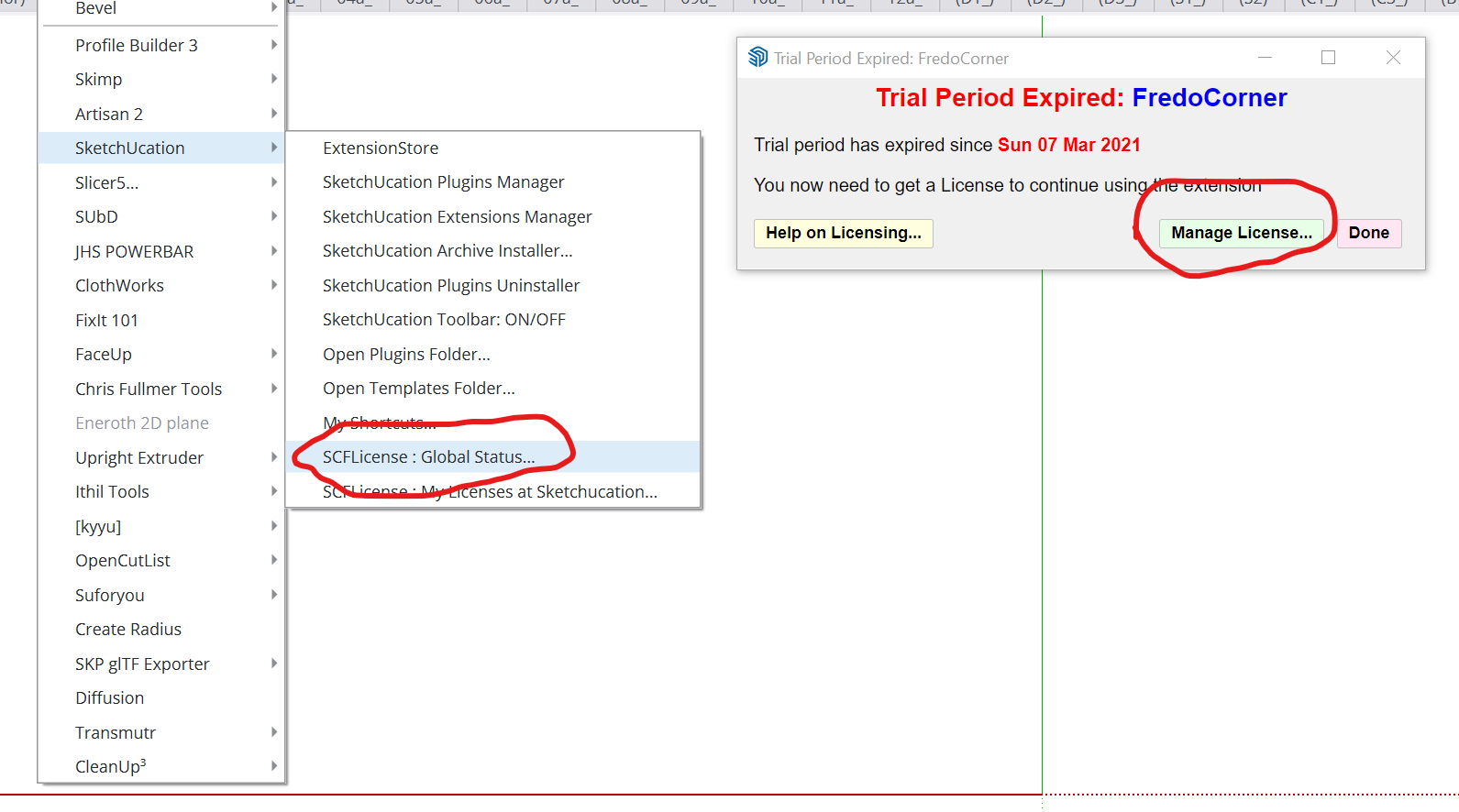
    @teppi_edmund Can you visit https://sketchucation.com/webshop/my-licences.php and download license files to your device Open SketchUp Go to Tools > Fredo Collection > Fredo Scale > License... Click Activate and use your Fredo Scale license file Report back result
  • Fredo 6 Animator Rotation Issue

    2
    0 Votes
    2 Posts
    174 Views
    Rich O BrienR
    Its most likely you are rotating about another objects origin point. Hovering an element in the timeline is a good clue

Advertisement