⚠️ Important | Libfredo 15.6b introduces important bugfixes for Fredo's Extensions Update
  • 1932 Ford Model A Pickup Drop Hotrod

    WIP
    13
    1
    3 Votes
    13 Posts
    489 Views
    Mike AmosM
    The spooks are gone... ? What the Freaky Friday etc. Better call Scummy and Mouldy.
  • Softening a border edge

    SketchUp Discussions
    6
    1
    1 Votes
    6 Posts
    223 Views
    Dave RD
    @MLUY you could select all the geometry and do the same thing. You'll only soften edges in which the angle between face normals is less than or equal to the angle set in the Soften Edges panel.
  • TIG: OBJ Exporter v3.0

    Extensions & Applications Discussions
    4
    0 Votes
    4 Posts
    183 Views
    J
    @TIG thank you
  • [Plugin] Projections version 2a UPDATED

    Plugins
    145
    0 Votes
    145 Posts
    212k Views
    C
    Thank you @Glenn-at-home
  • [Plugin] SectionCutFace

    Plugins
    565
    0 Votes
    565 Posts
    353k Views
    Dave RD
    @alskaro do you mean something like this? As TIG says, apply whatever materials you want to the various faces in the SectionCut Face. [image: 1761569581070-uniflow-steam-engine-cut-away-small-resized.png]
  • Ain't Sketchup to rhyme with the trends?

    SketchUp Discussions
    11
    0 Votes
    11 Posts
    501 Views
    majidM
    @Mike-Amos Yep. Agreed, many of the tutorial videos are so fast.... not well organized, messy... this is the way I learned the Blender modeling: Targeted the toolbars, I see in Layout and Editing UI, read the document, learned one tool at a time. (if needed, watched Youtube), moved to the next tool. Otherwise, it takes ages and seems hard (and it is to be honest). If they also do not adopt the new trend, I think will vanish as well.
  • Rhino vs SU

    Hardware, Software & Gadgets
    5
    0 Votes
    5 Posts
    214 Views
    Mike AmosM
    You got that far, extra cookie score +20.
  • 0 Votes
    2 Posts
    97 Views
    Rich O BrienR
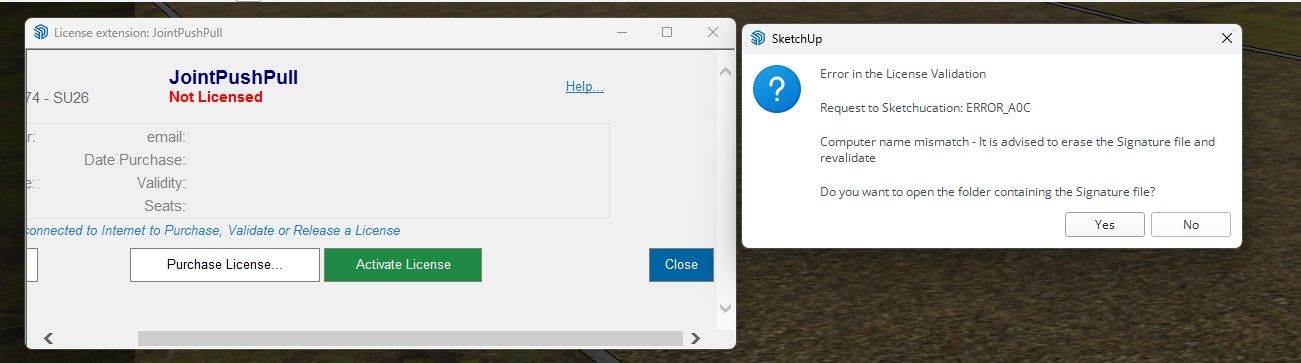
    If you are referring to a license for extensions we sell. Then yes you can. Licenses have a number of seats, usually 3, so you can activate on up to 3 devices at a time. You can manage seats at https://sketchucation.com/webshop/my-licences.php
  • help needed with a push

    SketchUcation Community Forums
    5
    1
    1 Votes
    5 Posts
    242 Views
    R
    Much appreciated thanks
  • [Plugin] Roof.rb

    Extensions & Applications Discussions extensions
    173
    0 Votes
    173 Posts
    163k Views
    N
    I was able to make it work at the fascia+soffit type = vertical + Horizontal at the hip roof. Trying to manipulate the three other types now. [image: 1761190105607-64cf79ea-3cff-40c8-81bb-7cfa8f99f708-image.png]
  • 2016 compatible Curvizard?

    Plugins
    1
    0 Votes
    1 Posts
    62 Views
    No one has replied
  • Many projects

    Gallery
    293
    2 Votes
    293 Posts
    23k Views
    jo-keJ
    and another colorset: [image: 1761052086556-image1-resized.jpg] [image: 1761052086682-image1_000-resized.jpg] [image: 1761052086798-image5-resized.jpg] [image: 1761052086914-image5_000-resized.jpg] [image: 1761052087050-image6_000-resized.jpg]
  • watermark in trimble connect?

    SketchUp Discussions
    3
    0 Votes
    3 Posts
    209 Views
    G
    @Dave-R great, thanks!
  • Extension Migrator

    SketchUp Discussions
    4
    0 Votes
    4 Posts
    258 Views
    Dave RD
    I've been enjoying SU2026.
  • 0 Votes
    5 Posts
    291 Views
    J
    well that worked, where you been all my life, thank you
  • 0 Votes
    1 Posts
    74 Views
    No one has replied
  • 2026 Point Cloud

    Corner Bar
    5
    0 Votes
    5 Posts
    217 Views
    ntxdaveN
    As it turns out, using the Extension Manager did not really uninstall the Trimble Scan Essentials plugin. However, do to some replies from others, I did get the issue resolved. OK, I finally got everything setup correctly now. It was kind of an awkward process but here is what I did: First I uninstalled 2026 Then I made sure all plugins were up to date in 2025 Then I clicked on the check for update in 2025 Now I ran the update option in 2025 to install 2026 When the process for installing 2026 ran, I deselected the Trimble Scan Essentials, Revit Importer and V-Ray Everything is now running fine and the Trimble Scan Essentials is finally gone and all of my plugins are installed and things are now the way I want them. Once again, I really want to thank everyone (on the SketchUp and SketchUcation forums) for the replies and insight of how to get things going correctly again. As I said in the original post, I have been gone for a while. Now I can get back to using SketchUp (latest version) again.
  • [Plugin] Volume Calculator v2.0 20111004

    Plugins
    13
    0 Votes
    13 Posts
    15k Views
    C
    thank you good work
  • Playing arround with Sketchup diffusion

    Gallery
    92
    0 Votes
    92 Posts
    4k Views
    L
    Yes, times are changing, and I have little time for the changes. However you need to pick your fights, and not learning it as a protest would be a mistake. The AI changes to workflow are absolutely inevitable undeniably and this is just the beginning. When reliable Quantum computers mature it will be another leap if it does not kill us first
  • Flex Louvers in Doors?

    FlexTools
    1
    1
    0 Votes
    1 Posts
    2k Views
    No one has replied