@oxer said:
The Display Edges hides all edges in the model, not only the edges with SUbD applied, is this normal or is it a issue?
That was the v1 feature. In v2 you have options to control this locally for the mesh.
 Offline
@oxer said:
The Display Edges hides all edges in the model, not only the edges with SUbD applied, is this normal or is it a issue?
That was the v1 feature. In v2 you have options to control this locally for the mesh.
Hm.. I will have to look into that. Might be that I'm not handling observers right for OSX multiple window interface.
Logged issue as #266
Side note: from that screenshot - I think you can get away with less faces.
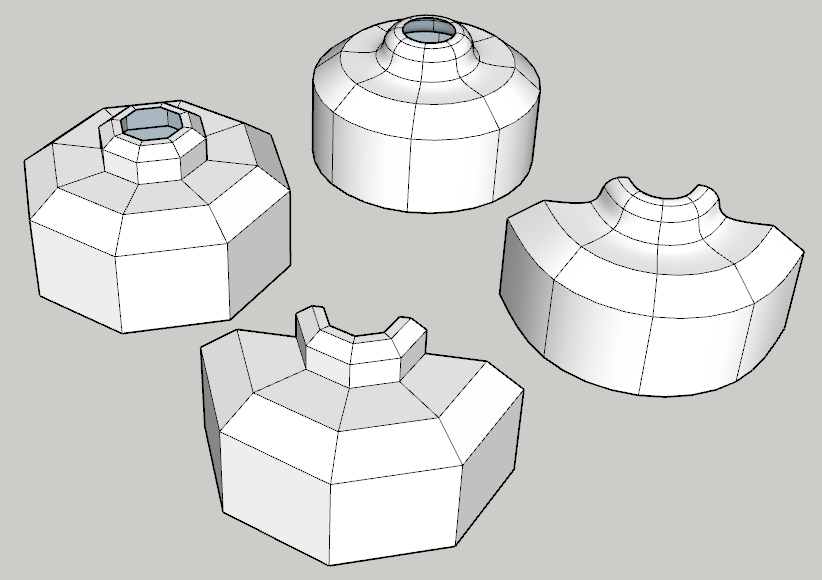
In this particular case of a cylindrical shape you could even get away with a cube as a base shape instead of an octagon.
(Just realized you are modelling a quad-copter with quads  #quad-ception!)
Are you talking about keeping quads planar?
I wrote QuadFace Tools to allow me to work with non-planar quads in SketchUp. It works by treating two triangles joined by an edge which is:
More info: https://bitbucket.org/thomthom/quadface-tools/wiki/Overview#!quadface-definition
Vertex Tools will apply these properties to edges created when SketchUp auto-fold faces.
You can also use the AutoFold extension I created to assist you: https://extensions.sketchup.com/en/content/autosmooth
Wow! Great details and seamless textures! Good attention to direction of materials as well. Did you use WrapR and Substance by any chance?
Do you have a view of the original control-mesh?
@ithil said:
Yes. This option is really necessary. Maybe solution to the problem can be of a button "turn off/on subdivided" for all subd-objects in file. We can turn off all subdivided objects before saving. And turn on after reload.
That could be a useful function, indeed. I'm logging a feature request for that.
@optimaforever said:
Gr8!!!
Do we have to unistall v1 first or...?
It should replace it. Should you find any problems - uninstall and install fresh. (And report back off course  )
)
Now powered by OpenSubdiv
Check out full changelog here: http://evilsoftwareempire.com/subd/changelog/2.0
Oh - and by the way, there is currently a 50% discount of SUbD and Vertex Tools!
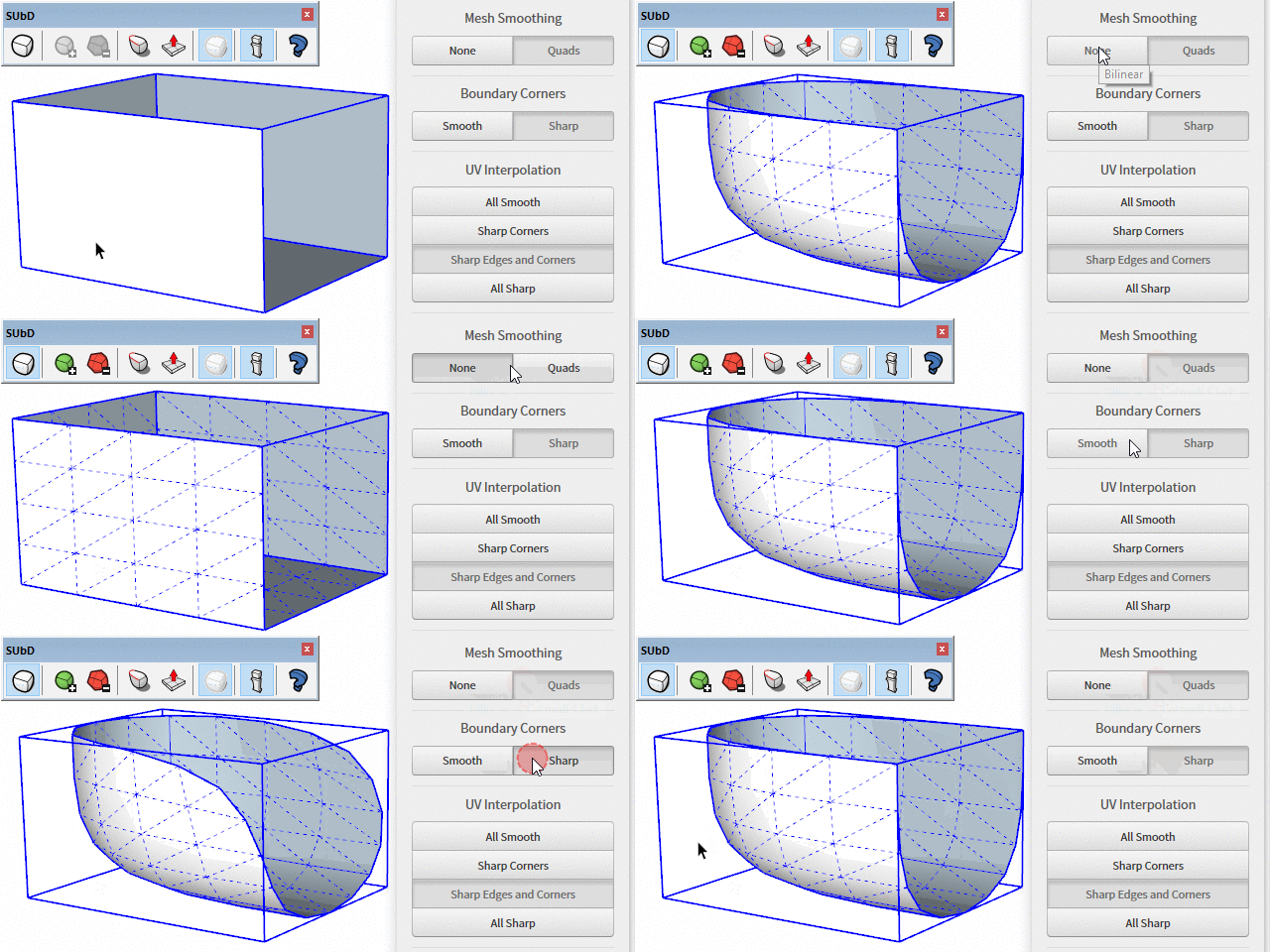
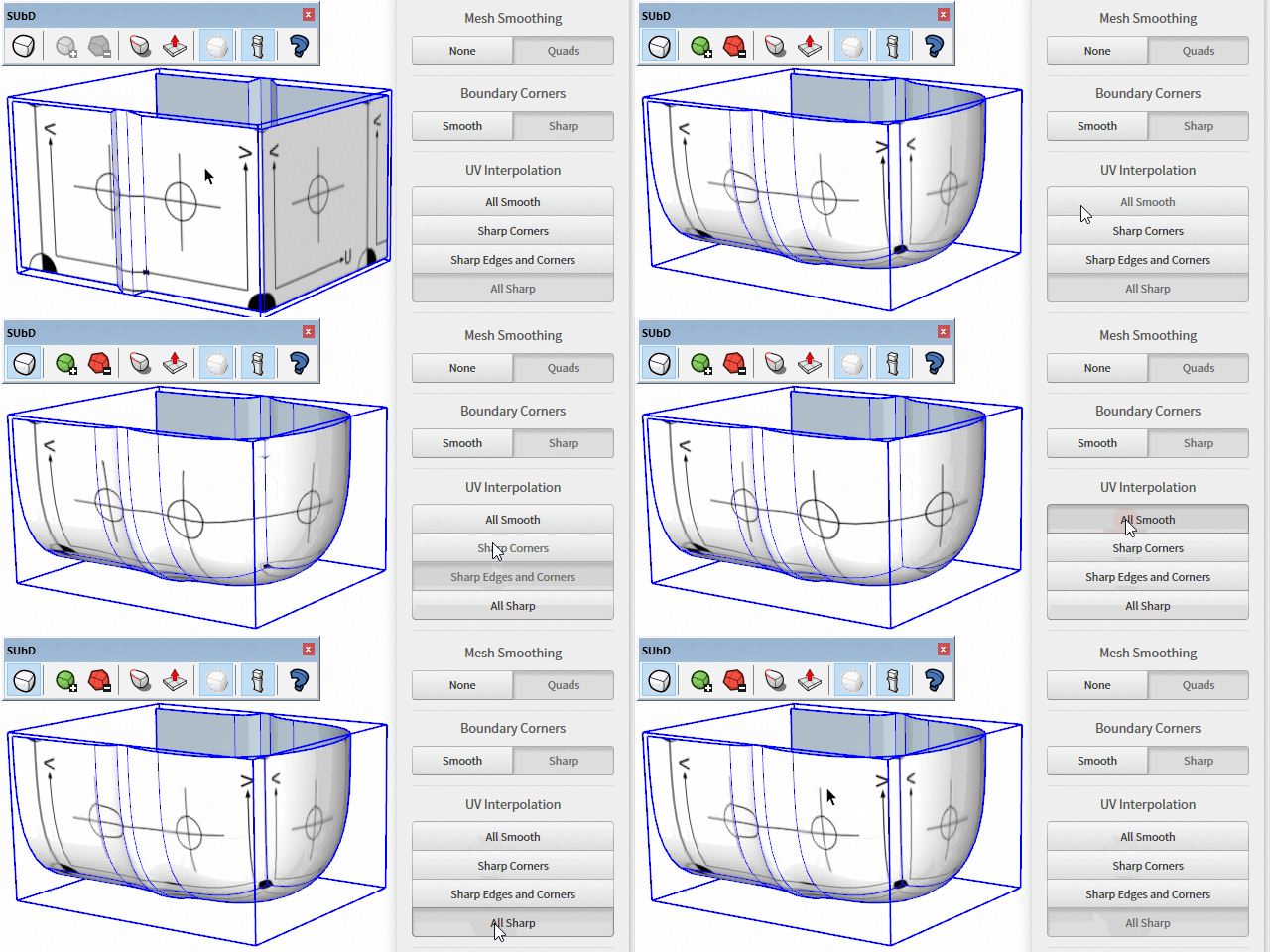
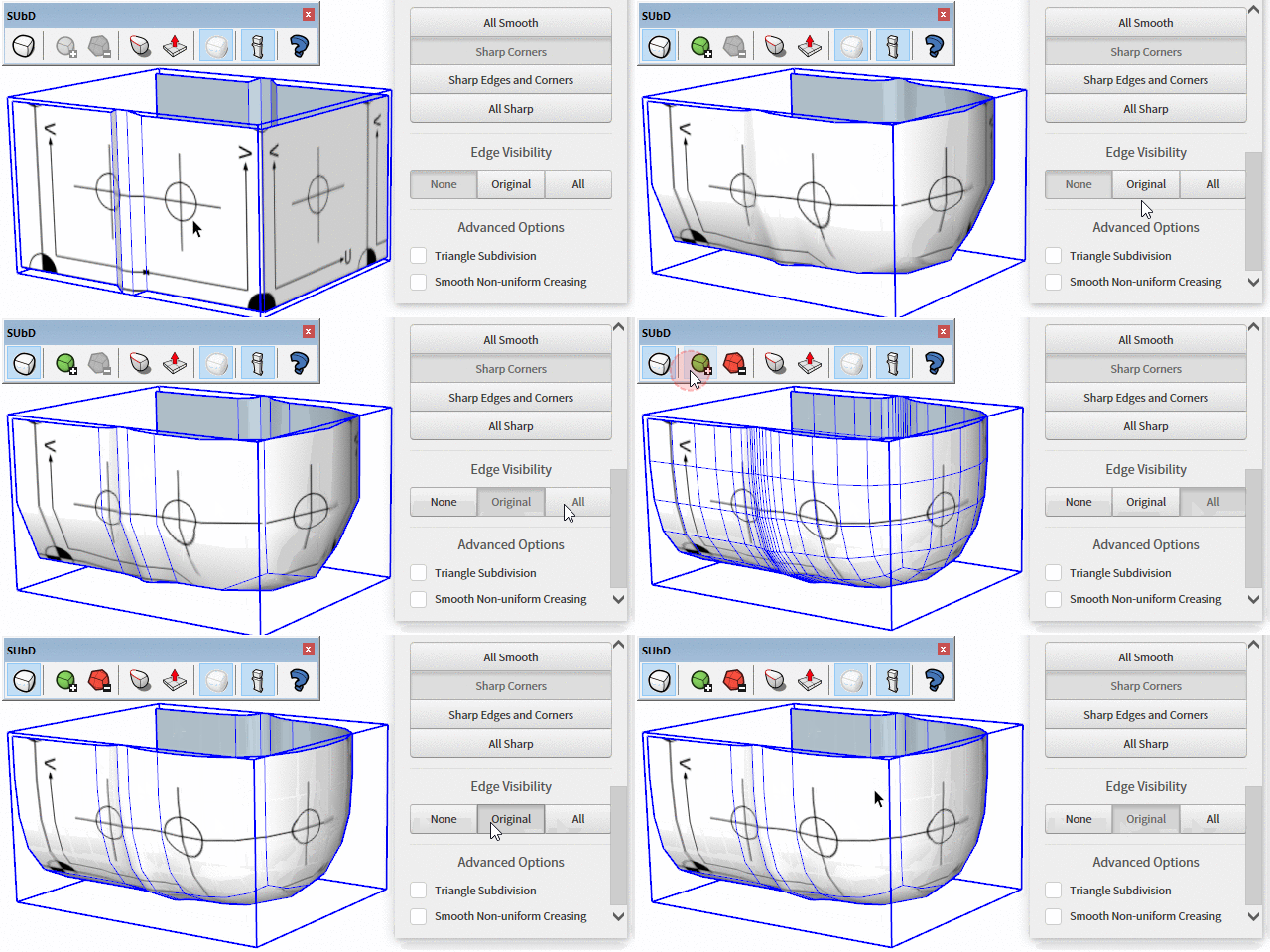
@jql said:
It also overrides painted materials and doesn't bring them back. It does that to a lot of contexts too, so it's a bit dangerous to use.
A shame as it's an incredibly useful feature.
Yea, figuring out a way to be able to restore original material UV is a challenge. It's best to use this in the modelling stage and not after you started applying materials.
@derei said:
But, the best part is that it does float on the right side
!

That's great Love it when one can see the process from digital to physical.
This is on my list of things to improve.
!! I thought the first image was the reference photo!
Well done!
That's some hard-core poly-minimal models you making there
@rich o brien said:
That's a cool result. SU needs a poke tool to make this easier and quicker to achieve.
hmm... this could be a Vertex Tools feature...
As things are right now with the SketchUp API I don't have any way to address this. If you subdivide and save the model it will be larger. Something which is not possible to change.
What kind of sizes are you running into?
Wonderful examples. Loving meshes that have the bare minimum of quads to define a shape.
Renaming a file from RB to RBZ won't work. An RBZ is really a ZIP file.
Either you need to place the RB file directly in the SketchUp Plugins folder, or you need to put the RB file into a ZIP file and rename it to a RBZ extension and install using SketchUp's Install Extension feature.
Using the Geom methods, and the methods on Geom::Point3d, Geom::Vector3d as much as possible is beneficial for performance. The SketchUp API methods are implemented in C++ and will be faster than pure Ruby code.