@majid Hey Majid, I will add this to my feature list, but there's not much demand for it right now. The preview scene is baked into the Rayscaper binary, so today, there is no option to overwrite the material preview scene with an alternative scene.
Oops, your profile's looking a bit empty! To help us tailor your experience, please fill in key details like your SketchUp version, skill level, operating system, and more. Update and save your info on your profile page today!
⚠️ Important | Libfredo 15.6b introduces important bugfixes for Fredo's Extensions Update
P
Offline
Posts
-
RE: Rayscaper New Releases
-
RE: RayScaper
Great work @majid - Love the house and love the renders. Also a great showcase for Rayscaper exterior renders.
-
RE: Rayscaper New Releases
I removed it from the user interface because I assumed the use was limited, and maybe too complex. If you have use for it I will definitely bring it back in the user interface the next release.
-
RE: Very small residence.
Good results. It's hard to position a camera in those narrow spaces. Another idea might be to position the camera outside on the sides of the house and use the near clip plane in the camera to cut away the walls.
-
RE: Rayscaper, My trip down the road to adjumacation.
Looking forward to the car render!
-
RE: Rayscaper New Releases
Hey folks,
Rayscaper 0.9.7 is available in the SketchUcation store. More improvements, so we recommend you upgrade to the latest version.
What changed?
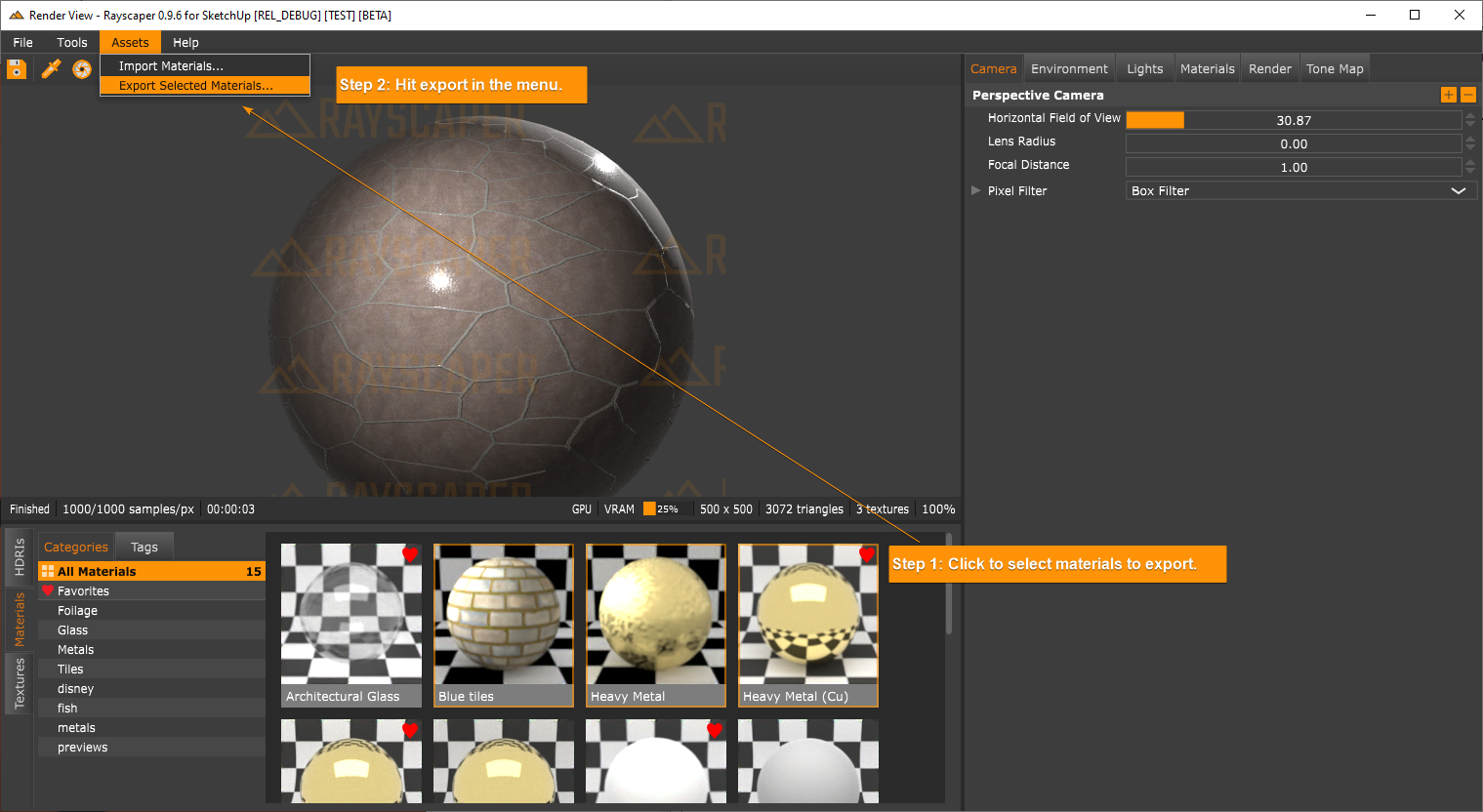
Support import and export of Rayscaper materials. You can now share materials with other Rayscaper users. Importing and exporting can be done via the assets menu:
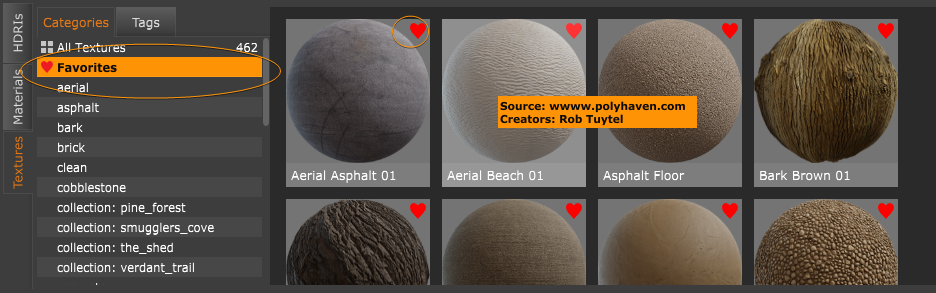
Add the option to mark assets as favorites. This is done by clicking on the heart icon in the user interface.
We removed material previews in the material editors. They take up precious rendering resources and hamper interactivity on low-end machines. Rayscaper should feel more responsive now. If people can't live without them, then we can think of a way to add them back.
Happy Rendering!
-
RE: Rayscaper render.
Despite the gremlins, nice render. Working on chasing down the gremlins.
-
RE: Rayscaper Learning-Practice
@ntxdave that’s a great first attempt! The windows could use some glass.
-
RE: Underground Carpark
On the older builds it felt like the denoiser was running after each resolve. Now you can render, pause, check the denoise, turn it off and resume rendering again. It’s noticeably faster.
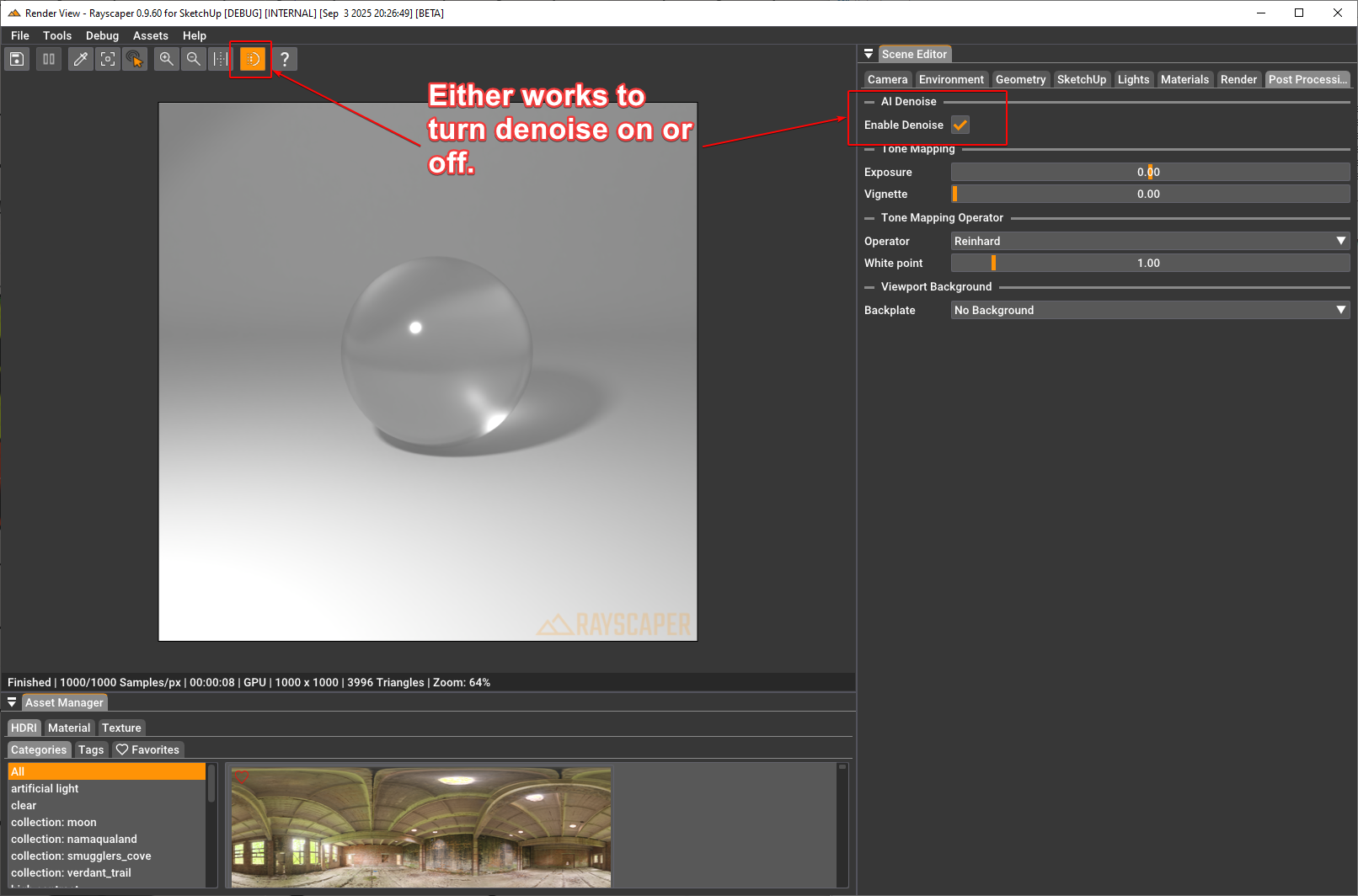
Denoise runs on the CPU, so that's a bit slower. In the builds before this one, once the denoiser kicked in, you couldn't disable it anymore without restarting the render. Now you can actually enable/disable denoise on the fly. For those who don't know how to do that, it's this here:
-
RE: Rayscaper New Releases
Hey, Rayscaper friends!
Rayscaper 0.9.23 Beta is available in the SketchUcation store. A lot of fixes and new things so I recommend you upgrade to this version.
What Changed?
Improvements
New GUI Framework
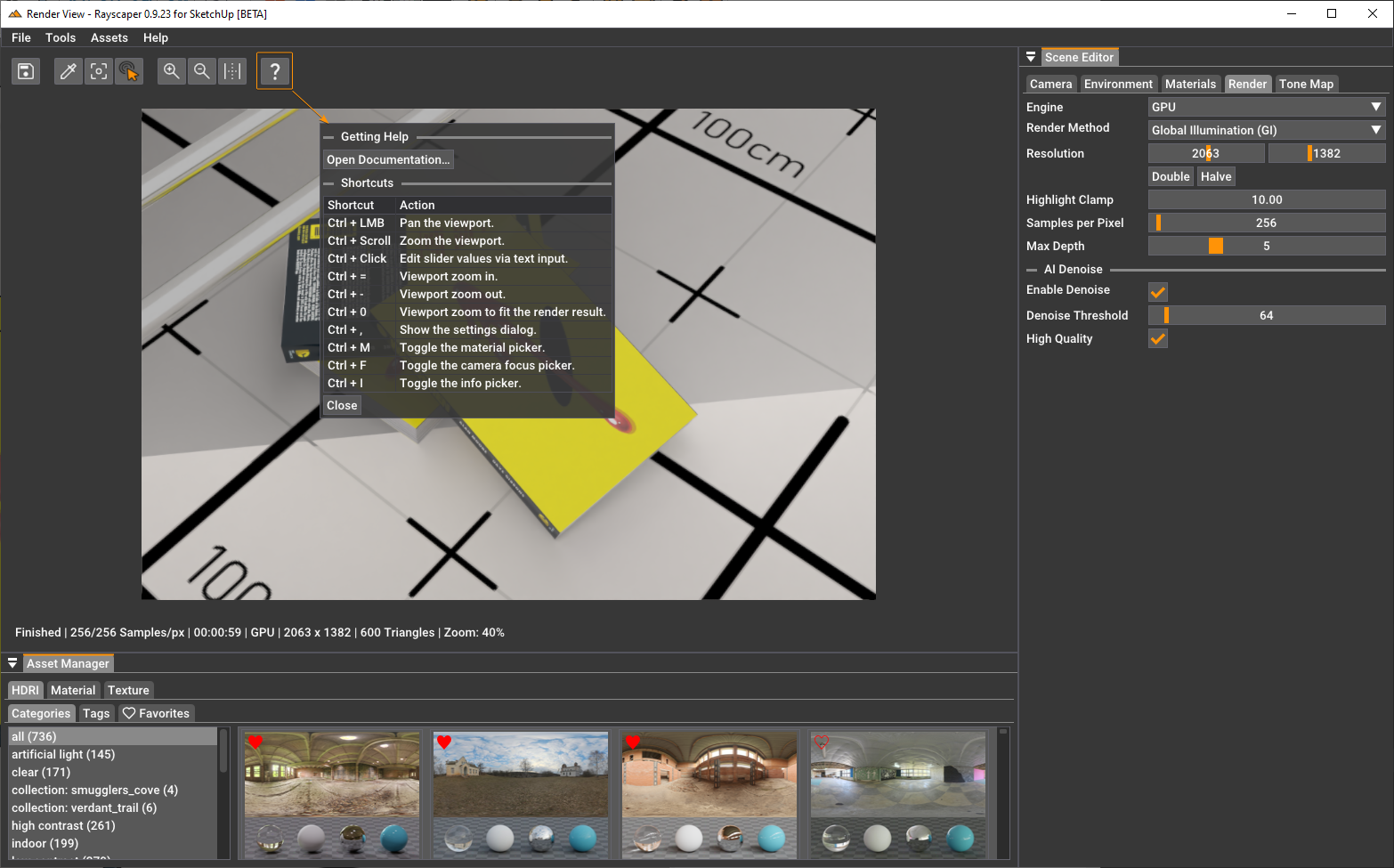
Migrated Rayscaper to a new graphical user interface (GUI) framework. This changes the look and feel of the GUI but
was done mainly to simplify Rayscaper's code base to enable faster future development. This was a significant change and why it took +1 Month since the previous release.Here's what Rayscaper looks like now:
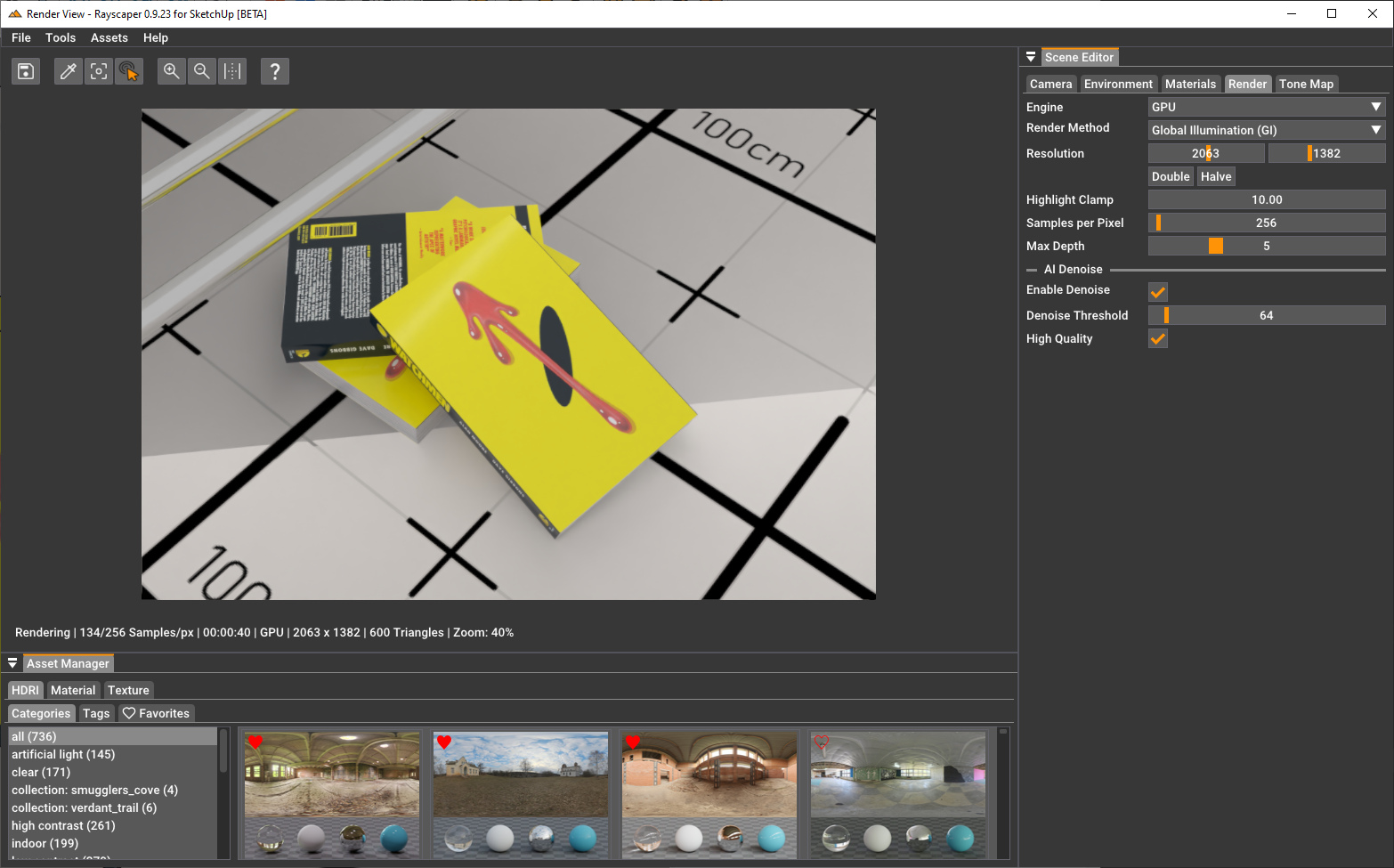
Some controls changed, so make sure to check the help:
Express Light Emitting Materials in Watt
- Controlling light emitting materials (LEMs) was sometimes tricky. I fixed some bugs in this area, and LEMs are now expressed in Watts.
Bug Fixes
- Make sure that VCB input works again with the light tools.
Help me build the community

I'm on Twitter (X) now: https://twitter.com/Rayscaper3d/ - Please follow the @Rayscaper3d that will help me grow the community and spread the word about Rayscaper!

Happy Rendering!
-
RE: something just for fun
Very cool, feels disorienting opening the browser for the first time having the image popup.
-
RE: Rayscaper New Releases
Hey, Rayscaper friends!
Rayscaper 0.9.25 Beta is available in the SketchUcation store. Some fixes and improvements. As always, I recommend upgrading to the latest version.
What Changed?
Improvements
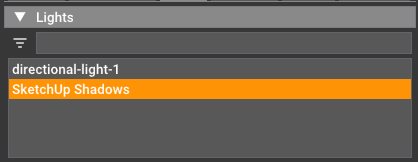
Support SketchUp Shadows
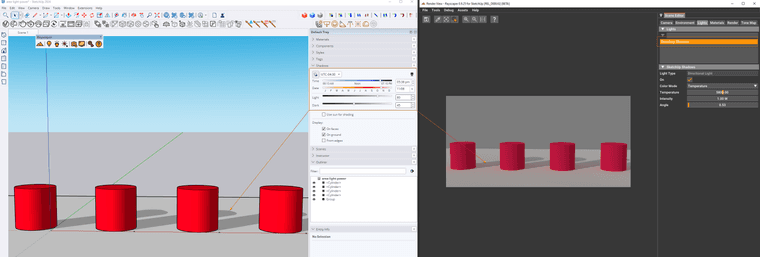
You can now create a directional light in Rayscaper that is directly coupled to the SketchUp shadows feature. You can enable this feature from the Rayscaper menu:
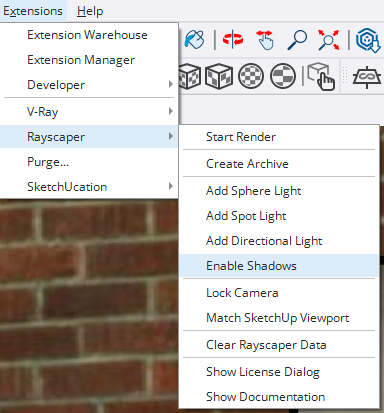
Enabling this creates a new directional light that syncs with the SketchUp shadows controls.
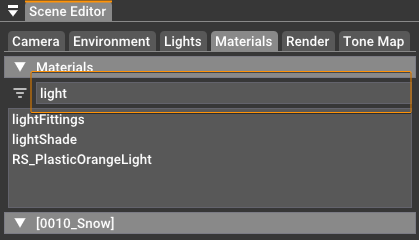
Filter material & light lists
Type some text in the filter box to filter in your lights and materials lists:
Bug Fixes
- Fix "ghost" lights in Rayscaper. Sometimes, lights that you deleted before would re-appear again when loading the scene at a later time.
- Disable the light tools when the user is editing inside a component. Adding Rayscaper lights to SketchUp components is not supported (it's on our roadmap). To avoid this, we now disable the light-creation tools when a component is edited.
- Show light and material names alphabetically.
Help me build the community
I'm on Twitter (X) now: https://twitter.com/Rayscaper3d/ - Please follow the @Rayscaper3d that will help me grow the community and spread the word about Rayscaper!
If you like Rayscaper, please share your renders! This will help me showcase its capabilities to other potential users.
Happy Rendering!
-
RE: Rayscaper Hotrod (Ford Model A)
Nice, an excellent start! I would put some lights on that beauty.
I added the alpha issue to my bugs list—it's not forgotten! You can try cleaning that alpha channel with a tool like Affinity Photo as a workaround.
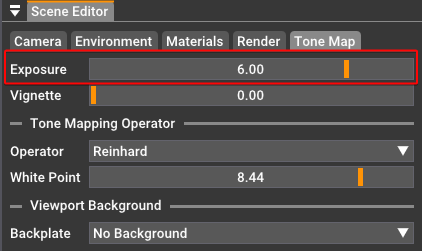
Note that you can update exposure in Rayscaper if you'd like:
Cheers,
Thomas -
RE: 1932 Ford Model A Pickup Drop Hotrod
@Mike-Amos Good stuff! Coming along nicely.
-
RE: Rayscaper New Releases
@sashapepperspray It's Great to hear you like it. This was not a deliberate change but a side effect of how the new GUI framework used in Rayscaper handles splash screens.
Cheers,
Thomas -
RE: Alfa Romeo 4C Renders HQ.
Hey Mike, great to see you picking up Rayscaper again! Beautiful car, and great render!